
ASRock DeskMini X300 2.5G Series
4.2Editor score
Ultra-Compact 1.92L Form Factor
Supports AMD Socket AM4 Ryzen
High-Capacity DDR4 Memory Up To 128GB
This guide compares the top 10 Barebone Mini PC models for performance, connectivity, and expandability to help you build a custom desktop system efficiently.
Barebone Mini PCs offer a unique approach to desktop computing by providing the core chassis and motherboard while leaving RAM and storage to your choice. This flexibility allows users to tailor specifications precisely to their needs without paying for pre-installed components they might not require.
We have evaluated ten distinct models ranging from compact office solutions to powerful gaming rigs. Our analysis focuses on processor architecture, cooling efficiency, connectivity options like OCuLink, and expandability potential to ensure you find the right foundation for your custom build.
Each product entry highlights specific strengths such as triple display support or advanced AI capabilities. Please note that availability and specifications can vary by region and retailer, so verifying current stock and compatibility before purchase is always recommended for your specific use case.
4.2Editor score

4.0Editor score

5.0Editor score
The following table provides a side-by-side technical overview of all ten selected models allowing you to quickly identify key specifications such as CPU generation memory support and port connectivity for your specific requirements.



This model stands out as a top choice for users needing high performance in a small form factor. Its AMD Ryzen 7 PRO 8845HS processor delivers robust multitasking capabilities suitable for creative work and gaming.
We may earn a commission when you buy through this link, at no additional cost to you.
The inclusion of OCuLink and dual USB4 ports sets it apart from competitors by offering superior external GPU support and high-speed data transfer. This connectivity makes it ideal for future-proofing your desktop environment.
While the price reflects its premium components, the energy efficiency and eco-friendly chassis design provide long-term value. The cooling system effectively manages heat during heavy loads ensuring consistent performance.
Buyers seeking a powerful barebone foundation for a custom gaming or workstation setup will find this device meets their requirements effectively.
The OCuLink port allows external GPUs to connect with minimal latency preserving maximum graphics performance for demanding tasks.
Support for up to 128GB of DDR5 RAM ensures you can handle large datasets and complex applications without bottlenecks.
We may earn a commission when you buy through this link, at no additional cost to you.
ASUS brings its renowned engineering to this barebone kit featuring the latest Intel Core Ultra processor. It offers exceptional build quality and advanced connectivity options for professional environments.
We may earn a commission when you buy through this link, at no additional cost to you.
The Wi-Fi 7 integration provides significantly faster transfer rates compared to previous generations enhancing wireless performance for streaming and conferencing. Tool-less chassis design simplifies upgrades and maintenance tasks.
Premium pricing is offset by the robust construction and comprehensive warranty coverage. The sync power-off feature adds energy efficiency to the overall system management capabilities.
This kit is ideal for enterprise users or enthusiasts who prioritize reliability and cutting-edge wireless standards in their desktop builds.
MIL-STD-810H certification ensures the device can withstand extreme conditions making it suitable for demanding industrial settings.
Thunderbolt 4 ports enable versatile docking configurations supporting multiple high-resolution displays and fast storage devices.
We may earn a commission when you buy through this link, at no additional cost to you.
The ASRock DeskMini X300 offers an affordable entry point for custom desktop builds with its incredibly compact 1.92L chassis. It supports a wide range of Ryzen processors providing flexibility for budget-conscious buyers.
We may earn a commission when you buy through this link, at no additional cost to you.
Its ability to drive three displays simultaneously makes it a strong contender for office setups needing multi-monitor functionality. The 2.5G LAN port ensures reliable wired network connectivity for stable performance.
While it utilizes the older AM4 platform, the cost savings are significant for users who do not require the newest CPU features. It remains a practical solution for general productivity and light workloads.
Budget builders looking for a reliable foundation that supports future RAM and storage upgrades will appreciate its straightforward design.
The minimal footprint allows placement in tight workspaces where larger desktop towers simply cannot fit.
Support for Ryzen 5000 series allows users to upgrade to high-core count CPUs without replacing the motherboard.
We may earn a commission when you buy through this link, at no additional cost to you.
MINISFORUM X1 Lite focuses on productivity with its triple display output support for efficient multi-tasking. It features a potent AMD Ryzen 7 processor and Radeon 780M graphics for balanced performance.
We may earn a commission when you buy through this link, at no additional cost to you.
The inclusion of OCuLink alongside standard USB4 allows for external graphics expansion without sacrificing internal storage. This configuration helps users adapt to demanding creative tasks over time.
Reviewers note that proper setup is key to achieving optimal performance with this model. The PCM phase-change material in the fan aids in maintaining stable operating temperatures.
Users requiring multiple screens in a compact package will find this model offers the necessary ports and processing power to succeed.
HDMI 2.1 and USB4 outputs enable simultaneous high-resolution connections for enhanced visual workspace management.
Dual PCIe 4.0 M.2 slots allow for rapid data access and separation of system and project files.
We may earn a commission when you buy through this link, at no additional cost to you.
ASRock DeskMeet X300 distinguishes itself with a full PCIe slot enabling desktop-grade graphics card installation. This makes it a rare find for users needing heavy graphical power in a mini chassis.
We may earn a commission when you buy through this link, at no additional cost to you.
It includes a 500W power supply which simplifies the build process by removing one major component from your shopping list. High user ratings reflect its reliability and robust internal design.
While it is larger than standard mini PCs the flexibility it offers compensates for the size trade-off. It supports up to 128GB of memory for demanding multitasking.
This system is perfect for users who want the versatility of a tower in a more contained form factor.
The PCIe 3.0 x16 slot allows installation of full-height GPUs for serious gaming or rendering work.
With a built-in 500W PSU the chassis is prepared for high draw components immediately upon assembly.
We may earn a commission when you buy through this link, at no additional cost to you.
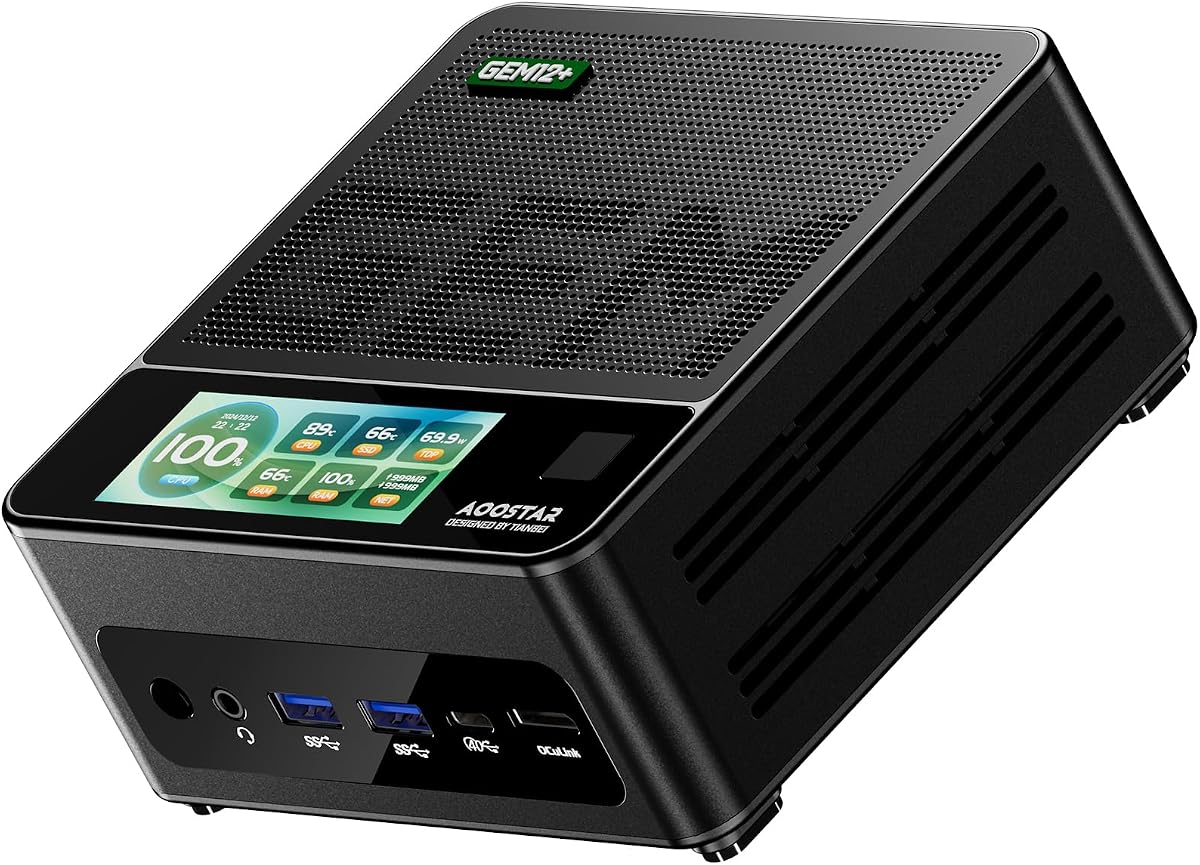
The AOOSTAR GEM12+ utilizes a vapor chamber cooling system to maintain performance under load. Its AMD Ryzen 7 PRO 8845HS CPU provides top-tier processing power for professional tasks.
We may earn a commission when you buy through this link, at no additional cost to you.
An independent channel for OCuLink ensures that external GPU connections do not compete with internal storage for bandwidth. This feature is crucial for users relying on eGPU docks for performance.
The energy-saving architecture reduces power consumption while still delivering high speeds. Support for four 4K displays makes it a versatile hub for video walls or extensive multitasking.
Buyers prioritizing thermal stability and dedicated expansion bandwidth will find this model offers significant technical advantages.
Vapor chamber technology spreads heat evenly across the sink preventing localized hotspots during intensive workloads.
Simultaneous 4K output via HDMI 2.1 and USB4 supports creative professionals needing multiple high resolution screens.
We may earn a commission when you buy through this link, at no additional cost to you.
Powered by the Intel Core Ultra 7 255H this model offers AI-optimized power for modern workflows. It supports headless emulation and sync power-off for efficient server-like deployments.
We may earn a commission when you buy through this link, at no additional cost to you.
The robust chassis design ensures durability in extreme conditions. Rigorous testing standards contribute to the high reliability scores users report in their feedback.
While expensive the features provided justify the investment for enterprise or mission-critical applications. The 3Y warranty adds a layer of security for the buyer.
This device is best suited for those who need guaranteed uptime and premium support services with their mini PC.
Integrated AI accelerators in the Core Ultra processor speed up machine learning tasks and content creation workflows.
Headless emulation allows the system to operate without a monitor for remote management and server applications.
We may earn a commission when you buy through this link, at no additional cost to you.
This PRO variant adds a built-in fingerprint scanner for quick and secure login without passwords. It retains the high-performance 8845HS chip and OCuLink support for maximum utility.
We may earn a commission when you buy through this link, at no additional cost to you.
The dedicated OCuLink channel ensures external graphics cards perform at peak efficiency. Dual 2.5G LAN ports offer redundancy and speed for network-heavy tasks.
Security and convenience are improved compared to standard models through the fingerprint sensor. This feature benefits office environments where multiple users share the device.
Buyers seeking enhanced security features combined with gaming-grade performance should consider this specialized configuration.
The fingerprint sensor simplifies system access while maintaining high security standards for sensitive data.
Two LAN ports allow for failover configurations ensuring consistent internet connectivity during critical operations.
We may earn a commission when you buy through this link, at no additional cost to you.
Emphasizing sustainability this model features eco-friendly packaging and efficient power management. It uses the Intel Core Ultra 5 225H for a balance of speed and energy consumption.
We may earn a commission when you buy through this link, at no additional cost to you.
Tool-less chassis design enables quick upgrades without extra tools. This feature reduces maintenance time for IT professionals managing multiple units.
The Agent Computer platform supports seamless deployment and management in large scale environments. It aligns with modern corporate goals for energy efficiency.
Organizations focused on green computing initiatives will value the environmental and management benefits this kit provides.
Recycled materials in the box reduce the carbon footprint of shipping and initial setup.
Integrated agents simplify remote monitoring and updates for distributed hardware fleets.
We may earn a commission when you buy through this link, at no additional cost to you.
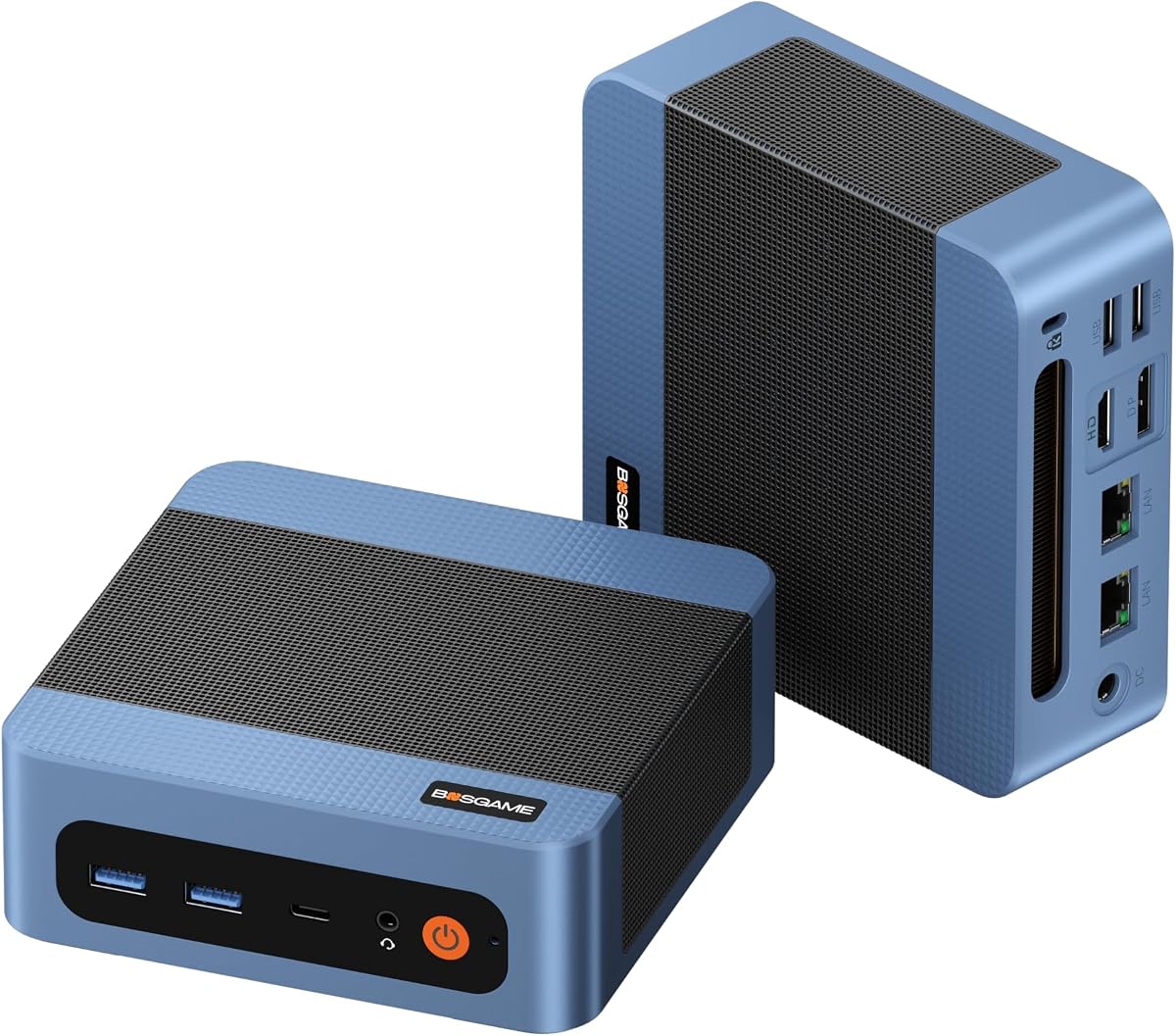
BOSGAME E5 11 Pro is designed for quiet home office environments with its silent fan and compact size. It offers practical features like dual 2.5GbE LAN for networking flexibility.
We may earn a commission when you buy through this link, at no additional cost to you.
The Full-Function Type-C port supports PD 3.0 allowing single-cable power delivery to compatible monitors. This simplifies desk setups by reducing cable clutter.
While it uses an older Ryzen 3 chip it is sufficient for standard office tasks and web browsing. The quiet design ensures it does not disturb during meetings.
Home users looking for a quiet and reliable machine for everyday tasks will find this model meets their needs effectively.
PD 3.0 support via Type-C means you can power the PC directly from a compatible monitor.
Dual LAN ports allow easy configuration for a home server or dual network connection setup.
We may earn a commission when you buy through this link, at no additional cost to you.
Selecting the right barebone Mini PC requires evaluating several key factors to ensure compatibility with your intended use case and budget.
The CPU is the heart of your mini PC. Models range from AMD Ryzen 7 PRO 8845HS to Intel Core Ultra series. Higher core counts benefit multitasking and rendering while newer architectures improve energy efficiency.
Choose a processor that matches your performance needs without overpaying for unused capabilities.
Since these kits exclude RAM and SSD check the maximum supported capacity. Most modern models support 128GB of DDR5 allowing room for growth. Look for dual M.2 slots to enable fast storage setups.
Ensure the motherboard supports the specific speed and capacity you plan to purchase for optimal performance.
Modern barebone systems offer USB4 Thunderbolt or OCuLink ports. OCuLink provides lower latency for external GPUs which is vital for gaming. HDMI and DisplayPort versions determine your display resolution limits.
Verify the number and type of ports to meet your peripheral requirements before assembly.
Heat dissipation is critical in compact chassis. Advanced units use vapor chambers or PCM phase-change materials to maintain stability under load. Passive cooling is silent but limits power output.
Active cooling with optimized fans ensures consistent performance during intensive workloads.
Gigabit Ethernet is standard but 2.5G LAN ports are becoming common in higher-end models. Wi-Fi 7 support future-proofs wireless connectivity. Dual LAN ports offer redundancy for server setups.
Select network capabilities that match your internet speed and local file transfer needs.
Some kits include a high-wattage power supply while others require a separate purchase. Check if a PSU is included to avoid unexpected costs. Energy efficiency ratings like 80+ Bronze indicate better power conversion.
An included PSU simplifies the build process and ensures compatibility with the chassis.
Warranty periods vary significantly between brands. Premium models often include a 3-year warranty. Reliable customer support is essential for troubleshooting assembly issues or component failures.
Always review warranty terms to understand what components are covered over the lifespan.
Consider how you might upgrade later. A dedicated PCIe slot allows full GPU installation. OCuLink ports enable external graphics without using internal storage bandwidth. VESA mounts save desk space.
Choose a model that allows future upgrades to extend its useful life.
Install compatible RAM and SSD carefully following the manual to prevent physical damage to the motherboard slots.
Place the chassis in a well-ventilated area to ensure the cooling system operates efficiently without blockage.
Regularly update BIOS and drivers from the manufacturer website to maintain stability and security.
A barebone Mini PC typically includes the motherboard, chassis, power supply if specified, and cables. It usually excludes RAM, storage, and operating system which you must install yourself.
Only models with a dedicated PCIe slot like the ASRock DeskMeet support regular desktop GPUs. Others rely on internal graphics or external solutions via OCuLink.
OCuLink offers lower latency and dedicated bandwidth for external GPUs compared to USB4 which shares data lanes. It is ideal for gaming workloads.
Most modern barebone kits support up to 128GB of DDR5 or DDR4 RAM. Check the specific model specifications for exact capacity limits.
Almost all models support at least two displays. Some like the ASUS NUC 15 Pro support up to four 4K displays for advanced setups.
Most barebone kits do not include an OS. You must install Windows or Linux yourself using a USB drive.
Use compressed air to blow dust out of the vents regularly. Avoid touching fan blades directly to prevent damage to the bearings.
Yes especially models with OCuLink or dedicated GPU slots. The internal 780M graphics handle light gaming while external GPUs boost performance significantly.
The top picks for November 2026 include the AOOSTAR MACO for performance the ASUS NUC 15 Pro for reliability and the ASRock DeskMini for budget needs.
Prioritize connectivity features like OCuLink or Thunderbolt if you plan to expand your system later. Ensure the CPU matches your workload requirements.
Prices and stock levels can change quickly so verify availability on retailer sites before finalizing your purchase for your custom build.