
Corded Landline Phones for Seniors
4.2Editor score
Photo dialing buttons
110dB loud ringer
No battery required
This guide compares the top 10 captioned telephone options for seniors and hearing impaired users to help you find the perfect device for clear communication
Captioned telephones provide real-time text displays for phone conversations, making communication easier for those with hearing loss. These devices combine audio with visual captions to ensure no words are missed during important calls with family or healthcare providers.
We evaluated ten leading captioned telephone models based on screen clarity, sound amplification, ease of use, and customer satisfaction ratings. Our comparison focuses on features that matter most to seniors and individuals managing hearing impairments in daily life.
Each selection below highlights key capabilities and user experiences to help you make an informed decision. Please note that product availability and pricing may change over time, so verify current details before purchasing your preferred model.
4.2Editor score

4.3Editor score
4.5Editor score
Below you will find a side-by-side comparison of all ten products included in this guide, highlighting their core specifications and unique features to help you choose quickly.


This Hamilton CapTel model is a leading choice for users needing captioned telephone services. It delivers real-time captions on a large touchscreen so conversations remain clear even with hearing loss.
We may earn a commission when you buy through this link, at no additional cost to you.
The device supports amplified sound up to 40dB and offers hearing aid compatibility for better audio clarity. Users can choose between auto captions or assisted captions with live operator support.
While it requires high-speed internet and US registration, the convenience of seeing every word spoken makes the setup worthwhile. Voicemail captions add extra clarity for missed messages.
If you want reliable captioning with strong amplification and an easy interface, this is a top recommendation for seniors and those with hearing impairments.
Captions appear instantly during calls so you never miss words or confuse similar sounding phrases.
Volume control up to 40dB ensures conversations are audible even in quiet home environments.
We may earn a commission when you buy through this link, at no additional cost to you.
This phone simplifies communication for seniors with memory loss by using photo speed-dial buttons. It connects directly to a phone line without needing batteries or Wi-Fi which keeps it reliable.
We may earn a commission when you buy through this link, at no additional cost to you.
With a 110dB ringer and visual indicator light, incoming calls are hard to miss. Hands-free calling allows users to answer without holding a receiver.
Although it lacks captioning, the simplicity makes it ideal for those who struggle with numbers. SOS buttons can be programmed for emergencies.
For elderly family members who need a straightforward way to call home, this corded model offers excellent reliability and ease of use.
Family photos on buttons remove the need to remember phone numbers or read small digits.
Plugs into standard phone line so it works during power outages without battery backup.
We may earn a commission when you buy through this link, at no additional cost to you.
The VTech SN5147 combines a corded base with a cordless handset for flexible use. It provides extra-loud ringer alerts and 50dB audio assist for hearing impaired listeners.
We may earn a commission when you buy through this link, at no additional cost to you.
Big buttons and a large backlit display make dialing and reading caller ID easy for low vision users. The answering machine supports slow playback for better message comprehension.
While it does not show captions, the amplified audio and call blocking features help focus on important conversations. Photo speed dial adds convenience for frequent contacts.
If you want mobility with strong amplification, this hybrid system offers a balanced solution for seniors who move around the home often.
Handset mobility lets users answer calls from any room while base ensures reliability during outages.
Flashing alerts notify users of incoming calls even when ringer volume is lowered.
We may earn a commission when you buy through this link, at no additional cost to you.
This phone enables dialing, answering, and hanging up using voice commands. It is designed for users with mobility or vision difficulties who cannot press small buttons.
We may earn a commission when you buy through this link, at no additional cost to you.
Always listening mode ensures the phone is ready whenever a command is given. It uses your existing home phone line without requiring cellular service or batteries.
Although it lacks visual feedback or captions, the hands-free nature makes it accessible for those with limited dexterity. Quality depends on clear voice prompts.
For individuals with severe mobility challenges, this voice-only control offers a unique way to stay connected without physical interaction.
Commands like dial, answer, and end allow control without touching any device parts.
Ideal for seniors with hand tremors or arthritis who struggle with traditional keypads.
We may earn a commission when you buy through this link, at no additional cost to you.
This model features oversized buttons and replaceable picture buttons for storing favorite numbers. It offers 40dB amplification to support those with mild to moderate hearing loss.
We may earn a commission when you buy through this link, at no additional cost to you.
The phone can be mounted on a wall or used on a desktop with nonskid pieces to prevent slipping. Memory data remains stored even if the phone line is unplugged.
While it does not provide captions, the large interface and memory retention make it practical for seniors with dementia or low vision. The design focuses on physical accessibility.
If button size and memory reliability are priorities, this corded phone delivers a simple and accessible solution for home communication.
Mounting option keeps the phone at eye level and prevents it from falling over.
Stored numbers do not disappear when unplugged, saving reprogramming effort.
We may earn a commission when you buy through this link, at no additional cost to you.
This VoIP phone features customizable image keys for dementia patients to easily identify contacts. It requires an active VoIP service but delivers strong sound amplification for hearing impaired users.
We may earn a commission when you buy through this link, at no additional cost to you.
The 110dB speakerphone ensures voices are heard clearly even in noisy environments. A dedicated HELP key provides quick access to emergency assistance when needed.
While setup is more complex than analog phones, the photo customization and high volume make it suitable for nursing homes or homes with internet telephony.
For households already using VoIP, this model combines modern connectivity with senior-focused accessibility features effectively.
Connects through internet telephony rather than traditional phone jacks for clearer digital audio.
Programmable help button allows instant contact with caregivers or emergency services.
We may earn a commission when you buy through this link, at no additional cost to you.
This phone is engineered to provide high definition audio and amplified sound for better listening. It targets seniors with hearing difficulties by prioritizing audio quality over extra digital features.
We may earn a commission when you buy through this link, at no additional cost to you.
Users benefit from reduced static and clearer voice tones during conversations. The design focuses on performance and reliability for daily use.
Although customer feedback is limited, the commitment to high fidelity audio makes it a niche choice for those who prioritize sound clarity above all else.
If audio quality is your main concern, this model offers a focused solution without unnecessary complications.
Audio processing reduces background noise and distortion for clearer speech recognition.
Design choices reflect the needs of older users who struggle with standard audio quality.
We may earn a commission when you buy through this link, at no additional cost to you.
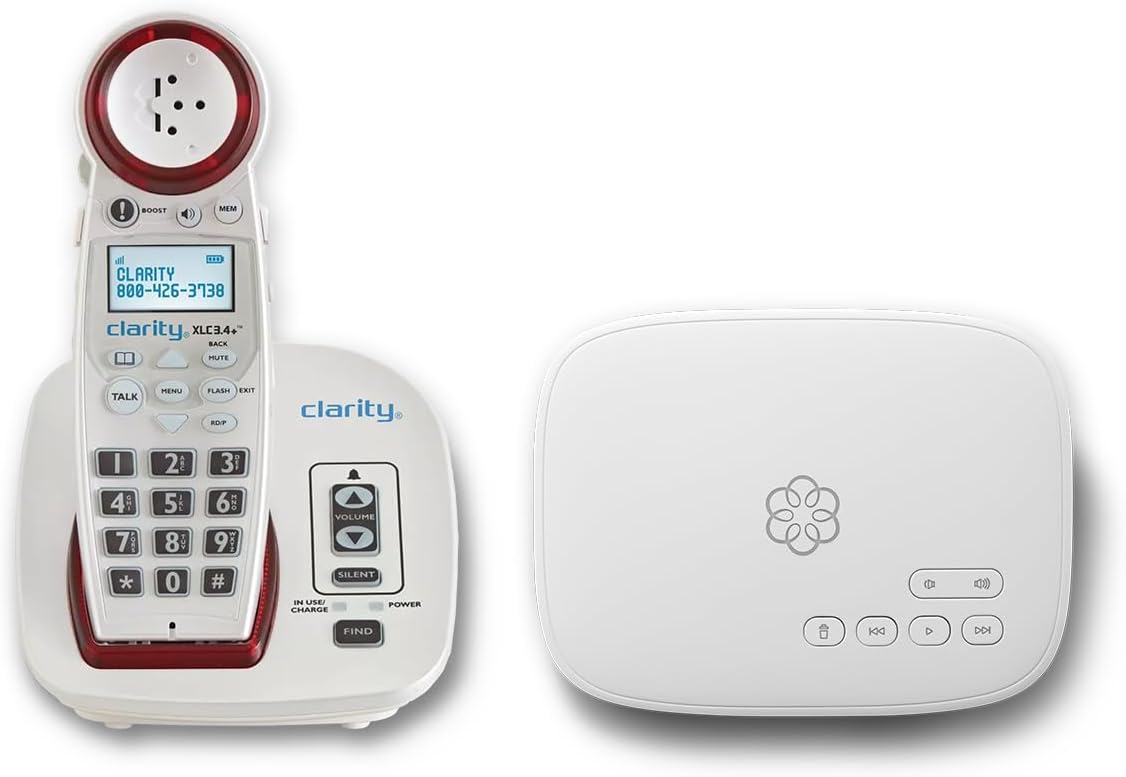
This bundle combines a service subscription with an amplified cordless phone. It offers unlimited calling across the US and includes visual ringer alerts for hearing impaired users.
We may earn a commission when you buy through this link, at no additional cost to you.
Call blocking protects against robocalls and scammers while 911 dispatch receives your address automatically. Concierge service helps with setup and troubleshooting.
While ongoing costs apply, the all-in-one service simplifies management and ensures strong call quality. It suits households wanting comprehensive protection and accessibility.
If you prefer a managed solution with support and advanced blocking, this bundle provides excellent value for home phone security.
Robocall blocking prevents unwanted interruptions and ensures only approved contacts reach you.
24/7 US based support guides you through setup and answers service questions quickly.
We may earn a commission when you buy through this link, at no additional cost to you.
This phone combines voice dialing with 17 programmable voice activated memories. It allows users to make or end calls using voice commands without touching the handset.
We may earn a commission when you buy through this link, at no additional cost to you.
Visual LED ring indicators and speaking caller ID provide extra cues for hearing impaired users. Volume up to 40dB helps with clarity in quiet rooms.
However, user ratings suggest reliability may vary. The feature set feels older compared to modern captioned phones but may suit specific accessibility needs.
For those who specifically want voice memory features, this model offers a classic option with basic auditory alerts.
Names and numbers are stored as spoken prompts for recall without typing.
Phone announces the caller name and number audibly when a call comes in.
We may earn a commission when you buy through this link, at no additional cost to you.
This phone uses nine photo memory keys for one-touch dialing without entering numbers. It features an amplified 110dB+ ringer and LED flash alerts so incoming calls are never missed.
We may earn a commission when you buy through this link, at no additional cost to you.
Hands-free calling helps users with limited mobility operate the phone comfortably. It runs on phone line power so no batteries are needed.
While it lacks caller ID, the focus is on simplicity and speed for dementia patients. Easy programming allows storing numbers in seconds.
If speed dialing and loud alerts are priority, this affordable landline offers a straightforward way to keep family connections strong.
Photos replace numbers on keys so users can reach family instantly without typing.
Reliable during power outages since it draws power directly from the phone line.
We may earn a commission when you buy through this link, at no additional cost to you.
Choosing a captioned telephone involves balancing text clarity, sound amplification, and ease of use to match specific hearing or memory needs.
Look for devices that offer real-time captions with minimal delay so you can read the text as the speaker talks. Delayed captions can confuse the conversation flow and reduce usability.
Ensure the display screen is large enough with adjustable font size to avoid eye strain during long calls.
Amplified models provide volume boost up to 40dB or more which helps users with hearing loss hear conversations without strain.
Check if the device supports hearing aid compatibility and adjustable tone control for personalized audio comfort.
Captioned phones typically require high-speed internet to transmit text captions so verify your connection supports this feature before buying.
Some alternatives work via standard phone lines if you prefer to avoid internet dependencies or data fees.
Simple interfaces with big buttons or touchscreen controls make dialing easier for seniors with dexterity issues or low vision.
Choose models that allow quick setup so you can start using them without technical support or complex menus.
Phones that run directly from a phone line power remain functional during power outages which is crucial for emergency communications.
If the device requires external power or batteries ensure backup options are available to prevent disconnection.
Look for visual ringer alerts and SOS buttons that provide non-auditory signals for incoming calls or emergencies.
Features like photo speed dial or voice command support further reduce cognitive load for users with memory impairments.
Captioning services may require registration or subscription fees for residents in specific regions so confirm eligibility before purchase.
Some models include free lifetime access while others charge monthly for advanced plans or unlimited calling.
Reliable customer service and setup assistance ensure you can resolve issues quickly without frustration.
Check for warranty coverage and return policies that protect your investment if the device does not meet needs.
Start by connecting the telephone to a reliable high-speed internet or phone line and plugging it into a working electrical outlet. Follow the setup wizard to register your details if needed for caption service activation.
Test the phone by making a call to yourself or a trusted contact to verify that captions appear on the screen and volume settings are comfortable. Adjust the text size and audio levels to fit your hearing profile.
Keep the device in a dry and stable location away from water sources to prolong its lifespan. Regularly update settings and clean the screen to ensure continued clarity and responsiveness.
A captioned telephone displays real-time text captions of the conversation on a screen so users can read what is being said. It combines audio and visual cues to support individuals with hearing loss.
Most captioned models need high-speed internet for captioning but some basic amplified phones work on standard phone lines without internet. Confirm your chosen device's connectivity requirements before buying.
Typically US residents with documented hearing loss qualify to receive these devices through approved services. Registration usually requires proof of impairment and valid contact details.
Many providers offer free captioning services funded by telecommunications mandates but some may charge fees for premium features. Check the included service plan details carefully.
Yes many captioned phones include hearing aid compatibility to reduce interference and improve audio quality. Look for T-coil or Bluetooth support if you use hearing aids.
Select a model with adjustable font sizes and large displays designed for low vision users. Screen clarity is essential to prevent eye strain and missed words.
Contact the manufacturer or service provider to request a registration form. You will typically need to submit proof of hearing loss to activate the captioning service.
Most captioned telephones are designed for landlines or VoIP setups not mobile networks. However some mobile apps exist but they do not replace physical home units.
We reviewed ten leading options ranging from full captioned models to amplified landline phones. The Hamilton CapTel stands out for its real-time text and touchscreen while simpler corded models offer budget-friendly alternatives.
Prioritize features like amplification, visual alerts, and ease of dialing based on your specific hearing or memory challenges. A device that fits your daily routine ensures consistent use.
Verify current pricing and service eligibility before making a final decision as availability may vary. Investing in a reliable phone strengthens communication with loved ones and healthcare providers.