
PowerA Twin Charging Station
4.7Editor score
Officially licensed
Simple design
Two-year warranty
This guide compares the top charging dock for PS5 controllers, evaluating speed, design, and compatibility to help gamers find the perfect accessory.
Finding the right charging dock for PS5 controllers ensures your gaming sessions never end due to low battery. A good dock offers fast charging, stable placement, and often includes visual indicators so you know when your gear is ready for action.
We compared ten top-rated models based on charging speed, build quality, design aesthetics, and safety features. Each product was evaluated for compatibility with DualSense and Edge controllers, ease of use, and value to deliver this comprehensive ranked list.
Each pick highlights key strengths and potential trade-offs so you can choose confidently. Prices and availability change frequently, so check current listings before purchasing to ensure you get the best deal for your specific gaming setup needs.
4.7Editor score
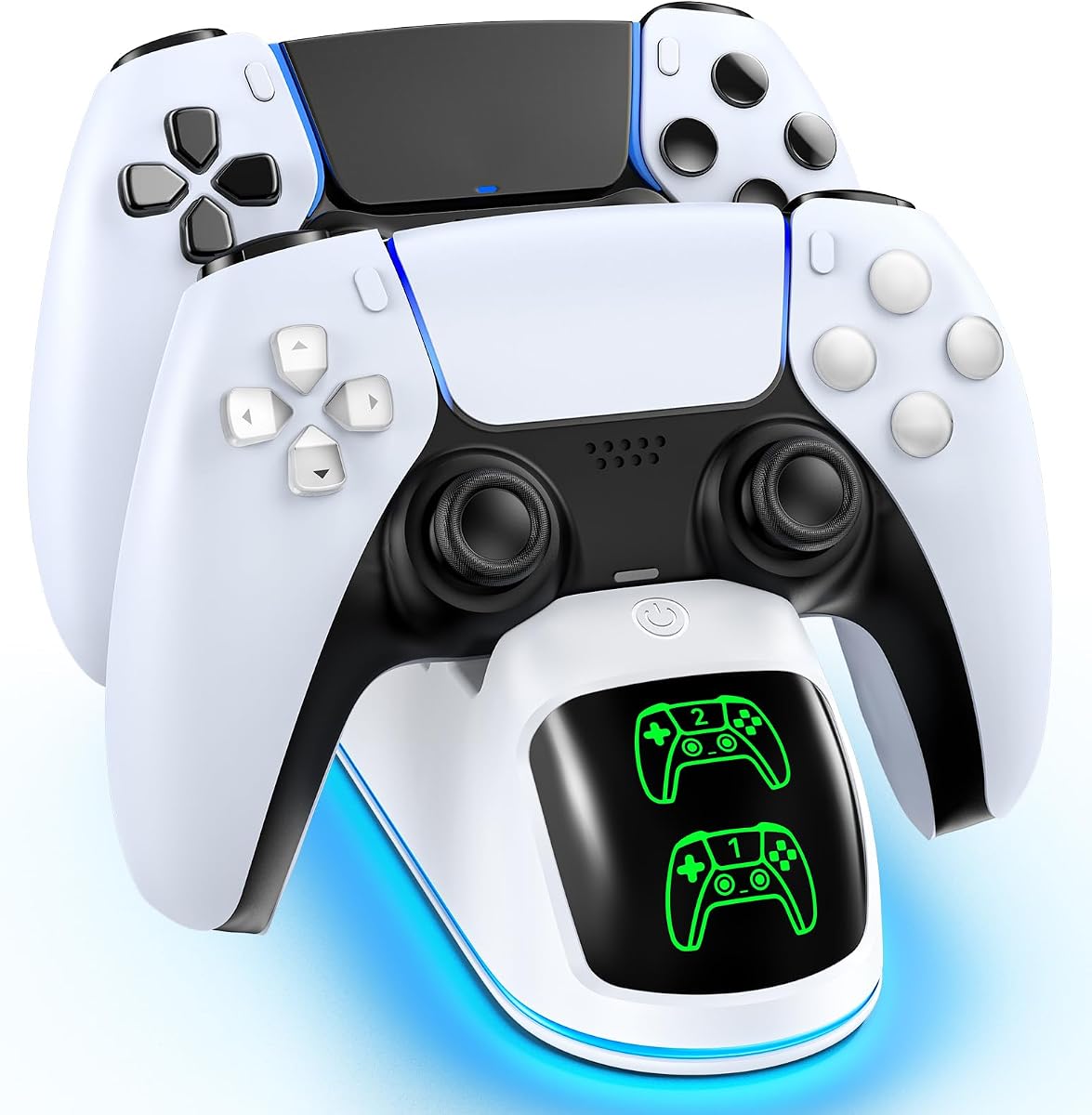
4.7Editor score

4.7Editor score
This side-by-side comparison highlights the key specifications and features of the top ten charging docks available today, helping you quickly identify the model that fits your setup and budget.

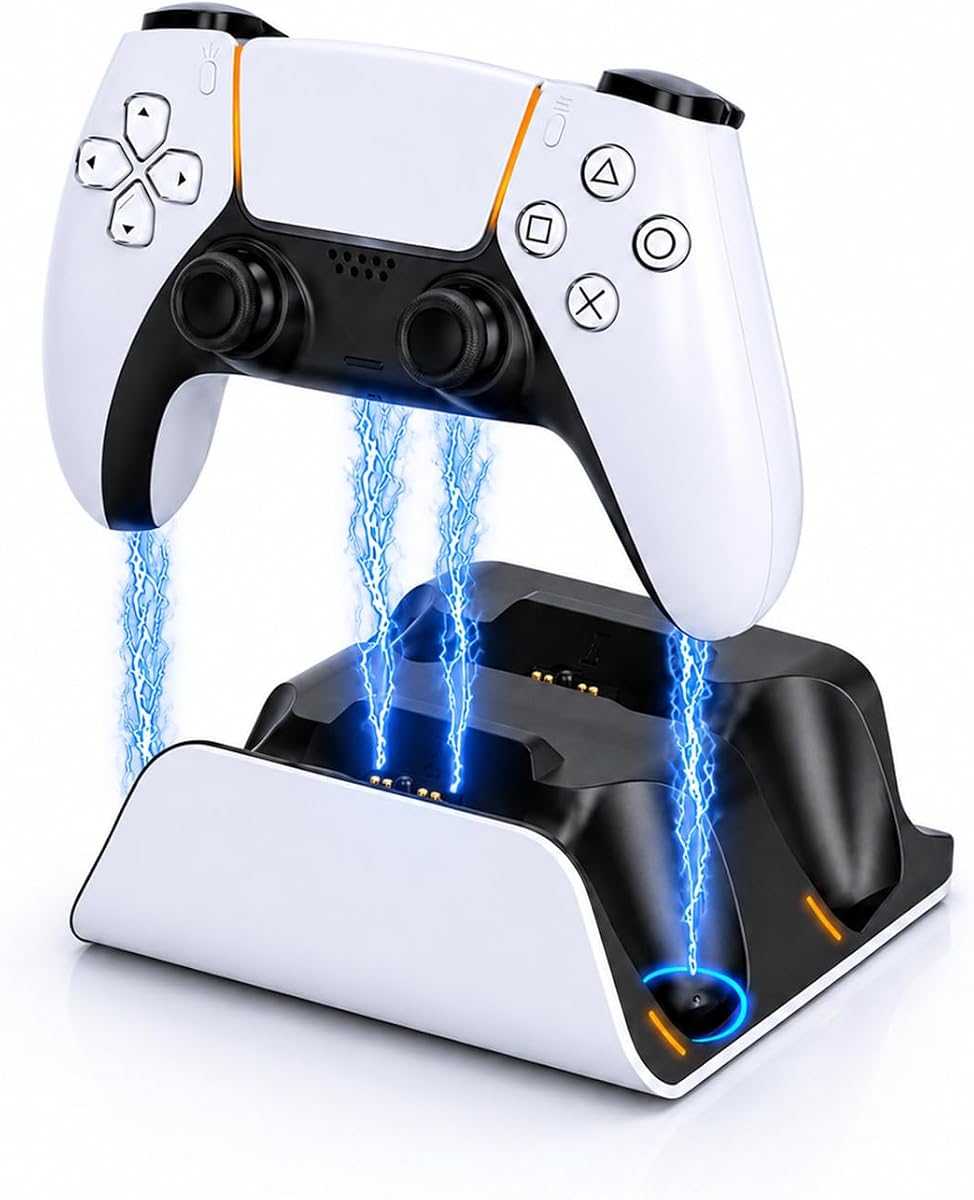


The OIVO PS5 Controller Charger Station stands out as a top-tier choice for gamers wanting both function and flair. It holds two DualSense or Edge controllers securely while delivering full charges in as little as two hours through its optimized power delivery system.
We may earn a commission when you buy through this link, at no additional cost to you.
One of its most appealing features is the dynamic RGB lighting system, which offers nine distinct modes to match your gaming room's mood. The touch controls let you switch effects or toggle lights easily, adding a vibrant atmosphere to your setup without needing extra software.
While the colorful lights enhance the experience, some minimalist setups might find them too bright during late-night sessions. However, the dock includes a convenient off mode, and the overall build quality remains excellent with non-slip pads that keep it steady on any desk.
If you value speed, style, and seamless compatibility with both standard and Edge controllers, this dock is a smart investment. It balances practical charging needs with aesthetic customization better than most competitors in this price range.
Designed to organize your setup, the dock holds two controllers side by side with a sleek profile that complements the PS5 console's look and reduces desktop clutter effectively.
Integrated protective chips prevent overvoltage and overheating, ensuring safe overnight charging while your controllers reach full power quickly for the next gaming session.
We may earn a commission when you buy through this link, at no additional cost to you.
The PowerA Twin Charging Station delivers essential charging performance without unnecessary frills, making it ideal for budget-conscious gamers. As an officially licensed accessory, it guarantees compatibility and safety with DualSense wireless controllers straight out of the box.
We may earn a commission when you buy through this link, at no additional cost to you.
Its simple design focuses on functionality, using a straightforward AC-powered setup to charge two controllers simultaneously. This reliability ensures you never have to worry about connection issues or mismatched pins, which can sometimes plague third-party docks.
While it lacks the flashy RGB lighting of other models, the clean aesthetic blends well with most gaming setups. The included two-year limited warranty adds peace of mind, showing confidence in its durability and long-term performance for daily use.
For anyone who prioritizes value and trust over decorative features, this station is a solid pick. It handles the core task of keeping your controllers powered up efficiently while staying within a very affordable price bracket.
Being officially licensed means stricter quality standards and guaranteed fit for your controllers, reducing the risk of damage or poor contact that can occur with unbranded alternatives.
The two-year limited warranty reflects strong build quality, giving you extra protection against manufacturing defects and ensuring a long-lasting accessory for your console setup.
We may earn a commission when you buy through this link, at no additional cost to you.
Razer's Quick Charging Stand brings premium build quality and elegant design to your PS5 setup. It features a curved cradle that securely holds a single DualSense controller, ensuring it stays in place while charging and looks like an official part of your console.
We may earn a commission when you buy through this link, at no additional cost to you.
The standout feature is its ergonomic design that supports one-handed navigation, letting you use the controller even while it is docked. This makes menu navigation smoother without needing to remove it from the stand, which is perfect for quick settings adjustments.
While it charges only one controller at a time, the under-three-hour full charge time is efficient for most users. The price is higher than dual docks, but you are paying for brand reputation, refined aesthetics, and a design that truly matches the PS5's look.
If you prefer a single high-quality stand over a dual dock and care about matching your console's design language, this is an excellent choice. It is a refined accessory that elevates the look of your gaming space while delivering reliable performance.
The stand shares the same striking colors and sleek lines as the DualSense controller, making it a seamless visual addition to your gaming desk or entertainment center.
Designed with overcharge protection and USB power, it keeps your controller safe and ready without needing a separate wall adapter, simplifying your cable setup effectively.
We may earn a commission when you buy through this link, at no additional cost to you.
The NEWDERY PS5 Controller Charger Station is a practical solution for managing two controllers with solid performance. It works with both standard DualSense and Edge models, ensuring your premium accessories are always ready for action without needing multiple docks.
We may earn a commission when you buy through this link, at no additional cost to you.
Its four-slot design helps organize your controllers neatly, while the LED indicators provide clear status updates on charging progress. The included USB cable offers flexibility to power the dock from your console, laptop, or adapter, making setup adaptable to your space.
Keep in mind that any controller cases or skins must be removed before charging to ensure proper contact. While the three-hour charge time is slightly slower than some competitors, the stable build and anti-slip mats keep devices secure during the process.
This dock strikes a good balance between functionality and value for gamers who need reliable dual charging. It is a dependable choice that keeps your controllers organized and powered up without complicated features or high costs.
Compatible with the newer DualSense Edge, this dock future-proofs your setup and ensures your advanced controller gets charged safely and efficiently every time.
Anti-slip mats prevent the dock from sliding on smooth surfaces, while the included cable gives you multiple power options for a clutter-free and stable arrangement.
We may earn a commission when you buy through this link, at no additional cost to you.
The white PS5 Controller Charger Station simplifies the charging process with its self-aligning dock design that removes the guesswork. Simply drop the controllers onto the charging pins, and the smart mechanism ensures a solid connection for rapid charging without fiddling.
We may earn a commission when you buy through this link, at no additional cost to you.
Dual LED indicators provide instant visual feedback on each controller's status, using orange for charging and blue for full charge. The fast 2.5-hour charge time is competitive, keeping your gear ready for long sessions without extended downtime between games.
You will need to use a specific 5V/3A adapter for optimal performance, which may require checking your existing setup. However, the white finish matches the PS5 console, and the anti-slip pads keep the dock firmly in place during regular use.
If you prefer a clean and straightforward solution that prioritizes speed and ease of use, this model fits the bill. It delivers reliable dual charging with a design that complements the official console color scheme.
The dock eliminates the need for precise alignment, making it user-friendly for quick swaps and ensuring consistent contact for safe and efficient power transfer every time.
Visible LED lights let you check charging status at a glance, removing the need to power on the console or guess when your controllers are ready to use.
We may earn a commission when you buy through this link, at no additional cost to you.
This PS5 controller charging station adds a unique touch with LED ambient light on both sides, creating a relaxing environment for your gaming area. The touch button controls a multi-color breathing effect that can be customized to suit your mood or room lighting preferences.
We may earn a commission when you buy through this link, at no additional cost to you.
It includes an AC adapter for reliable power, enabling a 2.5 to 3-hour charge time for both controllers. The memory function ensures your preferred light mode returns after a power cycle, offering consistency without needing to reset settings each time.
The ambient light is a nice touch, but some users may find it too bright during focused gaming sessions. However, the dock allows you to turn off the light strip while keeping charging active, balancing aesthetics with functionality effectively.
For gamers who want a dock that doubles as subtle mood lighting, this model delivers well. It combines standard charging performance with visual appeal that can enhance the ambiance of your dedicated gaming space.
The breathing light mode adds a modern aesthetic to your setup, and the memory function saves your preference so the look stays consistent every time you use it.
Built-in protection chips guard against overcurrent and overvoltage, while the included AC adapter ensures stable power delivery for safe and efficient controller charging.
We may earn a commission when you buy through this link, at no additional cost to you.
This affordable RGB charging station brings vibrant lighting effects to your setup without a high price tag. It offers dynamic RGB modes that enhance your gaming atmosphere, with touch controls that let you cycle through effects or power the lights on and off easily.
We may earn a commission when you buy through this link, at no additional cost to you.
Despite the low cost, it delivers a fast 2-hour charge time for two controllers, matching pricier options in speed. Compatibility extends to both DualSense and Edge controllers, making it a versatile choice for various controller types in one compact dock.
The build quality is functional but not premium, focusing on delivering lighting and charging at a budget price. If you care more about the visual impact than high-end materials, this dock gets the job done reliably for casual to moderate use.
It is an excellent entry point for gamers who want RGB lighting and quick charging without spending much. The combination of performance and aesthetics at this price makes it a strong contender in the budget category.
Dynamic lighting effects add fun to your setup, and intuitive touch controls make it easy to switch modes or turn lights off for a distraction-free experience.
Full charges in about two hours for both controllers ensure you are rarely waiting, keeping your gaming sessions uninterrupted and your controllers ready for action.
We may earn a commission when you buy through this link, at no additional cost to you.
This PS5 charging station emphasizes speed and style with a rapid two-hour charge time for two controllers. The included 34.8-inch cable provides flexible placement, allowing you to draw power from the console, laptop, or adapter as needed.
We may earn a commission when you buy through this link, at no additional cost to you.
With nine dynamic RGB lighting modes and an RGB switch, you can customize the dock's look to match your gaming vibe. The drop-and-charge design means no precise alignment is required, making it easy to dock controllers quickly during game breaks.
While the lighting is a highlight, managing the cable and ensuring a clean setup may take a little extra effort. The anti-slip pads help keep the dock stable, and the built-in protective chip adds safety for long-term charging reliability.
For gamers who want both rapid charging and a customizable light show, this dock delivers solid value. It balances fast performance with visual flair, making it a versatile addition to any PS5 gaming setup.
Full charges in just two hours for both controllers, which reduces wait times significantly and ensures you always have powered-up controllers ready for multiplayer sessions.
The included long cable and anti-slip base support flexible placement options, while the protective chip prevents electrical issues during extended or overnight charging.
We may earn a commission when you buy through this link, at no additional cost to you.
Inspired by scarab armor aesthetics, this charging station stands out with an aggressive head-shaped silhouette that adds a bold look to your setup. It charges two controllers at once, including Edge versions, with a drop-and-charge mechanism that locks controllers instantly.
We may earn a commission when you buy through this link, at no additional cost to you.
The smart chip protection guards against overvoltage and short circuits, offering peace of mind for expensive controllers. It uses a standard 1M USB-C cable, meaning you likely already own a compatible power source and do not need a special brick.
While the design is distinctive, it may not blend with more minimalist setups. However, the functional benefits of quick automatic alignment and solid safety measures make it a compelling option for gamers who appreciate a unique and efficient dock.
If you want a stand that is visually striking and functionally reliable without special adapters, this is a great choice. It simplifies your daily charging routine with a design that is both practical and memorable.
The cyber-beetle-inspired look sets this dock apart from standard rectangles, adding an eye-catching element to your gaming desk that reflects a personalized style.
Using standard USB-C power means you can plug it into almost any existing charger, making setup straightforward and eliminating the need for proprietary power bricks.
We may earn a commission when you buy through this link, at no additional cost to you.
This dual charging station offers straightforward functionality with an LED dock light that adds a bit of atmosphere while keeping things simple. It is designed to be sturdy, providing a reliable base that holds controllers securely while they charge efficiently.
We may earn a commission when you buy through this link, at no additional cost to you.
Charging two controllers fully takes around four hours, which is slower than some faster models but acceptable for overnight charging. The safety protection chip ensures your controllers are safe from electrical issues, making it a secure choice for daily use.
While the slower speed may be a drawback if you need quick turnaround between sessions, the ease of use is a big plus. Simply set the controller on the port, and charging begins automatically without extra steps or settings to configure.
For gamers who prefer a no-frills approach and charge controllers overnight, this dock is a dependable option. It balances basic aesthetics with safety features that protect your investment over the long term.
The stable build ensures the dock remains in place during daily use, while the automatic charging start removes any hassle from the routine.
Built-in protection chips prevent overvoltage and overheating, ensuring safe charging sessions and extending the lifespan of your controllers through reliable power delivery.
We may earn a commission when you buy through this link, at no additional cost to you.
Choosing the right charging dock involves balancing speed, design, and features to fit your gaming habits and setup. This guide breaks down the key factors to consider before you buy.
Charging speed determines how quickly your controllers are ready for use. Fast docks can fully charge two controllers in around two hours, while standard models may take three to four hours. If you play frequently, a faster dock reduces downtime significantly.
Prioritize a dock with at least 2-hour fast charging if you need quick turnaround between sessions. Overnight chargers can be slower, but if you game during the day, speed becomes more important for convenience.
Ensure the dock supports both DualSense and DualSense Edge controllers. Edge controllers have slightly different designs, so not all docks accommodate them perfectly. Check the product description to confirm explicit compatibility with your specific controller model.
Always verify compatibility with your controller version before buying. A dock that fits both models ensures you can use it even if you upgrade to the Edge in the future without replacing the accessory.
The dock's design should complement your PS5 setup. Some models feature RGB lighting or unique shapes like the cyber-beetle style, while others offer a sleek white or black finish that matches the console. Consider how visible the dock will be in your room.
Choose a design that fits your style preference. RGB can enhance ambiance but may distract some players, while minimalist designs keep the focus on the console and TV.
Docks with self-aligning or drop-and-charge features simplify the charging process. You do not need to plug cables manually or align ports precisely, which saves time and effort daily. Look for anti-slip bases to keep the dock stable.
Prioritize docks with automatic alignment for convenience. The less fiddling required to dock your controllers, the better the user experience over the long term.
Built-in protection chips guard against overvoltage, overcurrent, and overheating. These features are crucial for preventing damage to expensive controllers during long or overnight charging sessions. Reliable docks include these safety measures as standard.
Always choose a dock with smart protection chips. This ensures your controllers are safe from electrical faults and extends the lifespan of your battery health.
Some docks come with their own AC adapters, while others rely on USB power from the console or a separate wall adapter. Consider which power method fits your existing setup best to avoid buying extra adapters.
Docks that support flexible power options give you more placement freedom. If you have a limited number of wall outlets, USB power from the console might be more convenient.
Prices vary widely from budget-friendly to premium models. Budget docks often lack RGB or fancy designs but perform the core charging task well. Premium options may offer better build quality or unique features like one-handed navigation.
Assess what features matter most to you before spending. A budget dock can be a value choice if you do not need lighting or extra aesthetics, while premium docks are worth it for design lovers.
Check if the dock includes a warranty and reliable customer support. Officially licensed products often come with better guarantees, giving you peace of mind if issues arise. This can save money in the long run.
A warranty adds security to your purchase. Look for at least a one-year coverage period to ensure the dock is backed by the manufacturer for quality assurance.
Place the dock on a stable, flat surface near your console or TV to minimize cable length. Ensure the ventilation slots remain unblocked to prevent overheating during extended charging sessions.
Connect the included power cable to the dock and plug the other end into your console or adapter. Most docks begin charging automatically once power is connected and controllers are properly seated.
Clean the charging pins and dock surface regularly with a soft, dry cloth to prevent dust buildup. Avoid using liquids or harsh chemicals that might damage the sensitive contact points on the dock.
Most modern docks fully charge two DualSense controllers in between two and four hours depending on the model. Fast-charging docks with optimized power delivery can achieve full charges in as little as two hours. It is best to check the specific product specs for accurate times.
You can use a controller while it is docked if the dock supports pass-through charging or one-handed navigation. However, many docks require you to remove the controller from the charging cradle to play. Check the product description for navigation features before purchasing.
Most PS5 charging docks are designed for DualSense and DualSense Edge controllers, not PS4 models. The charging ports and physical designs differ between generations. Some universal docks exist, but they are not as common as dedicated PS5 accessories.
Reputable docks include safety chips that prevent overcharging and overheating, which protects battery health. Using certified or officially licensed docks minimizes risks. Avoid cheap models without protection features to ensure your controllers stay healthy over time.
Check the power source and cable first to rule out loose connections. If the dock uses USB power, try a different port or adapter. Most quality docks have built-in protections that stop output if there is a fault, so inspect for damage and contact support if needed.
Flashing LEDs usually indicate the charging status or a specific mode setting. Some docks flash blue while charging and stay solid when fully charged. Others may blink when there is an issue like a loose connection. Refer to the manual for exact light meanings.
We reviewed ten top charging docks ranging from budget options to premium designs with unique features. Our top picks include the OIVO station for its balance of speed and style, the PowerA dock for reliable value, and the Razer stand for elegant single-controller charging.
When selecting a dock, prioritize charging speed and compatibility with your specific controller model. Safety features like protection chips are essential to avoid battery issues, and design should complement your setup without cluttering your space.
Prices and availability change frequently, so check current listings for the best deals. Investing in a quality dock now will keep your controllers powered up and ready for hours of gaming without interruptions.