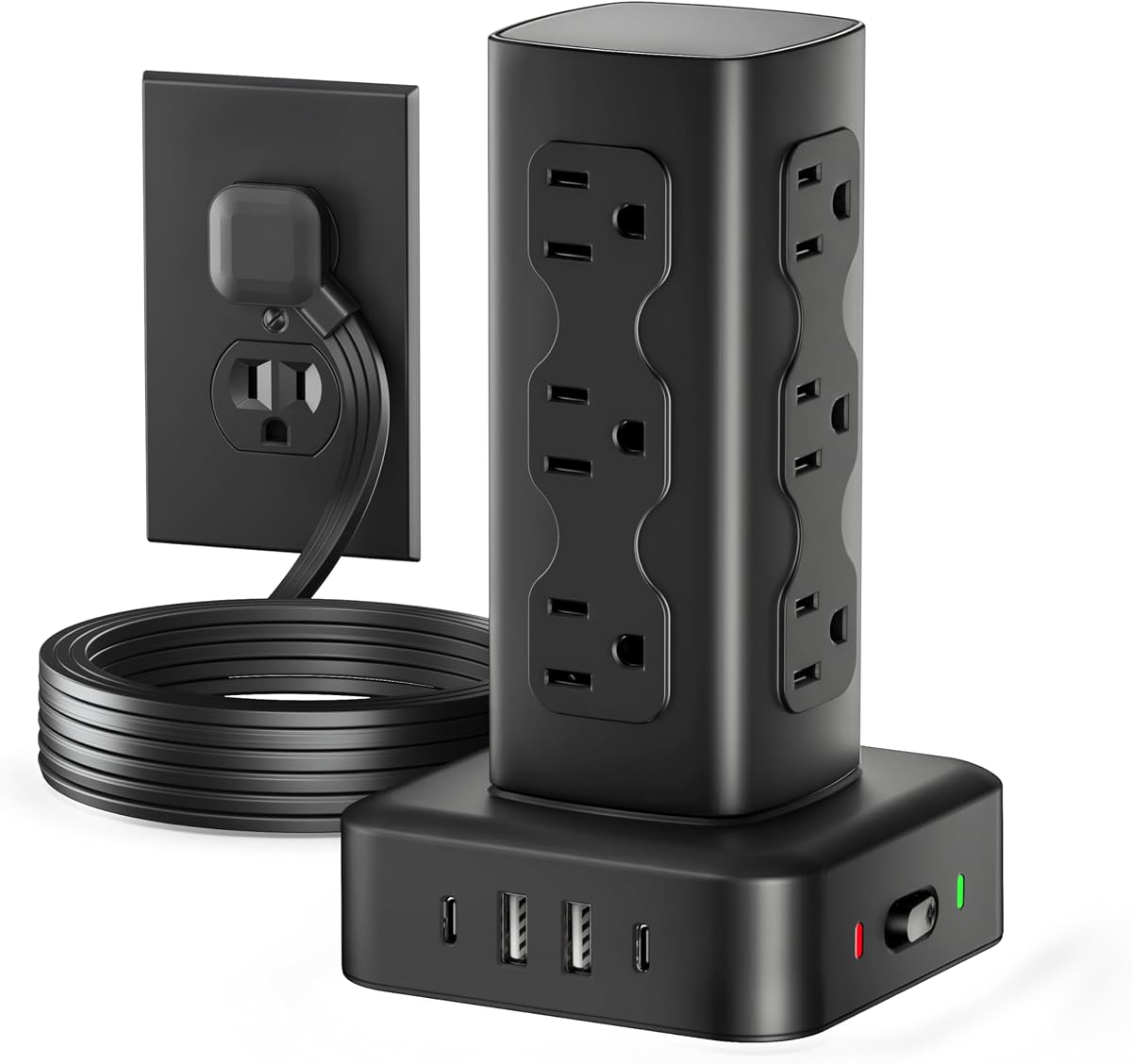
Power Strip Tower with 12 AC Outlets & 4 USB Ports
4.7Editor score
12 wide spaced AC outlets available
2 USB-C and 2 USB-A ports included
2000-joule surge protection rating
This expert guide compares the top charging towers for home and office. We evaluate outlets, USB ports, cord length, and safety features to find the best
Modern homes and offices are filled with electronic devices that require constant power. A charging tower solves clutter by stacking outlets vertically. It saves desk space and organizes cables effectively.
We compared ten top-rated charging towers based on outlet count, USB speed, cord length, and safety certifications. Our analysis focuses on real-world performance and durability for daily use.
Each pick highlights unique strengths like retractable cords or high-wattage USB-C. Note that prices fluctuate frequently. Check current listings before purchasing to ensure you get the best deal today.
4.7Editor score

4.7Editor score

4.7Editor score
The following table provides a side-by-side comparison of all ten charging towers reviewed in this guide. It highlights key specifications like outlet count, USB capabilities, and cord length to help you decide quickly.


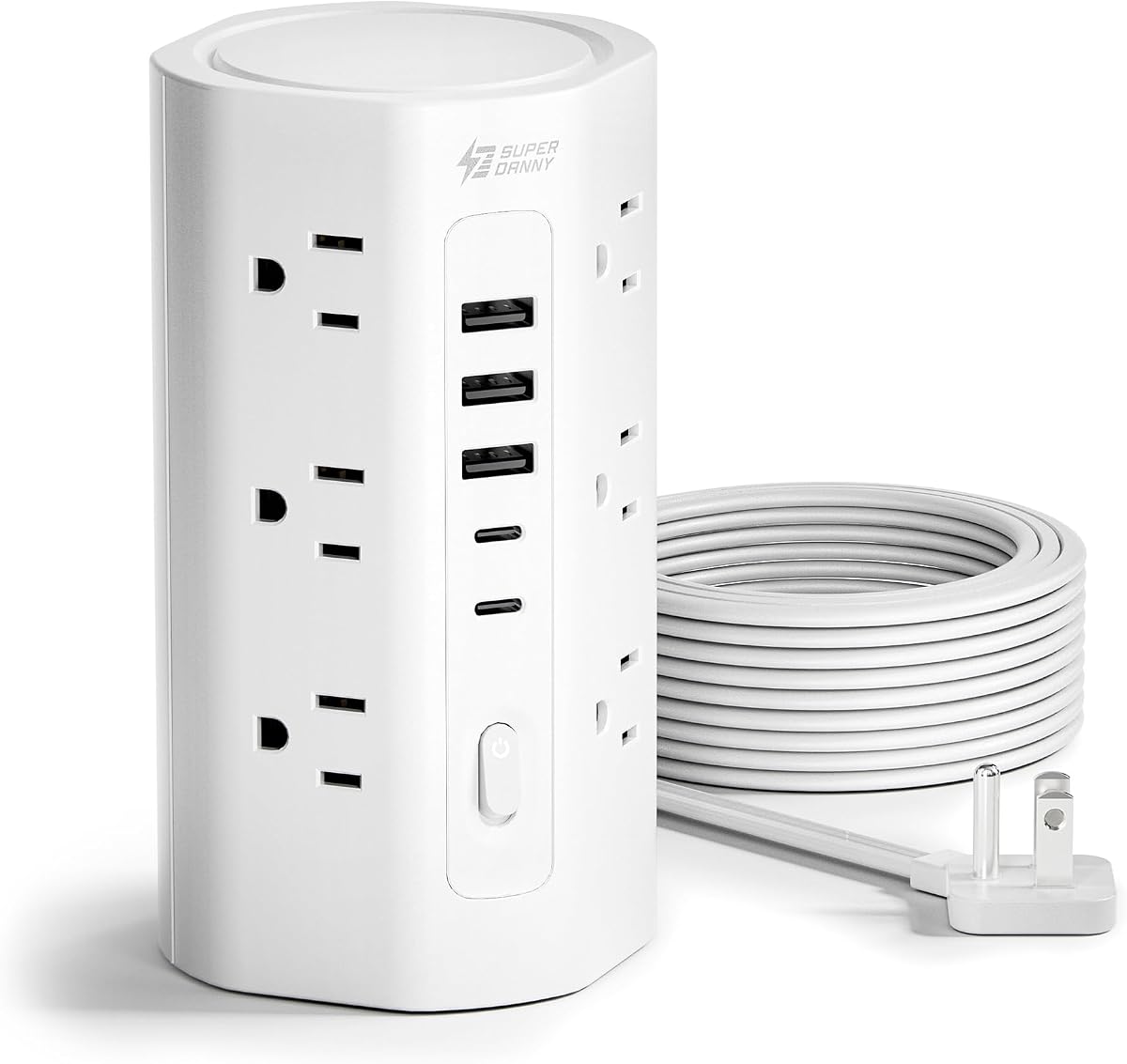
This kakyanill tower ranks as our top pick for its versatility and design. It features a vertical layout that maximizes space while offering 17 ports total for all your devices.
We may earn a commission when you buy through this link, at no additional cost to you.
The standout quality is the retractable cord system which allows you to store the 6ft cable inside the base when not needed. This reduces tripping hazards and keeps your desk or floor clean.
While it offers great value, users should note that spacing between AC outlets might limit some large power bricks. However, the 1.5 inch separation is generally sufficient for most standard adapters.
Anyone needing a high-capacity charging solution for home or office will benefit most from this model. It balances cost with robust features like fire-resistant materials and individual outlet switches for safety.
The retractable base allows you to pull out the cord to the desired length and then rotate to store it neatly inside the tower base for a tidy workspace.
Built with industrial-grade safeguards including a 15A circuit breaker and fire-resistant ABS shell rated to 1382F to protect your electronics from overheating and surges.
We may earn a commission when you buy through this link, at no additional cost to you.
The JACKYLED tower is ideal for gaming setups or media centers where you have many devices plugged in at once. It offers a massive 18-in-1 capacity that reduces the need for multiple strips.
We may earn a commission when you buy through this link, at no additional cost to you.
Its key strength lies in the independent switches on each layer which let you control power to specific devices without unplugging them. This adds convenience and helps manage energy usage effectively.
One trade-off is the weight and bulk compared to slimmer models, which might make it less portable. However, for a fixed location like a desk or entertainment center, this stability is actually a benefit.
Gamers and power users who need reliable access to many outlets will find this model fits their needs perfectly. The copper cord and wide spacing ensure you can plug in everything without blocking adjacent sockets.
Each layer has an independent switch with an indicator light so you can see which devices are powered on and turn them off individually to save energy.
With 1050J of surge protection and FCC certification, this tower safeguards your sensitive electronics from voltage spikes and overcurrent events safely.
We may earn a commission when you buy through this link, at no additional cost to you.
This charging station stands out for its high-wattage USB-C ports which can charge laptops directly without their original brick. It delivers up to 65W per USB-C port making it versatile for modern tech.
We may earn a commission when you buy through this link, at no additional cost to you.
The retractable cord is a major convenience feature that keeps your desk clean by hiding the cable inside the base when fully retracted. You just pull it out when you need to plug in devices.
Users should be aware that charging generates heat so removing phone cases is recommended to avoid overheating issues. This is a common trade-off for high-speed charging stations across the industry.
Professionals who need to charge a laptop alongside phones and tablets will appreciate this model. It combines AC outlets for larger appliances with powerful USB-C ports in a compact vertical design.
The two USB-C ports support up to 65W PD each allowing you to charge laptops and tablets at fast speeds without needing extra wall adapters.
Anti-slip rubber feet at the bottom ensure the tower stays firmly in place on desks or floors preventing it from sliding when you plug and unplug devices.
We may earn a commission when you buy through this link, at no additional cost to you.
This tower offers excellent value for money with a high number of AC outlets and solid surge protection at a competitive price point. It is perfect for budget-conscious buyers needing basic connectivity.
We may earn a commission when you buy through this link, at no additional cost to you.
The 2000-joule surge protection is a strong feature that protects your electronics better than many cheaper alternatives. The flat plug also helps it fit snugly against walls behind sofas or nightstands.
The main limitation is having only four USB ports compared to eight on other models. If you have many USB devices you might still need a separate hub but for general use this is sufficient.
Students and renters looking for a reliable and affordable power solution will love this tower. It provides safety and convenience without breaking the bank or taking up too much desk space.
With 2000 joules of protection this tower actively guards your devices against power surges and voltage spikes that could damage expensive electronics over time.
The ultra-thin 0.31 inch flat plug fits perfectly against the wall and can be easily installed in narrow spaces behind furniture or cabinets.
We may earn a commission when you buy through this link, at no additional cost to you.
This tower is designed for heavy USB charging needs with a massive 230W total output spread across eight ports. It is ideal for users with many phones and tablets needing rapid charging simultaneously.
We may earn a commission when you buy through this link, at no additional cost to you.
The color-coded ports make it easy to identify which ones offer higher wattage for fast charging. This thoughtful design helps you connect devices efficiently without guessing which port is which.
With only six AC outlets this model prioritizes USB charging over AC power. If you need to plug in many large appliances you might find the AC count limiting for your specific setup.
Office workers with multiple devices on their desk will benefit from the speed and organization this tower provides. It keeps your workspace clean and ensures your gadgets are always ready to use.
Orange, green, and blue ports indicate different power levels allowing you to quickly identify which ports are best for fast charging your laptops and phones.
The compact 3.15 by 3.15 inch base minimizes the footprint on your desk leaving more room for work while still powering up to 14 devices.
We may earn a commission when you buy through this link, at no additional cost to you.
If you need to reach outlets across a room this model is unmatched with its 10-foot extension cord. It gives you the flexibility to place your tower exactly where you need it.
We may earn a commission when you buy through this link, at no additional cost to you.
The pure copper cord ensures better current carrying capacity and safety compared to cheaper materials. This is a vital feature for high-amperage setups that need stable power delivery over distance.
While the USB charging is solid it is not as high-wattage as some premium models. It handles phones and tablets well but might not charge laptops as fast as dedicated high-output hubs.
Living room or bedroom setups where wall outlets are far away will find this cord length invaluable. It solves common placement issues and keeps your living space tidy without long draping wires.
The 10-foot flat extension cord is made of pure copper allowing it to reach distant outlets while staying neat along the floor to avoid tripping hazards.
Constructed with fire-resistant ABS and PC materials rated up to 1382F this tower provides a safe and reliable environment for your expensive electronics.
We may earn a commission when you buy through this link, at no additional cost to you.
Anker is known for quality and this charger delivers with a robust 100W USB-C port capable of charging high-end laptops efficiently. It is a premium choice for those who prioritize performance.
We may earn a commission when you buy through this link, at no additional cost to you.
The design is compact and optimized for desktop use with a heavy base that prevents it from tipping over easily. This makes it ideal for a permanent spot on your work desk or nightstand.
You trade quantity for quality here with only three AC outlets compared to double-digit counts on others. It is better suited for users who rely mostly on USB charging for their daily devices.
If you value brand trust and need fast charging for a MacBook or Pro model this is the best option. It offers peace of mind with an 8-point safety system protecting your gear.
The dedicated USB-C ports support up to 100W individually allowing you to charge your laptop at full speed without needing a separate wall charger.
Engineered with multiple safety measures this charger protects against overvoltage and short circuits ensuring your devices remain safe during unexpected power events.
We may earn a commission when you buy through this link, at no additional cost to you.
This tower excels in usability with wide spaced outlets that prevent large power bricks from blocking adjacent sockets. It is a practical solution for users with bulky adapters and plugs.
We may earn a commission when you buy through this link, at no additional cost to you.
The 20W PD port provides fast charging for iPhones and smaller devices ensuring your phone is ready quickly. The 10-foot cord adds flexibility for placement in various room layouts.
The USB-C ports are not designed for laptops but work well for phones and tablets. This limitation makes it less ideal for power users needing high wattage but perfect for general household use.
Families needing a central charging station for mixed devices will appreciate the outlet spacing. It ensures everyone can plug in their device without fighting for space or using extension cables.
With 1.5 inches of spacing between AC outlets this tower allows bulky adapters to fit side by side without blocking the neighbors.
Equipped with 1800J of surge protection this tower actively guards your electronics against sudden voltage spikes and electrical overloads safely.
We may earn a commission when you buy through this link, at no additional cost to you.
This tower offers a great balance of size and performance with a compact vertical design that saves space on tight desks. It fits easily into corners or small work areas.
We may earn a commission when you buy through this link, at no additional cost to you.
The ultra-thin flat plug sits flush against the wall ensuring it does not protrude awkwardly behind furniture. This design helps maintain a clean aesthetic in your living or workspace.
While it has 1800J of surge protection the USB charging speeds are moderate compared to high-wattage models. It is best suited for charging phones and accessories rather than power-hungry laptops.
Users with limited desk space who still need multiple AC outlets will find this model perfect. It keeps your cables organized and prevents clutter while protecting your devices from surges.
The mini vertical design takes up significantly less space than traditional power strips making it ideal for small dorm rooms or home office setups.
The built-in reset and off switch lets you save energy and quickly reset the surge protection in case of a power trip or overload.
We may earn a commission when you buy through this link, at no additional cost to you.
This tower offers excellent reach with a 10-foot flat cord that helps you route power discreetly along walls. It is lightweight enough to be portable for temporary setups or events.
We may earn a commission when you buy through this link, at no additional cost to you.
The included 3-year maintenance plan adds value by offering protection against defects and ensuring you have long-term support from the manufacturer. This gives extra peace of mind for home users.
The USB ports are standard and lack high-wattage fast charging for laptops. It is a solid general-purpose tower but may need a separate charger for high-speed laptop power needs.
Travelers or renters who move their workspace often will appreciate the flexibility of the long cord. It allows you to set up power wherever needed without relying on nearby outlet proximity.
The included 3-year maintenance plan ensures you are protected from defects and can request replacements or service if needed without additional costs.
The 10-foot flat cord is easy to tuck along baseboards and corners reducing tripping hazards while keeping your floor safe and tidy.
We may earn a commission when you buy through this link, at no additional cost to you.
Choosing the right charging tower depends on your specific needs and workspace layout. This guide covers the key factors to consider before making a purchase.
Determine how many devices you need to plug in simultaneously. Look for towers that offer enough AC outlets and USB ports to handle your current setup plus future additions.
Ensure you have enough ports to avoid daisy-chaining strips which can be unsafe.
Check if the USB ports support fast charging protocols like Power Delivery (PD). Higher wattage ports are necessary for charging laptops while lower ones work for phones.
Select models with a mix of USB-C and USB-A to match your device connectors.
Consider the distance between your wall outlet and where you want the tower. A longer cord provides flexibility but requires careful cable management to avoid hazards.
Retractable or flat cords are great for keeping spaces tidy and organized.
Surge protection is vital for protecting expensive electronics from voltage spikes. Look for towers with a high joule rating like 1000J or more for better safety.
Ensure the tower also includes overload and short-circuit protection features.
Wide spaced outlets prevent bulky power bricks from blocking adjacent sockets. This is important if you use adapters with large blocks on them.
Check the dimensions of the tower to ensure it fits your desk or floor space.
Always choose towers that are certified by recognized organizations like UL or FCC. This ensures the product meets strict safety standards for electrical use.
Look for fire-resistant materials in the casing for added protection.
Decide if you need a permanent desktop unit or a portable one. Weight and footprint matter for stability and ease of movement if you travel often.
Flat plugs help the tower sit flush against walls to save space.
A good warranty indicates the manufacturer stands behind their product. Look for options that include maintenance plans or responsive customer support for issues.
Check return policies to ensure you can exchange the product if it does not fit.
Place the tower on a flat stable surface away from liquids to prevent accidents. Ensure the ventilation areas are not blocked to avoid overheating during extended use.
Connect high-power devices like laptops to dedicated high-wattage USB ports or AC outlets for best performance. Avoid overloading the tower by checking its total power rating.
Regularly inspect the cord for any signs of wear or damage and keep it clean. If not using the tower for a long time unplug it to save energy and ensure safety.
Yes, most quality towers have built-in safety features like overload and fire protection that make them safe for continuous use. However, unplugging when not in use is always a good practice for energy savings.
Yes, but you need a tower with high-wattage USB-C ports or sufficient AC outlet capacity. Check the specific wattage ratings to ensure it matches your laptop's power needs.
USB-C ports support faster charging speeds and modern devices like laptops and newer phones. USB-A ports are more traditional and work well with older gadgets and accessories.
Surge protection is highly recommended to protect your electronics from voltage spikes caused by power grid fluctuations or lightning. It adds a layer of safety to your investment.
Use cable clips or ties to route cords neatly. Many towers come with flat or retractable cords to help minimize visible clutter on your desk or floor.
You should check the total power rating of the tower before plugging in multiple appliances like kettles or heaters. Overloading can trigger safety breakers or cause damage.
We have reviewed ten excellent charging towers that cater to different needs and budgets. From the retractable convenience of the kakyanill model to the long cord of the TenTrend tower there is a solution for everyone.
Prioritize safety features like surge protection and certifications to ensure your devices are secure. Also consider how many outlets and USB ports you need to avoid running out of connections.
Prices and stock change frequently so check the current listings for the best deal before purchasing. We hope this guide helps you find the perfect charging tower for your home or office.