
Amazon Basics Condenser Microphone
4.4Editor score
Low noise performance
Cardioid pickup pattern
Plug and play setup
Starting a podcast often means working with a limited budget. Finding a reliable microphone that delivers clear audio without breaking the bank is essential for new creators.
We evaluated ten top-rated USB microphones designed for podcasting, streaming, and voice recording. Each option was selected based on sound quality, build durability, and user feedback.
This guide highlights the key features and trade-offs of each pick. Prices fluctuate frequently, so verify current deals before making your final purchase decision today.
4.4Editor score

4.4Editor score

4.6Editor score
As an Amazon Associate we earn from qualifying purchases.
The following table provides a side-by-side comparison of the top ten microphones. It highlights key specifications and core features to help you make an informed choice.




The ZealSound K66 delivers broadcast-level audio at a budget price point. With a high rating of 4.4 stars, it is ideal for podcasters seeking studio-quality sound without spending hundreds.
We may earn a commission when you buy through this link, at no additional cost to you.
It features an Intelligent Noise Reduction Mode that filters out fan noise and background chatter. The cardioid pickup pattern focuses on your voice while reducing unwanted ambient sounds effectively.
Trade-offs include the absence of a boom arm in the box. You will need to purchase a stand separately if you want a more ergonomic setup for long recording sessions.
This microphone is perfect for podcasters, streamers, and remote workers. It offers consistent performance across platforms like Discord and OBS, making it a versatile choice for creators.
Press and hold the mute button to enable noise reduction, filtering out keyboard clicks and air conditioner hum instantly.
Real-time monitoring via the headphone jack lets you hear exactly what is being recorded without delay during live streams.
We may earn a commission when you buy through this link, at no additional cost to you.
The Amazon Basics microphone is a solid entry point for beginners. Its 4.4-star rating reflects reliable performance for streaming and voice recording without unnecessary features.
We may earn a commission when you buy through this link, at no additional cost to you.
A large 14mm diaphragm ensures clear sound pickup with low noise and distortion. The cardioid pattern isolates background noise, ensuring clean audio for broadcasts.
It lacks advanced features like RGB lighting or software integration. However, the simplicity makes it easy to set up quickly for immediate recording needs.
This option suits new streamers or casual podcasters. It provides high sensitivity and low noise at a fraction of the cost of premium alternatives.
High sensitivity and a large diaphragm deliver clear audio with low noise and distortion for professional results.
A stylish one-tap mute function syncs with your PC for fast control during calls or streaming sessions.
We may earn a commission when you buy through this link, at no additional cost to you.
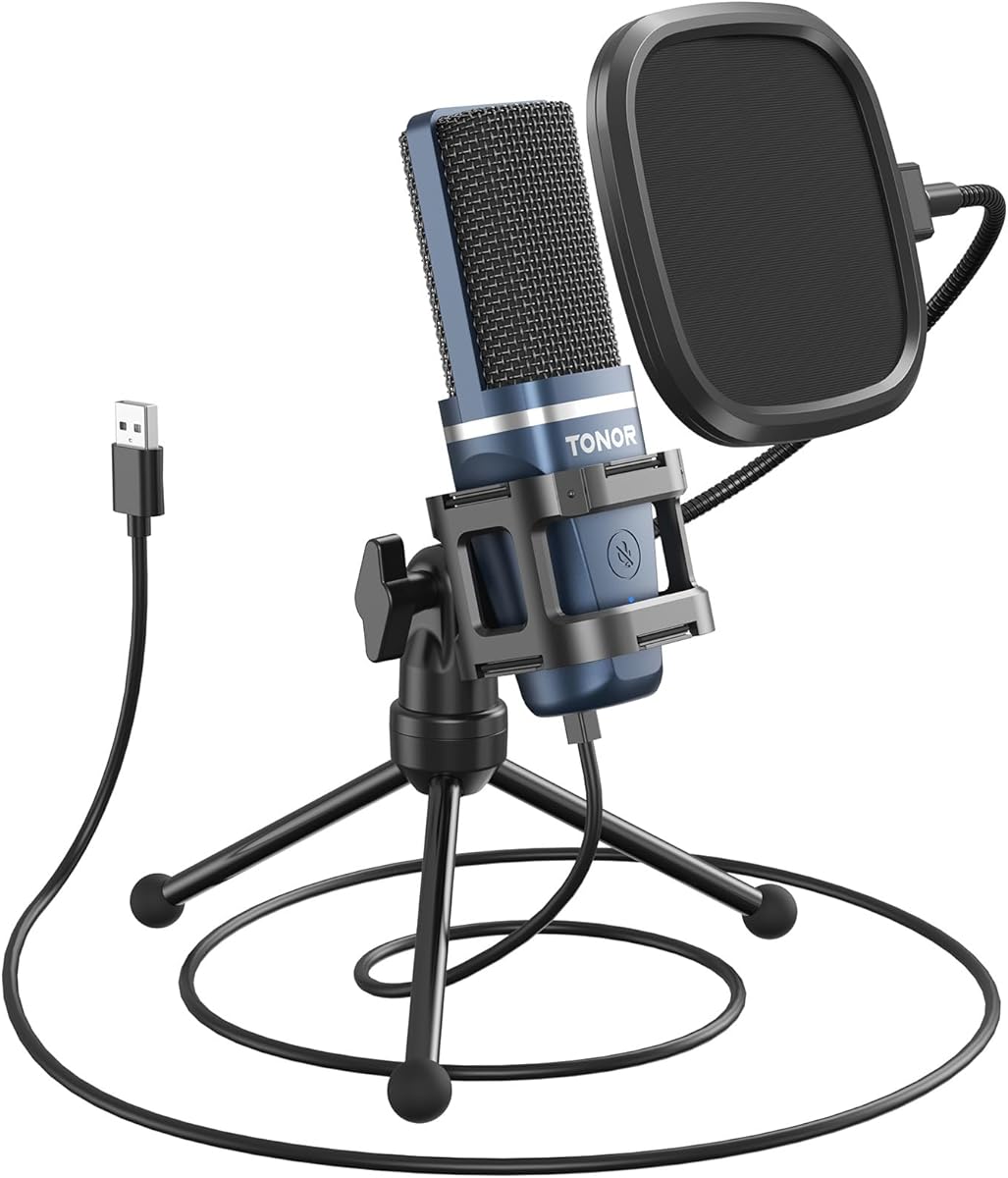
The TONOR TC-777 stands out for its comprehensive package. At a 4.3 rating, it offers essential tools like a shock mount and pop filter right out of the box.
We may earn a commission when you buy through this link, at no additional cost to you.
It features a cardioid pickup pattern that captures crisp voice while suppressing background noise. The non-slip stand adds stability without taking up much desktop space.
Users note it does not work with Xbox consoles. This limitation is acceptable for PC podcasters but might frustrate console gamers looking for voice chat solutions.
Ideal for podcasters needing a ready-to-use setup. The included accessories simplify the recording process, allowing you to start communicating immediately.
Includes a mic, foldable tripod, shock mount, pop filter, and manual for a fully equipped recording experience.
Works seamlessly with Windows, MAC, Zoom, Skype, and Discord for instant creation without additional software.
We may earn a commission when you buy through this link, at no additional cost to you.
FIFINE K669B combines durability with clear audio quality. With a 4.5 rating, its solid metal construction ensures longevity even during intense recording sessions or gaming.
We may earn a commission when you buy through this link, at no additional cost to you.
The mic volume knob allows for loud or quiet adjustments, sensitive enough for Zoom or gaming chats. It captures voice properly with a cardioid condenser design.
It lacks phone compatibility and comes with a fixed cable. However, the stability and sound clarity make it a reliable choice for desktop setups.
This mic is great for voice-over artists and streamers. The durable material extends its service life, meeting daily recording needs effectively.
Solid sturdy metal construction design with a stable tripod stand for long-lasting voice-over and streaming sessions.
Cardioid condenser captures your voice clearly, reducing background noise for broadcast, OBS, and teamspeak use.
We may earn a commission when you buy through this link, at no additional cost to you.
The FIFINE AM8 bridges the gap between USB convenience and professional XLR flexibility. Its 4.5 rating highlights its ability to deliver balanced audio for gaming and streaming.
We may earn a commission when you buy through this link, at no additional cost to you.
It operates with a 50Hz-16KHz frequency response, rejecting off-axis noise. The dynamic microphone corded avoids exaggerating your voice for originality.
RGB lighting and function keys are inactive when using XLR. However, this is a minor trade-off for the superior sound isolation and fidelity provided.
Perfect for creators wanting growth options. The included windscreen defeats hum, making it suitable for gaming at home studios or on the go.
Connect to an audio interface using a separate XLR cable for smooth operation and increased audio flexibility.
RGB ring matches PC gears accessories with 3 modes and 10 light colors for gaming synergy in dim rooms.
We may earn a commission when you buy through this link, at no additional cost to you.
The Blue Yeti remains a benchmark for professional USB mics. With a 4.6 rating, its custom three-capsule array produces clear, powerful sound for YouTube and Twitch.
We may earn a commission when you buy through this link, at no additional cost to you.
It offers four pickup patterns for flexible recording in various scenarios. The Blue VO!CE software elevates recordings with enhanced effects and HD audio samples.
It is more expensive than other options. The price is justified by the versatility and high performance, making it worth the investment for serious creators.
Ideal for YouTubers and podcasters. The adjustable desktop stand allows you to track your voice in real time with no-latency monitoring.
Custom three-capsule array produces clear, powerful, broadcast-quality sound for YouTube videos and music recording.
Flexible cardioid, omni, bidirectional, and stereo pickup patterns allow recording in ways requiring multiple mics.
We may earn a commission when you buy through this link, at no additional cost to you.
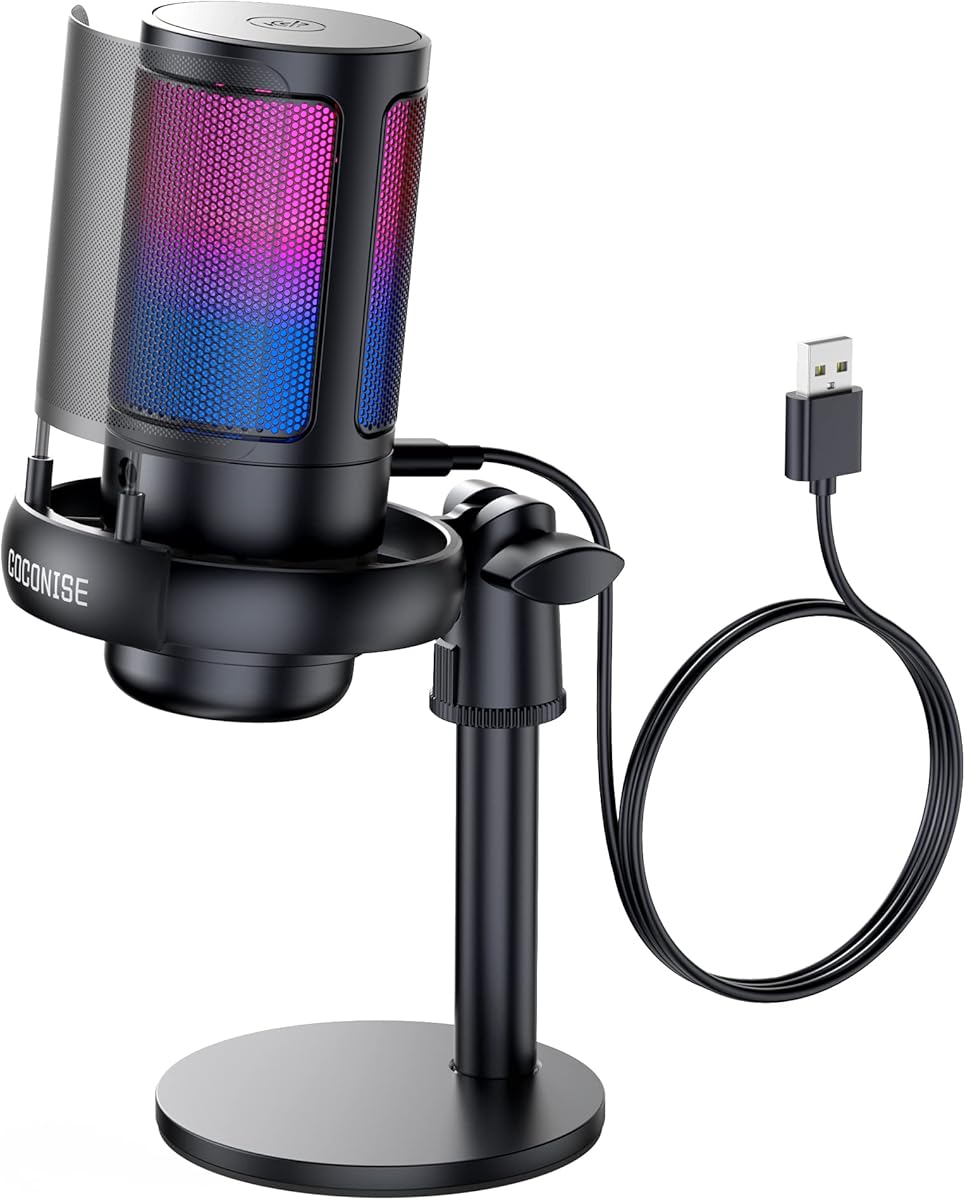
This gaming microphone combines clear audio with immersive aesthetics. A 4.3 rating reflects its solid performance for live broadcast and gaming sessions.
We may earn a commission when you buy through this link, at no additional cost to you.
Gradient RGB lights align with live broadcast aesthetics. The 25mm ultra-large capacitor diaphragm captures a wider range of audio with up to 192kHz sampling.
The metal anti-splash screen filters plosives better than sponge. The weighted base ensures stability even during intense gaming or desk movements.
Perfect for PC gamers needing a visual and audio upgrade. It supports PS4/5 and laptops with plug-and-play functionality and no additional software.
Cyclic and gradient RGB lights match your live broadcast aesthetics for an immersive gaming experience.
One-button mute touch sensor turns off RGB lights to inform you that the microphone is successfully closed.
We may earn a commission when you buy through this link, at no additional cost to you.
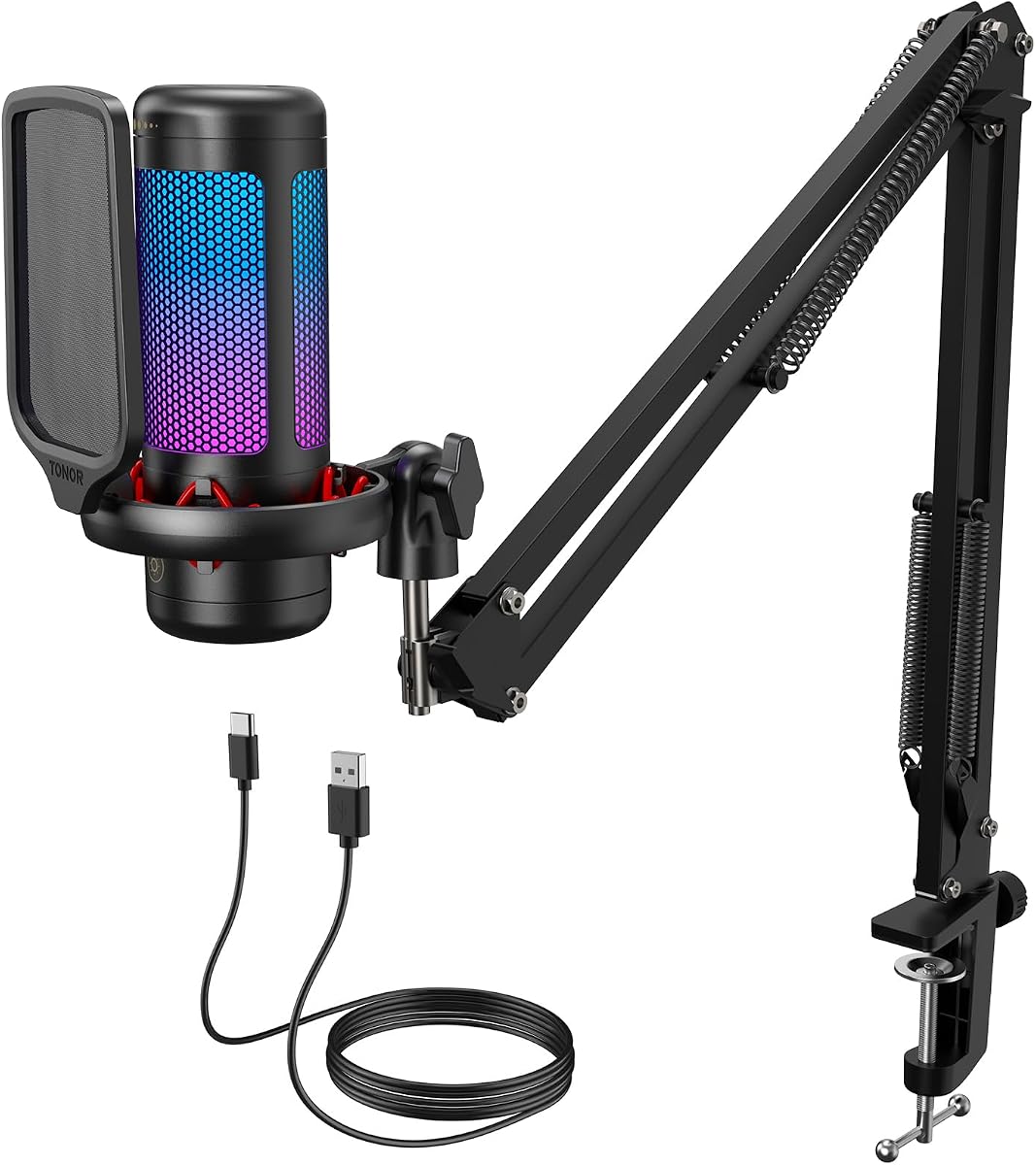
The TC310+ offers a complete solution for streamers needing more than a desk stand. With a 4.5 rating, it includes a metal-made boom arm for flexible positioning.
We may earn a commission when you buy through this link, at no additional cost to you.
It features premium chips for pure, clean sound. RGB modes can transform your gaming vibe with static colors or gradients easily.
The boom arm fits most desks but has thickness limits. Ensure your desk thickness is under 2.36 inches for a secure fit with the sturdy clamp.
Ideal for streamers wanting an organized setup. The multiple adjustable joints let you find the perfect angle for your monitor.
4 RGB modes allow quick transformation of your gaming vibe by one tap on the lighting control button.
The TC310+ is a completed mic and arm kit with a sturdy clamp for most desks and adjustable joints.
We may earn a commission when you buy through this link, at no additional cost to you.
The MAONO A04 delivers high resolution sampling with a pro sound chipset. A 4.5 rating confirms its excellent performance for studio-quality speech and voice-over.
We may earn a commission when you buy through this link, at no additional cost to you.
It features a 16mm electret condenser transducer for strong bass response. The magnet ring on the cable provides a strong anti-interference function.
It does not support Maono Link with the basic AU-A04. You may need the upgraded A04 Gen2 if you plan to use advanced software features.
Perfect for streamers wanting studio quality. The adjustable scissor arm stand and pop filter ensure your voice is crystal clear.
Designed with professional sound chipset allowing high resolution sampling rate for smooth flat frequency response.
Package includes pop filter, foam windscreen, shock mount, and boom arm base for an ideal podcast setup.
We may earn a commission when you buy through this link, at no additional cost to you.
The FIFINE A6V is globally recognized with an iF Design Award. Its 4.5 rating highlights naturally detailed audio delivery for team sound clarity.
We may earn a commission when you buy through this link, at no additional cost to you.
It delivers 192kHz sampling rate and 70dB SNR. Cardioid polar pattern reduces background noise interference effectively during gaming or recording.
Randomly matching game characters for color combos may be less consistent than fixed modes. However, the design and audio quality remain top notch.
Ideal for gamers and streamers. The durable construction and useful accessories like shock mount and pop filter make it a complete package.
Earned globally recognized iF Design Award and delivers naturally detailed audio making your team sound real.
Bicolored RGB cycles through 7 gradient colors automatically for vivid lighting that enhances your glowing rig.
We may earn a commission when you buy through this link, at no additional cost to you.
Choosing a budget-friendly microphone requires understanding key features that impact sound quality and usability. Here are the essential factors to consider.
Cardioid is the most common pattern for podcasting because it focuses on sound directly in front of the mic while rejecting noise from other sides. This ensures your voice is the primary source while minimizing room echoes and background distractions.
Choose a microphone with a cardioid pickup pattern to isolate your voice and improve clarity in non-ideal acoustic environments.
Frequency response refers to the range of sound frequencies a microphone can capture. A wider range allows for more natural reproduction of deep bass and clear highs, giving your voice a professional quality.
Look for a frequency response range like 40Hz to 18kHz to ensure balanced and detailed vocal audio without distortion.
Microphones with metal construction or sturdy materials are more durable and resistant to wear over time. A solid base or shock mount also helps prevent mechanical vibrations from affecting your recording.
Prioritize microphones with metal builds and stable stands to ensure longevity and reduce unwanted noise during use.
Plug-and-play functionality is essential for beginners who do not want to install drivers or complex software. Microphones with physical controls like mute buttons and volume knobs allow for quick adjustments without stopping your stream.
Select a microphone that offers plug-and-play setup and physical mute or volume controls for convenient daily recording sessions.
Most budget microphones use USB connections for direct compatibility with computers. Some models offer adapters for mobile devices, allowing you to record from phones or tablets without needing extra gear.
Check if the microphone includes necessary adapters like USB-C or Lightning for your specific devices to ensure seamless compatibility.
Built-in noise reduction modes help filter out ambient sounds like keyboard clicks or fan noise. This feature is particularly valuable if you are recording in a busy or noisy environment without acoustic treatment.
Look for microphones with intelligent noise reduction modes to maintain clear audio even in imperfect recording conditions.
Some microphones come with pop filters, shock mounts, or boom arms. Having these accessories included can save you money and ensure a better recording setup right out of the box.
Consider kits that include essential accessories like pop filters or stands to maximize value and improve recording quality immediately.
While price is a primary factor, evaluate what features you get for the cost. A slightly more expensive model with better build quality or more controls may offer better long-term value than the cheapest option.
Balance the price with the features you need to find the best value without overspending on unnecessary capabilities.
Place the microphone 6 to 12 inches from your mouth for optimal sound capture. Speak directly into the front of the mic to ensure your voice is picked up clearly while avoiding plosive sounds by angling slightly off-axis.
Use the mute button or software settings when you are not speaking to prevent accidental background noise from being recorded. This helps maintain a professional audio quality throughout your recording or live stream.
Keep the microphone away from heat sources and moisture to preserve its internal components. Gently wipe the surface with a soft cloth if dust accumulates, and store it in a safe place when not in use.
USB microphones connect directly to your computer and do not require additional hardware, making them ideal for beginners. XLR microphones require an audio interface but offer higher sound quality and more control over audio settings for professionals.
A pop filter helps reduce harsh plosive sounds like P and B that can distort your audio. While not strictly necessary, using one significantly improves vocal clarity and protects the microphone diaphragm from moisture damage.
Some models include USB-C or Lightning adapters specifically designed for mobile use. However, many microphones are optimized for computers, so verify compatibility with your specific phone model before purchasing.
Sitting about 6 to 12 inches away from the microphone ensures your voice is captured clearly without distortion. Being too close can cause unwanted low-frequency noise while being too far may result in quieter audio.
Most microphones are plug-and-play, meaning they work immediately without extra drivers. However, using recording software like Audacity or OBS can give you more control over levels and effects during your podcast production.
Use a soft dry cloth to gently wipe the exterior of the microphone. Avoid using harsh chemicals or liquids, as they can damage the delicate mesh and internal components of the condenser capsule.
Choosing the right microphone depends on your specific needs and budget. The ZealSound K66 and Amazon Basics condenser mic offer excellent value for new creators starting their journey.
If you want more features like RGB lighting or a boom arm, consider models like the TONOR TC310+ or FIFINE AmpliGame A6V. They provide versatility and aesthetic appeal without breaking the bank.
Remember that prices and stock change frequently. Always check current deals and reviews before purchasing to ensure you get the best value for your recording setup today.