
Dangbei Atom
4.3Editor score
1200 ISO lumens brightness
Google TV with Netflix
Ultra-thin 1.87 inch profile
Finding a cheap 4K laser projector means balancing performance with affordability. These devices use laser light sources for long life and vivid color compared to traditional lamps. They deliver sharp images for movies and games without breaking the bank.
We compared ten real models based on brightness, color accuracy, smart OS features, and portability. Each entry highlights key specs like ISO lumens, laser type, and built-in apps. Our goal is to help you choose the right balance for your space.
Every pick shows what makes it stand out, from budget-friendly options to premium short-throw units. Prices and stock change often, so check current listings before buying. Use this guide to find a reliable projector that fits your viewing habits today.
4.3Editor score
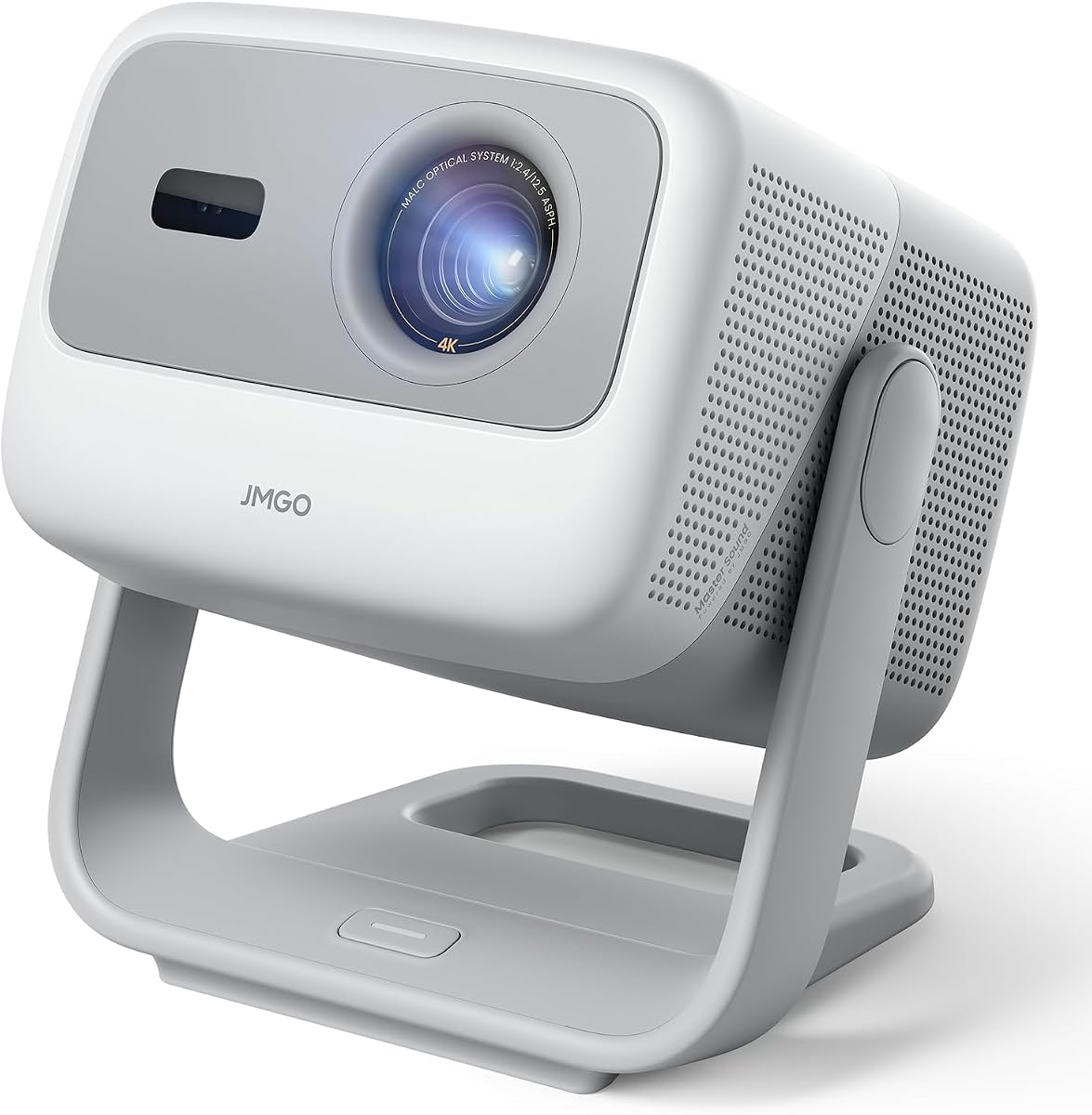
4.4Editor score
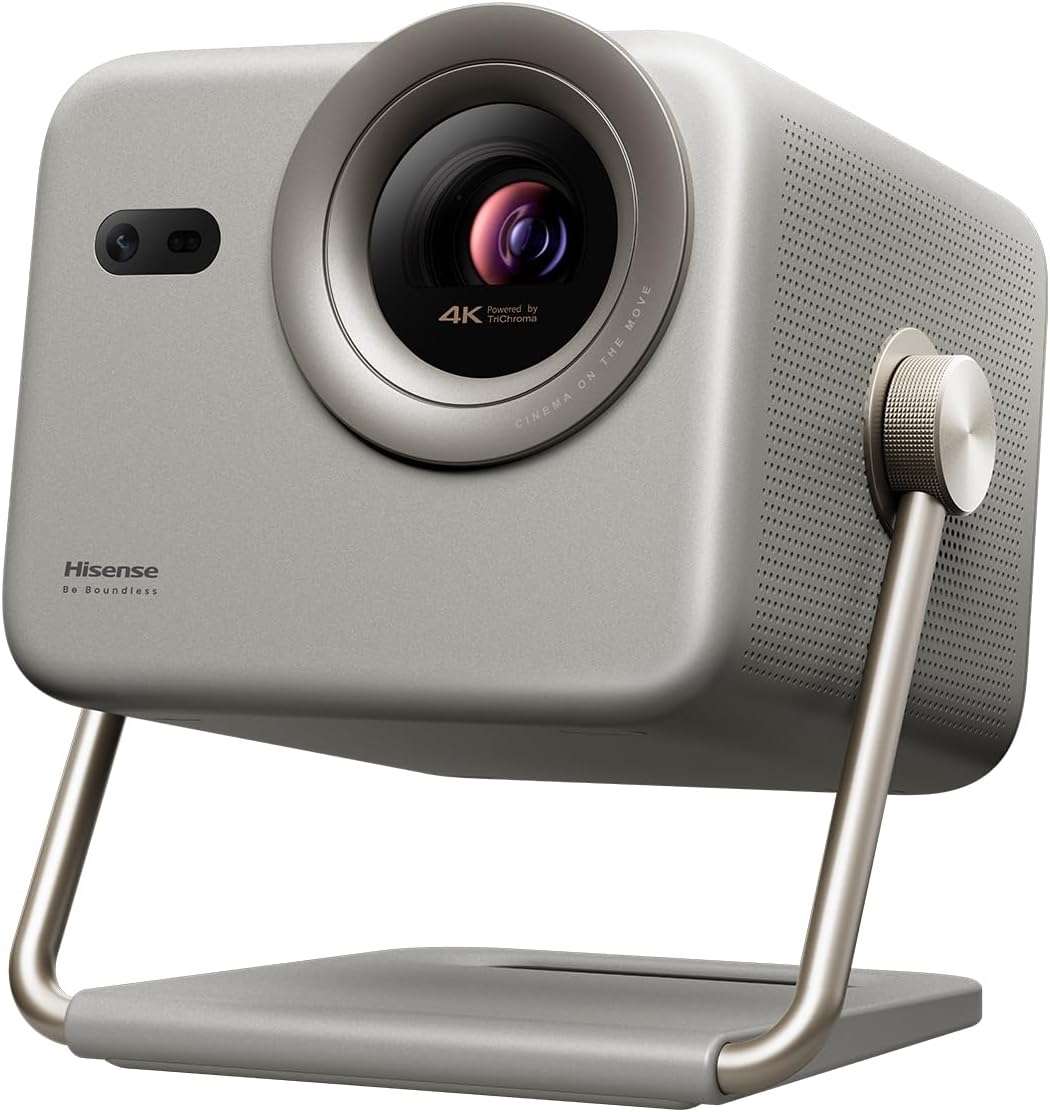
4.7Editor score
As an Amazon Associate we earn from qualifying purchases.
This side-by-side comparison covers all ten models ranked by value and performance. Each entry lists key specs like brightness, laser type, and smart features to help you decide quickly.


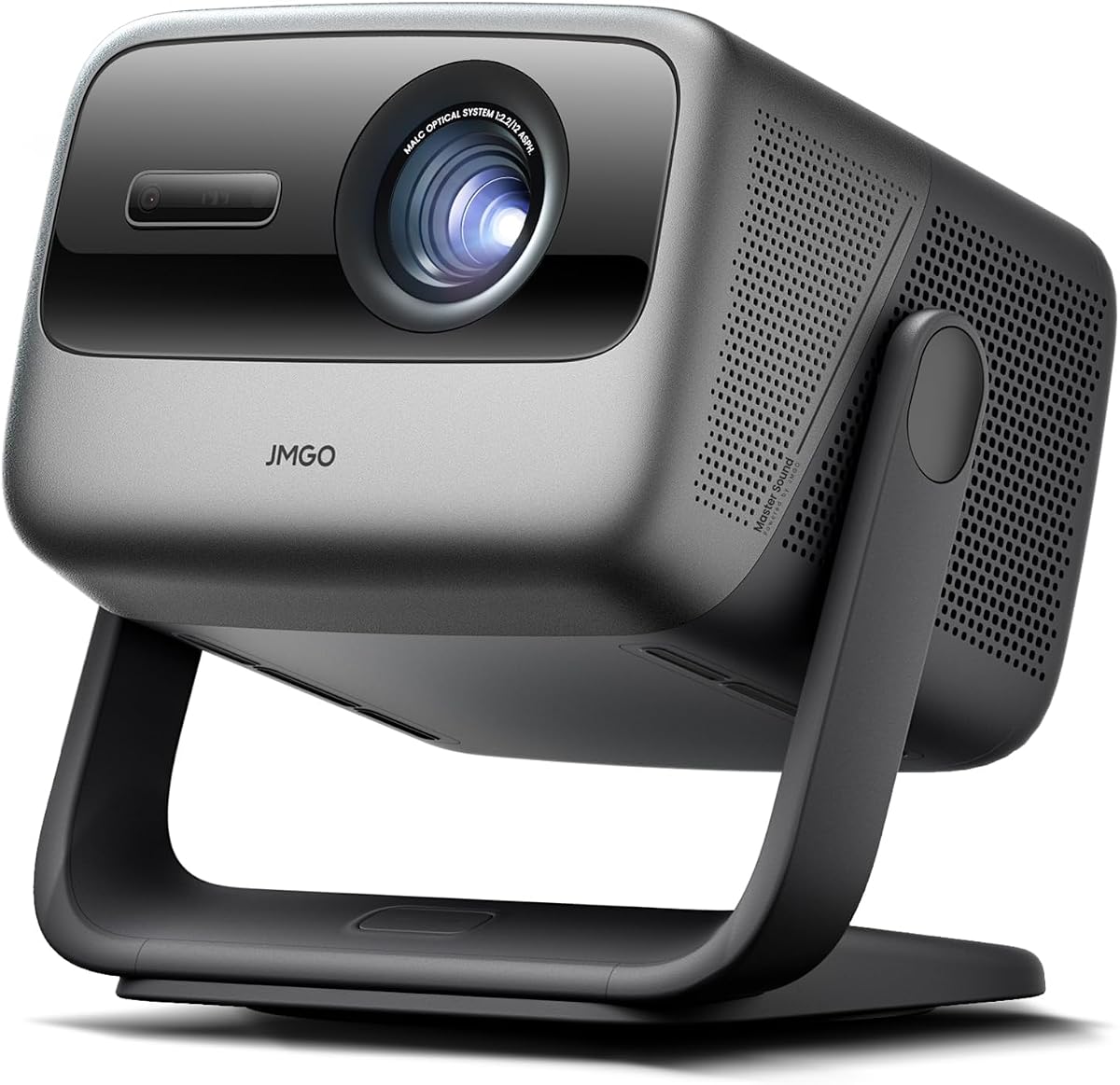
The JMGO N1S 4K Upgrade brings triple laser tech and smart features together. It rates highly for color volume and ease of setup. The gimbal makes it simple to adjust angles without mounts.
We may earn a commission when you buy through this link, at no additional cost to you.
Triple laser ensures 110 percent BT.2020 coverage and sharp images on walls or screens. With 1700 ISO lumens, it handles ambient light well. Auto focus and keystone keep images sharp when moved.
The gimbal is great for flexible placement but may need a flat surface. Apps like Netflix are licensed but require account sign-in. It balances performance and convenience better than most rivals.
Choose this if you want portable 4K with true color. It works for movies, gaming, and outdoor shows. Use an HDMI cable for consoles to keep lag low during play.
MALC 3.0 laser produces over a billion colors for vivid scenes.
Integrated gimbal allows quick one handed adjustments to ceiling or wall.
We may earn a commission when you buy through this link, at no additional cost to you.
The Dangbei Atom offers laser light and smart OS at a low cost. It rates well for value among portable units. At less than three pounds, it fits in a laptop bag for travel.
We may earn a commission when you buy through this link, at no additional cost to you.
With 1200 ISO lumens and 1080p output, it suits dim rooms. Google TV brings Netflix and more. Auto focus keeps images clear even if the unit moves slightly.
It lacks true 4K resolution and max brightness. This is fine for casual viewing. A stable wall or screen helps reduce minor distortions.
Pick this for budget-friendly laser on the go. It works for small rooms or camping. Use HDMI for streaming sticks to bypass any OS lag.
ALPD laser provides long life and steady brightness for home use.
Google TV gives instant app access without extra streaming devices.
We may earn a commission when you buy through this link, at no additional cost to you.
The Hisense M2 Pro delivers triple laser quality with optical zoom. It rates top for precision and flexibility. The 65 to 200 inch range fits many rooms and backyards.
We may earn a commission when you buy through this link, at no additional cost to you.
With 1300 ANSI lumens and Dolby Vision, it handles HDR well. Optical zoom keeps 4K sharp when adjusting size. Auto focus and keystone reduce setup time.
It costs more and weighs more than portable rivals. This is worth it for fixed setups. Obstacle avoidance avoids chairs and pets during projection.
Choose this if you want cinema grade portable 4K. Use it for movies and business. Pair with a screen for best color and contrast.
True optical zoom maintains pixel sharpness across screen sizes.
AI adjustments avoid objects and fit walls for clean edges.
We may earn a commission when you buy through this link, at no additional cost to you.
The Optoma UHZ36 brings solid 4K and HDR without smart OS bloat. It rates well for movie lovers. Laser lamp life is long and steady.
We may earn a commission when you buy through this link, at no additional cost to you.
FILMMAKER MODE preserves director intent. Brightness suits dark rooms. HDMI inputs work well with players and consoles.
It lacks Google TV built-in. You may need a stick for apps. Stand placement is needed since it has no gimbal.
Pick this for pure 4K theater quality. Use it with external apps. A screen enhances contrast and sharpness for best results.
This mode reduces processing to keep original color and motion.
Laser light offers long life and consistent brightness over time.
We may earn a commission when you buy through this link, at no additional cost to you.
The Dangbei DBOX02 shines with high ISO lumens for bright rooms. It rates well for clarity and smart access. Google TV brings apps directly.
We may earn a commission when you buy through this link, at no additional cost to you.
ALPD laser reduces speckle. Dual 12W speakers deliver good sound. Auto focus and keystone keep setup simple.
It lacks a gimbal and is larger. Place it on a shelf. HDMI eARC helps with soundbars if needed.
Choose this for high brightness without extra cost. It works for mixed lighting. Add external speakers for deeper bass if desired.
2450 ISO lumens handle ambient light better than typical units.
InstanPro AI adjusts focus and fit for quick deployment.
We may earn a commission when you buy through this link, at no additional cost to you.
The ViewSonic LX700-4K targets gamers with 240Hz and low lag. It rates well for motion clarity. Brightness suits lit rooms.
We may earn a commission when you buy through this link, at no additional cost to you.
SuperColor and HDR enhance contrast. The throw range fits medium rooms. Golf mode is a nice bonus for simulators.
It lacks advanced smart OS. Use a streaming stick. Weight makes it less portable for travel.
Pick this for console gaming on big screens. Use it in dedicated media rooms. Add a screen for best color and sharpness.
240Hz and 4.2ms lag make fast games feel smooth.
Golf mode enhances greens and blues for accurate visuals.
We may earn a commission when you buy through this link, at no additional cost to you.
The XGIMI Elfin Flip packs 4K and zoom into a compact unit. It rates well for color and design. Triple laser keeps images vivid.
We may earn a commission when you buy through this link, at no additional cost to you.
Optical zoom keeps 4K sharp. Harman Kardon speakers offer strong audio. Auto focus and keystone simplify setup.
It may need a stand for best placement. Battery runtime is limited. Use HDMI for best source quality.
Choose this for portable 4K with optical flexibility. It suits small rooms and travel. Pair with a screen for best sharpness.
0.98 to 1.3 zoom fits rooms without losing detail.
1ms latency and VRR support reduce lag during play.
We may earn a commission when you buy through this link, at no additional cost to you.
The AWOL LTV-3000 Pro replaces a TV with short throw laser. It rates well for audio and HDR. Center speaker aids dialogue clarity.
We may earn a commission when you buy through this link, at no additional cost to you.
Triple laser supports 4K and 3D. Dolby Vision optimizes color. It saves energy compared to large TVs.
Fixed throw requires careful placement. Use an ALR screen in bright rooms. Weight is higher for floor mounts.
Pick this for TV replacement in living rooms. Use with a screen. Position the projector per spec for best focus.
0.25 throw ratio places a 150 inch image close to wall.
Built-in speaker maps audio to screen for clearer dialogue.
We may earn a commission when you buy through this link, at no additional cost to you.
The JMGO N1S Ultimate brings 3300 ISO lumens for daylight use. It rates high for brightness. Triple laser ensures 4K color accuracy.
We may earn a commission when you buy through this link, at no additional cost to you.
Gimbal supports 135 degree vertical tilt. 20W subwoofer delivers deep bass. Auto focus and wall color fit help setup.
It is heavier and pricier. Use on a table or mount. A screen enhances contrast in bright rooms.
Choose this for bright room 4K. It suits large rooms. Pair with HDMI sources for best gaming performance.
3300 ISO lumens support open windows and ambient light.
360 horizontal and 135 vertical rotation enables ceiling and wall use.
We may earn a commission when you buy through this link, at no additional cost to you.
The JMGO N1S Ultra balances 2800 ISO lumens with 4K color. It rates well for daily use. Triple laser ensures vivid scenes.
We may earn a commission when you buy through this link, at no additional cost to you.
Lossless zoom keeps sharpness. Auto focus and eye protection help. Google TV offers app access.
It can be picky with surfaces. A screen is ideal. HDMI 2.1 supports gaming consoles well.
Pick this for reliable 4K and brightness. Use for movies and games. Add a screen for best viewing.
Optical zoom maintains detail while changing screen size.
Eye protection dims display when people approach.
We may earn a commission when you buy through this link, at no additional cost to you.
Selecting the right projector depends on brightness needs, color quality, smart features, and room size. This guide covers key factors to compare models effectively.
Brightness defines how well the projector performs in lit rooms. Units with higher ISO lumens reduce image fade and keep colors vibrant. For mixed light, aim for at least 1700 ISO lumens; for dark rooms, 1200 may suffice. Brightness also impacts contrast when ambient light changes.
Choose a model that suits your lighting to avoid washed-out colors.
Laser light offers long life and stable color compared to lamps. Triple laser models improve color volume and reduce rainbow artifacts. ALPD tech balances cost and performance. Check if the unit uses color wheel or pure RGB systems. This choice impacts both visuals and long-term stability.
Prefer triple laser or ALPD for steady, vivid results.
True 4K resolution keeps details sharp on large screens. Optical zoom maintains pixel clarity when changing size; digital zoom can soften edges. Check if the model supports native 4K input and output. For flexible placement, optical zoom helps fit any room without losing detail.
Use optical zoom for the sharpest 4K across sizes.
Smart OS like Google TV gives direct access to streaming apps. Look for licensed apps to avoid casting issues. Built-in voice control and casting simplify use. If the projector lacks a smart OS, plan for an HDMI stick for apps.
Pick a model with certified apps for simple streaming.
Auto focus and keystone correction reduce manual tweaks. Some models detect obstacles and fit the screen automatically. These tools save time when moving units. Check if the model supports wall color adaptation and eye protection.
Prioritize auto setup to keep images square and sharp.
Integrated gimbals allow flexible angles without extra mounts. Portability matters if you move between rooms. Check weight and size for transport. A gimbal helps aim at walls, ceilings, and screens more easily.
Choose gimbal models for quick, accurate aiming.
Built-in speakers vary in power. Dolby Audio and DTS:X improve movie and game sound. For best immersion, plan to add a soundbar. Units with subwoofers deliver deeper bass without extra gear.
Assess speaker power before adding external audio gear.
HDMI 2.1 and low input lag help console gaming. Look for VRR and ALLM support for smoother play. Refresh rate and latency figures matter for competitive games. Use HDMI for the lowest delay with consoles.
Verify HDMI and lag specs for best gaming results.
Place the projector on a stable, flat surface or mount it securely. Ensure the lens has enough clearance from any obstructions. Use auto focus and keystone to square the image after setup.
Use HDMI cables for streaming sticks and consoles to get the best signal quality. Keep firmware updated to improve performance and fix bugs. Adjust brightness and color to match your room lighting.
Clean the lens gently with a microfiber cloth when dust builds up. Keep vents clear to prevent overheating. Use a screen or matte white wall to enhance contrast and reduce glare.
Many models with 1700 or higher ISO lumens work in daytime with shades. For best results, use an ALR screen to boost contrast. Check brightness specs and consider a darker room for accurate color.
Laser light lasts longer and offers more stable color than LED. It often delivers higher brightness with less heat. Laser units tend to be pricier but provide better long-term value.
A screen improves contrast and sharpness, especially in bright rooms. Any white, matte surface works for casual use. For 4K, an ALR screen enhances color and clarity.
Turn on the projector and let the system run its auto setup. Move the unit to your desired location, then let it adjust focus and square the image. Manual tweaks may still be needed for perfect alignment.
Models with HDMI 2.1 and low input lag suit consoles well. Check refresh rate and VRR support. Use direct HDMI to bypass smart OS for minimal delay.
Google TV offers Netflix, YouTube, Prime Video, and many more. Certified apps work reliably on supported models. You may need to log in to streaming accounts for full access.
Laser light sources often last 20,000 hours or more. This means years of use without replacing lamps. Performance stays steady over time compared to traditional bulbs.
The JMGO N1S 4K Upgrade, Dangbei Atom, and Hisense M2 Pro lead this list with balanced brightness, color, and smart features. Each delivers 4K clarity for movies, games, and travel.
Prioritize brightness for mixed lighting, optical zoom for sharpness, and auto setup for ease. If you need TV-level color, pick models with triple laser and high ISO lumens.
Check current availability and warranties before buying. Prices and stock change often. Use this guide to find a projector that fits your viewing habits today.