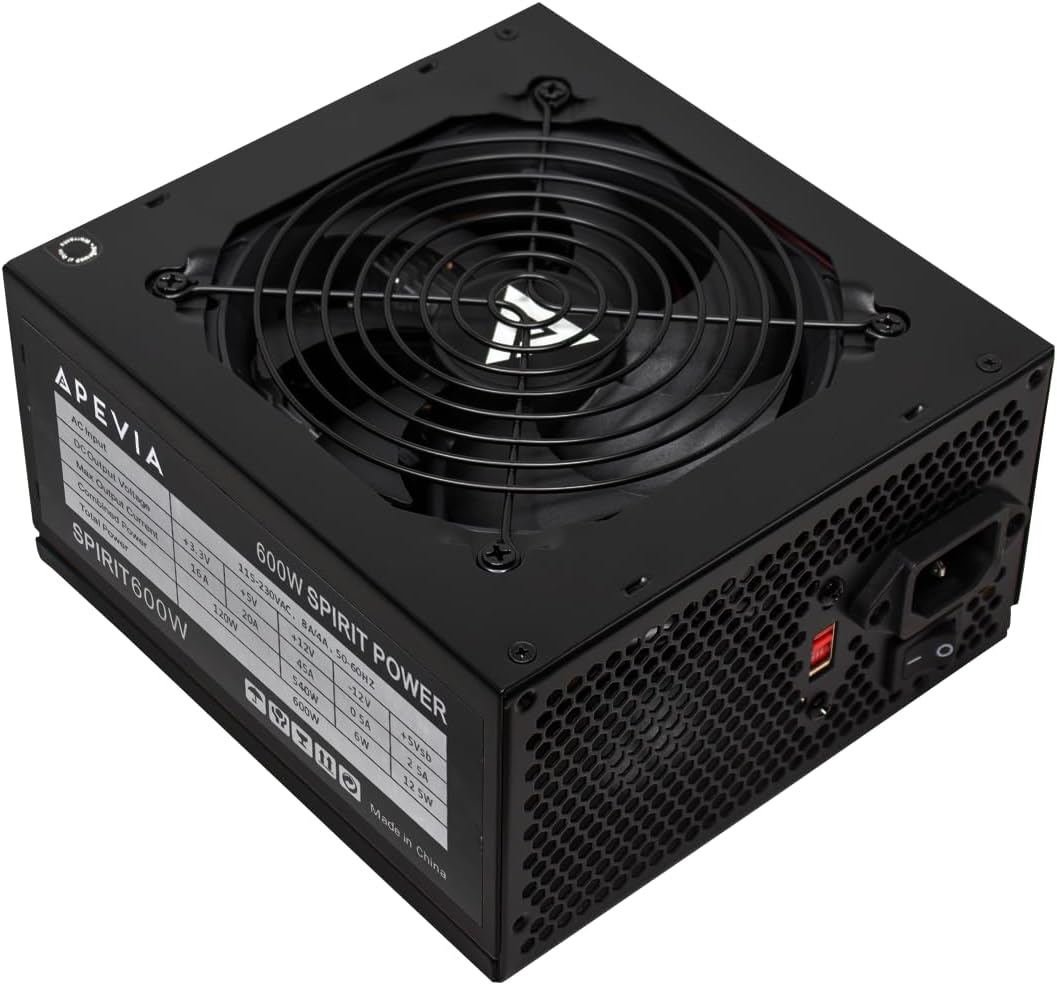
Apevia SPIRIT600W Spirit 600W ATX Power Supply
4.3Editor score
600W ATX output
Multiple protection modes
Splitter cable support
This guide compares the top budget power supplies for gaming PCs including efficiency, wattage, connectors, and warranties to help you choose the right power
Finding a reliable power supply is crucial for any gaming PC build. A good unit ensures stability, protects components, and delivers efficient energy. Budget options often sacrifice features but can still perform well for mid-range systems.
We compared ten highly rated models based on wattage, efficiency ratings, connector types, and warranty terms. Each product offers unique value for builders seeking affordability without compromising essential safety features or performance standards.
Each pick shows key specs and real user feedback to guide your decision. Prices and availability change frequently so verify details before purchasing. This list covers diverse needs from basic builds to modern GPU-ready configurations.
4.3Editor score

4.7Editor score

4.6Editor score
This side-by-side comparison highlights the key specifications and features of all ten budget power supplies. Review wattage, efficiency, modular options, and warranties to find the best fit for your gaming system.



The Apevia SPIRIT600W is a solid entry-level power supply for budget gaming builds. With a 600W output and essential protections, it delivers stable power for mid-range components while keeping costs minimal.
We may earn a commission when you buy through this link, at no additional cost to you.
This unit features a 120mm fan for thermal management and includes splitter cables for flexible connections. The black sandblasted casing fits modern cases and the all-protection suite guards against electrical faults effectively.
It lacks an efficiency certification and modular cables which may increase clutter. However these trade-offs are acceptable for builders prioritizing upfront savings over long-term energy savings or cable management aesthetics.
Ideal for first-time builders or office-to-gaming conversions needing reliable power without high costs. The Apevia SPIRIT600W earns our Best Budget badge for delivering essential features at a remarkably low price point.
This unit includes short-circuit over-current over-voltage and over-temperature protections to safeguard your hardware from electrical surges or failures during operation.
Splitter cables allow you to adapt 8pin connectors to 4pin or 6pin formats ensuring compatibility with older motherboards and graphics cards without extra adapters.
We may earn a commission when you buy through this link, at no additional cost to you.
The Thermaltake SMART 600W delivers consistent power with 80 Plus efficiency and Active PFC for better energy usage. It is designed to handle modern system loads with a powerful +12V rail for GPU demands.
We may earn a commission when you buy through this link, at no additional cost to you.
With protections like over power voltage short circuit and over current this unit keeps components safe. The 100000 hour MTBF and five year warranty show Thermaltake stands behind this unit reliability for everyday use.
It does not offer modular cables which can limit airflow in smaller cases. The fan is functional but not ultra silent. Still these are minor compromises for a unit offering certified efficiency at this price tier.
Recommended for builders wanting proven efficiency and brand reputation without premium costs. This SMART series model balances performance and cost well making it a dependable choice for entry-level gaming systems.
Active Power Factor Correction improves efficiency and reduces wasted energy helping your system draw less power from the wall during gaming sessions.
A five year warranty and high mean time between failures rating provide peace of mind that this power supply will last through multiple component upgrades.
We may earn a commission when you buy through this link, at no additional cost to you.
The ARESGAME AGV Series 500W is perfect for lower-power builds needing Bronze efficiency. It includes standard protections and a quiet fan ensuring stable operation without excess noise during gameplay.
We may earn a commission when you buy through this link, at no additional cost to you.
All cables are black to maintain a clean look inside your case. The 5 year warranty reflects confidence in its quality while the Bronze rating ensures better efficiency than standard non-certified units.
Its 500W limit may not suit high-end GPUs but works well for integrated graphics or mid-tier cards. Non-modular cables can create some clutter but are manageable in standard sized tower cases.
This unit is ideal for budget focused gamers or home office PCs that need reliable efficiency. The combination of certification warranty and quiet operation makes it a strong value pick for smaller systems.
The 120mm ultra quiet fan provides excellent cooling while keeping noise levels low so your system does not distract during movie watching or gaming.
OVP UVP OPP and SCP protections ensure your components are protected from voltage spikes surges or short circuits that could cause hardware damage.
We may earn a commission when you buy through this link, at no additional cost to you.
The MSI MAG A750GL PCIE5 is a premium budget choice offering 80 Plus Gold efficiency and full modularity. It supports ATX 3.1 and PCIe 5.1 standards with a native 12V-2×6 cable for next-gen GPUs.
We may earn a commission when you buy through this link, at no additional cost to you.
A ten year warranty guarantees long-term reliability while full modularity improves airflow and cable management. The compact design fits standard cases and ensures clean builds without excess cable clutter inside the chassis.
It costs more than basic models but delivers superior efficiency and future readiness. For builders planning GPU upgrades or wanting top efficiency this unit offsets its cost with long-term savings and performance benefits.
This power supply earns our Best Premium badge for offering high-end features at a accessible price. It is perfect for gamers seeking efficiency longevity and modern compatibility without entering top-tier price brackets.
The native 12V-2×6 connector supports PCIe 5.1 standards allowing direct connection to modern graphics cards without needing adapters for safer power delivery.
80 Plus Gold certification ensures at least 87 percent efficiency reducing heat and electricity costs over time compared to lower rated units.
We may earn a commission when you buy through this link, at no additional cost to you.
The Segotep 650W delivers Gold efficiency and stable power for mid-range gaming PCs. With global voltage adaptation and four PCI-E connectors it handles varied power needs and international use scenarios effectively.
We may earn a commission when you buy through this link, at no additional cost to you.
Its single 12V rail ensures consistent amperage for GPU demands while the non-modular design keeps costs down. Wires separate cleanly from the unit maintaining airflow and reducing clutter within the case interior space.
Non-modular cables may limit cable management compared to full modular units. Yet the efficiency and connector count offer great value for builders wanting Gold performance without paying for premium modularity features.
Recommended for international buyers and cost-conscious gamers needing Gold efficiency. This unit balances wattage efficiency and connector variety making it a strong contender for versatile mid-range system configurations.
Global voltage adaptation allows this unit to work across different regions without manual switches making it convenient for travelers or imported components.
Four PCI-E 6+2 pin connectors provide flexibility for multi-GPU setups or future upgrades without needing extension cables or splitters.
We may earn a commission when you buy through this link, at no additional cost to you.
The ASRock PRO 750G brings ATX 3.1 and PCIe 5.1 standards to budget builds with a native 12V-2×6 connector. It delivers Gold efficiency and quiet operation for stable power in modern gaming systems.
We may earn a commission when you buy through this link, at no additional cost to you.
With 750W capacity it handles high-end mid-range GPUs while the low noise fan keeps acoustics in check. Standard ATX form factor ensures compatibility with most cases without requiring custom mounting adjustments.
Its three year warranty is shorter than competitors offering ten years. However for builders prioritizing modern standards and affordability over extreme longevity this unit offers compelling features at an accessible price point.
This model is ideal for gamers planning to upgrade GPUs soon. The native connector and ATX 3.1 readiness ensure compatibility with next-gen cards while maintaining energy efficiency during long sessions.
ATX 3.1 and PCIe 5.1 compliance ensures compatibility with upcoming components and power delivery standards without needing adapter cables.
The low-noise 120mm fan provides effective cooling while minimizing sound output for a quieter gaming environment.
We may earn a commission when you buy through this link, at no additional cost to you.
The MSI MAG A650BE combines semi-modularity with Bronze efficiency for flexible cable management and steady performance. Its low noise fan and Active PFC make it a quiet efficient choice for mid-range gaming PCs.
We may earn a commission when you buy through this link, at no additional cost to you.
With a 4.7 rating users praise its reliability and ease of installation. The five year warranty and industrial protections provide security while the compact design fits smaller cases without compromising airflow.
Bronze efficiency means slightly higher power loss than Gold units but cost savings offset this. The semi-modular design leaves only essential cables attached allowing cleaner builds without full premium costs.
This unit earns our Editor's Choice for balancing flexibility and price. It is perfect for gamers wanting clean cable management and trusted brand support without paying for full modularity.
Semi-modular design lets you connect only needed cables reducing clutter and improving airflow inside the PC case.
A four point seven user rating and five year warranty show MSI stands behind this product with quality and long-term support.
We may earn a commission when you buy through this link, at no additional cost to you.
The MSI MAG A650BN delivers 650W Bronze power in a compact package. Active PFC and a low noise fan ensure efficient quiet operation while the DC-DC circuit improves voltage stability under load.
We may earn a commission when you buy through this link, at no additional cost to you.
It matches the A650BE's 4.7 rating but costs less by removing modularity. Five year warranty and industrial protections ensure durability while the fixed cables reduce manufacturing cost for budget buyers.
Non-modular cables may limit airflow but the compact form factor helps. For builders prioritizing price and brand reliability over cable management this unit offers excellent value and dependable performance.
This model is ideal for small cases or budget builds needing trusted MSI quality. It provides essential efficiency and protection without extra features making it a cost-effective choice for many users.
DC-DC circuit design ensures stable voltage delivery to components reducing noise and improving performance during demanding gaming sessions.
The compact design fits smaller PC cases making it suitable for builds where space is limited without sacrificing wattage capacity.
We may earn a commission when you buy through this link, at no additional cost to you.
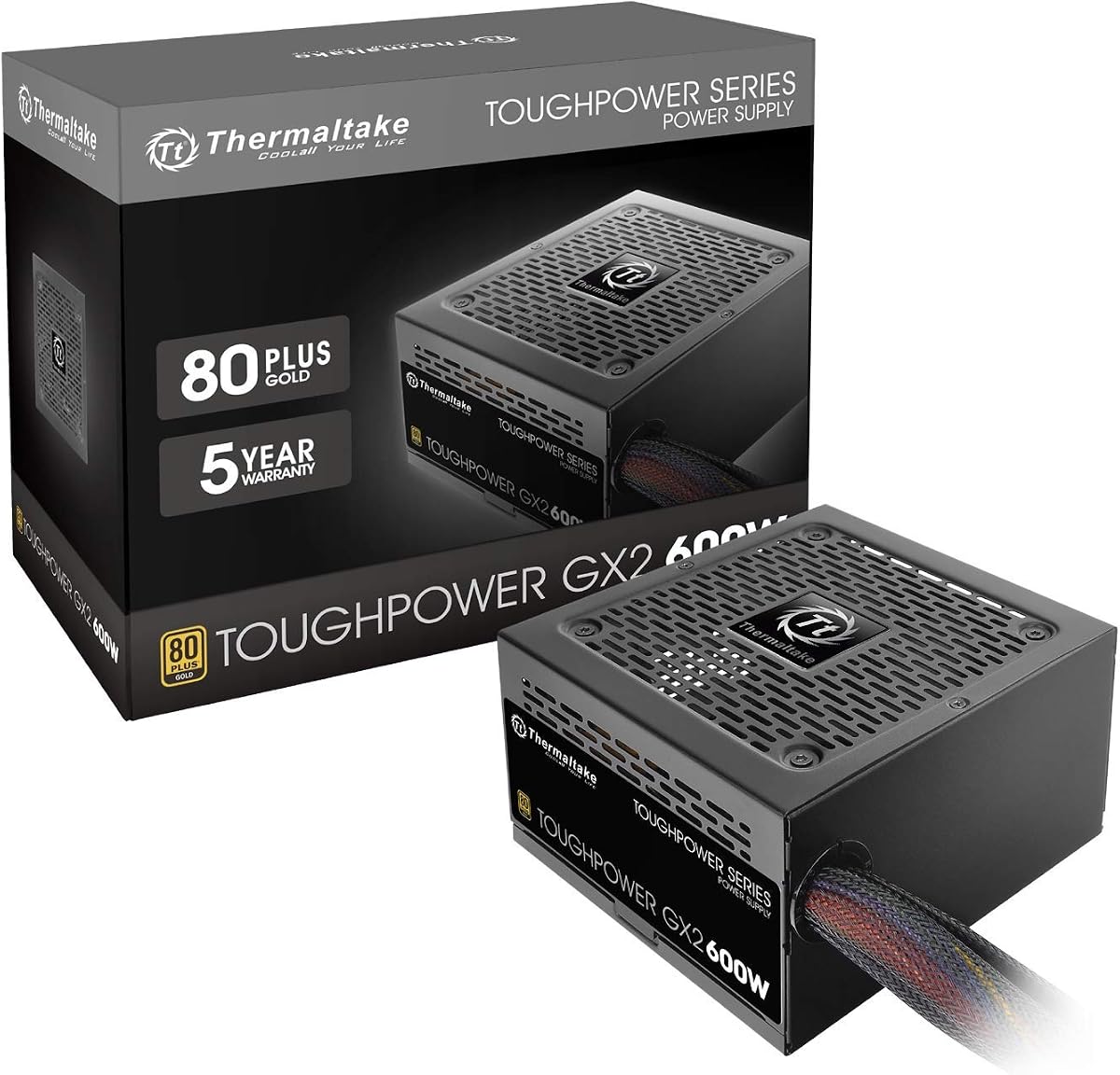
The Thermaltake Toughpower GX2 offers Gold efficiency and multi-GPU readiness for budget builds needing extra power. With low ripple noise and quality capacitors it ensures stable clean power for sensitive components.
We may earn a commission when you buy through this link, at no additional cost to you.
A single 12V rail supports high-amperage needs while the ultra quiet fan keeps acoustic levels minimal. Five year warranty and industry protections add security making it reliable for daily gaming and workstation use.
Non-modular cables create some clutter but the Gold efficiency compensates with energy savings. The SLI/Crossfire support provides flexibility for users planning dual GPU configurations within the budget category.
This unit is ideal for gamers wanting efficiency and stability. It delivers reliable performance with premium features like Gold certification and low noise operation making it a strong mid-range choice.
Low ripple noise ensures stable power for critical components like graphics cards reducing risk of instability or hardware damage.
Dynamic bearing fan delivers superior cooling with silent operation keeping noise levels low during intensive gaming sessions.
We may earn a commission when you buy through this link, at no additional cost to you.
The Rosewill VSB 650W brings modern ATX 3.0 and PCIe 5.1 support to budget builds. With Japanese capacitors and a semi-modular design it offers reliable clean power with flexible cable management.
We may earn a commission when you buy through this link, at no additional cost to you.
Native 12V-2×6 connector supports next-gen GPUs while the 120mm ICB silent fan ensures quiet cooling. Compact 140mm chassis fits smaller cases making it versatile for diverse system form factors and layouts.
Bronze efficiency is a trade-off but modern connectors and Japanese components offset this. The compact size may limit expansion slightly but is ideal for builds needing modern features without bulk.
This unit is ideal for future-facing builds needing next-gen connectors. It balances modern standards and reliability making it a smart choice for builders planning upgrades beyond current GPU generations.
Japanese capacitors rated to 105°C ensure stable performance under heat stress improving overall unit longevity and reliability.
ATX 3.0 and PCIe 5.1 compatibility ensures your build is ready for upcoming components without needing extra adapters.
We may earn a commission when you buy through this link, at no additional cost to you.
Choosing a budget power supply requires balancing wattage efficiency and features. This guide breaks down key factors to ensure your build stays safe and efficient without overspending.
Wattage determines how much power your supply delivers. Calculate total system needs by adding CPU GPU and peripherals. For most gaming PCs 600W to 750W covers mid to high-range setups comfortably.
Always leave headroom for peak usage. Selecting a unit with 20% more capacity than your max draw ensures stability and future upgrade space.
Efficiency ratings like 80 Plus Bronze Gold or Platinum measure how well the unit converts wall power. Higher ratings mean less heat and lower electricity costs over time.
Bronze is sufficient for budget builds. Gold is worth it if you plan long-term use or run high-load sessions frequently.
Modular designs allow attaching only needed cables. Non-modular units have fixed cables. Semi-modular connects essentials with optional peripherals. Modular improves airflow and case cleanliness.
Choose non-modular for tight budgets. Semi or fully modular is better for cases needing strict airflow or clean cable management.
Modern GPUs need PCIe 12V-2×6 or 6+2 connectors. Ensure your unit supports these natively. Also check motherboard CPU connectors like 8pin or 4+4 for compatibility.
Missing connectors may require adapters risking power delivery. Always verify connector counts match your planned component needs before buying.
Safety protections like OVP UVP SCP and OPP protect against surges and faults. Budget units should include these to prevent hardware damage during electrical issues.
Prioritize units with full protection suites. This ensures your investment stays safe even during unexpected power spikes.
Warranty length indicates manufacturer confidence. Budget units typically offer 3 to 5 years. Longer coverage reduces long-term risk if the unit fails.
Check terms carefully. Some warranties cover only defects while others include replacement support. Choose brands offering responsive service.
Fan size and bearings impact noise. 120mm fans are standard. Look for low noise designs if your PC is near living spaces. Better bearings last longer and quieter.
Avoid units with high decibel ratings. Quiet operation improves overall system comfort during long gaming sessions.
Standard ATX units fit most cases. Compact builds may require SFX or smaller ATX designs. Always measure case clearance before purchase to ensure proper fit.
Ensure case airflow aligns with PSU fans. Some cases block rear vents requiring front intake models for proper cooling.
Install the power supply securely in your case using provided screws. Ensure airflow paths are unblocked and cables route neatly. Do not force connectors or bend cables at sharp angles to avoid damage.
Keep the unit clean by periodically removing dust from vents. Use compressed air gently. Avoid liquid cleaners or direct contact with electronic components. Dust buildup reduces cooling efficiency and increases heat.
Monitor system stability after installation. Listen for unusual noises. If the unit emits strange smells or shuts down unexpectedly turn off your PC and check connections. Consult a professional if issues persist.
Most modern gaming PCs require between 600W and 750W depending on the graphics card and CPU. Calculate total power needs including peripherals and choose a supply with at least 20% headroom for peak loads and future upgrades.
80 Plus Bronze improves efficiency over standard units by reducing wasted energy. It means lower electricity bills and less heat. While Gold offers better efficiency Bronze is enough for budget builds and provides reliable performance.
Yes non-modular power supplies work fine for most builds. The main downside is extra cables creating clutter inside the case. If you prioritize cable management choose semi-modular but non-modular saves money.
Safe budget units include protections like over-voltage and short-circuit protection. Avoid unbranded or uncertified models. Stick with reputable brands and efficiency ratings to ensure your GPU receives stable clean power.
A quality budget unit with good protections can last five to seven years or more. Warranty terms often reflect expected lifespan. Proper ventilation and avoiding overloads extend the unit's usable life significantly.
ATX 3.1 is not mandatory for most current GPUs but supports newer cards with 12V-2×6 connectors. It ensures compatibility with upcoming hardware. Budget users can wait unless planning immediate GPU upgrades.
We highlighted ten strong options from the Apevia SPIRIT600W to the MSI MAG A750GL PCIE5. Each offers unique value whether you need basic wattage efficiency certification or modern connectors for future builds.
Prioritize wattage headroom safety protections and brand reliability over extra features. If you plan GPU upgrades choose units with ATX 3.1 readiness or modular options for better long-term flexibility.
Remember prices fluctuate frequently so verify current deals before purchasing. Our guide provides trusted specs to help you select a supply that keeps your gaming PC stable without breaking your budget.