
InnoGear Gaming Mic USB Computer Microphone for PC Boom Arm Stand, Black
4.4Editor score
Advanced noise cancellation
RGB lighting modes
Plug and play USB
Compare the best cheap boom microphone options for streaming and gaming. This guide reviews top budget-friendly mics with arms for crystal clear audio quality.
Finding a cheap boom microphone that delivers professional quality audio without breaking the bank is essential for content creators. Whether you are streaming on Twitch or recording podcasts, a good mic ensures your voice stands out. We have curated a list of affordable options that do not compromise on sound clarity or build quality.
Our team analyzed ten top-rated products based on user feedback, technical specifications, and overall value. We considered factors like connectivity, noise cancellation, and included accessories to ensure you get a complete kit. This comprehensive list covers various needs from gaming setups to home office calls.
Each pick highlights specific strengths and ideal use cases to help you make an informed decision quickly. Prices and availability can change frequently so always verify current details before purchasing. Trust our expert insights to find the perfect affordable boom mic for your setup today.
4.4Editor score
4.5Editor score

4.5Editor score
This side-by-side comparison highlights key features across all ten selected boom microphone kits to help you decide.


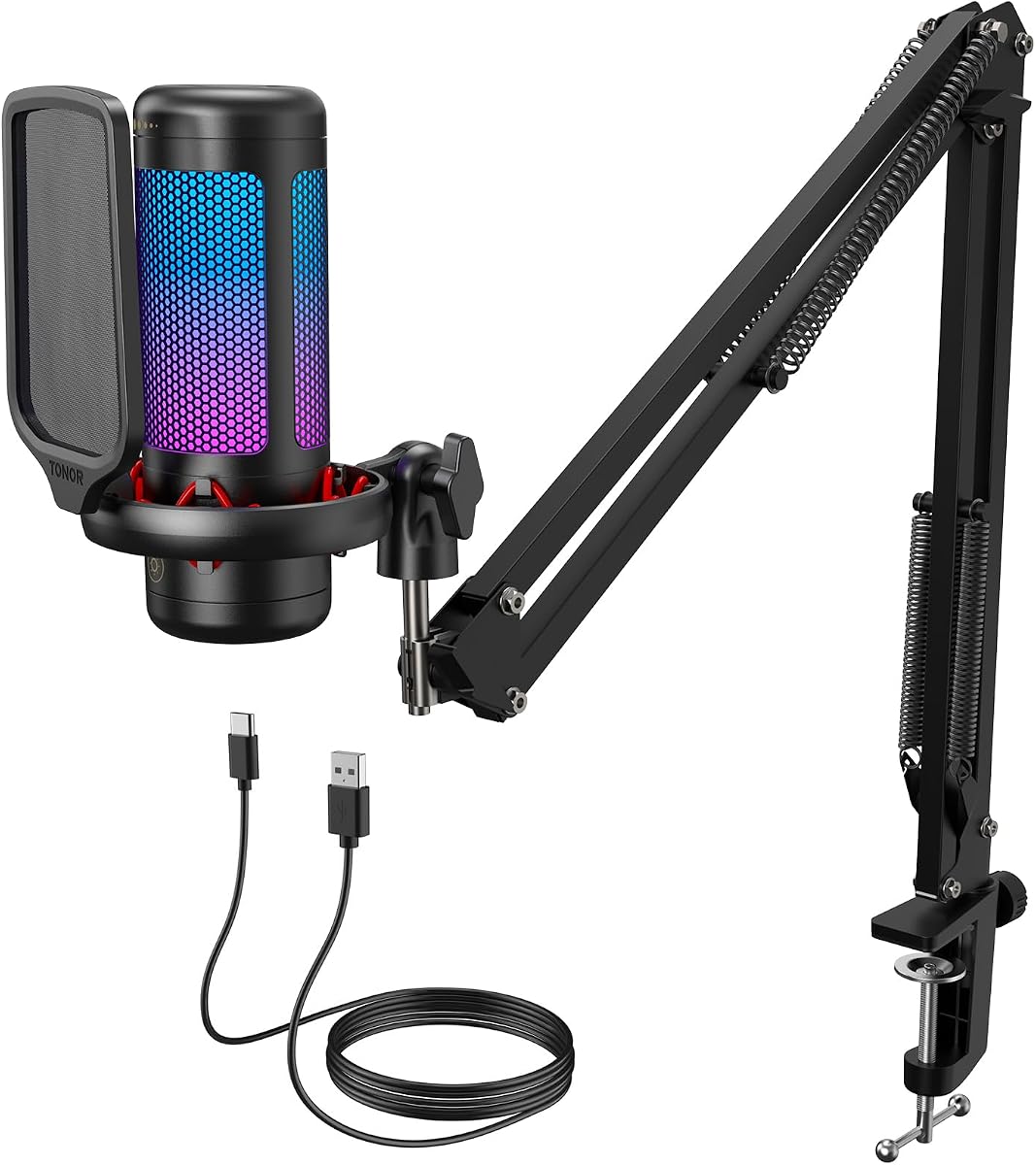
The TONOR TC310+ is a top contender in the affordable boom microphone market. With a high rating from users it delivers clear sound reproduction that suits gaming and streaming needs. The integrated RGB lighting adds a customizable visual flair to your setup.
We may earn a commission when you buy through this link, at no additional cost to you.
Its all-in-one design includes a metal boom arm and sturdy clamp making installation straightforward. Features like tap mute and gain control allow you to manage audio levels effortlessly during live sessions. The premium chips ensure high-fidelity sound for smooth communication.
While the RGB lighting is vibrant some users might find it distracting in a professional environment. Additionally it relies on USB connectivity which may not suit those needing XLR inputs. These trade-offs are acceptable given the comprehensive feature set and price point.
This kit is ideal for streamers and content creators who want a polished look without spending heavily. If you need a reliable mic with visual customization and full setup accessories the TONOR TC310+ is the perfect choice.
Equipped with premium chips and expert tuning it ensures high-fidelity reproduction for clear team communication.
Four RGB modes including breathing and gradient allow you to match your gaming vibe with one tap.
We may earn a commission when you buy through this link, at no additional cost to you.
The InnoGear Gaming Mic stands out as an excellent budget-friendly option for PC users. It offers advanced noise cancellation to ensure your voice is clear even in noisy environments. The immersive RGB lighting adds a modern touch to your gaming station.
We may earn a commission when you buy through this link, at no additional cost to you.
Setup is seamless with plug-and-play functionality across Windows Mac and PlayStation systems. The touch-sensitive mute button and large gain knob provide intuitive control over your audio output. Zero-latency monitoring keeps you aware of your voice in real time.
One limitation is its incompatibility with Xbox consoles which may restrict use for some gamers. The design is also quite basic compared to competitors with more flashy aesthetics. However these factors are minor given the strong performance and low cost.
If you prioritize audio clarity and basic customization without breaking the bank this mic is a solid buy. It suits streamers and gamers who need reliable performance at an entry-level price.
Cutting-edge noise cancellation minimizes background noise delivering unmatched voice clarity for teammates.
A touch-sensitive mute button and gain knob let you manage audio with zero-latency monitoring.
We may earn a commission when you buy through this link, at no additional cost to you.
The FIFINE AmpliTank K688CT brings premium dynamic mic quality to the affordable category. It preserves natural sound integrity without distortion making it great for podcasting and streaming. The dual connectivity supports both USB plug-and-play and XLR setups.
We may earn a commission when you buy through this link, at no additional cost to you.
Its robust metal boom arm ensures secure placement and reduces vibrations during use. Intuitive controls like tap-to-mute and gain knobs streamline your session management. The windscreen and shock mount effectively suppress harsh noises and vibrations.
While the function keys are disabled in XLR mode this is standard for dynamic mics and manageable. The price is higher than basic kits but justified by the dynamic capsule and flexible connectivity. This makes it a worthwhile investment for serious creators.
Choose this kit if you want studio-grade sound and future-proof connectivity without excessive costs. It is perfect for podcasters and streamers seeking a professional dynamic microphone experience.
Dual USB and XLR connections allow seamless transitions between convenience and studio-grade sound.
Included windscreen and shock mount filter harsh noises ensuring smoother vocals during streams.
We may earn a commission when you buy through this link, at no additional cost to you.
The MAONO A04 features a professional sound chipset with 192kHz sampling for exceptional audio detail. It delivers smooth and flat frequency response ideal for studio-quality recordings and voiceovers. The kit includes a pop filter and shock mount for immediate use.
We may earn a commission when you buy through this link, at no additional cost to you.
Its 16mm condenser transducer provides strong bass response and crystal clear audio pickup. Plug and play functionality means no drivers are needed for most laptops and PCs. The anti-interference magnet ring enhances performance during calls and streams.
The lack of Xbox compatibility limits use for console-only gamers but it works well with PS4 and PS5. It also relies solely on USB connectivity. These constraints are minor given the high fidelity sound and comprehensive accessory package.
This mic is best suited for podcasters and YouTubers who need high-resolution audio on a budget. If you value technical specs and plug-and-play simplicity the MAONO A04 is a strong contender.
The 192kHz/24Bit chipset ensures your sound is reproduced with exquisite detail online.
Includes pop filter windscreen shock mount and adjustable arm stand for immediate setup.
We may earn a commission when you buy through this link, at no additional cost to you.
The V-Moda BoomPro delivers premium voice quality with a detachable design for maximum flexibility. It is ideal for communication and gaming especially when paired with compatible headphones. The flexible boom allows precise positioning for optimal audio pickup.
We may earn a commission when you buy through this link, at no additional cost to you.
Its robust construction includes a 24-carat gold-plated connector ensuring reliable connectivity. The clip-on controller offers a mute button and volume wheel for quick adjustments on the fly. This versatile mic works with most 3.5mm input devices.
It requires a 3.5mm jack which limits direct PC use without adapters. User ratings are slightly lower indicating some inconsistency in build quality compared to USB options. However its compatibility with V-Moda headphones makes it a favorite for mobile users.
Select this mic if you use V-Moda Crossfade headphones and value a detachable solution. It serves well for gamers needing a portable and durable communication mic.
The detachable design ensures maximum compatibility and optimal use with various headphones.
Reinforced lightweight cable and gold-plated connector make this mic robust for daily use.
We may earn a commission when you buy through this link, at no additional cost to you.
The FIFINE T669 is a versatile USB studio condenser microphone designed for recording. It offers excellent sound quality with a wide frequency response for high SPL handling. The double pop filter effectively removes rushing air and minimizes popping sounds.
We may earn a commission when you buy through this link, at no additional cost to you.
Its durable arm set includes a steel scissor arm for optimal positioning during podcasts. The studio-grade shock mount stabilizes the mic for vibration-free recordings. Plug and play setup ensures quick connectivity to PCs and laptops.
It does not support XLR inputs limiting expansion options for studio upgrades. The arm stand is sturdy but may be bulky for smaller desks. Despite this it remains a top choice for budget-conscious podcasters wanting professional accessories.
Buy this if you need a complete recording kit with double filtration and a durable arm. It suits home studio applications where vocal clarity is paramount.
Two layers of dissipation remove air rush and popping sounds for cleaner recordings.
The all-steel scissor arm allows flexible adjustments for optimal voice capture angles.
We may earn a commission when you buy through this link, at no additional cost to you.
This cable boom microphone is designed to upgrade standard headphones into a professional headset for gaming. It features an upgraded flexible boom with volume control and mute switch for easy management. It works with PS4 Xbox One and PC via 3.5mm outputs.
We may earn a commission when you buy through this link, at no additional cost to you.
The SteelFlex arm allows perfect positioning for your voice while maintaining comfort. It is compatible with V-Moda and most other headphones with a 3.5mm input port. A dual Y-adapter is included for devices requiring separate inputs.
Audio quality is functional but basic compared to dedicated USB mics. The 150cm cable is shorter than standard setups which may limit reach. Still it is the most affordable way to add mic functionality to existing headsets.
Choose this for budget console gaming or business calls using existing headphones. It is a practical accessory for upgrading headsets without buying a new full kit.
Works with PS4 Xbox One and PC controllers supporting 3.5mm audio output for gaming.
Instantly upgrades headphones into a professional headset for calls and Skype voip.
We may earn a commission when you buy through this link, at no additional cost to you.
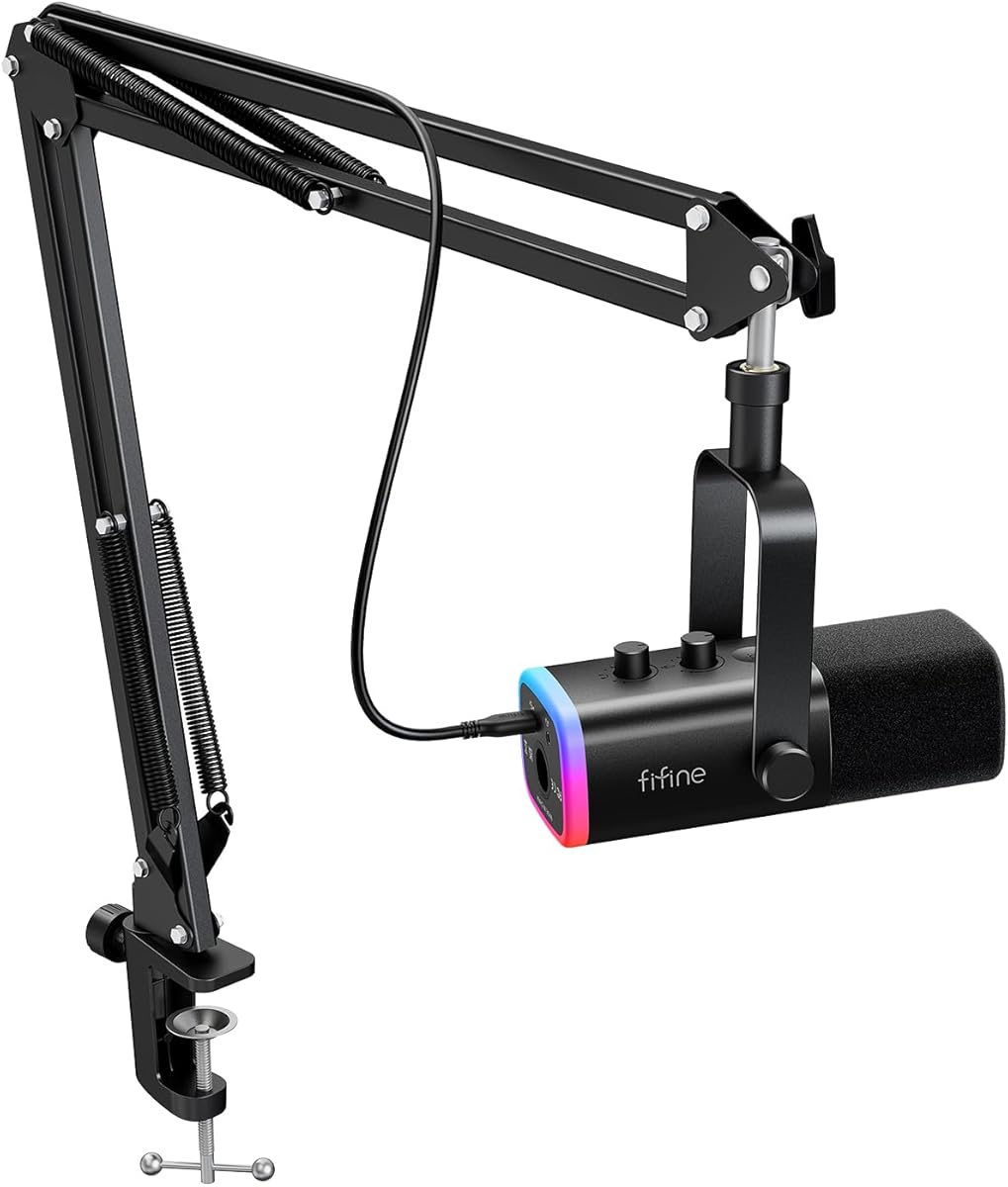
The FIFINE AM8T offers both USB and XLR connectivity for versatile streaming needs. It is designed for gamers needing plug-and-play simplicity without sacrificing XLR options. The RGB lighting illuminates your setup with customizable colors and modes.
We may earn a commission when you buy through this link, at no additional cost to you.
Its dynamic microphone captures clear audio with a cardioid pattern that reduces background noise. The kit includes a durable arm stand with a mute button and gain knob for precise control. A headphone jack supports real-time monitoring during recording.
The XLR cable is not included which adds to the initial cost for advanced setups. The desk clamp fits desks up to 2 inches which may be too thin for some setups. Despite this it is a robust choice for growing streamers.
This mic is best for gamers who plan to upgrade to an audio interface later. It delivers dynamic sound quality and flexible connectivity at a mid-range price.
Designed specifically for gaming enthusiasts with dynamic mic quality for streams and podcasts.
Vibrant RGB lighting can be controlled via button without complicated software settings.
We may earn a commission when you buy through this link, at no additional cost to you.
The TONOR Dynamic Gaming Mic features premium AI noise cancellation for crystal clear streams. It removes distracting sounds like keyboard clatter ensuring your voice stands out. The RGB lighting adds gaming flair while dual outputs support future upgrades.
We may earn a commission when you buy through this link, at no additional cost to you.
USB mode offers direct connection to computers and consoles while XLR supports sound cards. Quick adjustment knobs control headphone volume and mic levels for real-time monitoring. Superior compatibility spans PC PS4 and PS5 seamlessly.
It does not include XLR cables and is not compatible with Xbox directly. However the AI noise reduction makes it unique for noisy environments. This is ideal for streamers who want high-quality audio without constant tweaking.
Choose this mic for AI-enhanced audio clarity and flexible connectivity. It fits streamers needing noise suppression in shared or public spaces.
Triple AI noise cancellation eliminates background sounds making streams effortless and clear.
Dual USB and XLR outputs support upgrades without replacing the microphone itself.
We may earn a commission when you buy through this link, at no additional cost to you.
The ZealSound Podcast Mic combines studio-quality recording with convenient on-mic controls. It features a built-in noise reduction switch for clearer speech during meetings. The echo knob adds expressive audio effects directly without software changes.
We may earn a commission when you buy through this link, at no additional cost to you.
Its cardioid pattern keeps your voice focused while reducing side noise. Zero-latency monitoring lets you check your voice instantly via the headphone jack. The heavy-duty metal boom arm offers flexible positioning for consistent capture.
You must keep the mic top-facing and at the right distance for best results. This limits flexible positioning slightly but ensures vocal quality. Overall it is a highly functional kit for mobile and desktop podcasters.
Select this mic for easy adjustments and professional sound across devices. It is perfect for podcasters and streamers seeking control and clarity.
Three front knobs adjust volume echo and monitor levels directly for faster adjustments.
The boom arm helps maintain a consistent angle reducing volume changes during moves.
We may earn a commission when you buy through this link, at no additional cost to you.
Choosing the right boom microphone involves evaluating several key factors to ensure performance and value.
Condenser microphones offer higher sensitivity and detailed audio ideal for controlled environments. Dynamic mics are more robust and handle background noise better making them suitable for less controlled spaces. Understanding the difference helps match the mic to your recording environment and needs.
Decide based on your setup whether you need detailed studio sound or robust casual voice capture.
USB mics provide plug-and-play simplicity perfect for most PC and console users. XLR options offer higher quality and expandability for advanced setups. Some kits include both giving you flexibility as your skills and gear improve over time.
Choose USB for ease or XLR for professional expansion depending on your current budget.
Built-in noise reduction filters out background distractions like keyboard clicks or fans. This feature is vital for streamers in shared spaces. Look for AI or hardware-based systems to ensure clear audio without heavy post-processing.
Prioritize noise cancellation if you record in noisy environments to keep focus on voice.
A sturdy metal boom arm prevents sagging and ensures stable mic positioning. Look for strong springs and durable clamps that fit your desk thickness. A good arm improves ergonomics and allows precise distance control for better audio levels.
Invest in a heavy-duty arm to maintain consistent angles and reduce vibrations.
On-mic controls for volume gain and monitoring simplify adjustments during live sessions. Mute buttons should be accessible and intuitive to prevent accidental silence. These features reduce reliance on software and improve reaction speed during broadcasts.
Ensure the mic has physical controls for quick volume and mute access while using it.
Check device compatibility before purchasing especially for gaming consoles like Xbox or PlayStation. Some mics require specific ports or adapters that add cost. Ensure the mic works seamlessly with your existing OS or console to avoid connectivity issues.
Verify system support to avoid buying a mic that does not work with your gear.
Complete kits often include pop filters shock mounts and cables saving extra purchases. Having these accessories ensures you can start recording immediately without delays. Check the package list to confirm essential items are included for your setup type.
Look for bundles with included accessories to maximize value and reduce initial setup costs.
RGB lighting adds visual appeal to your stream but can be distracting if too bright. Adjustable modes let you match your style or turn lights off for professional use. Consider whether lighting complements your setup or adds unnecessary bulk to your desk.
Select RGB features only if they enhance your stream without compromising audio or desk space.
Position your microphone about six inches from your mouth for optimal clarity and to avoid distortion. Adjust the boom arm so the capsule faces your mouth directly. This ensures consistent audio levels without constant mic movement during sessions.
Use the mute button frequently to block background noise when not speaking. If your mic has a gain knob start it low and increase gradually to prevent clipping. Proper gain settings reduce noise and protect your audience from sudden volume spikes.
Clean your mic regularly with a soft dry cloth to prevent dust buildup. Store cables loosely coiled and avoid kinking them to prolong their lifespan. Keeping your mic in a dry place prevents moisture damage and ensures longevity.
No a USB boom mic connects directly to your computer without an audio interface. You just plug it into a USB port and install any required drivers. This makes setup simple and cost-effective for most streamers.
Enable any built-in noise reduction features in your software or mic settings. Move the mic closer to your mouth and away from noisy sources. Adjusting gain and using a shock mount can also reduce unwanted vibrations and noise.
Many affordable boom mic kits include a stand or arm arm arm for setup. However check the product description carefully to confirm what is included. Buying a kit with accessories is usually better than purchasing separately.
Most USB boom microphones are not compatible with Xbox directly but work with PlayStation. For Xbox you may need a 3.5mm adapter or a specific console-compatible mic. Check your mic specs for console support before purchasing.
The ideal distance is between six and twelve inches for most condenser microphones. This ensures clear audio without excessive plosive sounds or distortion. Adjust the boom arm to maintain this distance consistently during use.
RGB lighting adds visual customization to your streaming setup and gaming vibe. It can be turned off or adjusted through buttons on the mic. This feature enhances aesthetics without affecting audio performance directly.
We have reviewed ten top options for cheap boom microphones covering various needs and budgets. Each pick offers distinct strengths from advanced noise cancellation to flexible connectivity options. These choices allow you to find a mic that fits your specific streaming setup.
Prioritize features that matter most to your workflow such as compatibility or built-in controls. Investing in a complete kit saves money and time during initial setup. A good mic ensures your voice is heard clearly in every session.
Remember to check current prices and availability before making your final purchase decision. Deals change frequently so verify details on the product page. With the right choice you can enjoy professional-quality audio without spending a fortune.