
CORSAIR XC7 RGB Elite LCD CPU Water Block
4.1Editor score
480×480 IPS LCD screen
31 RGB LEDs
Hexa-Flow cooling engine
Choosing the right CPU water block is essential for enthusiasts who demand peak thermal performance and aesthetic appeal in their custom cooling loops. These components sit directly atop the processor die, transferring heat to the coolant with maximum efficiency while fitting precise socket specifications.
We evaluated ten leading models based on thermal conductivity, microfin density, material quality, and compatibility with modern platforms like Intel LGA 1700/1851 and AMD AM5. Each entry balances engineering rigor with real-world installation ease and visual customization options for diverse build styles.
Every pick highlights key strengths, trade-offs, and ideal use cases so you can match a block to your specific needs. Note that stock levels and pricing fluctuate frequently, so verify availability and current deals before finalizing your custom loop component selection.
4.1Editor score

4.6Editor score
4.6Editor score
As an Amazon Associate we earn from qualifying purchases.
The following table contrasts key specifications across all ten models to help you identify the right balance of thermal performance, aesthetic features, and platform support for your specific system configuration and cooling loop goals.




This high-performance block delivers industry-leading thermal efficiency for AMD AM5 and Intel LGA 1700/1851 systems with its optimized internal geometry. The nickel-plated copper cold plate ensures maximum heat transfer while resisting corrosion in custom loops.
We may earn a commission when you buy through this link, at no additional cost to you.
Compared to the Velocity 2, the Velocity 3 achieves up to 2 degrees C improvement under demanding workloads. Precise mounting pressure guarantees consistent contact with the CPU die, maximizing cooling potential for overclocked or high-core processors.
Its compact 69mm footprint allows tight radiator clearance or multi-block layouts. The Plexi top offers clean visibility into the coolant flow. While expensive, the thermal gains justify the cost for enthusiasts prioritizing peak CPU temperatures.
Buy this if you need top-tier cooling for modern platforms without compromising on build quality. It stands out as the most reliable high-performance option for custom water cooling loops demanding consistent thermal stability.
The flow path is engineered to minimize turbulence and maximize surface contact with the CPU die for faster heat extraction under load.
Consistent mounting force ensures uniform thermal paste distribution and eliminates air pockets that could hinder heat dissipation efficiency.
We may earn a commission when you buy through this link, at no additional cost to you.
This water block showcases an IPS LCD screen displaying real-time CPU temperature, animated GIFs, or team logos. USB-C connectivity simplifies setup without extra controllers, while 31 RGB LEDs provide customizable lighting accents throughout your case.
We may earn a commission when you buy through this link, at no additional cost to you.
The Hexa-Flow cooling engine mitigates laminar flow, ensuring all CPU cores receive even cooling for multi-chip packages. A nickel-plated copper cold plate with over 120 micro-cooling fins maintains low temps during overclocking or heavy rendering tasks.
Integration with CORSAIR iCUE software allows deep customization but requires the ecosystem. The sleek gray finish complements modern builds. While pricey, the visual customization and cooling performance make it ideal for showpiece builds.
Choose this if aesthetics matter as much as thermal efficiency. It bridges high-end liquid cooling with personalized visual feedback, perfect for enthusiasts who want their CPU to be a living centerpiece of their setup.
Users can upload GIFs or team logos to a 480×480 resolution screen for unique visual flair while monitoring live thermal data.
The flow design eliminates dead zones on the CPU surface, ensuring every core gets consistent cooling for multi-socket processors.
We may earn a commission when you buy through this link, at no additional cost to you.
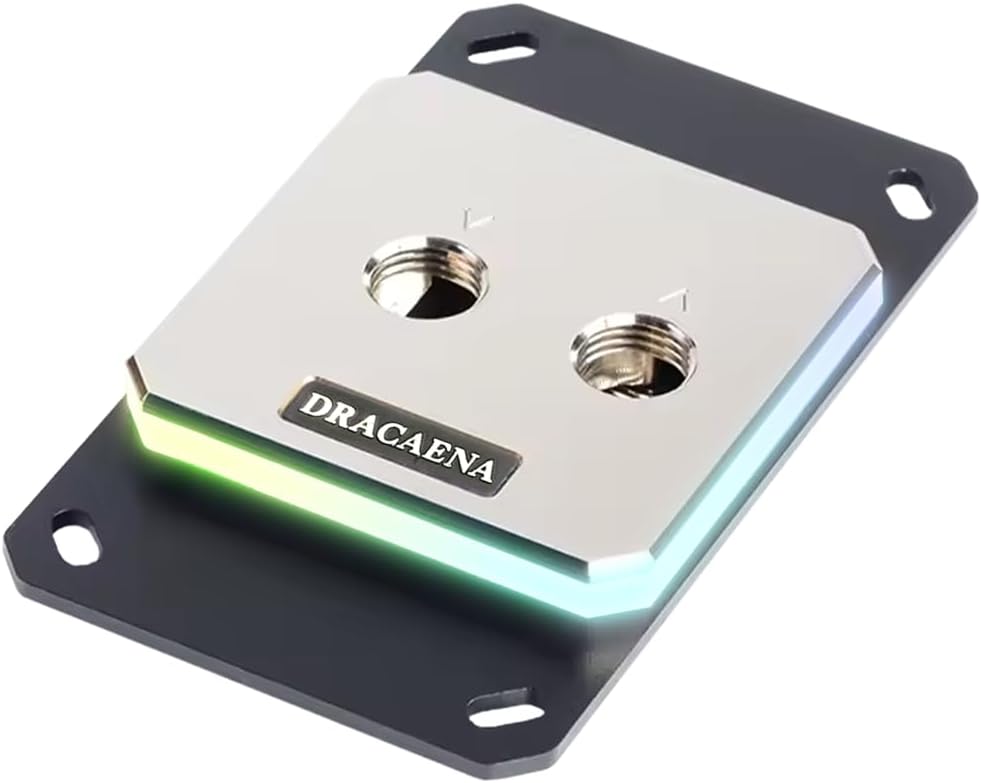
This block offers full copper internal channels and a 0.4mm microfin base plate for maximum thermal conductivity without aluminum parts. It fits AM5, AM4, and older AMD sockets without adapters, covering platforms from the last 15 years.
We may earn a commission when you buy through this link, at no additional cost to you.
The compact 63mm form factor fits tight cases. A 5V ARGB header syncs with motherboards like Asus Aura Sync or MSI Mystic Light. The complete kit includes mounting hardware and a controller, simplifying setup for new loop builders.
While it lacks premium branding, its corrosion-resistant construction and pressure-tested design ensure reliability. The acrylic top stays clear. At a fraction of flagship prices, it delivers excellent cooling for budget-conscious enthusiasts.
Pick this if you want pure thermal performance and simplicity without paying for bells and whistles. It excels for those prioritizing cooling efficiency and platform compatibility while keeping costs low.
Every internal component touching coolant is pure copper, ensuring consistent heat transfer without corrosion risks from dissimilar metals.
No adapters are needed across AM5, AM4, AM3, and AM2 sockets, making it versatile for older or future AMD platform transitions.
We may earn a commission when you buy through this link, at no additional cost to you.
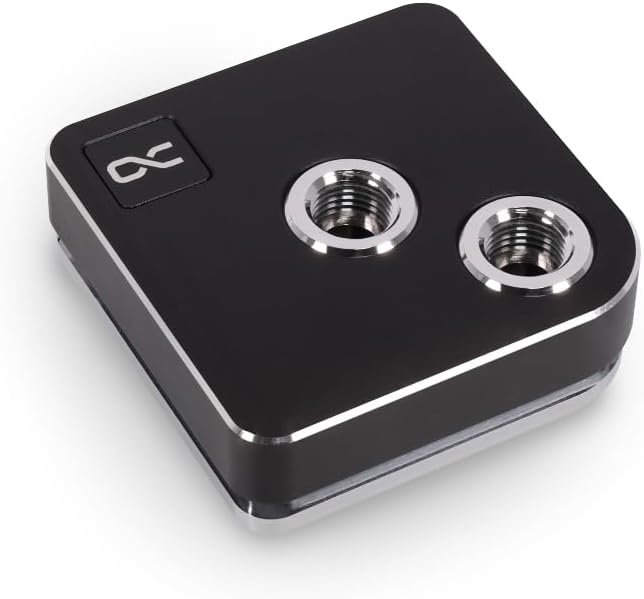
The Alphacool Core 1 delivers balanced performance for Intel LGA 1700 and AMD AM4/AM5 systems. Its black finish suits minimalistic builds. The 72mm dimensions provide adequate clearance for most cases while maintaining efficient heat transfer.
We may earn a commission when you buy through this link, at no additional cost to you.
Alphacool's reputation for reliability shines here. While it lacks RGB or screens, the copper base ensures solid thermal conductivity. The simple design makes it easy to integrate into any loop without visual distraction or complex setup.
It performs well under sustained loads. The mounting hardware is straightforward. For those who prioritize cooling over flashy features, this block offers great value with proven brand support and long-term durability.
Buy this if you want a no-nonsense block that just works. It bridges the gap between basic and premium blocks with consistent performance and compatibility across both Intel and AMD platforms.
Supports both modern Intel and AMD platforms, making it versatile for mixed builds or future upgrades without buying a new block.
Alphacool ensures strict quality control, giving confidence in long-term durability and leak-free operation for custom cooling loops.
We may earn a commission when you buy through this link, at no additional cost to you.
This entry-level block features a large water contact area for basic cooling. Chrome-plated copper faucets and a 10mm external diameter fit standard fittings. It supports legacy sockets like Intel 775 and AMD 940, offering affordability for older systems.
We may earn a commission when you buy through this link, at no additional cost to you.
The simple construction focuses on core functionality. Without RGB or advanced microfin density, it is less efficient than modern blocks. However, the included screws ensure quick mounting for budget loops or secondary cooling needs.
It works well for mild workloads. The copper base resists corrosion. For those running older hardware or needing a basic block, it provides essential cooling without the premium price tag of current-gen options.
Choose this only if you have legacy hardware or need a cheap spare. Modern systems perform better with newer blocks, but this offers basic utility for budget repairs or secondary loop projects.
Designed for older sockets like Intel 775 or AMD 940, making it suitable for retro builds or systems not requiring high-end performance.
Straightforward design minimizes complexity, ensuring easy installation and maintenance for beginners or simple loop configurations.
We may earn a commission when you buy through this link, at no additional cost to you.
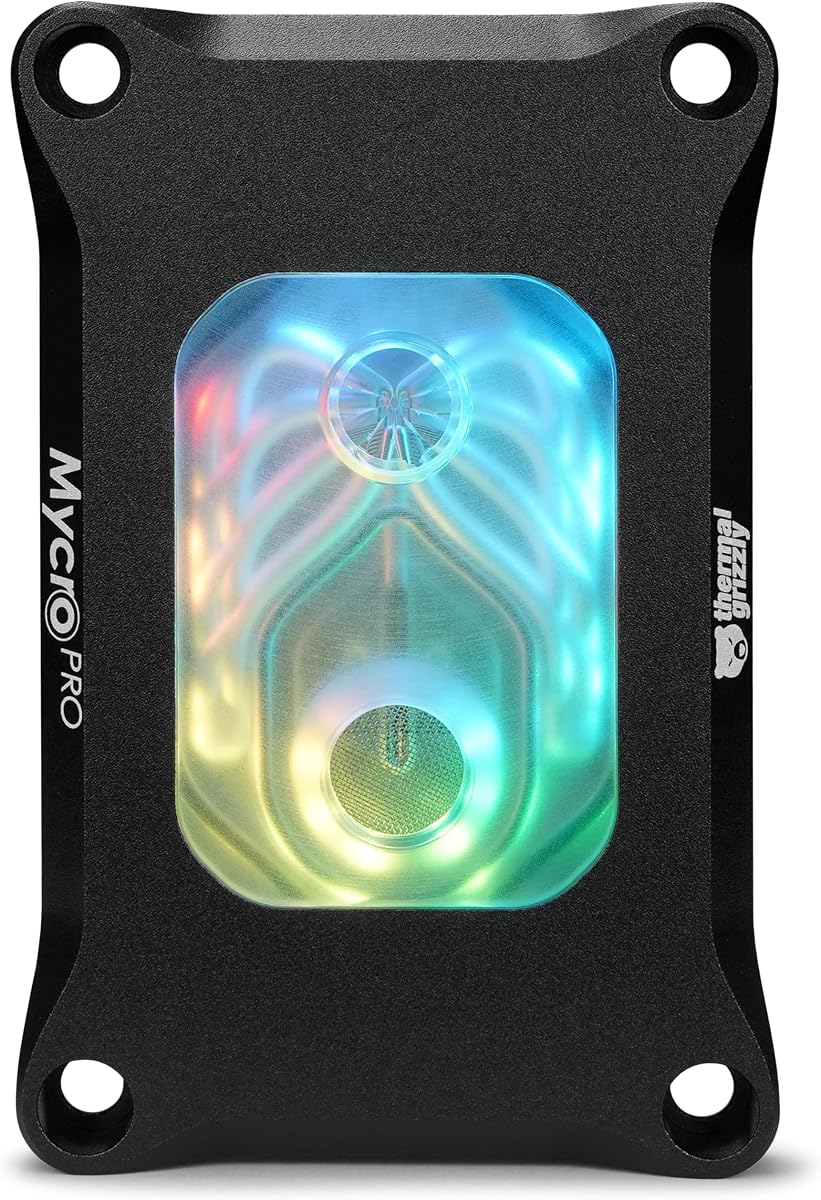
Designed for AMD AM5, this block offers 68 microfins with a 0.2mm structure for maximum heat transfer. Precision-machined nickel-plated copper increases surface area for efficient thermal performance under load, even with demanding workloads.
We may earn a commission when you buy through this link, at no additional cost to you.
An integrated fine mesh filter traps particles to ensure consistent coolant flow. G1/4 threads allow easy loop integration. Acrylic and EPDM O-rings provide durability. RGB lighting adds a subtle clean illuminated look to your build.
The materials ensure stable performance over time. While expensive, the microfin density and filter make it ideal for those prioritizing reliability and peak cooling for custom loops. It stands out for precise engineering and thermal consistency.
Buy this if you demand precision engineering and maximum heat dissipation. It suits builders who value high-efficiency cooling and long-term reliability in custom loops.
The 0.2mm microfins maximize surface area, allowing for superior heat extraction from the CPU under sustained high-load scenarios.
The inlet filter prevents debris from clogging microfins, maintaining flow rates and cooling efficiency over the life of the loop.
We may earn a commission when you buy through this link, at no additional cost to you.
The TRYX Panorama WB features a curved 6.67 inch AMOLED screen with vivid color reproduction. It supports GIPHY for GIFs without downloads. Built-in VRM PWM fan cools motherboard regulators. The microchannel copper plate handles overclocking well.
We may earn a commission when you buy through this link, at no additional cost to you.
A 2K screen delivers immersive visual effects. KANALI software offers preset materials. Built on Asetek Gen8 V2 architecture, it ensures rapid heat transfer. The block fits Intel and AMD platforms with 90-degree rotary fittings.
While the screen is stunning, software setup can be complex. The 6-year warranty covers the display. It suits those wanting extreme visual customization. If budget allows, it creates a unique centerpiece for custom water loops.
Choose this if visual flair and VRM cooling are priorities. It transforms the CPU area into a dynamic display, perfect for high-end builds seeking maximum attention and functional cooling.
The 6.67 inch curved AMOLED screen provides high resolution and refresh rates for immersive and vibrant visual effects.
A built-in PWM fan actively cools voltage regulators, enhancing system stability during heavy overclocking loads.
We may earn a commission when you buy through this link, at no additional cost to you.
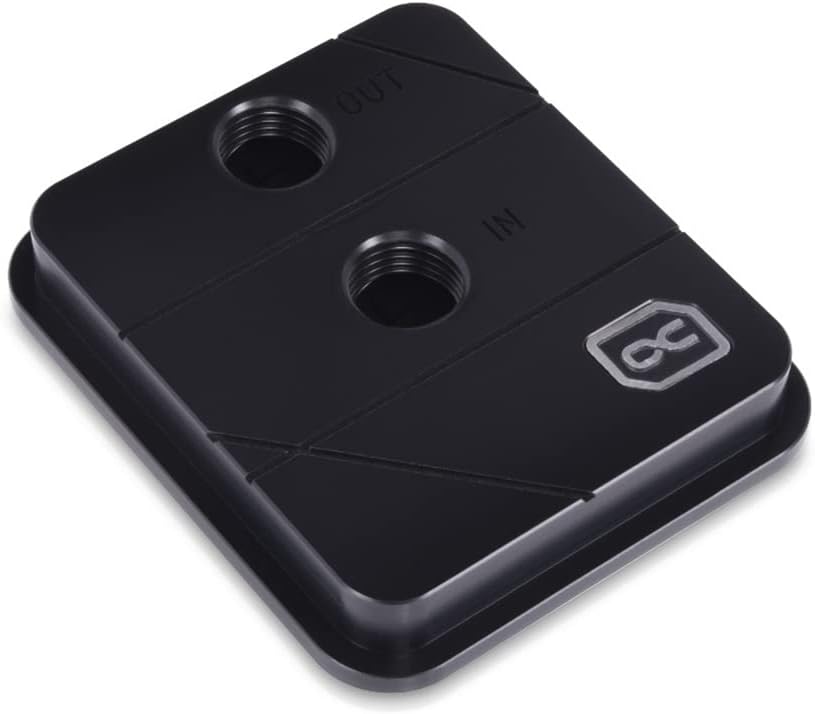
This block offers a compact Acetal top with a nickel-plated copper cooler. It fits Intel and AMD platforms with G1/4 threads. The small dimensions make it ideal for smaller cases. Reliable construction ensures consistent cooling.
We may earn a commission when you buy through this link, at no additional cost to you.
The max working temperature is 60 Degree C. Simple design allows easy integration. While it lacks RGB, the cooling performance is steady. For tight spaces or budget builds, it provides essential thermal protection without bulk.
Alphacool quality ensures durability. The mounting is straightforward. It serves well for entry-level loops or secondary cooling. If space is limited, its size makes it a practical choice for standard CPU cooling.
Buy this if you need a small, functional block. It offers reliable performance and compact dimensions for builders prioritizing space efficiency over visual features.
The 73x63x21mm footprint fits smaller cases or builds with tight motherboard clearances.
Durable Acetal material provides a clean finish while protecting internal components from external stress.
We may earn a commission when you buy through this link, at no additional cost to you.
This block supports CORSAIR iCUE LINK for easy daisy-chaining. The transparent flow chamber shows coolant movement. Hexa-Flow cooling ensures even core cooling. A built-in sensor enables smart temperature control via software.
We may earn a commission when you buy through this link, at no additional cost to you.
It reduces cable clutter and streamlines setup. 24 RGB LEDs offer customizable lighting. While requiring the system hub, the intelligent design enhances system cohesion. It suits users already invested in the CORSAIR ecosystem.
The cooling performance is solid for multi-chip CPUs. The stealth gray finish fits modern builds. For those seeking clean cable management and reliable cooling, it delivers a modern, streamlined solution.
Choose this if you value cable simplicity and CORSAIR ecosystem integration. It enhances build aesthetics and system control without adding external wiring complexity.
Universal connectors let you daisy-chain components, reducing cable clutter and simplifying system management.
A built-in sensor provides precise data for software-controlled cooling adjustments based on real-time thermal loads.
We may earn a commission when you buy through this link, at no additional cost to you.
This block features an Acrylic finish with digital RGB lighting. It fits LGA 1700, AM4, and AM5. The 71.8mm dimensions ensure fitment. It combines style with reliable cooling for modern systems.
We may earn a commission when you buy through this link, at no additional cost to you.
The transparent top showcases internal flow. Alphacool ensures durability with solid mounting. While acrylic requires careful handling, it adds aesthetic appeal. The digital RGB integrates well into software-controlled lighting schemes.
It delivers consistent cooling. The compact form works in tight builds. For those wanting a balance of style and performance without excessive cost, it offers a solid middle ground for custom loops.
Buy this if you want a stylish, functional block. It offers great aesthetics and reliable thermal performance for modern builds.
Customizable digital lighting syncs with your motherboard for consistent and vibrant system-wide visual effects.
The acrylic finish offers a sleek look while showcasing internal coolant flow for aesthetic depth.
We may earn a commission when you buy through this link, at no additional cost to you.
Selecting the right CPU water block requires balancing thermal efficiency, platform support, and visual preferences. Consider how each factor aligns with your system needs and build goals.
Ensure the block supports your specific CPU socket. Most modern blocks cover Intel LGA 1700/1851 and AMD AM5/AM4. Older legacy sockets may require dedicated options. Always verify the manufacturer lists your platform.
Confirming compatibility prevents installation issues and ensures proper pressure on the CPU die for optimal heat transfer.
Nickel-plated copper is the standard for the cold plate due to superior thermal conductivity. Avoid aluminum in contact with coolant to prevent corrosion. Quality materials ensure long-term reliability and consistent cooling.
Select blocks with full copper contact to maintain peak thermal performance over time without chemical degradation.
Higher microfin density increases surface area for heat dissipation. Models with 60+ microfins perform better under load. Fin structure affects flow and cooling efficiency. Look for precise machining for consistent contact.
Prioritize blocks with dense microfin structures for best results under high CPU loads and overclocking.
Check thermal benchmarks or comparative data. Better blocks deliver lower temps under load. Optimized geometry and precise mounting enhance results. Compare real-world reviews for accurate expectations.
Focus on models that demonstrate measurable temperature improvements over predecessors or competitors.
Modern blocks offer RGB, screens, or transparency. LCD blocks show live data, while RGB adds color. Acrylic or glass tops enhance visual flow. Choose styles matching your theme.
Balance aesthetics with thermal needs; flashy features may raise cost but satisfy personal taste.
Brands like CORSAIR and TRYX use proprietary software for lighting or displays. Ensure your system supports required hubs or drivers. Compatibility matters for seamless control.
Verify software needs before buying to avoid compatibility issues with your operating system.
Prices vary widely. Budget blocks offer essential cooling, while premium models include features like LCDs. Align spending with performance needs. Often, mid-range options balance cost and features best.
Avoid overpaying for unused features; prioritize cooling efficiency and reliability for your build.
Check included mounting hardware and kits. Blocks with complete kits simplify installation. Complex setups may require extra controllers or hubs. Prioritize ease of mounting for your skill level.
Ensure all necessary screws, gaskets, and tools are provided for a smooth installation.
Begin by cleaning the CPU surface and applying high-quality thermal paste. Secure the block evenly to ensure full contact with the die. Use a torque wrench or consistent hand pressure to prevent uneven heat transfer.
Once mounted, fill your loop with compatible coolant. Check for leaks before powering on. Regularly inspect O-rings and fittings for wear to maintain loop integrity over time.
Clean the block periodically to prevent mineral buildup. Use distilled water flushes or specialized loop cleaning solutions. Proper care ensures consistent cooling and extends the life of your components.
A CPU water block is a component designed to fit directly over a processor die. It uses liquid coolant flowing through internal channels to extract heat efficiently. This heat is then transferred to radiators for dissipation, offering better performance than air cooling.
No, blocks are built for specific sockets like AM5 or LGA 1700. Always verify compatibility before purchasing. Using an incorrect mount can damage the CPU or lead to inadequate cooling due to poor contact.
Nickel-plated copper is the industry standard due to high thermal conductivity and corrosion resistance. Avoid aluminum in contact with coolant to prevent corrosion. Ensure all internal water contact surfaces are compatible.
Detach the block from your loop and flush it with distilled water. Use a specialized cleaning solution for stubborn buildup. Rinse thoroughly and dry completely before reinstalling to prevent moisture-related issues.
Yes, a pump is essential to circulate coolant through the loop. Without proper flow, the block cannot transfer heat effectively. Ensure your pump provides adequate flow rate for your radiator and block setup.
Generally no; laptop CPUs have different mounting and thermal constraints. Most blocks are designed for desktop motherboards. Specialized laptop liquid cooling kits may exist but are rare and complex to implement.
RGB water blocks typically use a 5V ARGB 3-pin header or USB-C for power and control. Connect to your motherboard or controller and use software like iCUE for customization. Ensure your board supports the specific RGB standard.
Installation requires careful alignment and torque application. Most come with kits for mounting hardware. Follow instructions precisely to avoid leaks. If inexperienced, practice on spare hardware or consult a guide.
The EKWB EK-Quantum Velocity 3 leads in performance, while the CORSAIR XC7 RGB Elite LCD excels in visual flair. The Dracaena.io AM5/AM4 block remains the top pick for value without compromising cooling efficiency.
Prioritize thermal performance if you run high-core or overclocked CPUs. If visuals matter, RGB or display blocks add unique appeal. Always match the block to your system's cooling needs and aesthetic preferences.
Verify current stock and compatibility before buying. Prices and features change frequently, so review the latest offerings. With careful selection, the right CPU water block elevates your build's efficiency and visual impact.