
Philips 34E1C5600HE
3.8Editor score
Built-in Windows Hello Webcam
USB-C Docking Support
Curved Immersion Display
Modern businesses need reliable displays for meetings and presentations. A quality conference room monitor ensures clear visuals and smooth connectivity for everyone involved in the discussion.
We evaluated ten leading models based on resolution, connectivity options, and commercial durability. Each selection offers unique strengths for different office sizes and collaboration needs.
Each pick highlights key features and ideal use cases for your workspace. Note that prices fluctuate frequently so verify current costs before making your final purchase decision today.
3.8Editor score

4.5Editor score

4.7Editor score
As an Amazon Associate we earn from qualifying purchases.
This side-by-side comparison highlights the key specifications and strengths of each model to help you decide which monitor fits your specific business environment and budget requirements effectively.


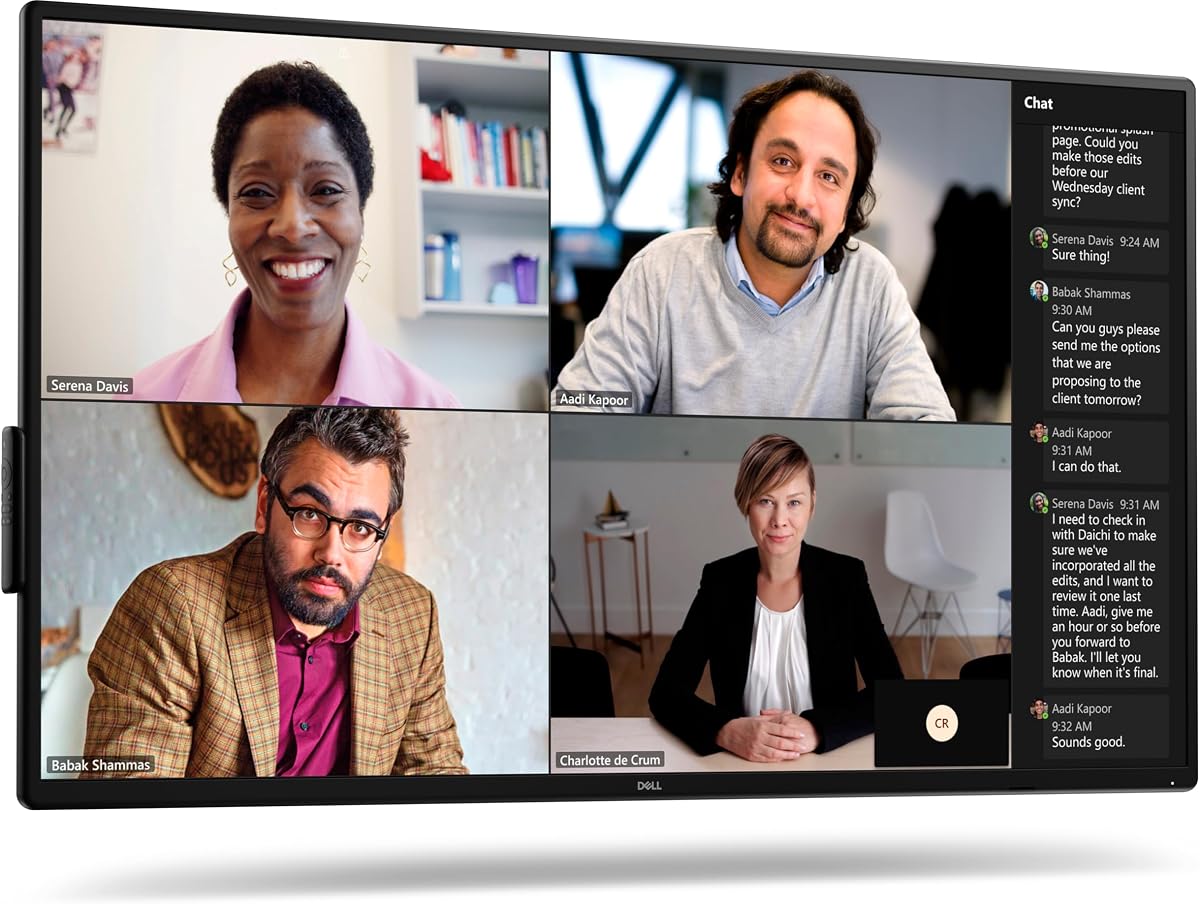


The Dell 55 4K Conference Room Monitor P5524Q stands out as a top choice for secure and clear presentations. With its anti-glare coating and wide viewing angles, it ensures visibility for everyone in the room regardless of seating position.
We may earn a commission when you buy through this link, at no additional cost to you.
This model features integrated security options like a lock slot which is crucial for public or shared spaces. The 4K resolution delivers sharp text and vibrant colors making it ideal for detailed data presentations or video calls requiring high fidelity.
While the speakers are adequate, they may not fill very large rooms without external audio systems. The price reflects its commercial grade build quality so it may not suit smaller offices with tighter budgets looking for basic functionality.
Buy this if you need a reliable display for frequent meetings where image quality and asset security are priorities. It delivers professional performance that supports productive collaboration in modern corporate environments effectively.
The anti-glare screen reduces reflections from overhead lighting ensuring participants see content clearly without visual distractions during long presentations.
Integrated security lock and cable slot protect your investment in open office environments where equipment access is not always restricted to authorized staff only.
We may earn a commission when you buy through this link, at no additional cost to you.
The Samsung QB65R offers a massive 65 inch display that dominates any conference room with its vivid 4K visuals. Its built-in Wi-Fi allows seamless content sharing from mobile devices without needing extra cables for simple presentations.
We may earn a commission when you buy through this link, at no additional cost to you.
This monitor supports Cisco WebEx room kits making it a strong contender for enterprises using that platform. The dynamic Crystal Color technology ensures lifelike images which enhances the impact of marketing materials or video conferences significantly.
Wall mounting is necessary to get the full benefit of the large screen size which might complicate quick setup changes. Ensure your room has the right infrastructure to support this size before purchasing to avoid installation delays.
Select this for large boardrooms where visibility across the entire room is critical. Its robust warranty and connectivity options make it a long-term investment for high-traffic corporate spaces needing reliable performance daily.
Built-in Wi-Fi and Bluetooth enable presenters to share screens directly from tablets or phones reducing setup time for impromptu meetings efficiently.
Cisco WebEx room kit compatibility ensures smooth integration with existing enterprise communication tools allowing teams to switch between video calls easily.
We may earn a commission when you buy through this link, at no additional cost to you.
The LG UL3G 43 Bundle provides everything needed to start using a conference monitor immediately. It includes HDMI cables and a surge protector which saves the hassle of buying separate accessories for basic connectivity.
We may earn a commission when you buy through this link, at no additional cost to you.
Its IPS LED panel ensures consistent color quality from almost any viewing angle making it ideal for circular meeting tables. The built-in WebOS system means you do not need an extra media player for digital signage tasks.
The bundle value is high but verify that the surge protector meets your office electrical safety standards before relying on it fully. This is a minor concern compared to the overall convenience of the package deal.
Choose this if you need a quick setup for smaller meeting rooms without extra costs for peripherals. It balances performance and price effectively for businesses needing immediate deployment of a display solution.
Included cables and surge protection allow teams to mount and power the display quickly without waiting for additional hardware purchases or IT support help.
WebOS 4.1 runs directly on the display enabling content scheduling and remote management without needing external computers connected constantly to the screen.
We may earn a commission when you buy through this link, at no additional cost to you.
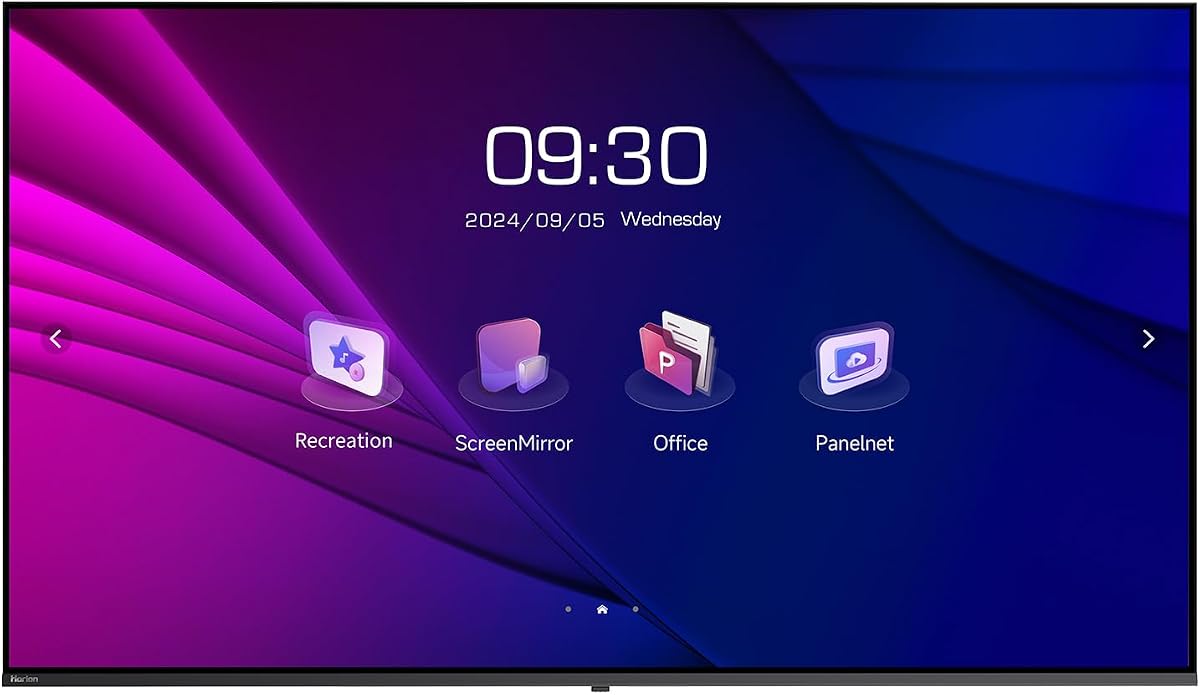
The HORION 75 Commercial Display combines a massive screen with dedicated tools for meeting management. It includes agenda timers and voting features directly in its OS which streamlines structured discussions without needing external software apps.
We may earn a commission when you buy through this link, at no additional cost to you.
Its dual WiFi system ensures that casting content does not interrupt internet access for other devices. This stability is vital for hybrid meetings where reliable connectivity is non-negotiable for remote participants joining online.
Users might need to adjust settings to match their specific brand guidelines since the OS is generic. This is a minor setup step compared to the rich feature set it offers for daily conference usage.
Opt for this model if you host frequent interactive workshops or classroom-style meetings. The combination of size and meeting tools makes it a versatile tool for education and corporate training sessions alike.
Built-in agenda timers and voting tools help moderators keep meetings on track and gather real-time feedback from attendees during collaborative sessions.
Twin WiFi modules separate casting traffic from internet access ensuring smooth presentations without lag even in offices with many connected devices.
We may earn a commission when you buy through this link, at no additional cost to you.
The Dell P5525QC simplifies connectivity for modern laptop users with its robust USB-C port support. This allows presenters to connect via a single cable for video and data streamlining setup before important client meetings.
We may earn a commission when you buy through this link, at no additional cost to you.
With a brightness of 400cd/m2 it remains visible even in rooms with significant ambient light. The IPS panel ensures that colors remain accurate which is essential for design reviews or marketing presentations needing precision.
You must ensure your laptops support the required USB-C power delivery standards for this to work seamlessly. It is a small technical detail that requires checking before installation to avoid connection issues with newer devices.
Choose this if your team primarily uses modern laptops that rely on USB-C docks. It reduces cable clutter and improves the professional look of your conference space while maintaining high visual performance.
USB-C ports allow direct connection from laptops reducing the number of cables needed on the desk during presentations for a cleaner setup.
High brightness levels ensure the screen remains clear even in well-lit conference rooms without requiring users to close all the blinds.
We may earn a commission when you buy through this link, at no additional cost to you.
The Philips 34E1C5600HE offers an affordable way to equip small huddle rooms with essential video conferencing features. Its built-in webcam and noise-canceling microphone eliminate the need for separate hardware purchases saving money.
We may earn a commission when you buy through this link, at no additional cost to you.
This 34-inch ultra-wide screen provides ample workspace for sharing documents side-by-side during calls. The curved panel helps reduce eye strain during long sessions making it comfortable for teams that spend hours in virtual meetings.
While its rating is lower than larger commercial screens it remains a practical choice for budgets constrained by hardware costs. It serves smaller teams well where a massive display is not strictly necessary for their daily workflow.
Buy this for small meeting pods where cost and simplicity are the main priorities. It provides a complete video call solution without the expense of additional cameras or microphones for remote teams.
Built-in webcam and noise-canceling mic allow teams to start video calls immediately without purchasing extra peripherals for remote meetings.
The ultra-wide format provides more screen real estate than standard monitors allowing teams to view multiple applications simultaneously during video calls.
We may earn a commission when you buy through this link, at no additional cost to you.
The Samsung QB43R is a compact choice for medium conference rooms needing reliable performance. Its 350 nit brightness ensures images stay visible even in bright office environments without extra adjustments to lighting.
We may earn a commission when you buy through this link, at no additional cost to you.
Built-in media player capabilities allow you to loop meeting agendas or welcome messages directly from a USB drive. This feature adds versatility for lobbies or hallways adjacent to meeting spaces.
The three-year warranty provides peace of mind for commercial buyers concerned about repair costs. It is a standard offering for this category but adds value when comparing against consumer-grade monitors without support.
Choose this if you need a display that is smaller than 55 inches but still offers high resolution. It fits well in smaller boardrooms where space is limited but visual quality remains important.
Built-in media player lets you display content from USB drives directly without needing a laptop or external computer connected to the screen.
350 nit brightness maintains clear visibility in naturally lit rooms without requiring users to adjust blinds or dim lights during daytime meetings.
We may earn a commission when you buy through this link, at no additional cost to you.
The Sony FW75BZ30L delivers premium visual fidelity ideal for high-stakes executive presentations. Its 75-inch screen provides exceptional scale that commands attention in large boardrooms ensuring every detail of data is visible clearly.
We may earn a commission when you buy through this link, at no additional cost to you.
Sony's reputation for color accuracy and build quality is evident in this model. It handles both landscape and portrait modes allowing flexibility for vertical content like detailed charts or directory lists in hallways.
The cost reflects its commercial grade durability but may not be necessary for smaller casual meeting spaces. It is an investment for rooms where image quality and reliability are the primary priorities over budget savings.
Opt for this if you need a top-tier display for executive or client-facing meetings. Its large size and robust build ensure it remains a reliable asset for your business for many years.
Sony's panel technology ensures precise color reproduction which is vital for design reviews and high-end marketing presentations requiring accurate visual representation.
Support for portrait orientation allows flexible installation layouts for digital directories or vertical content in hallways outside conference rooms.
We may earn a commission when you buy through this link, at no additional cost to you.
The Samsung QE50T is designed for environments where the screen needs to run almost continuously. Its ability to handle 16/7 operation makes it suitable for offices with shifting shifts or shared public spaces.
We may earn a commission when you buy through this link, at no additional cost to you.
The 300 nit brightness with non-glare surface ensures readability during standard business hours without harsh reflections. Built-in speakers add convenience for simple audio playback without needing external systems in tight setups.
While the brightness is lower than flagship models it remains adequate for typical indoor lighting. This makes it a practical choice for offices prioritizing reliability over extreme visual performance in bright sunlight.
Buy this if your office has extended hours requiring constant display usage. The durability and operational rating offer peace of mind for businesses needing a dependable monitor without downtime.
Designed to run for up to 16 hours daily ensuring reliability in offices with long shifts or public spaces needing constant information display.
Integrated speakers provide basic audio for videos and calls without needing extra hardware setups saving time during installation and use.
We may earn a commission when you buy through this link, at no additional cost to you.
The Logitech MeetUp is a dedicated system for small huddle rooms requiring high-quality audio and video. It offers 4K clarity and beamforming mics that capture voices clearly even when people move away from the screen.
We may earn a commission when you buy through this link, at no additional cost to you.
This device integrates seamlessly with platforms like Zoom and Microsoft Teams making it a powerful addition to existing monitors. It solves audio issues that standard laptops often struggle with during remote collaboration.
It does not include a screen so you will need a monitor to view the call visuals. This separation allows flexibility to choose a display size that fits your room while keeping the camera top-tier.
Select this if you have a monitor already but need better audio and video capture. It enhances the conferencing experience for hybrid teams without replacing the entire visual setup.
Three beamforming microphones capture voices clearly across the room ensuring remote participants hear everyone even when not directly in front of the camera.
Works seamlessly with major meeting software like Zoom and Teams allowing easy integration without complex IT setup or configuration.
We may earn a commission when you buy through this link, at no additional cost to you.
Selecting the right monitor requires balancing screen size resolution and connectivity features to match your meeting room layout and usage patterns effectively.
The size of your monitor should match the physical dimensions of your room. A 55-inch screen works well for small rooms while 75-inch models are better for large spaces to ensure everyone sees clearly.
Measure your wall space and seating distance before choosing a size to avoid cluttering small areas or leaving back-row attendees squinting.
4K resolution is now standard for business displays as it ensures text and charts are sharp. This is vital for data-heavy presentations where small details matter during discussions.
Always opt for 4K over Full HD to future-proof your investment and ensure crisp visuals for all participants regardless of where they sit.
Check that the monitor has the ports your team uses most. HDMI is common but USB-C is becoming essential for modern laptops to support video and charging with one cable.
Look for multiple input options to avoid buying extra adapters and to allow quick switching between different devices during a meeting.
Integrated speakers add convenience but may lack power for large rooms. Decide if you need high-quality audio or if built-in options suffice for casual internal check-ins.
If audio is a priority ensure the speakers are rated for commercial use or plan to add external speakers for better sound quality.
Commercial monitors are built to handle longer hours than home TVs. A three-year warranty provides peace of mind for businesses that need consistent performance without unexpected downtime costs.
Verify the warranty terms cover commercial use specifically to ensure you are protected if the device fails due to heavy daily usage.
Consider how you will install the monitor. VESA mounts are standard but some models support portrait orientation which is useful for digital signage or narrow hallways.
Ensure your wall or stand can support the weight and size of the screen to avoid safety risks or installation issues.
Smart operating systems like WebOS allow direct streaming without extra computers. Look for features like remote management if you have multiple displays across different office locations.
These features can save time and effort but may require IT support to configure initially so plan accordingly before purchase.
Connect your devices using high-quality HDMI or USB-C cables to avoid signal loss. Ensure all cables are managed neatly to reduce trip hazards and keep the room looking professional.
Regularly clean the screen with a microfiber cloth and appropriate cleaner to maintain clarity. Avoid harsh chemicals that might damage anti-glare coatings or the panel surface.
Update the firmware periodically to fix bugs and ensure compatibility with new devices. This keeps your monitor running smoothly and supports future software features.
For rooms with up to six people a 43 to 55-inch monitor is usually sufficient. Larger rooms with ten or more attendees benefit from 65-inch or larger screens to ensure visibility from the back row.
Yes commercial monitors are designed for longer operating hours like 16/7. They use components that withstand daily use better than standard TVs which are meant for shorter daily viewing times.
Most modern conference monitors support digital signage with built-in media players or software. This allows you to show company news or schedules when not actively being used for meetings.
Anti-glare coatings reduce reflections from lights or windows which can make text hard to read. This ensures that all participants can see the content clearly without visual distractions during presentations.
Many monitors lack webcams so you may need to buy a separate conference camera system like Logitech MeetUp. This allows your monitor to focus on display quality while the camera handles audio and video capture.
A commercial monitor can last five to seven years depending on usage and maintenance. Proper cable management and avoiding power surges can help extend its operational life significantly.
Choosing the right conference room monitor depends on your room size and specific collaboration needs. Models like the Dell 55 4K offer great balance while the HORION 75 excels in interactive sessions.
Prioritize durability and connectivity features if your team uses the room frequently. A well-selected monitor improves meeting efficiency and reduces technical friction during important discussions.
Remember to check current prices and availability before buying as offers change often. Select the model that fits your budget and technical requirements best for long-term satisfaction.