
TECKNET Compact Ambidextrous Wireless Mouse for Laptop Pink
4.6Editor score
Compact portable small design
Soft click quiet operation
Long battery life support
This guide compares the top 10 cute laptop mice for style and performance. Find the perfect pink wireless mouse for your Mac or Windows setup today.
Finding a cute laptop mouse adds personality to your workspace while delivering essential functionality for daily tasks. These devices blend aesthetic appeal with ergonomic design to ensure comfort during long work sessions without sacrificing performance or reliability in your workflow.
We evaluated ten highly rated options based on connectivity, battery life, build quality, and user feedback. Each product offers unique features like silent clicks, rechargeable batteries, or distinctive themes to suit different preferences and usage scenarios across various operating systems.
Every pick highlights key specifications and real-world performance notes to help you make an informed decision quickly. Prices and availability change frequently so please verify current details on the retailer site before purchasing to ensure you get the best deal available now.
4.6Editor score

4.7Editor score
4.6Editor score
This side-by-side comparison highlights the core specifications and unique features of each top rated model. Use this table to quickly identify which mouse matches your specific needs for connectivity style and comfort before making your final selection.





This rechargeable wireless mouse stands out with its dual connection capabilities and distinctive pink donut design. It earns top marks for combining practical performance with a unique aesthetic that appeals to style conscious users.
We may earn a commission when you buy through this link, at no additional cost to you.
The dual device connection allows you to switch between devices easily with a single button press ensuring smooth workflow across laptops and tablets. Silent clicks make it ideal for shared spaces while the lightweight design keeps it highly portable for travel or commuting.
While the rechargeable battery eliminates the need for replacements you must remember to charge it periodically. The DPI is fixed which may limit customization for professional designers but works perfectly for general browsing and document editing tasks.
If you prioritize portability and a quiet user experience this model is an excellent choice for students and remote workers. It balances functionality with charm ensuring your desk setup remains both productive and visually appealing without frequent battery changes.
Switch seamlessly between devices using Bluetooth or 2.4G wireless connections to fit any workspace setup.
Rechargeable batteries reduce waste compared to disposable options while maintaining reliable performance over time.
We may earn a commission when you buy through this link, at no additional cost to you.
This ergonomic wireless mouse offers reliable performance with a contoured shape designed to reduce hand strain during extended use. Its adjustable DPI levels allow precise control across various surfaces making it a versatile tool for different work environments.
We may earn a commission when you buy through this link, at no additional cost to you.
The six button layout includes forward and backward side buttons that streamline navigation through documents and web pages. Stable 2.4GHz connectivity ensures minimal lag within a thirty three foot range while the LED indicator keeps you updated on battery status.
Note that forward and backward buttons do not function on Mac systems which may limit utility for Apple users. Additionally you will need to provide your own AA battery as it is not included in the packaging at purchase.
Ideal for Windows users seeking comfort and productivity this mouse delivers durability with five million click testing. It fits comfortably in hand for all day use and supports a wide range of operating systems for seamless integration.
Adjust DPI levels from 800 to 4000 to match your workflow needs whether browsing or detailed design work.
Experience stable connectivity up to 33 feet with minimal interference for smooth operation anywhere at your desk.
We may earn a commission when you buy through this link, at no additional cost to you.
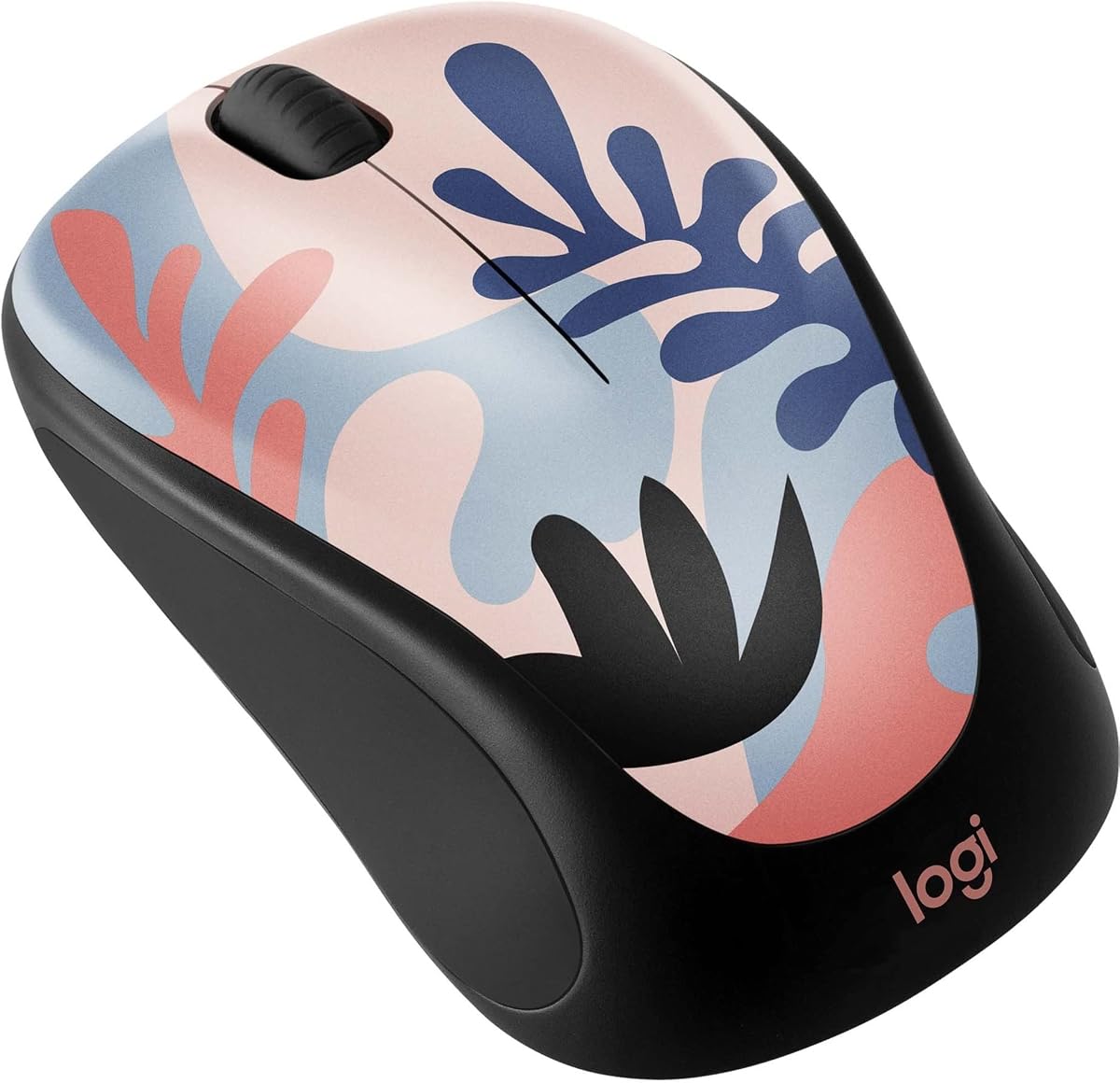
Logitech brings style and sustainability together with this limited edition wireless mouse featuring colorful designs and recycled plastic components. It offers the reliability expected from a major brand while appealing to environmentally aware consumers seeking aesthetic variety.
We may earn a commission when you buy through this link, at no additional cost to you.
The Unifying receiver allows you to connect up to six compatible devices on one USB port reducing desk clutter effectively. Soft rubber side grips provide extra comfort during long sessions while the lightweight build makes it easy to carry for travel.
Keep in mind that it requires an available USB port for the receiver which limits use with newer ultrabooks lacking standard ports. Color availability may vary by region so checking stock is advisable if you have a specific design in mind.
This mouse is perfect for users who value brand reliability and environmental responsibility in their accessories. It delivers consistent performance with a year of battery life on one AA battery ensuring uninterrupted workflow for daily tasks.
Use the Unifying receiver to manage multiple devices without cluttering your laptop with numerous USB dongles.
Soft rubber grips prevent slipping and reduce strain during extended use for a more pleasant user experience.
We may earn a commission when you buy through this link, at no additional cost to you.
This compact wireless mouse delivers excellent value with a colorful pink design tailored for smaller hands or portable setups. Its quiet click mechanism and smart power saving features make it a practical choice for budget conscious students or office workers.
We may earn a commission when you buy through this link, at no additional cost to you.
The ambidextrous shape ensures comfort regardless of hand preference while the nano receiver stores inside the mouse when not in use. Adjustable DPI settings allow you to customize cursor speed for different tasks from navigation to detailed editing work.
You will need a standard USB A port for the receiver which might require an adapter for newer laptops with only USB C ports. Additionally a single AA battery is required but not included meaning you need to purchase one separately at purchase.
An ideal pick for those needing a small reliable wireless mouse this model covers essential functions without unnecessary bloat. Its durability and comfort features ensure long term satisfaction while maintaining a low cost entry point for most users.
Compact dimensions fit easily into bags pockets making it perfect for commuters and travelers on the move.
Automatic sleep modes reduce battery drain during inactivity extending life up to fifteen months on one AA cell.
We may earn a commission when you buy through this link, at no additional cost to you.
This wireless mouse combines a sleek slim profile with a unique gradient pink to purple finish that adds visual flair to any setup. Responsive buttons and a noiseless click design ensure it stays discreet in quiet environments like offices or libraries.
We may earn a commission when you buy through this link, at no additional cost to you.
The nano receiver stores neatly inside the mouse when not in use keeping your bag clutter free for travel. Stable wireless connectivity up to fifteen meters ensures reliable performance across various surfaces while the ergonomic shape supports comfortable daily use.
Note that this model relies on a USB receiver so it lacks native Bluetooth compatibility with newer laptops without USB A ports. You must also supply your own AA battery as it is not included in the package upon delivery or purchase.
Perfect for users seeking style and portability this mouse delivers smooth tracking and quiet operation for daily productivity. Its compact design fits easily into bags making it an excellent choice for commuters or remote workers on the go.
Smooth surfaces and curved shapes reduce hand strain during extended sessions for a comfortable daily experience.
Advanced wireless transmission offers stable connections with minimal interference for consistent cursor movement across tasks.
We may earn a commission when you buy through this link, at no additional cost to you.
This Akko gaming mouse features an adorable cat shape that brings personality to your desk while delivering high performance gaming features. Tri-mode connectivity ensures you can connect via Bluetooth or wireless receiver for versatile use across multiple devices.
We may earn a commission when you buy through this link, at no additional cost to you.
The ergonomic design provides a comfortable fit for your palm ensuring stability during intense gaming or daily work sessions. Smooth scrolling and anti-slip bottom features enhance control making it suitable for both casual browsing and precision tasks alike.
Keep in mind that its distinctive look may not suit all professional environments where a traditional shape is preferred. You will need to install a battery upon arrival to activate it which adds a small step before initial setup.
If you love unique designs this mouse adds a playful touch to your setup without compromising on performance or reliability. It supports seamless connectivity between multiple devices making it a fun and practical choice for tech lovers everywhere.
Switch between Bluetooth 3.0 5.0 and 2.4G to connect to multiple devices without cluttering your ports.
Adorable cat shaped styling adds a fun visual element to your workspace while maintaining ergonomic comfort.
We may earn a commission when you buy through this link, at no additional cost to you.
This playful sports car shaped mouse offers a unique twist on standard peripherals with dazzling LED lights for extra flair. Its stable wireless connection ensures lag-free browsing while the compact form factor makes it easy to carry around anywhere.
We may earn a commission when you buy through this link, at no additional cost to you.
The bottom switch allows you to turn off the mouse manually to save power when not in use. This feature helps extend battery life but requires remembering to toggle it which might feel inconvenient for some users daily habits.
Keep in mind that the ergonomic shape is less contoured than traditional mice so extended use may cause some fatigue. It works well for casual tasks and gifts but may not be ideal for heavy daily productivity sessions requiring prolonged grip.
An excellent novelty choice for those who love unique accessories this car mouse brings fun to tech without sacrificing basic reliability. It works across most systems and offers a budget-friendly way to spice up a desk or gift basket.
Sports car design and LED lights make this mouse a standout accessory that sparks conversation at any desk.
Manual off switch helps prevent battery drain ensuring it stays ready when you need it most without issues.
We may earn a commission when you buy through this link, at no additional cost to you.
This wireless mouse emphasizes quiet operation with a silent click mechanism ideal for shared workspaces or libraries. Its portable design ensures easy transport while reliable connectivity keeps your workflow smooth during daily navigation and editing tasks.
We may earn a commission when you buy through this link, at no additional cost to you.
The nano receiver hides inside the battery compartment for safe storage and quick access whenever you need it. Auto sleep functionality conserves power after eight minutes of inactivity while maintaining readiness to wake instantly with a single click.
While it lacks extra side buttons the simple two-button layout ensures ease of use for general tasks. The build quality passes rigorous testing for durability ensuring it withstands daily use without losing responsiveness or performance over time.
If you value discretion this mouse keeps noise levels low while delivering consistent performance across most operating systems. It works well for travelers office workers or anyone needing a reliable quiet tool for daily productivity on the go.
Special soundless design reduces noise to keep focus sharp in quiet environments like libraries or shared offices.
Plug and play functionality requires no software installation making it ready to use right out of the box.
We may earn a commission when you buy through this link, at no additional cost to you.
TENMOS offers a charming floral design that appeals to users seeking both functionality and cute aesthetics for their setup. Its silent click technology ensures quiet operation while the optical sensor delivers accurate tracking across most common surfaces effortlessly.
We may earn a commission when you buy through this link, at no additional cost to you.
The wireless signal remains stable up to ten meters giving you freedom to move around without lag or disconnection. Low power consumption features extend battery life so you do not need to replace batteries as often during normal use.
You will need to provide your own AA battery to power this unit which is not included in the package. While it is a solid budget option the build quality is more basic compared to premium models designed for heavy use.
This mouse is a delightful choice for casual users who appreciate soft colors and quiet operation in their workspace. It fits well for students home offices or gifts where style and simplicity take priority over advanced customization options.
Flower themed design meets silent clicks for a mouse that looks great and does not disturb those around you.
Auto sleep mode after ten minutes preserves battery power ensuring long lasting performance without frequent changes.
We may earn a commission when you buy through this link, at no additional cost to you.
FMOUSE delivers a fun kawaii cat design paired with dual mode connectivity for versatile use across devices with or without USB ports. Silent click technology ensures it remains quiet during meetings or focused work while maintaining smooth tracking on most surfaces.
We may earn a commission when you buy through this link, at no additional cost to you.
The toggle switch lets you switch between Bluetooth and USB instantly so you can adapt to changing work environments. An ergonomic shape fits small to medium hands comfortably which supports long sessions without strain during daily office tasks.
Remember that an AA battery is needed but not included which requires a quick setup step before you start using it. The design is limited to a specific theme so it may not appeal to everyone seeking a more neutral aesthetic look.
Ideal for remote workers or office professionals this mouse balances humor with practicality for a delightful daily user experience. It works with virtually all systems offering flexibility and comfort for anyone needing a reliable wireless accessory.
Bluetooth and USB options allow connection to almost any device without needing extra adapters for modern setups.
Silent clicks reduce noise in open offices or homes ensuring meetings and calls proceed without audio interruption.
We may earn a commission when you buy through this link, at no additional cost to you.
Selecting the ideal cute laptop mouse involves balancing aesthetics with practical features that match your daily workflow needs.
Modern mice offer Bluetooth 2.4G wireless or both. Bluetooth saves USB ports while 2.4G offers stable connections ideal for gaming or older systems.
Check your device ports to decide which connection type suits your setup best before purchasing.
Rechargeable mice reduce waste but require charging cables while AA battery models offer convenience without cords but need replacements.
Choose based on your tolerance for charging versus swapping batteries to ensure uninterrupted use.
Look for contoured shapes that fit your hand size to prevent strain during long work sessions.
Ambidextrous designs suit both hands while ergonomic shapes support right handed users for better comfort.
Silent clicks reduce distraction in quiet offices or libraries compared to loud mechanical switches.
Select silent options if you share your workspace to maintain focus and professionalism.
Cute themes like cats flowers or pastel colors add personality but ensure the shape remains practical for your needs.
Balance visual appeal with usability to avoid compromising functionality for style.
Ensure the mouse supports your OS since some side buttons do not work on macOS.
Check product details for Mac Windows or Chrome OS support before buying.
Compact models fit easily in bags making them ideal for travelers or students.
Larger mice offer comfort but may bulk up your bag so choose based on your mobility needs.
Prices range from affordable basic models to premium feature rich options with extra buttons.
Determine which features matter most to avoid overspending on unnecessary extras.
Connect your mouse using the USB receiver or Bluetooth pairing settings on your device. For Bluetooth enable it on your mouse then select it from your computer settings list.
Keep the sensor clean by wiping it gently with a soft dry cloth. Dust buildup can affect tracking accuracy so clean it weekly for best performance.
Store the mouse in a padded case when traveling to avoid scratches or damage. Remove batteries if you plan not to use it for extended periods to prevent leakage.
Most models listed work with macOS but verify specific compatibility for side buttons. Some functions may be limited on Mac systems so check the product page before purchasing.
Several models feature silent click technology to reduce noise. This is ideal for shared workspaces so look for quiet labels when browsing options.
Some models offer dual mode Bluetooth plus USB connectivity while others use USB only. Choose based on whether your laptop has USB ports available for adapters.
Most use AA batteries while some rechargeable models exist. Check individual product details to confirm battery requirements before purchase.
Basic wireless mice work for casual gaming but dedicated gaming mice offer higher DPI. These options suit light gaming but not intense competitive play.
Compact models like the TECKNET are tailored for smaller hands. If you have petite hands prioritize smaller sizes for better comfort and control.
Whether you prioritize silence connectivity or design the top picks provide reliable performance across varied needs. Our favorite remains the rechargeable donut mouse for its versatility and long lasting power.
Consider your daily environment when choosing. Quiet clicks suit shared spaces while dual mode ensures flexibility across devices for seamless productivity at work or home.
Prices and availability change frequently so please check current listings before purchasing. Verify compatibility and battery needs to ensure you get the best deal available right now.