
HUANUO Printer Stand with Cable Management
4.5Editor score
Compact under desk design
Includes storage drawer
Locking caster wheels
This guide compares the top Computer Printer Drawers for home offices, evaluating storage capacity, mobility, and durability to help you choose the perfect
Finding the right storage solution for your office equipment is essential for maintaining a productive workspace. Computer Printer Drawers offer a practical way to organize files while supporting your printing needs efficiently.
We evaluated ten highly rated models based on their build quality, storage features, and mobility options. Each product was analyzed to determine how well it fits various office layouts and user requirements.
Every pick highlights specific strengths and ideal use cases for different environments. Keep in mind that product availability and pricing can change, so verify current details before making your final decision.
4.5Editor score

4.2Editor score

4.8Editor score
The following table provides a side-by-side comparison of all ten models to help you quickly identify which features match your specific office setup needs.


This unit stands out as a top contender for its massive 24-inch desktop and robust stability. It earns a 4.2 rating from users who value its ability to hold heavy printers without wobbling.
We may earn a commission when you buy through this link, at no additional cost to you.
The dual support system allows it to switch between rolling and stationary modes seamlessly. The open shelf and deep bottom drawer provide ample space for documents and supplies.
The side storage bag offers additional utility but may not be secure enough for valuable items. The finish is stylish but might show scratches if dragged across rough floors.
Ideal for freelancers and remote workers needing a reliable, spacious printer stand. Its durability and capacity make it a solid long-term investment for any home office.
The reinforced steel frame and dual support mechanism ensure this unit remains stable even when supporting heavy equipment like large printers.
You can easily switch between a mobile setup with casters and a stationary one with leveling feet to suit your specific layout needs.
We may earn a commission when you buy through this link, at no additional cost to you.
This model solves the common problem of finding power outlets near your printer. With its built-in charging station, it keeps your workspace organized and powered up efficiently.
We may earn a commission when you buy through this link, at no additional cost to you.
The two open shelves accommodate devices well while the fabric drawers hold files and supplies securely. The 59-inch cord ensures flexibility in placement.
Fabric drawers may show wear over time and the weight capacity is lower than some competitors. Ensure you don't overload the shelves with heavy equipment.
Perfect for users who need quick access to power for multiple devices. Its aesthetic and functional design make it a great addition to modern home offices.
Two outlets and two USB ports allow you to charge printers and phones simultaneously without needing additional extension cords.
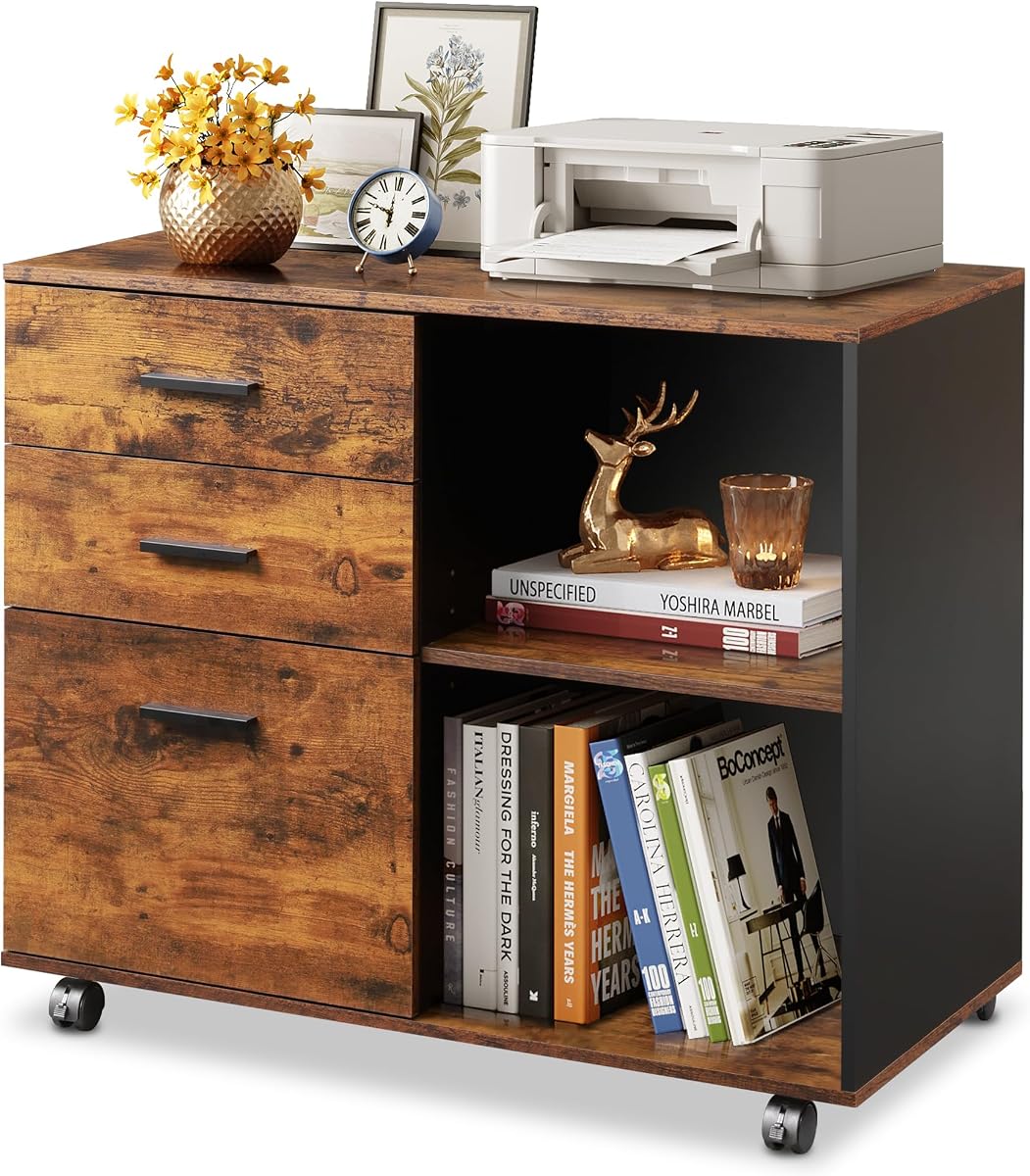
The rustic brown finish adds warmth to your office while the open shelves and drawers provide practical organization for daily needs.
We may earn a commission when you buy through this link, at no additional cost to you.
This stand is an excellent choice for tight spaces thanks to its under-desk design. It earns a high rating for its ease of assembly and smooth rolling casters.
We may earn a commission when you buy through this link, at no additional cost to you.
The storage drawer keeps supplies organized while the open shelves handle paper and books. Its 14.1-inch height fits easily beneath most standard office tables.
The weight capacity is lower than larger models so check your printer weight before purchasing. It may not support very large industrial printers securely.
Ideal for small offices or home workstations where space is limited. Its affordability and practical design make it a top pick for budget-conscious buyers.
Designed to fit under desks, this unit maximizes vertical space without taking up valuable floor area in your office.
The stackable design allows for quick tool-free setup, and the locking casters keep it in place once positioned.
We may earn a commission when you buy through this link, at no additional cost to you.
This cabinet offers ample storage with five drawers suitable for various office needs. Its sturdy construction ensures it can support significant weight on the desktop.
We may earn a commission when you buy through this link, at no additional cost to you.
The white finish blends well with most decor styles while the spacious top holds printers securely. The built-in brakes on front casters add stability.
Particle board may not be as resistant to water as solid wood. It is also heavier than metal frames which could make repositioning more difficult.
Great for users who need extensive filing capacity alongside printer support. Its classic design and durability make it a reliable choice for busy offices.
Five drawers provide organized storage for files and supplies while the desktop holds your printer and other devices securely.
Four rolling wheels allow for easy repositioning, while the front brakes keep the unit stationary during operation.
We may earn a commission when you buy through this link, at no additional cost to you.
This unit combines a printer stand with a filing cabinet efficiently. It features a reinforced back bar for stability and smooth fabric drawers for easy access.
We may earn a commission when you buy through this link, at no additional cost to you.
The top supports heavy printers while the drawers organize supplies and documents. Its compact design fits easily into various office layouts without clutter.
Fabric drawers may be less durable than wood over time. Ensure the assembly is tight to maximize stability when fully loaded with equipment.
Ideal for users seeking a multifunctional solution for printing and storage. Its sturdy build and practical features make it a great investment for small offices.
A reinforced back support bar ensures the stand remains stable even when supporting heavy printers on the top surface.
Multiple storage zones allow you to keep printers, files, and supplies organized in one compact unit.
We may earn a commission when you buy through this link, at no additional cost to you.
This stand is built to handle multiple devices with its three spacious open shelves. It earns high marks for its robust construction and ability to support heavy loads.
We may earn a commission when you buy through this link, at no additional cost to you.
The fabric and file drawers provide organized storage while the steel frame ensures longevity. The vintage wood grain finish adds a stylish touch to any office.
The large size might overwhelm smaller spaces. Ensure you have enough room to accommodate its dimensions and weight comfortably.
Ideal for busy offices or studios with multiple printing needs. Its durability and generous storage make it a standout choice for professional environments.
Three large open shelves allow you to store multiple printers and scanners simultaneously without compromising stability.
A heavy-duty steel frame and waterproof particleboard surface ensure the unit lasts through daily professional use.
We may earn a commission when you buy through this link, at no additional cost to you.
This unit tops the charts with its perfect blend of style and function. Its reinforced metal frame and smooth casters make it a standout in the category.
We may earn a commission when you buy through this link, at no additional cost to you.
The bottom drawer fits A4 and letter folders perfectly while the compact drawers organize supplies. The wood top is durable enough to support standard printers.
It is priced higher than budget models but justifies the cost with superior build quality. Ensure the assembly is precise to maximize its stability.
Ideal for professionals who prioritize design and quality in their workspace. Its reliability and aesthetic appeal make it a top pick for modern offices.
A reinforced metal frame ensures long-lasting stability and reliability for daily professional use in busy environments.
The spacious bottom drawer fits standard hanging file folders while the compact drawers keep daily supplies organized.
We may earn a commission when you buy through this link, at no additional cost to you.
This unit combines fabric, steel, and wood for a harmonious look. Its generous worktop provides ample space for printers and office gear alike.
We may earn a commission when you buy through this link, at no additional cost to you.
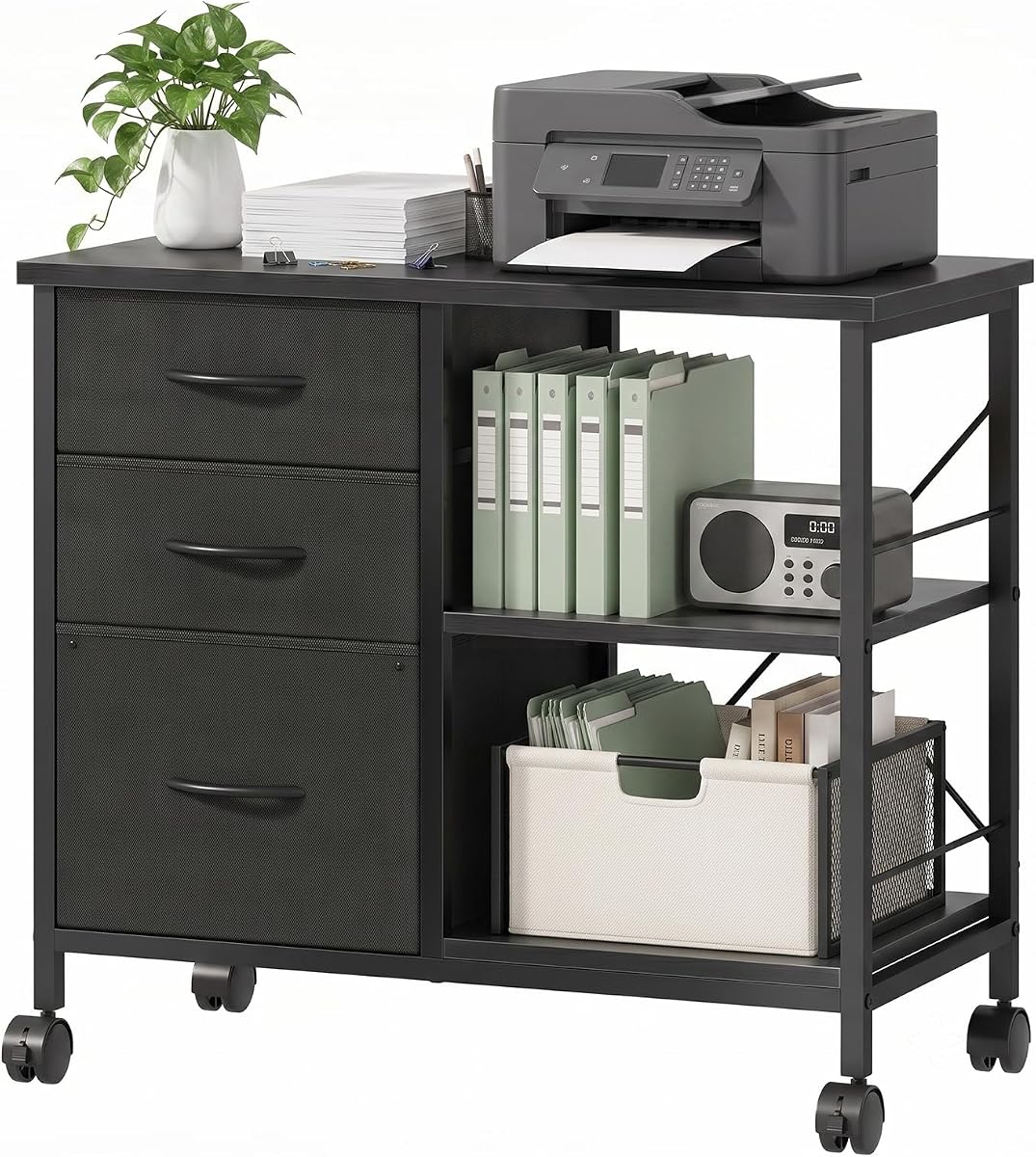
Three fabric drawers offer organized storage while the side pouch holds temporary items. The casters allow for flexible layouts with lockable brakes.
The fabric may require regular cleaning to maintain appearance. Ensure the surface is wiped down regularly to keep it looking fresh.
Ideal for users seeking a balanced aesthetic between softness and strength. Its versatile design and practical storage make it a great addition to any office.
A blend of fabric, steel, and engineered wood creates a visually appealing yet sturdy storage solution for modern spaces.
Multiple compartments and a side pouch allow you to organize various office supplies and documents efficiently.
We may earn a commission when you buy through this link, at no additional cost to you.
This lateral cabinet offers a unique design and robust storage. Its 150-pound capacity ensures it can support large printers without issues.
We may earn a commission when you buy through this link, at no additional cost to you.
The bottom drawer has adjustable rails for files while the top surface provides ample workspace. Full extension slides ensure quiet and easy access.
The unit is heavier than some competitors which may make repositioning harder. Ensure the surface is clean to maintain its scratch-resistant finish.
Ideal for users needing a stable, high-capacity storage solution. Its aesthetic appeal and practical features make it a great fit for home offices.
With a 150-pound capacity, this unit can handle heavy printers and large documents without compromising structural integrity.
Full extension slides ensure that accessing files is quiet and effortless, enhancing the overall user experience.
We may earn a commission when you buy through this link, at no additional cost to you.
This unit boasts a perfect rating for its durable build and functional design. Its steel frame ensures stability while the fabric drawers offer organized storage.
We may earn a commission when you buy through this link, at no additional cost to you.
The top supports printers up to 110 pounds and the locking casters keep it steady during use. Quick assembly ensures you can set it up easily.
The color options are limited to black which may not suit all styles. Ensure the assembly is precise to maximize its stability and longevity.
Ideal for users prioritizing durability and ease of use. Its robust construction and practical features make it a reliable choice for daily office tasks.
A perfect rating highlights the high quality and satisfaction users experience with this durable and functional printer stand.
A thickened steel frame ensures the unit remains stable and durable for daily use with heavy office equipment.
We may earn a commission when you buy through this link, at no additional cost to you.
Selecting the right storage unit requires evaluating several key factors to ensure it fits your specific workspace needs.
Ensure the unit can support the weight of your printer and any additional equipment. Look for reinforced frames and stable designs that prevent wobbling.
Check weight limits in the product specifications before purchasing to avoid damage or safety issues.
Evaluate how many drawers and shelves the unit offers to meet your filing and supply needs. Some models include specific drawers for A4 or letter-sized files.
Choose a configuration that maximizes your available space while keeping essential items accessible.
Consider whether you need a unit with wheels for easy repositioning. Look for locking casters to ensure stability during operation.
Mobile models provide flexibility for changing office layouts but require stable floors for smooth movement.
Materials like steel and solid wood tend to be more durable than particle board or fabric. Check for scratch-resistant and water-resistant surfaces.
Investing in higher-quality materials ensures the unit withstands daily wear and maintains its appearance over time.
Measure your available floor space to ensure the unit fits comfortably without obstructing walkways. Consider height restrictions under existing desks.
Proper dimensions ensure the unit integrates seamlessly into your current workspace layout.
Some models require tools while others offer tool-free assembly. Look for clear instructions and labeled parts to simplify setup.
Easy assembly saves time and frustration when getting your new storage unit up and running.
Features like built-in charging stations or side storage pouches can add significant convenience. Evaluate which extras align with your workflow.
These value-added features can streamline your workflow and reduce clutter in your workspace.
Set a realistic budget but consider long-term value over initial cost. Higher-priced units may offer better durability and warranty coverage.
A balanced budget ensures you get necessary features without overspending on unnecessary extras.
Position the unit on a level surface to prevent wobbling and ensure stability during printer operation. Use leveling feet if available.
Regularly clean the surfaces with a soft cloth to remove dust and debris. Avoid harsh chemicals that might damage the finish.
Inspect wheels and locks periodically to ensure smooth movement and proper functionality. Tighten any loose screws or bolts as needed.
Most units are designed to support standard home and office printers. Check the weight capacity and desktop dimensions to ensure compatibility with your specific model.
Most models require some assembly but come with clear instructions and necessary tools. Tool-free options are available for quick setup.
Yes, but ensure the wheels or casters are suitable for carpet. Some models offer leveling feet for better stability on soft surfaces.
Common materials include steel, wood, particle board, and fabric. Each offers different levels of durability and aesthetic appeal.
Clean the drawers regularly and avoid overloading them beyond their capacity. Check for wear and tear on fabric drawers periodically.
Yes, some units include integrated charging stations with USB ports and outlets. These can help keep your workspace organized and powered up.
The top picks highlight diverse options for different office needs from budget-friendly to premium builds. Each model offers unique strengths that cater to various workspace requirements.
Prioritize stability and storage capacity to ensure your unit meets both functional and aesthetic needs. Consider mobility if you need to reconfigure your office frequently.
Always verify current availability and pricing before purchasing as details can change. This guide provides a solid foundation for making an informed decision.