
Samsung 8GB DDR4 RAM
4.8Editor score
Affordable single module
Reliable brand quality
Standard voltage operation
Discover the top DDR4 Sodimm Laptop RAM options for speed and stability. This guide compares ten leading memory modules to help you upgrade your laptop
Upgrading your laptop memory is one of the most effective ways to enhance performance. Choosing the right DDR4 Sodimm Laptop RAM ensures smooth multitasking and faster application loads for your daily tasks.
We have evaluated ten top-rated memory modules based on speed, capacity, and reliability. Our analysis focuses on genuine specifications and user feedback to provide an accurate comparison for potential buyers.
Each pick highlights key features and compatibility details to simplify your decision. Remember that availability and costs may fluctuate, so always verify current offers before completing your purchase online.
4.8Editor score
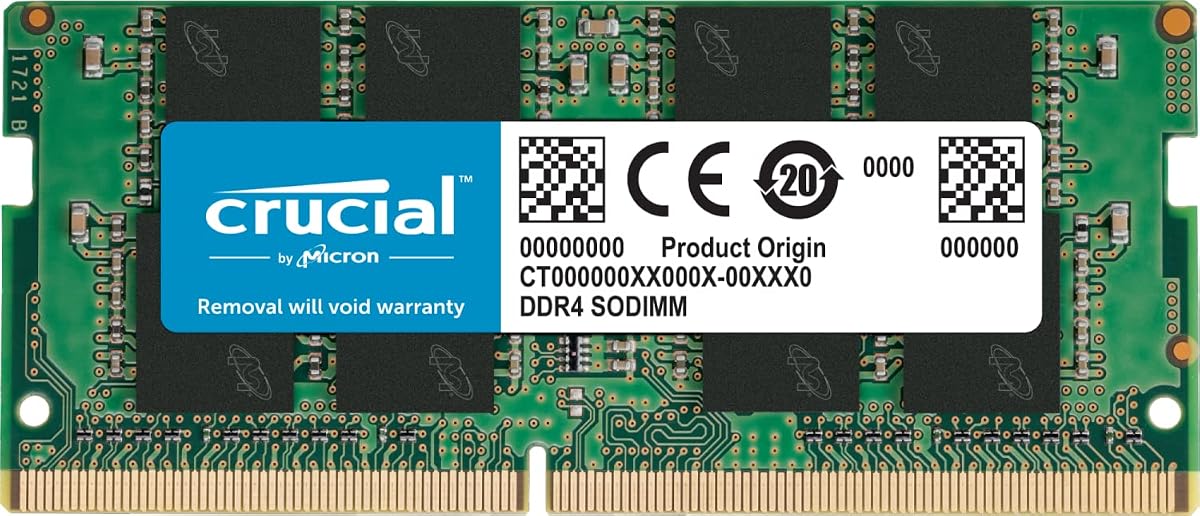
4.8Editor score
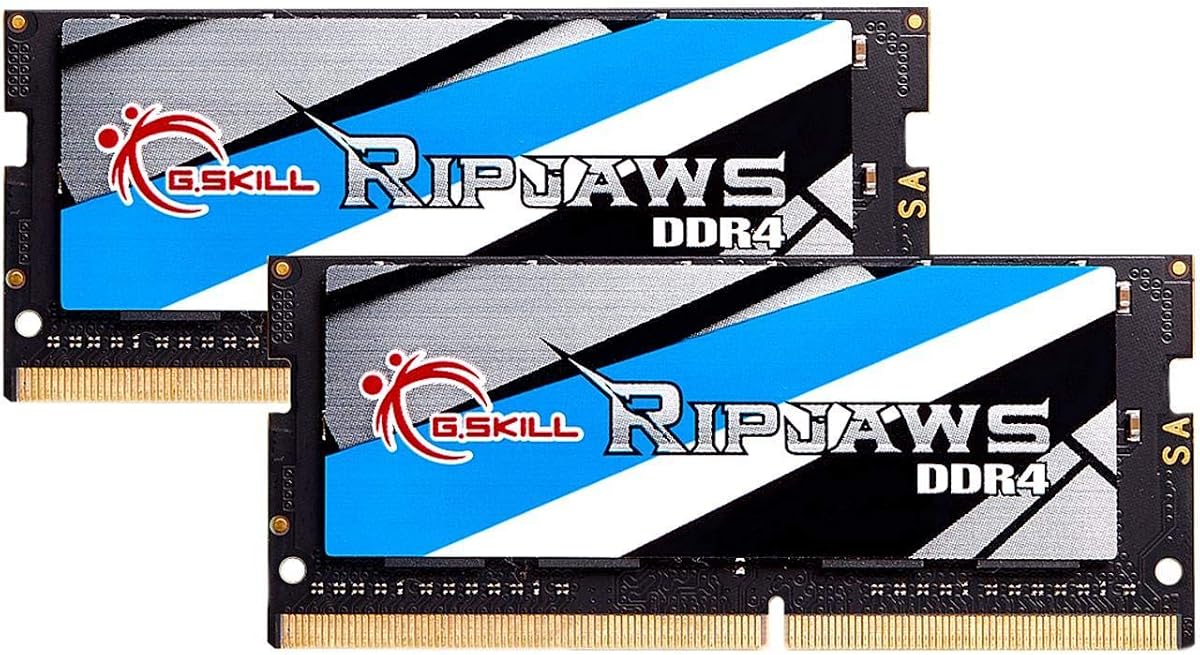
4.7Editor score
The following table provides a side-by-side overview of all ten selected memory modules. It highlights essential specifications like speed, capacity, and form factor to help you quickly identify the best fit for your system.


This module stands out as the top choice for most users seeking a balanced upgrade. It offers a solid 16GB capacity at 3200MHz which handles modern multitasking with ease.
We may earn a commission when you buy through this link, at no additional cost to you.
The product benefits from Crucial rigorous testing processes ensuring consistent performance across different laptops. You get peace of mind knowing the memory is tested at component and module levels.
While the price is slightly higher than generic brands the reliability justifies the investment. There are few trade-offs except for those needing ultra-low latency specific kits.
Anyone looking to refresh an aging laptop will find this module delivers noticeable improvements. It is the recommended starting point for most general computing and creative workloads.
You can use the Crucial System Scanner to confirm exact matches for your device before buying.
Operating at 3200MHz this RAM ensures applications launch faster and data transfers are smoother.
We may earn a commission when you buy through this link, at no additional cost to you.
Samsung memory is renowned for its consistent quality and performance stability. This 16GB module provides substantial headroom for demanding applications without needing a dual stick setup.
We may earn a commission when you buy through this link, at no additional cost to you.
The dual rank configuration allows for better bandwidth utilization compared to single rank modules of the same capacity. This results in smoother performance during heavy multitasking sessions.
Users should verify their laptop supports dual rank memory before purchasing to avoid potential conflicts. The cost is reasonable given the brand reputation and high capacity.
This module is ideal for professionals who need to run virtual machines or large datasets. It is a strong choice for those prioritizing brand trust and capacity.
The 2Rx8 configuration helps optimize data access patterns for improved throughput on supported systems.
All modules undergo strict quality assurance testing to ensure dependable long-term performance.
We may earn a commission when you buy through this link, at no additional cost to you.
This module offers an excellent entry point for users looking to boost basic system performance. It is perfect for laptops that already have a spare slot and need a small capacity increase.
We may earn a commission when you buy through this link, at no additional cost to you.
The ability to downclock to 2933 or 2666MHz ensures it works with older systems that might not support full 3200MHz speeds. This flexibility makes it a very versatile choice.
The only drawback is the 8GB limit which may not suffice for heavy multitasking users alone. However for general use it delivers solid performance for the price.
It is highly recommended for students or casual users wanting to extend their laptop lifespan cheaply. You get Crucial reliability without paying a premium for features you do not need.
This RAM can adjust its speed to match your system capabilities ensuring stable operation on various laptops.
Benefit from decades of memory expertise with rigorous testing ensuring top performance and reliability.
We may earn a commission when you buy through this link, at no additional cost to you.
This kit is designed for users who demand the highest performance from their mobile systems. The dual channel configuration provides a significant bandwidth increase over single stick setups.
We may earn a commission when you buy through this link, at no additional cost to you.
While it lists higher speeds note that BIOS adjustments may be required to reach peak performance. For most users it will run at standard speeds out of the box without issues.
The main consideration is ensuring your laptop supports dual channel memory kits for best results. The cost is higher but the performance gains are well worth it for power users.
Gamers and video editors will appreciate the extra bandwidth and capacity this kit provides. It represents the premium end of mobile memory upgrades.
Memory kits are sold in matched pairs to run together as a set ensuring stability.
Refer to QVL lists to ensure your motherboard and CPU are validated for this specific kit.
We may earn a commission when you buy through this link, at no additional cost to you.
TEAMGROUP provides a compelling alternative to major brands with competitive pricing and strong warranties. This 32GB kit ensures you have enough memory for future-proofing your system.
We may earn a commission when you buy through this link, at no additional cost to you.
The inclusion of lifetime warranty and free technical support adds significant value for long-term users. You also get access to installation videos which simplify the upgrade process.
Actual speeds may vary depending on your specific system capabilities so check compatibility before buying. It is a safe choice for users looking for balanced performance and support.
This option is great for those who want dual channel performance without paying top-tier prices. It suits professionals needing capacity for virtualization or data work.
Rest assured with a lifetime warranty on your module providing long-term security for your investment.
Adheres to JEDEC and RoHS standards ensuring safe and environmentally friendly production.
We may earn a commission when you buy through this link, at no additional cost to you.
This module is a practical choice for users with laptops that do not support faster speeds. It offers an inexpensive way to add more memory to older systems.
We may earn a commission when you buy through this link, at no additional cost to you.
The 2400MHz speed is suitable for general tasks like web browsing and document editing. It ensures basic systems remain responsive without unnecessary expense.
Support is friendly and the lifetime warranty adds confidence to the purchase. Just verify your laptop accepts lower speed modules before buying.
Ideal for budget-conscious users maintaining older machines it does exactly what it promises. It is a simple effective way to keep a laptop running smoothly.
No expertise is required to install this module making it perfect for DIY upgrades.
Maximize system performance and multitasking ability with this reliable 8GB memory module.
We may earn a commission when you buy through this link, at no additional cost to you.
GIGASTONE offers a robust solution for users needing substantial memory capacity in a kit format. The two stick configuration ensures optimal dual channel performance on compatible systems.
We may earn a commission when you buy through this link, at no additional cost to you.
It is compatible with a wide range of devices including all-in-one computers which adds to its versatility. The speed options provide flexibility for different system generations.
While the brand may be less common it provides reliable performance for standard computing needs. The price is competitive for a 32GB kit.
This is a strong contender for anyone wanting to upgrade their laptop to 32GB efficiently. It balances capacity and speed well for modern workloads.
Ensure versatile use across multiple systems with support for laptops notebooks and all-in-one computers.
Operates at standard voltage with CL22 timing to deliver efficient notebook memory upgrades.
We may earn a commission when you buy through this link, at no additional cost to you.
This single module allows you to upgrade to 3200MHz speeds easily if you have a spare slot. It is designed for select laptops that benefit from higher frequency memory.
We may earn a commission when you buy through this link, at no additional cost to you.
As a genuine Samsung product it meets strict manufacturing standards ensuring high reliability. The single rank configuration works well with many standard notebook architectures.
The main limitation is the single module nature which means no dual channel boost unless another matches it. It is perfect for adding speed where capacity is not the primary concern.
Best for users with laptops supporting single stick upgrades at high speeds. It is a straightforward way to improve responsiveness on compatible machines.
Product is genuine Samsung DDR4 memory ensuring specifications match the original manufacturer parts.
Expands available resources improving performance and increasing workload capacity effectively.
We may earn a commission when you buy through this link, at no additional cost to you.
For those needing a large amount of memory without using two sticks this module is a unique solution. It provides 32GB in a single module which fits laptops with limited slot counts.
We may earn a commission when you buy through this link, at no additional cost to you.
The dual rank configuration ensures efficient data handling and performance. It uses the latest component composition ensuring better density and efficiency.
This is best for systems with only one memory slot or where dual slots are used for other storage. It is a premium choice for high capacity single upgrades.
Ideal for professionals needing significant RAM on a single slot machine. It bridges the gap between capacity and form factor constraints.
Component composition uses 16 chips to achieve 32GB density efficiently on a single module.
Runs at 3200Mbps speed with standard voltage for optimal system performance.
We may earn a commission when you buy through this link, at no additional cost to you.
CORSAIR brings its gaming heritage to laptops with a module designed for both performance and aesthetics. It features a slim design ensuring physical compatibility with modern processors.
We may earn a commission when you buy through this link, at no additional cost to you.
Auto-overclocking features allow for better performance without complex BIOS tweaking if supported by your system. Each module is built using carefully selected DRAM for excellent stability.
The main trade-off is the higher price compared to generic modules. It is worth it for users who want a proven brand with specific design features.
Recommended for users who value design and brand reputation in their build. It offers solid performance with the added benefit of slim physical specs.
The slim design ensures physical compatibility with processors like the 11th Generation Intel Core.
Modules use carefully selected DRAM to allow excellent stability during operation.
We may earn a commission when you buy through this link, at no additional cost to you.
Choosing the right memory upgrade involves several technical factors. This guide breaks down the key elements to consider before purchasing.
Capacity determines how many applications you can run simultaneously. For modern usage 16GB is the sweet spot for multitasking while 32GB is best for heavy workflows.
Look at your current usage. If you close apps often 8GB might suffice but 16GB offers future-proofing.
Speed measured in MHz affects how fast data is transferred. 3200MHz is common but ensure your CPU supports it fully.
If your system does not support high speeds it will downclock. Choose a module that matches your laptop specs.
Single channel uses one module while dual uses two for better bandwidth. Dual channel often boosts performance significantly in gaming or editing.
Check if your laptop has two slots. If so a dual kit is usually better than two singles.
Rank refers to how memory chips are organized. Dual rank modules often perform better but may not be supported by all laptops.
Verify support for dual rank before buying. Single rank is more universally compatible.
Latency measured by CL timings affects response time. Lower CL is better but speed often outweighs it for most users.
Standard timings like CL22 are common for 3200MHz modules. Focus on speed over low latency usually.
Brands like Crucial Samsung and G.SKILL are tested for quality. Reliable brands reduce the risk of system crashes.
Always check reviews and warranties. Established brands often provide better support and stability.
Laptops use SODIMM modules which are smaller than desktop ones. Ensure you buy 260-Pin SODIMM specifically.
Do not confuse with DIMM which will not fit. Check your laptop manual for the correct form factor.
Lifetime warranties are common for RAM and provide peace of mind. Good tech support helps resolve installation issues.
Check the warranty terms. Some brands offer lifetime coverage which is ideal for long-term use.
Before opening your laptop check the manufacturer guidelines to ensure safety. You need a clean workspace and a grounding strap to prevent static damage.
Once opened locate the memory slots which are usually marked or clearly visible. Push the existing RAM sideways to release the clips and pull it out gently.
Insert the new module at a 30 degree angle and press down until it clicks. Close the laptop and power on to see if the system recognizes the new capacity.
You can mix different speeds but the system will run at the slowest speed. It is better to use matched kits for stability and performance. Mixing brands is possible but not recommended for critical tasks.
Yes 16GB is sufficient for most users including gamers and creators. It handles heavy multitasking well without unnecessary cost. 32GB is only needed for very specialized professional workflows.
Check your laptop manual or use a tool like CPU-Z. Search online using your laptop model number. Most laptops from 2016 onwards use DDR4 memory.
Higher speeds consume slightly more power but the difference is minimal for most users. The performance gain usually outweighs the small power impact. Modern laptops manage this well.
ECC RAM corrects data errors and is for servers. Most laptops use Non-ECC which is cheaper and faster. Do not buy ECC for a standard laptop as it will not fit.
Ideally yes for dual channel performance. If you have two slots using matching kits ensures stability. Using one stick is fine if you only have one slot.
Some ultra-thin laptops have soldered RAM which cannot be upgraded. Check your specific model to see if RAM is upgradable. If soldered you cannot add more memory.
This guide has reviewed ten top options ranging from budget-friendly 8GB modules to premium 32GB kits. The Crucial 16GB and Samsung options provide the best balance for most users.
Prioritize capacity and speed that match your daily tasks. If you need more RAM for work choose 32GB kits but for general use 16GB is often sufficient.
Always check current prices and availability before buying to ensure the best deal. Your laptop upgrade can significantly improve performance and extend its life.