
Tablet Android 7 inch
GMS Certified
512GB Expansion
Lightweight Design
Finding a reliable tablet without breaking the bank can be challenging in today's market. We have curated a list of the most affordable WiFi tablets that still deliver solid performance for daily tasks.
Our team analyzed specifications, user feedback, and key features to create this comprehensive comparison. We focused on devices that offer the best balance of price, speed, and usability for budget-conscious buyers.
Each pick highlights specific strengths like battery life, screen quality, or storage options. Please note that prices and availability can change frequently, so check the current listings before making a final decision.

5.0Editor score

4.5Editor score
As an Amazon Associate we earn from qualifying purchases.
The following table provides a side-by-side comparison of all ten tablets featured in this guide. Each entry includes key specifications to help you quickly identify the device that best fits your specific needs and budget.


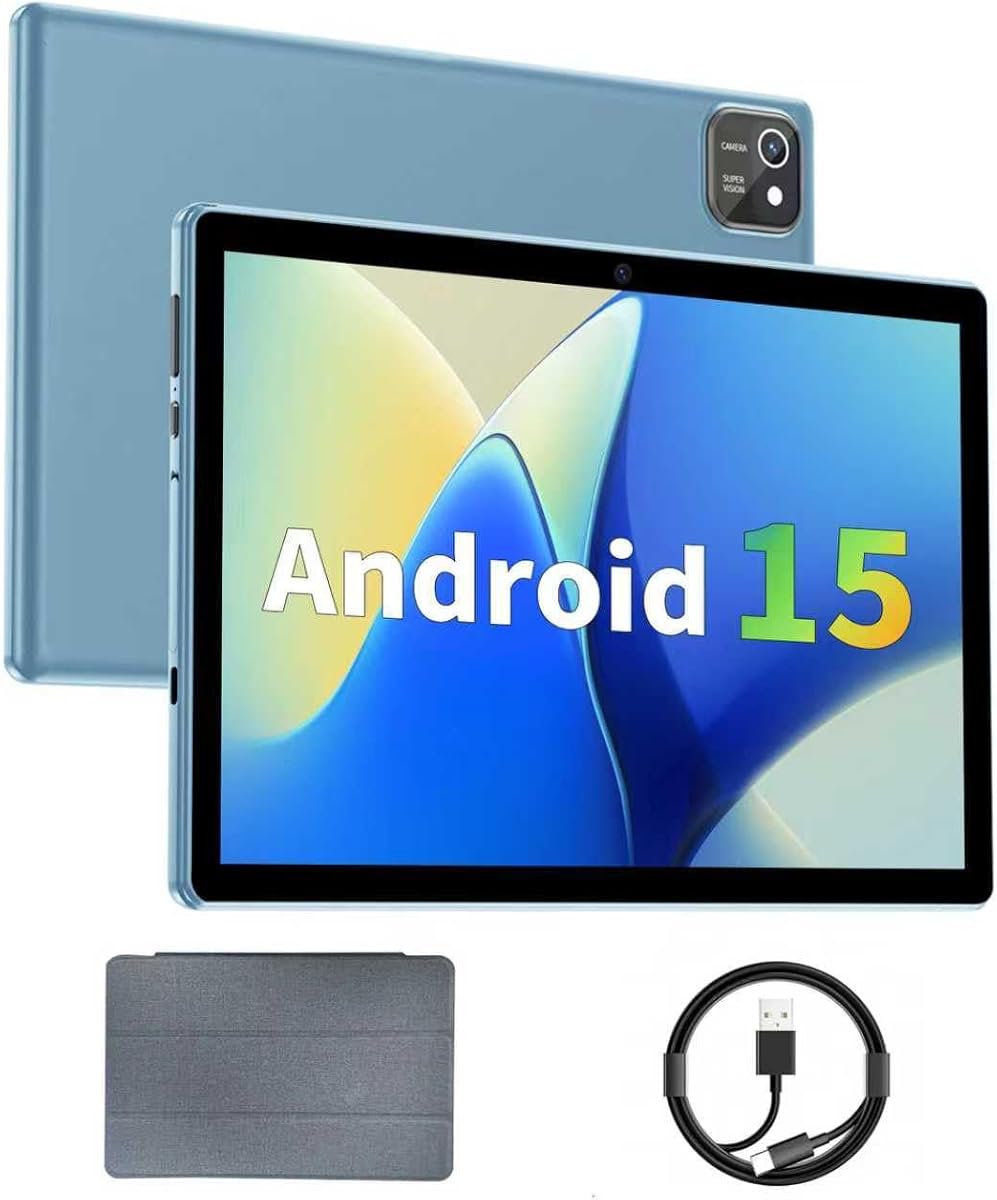
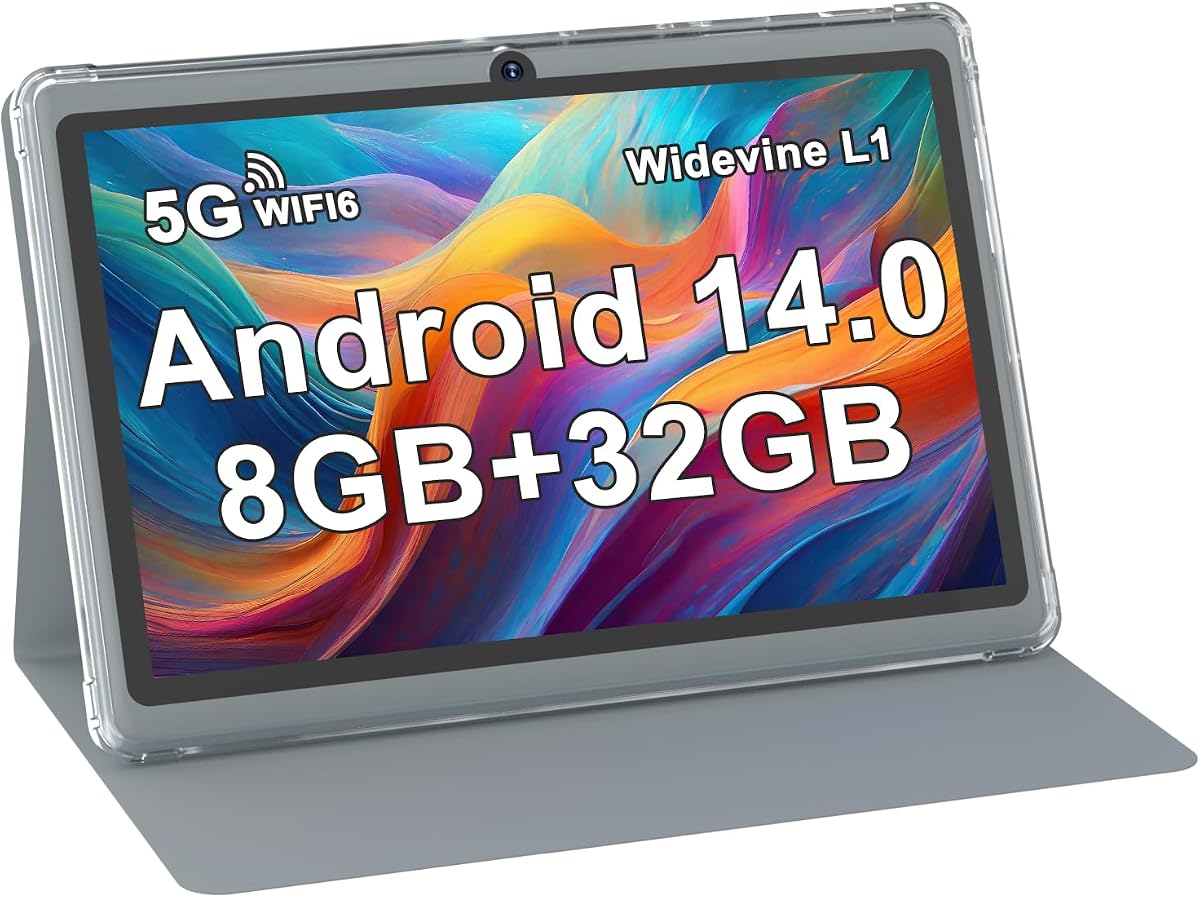


The Jeazans Tablet stands out as a top contender in the budget category with its impressive Android 16 operating system and 20GB RAM configuration. Users report a smooth experience for everyday tasks making it a reliable choice for media consumption and light productivity work.
We may earn a commission when you buy through this link, at no additional cost to you.
Key strengths include the inclusion of Widevine L1 which allows for high definition streaming on supported apps like Netflix and Prime Video. The device also features dual band Wi-Fi 6 connectivity ensuring stable internet speeds even in crowded home environments.
While the 6000mAh battery offers decent all day usage some users might find it slightly short for heavy gaming sessions compared to premium rivals. However the facial recognition unlock feature adds a layer of convenience and security that is often missing in this price range.
This tablet is ideal for families or students who need a versatile device for homework, video calls, and streaming. The two year warranty and lifetime technical support provide added peace of mind for buyers concerned about long term reliability.
Widevine L1 certification ensures that HD content streams without quality loss while Wi-Fi 6 delivers faster data transfer rates for seamless browsing and downloads.
With 20GB of total RAM the device handles multitasking efficiently allowing users to switch between apps without noticeable lag or slowdowns during daily use.
We may earn a commission when you buy through this link, at no additional cost to you.
This compact 7 inch tablet offers an incredibly low entry price point for those seeking basic connectivity and access to Google apps. Its GMS certification means you can download standard applications from the Play Store without needing side loading or workarounds.
We may earn a commission when you buy through this link, at no additional cost to you.
The device supports massive storage expansion up to 512GB which is exceptional for the price bracket. This allows users to store a large library of photos, music, and videos locally without worrying about running out of internal space quickly.
Performance may be limited for demanding games or heavy multitasking due to the 2GB RAM configuration. However for reading, web browsing, and watching simple videos it performs adequately for casual users who do not require high end specifications.
Ideal for children or as a secondary travel device this tablet prioritizes portability and affordability. The lightweight build makes it easy to carry in a bag or hold for extended periods without causing hand fatigue.
GMS certification ensures full compatibility with the Google Play Store allowing safe and easy installation of millions of popular apps and games directly on the device.
The ability to expand storage up to 512GB via microSD card provides ample room for media files ensuring you never have to delete content to make space for new downloads.
We may earn a commission when you buy through this link, at no additional cost to you.
Amazon's Fire HD 10 delivers a premium entertainment experience with its vibrant 1080p Full HD screen and robust octa-core processor. It is designed for relaxation offering seamless streaming and reading capabilities that outperform many budget competitors in display quality.
We may earn a commission when you buy through this link, at no additional cost to you.
The standout feature is the impressive thirteen hour battery life which ensures the device lasts through long travel days or extended movie marathons without needing a recharge. Additionally the inclusion of Alexa allows for hands-free voice commands and smart home control.
While the Fire OS ecosystem limits native Google app access it offers deep integration with Amazon services and supports side loading for more flexibility. The build quality is also notable with strengthened glass that is significantly more durable than standard plastic tablets.
This model is perfect for media consumers who want a high-quality screen and long battery life. The option to expand storage and use a stylus for note-taking makes it a versatile tool for both leisure and light productivity tasks.
The Full HD resolution provides sharp visuals for movies while the thirteen hour battery ensures uninterrupted usage throughout the day without frequent charging interruptions.
Constructed with strengthened aluminosilicate glass this tablet is built to withstand daily bumps and drops better than many competing budget models on the market today.
We may earn a commission when you buy through this link, at no additional cost to you.
The Evermyth tablet distinguishes itself with an incredibly high total RAM specification of 24GB enabling smooth multitasking and fast app switching. Running on Android 16 it offers a modern software experience that is compatible with a wide range of current applications.
We may earn a commission when you buy through this link, at no additional cost to you.
Users benefit from the latest Wi-Fi 6 standard which provides faster and more stable internet connections especially when multiple devices are connected to the network. The low blue light technology on the display helps reduce eye strain during long reading or video sessions.
While the high RAM count is impressive a portion of it is virtual memory which may not perform as fast as physical RAM in heavy workloads. However for general use this configuration provides ample headroom for running multiple apps simultaneously without freezing.
This device is a strong choice for users who prioritize speed and connectivity over brand recognition. The slim lightweight design and USB-C charging make it convenient for daily carry and quick top-ups when on the go.
Support for Wi-Fi 6 and Bluetooth 5.4 ensures that the tablet stays connected with high speed transfers and reliable pairing with modern accessories and headphones.
The low blue light display technology reduces harmful light emissions helping to protect eyes during prolonged use which is beneficial for students and readers alike.
We may earn a commission when you buy through this link, at no additional cost to you.
HOTTABLET offers a compact 7 inch option that is perfect for reading and handheld use. The device comes with a protective case included adding value to the purchase and ensuring the tablet stays safe during travel or daily transport.
We may earn a commission when you buy through this link, at no additional cost to you.
Running on Android 14 it provides a stable and up-to-date software experience for general tasks. The dual-band Wi-Fi support helps maintain a stable connection whether you are in a crowded cafe or at home with many devices connected.
The screen features eye care technology to reduce blue light and flicker making it comfortable for long sessions of reading or browsing. However the smaller size may limit its utility for productivity tasks that require more screen real estate.
This model is ideal for young readers or as a secondary device for quick checks and media. The included case and portable form factor make it a convenient choice for on-the-go entertainment and learning activities.
The package includes a protective case which adds immediate value and protection for the device without requiring an additional purchase for basic safety.
Eye protection technology reduces blue light exposure making the display gentler on the eyes during extended usage sessions for reading or streaming content.
We may earn a commission when you buy through this link, at no additional cost to you.
COOPERS provides a feature-rich 10 inch tablet running on the modern Android 15 operating system. It stands out with included GPS and FM radio features which are often absent in similarly priced budget devices making it versatile for offline use.
We may earn a commission when you buy through this link, at no additional cost to you.
The device supports expansion up to 1TB via SD card allowing users to carry a massive digital library with them wherever they go. The 6000mAh battery supports eight to ten hours of mixed use which is sufficient for daily work and entertainment needs.
Connectivity relies on older Bluetooth 4.2 which may limit compatibility with some newer audio accessories but remains functional for basic tasks. The screen resolution is sharp enough for clear text and media consumption in both portrait and landscape modes.
This tablet is a great pick for travelers or users who need GPS navigation and media features. The combination of storage capacity and battery life makes it a reliable tool for extended daily usage without constant recharging.
Built-in GPS allows for offline navigation and location services while the FM radio provides an extra way to listen to content without using data.
Support for up to 1TB of external storage ensures that you can store large files, videos, and apps without running out of internal space on the device.
We may earn a commission when you buy through this link, at no additional cost to you.
Aiprotablet focuses on endurance with a 6000mAh battery capable of lasting up to five days of standby or over six hours of active use. This makes it a strong candidate for users who are frequently away from power outlets.
We may earn a commission when you buy through this link, at no additional cost to you.
The device runs Android 15 and offers 12GB of total RAM for a smooth experience across various apps. The low blue light LCD screen ensures that reading and browsing are comfortable for the eyes during extended daily sessions.
While it uses Wi-Fi 5 rather than the newer Wi-Fi 6 the dual-band support still provides stable connectivity for most home and office environments. Bluetooth 5.0 ensures good compatibility with headphones and speakers for audio streaming.
This tablet is best suited for students or travelers who prioritize battery life. The Type-C fast charging port reduces downtime when you need to top up the battery quickly before heading out for the day.
The large battery capacity combined with efficient power management allows for longer intervals between charges which is essential for users on the move.
Low blue light technology helps reduce eye fatigue making the screen more comfortable for reading and watching content over long periods.
We may earn a commission when you buy through this link, at no additional cost to you.
This 7 inch tablet comes ready for daily use with a protective case included in the package. This saves the buyer the hassle of finding a compatible cover and ensures the device is protected from day one of ownership.
We may earn a commission when you buy through this link, at no additional cost to you.
It runs on Android 14 and supports the latest Wi-Fi 6 standard for faster and more stable internet connections. The ability to expand storage up to 1TB means you can store a vast library of apps and media without worrying about space limits.
The compact size makes it easy to hold with one hand and fits well in bags or pockets. While it may not be suitable for heavy gaming it handles web browsing and video streaming efficiently for everyday needs.
Ideal for casual users or as a gift this model offers a complete out-of-the-box experience. The combination of a protective case and modern connectivity features makes it a convenient choice for beginners.
The inclusion of a protective case means the tablet is ready for safe use immediately after purchase without needing to buy additional accessories.
Support for Wi-Fi 6 ensures that the device can take advantage of modern router speeds for faster downloads and smoother streaming experiences.
We may earn a commission when you buy through this link, at no additional cost to you.
Callsky-Tab prioritizes portability with an ultra-slim profile of only 0.33 inches and a light weight of 15 ounces. This makes it exceptionally easy to carry around and hold for long periods without causing hand fatigue.
We may earn a commission when you buy through this link, at no additional cost to you.
The 10.1 inch IPS screen delivers vibrant colors and sharp visuals suitable for reading and media. With 12GB of RAM the device handles multitasking well allowing for smooth switching between apps during work or leisure time.
The build quality balances thinness with durability ensuring that the device remains comfortable for daily use. Android 15 optimizes battery efficiency so the 6000mAh cell can last through a full day of mixed usage comfortably.
This tablet is perfect for commuters who need a lightweight device for travel. The slim design and decent performance make it a great choice for reading and browsing while on a train or bus.
The ultra-slim profile and light weight make it easy to carry in a bag or hold for long periods without causing hand fatigue.
The IPS screen provides vibrant colors and wide viewing angles ensuring that content looks good from any perspective during use.
We may earn a commission when you buy through this link, at no additional cost to you.
Samsung brings a trusted brand to the budget market with the Tab A11. It features a 90Hz display which offers smoother scrolling and animations compared to standard 60Hz screens found on many budget competitors.
We may earn a commission when you buy through this link, at no additional cost to you.
The device runs on Android 15 and supports massive storage expansion up to 2TB allowing users to store large media libraries. The inclusion of Bluetooth 5.3 ensures efficient wireless connectivity with modern accessories and speakers.
It is important to note that this is an international version which may require a workaround during setup for country selection. Also no charger is included in the box so users need to provide their own USB-C power adapter.
This tablet is a strong choice for those who prefer a reputable brand. The smooth display and reliable software updates make it a durable option for long-term daily use and media consumption.
The 90Hz refresh rate provides smoother scrolling and animations making the user interface feel more responsive and fluid than standard budget devices.
Samsung's reputation for quality and software support ensures that the device will likely receive updates and perform reliably over a long period.
We may earn a commission when you buy through this link, at no additional cost to you.
Selecting the right budget tablet requires balancing performance needs with cost constraints. This guide outlines the key factors to consider before making your purchase to ensure you get the best value for your money.
Android is the most common OS for budget tablets offering access to the Google Play Store and a wide variety of apps. Look for devices running Android 14 or higher to ensure you get the latest security patches and app compatibility.
Choosing a newer OS version guarantees better performance and longevity for your device in the fast evolving mobile app landscape.
RAM determines how many apps you can run at once without the device slowing down. Aim for at least 4GB of real RAM or a combined total with virtual expansion for smoother multitasking.
Storage is equally important for holding files and apps. Ensure the device supports microSD expansion if you need to store large media files like videos or photos.
The screen is what you interact with most often so look for IPS panels that offer better color accuracy and viewing angles. A resolution of 1280×800 or higher is recommended for clear text and sharp images.
A high-quality display enhances your viewing experience and reduces eye strain during extended reading or video sessions.
Wi-Fi 6 support is becoming more common in budget devices and provides faster and more stable internet connections. Bluetooth 5.0 or newer ensures better connectivity for wireless headphones and other accessories.
Modern connectivity standards future proof your device for better performance on current home networks.
A larger battery capacity usually translates to longer usage times away from a charger. Look for tablets with at least 5000mAh to ensure you can get through a full day of moderate use.
Checking independent reviews for real-world battery performance is often more reliable than manufacturer claims.
Even budget tablets can be durable if they use quality materials like glass backs or reinforced frames. Consider if the device comes with a case or if you will need to buy one separately for protection.
A sturdy build ensures your device can withstand daily handling and accidental drops during regular use.
Established brands often offer better customer support and software update policies. However some newer brands offer impressive specifications at lower prices for those willing to take a slight risk.
Researching user reviews can give you insight into the real-world reliability of specific manufacturers.
Consider what you will use the tablet for most. If it is for reading or light browsing a smaller and cheaper model may suffice. For gaming or video editing look for higher specs and better screens.
Aligning the specs with your actual needs prevents overspending on features you will not use or underspending on critical ones.
Start by fully charging your device before first use to ensure optimal battery calibration. Connect to your Wi-Fi network during the setup process to download the latest software updates and security patches immediately.
Protect your tablet by using a case and screen protector especially if you travel often. Clean the screen with a soft microfiber cloth to avoid scratches and keep the device looking new over time.
Manage your storage regularly by deleting unused apps and clearing cache files to maintain performance. Utilize cloud services or external storage cards to keep your personal files organized and accessible without cluttering the device.
Most tablets in this roundup are Wi-Fi only models meaning they connect to the internet via a router. Some models may offer an optional cellular slot but check the specific product details before purchasing for mobile data support.
Devices with GMS certification come with the Google Play Store pre-installed. If a device does not have it you may need to sideload Google apps or use alternative app stores depending on the manufacturer.
Battery life varies by usage but most budget tablets offer between six and ten hours of active screen time. Standby time can last several days if the device is not in active use during that period.
Many sellers offer a standard one-year warranty while some brands provide extended coverage. Always check the return policy and warranty terms on the product page before finalizing your purchase to ensure protection.
Most capacitive touchscreens support basic stylus pens though they may not have pressure sensitivity like premium models. Check product specifications to confirm compatibility with active styluses if you need advanced drawing features.
Real RAM is physical hardware installed in the device while virtual RAM uses storage space to simulate extra memory. While helpful for multitasking real RAM generally performs faster and more efficiently than virtual memory.
We have reviewed ten top contenders for the best cheap WiFi tablet in 2026 ranging from compact 7 inch models to larger 10 inch displays. Our top picks balance modern features like Wi-Fi 6 and Android 15 with affordable pricing points.
When choosing prioritize battery life and screen quality if you plan on watching media frequently. For productivity look for higher RAM configurations to ensure smooth multitasking during daily work or school tasks.
Prices and availability are subject to change so check current listings for the most accurate deals. We hope this guide helps you find a reliable and affordable tablet that meets your specific needs and expectations.