
Creality Falcon 10W Laser Engraver Machine
4.2Editor score
72W effective power output
15.7 by 16.3 inch workspace
Compatible with LightBurn software
Finding the right laser engraver can transform your creative projects into professional-grade products. Creality has established itself as a leader in affordable precision tools, offering a wide range of options for hobbyists and businesses alike.
We have evaluated ten top models based on power, speed, safety features, and ease of use. Our analysis focuses on real-world performance metrics to ensure you get a machine that matches your specific engraving and cutting requirements.
Each pick highlights unique strengths, from budget-friendly diode lasers to advanced enclosed systems with AI assistance. Prices and availability fluctuate frequently, so check current listings before making your final decision to secure the best value.
4.2Editor score

4.1Editor score

4.2Editor score
As an Amazon Associate we earn from qualifying purchases.
The following table provides a side-by-side comparison of all ten selected Creality Laser Engraver models, highlighting key specifications and unique features to assist your selection process.



The Creality Falcon A1 10W stands out as a top choice for serious makers seeking a balance of speed and safety. It offers a Class 1 enclosed design that blocks 99% of laser light, making it safe for home use without special goggles. Its built-in camera simplifies alignment, while the CoreXY motion system delivers rapid engraving speeds up to 600mm/s.
We may earn a commission when you buy through this link, at no additional cost to you.
This model excels in precision and convenience, featuring smart material recognition that auto-configures settings for your job. The dual-door design provides easy access, and the transparent panels let you monitor progress safely. With 80W powerful output, it can cut through 6mm wood in a single pass, handling a wide variety of materials with ease.
While it is highly capable, users should note it requires specific honeycomb panels and cannot engrave reflective metals like mirrors. The software is user-friendly but proprietary, though it supports third-party options like LightBurn. These minor trade-offs are outweighed by the robust safety features and consistent performance it delivers.
Ideally suited for hobbyists upgrading from open-frame units, this machine offers professional results in a compact footprint. It is a reliable investment for those who value safety and speed without sacrificing cutting power. Consider this model if you want a ready-to-use system that minimizes setup time and maximizes creative output.
The HD camera automatically recognizes material and applies optimal settings, eliminating manual tweaking and ensuring precise alignment every time you start a new project.
The fully enclosed design blocks almost all laser light and reduces smoke and noise, creating a comfortable workspace that meets Class 1 safety standards for any environment.
We may earn a commission when you buy through this link, at no additional cost to you.
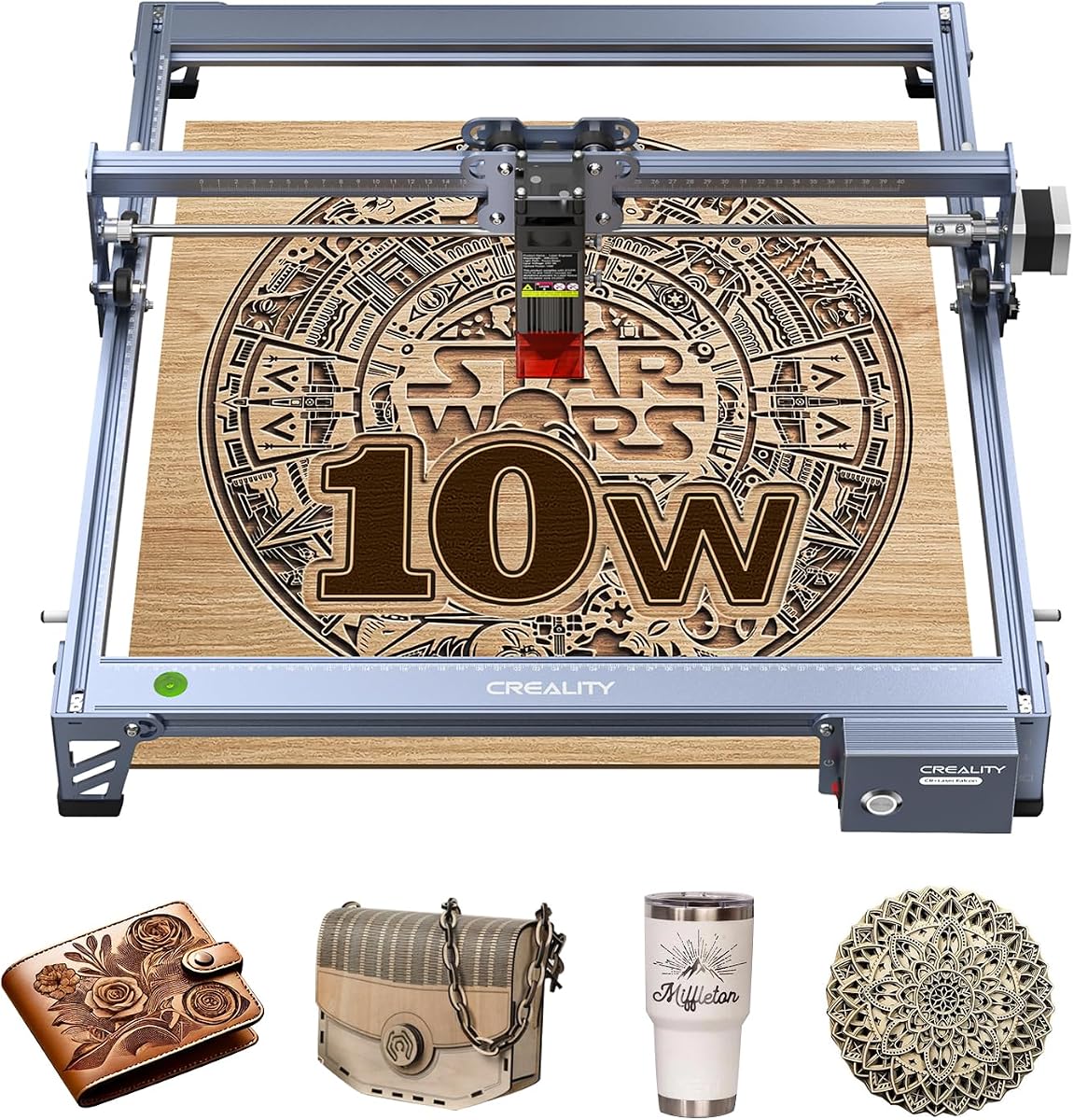
The Creality Falcon 10W offers exceptional value for beginners and small businesses looking for a powerful diode laser without breaking the bank. It delivers 72W of effective power, allowing it to cut through 12mm wood and 5mm acrylic in one pass. The large workspace provides ample room for bigger projects, making it versatile for various crafting needs.
We may earn a commission when you buy through this link, at no additional cost to you.
Its high precision is supported by a 0.06mm compressed spot laser module, ensuring clean edges and detailed engravings. Safety is addressed with an anti-UV filter and included goggles, though it lacks a full enclosure. The machine supports offline work via SD card, which is useful for standalone operation without a constant computer connection.
Although it is an open-frame model requiring more caution than enclosed units, its performance-to-cost ratio is hard to beat. Users must manage smoke and ventilation independently, but the robust build and reliable motor system ensure durability. It is a practical entry point into laser cutting for those on a tighter budget.
This model is perfect for DIY enthusiasts who want to experiment with wood, leather, and acrylic without high upfront costs. Its compatibility with popular software like LightBurn and LaserGRBL adds to its appeal. If you prioritize cutting power and workspace size over enclosed safety features, this is a top recommendation.
With 72W effective power, this machine cuts through thick wood and acrylic in a single pass, saving time and energy on repetitive passes common with weaker units.
The engraver is compatible with both Windows and Mac systems via popular software tools, giving users flexibility to choose their preferred design environment easily.
We may earn a commission when you buy through this link, at no additional cost to you.
The Falcon A1 Pro 20W brings professional-grade capabilities to the desktop, featuring a powerful 180W output and advanced smart controls. It combines the safety of a Class 1 enclosure with the convenience of a touchscreen interface and mobile app control. This model is designed for users who need speed and precision for high-volume batch production or intricate detailing.
We may earn a commission when you buy through this link, at no additional cost to you.
Its standout feature is the ability to switch between the 20W blue laser and an optional 2W infrared module for metal engraving. The HD camera and autofocus system reduce setup time significantly, ensuring accurate cuts every time. With speeds up to 600mm/s, it outpaces many competitors in terms of efficiency and throughput.
While the investment is higher, the included features like smart material recognition and emergency stop protections justify the cost. The 80% pre-assembled design means you can start creating almost immediately upon unboxing. The only notable trade-off is that the specialized IR module for reflective materials must be purchased separately.
For small businesses and serious makers, this machine offers the versatility and power needed to expand product offerings. It balances high performance with ease of use, making it accessible even for those new to laser cutting. Choose this if you want a premium machine that grows with your technical and business needs.
Control your engraver wirelessly via a smartphone app or built-in touchscreen, allowing real-time monitoring and adjustments from anywhere in your workspace.
The optional 2W IR module enables precise engraving on metals and plastics with ultra-fine detail, adding a layer of versatility beyond standard diode capabilities.
We may earn a commission when you buy through this link, at no additional cost to you.
This variant of the Falcon A1 focuses on user-friendly smart features that simplify the engraving workflow. It includes graphic outline extraction, which converts patterns into paths automatically, and smart material recognition for quick setup. The dual-door design and transparent covers provide easy access and visibility while maintaining Class 1 safety standards.
We may earn a commission when you buy through this link, at no additional cost to you.
The machine is designed for immediate use with pre-set parameters, allowing you to skip trials and jump straight to creating. It supports popular software tools and includes auto-lock and smoke control features for a clean and safe operation. The 80W output ensures efficient cutting and engraving across a variety of common materials.
Users should be aware that this model has a specific working area and does not support reflective materials without coating. However, for standard engraving tasks on wood, leather, and acrylic, it performs reliably. The integrated features save time and reduce the learning curve for beginners.
It is an excellent choice for those who prioritize convenience and software integration over raw power. The design allows for smooth workflow from import to final product. If you want a machine that handles technical details automatically, this model is a strong contender for your home studio.
This feature captures design patterns and converts them into detailed engraving paths instantly, saving manual effort and ensuring artistic ideas are preserved accurately.
Unique double doors let you access projects easily without removing panels, making material loading and unloading faster and more convenient during busy sessions.
We may earn a commission when you buy through this link, at no additional cost to you.
This model offers a spacious 17 by 16-inch workspace that accommodates larger projects without the need for segmentation. Its 72W power allows for efficient cutting of 5mm wood and 3mm acrylic in one pass. The sturdy aluminum alloy structure ensures stability during operation, and the belt tension adjustment device maintains consistent accuracy.
We may earn a commission when you buy through this link, at no additional cost to you.
Assembly is relatively quick, typically taking 10 to 20 minutes with the included focusing plate. It supports multiple data transfer methods including WiFi, USB, and SD card, providing flexibility in how you manage your files. The anti-UV filter adds a layer of eye protection for open-frame usage.
Because it is an open-frame system, users must provide their own ventilation and take precautions against UV exposure. The focusing plate simplifies lens adjustment, which is a helpful touch for DIY enthusiasts. It balances performance with affordability for those who need more surface area for their work.
Ideal for users working on bigger items like coasters or panels, this machine provides a solid foundation for creative projects. The ability to connect via WiFi makes it convenient for wireless workflows. If you need a larger bed and reliable speed without high cost, consider this model.
The 17 by 16-inch area lets you engrave larger items like full-size panels without tiling, saving time and ensuring seamless designs across bigger surfaces.
WiFi support allows you to send files directly from your computer or phone, removing the need for cables and making the workflow more fluid and modern.
We may earn a commission when you buy through this link, at no additional cost to you.
The Falcon2 Pro S 22W is designed for professional makers who need reliable batch production capabilities. With 22W optical output and auto cut-through path compensation, it handles repetitive tasks efficiently. The integrated enclosure provides containment, and the built-in camera ensures precise positioning without manual measurement.
We may earn a commission when you buy through this link, at no additional cost to you.
Safety features include a flame detector and dual wire limit switch, which are critical for high-power operation. The debris drawer simplifies cleaning, making it suitable for compact workshops. Its auto focus system on the Z-axis reduces setup time, allowing you to focus on production rather than calibration.
The machine is 80% pre-assembled, allowing installation in under 10 minutes. However, the 22W power requires strict attention to ventilation and safety protocols. While the price is higher, the features support a professional workflow that can justify the investment for small businesses.
If you produce large quantities of items, this model offers the speed and safety needed for consistent results. The auto features reduce human error and keep the machine running smoothly. Choose this for a robust workstation that balances high power with user safety.
This feature compensates for uneven surfaces, ensuring consistent cut depth across the material and improving success rates on larger batch jobs.
A built-in flame detector stops operation instantly if a fire risk is detected, adding an essential layer of protection for high-power cutting sessions.
We may earn a commission when you buy through this link, at no additional cost to you.
The Falcon A1C introduces advanced AI tools that simplify design creation directly within the software. It features an interchangeable laser platform, allowing you to upgrade modules as your needs grow. The AI camera and auto focus ensure precise positioning, and its Class 1 safety makes it safe for homes and classrooms.
We may earn a commission when you buy through this link, at no additional cost to you.
This model is exceptionally fast, reaching speeds up to 15,000mm/min for efficient workflows. The compact design saves space without sacrificing quality, making it easy to move between locations. It includes AI background removal and smart fill features that help beginners create professional-looking engravings quickly.
While the working area is smaller than full-size desktop models, its portability and ease of use compensate for this. The ecosystem supports accessories like rotary attachments to expand capabilities. Users benefit from a highly automated experience that reduces manual steps and increases creative flexibility.
It is ideal for educators and small studios that need a safe and smart tool. The AI features make it accessible for users with no prior design experience. If you value innovation and ease of use over raw cutting power, this is a standout option.
AI background removal and smart layout tools convert photos into engraving-ready artwork instantly, saving hours of manual editing and design time.
The platform supports 5W, 10W, and 1.2W IR modules, allowing one machine to handle fine detail and higher-power tasks as your skills advance.
We may earn a commission when you buy through this link, at no additional cost to you.
This iteration of the A1 Pro emphasizes ease of use with a smart touchscreen interface that simplifies file management. It delivers 180W output for fast processing and includes air assist for cleaner edges on materials like acrylic. The autofocus system locks in within seconds, ensuring consistent depth.
We may earn a commission when you buy through this link, at no additional cost to you.
The transparent cover filters laser radiation and blocks smoke, creating a clean environment. It supports history files for quick reprints, which is efficient for repeat jobs. The air assist function minimizes debris, reducing the time you spend cleaning your workspace after use.
Although the IR module is optional, the blue laser handles most wood and acrylic tasks exceptionally well. The touchscreen is intuitive for those who prefer a direct interface over computer dependency. It balances professional speed with user-friendly features for home and small shop use.
Choose this if you want a modern interface that feels like a consumer electronics product. It reduces the complexity of traditional laser setups while delivering high-quality results. This model is perfect for those who value convenience alongside performance.
Air Assist blows away debris during cutting, resulting in cleaner edges and fewer passes needed for acrylic and other plastics.
Reopen recent projects with a single tap to reuse files without re-importing, streamlining your workflow for repeat orders or batch jobs.
We may earn a commission when you buy through this link, at no additional cost to you.
This mini version keeps the same powerful AI features in a portable design that fits easily on any desk. It allows for 15-second quick swap laser modules, letting you change heads without tools. The included 10W module handles wood and leather well, and the speed is fast enough for quick turnaround.
We may earn a commission when you buy through this link, at no additional cost to you.
AI software tools like image generation and material recognition simplify the design process for beginners. Its Class 1 enclosed design ensures safety without needing goggles. The lightweight build makes it easy to carry between locations, making it ideal for mobile workshops or classrooms.
The trade-off is a smaller working area, but the convenience and speed make up for it. It supports over 300 materials with the right module choices. It is a robust mini-unit that does not compromise on software capabilities.
Perfect for educators and mobile creators, this model brings professional tools to any space. If you need portability without sacrificing AI automation, this is an excellent choice. It brings the desktop laser experience to a compact package.
Change compatible laser modules in 15 seconds without tools, giving you flexibility to switch between fine detail and higher power tasks easily.
AI software offers image generation and extraction, simplifying every step from design to engraving for both beginners and experienced makers alike.
We may earn a commission when you buy through this link, at no additional cost to you.
This model focuses on precision and accessibility with a zero-assembly design that allows immediate use. The 10W laser spot ensures intricate details are captured accurately, while auto belt tensioning prevents slippage. It includes auto material recognition to set parameters, simplifying the start process.
We may earn a commission when you buy through this link, at no additional cost to you.
Safety is a priority with six protections including emergency stop and leak protection. The lightweight design makes it efficient for daily tasks without taking up much space. It supports batch fill optimization to automate design placement for consistent production.
The precision and safety features make it a great tool for detailed work like jewelry or logos. It avoids the need for calibration, saving time and effort. The software includes tools for node editing and shape splitting to enhance your creative freedom.
If you want a machine that prioritizes accuracy and safety, this is a top recommendation. It is suitable for those who want to start engraving right away without technical setup. This model is excellent for precision projects in a home office.
Automatic belt tensioning prevents slippage, ensuring consistent movement and precision levels of 0.01mm without manual adjustments.
Six layers of safety including emergency stop and leak protection ensure a secure environment for home or professional use.
We may earn a commission when you buy through this link, at no additional cost to you.
Selecting the right engraver depends on your material needs, workspace size, and safety requirements. This guide outlines the key factors to consider before making a purchase.
Power determines how fast you can cut and how thick the material can be. Higher wattage like 20W or 22W handles thicker wood and acrylic efficiently, while 10W is sufficient for thin leather and paper. Speed settings impact throughput, with 600mm/s models offering better productivity for batch jobs.
For serious creators, look for at least 80W effective power to ensure smooth cutting. Speed should align with your workflow; faster is better for production, but slower speeds yield higher detail for photos.
Enclosed machines like the Falcon A1 provide Class 1 safety, blocking 99% of laser light. This allows safe operation without goggles in any room. Open frame units require safety goggles and proper ventilation, making them better suited for workshops with dedicated airflow.
If you work at home or have children nearby, an enclosed model is essential. Open frames may offer lower cost but require strict adherence to safety protocols.
Smart camera positioning simplifies alignment by letting you see the design before cutting. AI features like auto material recognition reduce manual tuning. Compatibility with LightBurn and LaserGRBL ensures you have flexibility for advanced design tasks.
Look for models with autofocus and app control to save time on setup. Software that supports drag-and-drop positioning improves accuracy significantly.
Workspace size dictates the maximum item you can engrave in one pass. Models like the Falcon 10W offer larger beds, while Mini versions save space but limit size. Measure your projects to ensure the bed fits your needs.
A larger bed is crucial for signs or larger panels. Compact units are fine for accessories and small gifts.
Safety features like emergency stops, flame detectors, and auto lid locks prevent accidents. Class 1 certification ensures eye safety. Consider ventilation needs and smoke filtration for indoor air quality.
Always prioritize models with built-in safety systems. Regular maintenance ensures these features function correctly over time.
Some models allow you to swap modules for different tasks, such as adding an IR module for metal. Check if your machine supports interchangeable heads to expand capabilities later.
A flexible system extends the life of your investment. Ensure replacement parts are readily available for your chosen model.
Pre-assembled units save hours of setup time. Lightweight models can be moved easily for events or storage. Consider how often you will need to transport your machine.
If portability is key, choose a desktop design. For permanent workshop stations, weight is less of a concern.
Entry-level models offer great value for beginners. Premium units cost more but provide speed and safety features. Weigh your budget against your expected usage frequency.
Invest in higher power if you plan to produce items for sale. For hobby use, mid-range options may suffice.
Begin by setting up the machine on a stable surface and connecting it to a power source. If using an enclosed model, ensure the vents are clear and the enclosure is properly closed before starting.
Load your design into the software and use the camera preview to position the artwork. Adjust settings based on material thickness and type, using recommended presets for wood or acrylic to avoid burns.
Regularly clean the lens and mirrors to maintain precision. Check the exhaust fan and filters to prevent smoke buildup. Store the machine in a dry place to protect components from moisture and dust.
Standard 10W blue lasers cannot cut reflective metals but can mark them. For metal cutting, you need the optional 2W IR module available on A1 Pro models. Always check the specific capabilities of your chosen model before purchasing for metal projects.
Enclosed Class 1 models do not require goggles for normal operation as they block 99% of laser light. However, wearing them during maintenance or if the lid is open is recommended for additional protection against unexpected exposure.
Yes, most Falcon models are compatible with LightBurn and LaserGRBL. This allows for advanced design control and customization. Check the official documentation for specific compatibility lists for your exact model.
Do not engrave highly reflective materials like mirrors or coated acrylic without proper coating. Materials like PVC release toxic chlorine gas when cut. Always refer to the safety guidelines for hazardous materials.
Use a soft microfiber cloth and isopropyl alcohol to gently wipe the lens. Avoid abrasive materials that can scratch the surface. Cleaning the lens regularly ensures optimal focus and cut quality.
Basic engraving does not require internet. However, AI features and firmware updates may need connectivity. SD card options allow for offline use without relying on a computer.
The ten models reviewed offer diverse solutions ranging from budget-friendly open frames to premium enclosed systems. The Falcon A1 and Falcon 10W stand out for their safety and value respectively.
Prioritize safety features if you work from home, and consider power needs for your specific materials. The balance of speed and precision makes Creality a top contender in the hobbyist market.
Prices and availability change frequently, so verify current listings and warranty terms before buying. This guide provides a strong starting point for finding the perfect tool for your projects.