
MAYFLASH F300 Arcade Fight Stick Joystick for Switch/Switch 2
4.5Editor score
Wide platform compatibility
Sanwa button compatible
Turbo functions supported
Discover the top arcade fight sticks for Switch 2 with detailed comparisons of features, connectivity, and compatibility to find the perfect controller for
Finding the right arcade fight stick for Switch 2 is essential for competitive players who demand precision and reliability during intense gaming sessions.
We compared ten top models based on compatibility, build quality, connectivity options, and customization features to help you make an informed decision easily.
Each pick highlights key strengths and potential trade-offs so you can choose the best controller for your needs while keeping in mind that prices may vary.
4.5Editor score
4.7Editor score

4.6Editor score
This side-by-side comparison highlights the key specifications and features of the top ten arcade fight sticks available for Switch 2 and other platforms.




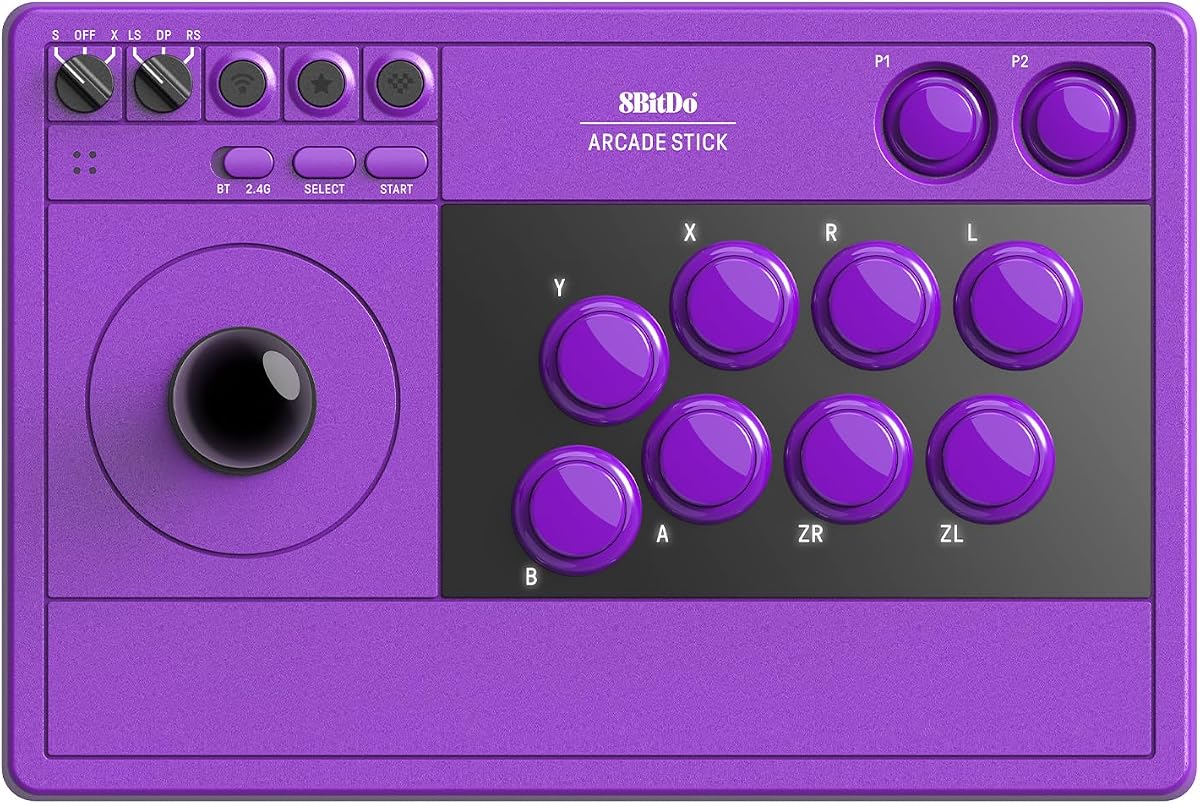
The 8Bitdo Arcade Stick for Switch 2 stands out as the Editor's Choice for its seamless integration with the latest console and premium build quality.
We may earn a commission when you buy through this link, at no additional cost to you.
Its dynamic button layout instantly updates visual labels when switching between Switch and PC modes, reducing confusion during competitive play.
While the price is higher than budget options, the tempered glass faceplate and dedicated macro buttons justify the investment for serious fighters.
This stick is ideal for players who value aesthetics and advanced customization without sacrificing reliability or connection stability.
This feature ensures the physical labels on the stick match the active mode, preventing button mapping errors during intense matches.
The tempered glass faceplate offers a smooth, scratch-resistant surface that enhances the tactile experience during long sessions.
We may earn a commission when you buy through this link, at no additional cost to you.
The MAYFLASH F300 offers exceptional value for gamers seeking a reliable fight stick without breaking the bank on high-end features.
We may earn a commission when you buy through this link, at no additional cost to you.
Its compatibility with Sanwa buttons allows for easy customization and replacement, extending the lifespan of the controller significantly.
While it lacks premium materials, the turbo functions and broad platform support make it a versatile choice for casual and competitive players alike.
This model is perfect for newcomers who want to test arcade controls before investing in more expensive equipment.
The open design allows users to swap out buttons and joysticks with standard Sanwa parts for personalized performance.
It works seamlessly across Switch 2, Xbox, PlayStation, and PC, making it a flexible solution for multi-console households.
We may earn a commission when you buy through this link, at no additional cost to you.
The MAYFLASH F700 Elite delivers tournament-grade performance with genuine Sanwa components designed for precision and durability over time.
We may earn a commission when you buy through this link, at no additional cost to you.
Its anti-slip rubber mat keeps the stick firmly in place during aggressive play, ensuring consistent input accuracy across various surfaces.
While the cost is significant, the inclusion of wired headset support and premium parts makes it a worthwhile investment for professionals.
This stick is best suited for competitive fighters who demand the highest quality components for their daily practice and matches.
Using authentic Sanwa parts ensures the joystick and buttons feel exactly like those found in professional arcade cabinets.
The full-size anti-slip mat prevents any movement during intense combos, providing a stable foundation for precise inputs.
We may earn a commission when you buy through this link, at no additional cost to you.
This classic 8Bitdo stick remains a strong contender for its modding capabilities and reliable connectivity across multiple platforms including Switch.
We may earn a commission when you buy through this link, at no additional cost to you.
The universal mounting plate supports Sanwa sticks, allowing users to upgrade components easily without needing a new base unit.
While it predates some newer Switch 2 specific models, its robust features ensure it remains relevant for most competitive gaming needs today.
It is a great choice for tinkerers who enjoy customizing their hardware to suit their specific playstyle preferences and needs.
The open design encourages community modifications, making it a popular choice among hardware enthusiasts worldwide.
Ultimate software allows for deep customization of button mappings and macros to enhance gaming efficiency significantly.
We may earn a commission when you buy through this link, at no additional cost to you.
The 8Bitdo Retro Wireless shines with its impressive forty-hour battery life, making it perfect for long gaming sessions without interruption.
We may earn a commission when you buy through this link, at no additional cost to you.
Its two dedicated macro buttons provide quick access to complex combos, enhancing competitive gameplay without needing manual button combinations.
While the price is higher, the longevity and customization features offer substantial value for users who play extensively on wireless connections.
This model is ideal for players who prioritize battery endurance and seamless wireless performance during extended tournament play.
With forty hours on 2.4g and thirty on Bluetooth, users can game for days before needing to recharge the device.
The dedicated P1 and P2 macro buttons allow for rapid execution of complex sequences during critical moments in games.
We may earn a commission when you buy through this link, at no additional cost to you.
The Saitake stick distinguishes itself with a unique display screen that offers volume control and lighting effects directly on the controller.
We may earn a commission when you buy through this link, at no additional cost to you.
Its macro recording function allows users to save up to eighteen keystrokes, providing advanced programmability for specialized gaming tasks.
While it may have a steeper learning curve, the additional features like the audio jack and eight-language support add significant versatility.
This is a unique pick for gamers who want customizable interface options and audio integration beyond standard fight stick functionality.
The screen allows quick adjustments to volume and brightness without needing to access console menus during gameplay.
Macro recording with timestamp triggers offers deep customization for users who need precise input sequences.
We may earn a commission when you buy through this link, at no additional cost to you.
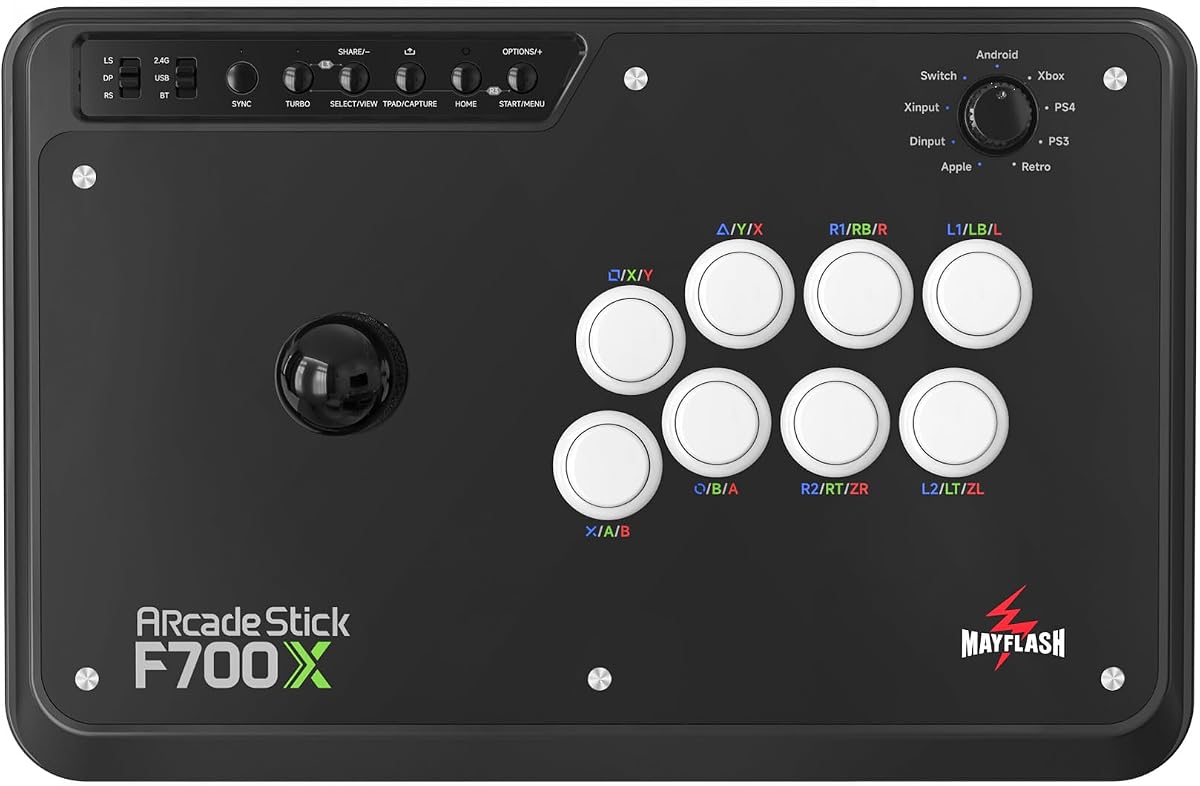
The MAYFLASH F700 is engineered to work specifically with PS5 fighting titles while maintaining broad compatibility across other consoles and PC.
We may earn a commission when you buy through this link, at no additional cost to you.
Its ability to output background music and chat through wired headsets enhances the online gaming experience for multiplayer matches significantly.
While PS5 support is restricted to fighting games, this focused approach ensures optimal performance for titles like Street Fighter and Tekken.
This stick is recommended for PS5 owners who prioritize fighting games and want seamless headset integration for communication.
The stick is calibrated specifically for fighting games on PS5, ensuring responsive inputs during competitive matches.
Wired headset support allows users to hear game audio and chat clearly without separate headset adapters.
We may earn a commission when you buy through this link, at no additional cost to you.
The MAYFLASH F700X fills the gap for Xbox users, offering native wireless support for Series X/S consoles while maintaining broad compatibility elsewhere.
We may earn a commission when you buy through this link, at no additional cost to you.
Its wired headset support ensures clear communication during online play on Xbox, which is often a limitation for other controllers.
While it lacks PS5 compatibility, its focus on Xbox makes it the top choice for players invested in that specific ecosystem primarily.
This stick is best for Xbox owners looking for a reliable fighting stick that integrates seamlessly with their console and headset.
The stick connects directly to Xbox Series X/S wirelessly without needing additional adapters or dongles for basic play.
Support for wired headsets allows for direct audio output from the console through the stick's input jack.
We may earn a commission when you buy through this link, at no additional cost to you.
POWER A's Fusion Wireless is an officially licensed option designed specifically for Nintendo Switch, ensuring perfect integration with system buttons.
We may earn a commission when you buy through this link, at no additional cost to you.
Its Japanese arcade style and customizable face-card let players personalize their controller while maintaining a premium aesthetic look and feel.
While it runs on AA batteries, the three-hour battery life offers flexibility, and the included cable supports unlimited wired tournament play.
This stick is a solid choice for Switch owners who want an authentic look with reliable official support and warranty coverage.
Being officially licensed means the controller meets Nintendo's quality standards for performance and system compatibility.
The downloadable templates allow players to print their own face-cards, adding a personal touch to the design.
We may earn a commission when you buy through this link, at no additional cost to you.
The 8Bitdo V3 Edition represents the latest iteration, offering refined features like improved battery capacity and faster support channels.
We may earn a commission when you buy through this link, at no additional cost to you.
Its dynamic button layout ensures smooth mode switching between PC and Switch while maintaining clarity for competitive gamers consistently.
As the newest model, it promises enhanced firmware support and reliability, making it a forward-looking choice for modern gaming setups.
This stick is perfect for early adopters who want the latest technology and direct manufacturer support for troubleshooting needs.
The V3 Edition incorporates the latest refinements from 8Bitdo, ensuring compatibility with the newest console firmware versions.
Direct support channels allow for quick resolution of any setup or connectivity issues users might encounter.
We may earn a commission when you buy through this link, at no additional cost to you.
Selecting the right fight stick requires considering compatibility, connectivity, build quality, and customization features to match your gaming style.
Ensure the stick officially supports Switch 2 to avoid latency or mapping issues that can ruin competitive gameplay sessions.
Look for sticks that explicitly state compatibility with Switch 2 in their product description or documentation.
Wireless connections like Bluetooth or 2.4G provide freedom while wired USB offers the lowest latency for competitive play.
Choose a stick that offers multiple connection options to adapt to different gaming environments.
Premium materials like tempered glass or metal bases improve durability and provide a more stable platform during intense use.
Higher-quality materials often correlate with better long-term performance and less wear and tear.
Macro buttons and software support allow you to create custom button mappings that suit your specific fighting game strategies.
Sticks with modding support let you replace parts easily to maintain performance over time.
Sanwa components are the industry standard for responsive inputs and are preferred by most competitive fighters globally.
Check if the stick uses quality components or if it allows for easy upgrades to better parts.
For wireless models, longer battery life ensures uninterrupted sessions without constant recharging breaks or anxiety.
Look for sticks offering at least 30 hours of battery life for extended play on the go.
Consider the physical dimensions and weight if you plan to transport the stick to local tournaments or friend meets.
Lighter sticks are easier to carry but ensure they still have enough weight for stability during gameplay.
A solid warranty protects against manufacturing defects while good support helps quickly resolve software or connection issues.
Choose brands known for responsive customer service to minimize downtime if problems arise.
Begin by connecting the stick to your Switch 2 using the preferred method whether wireless via Bluetooth or wired via USB-C cable.
Install any recommended software like 8BitDo Ultimate to customize button mappings and activate macro functions for your games.
Keep the stick clean by wiping the faceplate regularly and storing it in a cool dry place when not in use.
Most modern fight sticks support Switch 2 if they are listed as compatible. Check product specs to confirm Switch 2 support before buying.
Wired connections offer lower latency and are preferred for competitive play. Wireless provides convenience for casual or home sessions.
Many sticks use standard sizes like 30mm buttons and Sanwa joysticks allowing easy replacement with aftermarket parts for customization.
Use the manufacturer's software to assign button combinations to specific inputs. Save profiles to access them quickly during matches.
For fighting games, they offer superior precision and comfort over gamepads. The investment is worthwhile for serious or frequent players.
Many sticks connect directly via USB-C or Bluetooth. Some older models might require adapters for native Switch 2 compatibility.
We highlighted top models like the 8Bitdo Purple for premium features and the MAYFLASH F300 for budget-friendly performance across platforms.
Prioritize compatibility with Switch 2 and reliable connectivity to ensure smooth gameplay during competitive matches at home.
Always verify current pricing and availability as models may be updated frequently with new features and changes.