
Square Reader for magstripe (USB-C)
4.6Editor score
Works with Apple Lightning devices
Free Point of Sale app
Next business day deposits
This guide compares the top credit card swipers for merchants and businesses, evaluating features, compatibility, and performance to help you choose the right
Credit card swipers are essential tools for modern businesses accepting payments. Whether you run a retail store, mobile service, or online shop, a reliable reader ensures smooth transactions and customer satisfaction.
We evaluated ten top-rated credit card swipers based on connectivity, durability, and ease of use. Our analysis covers USB, mobile, and integrated POS systems to help you find the perfect match for your workflow.
Each pick highlights key strengths and ideal use cases. Prices and availability may change, so verify current details before purchasing. This guide ensures you make an informed decision for your payment needs.
4.6Editor score

4.5Editor score

3.9Editor score
The following table offers a side-by-side comparison of all ten credit card swipers. Review key specifications, connectivity options, and compatibility to determine which device aligns best with your specific business requirements and transaction volume.



The Square Terminal stands out as a comprehensive payment solution for modern businesses. With a rating of 4.5 stars, it is highly regarded for its ability to ring up sales and accept payments seamlessly. Its standout quality lies in its all-in-one design, combining a card reader, receipt printer, and point of sale system into a single device.
We may earn a commission when you buy through this link, at no additional cost to you.
Key strengths include its versatility and speed. It accepts all major credit and debit cards, ensuring no customer is turned away. The device processes chip cards in just two seconds, keeping lines moving during peak hours. Additionally, the built-in battery allows for cordless use, enabling staff to ring up customers anywhere in the store without being tethered to a counter.
While the initial investment is higher than basic swipers, the trade-off is acceptable given the functionality. There are no hidden fees or long-term contracts, providing flexibility for business owners. The cost is justified by the time saved and the professional experience it offers customers during transactions.
This device is ideal for retail stores and businesses that need a reliable, standalone point of sale system. If you want a solution that handles everything from swiping to printing receipts without extra hardware, the Square Terminal is the top recommendation for your needs.
The Terminal accepts all major card types, ensuring smooth transactions for every customer regardless of their payment method preference.
With a long-lasting battery and cordless design, staff can process payments anywhere, improving customer service and reducing wait times.
We may earn a commission when you buy through this link, at no additional cost to you.
The Square Reader for magstripe is an excellent choice for small businesses looking for an affordable payment solution. Rated 4.6 stars, it is praised for its simplicity and ease of use. This device allows you to accept payments anywhere by connecting directly to your smartphone or tablet, making it perfect for on-the-go transactions.
We may earn a commission when you buy through this link, at no additional cost to you.
Its key strengths include the free Square Point of Sale app, which helps track sales, manage inventory, and send digital receipts. The reader supports both USB-C and Lightning connectors, ensuring compatibility with most modern Apple devices. Funds are deposited as soon as the next business day, providing quick access to your earnings.
The trade-off is that it primarily supports magstripe cards and requires a smartphone to function. However, for many small businesses and freelancers, this limitation is acceptable given the low cost and convenience. It eliminates the need for expensive hardware while still providing professional payment processing capabilities.
If you need a simple, budget-friendly way to accept credit cards on your phone, this reader is the best option. It is ideal for startups, mobile vendors, and anyone wanting to start taking payments immediately without long-term commitments or high fees.
With a very low price point and no setup fees, this reader offers the most accessible entry into accepting credit card payments.
The accompanying app provides robust tools for sales tracking and inventory management, all included at no extra cost.
We may earn a commission when you buy through this link, at no additional cost to you.
The PAX S300 v2 is a sophisticated payment solution designed for multilane merchants who prioritize security and functionality. With a rating of 3.9 stars, it is valued for its advanced features and robust build. This device integrates PIN pad, card reader, and contactless capabilities into one sleek unit.
We may earn a commission when you buy through this link, at no additional cost to you.
Its standout features include PCI PTS 3.x certification, ensuring high levels of transactional security. The large color touch screen and loudspeaker enhance the user experience, while USB and LAN connectivity options provide flexibility. It supports contactless, e-signature, magnetic stripe, and chip & PIN transactions.
The device is more complex and expensive than basic swipers, but the trade-off is necessary for high-volume businesses. The security design protects against fraud, and the multimedia performance supports various payment methods. This makes it a premium choice for established retailers needing reliable, secure payment processing.
This terminal is best for businesses that require top-tier security and multiple connectivity options. If you need a device that can handle diverse payment types and integrate into a larger POS system, the PAX S300 v2 offers the premium performance and protection your business needs.
Built with state-of-the-art security design, this device encrypts all transaction information to protect sensitive customer data effectively.
It combines multiple payment methods and a customer-facing screen into one device, streamlining the checkout process for staff and customers.
We may earn a commission when you buy through this link, at no additional cost to you.
The MSR90 is a versatile USB magnetic card reader designed for various applications including POS and ID verification. Rated 4.2 stars, it is known for its reliability and ease of connection. This device reads up to three tracks of information and supports ISO7811 and AAMVA formats.
We may earn a commission when you buy through this link, at no additional cost to you.
Its main strengths are its plug-and-play interface, which requires no driver or software installation. It works seamlessly with Windows and Mac OS, and configuration software allows easy changes. The bi-directional swipe reading ensures reliable performance even with scratched or worn cards.
While it lacks wireless connectivity, the wired USB connection offers stability and simplicity. This is acceptable for stationary setups where mobility is not a priority. The durable design ensures it can withstand over one million card swipes, making it a long-lasting option.
This reader is ideal for businesses needing a dependable, low-cost solution for magnetic stripe transactions. If you require a simple device that integrates directly into your computer without complex setup, the MSR90 provides solid performance and ease of use.
Works effortlessly with both Windows and Mac systems without needing additional drivers, ensuring quick integration into your existing setup.
Designed for longevity, this reader handles over one million swipes and remains reliable even with worn or scratched magnetic cards.
We may earn a commission when you buy through this link, at no additional cost to you.
This USB Magnetic Stripe reader is a straightforward solution for businesses needing to process card data efficiently. With a rating of 4.2 stars, it is appreciated for its simplicity and compatibility. It reads data from all three tracks and supports high and low coercivity cards.
We may earn a commission when you buy through this link, at no additional cost to you.
Its key strengths include the keyboard emulation interface, which allows data entry into TXT, Word, Excel, or POS systems without software. It works on Windows, Mac, and other USB-capable systems. The LED indicator provides clear visual feedback during connections and swipes.
The device is limited to USB connections and lacks advanced security features. However, for tasks like loyalty programs or access control, this limitation is acceptable. It offers a cost-effective way to capture magnetic stripe data across various applications.
This reader is suitable for businesses needing a simple, reliable way to input card data. If you require a device that works with standard office software and POS systems without complex configuration, this option provides practical performance.
Compatible with common office applications like Word and Excel, making it easy to integrate card data into existing workflows.
The LED indicator light helps users confirm connections and swipes instantly, reducing errors during transactions.
We may earn a commission when you buy through this link, at no additional cost to you.
The ETEKJOY USB reader is designed for businesses seeking a compact yet functional magnetic stripe solution. Rated 4.3 stars, it is praised for its practical design and compatibility. It reads all three tracks of data and works with various card formats.
We may earn a commission when you buy through this link, at no additional cost to you.
Its strengths include a compact size with a 145cm USB cord, allowing flexible placement. The two 3mm screw holes enable secure mounting, and the LED indicator provides status feedback. It works with Windows, Mac, and standard office software.
The device is limited to USB connectivity and lacks advanced features. However, for fixed POS setups, these limitations are acceptable. It offers a reliable way to capture card data without taking up much counter space.
This reader is ideal for businesses with limited counter space needing a reliable payment device. If you need a compact reader with mounting options and long cord reach, this model offers a practical solution for your checkout area.
Its compact size ensures it fits easily on crowded counters without obstructing other important tools or space.
Included screw holes allow for secure mounting, keeping the device stable during high-transaction periods.
We may earn a commission when you buy through this link, at no additional cost to you.
This set of two POSMATE readers offers great value for businesses needing multiple payment stations. Rated 4.1 stars, it is appreciated for its versatility and capacity. Each reader supports tracks 1, 2, and 3, compatible with credit cards, gift cards, and licenses.
We may earn a commission when you buy through this link, at no additional cost to you.
Its key strengths include the inclusion of two units, which is ideal for multi-channel setups. The 5ft cable length provides flexibility in placement. It supports various card types, including ATMs and IDs, making it useful beyond just payments.
The device lacks encryption, which may not suit businesses handling sensitive data. However, for loyalty or non-financial tracking, this is acceptable. The bundle offers a cost-effective way to equip multiple registers with basic card reading capability.
This pack is suitable for businesses with multiple checkout lanes needing a simple card reader. If you require a budget-friendly solution to handle basic magnetic stripe tasks across several stations, this set provides practical value.
Getting two readers in one pack makes it easy to equip multiple checkout lanes without buying separate units.
Supports various formats including gift cards and licenses, making it useful for more than just payment processing.
We may earn a commission when you buy through this link, at no additional cost to you.
The SumUp Plus Card Reader is a mobile solution for businesses needing flexible payment acceptance. Rated 3.8 stars, it is valued for its Bluetooth and NFC capabilities. This device allows you to accept payments anywhere by connecting to your smartphone or tablet.
We may earn a commission when you buy through this link, at no additional cost to you.
Its strengths include the ability to process contactless payments and use the free SumUp app. It accepts major credit and debit cards with no long-term contracts. The transaction fee is straightforward, making it easy to calculate costs.
The device depends on your smartphone and battery life, which may be a limitation during long shifts. However, for mobile businesses, this trade-off is worth the mobility. It offers a modern way to accept cards without bulky hardware.
This reader is ideal for mobile service providers or pop-up shops. If you need a flexible, contactless-ready device that pairs with your phone, SumUp Plus provides the convenience and simplicity you need.
Supports NFC and RFID, allowing you to accept modern tap-and-pay transactions for a faster checkout experience.
With no long-term contracts and transparent fees, this reader suits businesses that want freedom to scale up or down.
We may earn a commission when you buy through this link, at no additional cost to you.
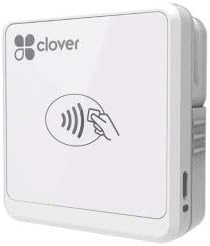
The Clover Go Contactless Reader is a versatile device for businesses needing to accept modern payment methods. Rated 4.0 stars, it is appreciated for its EMV and contactless support. It works with both iOS and Android devices, offering broad compatibility.
We may earn a commission when you buy through this link, at no additional cost to you.
Its strengths include the ability to process chip and contactless cards, ensuring security and speed. No merchant account is required to start using it, simplifying setup. It is portable and designed for businesses on the go.
Quantities of this version are limited as it may be an older model. However, it still provides solid functionality for mobile businesses. The trade-off is limited availability, but if accessible, it offers strong value for its price.
This reader is suitable for small businesses needing reliable chip and contactless acceptance. If you want a portable device that works with most smartphones and supports modern payment types, Clover Go is a practical option.
Supports both chip and contactless payments, ensuring you are ready for customers who prefer secure and fast transaction methods.
Compatible with both iOS and Android, this reader fits into most existing tech setups without extra adapters.
We may earn a commission when you buy through this link, at no additional cost to you.
The Dejavoo QD2 is a mobile wireless terminal designed for secure payment processing anywhere. It does not have a public rating yet, but it is known for its comprehensive features. This device supports chip cards and NFC for modern transactions.
We may earn a commission when you buy through this link, at no additional cost to you.
Its strengths include a 2.4-inch color LCD with backlight for clear visibility. It offers wireless capabilities, allowing processing anywhere at any time. The terminal includes a power supply and is ready to use with a merchant account.
The requirement for a new merchant account with SwyftPAY is a hurdle for existing processors. However, for businesses seeking a standalone wireless terminal, this is acceptable. It provides a complete solution without needing a separate POS system.
This terminal is ideal for businesses needing a professional, wireless payment device. If you want a robust unit that handles secure payments and supports modern card types, the Dejavoo QD2 offers the reliability you need.
Operates wirelessly to allow payment processing anywhere without being tied to a specific desk or counter setup.
The backlit color screen ensures transaction details are visible even in varying lighting conditions for staff and customers.
We may earn a commission when you buy through this link, at no additional cost to you.
Selecting the right credit card swiper depends on your business needs, budget, and technical environment. Consider these key factors to find a device that ensures smooth and secure transactions for your customers.
Determine whether you need a USB, Bluetooth, or wireless solution. USB readers are stable and simple for fixed counters, while Bluetooth and wireless options offer mobility for mobile businesses. Ensure the connection type is compatible with your existing computer or mobile devices.
Choose the connectivity that matches your workflow to avoid compatibility issues and maximize efficiency during checkout.
Check which card types your reader accepts, such as magnetic stripe, chip, or contactless. Modern businesses should prioritize EMV and NFC support to ensure security and customer convenience. Some devices may also support specific card formats or loyalty programs.
Select a device that supports the payment methods your customers use most to prevent declined transactions and improve satisfaction.
Verify that the reader works with your existing point of sale software or accounting tools. Some readers offer keyboard emulation, allowing easy integration with common applications. Others may require specific apps or systems to function correctly.
Ensure compatibility with your software ecosystem to streamline operations and avoid disruptions in your sales process.
Consider the durability of the device, especially if you have high transaction volumes. Look for readers with long lifespans and features like bi-directional swipe reading to handle worn cards. A sturdy build ensures the device withstands daily use without frequent replacements.
Invest in a durable reader to reduce long-term costs and ensure consistent performance over time.
Security is critical when handling payment data. Look for devices with encryption and PCI compliance to protect sensitive information. Advanced terminals may offer additional security layers to prevent fraud and data breaches.
Prioritize secure devices to build trust with customers and comply with industry regulations for payment processing.
Determine your budget for upfront costs and transaction fees. Basic USB readers are affordable, while integrated terminals may cost more but offer additional features. Consider the long-term value and potential savings from faster processing or reduced fees.
Balance upfront costs with long-term benefits to find a solution that fits your financial situation and business goals.
Look for devices that are easy to set up and use, with minimal training required for staff. Plug-and-play readers save time, while advanced terminals may require configuration. User-friendly interfaces reduce errors and speed up checkout.
Choose a reader that is intuitive for your team to minimize training time and improve efficiency during busy periods.
Check the availability of customer support and warranty terms for the device. Reliable support can resolve technical issues quickly, ensuring minimal disruption. Warranty coverage protects your investment against defects or malfunctions.
Select a device with strong support and warranty options to safeguard your business operations and reduce downtime.
To use your credit card swiper, connect it securely to your device using the provided USB cable or pair it via Bluetooth. Ensure the software or application you use is open and ready to receive card data. Swipe or insert the card smoothly through the reader, following the LED indicators for confirmation.
Keep the reader clean by wiping the magnetic stripe slot with a soft, dry cloth regularly. Dust and debris can interfere with reading accuracy, so avoid using harsh chemicals. Store the device in a cool, dry place when not in use to prevent damage from humidity or heat.
Regularly test the device by processing a small test transaction to ensure it is working correctly. If issues arise, check connections and update any associated software. Following these practices ensures reliable performance and extends the lifespan of your payment equipment.
A USB card reader connects directly to a computer or device via a cable, offering a stable and wired connection. A Bluetooth reader connects wirelessly to smartphones or tablets, allowing mobility and flexibility. Choose based on whether you need a fixed or mobile setup.
Most basic USB swipers work as keyboard emulators and do not require additional software. However, advanced terminals or mobile readers may need specific apps or point of sale systems. Check the device specifications to confirm compatibility with your existing software.
Basic magnetic stripe swipers cannot read contactless payments. However, modern readers like the SumUp Plus or Clover Go support NFC and contactless technology. Ensure the device you choose includes contactless capability if you want to accept tap-and-pay transactions.
Security depends on the device features and compliance standards. Look for readers with encryption and PCI compliance to protect data. Some advanced terminals offer additional security layers like PIN pads to ensure secure transactions and prevent fraud.
Check all connections and ensure the device is properly powered or charged. Restart your computer or mobile device and update any associated software. If issues persist, refer to the user manual or contact customer support for troubleshooting assistance.
It depends on the device and software support. Some readers work with various point of sale systems, while others are specific to certain platforms. Verify compatibility with your chosen payment processor or software before purchasing to ensure seamless integration.
Clean the magnetic stripe slot with a soft, dry cloth to remove dust and debris. Avoid using liquids or harsh chemicals that could damage the device. Store it in a safe, dry place when not in use to protect it from environmental factors.
Most readers support standard credit and debit cards with magnetic stripes. Some also support gift cards, loyalty cards, and identification cards. However, chip and contactless support varies by device. Check the specifications to confirm which card types are accepted.
We have reviewed ten top credit card swipers for businesses and mobile users. Whether you need a simple USB reader or an advanced mobile terminal, there is a device to match your needs. The Square Terminal and Square Reader are top picks for their reliability and ease of use.
When choosing, prioritize connectivity, security features, and compatibility with your existing systems. Consider your transaction volume and whether mobility is essential for your workflow. A well-chosen reader improves customer experience and operational efficiency.
Remember to verify current availability and details before purchasing. Prices and stock may vary, so check the latest information for each device. Selecting the right credit card swiper ensures you can accept payments smoothly and securely for your business.