
ASUS ProArt PA32QCV
3.9Editor score
Factory calibrated color
Dual Thunderbolt 4 ports
MacBook color preset
Finding the right display is crucial for modern workflows. High resolution helps you see more detail and work efficiently without constant zooming.
We compared ten top models based on resolution, panel technology, connectivity options, and user feedback. Each pick offers unique strengths for different needs.
Each entry shows key specs and real-world performance. Prices and availability change frequently, so check current listings before making your final decision.
3.9Editor score

3.8Editor score

3.7Editor score
As an Amazon Associate we earn from qualifying purchases.
The following table presents a side-by-side comparison of all ten models. It highlights key specifications and unique features to help you narrow down your choices quickly.


This model stands out as the most advanced 6K display currently available. It features Thunderbolt 5 connectivity which is a major leap forward for data transfer speeds. Users who need high bandwidth for video editing will appreciate the raw power this monitor brings to the table.
We may earn a commission when you buy through this link, at no additional cost to you.
The color performance is exceptional thanks to the Nano IPS Black panel technology. It delivers deeper blacks and richer shadows compared to standard IPS screens. With 99.5% Adobe RGB coverage, it is a reliable tool for color critical work like photo retouching and print design.
While the refresh rate is capped at 60Hz, this is acceptable for professional workflows rather than fast-paced gaming. The trade-off is justified by the sheer pixel density and color accuracy offered. Most creative pros prioritize image fidelity over high refresh rates for their daily tasks.
It is an ideal choice for Mac users or those in hybrid environments who need a high-end workstation hub. The ability to connect multiple peripherals through one cable reduces desk clutter significantly. This makes it a strong recommendation for anyone needing top-tier visual fidelity.
Thunderbolt 5 offers transfer speeds up to 80Gbps which is twice as fast as the previous generation. This ensures your high-resolution video files move instantly without bottlenecks during editing sessions.
The 2000:1 contrast ratio provided by Nano IPS Black enhances the depth of images significantly. You will see more detail in shadows and highlights compared to traditional IPS panels.
We may earn a commission when you buy through this link, at no additional cost to you.
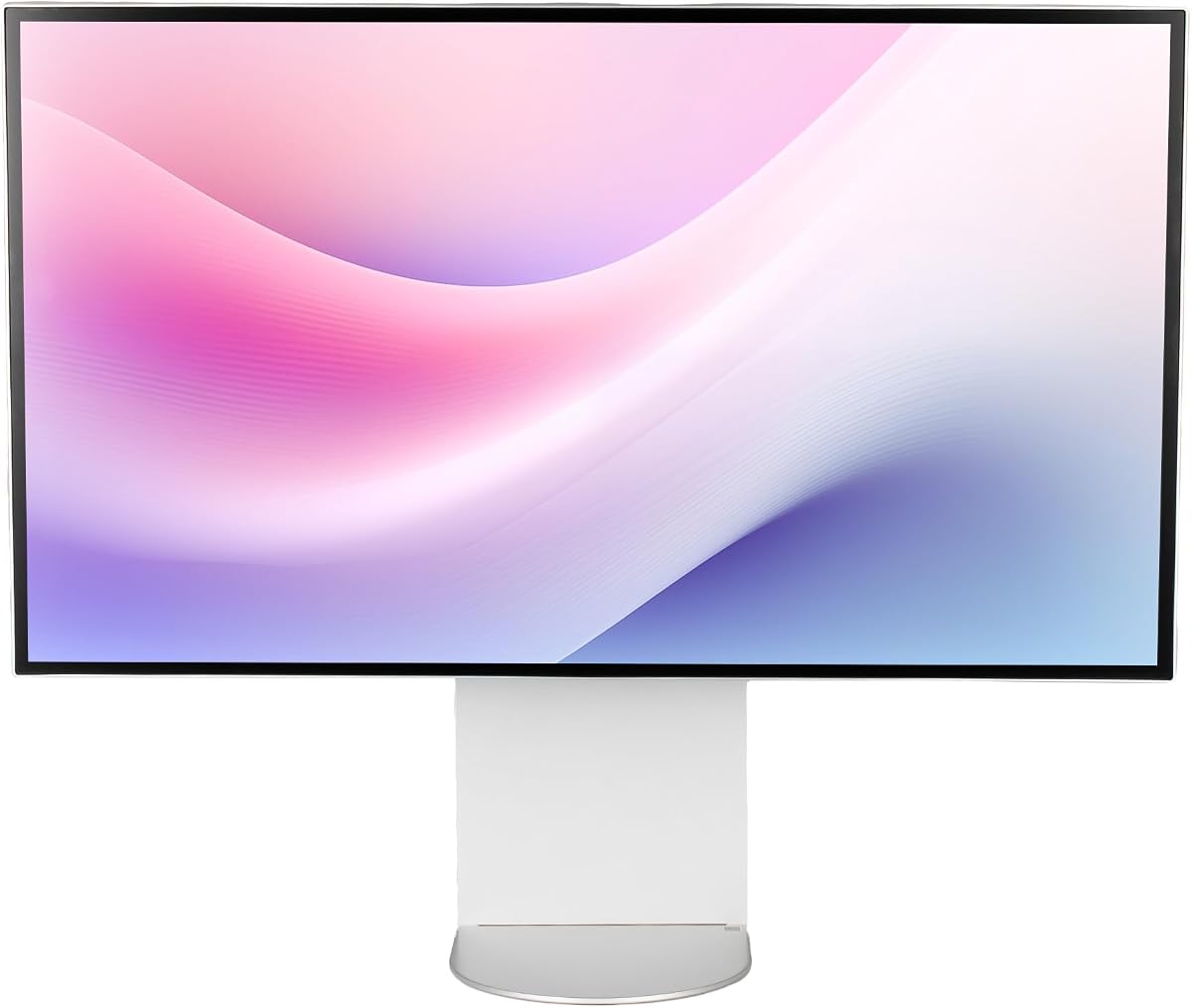
The ASUS ProArt PA32QCV offers a compelling balance of price and performance for creative professionals. It comes factory calibrated which saves you time and money on external colorimeters. This makes it a great starting point for those entering the industry or upgrading their workspace.
We may earn a commission when you buy through this link, at no additional cost to you.
Its connectivity options are robust with dual Thunderbolt 4 ports allowing for daisy chaining. You can connect multiple devices or monitors without needing extra docks or adapters. The inclusion of a three-month Adobe Creative Cloud subscription adds extra value to the package.
While it does not have the latest Thunderbolt 5 standard, Thunderbolt 4 is still very capable for most workflows. The 5-year warranty provides peace of mind for long-term business use. This reliability is often overlooked but is critical for professional environments.
We recommend this model for photographers and designers who need accurate colors on a budget. It is particularly suited for Mac users due to the dedicated color preset. The combination of features makes it a strong contender in the 6K category.
Each unit is calibrated at the factory to ensure Delta E values remain under 2. This guarantees color accuracy out of the box without requiring immediate user intervention.
The MacBook Color Matching preset allows you to switch the monitor settings to match the display of a Mac laptop. This is useful when working across multiple devices simultaneously.
We may earn a commission when you buy through this link, at no additional cost to you.
Samsung has created a unique display that bridges the gap between professional 6K viewing and high refresh rate gaming. The Dual Mode feature allows you to choose between resolution and speed depending on your current task. This versatility is rare in the high-end monitor market.
We may earn a commission when you buy through this link, at no additional cost to you.
When you select the 3K mode you get access to 330Hz refresh rates which is perfect for competitive gaming. If you prefer crisp imagery for work or cinematic content the 6K mode at 165Hz delivers stunning clarity. This adaptability makes it a future-proof investment for gamers.
The Fast IPS panel ensures quick response times which reduces motion blur during fast action. While it may not match the color depth of specialized creative monitors it is still capable of great performance. The HDR10+ support enhances the visual experience for supported content.
This monitor is best suited for users who want one screen for both work and play. It eliminates the need for a separate gaming monitor by offering high frame rates at high resolution. If you prioritize performance versatility this is the top choice.
Dual Mode lets you switch resolution dynamically to boost refresh rates. This means you can play games at 330Hz or view content at 6K without buying two separate screens.
Support for both NVIDIA G-Sync and AMD FreeSync Premium ensures smooth gameplay across different GPU brands. This reduces tearing and stuttering for a seamless visual experience.
We may earn a commission when you buy through this link, at no additional cost to you.
The Dell UltraSharp series is known for reliability and this model continues that tradition with a high-resolution 6K panel. It focuses on clarity and sharpness which is essential for office work involving spreadsheets and text. The 6K resolution allows you to see multiple windows clearly without scaling issues.
We may earn a commission when you buy through this link, at no additional cost to you.
It features a 5ms response time which is faster than many standard office monitors. This ensures that scrolling through long documents remains smooth. The USB-C connectivity allows for easy docking of laptops making it a convenient choice for corporate setups.
While it does not have the most advanced gaming or HDR features it excels at being a stable workhorse. The build quality is solid and the design fits well in professional office environments. It provides a no-frills experience that prioritizes function over flair.
This model is recommended for business professionals who need high detail for data analysis. It offers a straightforward setup that works well with various laptop configurations. If you want a reliable screen for daily tasks this is a practical option.
The high pixel density ensures that text looks sharp and readable at any size. This reduces eye strain during long reading sessions and improves overall document editing efficiency.
USB Type-C allows for quick data transmission and video output from a single cable. This simplifies your desk setup and reduces the need for extra hubs.
We may earn a commission when you buy through this link, at no additional cost to you.
This bundle version of the LG UltraFine evo adds practical accessories to the main monitor unit. It includes a cleaning kit and cable ties which help keep your workspace tidy. For users who want a complete package without buying accessories separately this is a convenient solution.
We may earn a commission when you buy through this link, at no additional cost to you.
The KVM functionality allows you to control two computers with one keyboard and mouse. This is a significant time saver for professionals who switch between devices frequently. It enhances productivity by removing the need to toggle cables or use multiple input devices.
The monitor itself shares the same high-quality specs as the standard version. It offers deep blacks and vibrant colors suitable for professional video editing and graphic design. The inclusion of extra accessories justifies the bundle value for those who need them.
We suggest this bundle if you plan to set up a multi-computer workstation. The cleaning kit is a nice touch that ensures your screen stays pristine. It is a well-rounded option for high-end office or studio use.
The built-in KVM feature lets you manage two systems using a single set of peripherals. You can switch inputs instantly which streamlines your workflow significantly.
Getting a cleaning kit and cable management tools in the box adds convenience. It ensures you can maintain and organize your setup right from the start.
We may earn a commission when you buy through this link, at no additional cost to you.
The G32X focuses on delivering a clean look with solid technical performance. It features a CNC-machined aluminum body that gives it a premium feel. This design choice appeals to users who value aesthetics in their workspace setup.
We may earn a commission when you buy through this link, at no additional cost to you.
With 500 nits of brightness it performs well in bright environments. The 100W high-speed port ensures your laptop stays charged while you work. This simplifies your cable management by combining power and data in one connection.
While it may not offer the advanced color grading tools of Pro models it is capable of accurate visuals. The high resolution ensures that images and text are crisp and clear. It serves as a reliable display for general productivity and media consumption.
This monitor is ideal for home offices where style and function need to balance. The universal mount compatibility allows you to use third-party arms for flexibility. It is a solid choice for those seeking a high-quality minimalist screen.
The aluminum body not only looks great but also adds durability to the unit. It resists wear and tear better than plastic alternatives found in cheaper models.
The 100W port provides enough power to charge most laptops while in use. This means you can run your system and charge it simultaneously without extra bricks.
We may earn a commission when you buy through this link, at no additional cost to you.
The G32P features a glossy finish which enhances color vibrancy and contrast. This makes it particularly well suited for watching movies or viewing creative work. The glossy panel brings images to life with richer tones compared to matte screens.
We may earn a commission when you buy through this link, at no additional cost to you.
It includes a honeycomb cooling system which helps manage heat during extended use. This ensures the panel maintains performance without overheating. The design also adds a unique visual element to the back of the monitor.
Note that this model does not include a stand which offers more flexibility but requires a VESA mount. You can attach any compatible arm to fit your ergonomic needs. This is great for users who want a custom setup.
This monitor is a great pick for home theater enthusiasts or artists. The glossy finish delivers an immersive experience that matches high-end tablets. If you value color depth and unique design this model stands out.
The glossy coating reflects light less than matte coatings do which boosts perceived contrast. This leads to deeper blacks and more vibrant colors in your content.
The honeycomb structure aids in passive cooling to keep internal temperatures low. This protects the panel and extends the lifespan of the unit during long sessions.
We may earn a commission when you buy through this link, at no additional cost to you.
This bundle provides a standard Dell monitor with a two-year protection plan included. It is designed for business users who want added peace of mind for their equipment. The inclusion of necessary cables ensures you can set up immediately without extra purchases.
We may earn a commission when you buy through this link, at no additional cost to you.
The protection plan covers unexpected issues which can be valuable in office environments. It complements the standard warranty to give you longer security. This is a smart choice if you plan to use the monitor heavily for years.
The monitor itself offers clear visuals with high resolution. It handles documents and spreadsheets well making it a practical tool for daily tasks. The LED backlight ensures efficiency and consistent brightness across the panel.
We recommend this option for corporate buyers looking to minimize maintenance risks. The bundle adds value by covering potential repair costs. It is a practical choice for IT managers or office setups.
The 2 Year Premium Extended Service Plan helps cover unexpected hardware failures. This reduces the financial risk associated with expensive electronics in the workplace.
The box includes USB-C and Mini DisplayPort cables so you have connectivity options ready. This saves you from needing to buy additional accessories for setup.
We may earn a commission when you buy through this link, at no additional cost to you.
ALOGIC has created a truly unique product with the world's first 6K touchscreen monitor. It allows you to interact directly with your content which changes how you work. This is a powerful tool for designers and architects who need precise input.
We may earn a commission when you buy through this link, at no additional cost to you.
The included Active Stylus offers 4096 levels of pressure sensitivity. This makes it suitable for digital painting and detailed annotation work. The Fold Stand lets you adjust the screen to a flat tablet position for drawing.
The resolution is incredibly sharp ensuring that touch targets are precise. You can zoom in on details without losing clarity which is great for editing. This level of interactivity is not available in standard monitors.
This monitor is ideal for creative professionals who want a large digital canvas. It eliminates the need for a separate drawing tablet by combining display and input. If you need a high-end touch surface this is the ultimate solution.
Direct touch control lets you navigate your OS as if using a large tablet. This streamlines workflows that require frequent zooming or selecting details.
The stylus offers low latency and high pressure sensitivity for natural drawing. You can sketch and paint on a large screen without needing a small tablet.
We may earn a commission when you buy through this link, at no additional cost to you.
The LG Ultrafine 32U990 provides a solid 6K experience with essential features. It offers three USB-C ports which gives you flexibility in connecting devices. This reduces the need for additional hubs in your workspace.
We may earn a commission when you buy through this link, at no additional cost to you.
The anti-glare coating helps reduce reflections in well-lit rooms. This ensures you can work comfortably even near windows. The panel delivers consistent color accuracy which is important for design and editing work.
While it lacks some of the premium features of other models it remains a reliable display. The build quality is good and it supports VESA mounting for custom setups. It offers a straightforward high-resolution viewing experience.
This is a good choice for those who need multiple USB-C connections. It is practical for office environments where connectivity is key. If you prioritize ports over advanced features this model fits the bill.
Having three USB-C ports allows you to connect multiple peripherals directly. This keeps your desk organized and simplifies your device connections.
The anti-glare coating reduces unwanted reflections for a clearer view. This is helpful in bright rooms where screen glare can be distracting.
We may earn a commission when you buy through this link, at no additional cost to you.
Selecting the right 6K monitor involves evaluating several technical factors that impact your daily workflow. This guide breaks down the most important aspects to consider before purchasing.
Resolution determines how much detail you see on the screen. A 6K monitor typically offers around 6144 x 3456 pixels which provides roughly 224 PPI on a 32-inch panel. This high pixel density ensures that text and images are incredibly sharp reducing the need for zooming.
Look for models that maintain this resolution at 60Hz or higher for smooth scrolling. High PPI is essential for professional tasks like photo editing and architectural design.
For creative professionals color accuracy is paramount. Check for coverage of Adobe RGB and DCI-P3 color spaces. A Delta E value below 2 ensures that colors are reproduced faithfully which is critical for print and video work.
Models with factory calibration save time and ensure accuracy out of the box. This is especially important if you do not have external calibration tools on hand.
Modern monitors should support high-speed interfaces to handle massive data streams. Thunderbolt 5 or Thunderbolt 4 is ideal for 6K content as it allows for fast data transfer and charging via a single cable.
Ensure the monitor has enough ports for your needs. Look for HDMI and DisplayPort inputs as well as USB hubs to connect peripherals without extra docks.
Refresh rate impacts how smooth motion appears on screen. For standard office work 60Hz is sufficient but gaming benefits from higher rates. Some models offer Dual Mode allowing you to switch between 6K at 165Hz and lower resolutions for faster speeds.
Response time determines how quickly pixels change color. A lower response time reduces motion blur and ghosting which is vital for dynamic content and gaming.
Panel type affects viewing angles and contrast ratios. IPS panels are popular for their color consistency. Newer technologies like Nano IPS Black offer deeper blacks and better contrast which improves image depth in dark scenes.
If you watch movies or work with HDR content look for DisplayHDR certification. This ensures the monitor meets standards for brightness and contrast performance.
Long work sessions require comfort. Ensure the monitor offers height tilt swivel and pivot adjustments. A stand that allows vertical rotation is useful for coding or document reading.
Check for VESA mount compatibility if you plan to use a monitor arm. This adds flexibility to your desk setup and improves cable management options.
Some monitors include KVM switches which let you control multiple computers with one keyboard and mouse. This is a huge productivity boost for hybrid setups. Touchscreen capabilities also offer new ways to interact with content.
Look for software features like auto KVM or color matching presets. These tools streamline your workflow and reduce the time spent on manual configuration.
Buying a high-end monitor is an investment so check the warranty terms. Some brands offer extended coverage with online registration. This protection can save you money if hardware issues arise later.
Customer support is also important. Choose brands with a reputation for helping users resolve technical issues quickly. This ensures minimal downtime for your work.
To get the best performance ensure your computer supports the required bandwidth. Use high-quality cables like Thunderbolt 5 or DisplayPort 2.1 to avoid bottlenecks. Check your graphics card settings to enable full resolution and refresh rates.
Clean the screen gently with a microfiber cloth to avoid scratches. Avoid using harsh chemicals or paper towels on the panel surface. If your monitor includes a cleaning kit use the provided solution for safe maintenance.
Adjust your monitor height to eye level to prevent neck strain. Use the pivot feature for reading vertical documents to save space. Take regular breaks to reduce eye fatigue during long sessions.
Not all 6K monitors are optimized for Mac users though many are compatible. Look for models with Thunderbolt connectivity and Mac-specific features like color matching. This ensures seamless integration without extra configuration.
Yes if your computer supports daisy chaining or multiple high-bandwidth ports. Thunderbolt monitors allow you to connect a second screen via a single cable. Verify your GPU supports the combined resolution before purchasing.
You need high-performance cables to handle 6K data rates. Thunderbolt 5 or DisplayPort 2.1 cables are recommended. Standard HDMI cables may not support the full resolution or refresh rate.
They can be great depending on the model. Some offer high refresh rates in lower resolutions while keeping 6K available. For best performance prioritize models with G-Sync or high Hz support.
Most 6K monitors consume between 50 to 150 watts depending on brightness. USB-C models often pass power to laptops reducing the need for separate chargers. Check energy ratings for efficiency details.
Factory calibrated models are ready to use right out of the box. However professional work may benefit from periodic recalibration. Using an external colorimeter ensures accuracy remains high over time.
The 10 models listed here offer a range of options for different workflows. The LG UltraFine evo leads in connectivity while the ASUS ProArt offers excellent value for creators. The Samsung Odyssey G8 stands out for those who need gaming performance.
Consider your primary needs when selecting a monitor. If you need color accuracy focus on panel technology and calibration. If you need speed look for high refresh rates and fast connectivity options.
Prices and stock change frequently so check the links for current offers. Investing in the right monitor improves your work quality significantly. Choose a model that fits your specific professional requirements.