
AOC 27" Gaming Monitor
4.6Editor score
240Hz Overclocked Refresh Rate
0.3ms MPRT Response Time
Adaptive-Sync Support
Finding the perfect display for competitive gaming requires balancing resolution, refresh rate, and response time. Monitors offering 1440p resolution at 240Hz provide the sweet spot between visual clarity and smooth motion, making them ideal for fast-paced shooters and simulation titles alike.
We have analyzed ten leading models released or updated for the current year, focusing on panel technology, connectivity options, and adaptive sync compatibility. Each selection undergoes scrutiny regarding build quality, stand ergonomics, and actual performance metrics to ensure they meet rigorous standards.
Every entry in this list showcases specific strengths tailored to different player needs and budget constraints. Prices fluctuate frequently based on sales and inventory levels, so checking the current listing is recommended before finalizing your purchase decision.
4.6Editor score

4.4Editor score

4.6Editor score
As an Amazon Associate we earn from qualifying purchases.
The following table provides a side-by-side comparison of all ten models considered for this guide. It highlights key specifications including panel type, connectivity options, and specific gaming features to assist in quick decision-making.


The LG 27GR83Q-B stands out as a top contender for competitive gamers seeking smooth visuals and high resolution. With a strong 4.4 user rating, it delivers a reliable experience for both casual and serious players alike.
We may earn a commission when you buy through this link, at no additional cost to you.
Its 240Hz refresh rate supports both DisplayPort and HDMI 2.1, offering flexibility for modern consoles and PCs. The IPS panel provides wide viewing angles and rich color reproduction, while the 1ms GtG response time minimizes blur during fast action.
Trade-offs include standard HDR performance and contrast levels that cannot match OLED. However, these limitations are acceptable given the price point and the exceptional speed and color fidelity it delivers for competitive titles.
This monitor is best suited for esports enthusiasts who value high frame rates and accurate colors. Its comprehensive features and solid build make it a highly recommended choice for most gaming setups.
The inclusion of HDMI 2.1 ensures full 240Hz support across multiple devices without needing specialized cables.
Dynamic Action Sync and black stabilization enhance visibility and reaction time during crucial moments.
We may earn a commission when you buy through this link, at no additional cost to you.
The AOC Q27G41ZE offers incredible value for gamers needing high speed without a premium price. Its 4.6 rating reflects high satisfaction with performance and build quality.
We may earn a commission when you buy through this link, at no additional cost to you.
It supports adaptive sync for tear-free gaming and delivers 240Hz via DisplayPort. The 0.3ms MPRT response time ensures crisp motion, and the IPS panel maintains good color fidelity for the price.
While stand adjustments are limited to tilt, and the OSD is straightforward, these trade-offs are minor considering the cost. The visual performance remains robust for competitive play.
Ideal for budget-conscious players who prioritize speed and resolution, this monitor provides a solid foundation for high-performance setups without overspending.
At this price point, few monitors offer both 1440p and 240Hz capabilities with reliable panel quality.
The overclocked refresh rate allows users to push beyond standard limits for even smoother motion.
We may earn a commission when you buy through this link, at no additional cost to you.
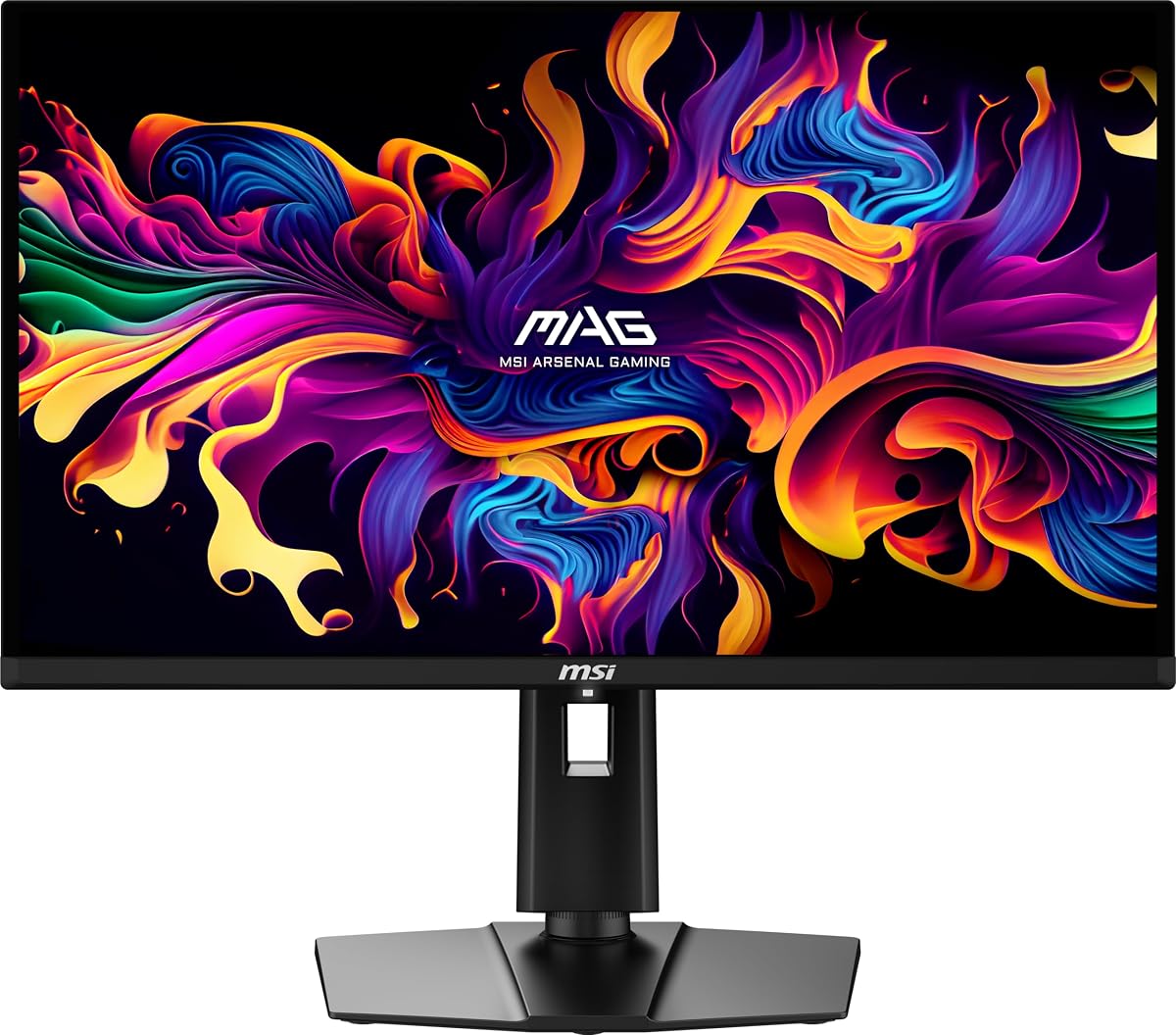
The MSI MAG 274QP QD-OLED represents the pinnacle of display technology for gaming enthusiasts. With a 4.6 rating, it delivers unmatched visual fidelity and speed.
We may earn a commission when you buy through this link, at no additional cost to you.
Its QD-OLED panel combines deep blacks with vivid colors, while the 0.03ms response time eliminates ghosting entirely. Adaptive sync ensures fluid gameplay across supported hardware.
Though the price is higher and burn-in requires attention via software tools, the visual rewards are substantial. Gamers seeking the best possible image quality will find this justified.
This monitor is perfect for users who demand top-tier visuals and speed for both gaming and media consumption.
OLED technology provides true blacks and superior contrast compared to standard IPS or VA panels.
OLED Care 2.0 uses AI to monitor and reduce pixel aging over extended usage periods.
We may earn a commission when you buy through this link, at no additional cost to you.
The Acer Predator X27U is a compact powerhouse for gamers who prefer a slightly smaller 26.5-inch screen. It combines OLED benefits with a 240Hz refresh rate for a premium experience.
We may earn a commission when you buy through this link, at no additional cost to you.
Its QD-OLED panel delivers 99% DCI-P3 coverage and vibrant colors, while the 0.03ms response ensures fast motion clarity. The ZeroFrame design enhances immersion by minimizing bezel distractions.
Some may find 26.5 inches small compared to standard 27-inch models, and the cost is significant. However, the visual performance remains top-tier for competitive and cinematic gaming.
Recommended for those seeking high-end OLED features in a slightly more focused field of view.
The 26.5-inch size aligns with tournament standards, offering a concentrated field of view.
Quantum dot technology ensures wide color gamut coverage with precise brightness.
We may earn a commission when you buy through this link, at no additional cost to you.
The KTC H27E6S offers a feature-packed experience for those seeking high performance without major cost. It includes up to 275Hz overclocking and Fast IPS speed for competitive play.
We may earn a commission when you buy through this link, at no additional cost to you.
With 123% sRGB coverage and built-in speakers, it serves both gaming and general use well. The stand supports height, tilt, and pivot adjustments for full ergonomics.
As a newer model without customer ratings, long-term reliability is less proven than established competitors. However, its specs are competitive for the price.
Best for users looking to save money while still accessing high refresh rates and solid ergonomic features.
Height and pivot adjustments allow flexible positioning for multiple users and orientations.
Integrated speakers remove the need for external audio in casual setups.
We may earn a commission when you buy through this link, at no additional cost to you.
The ASUS ROG XG27ACMG provides a professional-grade solution with excellent connectivity options. Its 270Hz overclocking delivers smooth visuals for demanding gamers and content creators.
We may earn a commission when you buy through this link, at no additional cost to you.
The USB-C port simplifies docking for laptops, while ELMB SYNC technology reduces motion blur effectively. DisplayWidget Center makes on-screen menu adjustments easy without physical buttons.
USB-C does not carry the full bandwidth for HDR simultaneously, which is a limitation for hybrid workloads. Yet, its performance and support remain strong for gaming.
Perfect for professionals and gamers who value connectivity and brand reliability in a high-speed monitor.
USB-C DP Alt mode allows video and data transfer through a single cable.
ELMB SYNC enables motion blur reduction even while adaptive sync is active.
We may earn a commission when you buy through this link, at no additional cost to you.
The MSI MAG 271QPX QD-OLED E2 delivers top-tier picture quality and speed for modern gaming. Its 4.6 rating highlights satisfaction with display performance and features.
We may earn a commission when you buy through this link, at no additional cost to you.
OLED technology provides true blacks and vivid colors, while the 0.03ms response eliminates motion artifacts. A passive cooling system ensures silent operation and efficient heat dispersion.
Active cooling absence may constrain sustained high brightness, but for typical gaming loads it is sufficient. The OLED protection software ensures longevity for the panel.
This monitor suits enthusiasts who want the ultimate in picture quality and speed for premium gaming.
Newer OLED protection features reduce burn-in risk during long usage sessions.
Fanless design ensures silent operation while managing heat effectively.
We may earn a commission when you buy through this link, at no additional cost to you.
The Alienware AW2723DF stands out for its iconic design and reliable performance. It offers a balanced mix of speed and quality suitable for demanding users.
We may earn a commission when you buy through this link, at no additional cost to you.
With 240Hz refresh rate and HDR 600 certification, visuals remain vivid and responsive. The Nano Color technology supports wide viewing angles and accurate color reproduction.
Its price is higher and the design is distinct, which may not suit every aesthetic preference. However, the overall package delivers premium utility.
Ideal for users who appreciate high-end design alongside competitive gaming performance.
The Lunar Light finish and AlienFX lighting integrate well into themed gaming stations.
HDR 600 provides brighter highlights than standard displays for better contrast.
We may earn a commission when you buy through this link, at no additional cost to you.
The Acer Nitro KG271U provides a balanced solution for gamers needing speed and accuracy. Its 4.4 rating reflects high satisfaction with reliability and features.
We may earn a commission when you buy through this link, at no additional cost to you.
With 240Hz refresh rate and 0.5ms response, motion remains crisp and fluid. The IPS panel ensures good color accuracy suitable for both gaming and creative work.
The base footprint is larger than some alternatives, and HDR performance is basic, but overall value remains strong. These compromises are acceptable for most users.
Best for buyers seeking a reliable, feature-rich monitor without overspending on premium extras.
ZeroFrame bezel enhances immersion by reducing visual distractions around the screen.
Proven panel technology ensures consistent performance across various applications.
We may earn a commission when you buy through this link, at no additional cost to you.
The MSI MAG 274QP QD-OLED delivers an elite visual experience unmatched by traditional LCDs. It combines high refresh rates with OLED quality for immersive gameplay.
We may earn a commission when you buy through this link, at no additional cost to you.
Its 0.03ms response time ensures no ghosting, while adaptive sync prevents tearing. OLED features provide rich contrast and accurate color reproduction for diverse content.
The premium cost and care requirements mean this monitor suits dedicated enthusiasts willing to invest in performance. Proper settings and software help ensure panel longevity.
Ideal for gamers seeking the highest image quality available within the 1440p 240Hz category.
OLED pixels turn off individually, delivering perfect blacks and higher contrast ratios.
Software tools monitor usage to prevent pixel burn-in over time.
We may earn a commission when you buy through this link, at no additional cost to you.
Selecting the ideal gaming monitor involves balancing several technical factors to ensure performance matches your needs. Below are key considerations to guide your decision process.
Refresh rate determines how many frames per second the monitor can display. For competitive shooters or fast action titles, 240Hz provides significant smoothness over lower rates.
Prioritize monitors offering at least 240Hz via DisplayPort or HDMI 2.1 to ensure your hardware can drive full speed.
Panel technology affects color accuracy, contrast, and response time. IPS panels offer wide viewing angles and consistent colors, while OLED provides unmatched contrast and black levels.
Choose IPS for general gaming and color fidelity, or OLED if you want premium visual quality and can afford the higher price.
Response time measures how quickly a pixel changes color. Lower times like 1ms or less reduce motion blur and ghosting during fast gameplay.
Look for GtG ratings under 1ms to ensure crisp visuals in competitive scenarios where timing is critical.
Adaptive sync technologies like FreeSync and G-SYNC match monitor refresh rates to GPU output. This eliminates screen tearing and stuttering for smoother gameplay.
Ensure your monitor supports the sync technology compatible with your graphics card to maximize fluidity.
Modern monitors include HDMI 2.1 and DisplayPort 1.4 or higher to support high resolutions and refresh rates. USB-C is also valuable for laptops needing single-cable connectivity.
Check available ports match your devices to avoid bandwidth limitations that cap refresh or resolution.
Adjustable stands allow height, tilt, swivel, and pivot adjustments for comfortable viewing angles. This reduces strain during extended gaming sessions.
Prioritize models with full ergonomic adjustments if you plan to use the monitor long hours daily.
HDR improves dynamic range and color depth for supported content. While gaming HDR varies by brightness and contrast, certified models enhance immersion.
Look for DisplayHDR 400 or higher if HDR content or visuals matter to your setup.
Features like crosshair overlays, motion blur reduction, and FPS counters help competitive players track performance and improve aim.
Review OSD menus to ensure essential tools are available and easily accessible during gameplay.
Proper setup begins with selecting the correct cable. DisplayPort 1.4 or HDMI 2.1 is required to achieve 240Hz at 1440p resolution on most models.
Adjust brightness and color settings using the OSD menu to match ambient light. Using presets designed for gaming can optimize response time and reduce motion blur.
Regularly clean the screen with a microfiber cloth to avoid scratches. Avoid harsh chemicals and direct pressure on OLED models to maintain pixel health.
A 240Hz monitor can still benefit gameplay even at lower frame rates by reducing input lag and improving smoothness when frame rates drop slightly. Adaptive sync helps keep motion fluid regardless of exact FPS.
1440p offers a balance of visual clarity and performance, requiring less GPU power than 4K. For 240Hz gaming, 1440p is often more practical as it allows higher frame rates consistently.
Some monitors support 240Hz via HDMI 2.1, but many require DisplayPort for full speed. Always verify connectivity specifications in the product details before connecting.
OLED panels are susceptible to burn-in but include protection features like pixel shifting and care software. Following recommended settings and avoiding static content reduces risk significantly.
HDR improves contrast and color but requires adequate brightness. Many 240Hz monitors have limited HDR performance due to panel brightness limits, so prioritize gaming features over HDR brightness.
Use a certified DisplayPort 1.4 cable for most monitors to ensure 240Hz. Check for high-speed HDMI 2.1 cables if the model supports full speed via HDMI.
GtG measures pixel transition speed, while MPRT considers motion blur reduction techniques. Lower GtG is better for input clarity, while MPRT may appear lower due to processing.
Yes, several budget models provide 240Hz at 1440p with IPS panels. They sacrifice premium features like OLED or HDR but deliver solid performance for competitive gaming.
The 10 models reviewed offer a wide range of options tailored to different budgets and preferences. LG, AOC, and MSI lead the chart with reliable performance across IPS and OLED technologies.
Prioritize refresh rate, response time, and adaptive sync compatibility to ensure your setup delivers the smoothest gameplay possible. Panel type and ergonomics should also match your daily usage patterns.
Prices change frequently due to promotions and market demand. Always confirm current pricing and warranty terms before purchasing to secure the best value for your investment.