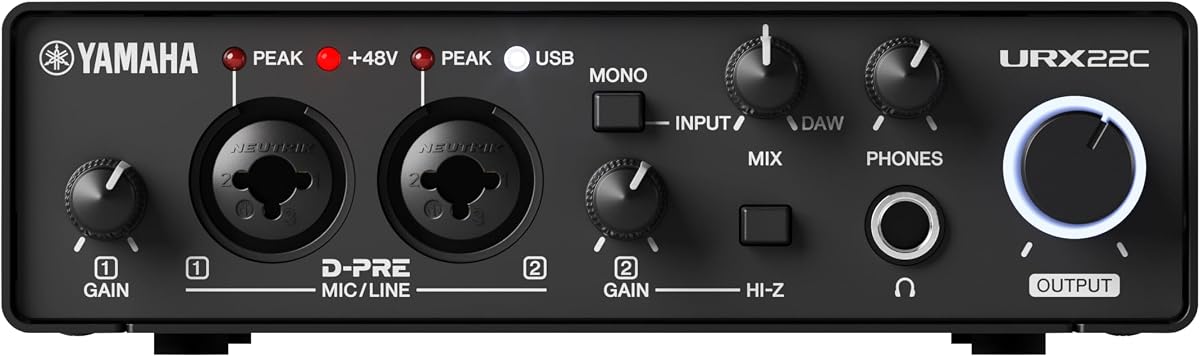
Yamaha URX22C
4.5Editor score
DSP powered monitoring
REV-X reverb included
Class-A D-PRE preamps
This guide compares the top audio interfaces with built in dsp for low latency recording and monitoring across budget, mid, and premium price ranges.
Choosing an audio interface with built in dsp ensures you can process effects during recording without taxing your computer. This feature is vital for live performance and real-time monitoring needs.
We compared ten leading models based on their dsp capabilities, input quality, and software ecosystems. Our analysis highlights how each unit handles latency and signal processing tasks.
Each pick below shows specific strengths for different workflows. Keep in mind that prices change frequently, so verify current deals before making your final purchase decision.
4.5Editor score
4.7Editor score

4.0Editor score
The following table provides a side-by-side comparison of all ten selected audio interfaces with built in dsp capabilities to help you identify the right model.


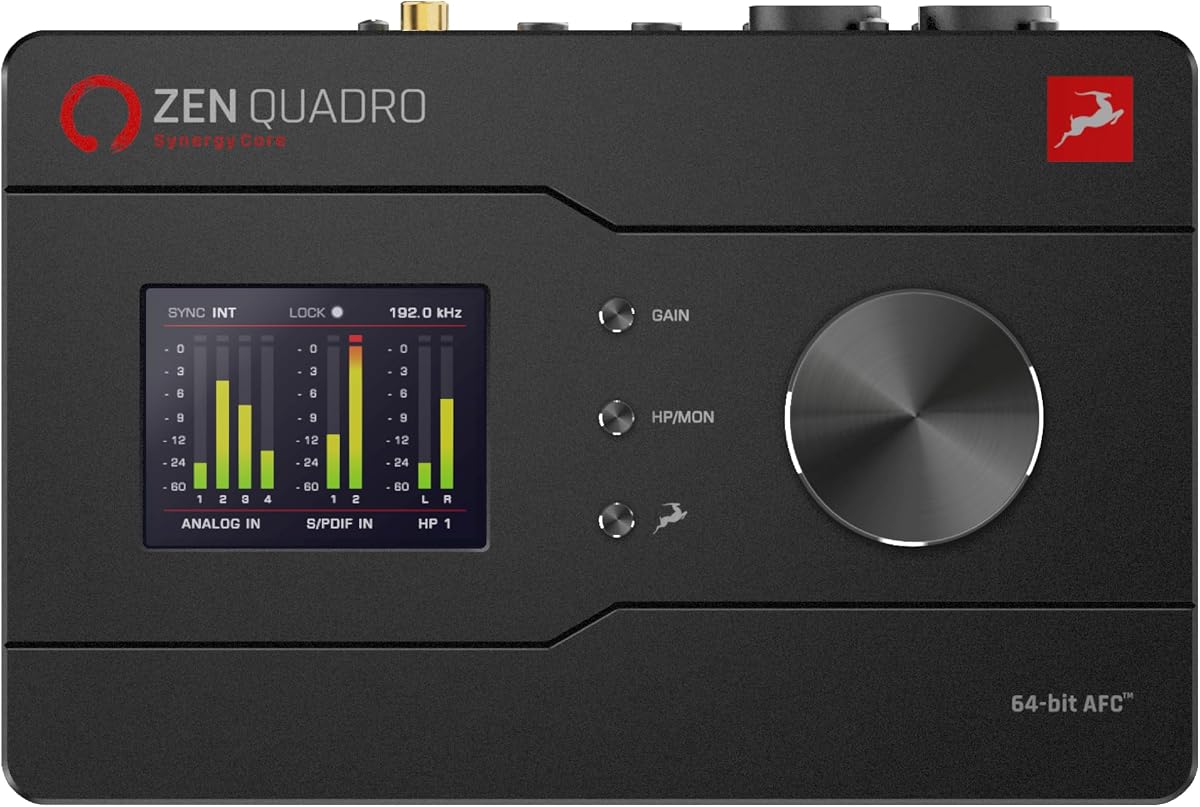
The Antelope Audio Zen Quadro offers a powerful DSP ecosystem for serious creators. It ranks high due to its Synergy Core technology which allows real-time effects without CPU load.
We may earn a commission when you buy through this link, at no additional cost to you.
Its four discrete preamps deliver clean gain and its clocking ensures precise conversion. The dual USB-C ports support flexible connectivity for phones or multiple computers.
While the price is high, the sound quality justifies the investment. The complexity of the software might require some time to learn fully.
This unit is ideal for engineers needing portable yet professional processing. It stands out for those prioritizing latency-free monitoring.
Synergy Core hardware processes effects directly on the device ensuring zero latency during tracking sessions.
The 64-bit AFC clocking provides ultra-precise timing for high-resolution audio conversion globally.
We may earn a commission when you buy through this link, at no additional cost to you.
Universal Audio is known for its high-quality emulations and the Apollo Twin X QUAD is no exception. It provides access to over 200 UAD plugins directly.
We may earn a commission when you buy through this link, at no additional cost to you.
Unison preamps simulate hardware gear perfectly during recording. The Thunderbolt 3 interface ensures fast data transfer with minimal system lag.
The high price is a barrier for many users. Thunderbolt compatibility limits it to newer machines unless adapters are used.
This interface is perfect for studio professionals using UAD tools. It offers unmatched sound quality for those who can afford it.
Unison technology allows you to load hardware emulations that interact with the preamp impedance in real-time.
Sonarworks integration helps you mix accurately in any room by correcting your monitor response curve.
We may earn a commission when you buy through this link, at no additional cost to you.
The Apollo Twin X DUO brings premium UAD power to a slightly lower price point. It retains the core features of the QUAD model with fewer inputs.
We may earn a commission when you buy through this link, at no additional cost to you.
It provides excellent sound quality and the same plugin access. Bass management tools help you integrate subwoofers into your mix accurately.
Thunderbolt ports remain a requirement which limits older Macs. The lack of extra inputs may constrain larger session needs.
This is a top pick for solo artists needing high quality. It balances performance and cost effectively for advanced home studios.
Dedicated bass management lets you route low frequencies to a subwoofer for more accurate monitoring.
Apollo's conversion technology delivers wide dynamic range and low distortion for professional recordings.
We may earn a commission when you buy through this link, at no additional cost to you.
Zenith 2 focuses heavily on vocal and streaming workflows with robust DSP features. Its Smart Vocal Chain handles EQ and compression instantly without software.
We may earn a commission when you buy through this link, at no additional cost to you.
Dual headphone outputs allow independent monitoring for hosts and guests. The loopback feature simplifies capturing system audio for streams.
It has fewer inputs than larger interfaces which limits band recording. Software is optional but recommended for full control.
This is the best pick for podcasters and streamers. It simplifies audio production with powerful onboard tools.
Built-in loopback and dual headphone mixes make live broadcast production seamless and flexible.
A vibrant display and sliders offer intuitive control over levels and DSP settings without a computer.
We may earn a commission when you buy through this link, at no additional cost to you.
The Yamaha URX22C offers incredible value with its DSP-powered monitoring suite. It includes reverb and compression that run off the interface.
We may earn a commission when you buy through this link, at no additional cost to you.
Its metal housing ensures durability and the Class-A preamps deliver clean sound. The high sample rate support caters to modern workflows.
Output options are limited compared to larger models. The software suite is good but not as extensive as others.
This unit is perfect for beginners needing DSP. It balances cost and performance effectively for home recording.
Class-A D-PRE preamps use discrete transistors for high fidelity sound with low noise.
REV-X reverb and Channel Strip DSP effects provide high quality processing without CPU usage.
We may earn a commission when you buy through this link, at no additional cost to you.
Zenith 2 shines in mobility with its bus powered design and compact size. It handles vocal chains and guitar effects efficiently.
We may earn a commission when you buy through this link, at no additional cost to you.
The Smart Vocal Chain offers instant vocal shaping and guitar rig simulations are zero latency. Dual headphone outputs allow flexible monitoring.
It is not designed for large multi-channel sessions. Some features require software to fully customize settings.
This is ideal for mobile creators needing DSP. It brings studio processing to portable setups seamlessly.
Hi-Z inputs combined with DSP amps make this a complete virtual guitar rig for recording.
All DSP settings can be adjusted directly on the device without a connected computer.
We may earn a commission when you buy through this link, at no additional cost to you.
The SSL 2 MKII Plus delivers professional sound with Legacy 4K analog enhancement. It provides zero-latency monitoring through direct paths.
We may earn a commission when you buy through this link, at no additional cost to you.
It supports 32-bit/192 kHz recording ensuring high resolution. The SSL Production Pack offers essential plugins for creators.
This unit lacks dedicated DSP for effects processing. It relies on host plugins for heavy signal chain shaping.
This is best for those prioritizing analog conversion quality. It offers classic sound in a modern interface.
Switching on 4K adds character to your signal with high-frequency boost and compression.
Direct monitor path ensures zero delay for tracking without DSP effects.
We may earn a commission when you buy through this link, at no additional cost to you.
Yamaha URX22 B features a touchscreen for intuitive DSP control. It includes built-in DSP for latency-free monitoring and effects processing.
We may earn a commission when you buy through this link, at no additional cost to you.
Dual USB-C ports allow streaming to two devices easily. The preamps provide clean gain for vocal and instrument recording.
The software bundle is functional but not extensive. Output options are limited to stereo main mixes.
This is perfect for tech-savvy creators. The touchscreen simplifies DSP adjustments significantly.
A 4.3 inch screen allows direct manipulation of parameters without navigating menus.
Two USB-C ports support multi-stream audio routing between different devices easily.
We may earn a commission when you buy through this link, at no additional cost to you.
The MOTU UltraLite-mk5 offers massive input capabilities with robust DSP mixing. You can create separate mixes for each output pair effortlessly.
We may earn a commission when you buy through this link, at no additional cost to you.
Its CueMix 5 app lets you manage effects and routing with precision. The OLED display provides clear metering for all channels.
USB 2.0 might bottleneck some users. The software learning curve can be steep for beginners.
This unit is ideal for live recording sessions. It provides flexible DSP mixing for multiple performers.
Six separate mix busses allow you to customize headphone mixes for every performer individually.
Apply EQ and dynamics processing directly via DSP to preserve CPU resources.
We may earn a commission when you buy through this link, at no additional cost to you.
Elgato Wave XLR MK.2 focuses on voice clarity with its DSP effects. It features compression EQ and a voice enhancer for instant improvements.
We may earn a commission when you buy through this link, at no additional cost to you.
Wave Link software unifies DSP effects with VST plugins. The touch controls and LED lighting provide immediate visual feedback.
It lacks instrument inputs for guitar. High gain might be too much for quiet mics without careful tuning.
This is a top pick for streamers. It simplifies vocal processing significantly.
Built-in DSP effects like compressor and EQ make vocals sound professional instantly.
Customizable LEDs show audio levels and status clearly during live broadcasts.
We may earn a commission when you buy through this link, at no additional cost to you.
Choosing an interface with built in dsp requires analyzing processing power and input options to match your workflow needs.
DSP chips handle effects without taxing your computer CPU. Look for units with FPGA or dedicated DSP chips for zero latency tracking.
Ensure the unit supports enough simultaneous plugins for your specific project needs.
Determine how many channels you need for microphones and instruments. More inputs allow for recording bands simultaneously.
Check for expandability via ADAT or Thunderbolt to future-proof your setup.
Most DSP units come with companion software for mixing and routing. This software should be stable and offer intuitive controls.
Evaluate if the included plugin library adds value to your production workflow.
Thunderbolt and USB-C are standard for high-speed data transfer. Ensure your computer supports the interface connection type.
Bus-powered options offer portability but may require more power than older USB models.
DSP is only half the equation. High quality preamps ensure your raw signal is clean before processing occurs.
Look for high gain ranges and low noise floor specifications for professional recordings.
Built in dsp enables separate monitor mixes for talent and engineers. Check for multiple headphone outputs or speaker switching.
Features like speaker calibration help ensure accurate mixing in different rooms.
Entry DSP interfaces cost less but have fewer features. Premium units offer better sound and more processing power.
Weigh the cost of the interface against the savings in computer hardware and software licenses.
Physical controls like knobs and displays make DSP adjustment faster. Software-only controls can be slower during live sessions.
Choose a unit that fits your physical workflow preferences for optimal speed.
Start by updating the firmware on your device to ensure stable DSP processing and avoid bugs during recording sessions.
Use the companion software to route inputs and apply effects before tracking. Set gain levels carefully to avoid distortion before the DSP chain.
Store your interface in a dry environment and avoid extreme temperatures to protect sensitive DSP chips and connectors over time.
Built-in DSP allows you to apply effects like EQ and compression during recording without latency. It removes the processing load from your computer CPU ensuring smoother performance.
Not necessarily. Because DSP handles effects on the device your computer does not need to run heavy VST plugins. This allows older machines to handle complex sessions easily.
Universal Audio Apollo interfaces typically offer the largest library of DSP plugins. Their UAD ecosystem includes thousands of hardware emulations and processing tools for producers.
Yes. Interfaces like Antelope Zenith 2 and Elgato Wave XLR are designed for streaming. They provide built-in voice effects and loopback for polished audio without extra software.
Most require specific drivers for DSP features to work properly. Some USB-C interfaces work class-compliant but you lose DSP features without installing the manufacturer software.
Some models support iOS via USB-C adapters. Check manufacturer specifications as DSP support may be limited on mobile devices compared to desktop OS environments.
We highlighted ten top models including the Antelope Zen Quadro and Yamaha URX22C for their DSP performance and versatility.
Consider your budget and the number of inputs you need before buying. High-end units offer better plugins while entry models provide essential DSP tools.
Always check current prices and availability before purchasing since deals change frequently. Ensure you select a unit that fits your recording setup.