
Asustor Drivestor 4 Gen 2
4.0Editor score
Realtek Quad-Core 1.7GHz CPU
2.5GbE High-Speed Network
Btrfs Snapshot Protection
This guide compares the top 4 Bay NAS solutions for home and business, evaluating performance, storage capacity, and features to help you choose the right
A 4 Bay NAS offers a powerful way to centralize storage and manage media across your home or small office. These devices provide flexibility for file sharing, backups, and private cloud access without relying on external services.
We evaluated ten leading models based on processing power, networking capabilities, and software ecosystems. Our analysis focuses on real-world performance, ease of use, and the ability to handle demanding tasks like media transcoding and virtualization.
Each selection highlights key strengths and potential trade-offs to guide your decision. Remember that hardware availability and software features can evolve, so verify current specifications before finalizing your purchase to ensure compatibility with your needs.
4.0Editor score

4.6Editor score

4.4Editor score
The following comparison table outlines the core specifications of each reviewed model to help you quickly identify the hardware and feature set that aligns with your specific storage and computing requirements.


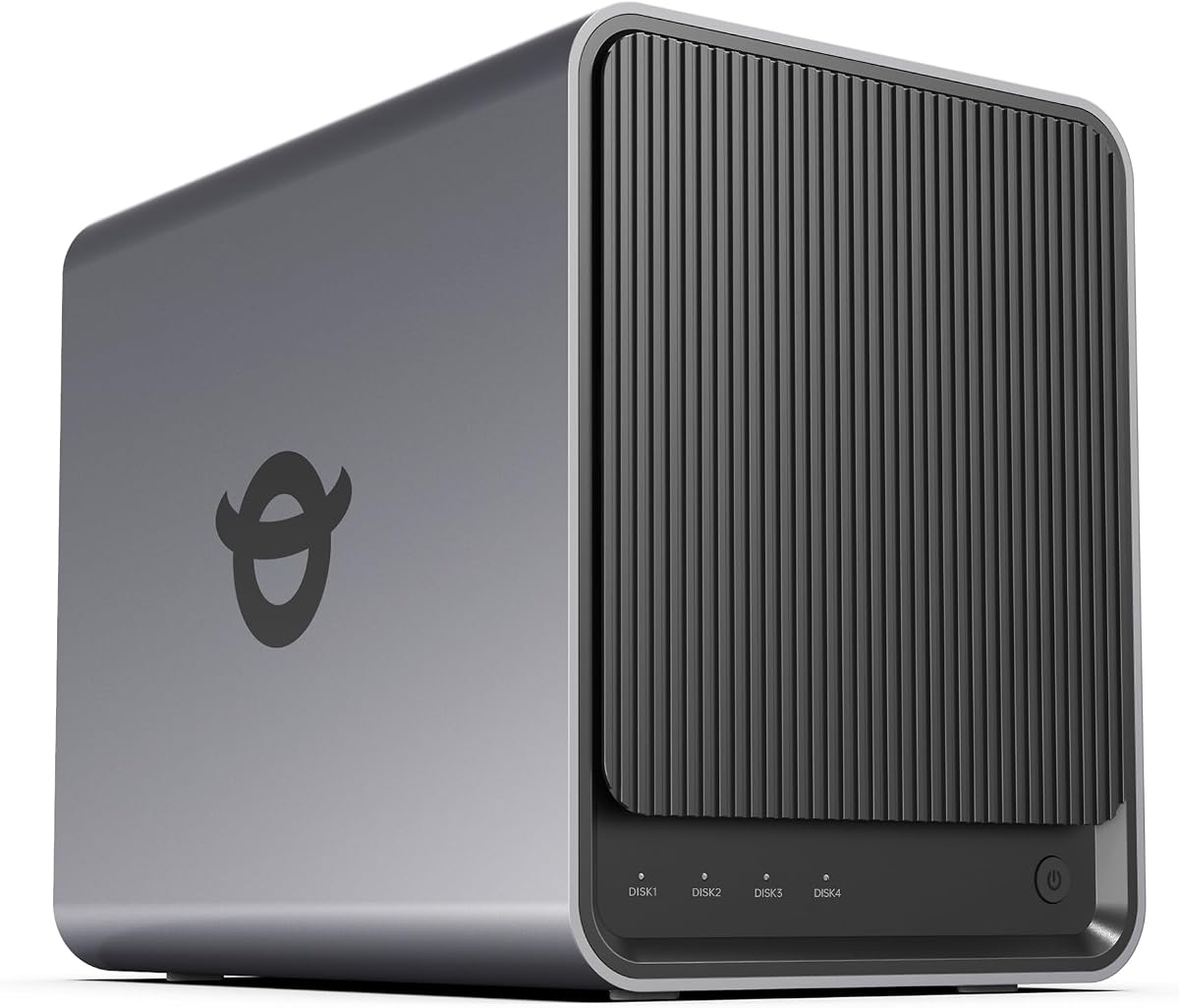

This model stands out as a top contender for users seeking a balance of performance and usability. Its robust hardware allows for smooth multitasking and media transcoding. The software ecosystem is designed to support both novice and advanced users with ease.
We may earn a commission when you buy through this link, at no additional cost to you.
The high-performance processor ensures that tasks like running Docker containers and virtual machines execute without lag. This makes it suitable for small offices or creators needing reliable storage and compute power. The network options support fast file transfers essential for large media files.
While the device offers significant capacity, users must purchase drives separately. This separation adds to the initial setup cost but allows flexibility in choosing drive types and speeds. The AI photo features work well locally, enhancing privacy compared to cloud alternatives.
It is recommended for families and small teams looking to consolidate data and media management. The balance of hardware and software features justifies the investment for those needing more than basic file storage. Prioritize this if you value speed and flexibility.
The AI-powered album organizes photos by recognizing faces and scenes, making it easier to find specific memories without manual tagging. This feature runs locally to protect privacy while offering smart search capabilities.
Support for Docker and virtual machines allows users to host custom applications or smart home hubs directly on the storage device. This flexibility transforms the NAS into a powerful home server beyond simple file sharing.
We may earn a commission when you buy through this link, at no additional cost to you.
This device provides an accessible entry point for users wanting a private cloud without breaking the bank. Its quad-core processor handles daily storage tasks efficiently. The inclusion of 2.5GbE networking makes it faster than many budget alternatives.
We may earn a commission when you buy through this link, at no additional cost to you.
Data protection is a key feature here, with Btrfs snapshots allowing quick recovery from accidental deletions or ransomware attacks. This enterprise-grade protection is valuable for families protecting photos and documents. The 4K media streaming ensures it works well with modern home entertainment setups.
Users should note the 1GB RAM limit may restrict heavy multitasking or running multiple services simultaneously. Upgrading memory might be necessary for advanced usage scenarios. The software interface is functional but may lack the polish of higher-end competitors.
It is an excellent choice for home users prioritizing value and essential features. If you need reliable backup and media sharing without advanced virtualization needs, this model fits well. Check for any firmware updates to ensure the best experience.
Btrfs snapshots and WORM technology protect critical files against accidental deletion or malware. This ensures that important documents and media remain safe without requiring complex backup configurations.
The 2.5GbE port significantly improves transfer speeds compared to standard Gigabit connections. This upgrade allows for smoother media streaming and faster backups within a compatible home network setup.
We may earn a commission when you buy through this link, at no additional cost to you.
This NAS is engineered for demanding workflows requiring maximum performance and flexibility. The Intel Core i3 processor and DDR5 RAM support offer a speed advantage over standard models. It is designed for IT professionals who need to run virtual environments efficiently.
We may earn a commission when you buy through this link, at no additional cost to you.
The hybrid networking options provide both 10GbE and 2.5GbE ports to match various network infrastructures. This ensures users can leverage high-speed connections for rapid data transfers. The security features include granular permissions and certified data protection standards.
While the power is significant, the interface and feature set might be overwhelming for basic users. The local AI processing enhances privacy by keeping photo analysis on the device. This is a strategic investment for teams needing a reliable private cloud.
It is best suited for power users who need a versatile workstation in storage form. If you require VMs and Docker containers without performance bottlenecks, this device delivers. Ensure your network supports 10GbE to fully utilize its capabilities.
Certified for strong privacy and data protection with granular user controls. The Data Vault feature hides and encrypts sensitive files for an added layer of security against unauthorized access.
Dual network ports allow for flexible configurations like link aggregation or dedicated high-speed lanes. This flexibility supports multi-user environments needing consistent high bandwidth for large file transfers.
We may earn a commission when you buy through this link, at no additional cost to you.
This model delivers solid performance for media streaming and home automation tasks. Its Intel processor supports hardware decoding for smooth 4K playback. The design focuses on user convenience with a push-lock drive system.
We may earn a commission when you buy through this link, at no additional cost to you.
The low noise level makes it suitable for bedrooms or living areas where silence is preferred. Mobile app control allows for easy setup and file management without a PC. This feature set appeals to users wanting a quiet media server.
Users might find the default RAM limited for heavy multitasking without upgrades. The software ecosystem is functional but less extensive than competitors. However, it handles standard file storage and media tasks reliably.
It is a good fit for home users prioritizing quiet operation and media playback. If you need a reliable backup for home videos and photos without noise, consider this model. Verify software support for your specific media apps.
Operating at 21dB, this device ensures minimal noise during backups or streaming. This quiet performance allows placement in quiet environments like bedrooms or home offices.
The TNAS Mobile app simplifies setup and synchronization for photos and files. It enables real-time backup and remote access without needing a desktop computer.
We may earn a commission when you buy through this link, at no additional cost to you.
Designed for beginners transitioning from cloud storage, this model simplifies private cloud management. Its high RAM base supports multiple apps without slowdowns. The focus on privacy certifications gives users confidence in data security.
We may earn a commission when you buy through this link, at no additional cost to you.
The magnetic dust cover and intuitive setup reduce physical and mental friction. Users can access files remotely and manage photos through a centralized app. This makes it ideal for families organizing shared media.
Limitations include the lack of virtual machine support which restricts advanced usage. The cost is higher than similar entry-level models but justified by included features. It prioritizes ease of use over raw power.
Choose this if you want a secure and easy-to-manage storage solution. It is best for households needing a private cloud without advanced technical requirements. Ensure your network supports wired connections for optimal performance.
Certified by ETSI EN 303 645 for secure product standards. This ensures the device meets rigorous security requirements to protect your data from unauthorized access.
AI album features organize photos by faces and objects to simplify searching. Duplicate removal helps manage storage space effectively for large media libraries.
We may earn a commission when you buy through this link, at no additional cost to you.
This unit brings business-grade reliability to smaller environments. The DS925+ offers a robust operating system that simplifies file management. Its dual network ports allow for redundancy and faster data transfers.
We may earn a commission when you buy through this link, at no additional cost to you.
The surveillance system supports multiple IP cameras making it a central hub for home security. File and photo management tools are polished and easy to use for non-experts. This makes it suitable for offices needing structured storage.
The price is high compared to consumer alternatives but offers professional features. Expansion options for RAM are limited which might affect heavy virtualization tasks. However, for standard file and media management, it is extremely capable.
It is best for business users needing a reliable and supported solution. If you value stability and a comprehensive feature set, this is a strong choice. Ensure your network matches the 2.5GbE port capabilities.
Granular access controls and audit logs help manage company documents securely. This ensures that client files and media assets are protected with strict permissions.
Support for 30 IP cameras with motion detection creates a unified security system. Footage is stored locally reducing reliance on cloud subscriptions for security monitoring.
We may earn a commission when you buy through this link, at no additional cost to you.
Targeted at creators and tech users this model offers high performance. The AMD Ryzen processor handles backups and Docker apps smoothly. Dual 10GbE ports ensure data transfers are fast enough for professional workflows.
We may earn a commission when you buy through this link, at no additional cost to you.
The Surveillance Center built-in helps manage IP cameras and local footage. An SD card slot allows quick import of photos without external readers. This convenience is valuable for on-the-go content creation and sharing.
Setup may require manual configuration for some apps like Plex which adds complexity. Power consumption is higher due to the robust hardware. However the speed and features are well justified for heavy users.
It is ideal for tech enthusiasts needing a flexible and fast storage solution. If you want a device that handles virtual machines and high bandwidth easily, consider this. Ensure you have compatible networking gear.
Connects to IP cameras to provide live view and event detection directly on the NAS. This keeps footage local and secure without needing third-party cloud subscriptions.
The ability to upgrade to ECC RAM helps detect and correct memory errors during long-term operation. This improves data integrity for critical workloads and servers.
We may earn a commission when you buy through this link, at no additional cost to you.
Designed for small teams this model facilitates efficient file sharing and collaboration. The speed and user support allow multiple people to work simultaneously without delays. It centralizes documents and media for easy access.
We may earn a commission when you buy through this link, at no additional cost to you.
Granular access controls and audit logs ensure data security within a team environment. Snapshot technology protects against accidental loss or corruption. These features make it suitable for businesses needing structured storage.
For individual users the cost might be high compared to simpler options. The focus on team productivity means some features are unused for home use. However it offers robust reliability for shared workspaces.
It is best for small offices needing a reliable shared storage solution. If you prioritize team collaboration and security features, this device is a strong option. Ensure your network can handle concurrent access.
Store client files and media assets with access controls. This creates a single source of truth for documents reducing version confusion.
Combine RAID redundancy with automated backups and snapshots to prevent data loss. This ensures files are safe from hardware failure or human error.
We may earn a commission when you buy through this link, at no additional cost to you.
This NAS offers a balanced mix of affordability and features for home use. The Intel N100 processor handles daily tasks well. The 4K HDMI output allows direct media playback on a television.
We may earn a commission when you buy through this link, at no additional cost to you.
Guided setup via mobile app makes it accessible for first-time users. The aluminum housing helps with cooling during intensive tasks. Third-party OS support provides flexibility for advanced users.
As a newer model software stability might vary depending on updates. Fan noise could be noticeable during heavy file transfers. Overall it offers good value for families needing private storage.
It is best for families looking for a cost-effective private cloud. If you need a simple setup and high capacity, consider this model. Check reviews for latest firmware improvements.
Connect the 4K HDMI output to a TV for direct media playback. This integrates the NAS into a home theater setup without needing a PC.
Supports third-party operating systems like TrueNAS for users wanting different environments. This flexibility allows customization beyond the default OS features.
We may earn a commission when you buy through this link, at no additional cost to you.
Focused on security and backup this model offers robust data protection. Immutable snapshots protect against malware ensuring files are recoverable. It replaces cloud services with local secure access.
We may earn a commission when you buy through this link, at no additional cost to you.
Surveillance support allows monitoring up to 30 cameras directly on the device. File sharing permissions ensure only authorized users access specific folders. This balance is ideal for business and home safety.
Performance for heavy apps may be lower than high-end models. Camera licenses are sold separately adding to the cost. However it excels in reliability and security features.
It is best for users prioritizing data safety and backup strategies. If you need a secure private cloud and video monitoring, consider this model. Check license costs for your camera count.
Immutable snapshots prevent malware from encrypting or deleting your files. This ensures you can restore data to a previous state instantly.
Safely access and share files from anywhere with granular controls. This allows team collaboration without risking data privacy or unauthorized access.
We may earn a commission when you buy through this link, at no additional cost to you.
Selecting the right 4 Bay NAS involves evaluating hardware, software, and your specific storage needs. This guide outlines key factors to consider for a smart purchase.
The processor determines how fast the NAS handles tasks like transcoding and virtualization. Models with quad-core CPUs and at least 4GB RAM perform best for multitasking. Ensure the RAM is expandable for future-proofing your device.
Look for Intel or AMD processors with higher clock speeds for better performance.
Network ports dictate transfer speeds between the NAS and other devices. Standard Gigabit ports may bottleneck large file transfers. Models with 2.5GbE or 10GbE ports offer faster throughput for media and backups.
Choose a device with dual ports for redundancy and aggregated bandwidth.
4 Bay NAS units typically support up to 120TB or more depending on drive size. Check compatibility with HDD and SSD types to maximize space. Some models offer M.2 slots for caching to improve speed.
Prioritize models that support large capacity drives for long-term scalability.
The operating system affects usability and available apps like media servers or cameras. Look for intuitive interfaces with mobile apps for easy management. Active developer support ensures regular security updates and new features.
A robust app ecosystem expands the device beyond simple file storage.
Security features like RAID support and snapshots protect against data loss. Ransomware-resistant backups ensure you can recover files if malware strikes. Encrypted storage adds an extra layer of privacy for sensitive documents.
Always enable multiple layers of protection like RAID and snapshots.
If you stream videos to multiple devices verify hardware transcoding support. This allows the NAS to convert video formats on the fly. Look for support for modern codecs like H.265 for efficiency.
Hardware transcoding reduces CPU load and ensures smooth playback.
Many NAS units include surveillance stations for IP cameras. Check how many cameras are supported and if licenses are included. This centralizes video storage without needing separate cloud subscriptions.
Ensure compatibility with your existing camera brands and protocols.
User-friendly setup tools and mobile apps simplify configuration. Models with guided setup steps save time for beginners. Look for tool-free drive installation for easy maintenance.
A well-designed interface reduces the learning curve for new users.
Begin by installing compatible drives in the drive bays following the tool-free locking mechanism. Connect the NAS to your router via Ethernet and power it on to start the initialization wizard. Set up user accounts and shared folders to organize your data logically.
Regularly update the operating system to maintain security and access new features. Configure automatic backups for your critical files to prevent data loss. Use the mobile app to access files remotely when traveling or at work.
Ensure the device sits in a well-ventilated area to prevent overheating. Monitor drive health via the software dashboard to catch early signs of failure. Clean dust from the vents periodically using compressed air to maintain airflow.
Yes most NAS units are sold diskless meaning you must purchase hard drives separately. This allows you to choose the capacity and type that fit your budget. Always check the compatibility list before buying drives to ensure they work.
Absolutely a 4 Bay NAS acts as your private cloud allowing remote access without relying on third-party services. You can sync files and media across devices securely. This gives you full control over your data and privacy.
Many models support 4K transcoding or direct playback for compatible smart TVs and apps. Check the specific specs for hardware codec support like H.265. This ensures smooth streaming of high-resolution video files.
RAID configurations protect your data by allowing one drive to fail without data loss. The system will alert you to replace the failed drive and rebuild the data. Always maintain backups for critical files beyond just the NAS.
Most modern units offer guided setup wizards that walk you through configuration step by step. Mobile apps often simplify initialization without needing a PC. Users without technical experience can get started quickly.
Yes many models support Docker and app stores for running services like media servers or home automation. This turns the NAS into a versatile server beyond file storage. Check the app ecosystem for your specific needs.
We have reviewed ten top 4 Bay NAS solutions ranging from budget-friendly options to premium powerhouses. Each model offers unique strengths in performance software and storage capacity to suit different needs.
Prioritize performance and networking if you plan on running virtual machines or storing massive media libraries. For basic backup and sharing focus on ease of use and data protection features.
Prices and availability fluctuate so verify current details on Amazon before purchasing. This ensures you get the best value and the latest hardware revisions for your investment.