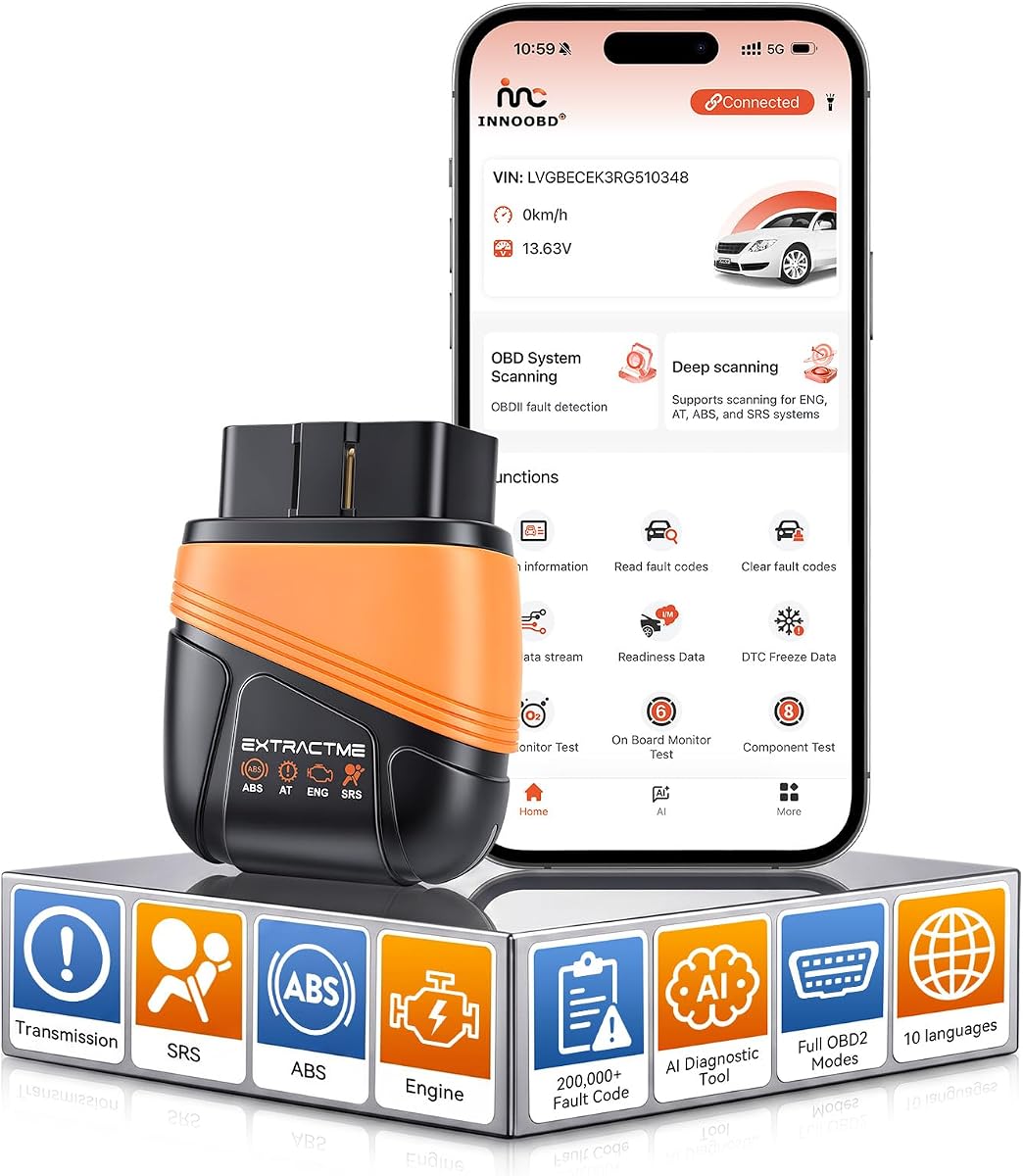
EXTRACTME OBD2 Scanner Bluetooth with AI Assistant
4.6Editor score
Affordable price
AI diagnostic assistant
Bluetooth 5.1
Compare the top 10 AI OBD2 scanners of October 2026 to find the best diagnostic tool for your car with advanced features and AI insights.
Modern vehicles rely on complex electronic systems that require precise diagnostic tools to maintain. AI OBD2 scanners simplify this process by interpreting fault codes and offering actionable repair advice instantly.
We evaluated ten top models based on coverage, AI capabilities, bidirectional control, and ease of use. Our analysis ensures you find a tool that matches your specific vehicle and skill level.
Each pick highlights key strengths and ideal use cases. Prices and availability fluctuate frequently so verify current details before purchasing to ensure you get the best value.
4.6Editor score

4.7Editor score

4.3Editor score
This side-by-side comparison highlights the key specifications and unique selling points of each reviewed AI OBD2 scanner to help you make an informed decision.



The AI OBD2 Scanner Car Code Reader Diagnostic Scan Tool leads our list with its powerful AI mechanic and simple design. It scores a high rating for making complex diagnostics accessible to beginners without compromising on essential features for professionals.
We may earn a commission when you buy through this link, at no additional cost to you.
Its standout feature is the ability to describe car issues in plain English and get instant answers backed by a massive vehicle database. The app simplifies confusing codes and provides clear estimates for repair expenses. It covers Engine, Transmission, ABS, and SRS systems comprehensively.
Users should note that the advanced AI features require an internet connection to function properly. Additionally, it is designed primarily for gasoline vehicles from 1996 onwards which may exclude very old or commercial diesel models.
This tool is ideal for daily drivers who want to avoid shop diagnostic fees. It offers a complete package for home diagnostics with no hidden costs.
Describe problems in plain English to understand the severity and cost of repairs without visiting a shop.
View live data graphs and export polished PDF reports to share directly with your mechanic.
We may earn a commission when you buy through this link, at no additional cost to you.
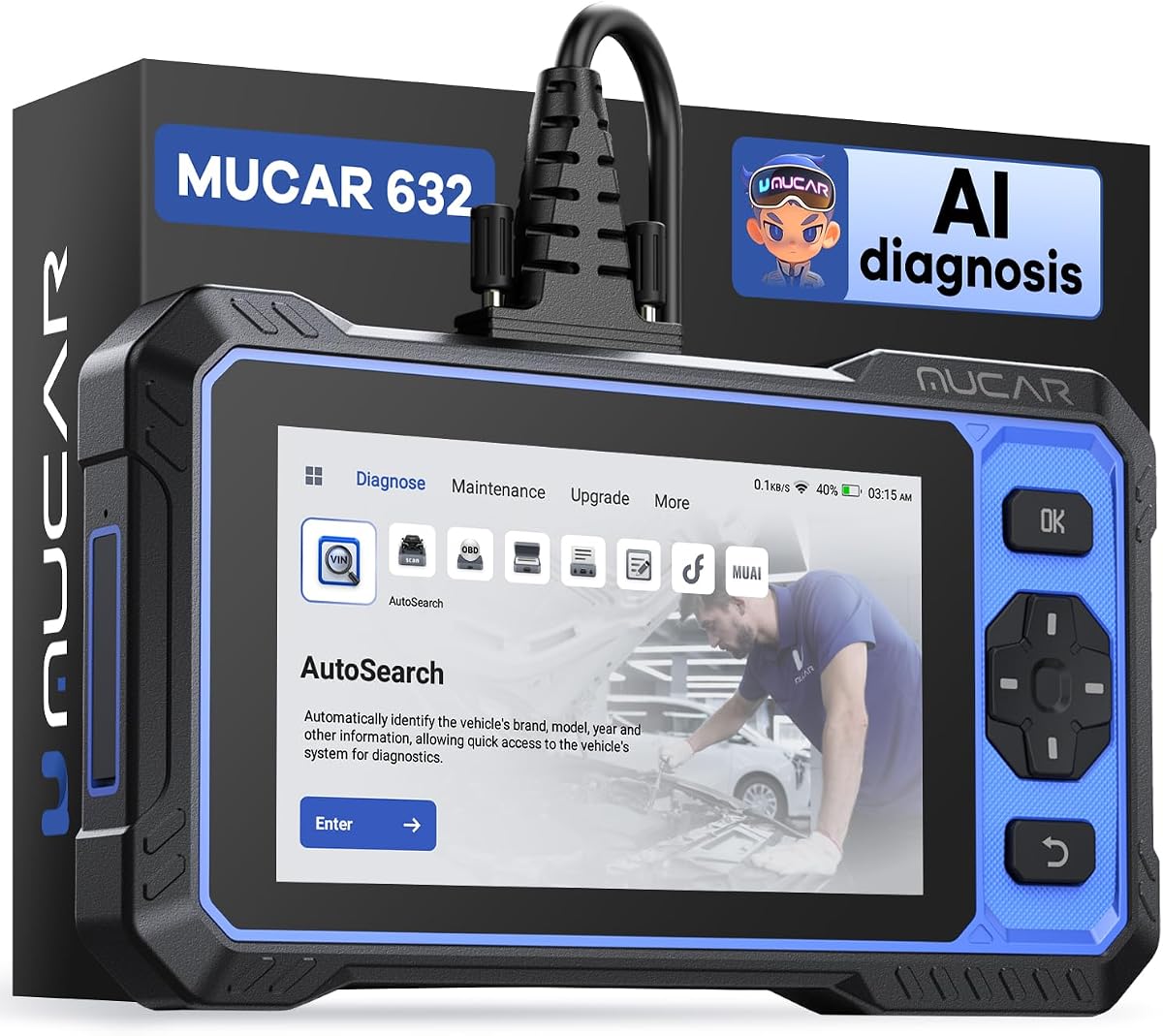
The MUCAR 632 Elite brings a professional touchscreen interface to DIY mechanics. It is praised for its robust hardware and extensive system capabilities that bridge the gap between basic readers and shop equipment.
We may earn a commission when you buy through this link, at no additional cost to you.
The device features a built-in AI system that analyzes fault codes and provides repair suggestions. It supports 15 reset services and bi-directional control allowing you to test actuators. The hardware is powerful with a dedicated chip for fast performance.
It is a standalone tablet so you must charge it separately before use. Also the full features may require account registration for certain manufacturers like FCA which adds a step to setup.
Choose this if you need a standalone device with a screen that does not rely on your phone. It suits users who value a premium interface and frequent updates.
Click on any fault code to get instant AI analysis of its cause and repair suggestions.
Directly interact with vehicle actuators like headlights and brakes to verify repairs on site.
We may earn a commission when you buy through this link, at no additional cost to you.
The MUCAR 892BT is a heavy-duty option for serious technicians and shop owners. It offers the largest display in the group and a powerful quad-core processor ensuring diagnostics run without lag.
We may earn a commission when you buy through this link, at no additional cost to you.
It provides OE-level diagnostics across over 140 brands. The bi-directional controls are robust and the unit supports advanced ECU coding for customization. It is built for high-volume use with a battery optimized for work sessions.
Its main drawback is the high cost and bulk which makes it impractical for casual use. You may not need the level of power it offers if you only scan occasionally.
This model is best for professionals who demand top-tier specs and wide coverage for a diverse fleet or shop environment.
An 8-inch display with quad-core processor delivers fast responsive diagnostics even for busy days.
Reflash and customize vehicle control modules to match your preferences or elevate standard settings.
We may earn a commission when you buy through this link, at no additional cost to you.
The EXTRACTME OBD2 Scanner proves you do not need to spend a lot to get reliable diagnostics. It offers an incredible balance of price and performance making it the top pick for budget conscious buyers.
We may earn a commission when you buy through this link, at no additional cost to you.
It features an AI Intelligent Diagnostic Assistant that analyzes fault codes and provides possible causes. The device uses Bluetooth 5.1 for stable connection and works with most modern cars. It is compact and durable enough for daily use.
The trade-off is that it lacks bi-directional controls for advanced testing. It is strictly a read and clear tool with a focus on simplifying basic diagnostic tasks for owners.
Perfect for casual users who want to turn off check engine lights and monitor data without monthly fees.
After pairing all professional diagnostic functions are permanently unlocked with no in app purchases.
LED indicators show red for power blue for connection to monitor status at a glance.
We may earn a commission when you buy through this link, at no additional cost to you.
The TOPDON TopScan Lite brings powerful features to a light package. It is known for its TopFix AI which simplifies complex repairs by providing clear step by step solutions.
We may earn a commission when you buy through this link, at no additional cost to you.
It scans all systems and offers eight hot resets like oil and throttle. You can send commands to test injectors and fans to locate faults quickly. It supports standard protocols and gateway unlock options for specific brands.
Advanced features like bi-directional control require a subscription after the first year. While core diagnostics remain free users must weigh the cost if they need full access permanently.
Ideal for users who want an entry level tool with room to grow into advanced features later.
Leverages repair database to deliver step by step solutions and full repair log.
Turn your phone into a professional tool by sending commands to the ECU to test components.
We may earn a commission when you buy through this link, at no additional cost to you.
The TOPDON TopScan Pro is a solid step up from the Lite model offering more service functions and a stronger repair database. It is designed for users who need professional level features but prefer mobile diagnostics.
We may earn a commission when you buy through this link, at no additional cost to you.
It includes TopFix AI to deliver actionable repair solutions. The scanner supports CAN-FD and provides fifteen service resets for routine maintenance. It is fully wireless and compatible with both iOS and Android apps.
Like the Lite version advanced features rely on a yearly subscription after the first year. It is a strong tool but check the costs before committing to ensure it fits your budget.
Best for tech-savvy users who want detailed repair guidance and flexible service capabilities.
Includes DTC Repair Guides and TSBs so you can diagnose faster with trusted info.
Handle routine maintenance with speed using 13 service functions like Oil and EPB resets.
We may earn a commission when you buy through this link, at no additional cost to you.
The TOPDON Topscan Master is the top mobile option in the TOPDON lineup. It offers the most service functions and protocol support making it a versatile tool for modern vehicles.
We may earn a commission when you buy through this link, at no additional cost to you.
It features over 30 maintenance functions and supports DoIP for fast communication. The TopFix AI assistant helps interpret complex codes and provides repair steps. It covers over 120 global brands.
The main limitation is the subscription model for continued access to updates and advanced features. If you are looking for a fully free tool this may not be the right choice.
Suitable for frequent users who need extensive reset capabilities and modern protocol support.
Equipped with CAN FD and DoIP to handle modern vehicles like GM and BMW.
Built-in repair resources put DTC guides and wiring diagrams right at your fingertips.
We may earn a commission when you buy through this link, at no additional cost to you.
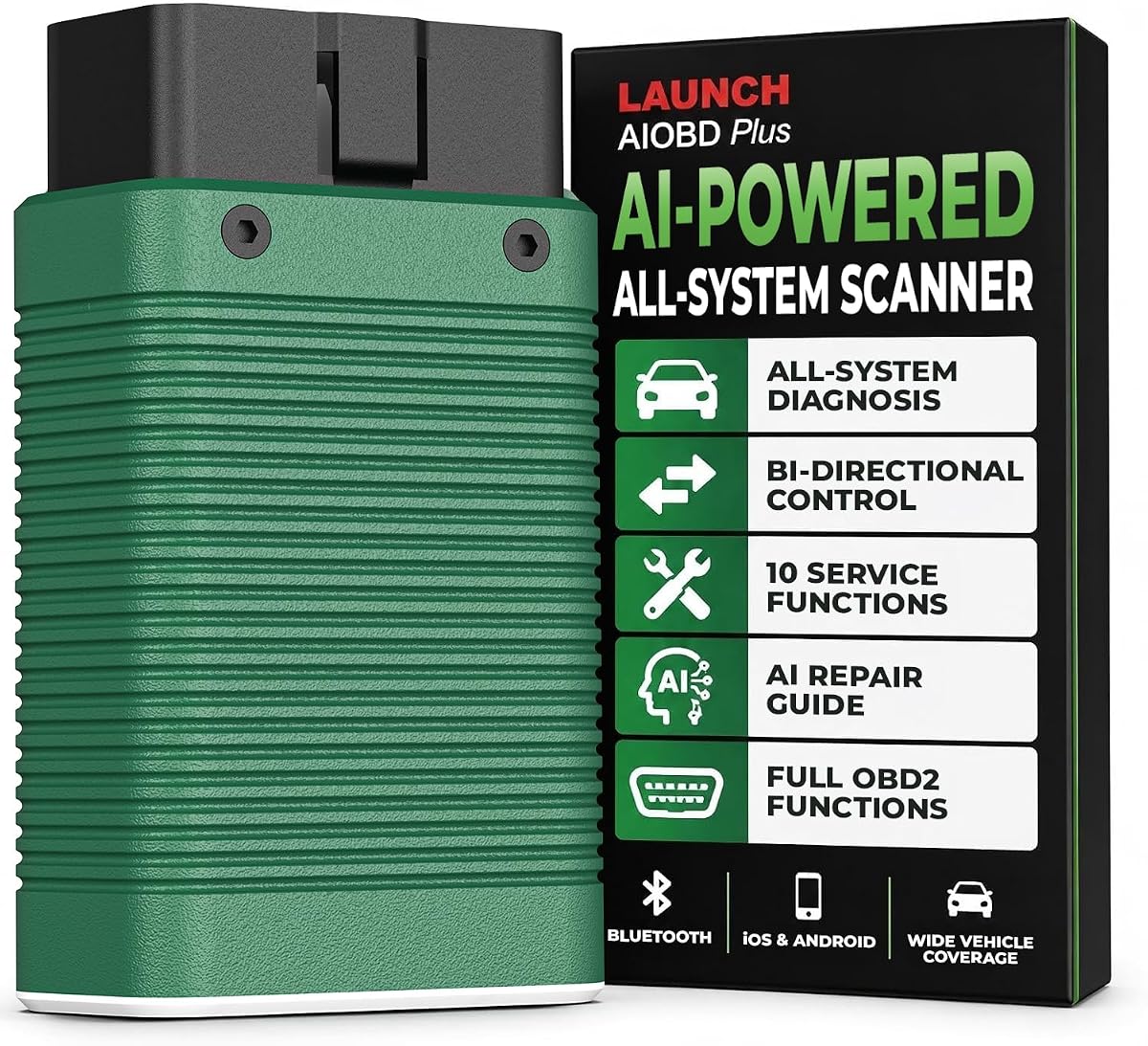
The LAUNCH AIOBD Plus stands out for its excellent US-based support team. It is a reliable mobile scanner that offers full system diagnostics and a user-friendly AI assistant.
We may earn a commission when you buy through this link, at no additional cost to you.
It supports VAG Guided Functions for Audi and VW owners which simplifies adaptation steps. The bi-directional control allows you to test pumps and fans. It is robust and handles most standard tasks easily.
While the basic app is free many advanced tools require a subscription to remain updated. Users should check the renewal rates to ensure long-term satisfaction with the tool.
A great choice for owners of European vehicles or those who prefer local customer service.
Skip complicated channel codes with simplified step by step instructions on-screen.
Analyzes fault codes and offers probable root-cause solutions in seconds.
We may earn a commission when you buy through this link, at no additional cost to you.
This OBD2 Scanner Diagnostic Tool offers a unique value proposition with its simultaneous system scan and repair budget estimates. It is a solid contender for users who want quick and actionable data.
We may earn a commission when you buy through this link, at no additional cost to you.
It scans all four major systems in ten seconds and interprets fault codes against a massive library. The on-board parts and labor library helps you estimate costs locally. It requires no subscription for updates.
The device lacks bi-directional testing capabilities so it is limited to reading and reporting. It is a passive tool that focuses on diagnosis and cost analysis rather than active repair.
Perfect for buyers who want to know the cost of a fix before they start working.
Runs a simultaneous sweep of Engine ABS SRS and Transmission finishing in about 10 seconds.
Turns diagnosis into a realistic repair budget so you can reject unnecessary charges.
We may earn a commission when you buy through this link, at no additional cost to you.
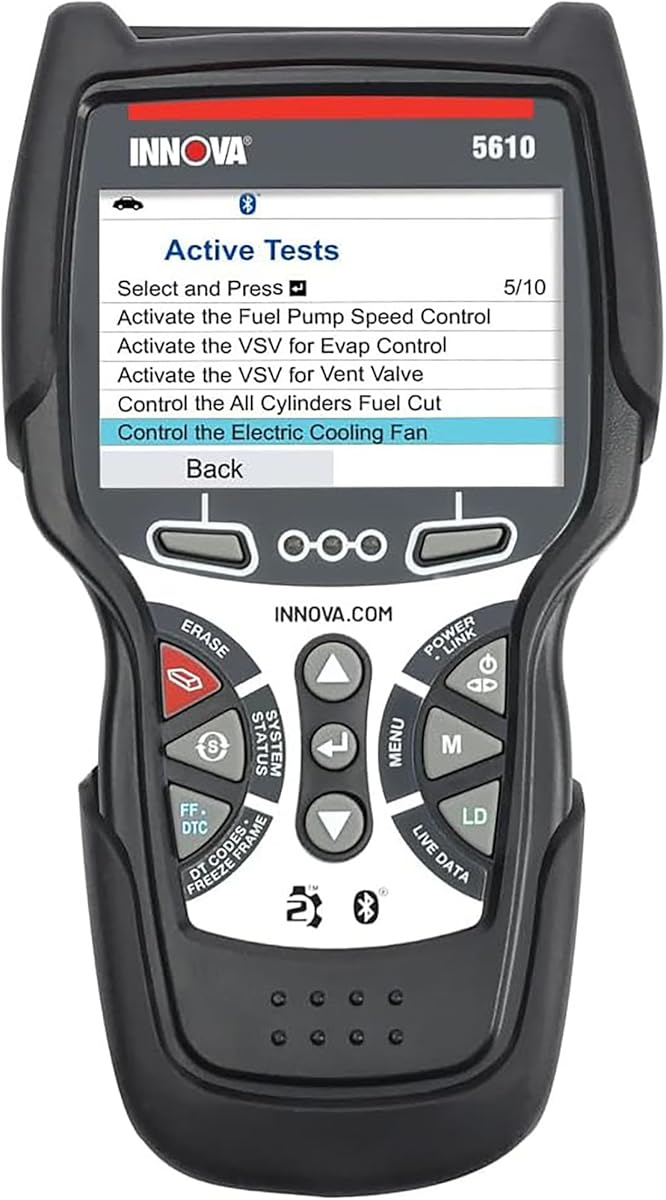
The Innova 5610 is a classic choice known for its reliability and robust support team. It offers a physical handheld unit which some users prefer over phone-based solutions.
We may earn a commission when you buy through this link, at no additional cost to you.
It provides enhanced data streams and special reset functions. The free RepairSolutions2 app adds significant value with repair guides. It is backed by ASE-certified technical support.
It is priced higher than many competitors but offers a standalone experience with lifetime updates. Check vehicle compatibility carefully as it does not cover all brands equally.
Best for those who value a proven brand and want a device that does not rely on their phone battery.
Use the Enhanced Data Stream to view live data for advanced systems like ABS and SRS.
Pairs with the app trusted by millions for wireless functionality and repair guides.
We may earn a commission when you buy through this link, at no additional cost to you.
Choosing the right AI OBD2 scanner involves evaluating several key factors that match your vehicle needs and budget constraints.
Ensure the scanner covers all vehicle systems you need to diagnose including Engine Transmission ABS and SRS. Full system scanners provide a more complete picture of vehicle health than engine-only readers.
Look for tools that explicitly state they support at least four systems for reliable diagnostics.
AI features should provide clear plain English explanations for fault codes and offer actionable repair suggestions. A good AI assistant helps you understand the severity of issues without needing to interpret raw data.
Prioritize models with built-in AI mechanics or assistants that link codes to repair steps.
Decide between handheld units and Bluetooth adapters based on your preference for portability. Bluetooth adapters work with your phone for a larger screen while handhelds are self-contained and often more robust.
Choose Bluetooth for convenience and handheld for independence from phone battery issues.
Check if the scanner requires a subscription for updates or features. Many tools offer core functions for free but charge for advanced features like live data or bi-directional control.
Select models with one-time purchase options to avoid ongoing costs over the long term.
Verify that the manufacturer provides regular software updates to support new car models. Tools with free lifetime updates ensure your device remains relevant as vehicles evolve.
Avoid scanners that limit updates to a few years or charge extra for firmware patches.
Advanced users may need bidirectional control to actively test vehicle components. This feature allows you to turn on pumps or fans to pinpoint faults without disassembly.
This feature is essential for serious troubleshooting but unnecessary for basic code reading.
Look for tools that offer reset services for oil EPB and throttle if you perform maintenance regularly. These features let you clear maintenance warnings after repairs.
Count the number of resets available to ensure it meets your maintenance schedule.
Start by connecting the scanner to your vehicle's OBD2 port usually found under the steering column. Turn the ignition to the on position without starting the engine to power the tool.
Follow the app or device prompts to scan for trouble codes and view live data. Use the AI features to interpret the codes and decide on next steps for repair.
After repairs clear the codes and perform a test drive to confirm the issue is resolved. Keep the device stored in a cool dry place to protect electronics from damage.
An AI OBD2 scanner is a diagnostic tool that uses artificial intelligence to interpret fault codes and provide repair advice. It simplifies complex data into plain English explanations.
Many tools offer one-time purchase options with no subscription fees. However some advanced features may require optional plans. Check the model details before buying.
Most scanners work with vehicles from 1996 onwards that support OBD2 protocols. Coverage varies by brand and model so check compatibility lists before purchase.
Bidirectional control is necessary for testing components like fans and pumps. It is optional for basic code reading but useful for advanced troubleshooting.
Update the software whenever new versions are available to ensure coverage for new cars. Some tools update automatically while others require manual downloads.
Yes you can clear codes to turn off the check engine light. However the light may return if the underlying issue is not fixed.
We have reviewed ten top options ranging from budget adapters to professional tablets. Each tool offers unique benefits for different needs and budgets.
Prioritize features like AI support and system coverage when choosing your scanner to ensure you get the most value for your money.
Prices and stock change regularly so verify the current details before finalizing your purchase to get the best deal.