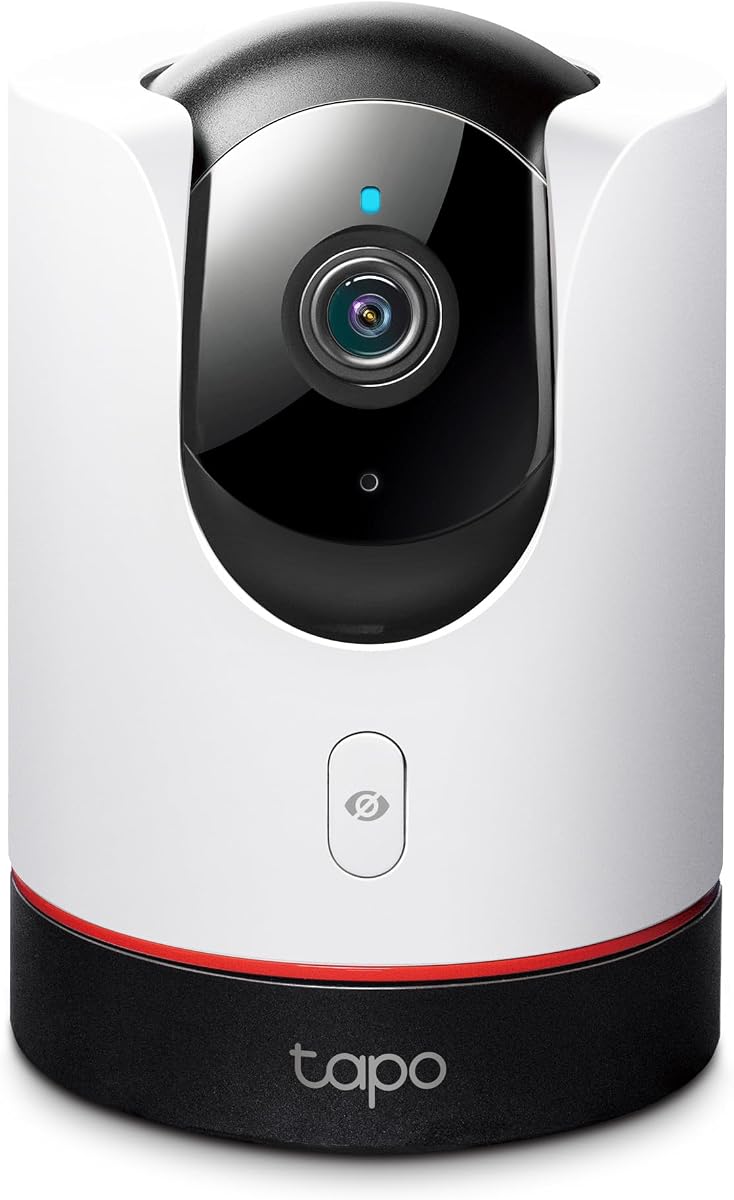
TP-Link Tapo 2K+ Pan/Tilt Security Camera C225
4.5Editor score
Affordable 2K+ resolution
360 degree pan tilt
Physical privacy mode
Discover the top Apple Homekit Security Cameras compared by resolution, AI detection, and privacy features to secure your home with seamless iPhone integration.
Securing your home with Apple Homekit Security Cameras ensures seamless integration with your devices while maintaining strong privacy standards for all users.
We compared ten top models based on video quality, AI detection, storage options, and HomeKit Secure Video compatibility to find the best options for every need.
Each pick highlights key strengths and trade-offs to help you choose quickly. Note that prices and availability change often, so check current listings before buying.
4.5Editor score
4.2Editor score
4.3Editor score
This side-by-side comparison reviews all ten models across key specs like resolution, field of view, smart features, and storage methods to help you decide.



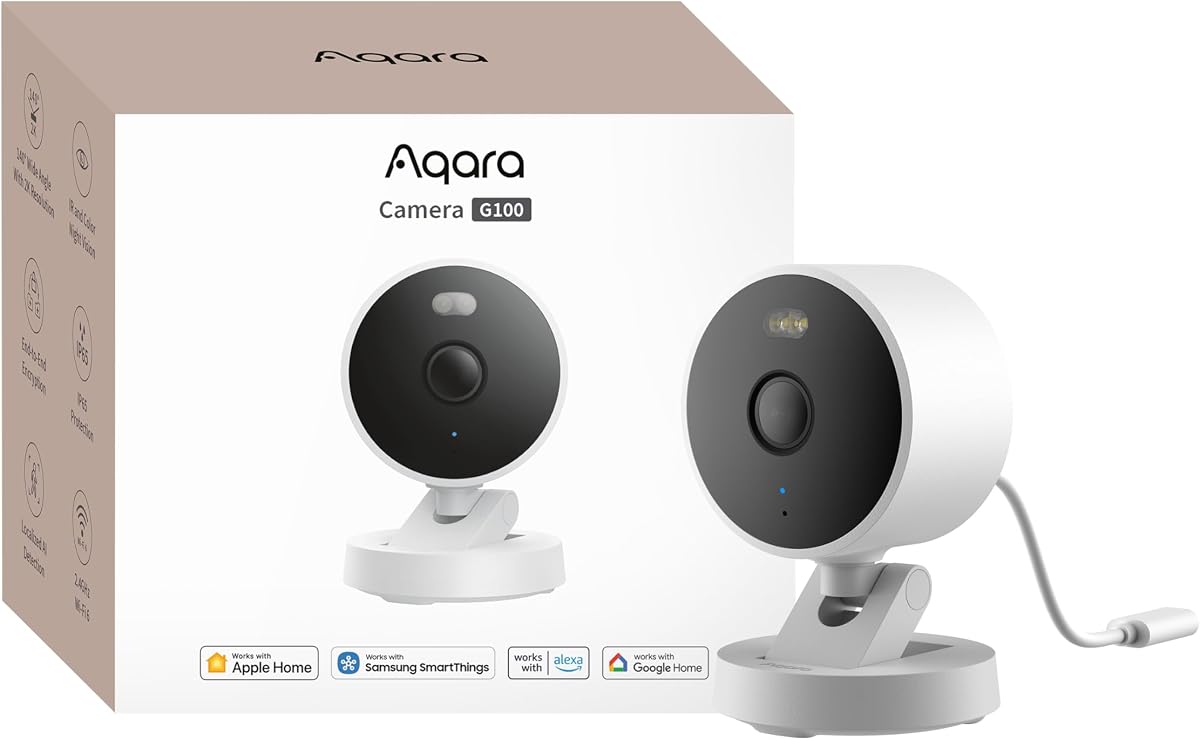
The Aqara G100 offers a compelling blend of indoor and outdoor surveillance with 2K clarity and HomeKit Secure Video integration for Apple users seeking flexibility.
We may earn a commission when you buy through this link, at no additional cost to you.
Its 2304 by 1296 resolution captures fine details while the 140-degree field of view covers broad areas. Dual night vision modes ensure visibility even in darkness.
Although both spotlight and IR modes must be enabled manually via the app, this gives users precise control over privacy and power usage at night.
This camera is ideal for homeowners wanting a single versatile device that bridges both environments while maintaining privacy through local and cloud AI processing options.
Choose between color spotlight for deterrence or covert IR lighting depending on your privacy preferences and security needs.
Record locally to microSD or NAS or opt for encrypted cloud storage with HomeGuardian subscription for comprehensive protection and access.
We may earn a commission when you buy through this link, at no additional cost to you.
The Eve Cam is designed exclusively for Apple HomeKit Secure Video ensuring end-to-end encryption and local data analysis for maximum privacy awareness.
We may earn a commission when you buy through this link, at no additional cost to you.
It delivers instant notifications and distinguishes between people and pets while deactivating when someone is home to reduce false alerts and preserve privacy.
Users must have a Home hub and iCloud+ subscription though local processing keeps your personal data secure and under your control at all times.
This camera is best suited for Apple loyalists who prioritize privacy above all else and want a seamless indoor monitoring experience within the Home app.
Video analysis happens securely within your home network ensuring no personal data leaves your device unless you choose to share it.
Integrates with other Eve accessories to create robust automation scenarios based on presence and motion detection inside your home.
We may earn a commission when you buy through this link, at no additional cost to you.
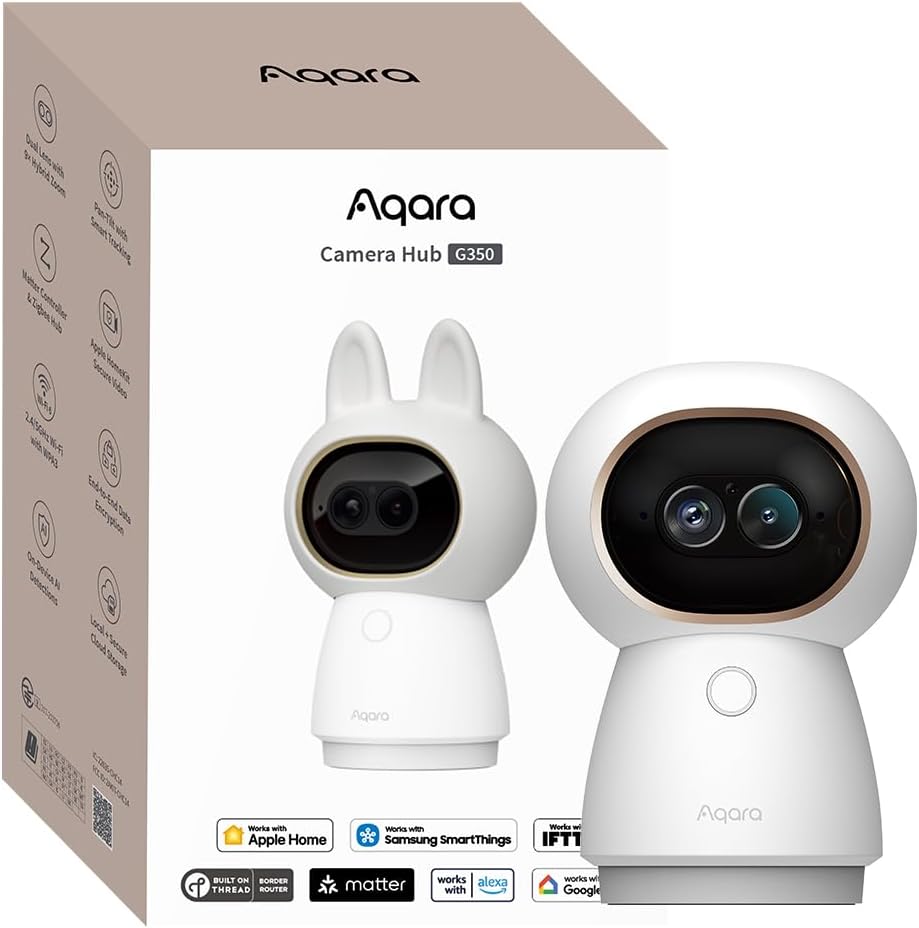
The Aqara G350 delivers unmatched detail with its dual-lens system combining 4K wide and 2.5K telephoto lenses for flexible viewing and close-up inspection.
We may earn a commission when you buy through this link, at no additional cost to you.
Its AI auto-tracking follows subjects smoothly while 360-degree pan and tilt ensures no corner goes unnoticed. Local AI recognizes faces pets and even gestures.
Advanced features like close-up tracking slow pan speeds when zooming to keep framing stable though some settings require configuration via the Aqara Home app.
This premium model is perfect for users wanting high-resolution surveillance with advanced smart features and a bridge to integrate with Matter devices easily.
Switch seamlessly between wide-angle views and detailed telephoto zooms to capture both context and fine details effectively.
Control automation with simple hand gestures like waving or showing an OK sign for touch-free interactions with your smart home.
We may earn a commission when you buy through this link, at no additional cost to you.
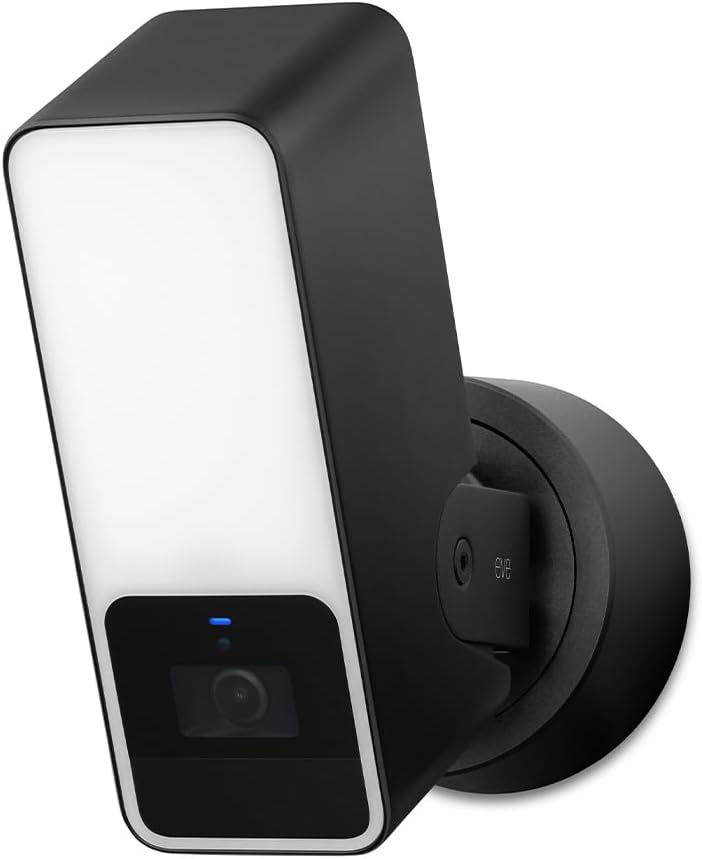
The Eve Outdoor Cam merges a security camera with a powerful floodlight offering 157-degree coverage and motion-activated illumination to deter intruders effectively.
We may earn a commission when you buy through this link, at no additional cost to you.
Built for privacy it uses end-to-end encryption and local processing without cloud dependency. It distinguishes people pets vehicles and packages for smart alerts.
Installation requires both a neutral and ground wire which may limit some setups but ensures reliable power for the dimmable floodlight and camera.
Homeowners seeking a secure outdoor solution with integrated lighting and robust HomeKit support should consider this model despite higher installation requirements.
The sensor activates the floodlight upon motion detection enhancing visibility and acting as a strong visual deterrent for potential intruders.
Data remains local with no registration or tracking ensuring your footage stays private and secure within your home network.
We may earn a commission when you buy through this link, at no additional cost to you.
The TP-Link Tapo C225 is a budget-friendly indoor camera offering 2K QHD resolution and full 360-degree pan and tilt for comprehensive room coverage.
We may earn a commission when you buy through this link, at no additional cost to you.
Its large F1.6 aperture gathers light effectively while the starlight sensor enhances night vision clarity without needing additional illumination in dark spaces.
An innovative physical privacy mode mechanically blocks the lens ensuring total visual privacy when you want it without relying on software toggles only.
This model is ideal for those wanting high-quality indoor monitoring without high costs though it lacks full HomeKit Secure Video integration compared to others.
Recognized for design excellence in 2022 this camera balances aesthetics and function seamlessly into modern home interiors and decor.
Advanced AI identifies people pets and vehicles accurately while recognizing abnormal sounds like crying for timely alerts and monitoring.
We may earn a commission when you buy through this link, at no additional cost to you.
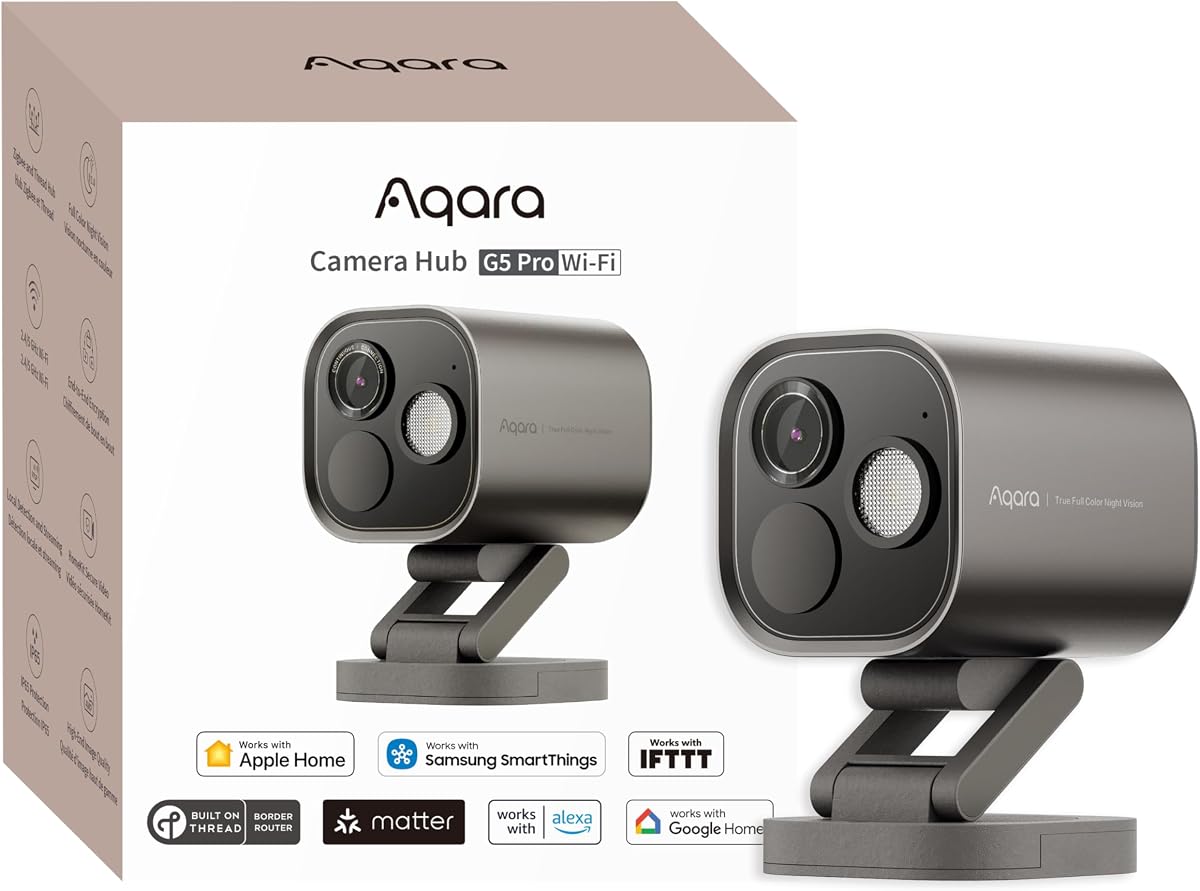
The Aqara G5 Pro is more than a camera—it functions as a hub connecting up to 80 Zigbee devices while delivering 4MP clarity and color night vision.
We may earn a commission when you buy through this link, at no additional cost to you.
Its Neural Processing Unit enables visual and sound detection locally. It recognizes faces vehicles and packages while also detecting alarms or barking without internet.
True Color Night Vision with a spotlight ensures visibility in low light though it lacks infrared LEDs which might affect stealth for some users.
Ideal for smart home enthusiasts who want a multi-functional device to expand automation while maintaining robust video security with local processing power.
Switch between 2.4GHz for range or 5GHz for speed depending on your network needs for smoother streaming and connectivity.
On-device detection ensures faster response times and better privacy since data never needs to leave your home network for analysis.
We may earn a commission when you buy through this link, at no additional cost to you.
The Logitech Circle View offers an ultra-wide 180-degree view in a weatherproof housing making it suitable for outdoor coverage with strong HomeKit integration.
We may earn a commission when you buy through this link, at no additional cost to you.
Its TrueView technology captures clear details in high contrast environments while infrared night vision provides visibility up to 15 feet away at night.
Installation is simplified with included wall mounting brackets though continuous recording requires HomeKit Secure Video and iCloud+ subscription separately.
This camera is a solid choice for outdoor areas needing wide coverage without blind spots though it lacks continuous recording options locally or otherwise.
Capture clear images in both bright sunlight and shadows ensuring no details are lost due to harsh lighting conditions.
Instantly tilt the camera down or press a button to disable it physically ensuring privacy whenever you need it.
We may earn a commission when you buy through this link, at no additional cost to you.
The Aqara E1 provides 2K clarity with full 360-degree movement allowing it to track persons and ensure no area within the room remains uncovered.
We may earn a commission when you buy through this link, at no additional cost to you.
Local AI processes motion and sound like crying or barking for fast alerts without cloud dependency. Privacy modes allow lens pivoting and mic disabling.
While it supports HomeKit Secure Video it requires an active iCloud subscription and Home Hub. USB power supply is separate adding minor extra steps.
This camera is excellent for indoor monitoring needing active tracking and privacy features though setup requires attention to home hub configuration separately.
The camera follows detected subjects automatically keeping them centered in the frame for continuous visibility during movement.
Disable microphone recording manually or through automations to ensure audio privacy without impacting video monitoring capabilities.
We may earn a commission when you buy through this link, at no additional cost to you.
The eufy E30 delivers crystal-clear 4K recording indoors capturing every detail with precision and supporting HomeKit integration for seamless Apple viewing.
We may earn a commission when you buy through this link, at no additional cost to you.
AI tracking automatically follows movement while a spotlight enables color night vision. Local storage on SD card avoids monthly fees for basic surveillance needs.
HomeKit supports up to 1080p though this camera outputs higher locally. Panoramic view lets you quickly focus on areas by tapping on the screen.
This camera suits those wanting top-tier resolution without subscriptions offering flexibility between local recording and optional cloud services depending on needs.
Integrated spotlight switches to color night vision improving clarity and detail in low light without relying solely on monochrome IR.
Tap any area on the app interface to instantly direct the camera there for rapid navigation across the room view.
We may earn a commission when you buy through this link, at no additional cost to you.
The PoE version of the G5 Pro simplifies installation transmitting power and data over one cable while retaining all smart hub and security features.
We may earn a commission when you buy through this link, at no additional cost to you.
Its Neural Processing Unit enables local detection and sound alerts. This model works with PoE switches for professional setups while also supporting USB-C power.
True Color Night Vision and HomeKit Secure Video ensure clarity and privacy. Local storage ensures footage remains accessible even during internet outages.
This model is ideal for structured installations seeking reliable power and network stability along with advanced local intelligence and hub connectivity.
Single cable setup reduces clutter and complexity making it easier to place cameras in remote outdoor or hard-to-reach areas.
Built-in neural processing allows for fast detection of events like package delivery or intrusion without needing constant internet connection.
We may earn a commission when you buy through this link, at no additional cost to you.
Choosing the right Apple Homekit Security Camera requires evaluating resolution, field of view, smart detection features, and storage options to match your specific needs.
Higher resolution like 4K or 2K ensures finer details are captured which is crucial for identifying faces or license plates. Look for models with wide apertures like f/1.0 to improve low-light performance.
Always verify if your HomeKit hub limits resolution even if the camera supports higher specs.
A wider field of view reduces blind spots and covers more area per camera. Models with pan and tilt capabilities offer flexible coverage without physical movement.
Consider 360-degree indoor cameras for rooms where corners need monitoring.
Infrared provides black-and-white views at night while spotlight or color night vision adds visible light for color details. Some models offer both IR and color modes manually.
Spotlights can act as deterrents but may alert intruders so manual control is useful.
On-device AI processes motion people pets and vehicles locally for faster alerts without relying on cloud services. Some models detect sounds like alarms or crying for extra security.
Local processing enhances privacy since data stays on your home network before sending alerts.
MicroSD cards or NAS offer local continuous recording without monthly fees. Cloud storage options like HomeKit Secure Video provide encrypted access and backups with a subscription.
Choose models offering flexible storage methods to match your privacy and budget requirements.
PoE cameras simplify wiring for outdoor setups while Wi-Fi 6 and dual-band support ensure stable streaming. Ensure compatibility with 2.4GHz or 5GHz Wi-Fi for optimal performance.
Always check power adapter requirements as some do not include them in the box.
Models that double as Matter or Zigbee hubs reduce device clutter and improve automation potential with other smart home devices. This allows broader triggers like lights reacting to motion.
Verify ecosystem compatibility if you use other brands for lights or locks in your home.
Physical privacy shutters or lens retracting mechanisms ensure cameras are off visually when not in use. Look for models with built-in microphones that can be disabled manually.
Physical privacy assurance is crucial for indoor spaces like nurseries or bedrooms.
Install cameras at eye level and avoid pointing directly at windows to prevent glare which can degrade image quality during day and night.
Regularly update firmware through the respective apps to ensure you have the latest security patches and features for your device.
Clean lenses gently with a microfiber cloth to avoid scratches and ensure consistent image quality over the long term.
Yes most models require a HomePod or Apple TV with tvOS 15 or later to function as a hub for HomeKit Secure Video. This hub enables remote access and local processing of video feeds securely.
HomeKit Secure Video is a subscription-included feature that encrypts video stored on iCloud. It detects people animals and vehicles automatically and keeps your data private while allowing access across your devices.
Many cameras support third-party streaming via RTSP or apps like Aqara Home enabling viewing on Android or PC though full HomeKit features work best within Apple's ecosystem for seamless integration.
Local AI processes data on the camera itself for faster alerts and better privacy. Cloud detection uploads footage to servers for analysis which may offer broader recognition but requires internet and subscription plans.
Basic recording and notifications work without subscriptions on many models. Advanced features like cloud storage face recognition or extended history often require monthly plans like HomeKit Secure Video or manufacturer subscriptions.
Continuous recording depends on storage method. Local microSD or NAS supports 24/7 recording but HomeKit Secure Video typically saves clips of detected events unless using advanced third-party integration with additional hardware.
Matter is a unified smart home protocol ensuring devices work across platforms. Cameras with Matter bridges can integrate seamlessly with Home Alexa and Google Home simplifying automation and device compatibility.
Physical privacy modes physically block the lens giving visual assurance the camera is off. Software modes rely on settings which may be toggled remotely making physical shutters more secure for privacy sensitive areas.
These ten Apple Homekit Security Cameras offer diverse strengths from dual-lens 4K clarity to affordable pan tilt models and robust outdoor solutions with floodlights.
Prioritize resolution and AI detection needs while considering storage options and hub compatibility to find a camera that fits your specific security and privacy priorities effectively.
Always check current pricing and availability as product features and discounts can change. Select the model that best balances clarity, automation, and privacy for your home.