
ASUS ProArt PA248QV
4.6Editor score
WUXGA resolution
100% sRGB coverage
Ergonomic stand design
Choosing the right professional monitor is crucial for creators who demand precision. The ASUS Proart Monitor series delivers exceptional color accuracy and reliable performance for demanding creative tasks.
We evaluated ten distinct models based on resolution, color gamut coverage, connectivity options, and ergonomic features. Each entry was assessed for its suitability across photography, video editing, and graphic design workflows.
Each pick highlights specific strengths like factory calibration, Thunderbolt support, or OLED technology. Please note that availability and promotional offers change frequently, so verify current details before purchasing.
4.6Editor score
4.2Editor score
As an Amazon Associate we earn from qualifying purchases.
This table provides a side-by-side overview of key specifications for all ten selected models to help you quickly identify the display that matches your specific professional requirements.




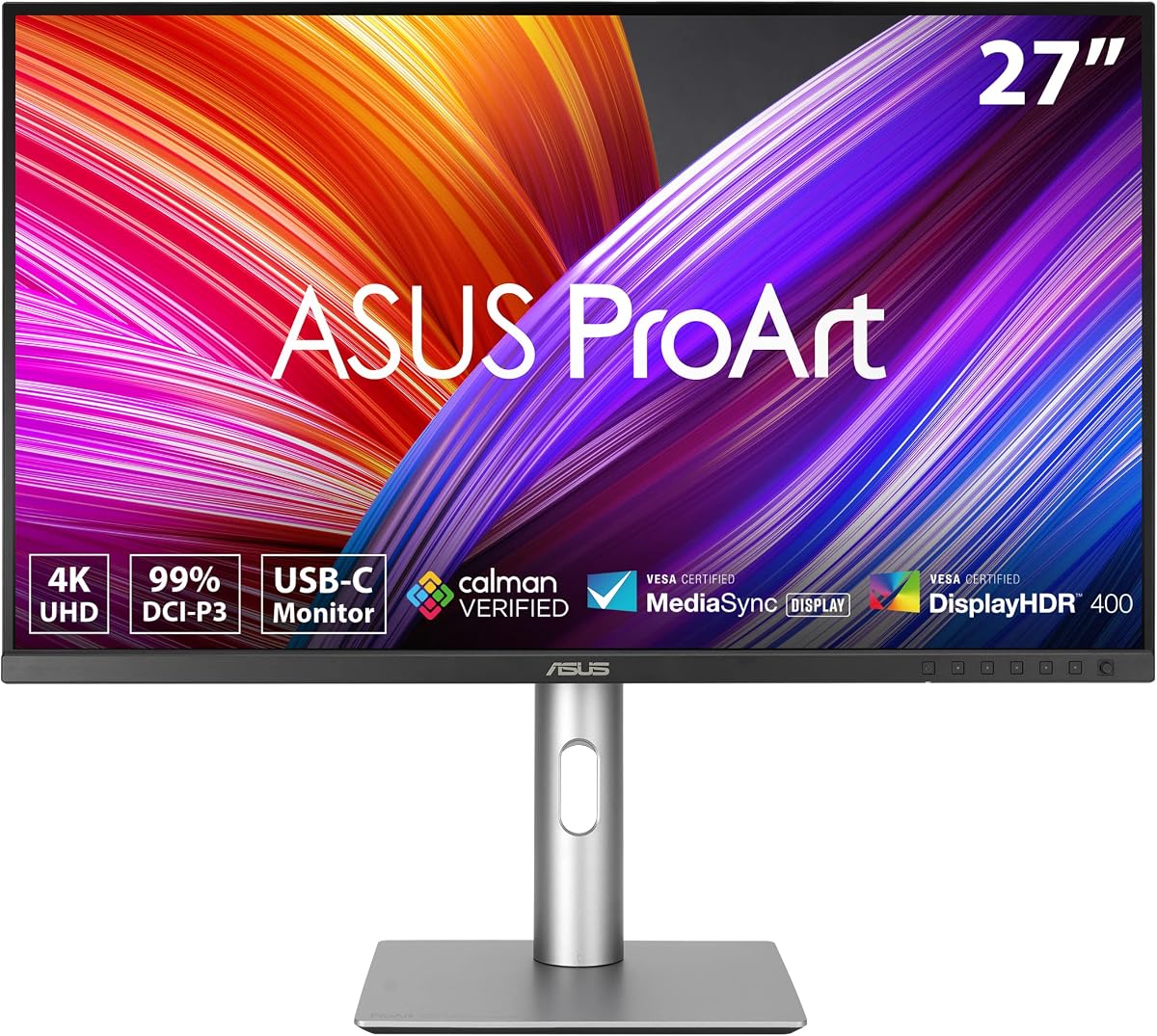
The ASUS ProArt PA279CRV stands out as a top choice for professionals seeking precision without breaking the bank. It delivers a stunning 4K resolution on a 27-inch panel that ensures every detail is visible during editing sessions. The factory calibration ensures that colors are accurate right from the start, saving you time on setup.
We may earn a commission when you buy through this link, at no additional cost to you.
Its wide color gamut coverage includes 99% DCI-P3 and 99% Adobe RGB, which are essential standards for modern creative workflows. The monitor supports HDR and offers versatile connectivity including DisplayPort over USB-C with significant power delivery to charge laptops while driving the display. This feature helps declutter desks significantly.
While the monitor is not the cheapest option available, the value provided through its calibration and warranty makes it a smart investment. The stand allows for full ergonomic adjustments including pivot and height which reduces physical strain during long work days. The inclusion of an Adobe Creative Cloud subscription adds immediate value to your toolkit.
This display is ideal for photographers and designers who need reliable color accuracy and a sharp screen for detailed work. The daisy-chain capability allows for expanding your workspace without running multiple cables to your computer. If you prioritize color fidelity and connectivity, this model is a strong recommendation for your studio setup.
Calman Verified factory calibration ensures Delta E less than 2 for consistent color reproduction across your entire workspace.
USB-C with 96W Power Delivery allows you to charge your laptop and transfer data through a single cable connection.
We may earn a commission when you buy through this link, at no additional cost to you.
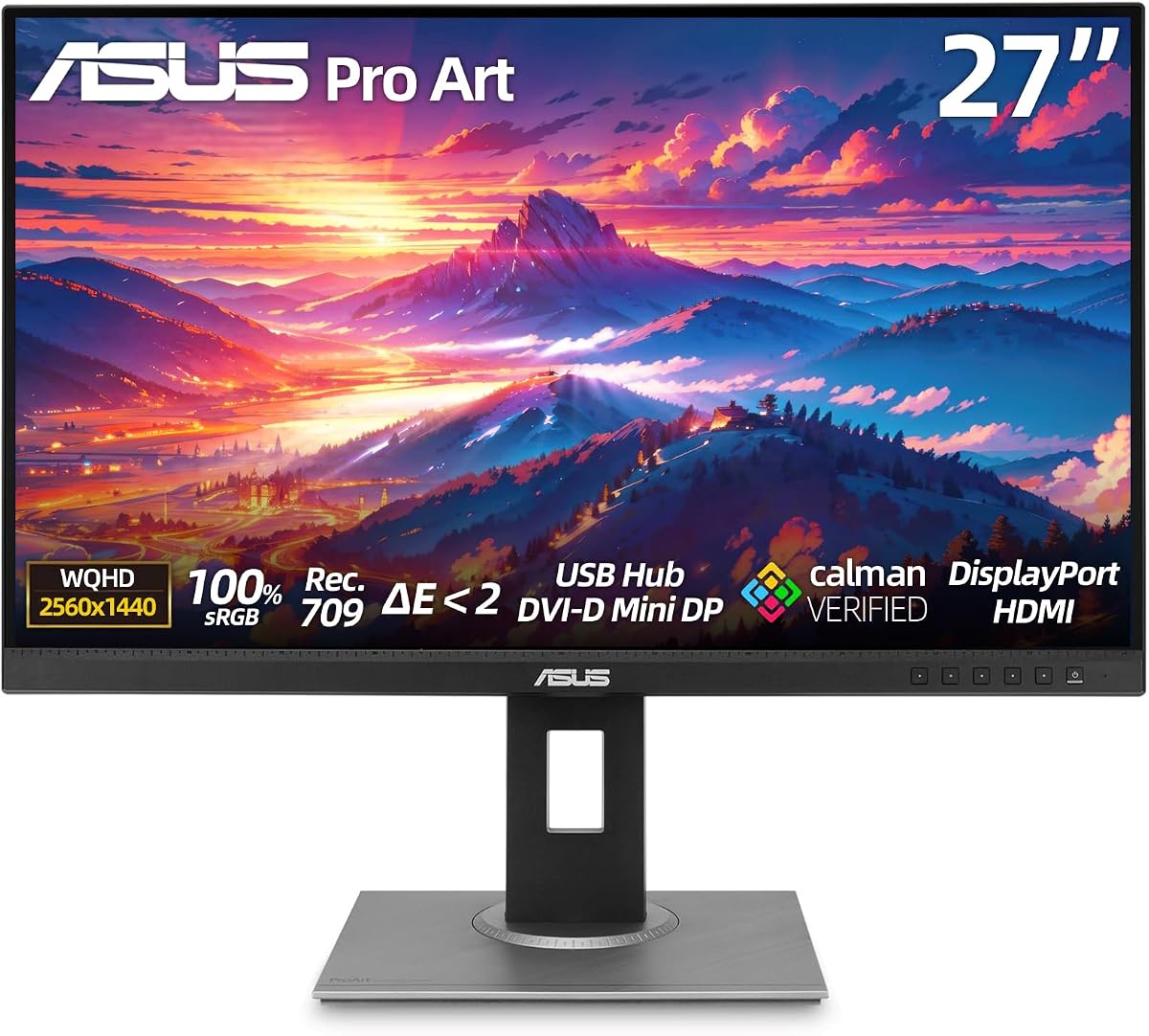
The ASUS ProArt PA248QV is an excellent entry-level option for professionals who need reliable color performance without a high price tag. It features a WUXGA resolution that provides ample workspace for multitasking and design work on a 24-inch screen. The color fidelity is impressive for this price range with full sRGB coverage.
We may earn a commission when you buy through this link, at no additional cost to you.
Factory calibration ensures that the colors you see are true to life which is critical for any creative output. The anti-glare technology helps reduce eye strain during long working hours making it comfortable for extended use. Connectivity is flexible with support for DisplayPort HDMI and D-Sub ports to match various devices.
While it lacks the latest USB-C charging features found on newer models it compensates with solid build quality and ergonomic versatility. The stand allows for tilt pivot swivel and height adjustments to suit your preferred viewing angle. This monitor is perfect for students or freelancers starting their professional journey.
If you need a dependable display for graphic design or basic photo editing this model delivers exceptional value. The five-year warranty provides peace of mind that your investment is protected over the long term. It is a smart choice for those who prioritize function and cost-effectiveness in their workspace.
With 100% sRGB and Rec.709 coverage this monitor ensures your images look consistent across different platforms and devices.
Anti-glare screen technology minimizes reflections and reduces eye fatigue for prolonged work sessions without compromising clarity.
We may earn a commission when you buy through this link, at no additional cost to you.
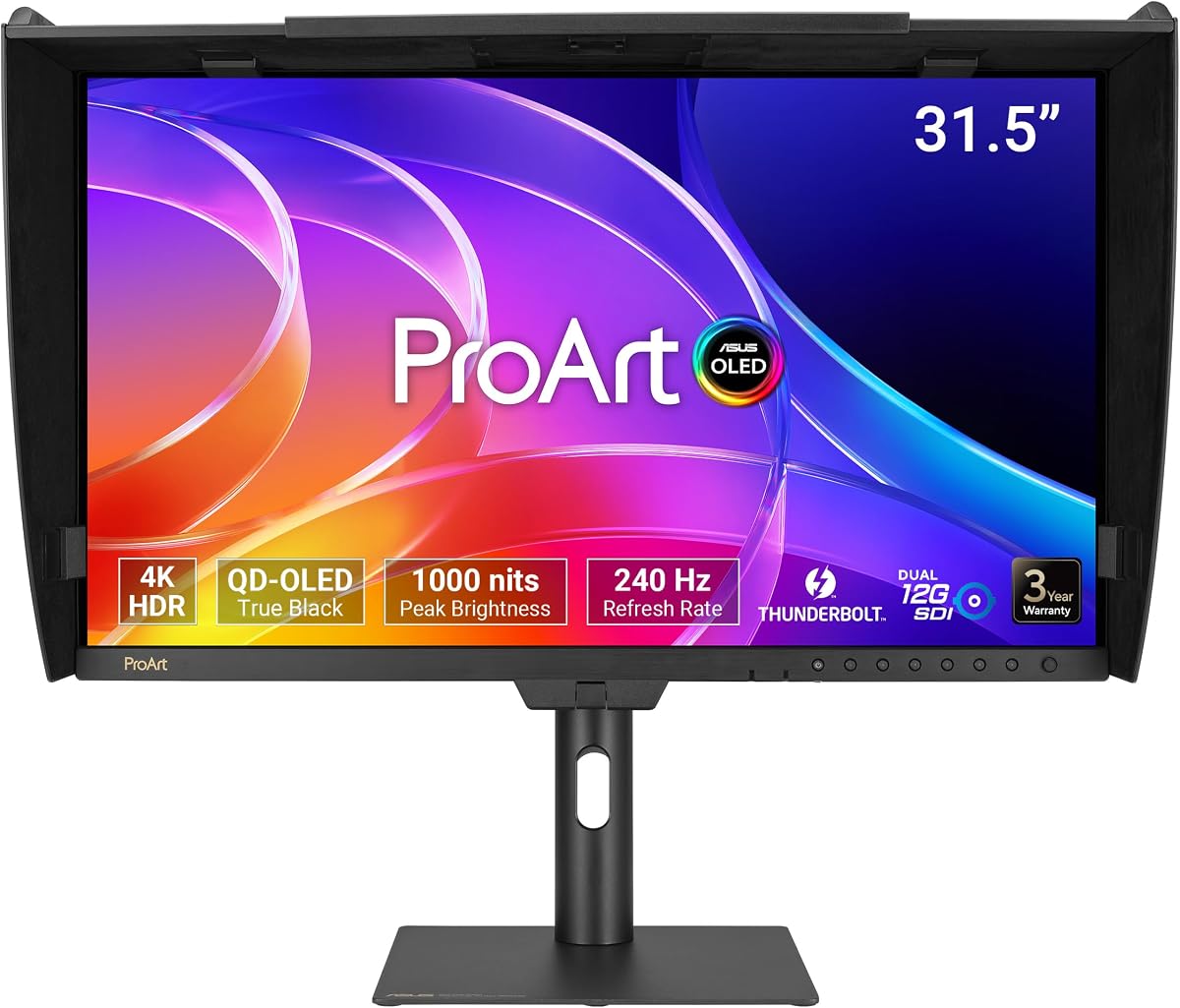
The ASUS ProArt PA32USD represents the pinnacle of display technology for high-end video production and content creation. Its QD-OLED panel delivers stunning visuals with deep blacks and vibrant colors that traditional screens cannot match. The 240Hz refresh rate ensures smooth motion rendering which is vital for high frame rate video editing.
We may earn a commission when you buy through this link, at no additional cost to you.
Color accuracy is world-class with a Delta E less than 1 and industry-leading hardware calibration technology. This allows you to trust that what you see on screen is exactly what your audience will experience. The monitor supports multiple HDR formats including Dolby Vision which enhances dynamic range for cinematic workflows.
Connectivity is comprehensive with dual Thunderbolt 4 ports and professional SDI inputs for real-time playback without compression. The included monitor hood helps reduce reflections to maintain accuracy in varied lighting conditions. This model is designed for professionals who demand the absolute best in visual fidelity and performance.
While the investment is significant it offers unparalleled capabilities for serious video editors and colorists. The VESA DisplayHDR True Black 400 certification ensures that HDR content is displayed with exceptional contrast and brightness. If you need top-tier performance and have the budget this monitor is the ultimate tool for your studio.
The QD-OLED panel provides infinite contrast and perfect blacks for a truly immersive viewing experience in dark environments.
Dual 12G-SDI inputs support real-time 4K playback without compression for broadcast and professional post-production environments.
We may earn a commission when you buy through this link, at no additional cost to you.
The ASUS ProArt PA278CV is a versatile choice for professionals who need a balance of resolution and affordability. It features a 27-inch QHD panel that provides sharp details for editing and design work without the cost of 4K. The factory calibration ensures that colors are accurate right out of the box for reliable results.
We may earn a commission when you buy through this link, at no additional cost to you.
Color fidelity is backed by 100% sRGB and Rec.709 coverage making it suitable for web design and print workflows. The USB-C port with 65W Power Delivery simplifies your setup by allowing you to charge your laptop while connecting to the display. This feature is particularly useful for mobile professionals.
Productivity is enhanced with DisplayPort daisy-chaining support which allows you to connect multiple monitors through a single cable. The ergonomic stand includes a 90-degree pivot feature that is ideal for reading code or working with vertical documents. This model offers a lot of functionality for its price point.
If you need a reliable monitor for daily creative tasks this model provides consistent performance and ease of use. The long warranty coverage ensures that you are protected against defects for several years. It is a practical choice for those who want a professional grade screen without paying premium features.
USB-C with 65W Power Delivery reduces cable clutter by powering your laptop and transferring data through a single connection.
DisplayPort daisy-chaining allows for seamless multi-monitor setups without overloading your computer with multiple video cables.
We may earn a commission when you buy through this link, at no additional cost to you.
The ASUS ProArt PA278CGV is designed with long working hours in mind offering exceptional comfort alongside professional color accuracy. It features a 27-inch WQHD panel that provides sharp clarity for detailed editing tasks and design work. The color accuracy is verified by Calman ensuring precise and consistent performance across all projects.
We may earn a commission when you buy through this link, at no additional cost to you.
ASUS Eye Care technology includes flicker-free and low blue light features that significantly reduce eye strain during extended use. This makes it an ideal choice for professionals who spend all day in front of their screens. The display supports a wide range of inputs to accommodate various desktops and laptops.
Connectivity is robust with DisplayPort HDMI DVI and a USB hub to keep your devices organized. The stand is fully adjustable allowing you to find the perfect viewing position to maintain posture and comfort. This monitor is a strong candidate for those who prioritize health and comfort in their workspace.
If you need a reliable workhorse that protects your eyes while delivering professional quality this model is a top pick. The 178-degree viewing angles ensure that colors remain consistent even when viewed from the side. It is a practical investment for anyone seeking a balance of performance and user well-being.
Flicker-free and low blue light technologies reduce eye strain making it suitable for intensive daily use without discomfort.
Extensive connectivity options including DVI and HDMI ensure compatibility with a wide variety of legacy and modern devices.
We may earn a commission when you buy through this link, at no additional cost to you.
The ASUS PA329CRV-P offers a spacious 32-inch 4K display that is perfectly tailored for professional workflows including Mac environments. It covers 98% DCI-P3 and 100% sRGB color gamuts which are essential for high quality video and image editing. The factory calibration ensures that color accuracy is maintained from the first day of use.
We may earn a commission when you buy through this link, at no additional cost to you.
Connectivity is designed to handle modern workflows with USB-C supporting 96W Power Delivery to charge laptops while in use. Dual HDMI 2.1 and DisplayPort ports allow for flexible connections to multiple devices without needing external adapters. The monitor is also TAA compliant which meets specific government procurement standards.
The ergonomic design supports full tilt swivel pivot and height adjustments to suit any desk setup or viewing preference. The included quick release stand makes it easy to mount the display using VESA standards if preferred. This model provides a large canvas for multitasking and detailed design work without compromising on color precision.
If you need a large high-resolution display for your studio this monitor delivers professional results with ease. The color pre-calibration report included in the box allows you to verify accuracy right away. It is an excellent choice for professionals who require a larger screen area and robust connectivity options.
Color presets match standard display color performance for seamless workflow integration with Apple devices and software.
TAA compliance ensures that this display meets Trade Agreements Act requirements for public sector and government contracts.
We may earn a commission when you buy through this link, at no additional cost to you.
The ASUS ProArt PA32UCR-K brings mini-LED technology to professional displays offering high brightness and deep contrast. It features a 32-inch 4K screen with 1000 cd/m2 peak brightness which is ideal for HDR content creation. The quantum-dot technology ensures a wide color gamut including 99.5% Adobe RGB for accurate reproduction.
We may earn a commission when you buy through this link, at no additional cost to you.
One of the strongest features is the included X-rite i1 Calibrator which allows for precise color calibration directly from the box. Hardware calibration technology further optimizes color accuracy and uniformity ensuring consistent results across the entire panel. This tool eliminates the need for third-party calibration services initially.
Support for multiple HDR formats including HDR10 and HLG provides flexibility for various content types and workflows. The USB-C and HDMI ports ensure seamless compatibility with modern laptops and Mac computers. While some users have noted inconsistencies the technical specs are impressive for this price segment.
If you need high brightness and wide color gamut for HDR video editing this monitor is a strong contender. The included calibration tool adds significant value and simplifies the setup process for professional creators. It is a powerful choice for those who demand advanced features in their display setup.
The bundled X-rite i1 Calibrator ensures precise color accuracy without requiring extra purchases for initial setup.
Support for HDR10 and HLG formats allows for flexible workflow compatibility with various content types and standards.
We may earn a commission when you buy through this link, at no additional cost to you.
The ASUS ProArt PA32UCG-K pushes the boundaries of brightness with a peak of 1600 nits and extensive local dimming zones. This mini-LED IPS display is designed for professionals who need to see true HDR highlights without compromise. The 10-bit color depth and quantum-dot technology ensure exceptional color fidelity across the entire spectrum.
We may earn a commission when you buy through this link, at no additional cost to you.
Connectivity includes Thunderbolt 3 and HDMI 2.1 to support high bandwidth transfers and modern graphics capabilities. The included Calibrator simplifies the workflow by allowing for precise hardware calibration directly on the monitor. FreeSync2 HDR support makes it versatile for developers who need smooth visuals during testing.
While the price is high the performance metrics offer a level of detail that is hard to match in the market. The variable refresh rate feature provides smooth motion which can be useful for specific types of visual work. This monitor is aimed at high-end production environments requiring maximum technical performance.
If you require extreme brightness for HDR grading this model is a top-tier option for professional use. The combination of local dimming and high resolution ensures that every detail is rendered with clarity. It is a specialized tool for professionals who need the absolute best in display hardware.
With 1600 nits peak brightness this monitor delivers true HDR performance for high contrast content creation and grading.
A dedicated X-rite Calibrator is included to allow for precise on-screen hardware calibration for accurate color management.
We may earn a commission when you buy through this link, at no additional cost to you.
The ASUS ProArt PA278CGV is a hybrid display that offers high refresh rate performance alongside professional color accuracy. It features a 27-inch QHD panel with a 144Hz refresh rate which makes it suitable for both creative work and smooth visuals. The factory calibration ensures Delta E less than 2 for reliable color reproduction.
We may earn a commission when you buy through this link, at no additional cost to you.
Color coverage includes 95% DCI-P3 and 100% sRGB making it a strong option for designers and video editors. The USB-C port supports 90W Power Delivery which allows for charging laptops while in use. This model supports FreeSync Premium and DisplayHDR 400 for a versatile viewing experience.
Ergonomic design is supported by height adjustment and pivot capabilities to reduce strain during long sessions. The Calman Verified certification adds credibility to its color performance claims for professional environments. This monitor bridges the gap between high refresh gaming monitors and professional production displays.
If you need a versatile screen for multitasking and creative tasks this model offers a good balance of features. The high refresh rate provides smooth scrolling and motion handling which benefits general productivity. It is a solid choice for professionals who want a modern display with flexible connectivity.
With 144Hz refresh rate this monitor delivers smooth visuals for both professional work and multimedia consumption.
USB-C with 90W Power Delivery provides sufficient energy to charge most laptops while driving the display signal.
We may earn a commission when you buy through this link, at no additional cost to you.
The ASUS PA329CRV-P is an ideal choice for organizations that require TAA compliant hardware for government contracts. It offers a large 32-inch 4K display with factory calibrated accuracy to ensure color precision for professional work. The warranty coverage includes an extension option for extended protection over the life of the product.
We may earn a commission when you buy through this link, at no additional cost to you.
Connectivity is robust with DisplayPort over USB-C and HDMI 2.1 ports to support high bandwidth needs. The stand allows for full ergonomic adjustments which helps maintain health and comfort during long work days. The quick release stand makes it easy to adapt to different mounting requirements or desk setups.
Color gamut coverage is extensive ensuring that the colors you see are accurate for critical design and video tasks. The included quick release stand helps streamline setup and installation for office environments. This monitor balances compliance with high performance for enterprise and professional needs.
If you need a compliant display for public sector projects this model provides the necessary features without compromise. The color performance and warranty details make it a strong investment for organizational procurement. It is a reliable choice for those who require both compliance and professional display quality.
This monitor meets Trade Agreements Act requirements making it suitable for government and public sector procurement contracts.
Extended warranty options provide long-term protection ensuring that the investment remains secure for organizational use.
We may earn a commission when you buy through this link, at no additional cost to you.
Selecting the right monitor requires balancing resolution color accuracy and connectivity needs for your specific workflow.
Higher resolutions like 4K or 6K provide more workspace and sharper details which is vital for photo editing and video grading. Screen sizes range from 24 to 32 inches with larger screens offering better multitasking capabilities for complex design projects.
Choose a size that fits your desk space and a resolution that matches the detail level required by your software tools.
Professional monitors should cover standards like sRGB DCI-P3 and Adobe RGB to ensure colors are reproduced accurately. Factory calibration with Delta E less than 2 guarantees that the display is precise right out of the box without extra setup.
Look for Calman Verified or similar certifications to ensure that the color performance meets professional industry standards.
Modern workflows rely heavily on USB-C with Power Delivery to charge laptops while driving the display. Additional ports like DisplayPort and HDMI ensure compatibility with various laptops and desktops including Mac systems.
Check for features like daisy-chaining to simplify multi-monitor setups without needing multiple video cables running to your computer.
A good stand should offer tilt swivel pivot and height adjustments to prevent physical strain during long work sessions. Built-in eye care technologies such as flicker-free and low blue light filters further reduce fatigue during extended use.
Prioritize monitors with flexible stands to maintain a healthy posture and comfortable viewing angle throughout the day.
While standard monitors offer 60Hz to 120Hz higher refresh rates can be beneficial for smooth video playback and testing. Faster response times ensure that motion appears crisp and reduces blur which is useful for creative tasks involving motion.
Consider your workflow needs as some design tasks benefit more from color accuracy than high refresh rates.
Professional monitors often come with extended warranties including options to register for additional coverage years. A longer warranty period protects your investment and provides peace of mind against manufacturing defects.
Verify the warranty terms and ensure that the manufacturer offers reliable support for professional-grade hardware.
Start by connecting your device using a high-quality cable that supports the display capabilities like USB-C or DisplayPort. Ensure the cable is securely seated to avoid signal loss or flickering issues.
Use the built-in calibration software or external tools to fine-tune color settings based on your specific creative needs. Regular calibration helps maintain accuracy over time as panels can drift slightly with usage.
Clean the screen with a soft microfiber cloth and avoid harsh chemicals that may damage the coating. Adjust the stand to a comfortable height to prevent strain during long working hours.
Factory calibration ensures that the display meets color accuracy standards right out of the box. It saves time and ensures that what you see on screen matches your output without needing expensive external tools initially.
Yes most models feature USB-C with Power Delivery to charge laptops while transferring data and video through one cable. This feature helps declutter desks and simplifies connection management for professionals.
Daisy-chain allows you to connect multiple monitors using a single cable from your computer. This reduces cable clutter and simplifies setup for multi-display workstations efficiently.
Yes many models are optimized for macOS with color presets that match standard Mac displays. Compatibility with USB-C and HDMI ensures seamless integration with Apple hardware.
Most models come with a five-year warranty which includes an extension period upon registration. This extended coverage protects your investment against defects and ensures long-term support.
Yes these monitors support multiple formats including HDR which enhances visuals for both productivity and media. Their color accuracy makes them suitable for design as well as media consumption.
We have reviewed ten top models ranging from entry-level budget options to high-end OLED displays. Each choice offers specific strengths in color accuracy resolution and connectivity to suit different professional needs.
When selecting a display prioritize color gamut coverage and connectivity that match your workflow. Ergonomics and warranty coverage should also be factored into your decision for long-term value.
Always check current availability and specifications as technology evolves rapidly. Ensure you verify that the model matches your specific needs before purchasing.