
10Gtek 10Gb Dual RJ45 Port Network Card with X540 Controller
4.1Editor score
Dual RJ45 Ports
Intel X540 Controller
Windows Linux Support
This guide compares the top 10GB Ethernet cards for speed and reliability to help you upgrade your network for gaming, NAS, or professional workflows.
Upgrading your network infrastructure often requires a reliable 10GB Ethernet Card to handle modern data demands efficiently. These adapters transform standard desktops into high-speed hubs capable of rapid file transfers and low latency streaming for diverse applications.
We evaluated ten leading models based on chipset performance, compatibility, and real-world throughput stability. Our analysis considers factors like heat dissipation, bracket options, and driver support to ensure you select a card that fits your specific hardware and operating system needs.
Each pick highlights unique strengths such as dual ports, compact designs, or premium build quality. Please note that pricing and availability fluctuate frequently, so verify current details before making your final purchasing decision to secure the best value.
4.1Editor score

4.2Editor score

4.6Editor score
This side-by-side comparison helps you visualize the key differences between the top ten cards available today. We highlight critical specifications like port types, controller chips, and operating system support to streamline your selection process.


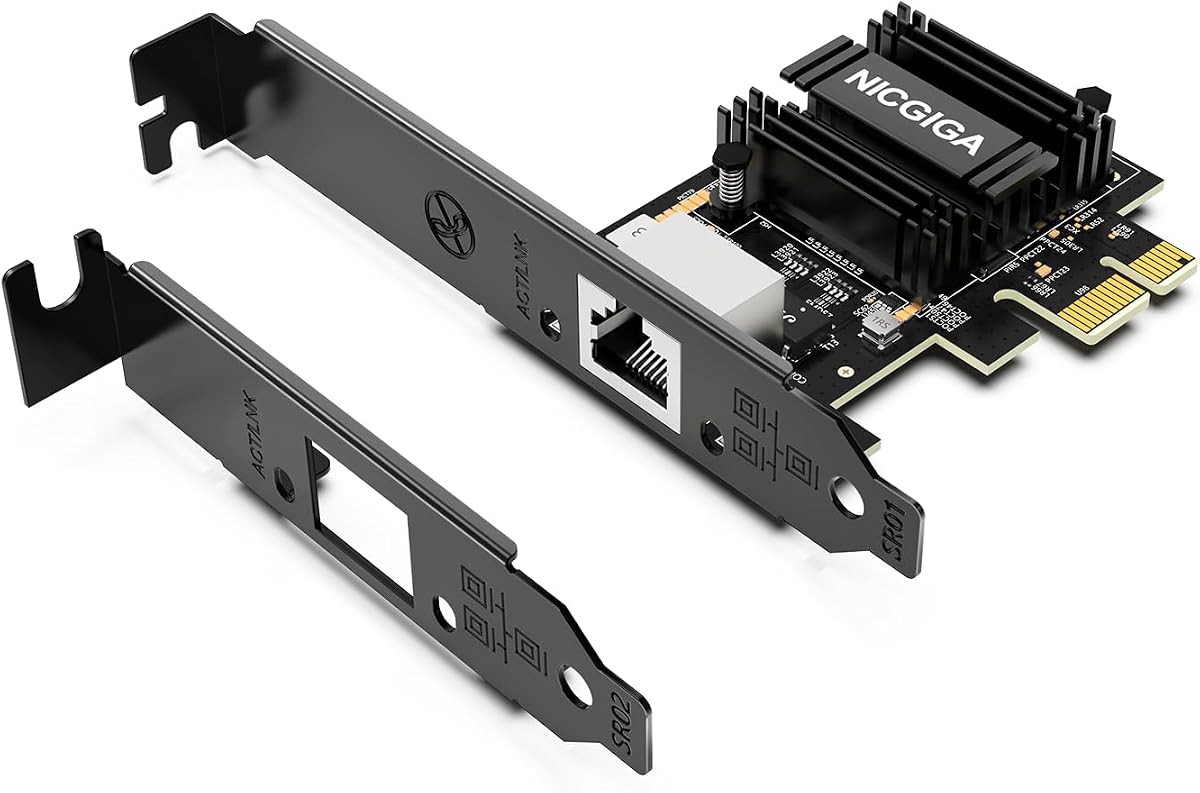


The TP-Link TX401 is our top choice for users needing a reliable single port upgrade. It delivers solid 10Gbps speeds with minimal latency and includes a high-quality cable to ensure you get the performance you pay for.
We may earn a commission when you buy through this link, at no additional cost to you.
Its QoS technology helps prioritize gaming traffic which reduces lag during intense sessions. The card supports both Windows and Linux systems making it versatile for different environments. The included low-profile bracket means you can install it in smaller cases without issues.
While it only has one port it simplifies your setup for basic needs. Some users might need a second port for teaming but this is often not necessary for home users. The price remains competitive compared to other single port cards on the market.
Buy this if you need a straightforward upgrade for your desktop or NAS. It balances cost and performance well. The included accessories save you money and time. Check current prices before purchasing to ensure you get the best deal.
The 10GBase-T technology provides ten times the speed of standard Gigabit Ethernet allowing for fast file transfers and smooth streaming experiences.
With the included brackets and comprehensive support documentation installing this card is a straightforward process even for beginners.
We may earn a commission when you buy through this link, at no additional cost to you.
This card offers exceptional value by providing dual ports at a low price. The Intel X540 controller is known for stability and performance in server environments. It is perfect for users who need link aggregation or redundancy without spending a fortune.
We may earn a commission when you buy through this link, at no additional cost to you.
You can connect two cables for increased bandwidth or redundancy which is vital for business setups. The low profile bracket allows installation in compact cases. The warranty provides peace of mind for long term use.
Manual setup might be required for Windows 11 which adds a slight hurdle. The card does not support hot swapping so plan accordingly. These drawbacks are minor considering the price point and performance offered.
Choose this if you need dual ports for a budget. It is ideal for servers or advanced home labs. The Intel chipset ensures reliability. Verify compatibility with your OS before ordering.
Two high speed ports at this price point are rare making it a top choice for budget conscious professionals.
Its compatibility with ESX and Windows Server makes it a solid choice for virtualization environments.
We may earn a commission when you buy through this link, at no additional cost to you.
This adapter is designed specifically for Synology NAS users who need the highest reliability. The dual ports allow for maximum throughput and redundancy. It integrates seamlessly with DSM offering a plug and play experience that few competitors match.
We may earn a commission when you buy through this link, at no additional cost to you.
The five year warranty is industry leading and shows confidence in the product quality. Drivers are tested thoroughly to avoid conflicts. Performance is consistent even under heavy loads which is critical for data centers or professional workstations.
The price is high compared to generic cards but the reliability justifies it. It is less flexible for non Synology systems. If you own a Synology NAS this is the safest upgrade choice available.
Buy this for critical infrastructure where downtime is not an option. The warranty support is excellent. The cost is high but worth the peace of mind. Ensure your DSM version is updated before installing.
Optimized firmware and drivers ensure seamless operation within Synology environments without needing manual tweaks.
The long warranty and rigorous testing make this a dependable choice for business critical storage systems.
We may earn a commission when you buy through this link, at no additional cost to you.
VIMIN offers another solid option for dual port connectivity using a trusted Intel chipset. The performance is reliable and the heat sink helps maintain stability during long data transfers. It is a good choice for those needing flexibility in port usage.
We may earn a commission when you buy through this link, at no additional cost to you.
The availability of a slim bracket makes it suitable for smaller server cases. It supports Windows and Linux well but you might need to check specific kernel versions. The build quality feels sturdy for daily use.
Lack of 2.5G support might limit compatibility with some newer routers. Linux users sometimes face driver quirks. These are manageable issues for most users who prioritize raw speed and stability.
Consider this if you want dual ports at a competitive price. The Intel chip adds trust. Check your router speeds to ensure it matches your needs. It is a solid workhorse for home labs.
The included heat sink keeps temperatures low ensuring consistent performance even during extended heavy usage periods.
Dual ports allow for link aggregation or separate connections for different networks.
We may earn a commission when you buy through this link, at no additional cost to you.
Asus brings its reputation for quality to this single port card. It offers strong speed and includes QoS for traffic management. It is a reliable choice for users who prefer established brands and stable drivers.
We may earn a commission when you buy through this link, at no additional cost to you.
The support for older Linux kernels is a plus for advanced users. It works well for NAS upgrades where one port is enough. The quality of service helps prioritize critical data.
The price is higher than some competitors which might not fit tight budgets. A single port limits redundancy options. For general home use these are acceptable trade-offs.
Choose this if you value brand trust. It is suitable for basic NAS upgrades. Check current pricing against other options. It is a solid pick for stability.
QoS ensures your gaming or streaming packets get priority reducing lag during network congestion.
Broad support for Linux kernels makes it versatile for various operating system configurations.
We may earn a commission when you buy through this link, at no additional cost to you.
This card is designed for systems with limited slot availability. The PCIe 4.0 x1 interface allows for compact builds without sacrificing speed. It uses a modern Realtek chip that balances efficiency and performance well.
We may earn a commission when you buy through this link, at no additional cost to you.
Wake-on-LAN support is great for power saving. The auto-negotiation handles mixed speed networks automatically. It is suitable for Mini PCs or compact workstations.
It requires a free x1 slot which might be scarce on some boards. Heat can be a factor in small cases. Ensure you have ventilation for best results.
Pick this for small form factor builds. It brings 10G to tight spaces. Check your motherboard slots before buying. It is a good value for compact systems.
Using a single lane slot allows you to save x4 or x8 lanes for other high bandwidth devices.
Support for newer kernels ensures drivers are available for current OS versions.
We may earn a commission when you buy through this link, at no additional cost to you.
VunLink offers a balanced solution for efficient 10G networking. It uses the Realtek chipset known for good performance and low heat. This card is great for users looking for a budget friendly upgrade without bulk.
We may earn a commission when you buy through this link, at no additional cost to you.
Multi-Gig support helps it adapt to different network speeds. The energy efficiency reduces power costs. It fits well in both full and low profile cases.
Driver installation might be needed on older systems. Single port limits redundancy. For home use these are minor issues.
Choose this for efficient compact networking. It offers good performance at a fair price. Check your OS compatibility. It is a solid pick for home NAS.
Designed for low power consumption this card helps reduce overall system energy usage.
Support for various speeds ensures compatibility with existing infrastructure.
We may earn a commission when you buy through this link, at no additional cost to you.
This card is unique for its SFP+ fiber capability. If you need to run fiber optic cables this card supports them natively. It is a specialized choice for specific infrastructure needs.
We may earn a commission when you buy through this link, at no additional cost to you.
The heatsink helps manage heat during operation. It is a solid pick for office environments needing fiber connections. Performance is strong and reliable.
Costs rise quickly because you must buy separate SFP modules. This adds to the total price. It is not ideal for standard copper setups.
Buy this if you need fiber connectivity. It is a powerful choice for specialized setups. Check cable requirements first. It serves a specific market well.
SFP+ allows for long distance runs and immunity to electrical interference.
Built-in aluminum heatsink ensures the card runs cool under load.
We may earn a commission when you buy through this link, at no additional cost to you.
TRENDnet stands out for compliance with government standards. It is a great choice for public sector installations. The card supports multiple speeds including 2.5G which adds flexibility.
We may earn a commission when you buy through this link, at no additional cost to you.
Protection plans are generous. Performance is steady. It supports both Windows and Linux environments well.
It is a single port device. Price is higher than others. For compliant needs these are acceptable.
Choose this for government compliance. It is reliable. Check current prices. It is a strong pick for official projects.
Meets NDAA and TAA standards ensuring it works for specific government procurement.
Support for multiple speeds ensures it adapts to various network standards.
We may earn a commission when you buy through this link, at no additional cost to you.
This adapter bridges laptops and 10G networks easily. It uses USB-C making it suitable for Mac or Windows laptops. It offers high speed without opening your desktop case.
We may earn a commission when you buy through this link, at no additional cost to you.
It has low heat design which is rare. Great for travel. It supports Thunderbolt and USB-C.
Speed depends on your USB port. Not a full PCIe card. Ideal for laptops.
Buy for portable needs. It offers high speed on laptops. Check USB support. It is a solid travel pick.
Compact USB-C form factor allows for easy transport and use with laptops or desktops.
Supports Mac and Windows making it a universal choice for various users.
We may earn a commission when you buy through this link, at no additional cost to you.
Selecting the right network adapter requires considering several technical factors to ensure compatibility with your existing hardware and future needs.
Decide whether you need a single or dual port card. Single port cards are cheaper and simpler but dual ports allow for link aggregation or redundancy.
For home labs NAS often one port is enough but for business redundancy two ports are preferred.
Intel chips often offer better stability for servers while Realtek chips are cost effective for home use. Check reviews for driver reliability.
Intel is best for server stability Realtek for value.
Ensure the card supports your specific OS version especially for Linux or older Windows systems. Check vendor driver availability before buying.
Always verify driver support for your OS version before purchase.
Check your motherboard for available slots. x1 cards fit better in compact builds while x4 or x8 slots offer more bandwidth.
Match the card to your available slot to avoid fitting issues.
10G speeds require CAT6A or better cables. Verify you have proper cabling before buying to avoid performance drops.
Ensure you have CAT6A cabling for full speed.
Look for at least two years of warranty. Premium brands often offer longer coverage which protects your investment.
Prioritize cards with good warranty terms.
Cards with heatsinks run cooler and last longer. Small cases need low profile and efficient cooling designs.
Choose cards with heatsinks for better longevity.
Install the card into a free PCIe slot ensuring it is secure and firmly seated in the slot for proper connection.
Connect a CAT6A or higher Ethernet cable to the card and your router or switch for optimal speed performance.
Update drivers from the vendor website and check for any BIOS settings that might affect PCI slot configuration.
Yes typically you need at least CAT6A cables to reliably achieve full 10Gbps speeds. Older cables might work at shorter distances but will not provide consistent performance. Investing in proper cabling ensures you get the speed you paid for.
Most modern cards support Linux but check driver availability for your specific kernel version. Some models require manual driver installation. Always verify official support before purchasing for Linux systems.
Yes 10G cards offer ultra low latency which benefits online gaming. However your internet speed must match to see full benefits. For local transfers or cloud gaming it is ideal.
Most PCIe network cards draw power from the slot and do not need extra cables. This simplifies installation. Always check specific models for unique power needs.
Most cards do not support macOS drivers. Only specific adapters like USB-C versions work well on Macs. Check compatibility carefully for Apple systems.
Link aggregation can boost throughput for NAS or servers but requires compatible switches. For home users single port speed is often sufficient. Consider your total bandwidth needs.
We recommend the TP-Link TX401 for most users due to its balance of price and performance. It is easy to install and works well for general home upgrades.
For those needing dual ports or specific compliance features options like the 10Gtek or TRENDnet are excellent. Always prioritize compatibility with your OS.
Remember to check current prices and availability as they change frequently. Ensure your cables and switches support 10G speeds before installing to get the best results.