
Thermaltake Pure 20 Series
4.5Editor score
High performance thick design
Anti-vibration mounting system
Long life sleeve bearing
Finding the right cooling solution is crucial for maintaining optimal system performance and longevity. A large 200mm case fan offers significant airflow potential while keeping noise levels manageable for quiet builds.
We evaluated ten leading models based on airflow efficiency, noise output, bearing technology, and mounting compatibility. Our analysis focuses on real-world performance metrics and user feedback to ensure reliable recommendations.
Each pick highlights specific strengths like PWM control, ARGB lighting, or hydraulic bearings. Note that product availability and pricing can fluctuate, so verify current details before making your final purchase decision.
4.5Editor score
4.8Editor score

4.6Editor score
As an Amazon Associate we earn from qualifying purchases.
The following table provides a side-by-side overview of each fan's key specifications to help you quickly identify the model that best fits your specific cooling requirements.


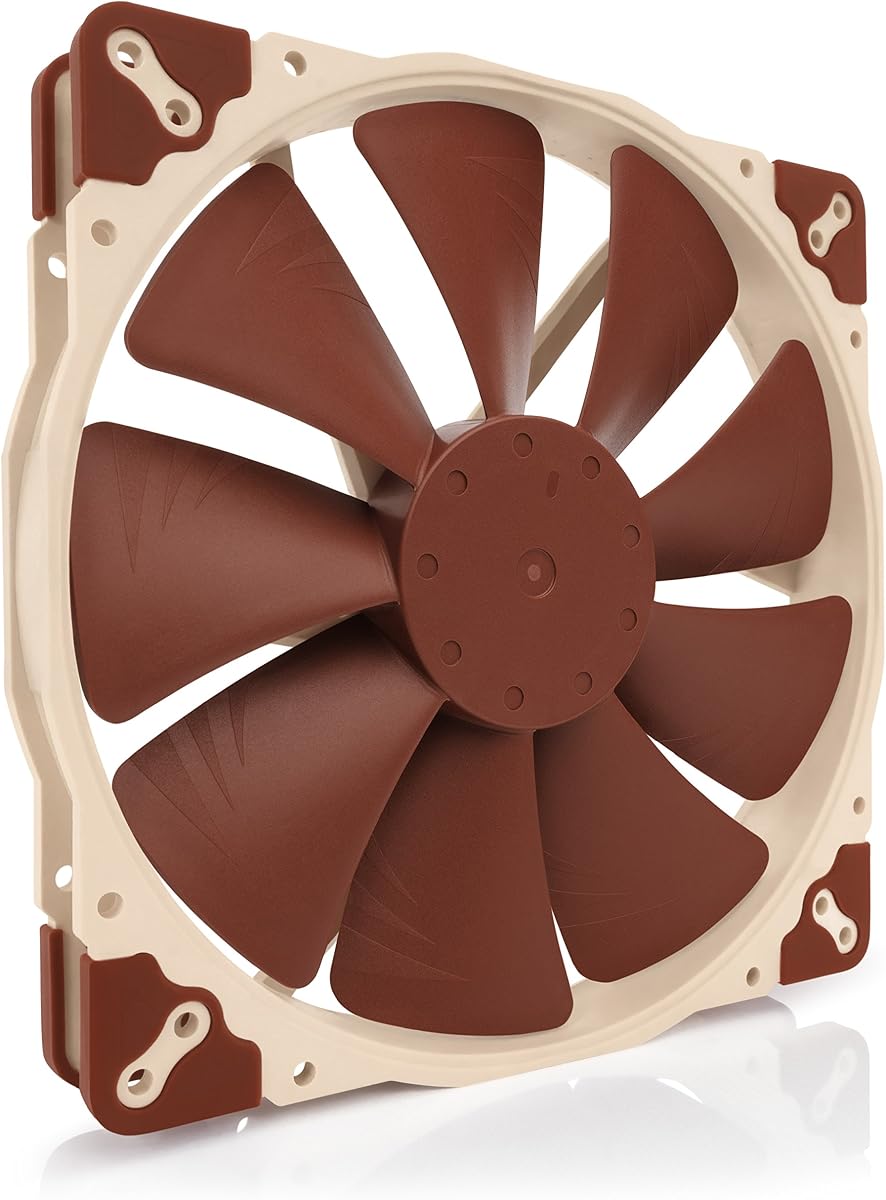
This premium quiet fan delivers exceptional cooling performance with minimal noise. It holds a high user rating and stands out for its award-winning A-series design featuring Flow Acceleration Channels.
We may earn a commission when you buy through this link, at no additional cost to you.
The large 200mm diameter ensures high airflow performance even at extremely low noise levels. Three sets of mounting holes provide broad compatibility with various PC cases and chassis designs.
While the thickness might not fit every case, the trade-off is superior pressure and cooling efficiency. The included low-noise adaptor allows further fine-tuning for near-silent operation when needed.
Buy this if you prioritize silence and reliability over cost. It is the top recommendation for builders who want a set-and-forget cooling solution with proven long-term durability.
The frame features advanced acoustic optimisation to reduce turbulence and noise harmonics effectively.
Three distinct sets of screw holes ensure it fits most modern and legacy chassis configurations.
We may earn a commission when you buy through this link, at no additional cost to you.
This fan offers high performance at a very accessible price point. Its thick 200x30mm design is engineered to maximize air pressure and overall airflow efficiency.
We may earn a commission when you buy through this link, at no additional cost to you.
The fan blade design focuses airflow to reduce noise, creating a torrent of air without excess volume. It offers a perfect balance of silence, style, and efficiency for budget builds.
Long life sleeve bearings provide reliability without the premium cost of fluid dynamic bearings. The shaved frame allows for easier installation in tight spaces or specific Thermaltake chassis.
Choose this if you need cost-effective cooling without sacrificing significant airflow. It is ideal for standard cases where budget constraints exist but performance is still required.
Blades are shaped to focus air and minimize noise turbulence for quieter operation.
An LED version is available to add lighting effects and cooling aesthetics to your chassis.
We may earn a commission when you buy through this link, at no additional cost to you.
This chromax.black.swap edition provides a sleek, all-black design ideal for dark-themed builds. It maintains the premium performance of the standard NF-A20 while offering aesthetic customization.
We may earn a commission when you buy through this link, at no additional cost to you.
The swappable anti-vibration pads allow you to match your system's color scheme perfectly. It includes red, black, white, blue, yellow, and green pads to suit any preference.
Performance remains top-tier with Flow Acceleration Channels and advanced acoustic optimisation for superior quiet cooling. The large diameter ensures high airflow at extremely low noise levels.
Buy this if you want premium cooling with a customizable look. It is perfect for builders who value both silence and the visual cohesion of their PC components.
Swappable pads offer four of each color to match your system's aesthetic perfectly.
The 20cm diameter delivers high airflow even at very low RPM speeds for silence.
We may earn a commission when you buy through this link, at no additional cost to you.
This fan is designed to complement the existing Thermaltake CT fan lineup for a matching build experience. It provides optimal airflow with nine optimized blades pushing up to 131.6 CFM.
We may earn a commission when you buy through this link, at no additional cost to you.
Hydraulic bearings ensure silent and reliable operation while still delivering performance when necessary. Each fan features daisy chainable 4-pin PWM connectors for quick and simplified installation.
It runs at speeds between 500 and 900 RPM to balance noise and cooling. The design includes extension cables for access to further fan headers on your motherboard.
Choose this if you already have Thermaltake components and want a cohesive look. It offers strong airflow and reliability for users who prefer daisy chain simplicity.
Nine blades are optimized to push high volume of air efficiently through the case.
Connect multiple fans with one header cable for easier cable management and setup.
We may earn a commission when you buy through this link, at no additional cost to you.
Engineered for cases supporting 200mm fans, this unit delivers high airflow with efficient cooling and quieter operation. It features Gen2 lighting that provides a vibrant and customizable luminous effect.
We may earn a commission when you buy through this link, at no additional cost to you.
The frosted blade design enhances the dispersion of lighting for a uniform glow. Its hybrid frame design minimizes noise and vibration through flexible anti-resonance mounting.
Dynamic PWM allows speeds from 0 to 800 RPM to balance noise and airflow. A two-tier seal mechanism prevents dust and oil leakage to extend lifespan stability.
Buy this if you want a bright RGB look with solid performance. It is ideal for gaming setups where visual appeal matters as much as thermal performance.
Frosted blades diffuse the lighting for a vibrant and uniform visual effect.
Optimized PWM blades improve airflow while reducing noise for quiet operation.
We may earn a commission when you buy through this link, at no additional cost to you.
This premium quiet fan features a 3-pin Molex interface for simplified connection. It offers two speed settings via the Low-Noise Adaptor for fine-tuning airflow or silence.
We may earn a commission when you buy through this link, at no additional cost to you.
The frame includes advanced acoustic optimisation for superior quiet cooling performance. It supports three sets of mounting holes for broad compatibility with various PC cases.
The package includes a 3:4-pin adaptor to power the fan directly from the power supply. This makes it versatile for older systems or specific motherboard configurations.
Choose this if you need a reliable 3-pin fan without PWM complexity. It is perfect for legacy systems or users who prefer manual control over speeds.
The Low-Noise Adaptor allows you to choose between maximum airflow or near-silent speed.
Includes 3:4 pin adaptor for direct power supply connection if needed.
We may earn a commission when you buy through this link, at no additional cost to you.
This fan is designed for 5V applications with polarity protection for PWM speed control. It includes a USB power adaptor cable allowing operation on devices with USB host ports.
We may earn a commission when you buy through this link, at no additional cost to you.
It runs at a maximum speed of 800 RPM to ensure extremely low noise levels. The award-winning A-series design features Flow Acceleration Channels for quiet cooling.
The OmniJoin adaptor set allows connection to proprietary fan headers or non-standard connectors. It supports broad mounting compatibility for many PC cases and chassis.
Buy this if you need a 5V fan for small form factors or USB power. It is ideal for specialized builds requiring non-standard power input options.
Run on USB ports or power banks for versatile installation anywhere.
Adaptors allow connection to proprietary headers that standard fans cannot use.
We may earn a commission when you buy through this link, at no additional cost to you.
This fan is certified compatible with major RGB ecosystems including Asus aura, ASRock RGB, Gigabyte Fusion, and MSI RGB. It uses a hybrid design combining jet engine and helicopter blade concepts.
We may earn a commission when you buy through this link, at no additional cost to you.
A smart fan sensor automatically stops the motor if jammed by objects to protect the hardware. It includes noise reduction technology and sound absorbing rubber pads for silent cooling.
The design applies the right amount of static air pressure without sacrificing airflow. Note that it requires an RGB controller to function and display lighting effects.
Choose this if you need a sync-ready RGB fan for a gaming rig. It offers reliable protection and solid cooling for users who want unified lighting control.
Motor automatically stops if objects jam the fan to prevent damage.
Certified compatible with major motherboard and lighting software controllers.
We may earn a commission when you buy through this link, at no additional cost to you.
This fan utilizes a hydraulic bearing designed to reduce lubricant leakage and friction for long life. It delivers 95CFM of air volume to maintain optimal temperatures during intense sessions.
We may earn a commission when you buy through this link, at no additional cost to you.
It features 34 LED beads that create a bright uniform glow enhanced by the translucent fan blades. Synchronization is supported via 5V 3pin ARGB motherboard connectors.
The optimized 9 blade design ensures efficient heat dissipation while keeping noise levels as low as 9dBA. It includes standard 4PIN PWM interface for automatic speed control up to 1000RPM.
Buy this if you want strong airflow and lighting at a competitive price. It is ideal for modern cases needing reliable cooling without breaking your budget.
Designed for maximum airflow with a peak speed of 1000RPM.
Oil sealed cover reduces friction ensuring stable and reliable performance over time.
We may earn a commission when you buy through this link, at no additional cost to you.
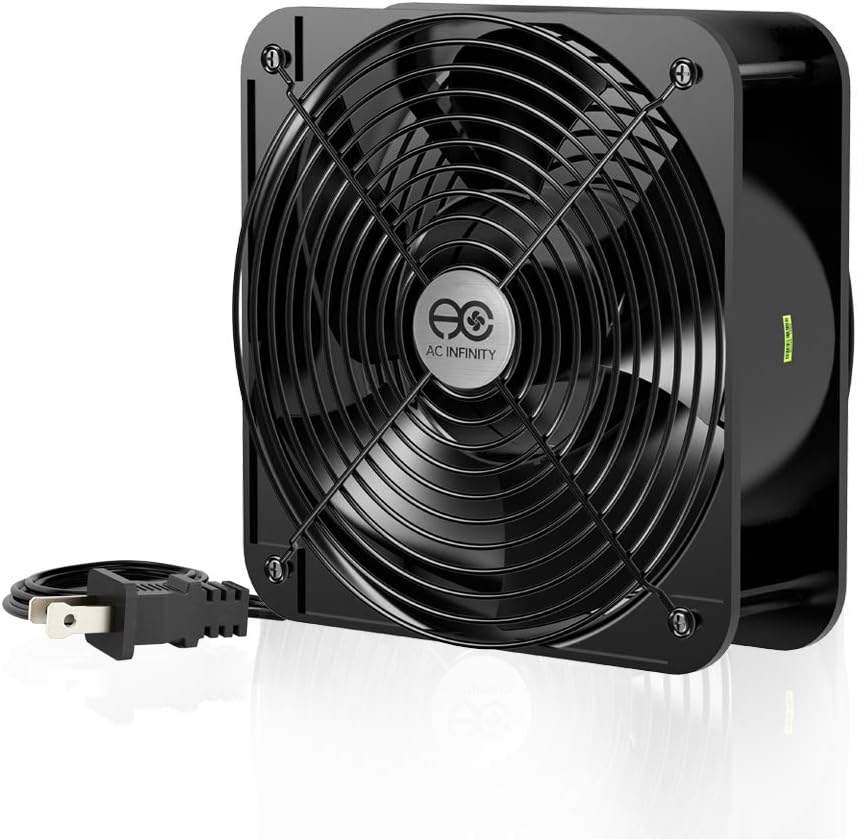
This muffin fan is designed for projects that require cooling or ventilation. It maximizes airflow with a powerful 425 CFM rating making it suitable for rugged industrial tasks.
We may earn a commission when you buy through this link, at no additional cost to you.
It includes a heavy-duty aluminum fan with power plug cord and mounting screws. Dual-ball bearings provide a lifespan of 67,000 hours and allow the fan to be laid flat or stand upright.
The 60mm thickness offers robust structural integrity but may be too loud for quiet PC cases. It is rated for 100 to 120V AC operation with high-speed performance.
Choose this if you need industrial strength cooling for a server rack or enclosure. It is best for applications where noise is secondary to raw airflow performance.
Maximizes airflow with 425 CFM for heavy-duty cooling requirements.
Dual-ball bearings and heavy duty aluminum ensure long-term reliability and operation.
We may earn a commission when you buy through this link, at no additional cost to you.
Selecting the right case fan requires balancing cooling performance with noise levels and build compatibility. This section outlines the key factors you should consider before buying.
Airflow is measured in CFM and determines how much air the fan can move. High airflow is best for front intake while static pressure is needed for radiators.
Look for a high CFM number to ensure your components stay cool under load.
Noise is measured in decibels. Fans with high dB ratings can be distracting during quiet use or gaming sessions.
Choose a fan with low dB ratings if silence is a priority for your setup.
Bearing types impact lifespan and maintenance. Fluid dynamic and hydraulic bearings typically last longer than sleeve bearings.
Select a bearing type that matches your expected usage duration and environment.
PWM fans offer precise speed control via 4-pin headers. DC fans use 3-pin headers and are simpler to control.
Prefer PWM for better automatic temperature-based speed adjustments.
RGB fans add aesthetic value to your build. Ensure your motherboard supports the connector type like 5V 3-pin or 12V 4-pin.
Check for compatible lighting software before purchasing to ensure sync works.
200mm fans often come with multiple mounting hole sets. Verify your case supports the required screw pattern.
Measure your case interior to confirm the fan fits without obstruction.
Standard fans are 25mm thick while some performance models are 30mm. Check clearance for other components like CPU coolers.
Ensure the thickness does not interfere with nearby parts.
MTTF ratings indicate expected operational hours. Higher ratings suggest better quality control and reliability.
Prioritize brands with proven track records for longevity.
Install the fan with the arrow pointing toward your exhaust area or desired airflow path. Use the included screws and anti-vibration mounts to prevent rattling.
Connect the PWM or Molex header to a compatible motherboard port. Ensure all cables are neatly managed to avoid obstructing other airflow.
Clean the blades periodically with compressed air to remove dust buildup. This maintains performance and prevents excessive noise or motor strain over time.
Not all cases support 200mm mounts. Most modern ATX towers do, but check your case manual or measure the space before buying.
PWM fans use a 4-pin header for precise speed control. DC fans use 3-pin headers and are simpler but offer less control.
Yes, 200mm fans can move more air at lower RPMs which typically results in quieter operation for the same cooling power.
Connect the RGB header to a compatible motherboard pin or controller. Install software to synchronize lighting effects across devices.
Fluid dynamic and hydraulic bearings usually offer longer lifespans than sleeve bearings for standard operation.
Yes, they are excellent for front intake due to their high airflow capacity and large diameter.
Use compressed air to blow dust off the blades and frame. Do not spin the fan with your finger to avoid bearing damage.
The top picks include the Noctua NF-A20 for silent performance and the Thermaltake Pure 20 for budget-friendly cooling. Both offer distinct advantages depending on your needs.
Prioritize noise levels and bearing durability if you build a quiet workstation. Choose airflow and RGB lighting for gaming setups.
Always check current prices and availability before making your decision. Specifications and stock levels may vary over time.