
Dell SE2426HG
4.7Editor score
240Hz refresh rate
0.5ms response time
AMD FreeSync Premium
Finding the right display is crucial for competitive Valorant players seeking every advantage. A high refresh rate screen ensures smooth motion clarity and reduces input lag significantly during intense gunfights and quick aim adjustments on the battlefield.
We analyzed ten top-rated models focusing on panel technology, response times, and adaptive sync compatibility. Our comparison highlights key specifications and real-world performance metrics to help you identify the best value for your gaming setup without compromising visual fidelity.
Each selection includes detailed pros and cons alongside expert insights on setup and calibration. Please note that pricing and availability fluctuate frequently, so check the latest offers before making your final purchase decision for your gaming station.
4.7Editor score
4.5Editor score

4.6Editor score
As an Amazon Associate we earn from qualifying purchases.
This side-by-side comparison evaluates all ten selected models based on critical performance metrics like refresh rate, panel type, response time, and connectivity options to help you make an informed decision quickly.


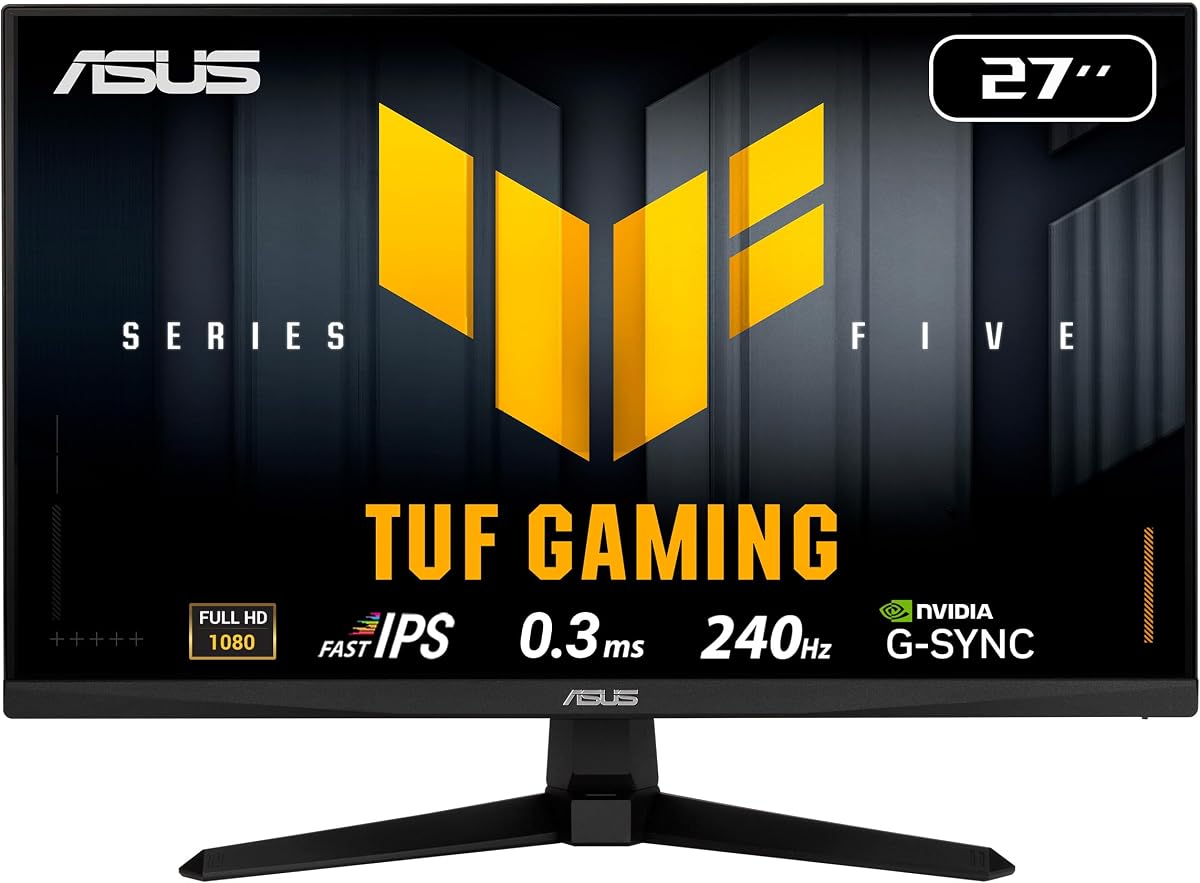
This ASUS TUF monitor stands out as our top recommendation for Valorant players seeking high performance and reliability. With a 4.5 rating from users, it delivers consistent speeds ideal for competitive environments where reaction time matters most.
We may earn a commission when you buy through this link, at no additional cost to you.
Its Fast IPS panel achieves a 0.3ms response time ensuring minimal blur during fast camera pans and flick shots. ELMB SYNC technology allows you to reduce motion blur without disabling variable refresh rate protection from tearing.
While the stand lacks height adjustment which is a trade-off for the price point the monitor offers exceptional color accuracy and durability. The 99% sRGB coverage ensures enemies remain visible even in darker corners of maps.
This monitor is perfect for players who prioritize speed and clarity over extra ergonomic features. Its combination of speed and adaptive sync technology makes it a reliable choice for climbing ranked ladders.
ELMB SYNC technology eliminates motion blur while maintaining variable refresh rate benefits. This dual functionality ensures smooth gameplay without sacrificing visual sharpness.
Backed by a 3-year manufacturer warranty this monitor offers long-term peace of mind. TUF Gaming builds are known for durability under demanding usage conditions.
We may earn a commission when you buy through this link, at no additional cost to you.
The Dell SE2426HG offers incredible value for players wanting 240Hz performance without breaking the bank. Boasting a 4.7 rating it proves you do not need to spend heavily to enjoy competitive-grade refresh rates on your setup.
We may earn a commission when you buy through this link, at no additional cost to you.
Its Fast IPS panel ensures 0.5ms response times keeping movement crisp during intense firefights. AMD FreeSync Premium integration helps minimize stuttering when frame rates fluctuate during heavy action scenes.
Although it lacks advanced ergonomic adjustments the tilt feature suffices for basic desk setups. The TUV certification reduces eye strain during long practice sessions ensuring you stay focused longer without fatigue.
This model is ideal for budget-conscious gamers upgrading from older displays. It delivers the essential speed required for competitive play while maintaining excellent color accuracy for general use.
With 99% sRGB coverage and TUV 3-star certification this monitor balances vivid visuals with eye protection. This makes it suitable for both gaming and work tasks.
Ports include HDMI and DisplayPort allowing compatibility with most PCs. While limited it covers essential needs for modern gaming setups effectively.
We may earn a commission when you buy through this link, at no additional cost to you.
For those seeking the highest visual fidelity this AOC monitor provides a stunning QHD experience combined with 240Hz speeds. Its 4.6 rating highlights satisfaction among users demanding both sharpness and responsiveness in their setup.
We may earn a commission when you buy through this link, at no additional cost to you.
The QHD resolution brings finer details to textures and models aiding in enemy identification. Coupled with 0.3ms MPRT response time motion remains exceptionally clean even during rapid flick movements.
G-SYNC support ensures seamless synchronization with NVIDIA cards eliminating tearing completely. The OSD menu includes presets for different game types optimizing settings for quick transitions between modes.
This premium option suits players with high-end GPUs who want extra clarity. The investment pays off in enhanced detail visibility and smoother frame pacing across varied gaming scenarios.
2560×1440 resolution offers more screen real estate and sharper pixel density than FHD. This extra detail helps spot enemies in complex environments effectively.
A tilt range from minus 3 to plus 21 degrees offers flexible viewing. The frameless design adds a modern aesthetic to any battle station setup.
We may earn a commission when you buy through this link, at no additional cost to you.
The SANSUI model pushes speed limits with up to 300Hz refresh rates for those needing every millisecond advantage. Its 4.5 rating reflects positive feedback from users appreciating its high-speed capabilities and support options.
We may earn a commission when you buy through this link, at no additional cost to you.
Visual optimization tech includes noise reduction and crosshair overlays tailored for FPS games. The 120% sRGB coverage ensures colors remain vibrant and distinguishable during prolonged sessions.
Connectivity is robust with multiple HDMI and DisplayPort versions supporting high refresh rates. Technical support is highlighted as a strong point for troubleshooting any potential issues quickly.
This monitor is suited for speed enthusiasts prioritizing raw refresh rates. While build quality is standard the performance features make it a compelling choice for competitive FPS players.
Built-in tools like crosshair overlays and shadow control enhance targeting precision. These features help players maintain focus during high-intensity encounters.
Dual HDMI and DisplayPort inputs allow flexible setup configurations. This ensures compatibility with various GPU generations and console setups easily.
We may earn a commission when you buy through this link, at no additional cost to you.
This Amzfast monitor brings a curved design to the competitive arena offering immersion rarely found in budget 240Hz options. Its ultra-slim base saves desk space while delivering smooth performance suitable for fast-paced gaming.
We may earn a commission when you buy through this link, at no additional cost to you.
The 124% sRGB gamut and high contrast ratio ensure deep blacks and vibrant colors. A 5-way joystick simplifies OSD navigation allowing quick changes without navigating complex menus manually.
Game modes optimize visuals for different genres with black level adjustments. However VA panels may exhibit slight motion blur compared to IPS alternatives which is acceptable given the price point.
Ideal for players wanting immersion on a budget this monitor delivers on core speed requirements. The unique design elements make it stand out in crowded marketplace options significantly.
The curvature wraps visuals around your peripheral vision enhancing focus. This design helps maintain concentration during long competitive sessions.
An ultra-slim base allows keyboard storage underneath freeing desk space. This practical feature is great for smaller gaming setups.
We may earn a commission when you buy through this link, at no additional cost to you.
Another take on the TUF line this model emphasizes reliability and speed for competitive shooters. Its 4.5 rating aligns with the reputation for robust build quality and consistent performance under heavy loads.
We may earn a commission when you buy through this link, at no additional cost to you.
Fast IPS technology delivers 0.3ms response times ensuring fluid motion during rapid engagements. DisplayWidget Center allows easy adjustments via mouse saving time during setup changes.
The inclusion of a Creative Cloud subscription adds value for content creators beyond gaming. However the stand lacks advanced ergonomic options which might be a drawback for some users.
This monitor is a solid choice for TUF fans seeking dependable speed. The bundle options provide extra value making it an attractive option for those needing creative tools too.
Software control via mouse simplifies frequent setting tweaks. This feature enhances workflow efficiency for gamers and creators alike.
Free Adobe Creative Cloud access extends utility beyond gaming. This bonus appeals to users who also create content for social media.
We may earn a commission when you buy through this link, at no additional cost to you.
The MSI monitor holds an impressive 4.8 rating indicating high user satisfaction and reliability. Its feature set focuses on reducing eye strain and enhancing visibility through AI Vision technology for darker scenes.
We may earn a commission when you buy through this link, at no additional cost to you.
While VA panels generally have slower response times 0.5ms is acceptable for most players. FreeSync Premium ensures smooth gameplay without tearing during frame rate drops.
The monitor supports HDR Ready though true HDR performance may be limited at this price point. VESA compatibility allows flexible mounting options for users preferring arms or stands.
Highly rated by users this model balances features with affordability. The AI Vision and eye comfort features make it appealing for those spending long hours gaming daily.
This tech brightens dark areas revealing hidden details and enemies. It gives a tactical advantage in shadow-heavy maps effectively.
Reduced blue light emission minimizes strain during late sessions. This feature supports healthier long-term gaming habits significantly.
We may earn a commission when you buy through this link, at no additional cost to you.
AOC delivers another strong contender with overclocked speeds reaching 260Hz for enhanced fluidity. Its 4.6 rating reflects user trust in its consistency and performance during competitive matches.
We may earn a commission when you buy through this link, at no additional cost to you.
The IPS panel ensures wide viewing angles making it versatile for multi-monitor setups. Adaptive-Sync technology maintains synchronization across AMD and NVIDIA cards seamlessly.
Power usage is efficient reducing heat and electricity costs over time. The frameless design supports seamless multi-monitor arrangements for expanded field of view.
This monitor suits those wanting extra refresh speed without paying QHD prices. The combination of IPS clarity and adaptive sync makes it a well-rounded competitive choice.
Extra refresh headroom helps future-proof setups for high FPS games. This ensures consistent performance as hardware capabilities improve.
Eco Mode keeps power consumption low without sacrificing performance. This feature aligns with sustainable gaming practices effectively.
We may earn a commission when you buy through this link, at no additional cost to you.
This SANSUI model brings curved immersion to budget-conscious gamers seeking speed. Its 4.4 rating indicates decent performance and user satisfaction for entry-level competitive setups.
We may earn a commission when you buy through this link, at no additional cost to you.
The 1500R curve enhances focus by wrapping visuals naturally around the viewer. Game Mode presets optimize contrast and brightness for specific genres quickly.
Connectivity includes essential ports supporting high refresh rates adequately. Warranty terms offer lifetime technical support providing a safety net for unexpected issues.
Affordable and feature-rich this monitor is great for casual competitive players. It balances cost with essential performance needs for entry-level gaming effectively.
Curved panels reduce eye movement required to scan screen edges. This enhances immersion and focus during long sessions effectively.
Lifetime technical support adds value for troubleshooting and setup. This assurance helps reduce stress for non-technical users.
We may earn a commission when you buy through this link, at no additional cost to you.
This 24-inch model delivers a compact footprint ideal for smaller desks or multi-monitor configurations. Its 4.4 rating reflects user appreciation for its balance of size and performance.
We may earn a commission when you buy through this link, at no additional cost to you.
Height adjustability offers ergonomic customization often missing in budget models. Fast IPS technology ensures quick response times vital for competitive aiming and tracking.
G-SYNC compatibility provides smooth gameplay across varied frame rates effectively. Adobe Creative Cloud inclusion adds creative value for those needing design tools too.
Ideal for users with limited desk space this monitor offers essential features. The ergonomic adjustability makes it a practical choice for extended use.
24-inch dimensions save space while maintaining performance. This suits smaller desks or setups with multiple displays.
Height adjustment helps align the screen with eye level comfortably. This reduces neck strain during extended gaming sessions.
We may earn a commission when you buy through this link, at no additional cost to you.
Selecting the right monitor involves balancing refresh rate, panel type, response time, and connectivity. This guide outlines the key factors to consider for optimal competitive performance.
Refresh rate measured in Hz determines how many frames per second the screen displays. For competitive Valorant a 240Hz refresh rate is essential to ensure smooth motion and reduce perceived input lag.
Always verify if the refresh rate applies to both HDMI and DisplayPort inputs as this can affect performance.
Panel type affects color accuracy and response speed. Fast IPS panels offer quick response times and wide viewing angles ideal for competitive play.
VA panels provide better contrast but may struggle with motion blur in fast-paced games.
Response time indicates how quickly a pixel can switch colors. Lower values like 0.3ms or 0.5ms reduce ghosting and motion blur.
Look for GtG (Gray to Gray) specifications as they offer more accurate speed data.
Adaptive Sync like FreeSync Premium or G-SYNC prevents screen tearing by syncing refresh rates with the GPU. This ensures smooth visuals even when frame rates fluctuate.
Ensure the monitor is certified compatible with your GPU brand for best results.
Resolution impacts visual clarity and performance. FHD is sufficient for high refresh rates but QHD offers more detail if your GPU can handle the load.
Higher resolutions may require more powerful hardware to maintain stable frame rates.
Ports like HDMI 2.0 or DisplayPort 1.4 are necessary for high refresh rates. Ensure your GPU matches these standards to avoid bottlenecks.
Extra ports allow flexible connections for consoles or multiple PCs if needed.
Adjustable stands help position the monitor correctly to reduce strain. Height and tilt adjustments are valuable for long gaming sessions.
VESA mount compatibility offers flexibility if you prefer a third-party monitor arm.
Color coverage like sRGB ensures enemies are visible against backgrounds. Good color accuracy helps distinguish details in dark or bright environments.
Look for monitors with 99% sRGB coverage for reliable visual fidelity.
Connect your monitor using the highest quality cable available to ensure full refresh rate support. DisplayPort is generally preferred for gaming monitors due to higher bandwidth capacity.
Calibrate your refresh rate settings in your graphics control panel to ensure the monitor runs at its maximum speed. Enable adaptive sync features for tear-free gameplay.
Regularly clean the screen with a microfiber cloth to maintain clarity. Avoid harsh chemicals that could damage the panel coatings over time.
Yes, to fully utilize 240Hz you need a GPU capable of pushing that many frames. However you can still use the monitor at lower speeds if your system cannot handle the load.
Yes 240Hz offers smoother motion and lower input lag which can improve aiming and reaction times. For competitive play the extra frames provide a noticeable advantage.
FHD is typically preferred because it allows higher frame rates with less GPU load. QHD offers more detail but requires more power to maintain high refresh rates.
Generally Adaptive Sync like G-SYNC or FreeSync introduces minimal lag compared to V-Sync. It prevents tearing which can actually improve perceived responsiveness.
Yes but you may not reach full 240Hz performance. The monitor will still function well at lower refresh rates supported by your hardware.
Fast response times reduce motion blur ensuring crisp visuals during movement. This helps you track enemies more accurately and react quickly.
IPS panels are usually better for gaming due to faster response times. VA panels offer deeper blacks but may show more ghosting in motion.
Most models include VESA compatibility allowing mounting with third-party arms. Check specifications to confirm the size is standard like 100x100mm.
We explored ten top models ranging from budget picks to premium options catering to different needs. The ASUS TUF VG279QM5A stands out for its balance of speed and reliability.
Prioritize refresh rate and response time when comparing options to ensure competitive performance. Adaptive sync and ergonomic features should also factor into your decision.
Prices fluctuate often so verify current deals before purchasing. Always check the latest specs and reviews to confirm the model meets your setup requirements.