
Creality CR-Scan Ferret Pro 3D Scanner
3.7Editor score
WiFi 6 wireless support
Anti-shake tracking
Full color scanning
3D scanning technology has evolved rapidly offering professionals and hobbyists alike the ability to capture real world objects with incredible detail and accuracy.
We evaluated ten leading models based on accuracy scanning speed ease of use and software capabilities to help you find the right tool for your projects.
Each selection highlights specific strengths and weaknesses so you can make an informed decision keeping in mind that market prices may fluctuate over time.
3.7Editor score

5.0Editor score

4.5Editor score
As an Amazon Associate we earn from qualifying purchases.
This side-by-side comparison highlights key specifications and capabilities across the ten selected 3D scanners to assist you in evaluating their performance differences.
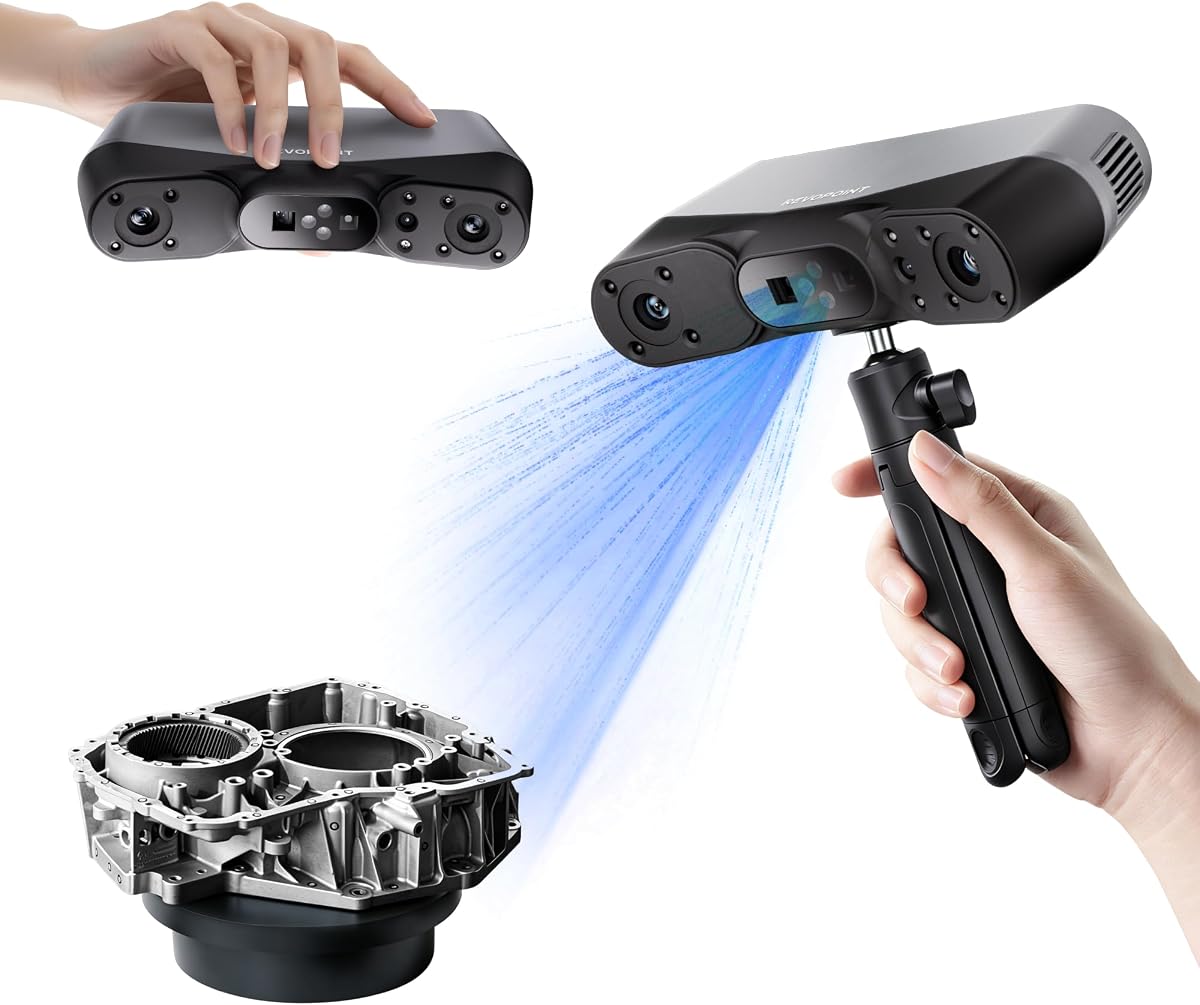


The Creality Pika Portable 3D Scanner stands out as a top choice due to its exceptional accuracy and advanced AI features that simplify complex scanning tasks.
We may earn a commission when you buy through this link, at no additional cost to you.
Its dual-mode scanning capabilities using blue laser and NIR structured light allow users to capture everything from intricate parts to full-body models with remarkable detail.
While it offers high performance, users might find the reliance on specific software modes slightly limiting for those needing unrestricted manual control during certain operations.
For professionals and hobbyists seeking a balance of precision and portability, the Pika is a highly recommended device that delivers professional results in a compact form.
The built-in AI Body Completion feature generates full-body 3D models from just a face scan and photos in as little as 10 seconds.
With Wi-Fi 6 wireless PC mode and a 3-inch HD touchscreen, users can scan anywhere anytime without cables for enhanced flexibility.
We may earn a commission when you buy through this link, at no additional cost to you.
The Revopoint POP 4 offers industrial-grade accuracy up to 0.03mm, making it an excellent choice for users requiring precise dimensional data for engineering tasks.
We may earn a commission when you buy through this link, at no additional cost to you.
Its AI segmentation and 3D Gaussian Splatting capabilities provide clean data and true-to-life photorealistic models that enhance the quality of 3D prints and animations.
However, the software ecosystem is somewhat limited as Revo Design and Revo Measure are paid add-ons and only support Windows platforms which may restrict cross-platform users.
Despite these minor drawbacks, the POP 4 remains a powerful tool for professionals who need reliable all-weather performance and high-speed scanning for complex projects.
AI object segmentation identifies your target in one click, tracks it throughout the scan, and auto-filters background noise delivering clean data.
The device operates reliably up to 100,000 lux ambient light allowing for consistent all-weather performance on construction sites and fieldwork.
We may earn a commission when you buy through this link, at no additional cost to you.
The Revopoint INSPIRE 2 is designed for versatility offering dual scanning modules that make it easy to handle different materials, sizes, and environments seamlessly.
We may earn a commission when you buy through this link, at no additional cost to you.
With an accuracy of up to 0.05mm and precision of up to 0.03mm it creates highly detailed models that are suitable for both detailed modeling and reverse engineering.
The need for Revo Design software to be purchased separately for full CAD integration might be a hurdle for some users looking for a complete out-of-box workflow.
Nevertheless, the INSPIRE 2 provides a robust and user-friendly experience that is particularly well-suited for professionals needing reliable outdoor scanning capabilities.
Boost scanning efficiency with the INSPIRE 2 infrared structured light and multi-line laser scanning modes for different material handling.
Capture true-to-life colors and intricate textures with high-resolution mapping using the built-in RGB camera for digital archiving.
We may earn a commission when you buy through this link, at no additional cost to you.
The Revopoint MetroY Ultra delivers industrial-grade accuracy with up to a 0.01mm single-frame precision making it ideal for tight tolerance measurement and reverse engineering.
We may earn a commission when you buy through this link, at no additional cost to you.
Its ability to handle every scenario with 5 versatile scanning modes ensures that users can tackle everything from small parts to medium-sized objects with ease.
The premium price point may be a consideration for smaller businesses or individuals who do not require the highest level of precision in their daily tasks.
For those demanding the highest standards in metrology and inspection the MetroY Ultra offers the performance and reliability necessary for professional industrial applications.
Flawlessly capture intricate geometric details with up to a 0.01 mm single-frame precision powered by advanced blue laser technology.
Scan black high-gloss and metallic industrial components directly without scanning spray protecting delicate parts and saving prep time.
We may earn a commission when you buy through this link, at no additional cost to you.
The Revopoint MetroX Pro features industrial-grade blue laser scanning that flawlessly captures every detail and dimension with single-frame precision up to 0.01 mm.
We may earn a commission when you buy through this link, at no additional cost to you.
Its four scanning modes and one-click automatic turntable scanning automate complex object scans allowing for efficient workflows in precision modeling and industrial measurement.
The requirement for Windows operating systems and paid software extensions like Revo Measure and Revo Design might limit accessibility for users on other platforms.
However for users invested in a Windows-based CAD workflow the MetroX Pro provides a comprehensive solution for high-precision industrial scanning needs.
Stream your scan from your PC to a phone tablet or display in real time via the Revo Mirror app to see your scan take shape.
No scanning spray is needed when using the cross-line or parallel line modes to scan shiny or dark surfaces quickly.
We may earn a commission when you buy through this link, at no additional cost to you.
The 3DMakerpro Fox offers an accessible medium-format scanning solution for beginners and hobbyists looking to enter the world of 3D scanning without breaking the bank.
We may earn a commission when you buy through this link, at no additional cost to you.
With 0.07mm accuracy and 0.10mm resolution it outperforms typical entry-level scanners capturing details that make 3D prints truly useful for various applications.
Its lower accuracy compared to high-end models may not be sufficient for industrial tasks requiring tight tolerances but it is excellent for general modeling.
For newcomers to the field the Fox provides a reliable and detailed three-dimensional model capture experience that is both professional-grade and user-friendly.
Moved too fast during a handheld 3D scan The software picks up where you left off so you do not have to start over.
JMStudio scanning software integrates scanning editing and optimizing into one seamless process delivering reliable and detailed models.
We may earn a commission when you buy through this link, at no additional cost to you.
The Creality Otter Lite Basic 3D Scanner features a quad-camera design that allows it to scan objects ranging from tiny coins to large cars efficiently.
We may earn a commission when you buy through this link, at no additional cost to you.
Its ultra-high 0.05mm accuracy and advanced DOE structured light technology ensure that every fine detail is captured for reverse engineering and prototyping.
While it is versatile the lack of included stability accessories might mean users need to purchase additional equipment for steady handheld scanning sessions.
For those needing full color texture capture without the need for spray the Otter Lite provides a practical solution with its built-in megapixel RGB camera.
Innovative 4-camera system with dual long-focal lenses for fine details and dual short-focal lenses for large coverage.
Advanced DOE technology delivers concentrated light energy with one-shot 3D imaging allowing you to scan dark shiny surfaces without powder.
We may earn a commission when you buy through this link, at no additional cost to you.
The Creality CR-Scan Ferret SE boasts an impressive accuracy of up to 0.1mm making it a capable tool for capturing dimensional data and intricate details.
We may earn a commission when you buy through this link, at no additional cost to you.
Its anti-shake tracking technology enhances tracking efficiency ensuring smooth error-free scanning results even with shaky hands or rapid movements.
Users may find its accuracy slightly lower than the Pro version which could be a limitation for those requiring more precise measurements for technical work.
For beginners looking for a colorful and vivid texturing experience without the need for spraying black or metal objects the Ferret SE is a solid entry point.
The new one-shot 3D imaging technology significantly increases the success rate of scans ensuring smooth error-free results.
The built-in 2MP high-resolution color camera captures intricate details and colored 3D models in their original colors vividly.
We may earn a commission when you buy through this link, at no additional cost to you.
The Creality CR-Scan Ferret Pro delivers up to 0.1mm accuracy and 30FPS scanning speed allowing it to capture detailed dimensional data and complex shapes smoothly.
We may earn a commission when you buy through this link, at no additional cost to you.
Its advanced WiFi 6 support offers speeds three times faster than WiFi 5 ensuring stable efficient data transfer for high-precision scanning and smoother workflow.
Users should avoid scanning highly reflective transparent or extremely dark surfaces as this might impact the reliability of the results in such scenarios.
For those seeking a reliable and cost-effective handheld scanner with wireless capabilities the Ferret Pro offers a strong balance of performance and compatibility.
Featuring advanced WiFi 6 this handheld 3D scanner offers speeds 3x faster than WiFi 5 ensuring stable efficient data transfer.
Powered by upgraded optical technology the scanner delivers reliable performance in outdoor environments with ambient light up to 30,000 lux.
We may earn a commission when you buy through this link, at no additional cost to you.
The Revopoint MIRACO Plus is a cost-effective all-in-one 3D scanner with integrated photogrammetric metrology for high-resolution capture of small details on large objects.
We may earn a commission when you buy through this link, at no additional cost to you.
Its powerful hardware configuration includes an 8-core processor and 32GB RAM allowing it to capture up to 10,000 frames efficiently for complex scanning needs.
The software is only compatible with x86_64 architecture which may limit users running different operating system architectures on their devices for scanning tasks.
For professionals requiring an all-in-one solution with long battery life and a large display the MIRACO Plus offers robust capabilities for versatile projects.
The Photogrammetric Kit enables high-resolution capture of small details on large objects ensuring a photogrammetric length accuracy of 0.02 mm.
The device weighs only 750g and battery provides up to 2 hours of continuous scanning with 65W fast charging.
We may earn a commission when you buy through this link, at no additional cost to you.
Choosing the right 3D scanner involves evaluating several key factors such as accuracy scanning speed and software compatibility to match your specific needs.
Accuracy and precision are critical for ensuring that your 3D models reflect the true dimensions of the physical object. Higher accuracy is essential for engineering tasks reverse engineering and parts that need to fit together precisely. Look for scanners that offer specifications like 0.01mm for industrial work or 0.1mm for general hobbyist modeling.
In summary always match the scanner's precision requirements to the tolerance levels needed for your intended projects to avoid costly rework.
Scanning speed determines how quickly you can capture an object without losing detail. High frame rates such as 30fps or higher allow for smoother and more efficient workflows especially when scanning larger or complex items. Faster speeds also reduce the likelihood of movement errors during handheld scanning sessions.
Prioritize scanners with high FPS ratings if you need to complete multiple scans daily or work with larger objects that require quick coverage.
The software that comes with your scanner is just as important as the hardware itself. Check whether the software supports your operating system whether it includes features like alignment merging and editing and if additional paid plugins are required for advanced CAD integration. Some scanners work better with Windows while others offer cross-platform support.
Ensure the software ecosystem aligns with your workflow to prevent interruptions during the post-processing and model refinement phases.
Portability is key if you plan to scan objects in different locations or on-site. Consider the weight of the scanner whether it has a built-in battery and if it is designed for handheld use. Lighter devices reduce fatigue during long scanning sessions and wireless connectivity enhances your movement around the workspace.
Select a scanner that balances weight and durability to suit your specific mobility needs whether you are in a studio or traveling to sites.
Different scanners handle various surface materials differently some require spray on dark or reflective surfaces while others use advanced technology to capture them directly. If you frequently scan metallic shiny or dark objects choose a model that supports no-spray scanning to save time and avoid contamination of delicate parts.
Look for features like laser or structured light that are specifically designed to overcome challenges with challenging surface textures and colors.
Connectivity options such as Wi-Fi 6 or USB-C affect how you transfer data to your computer and interact with the scanner. Wireless options provide greater freedom of movement but wired connections often offer more stability and faster data transfer speeds. Consider whether your workflow requires real-time streaming or just simple data syncing.
Choose a connectivity method that ensures stable and fast data transmission without restricting your movement or slowing down your process.
If your projects require realistic textures and colors check if the scanner includes a high-resolution RGB camera for full-color capture. This feature is vital for digital archiving heritage preservation and product display where visual accuracy is paramount. Color mapping should be synchronized accurately with the 3D geometry for best results.
Prioritize models with dedicated RGB cameras and color synchronization if visual fidelity is a top priority for your 3D output needs.
Customer support and warranty terms are crucial for protecting your investment and ensuring long-term usability. Look for manufacturers that offer comprehensive warranties reliable technical support and clear documentation for troubleshooting. A strong support network can save time and money when issues arise during use.
Always review the warranty length and support options before purchasing to ensure you have assistance if the hardware encounters problems.
Start by ensuring your scanning environment has adequate lighting and minimal interference to help the device capture clear data efficiently. Most handheld scanners work best in well-lit areas away from strong direct sunlight or shadows that could distort the readings.
Prepare your object by placing it on a stable surface or turntable and using markers if the software requires them for alignment. For dark or reflective surfaces use the appropriate scanning mode such as laser or structured light to avoid the need for spray coatings.
After scanning transfer your data to your computer promptly and perform necessary post-processing like cleaning up noise and aligning multiple scans before exporting your final model. Regularly update the scanner firmware and software to maintain optimal performance and access new features.
Structured light scanners project a pattern of light and analyze its deformation to calculate shape making them fast and good for general objects. Laser scanners use laser lines to measure depth offering higher precision for industrial parts and dark surfaces. The choice depends on your need for speed versus precision and the material you are scanning.
Many modern 3D scanners are designed to work outdoors with built-in filters or laser technology that can withstand bright sunlight. Look for models with high lux ratings such as 100,000 lux to ensure reliable performance in varying lighting conditions without losing accuracy.
Not necessarily. Advanced scanners with laser or infrared structured light can often scan black or reflective metal objects without spray. These technologies use different light wavelengths to capture details that standard visible light systems might miss preventing the need for powder or adhesive coatings.
Handheld scanners can achieve accuracies down to 0.01mm suitable for tight tolerance engineering tasks. However for absolute dimensional certification industrial photogrammetry systems are preferred. Verify the specific accuracy ratings and calibration procedures to ensure they meet your engineering standards before investing.
Most handheld 3D scanners come with basic proprietary software for capturing and viewing scans. However advanced features like reverse engineering and CAD export often require additional paid software or separate licenses. Always check what is included in the base package before purchasing.
Calibration typically involves placing a calibration board or markers within the scanning volume and running a calibration routine in the software. This process ensures the device maintains its accuracy and alignment. Refer to your user manual for specific steps as procedures vary by manufacturer.
Common file formats include STL OBJ PLY and ASC which are compatible with most 3D printing and CAD software. Some scanners also support formats like GLTF and FBX for animation or web use. Verify export options match the requirements of your downstream applications.
Yes many scanners offer full-body scanning capabilities using infrared or structured light that is safe for skin. Ensure the scanner supports body scanning and has a large enough capture volume. Some models include AI features to complete body models from partial scans for realistic results.
We have reviewed the top 3D scanners ranging from industrial-grade precision models to accessible entry-level devices to help you find the best tool for your needs.
Prioritize factors like accuracy scanning speed and software compatibility based on your specific project requirements to ensure you get the most value from your investment.
Remember to check current market prices and availability as these can vary frequently and may affect your final decision on which device to purchase.