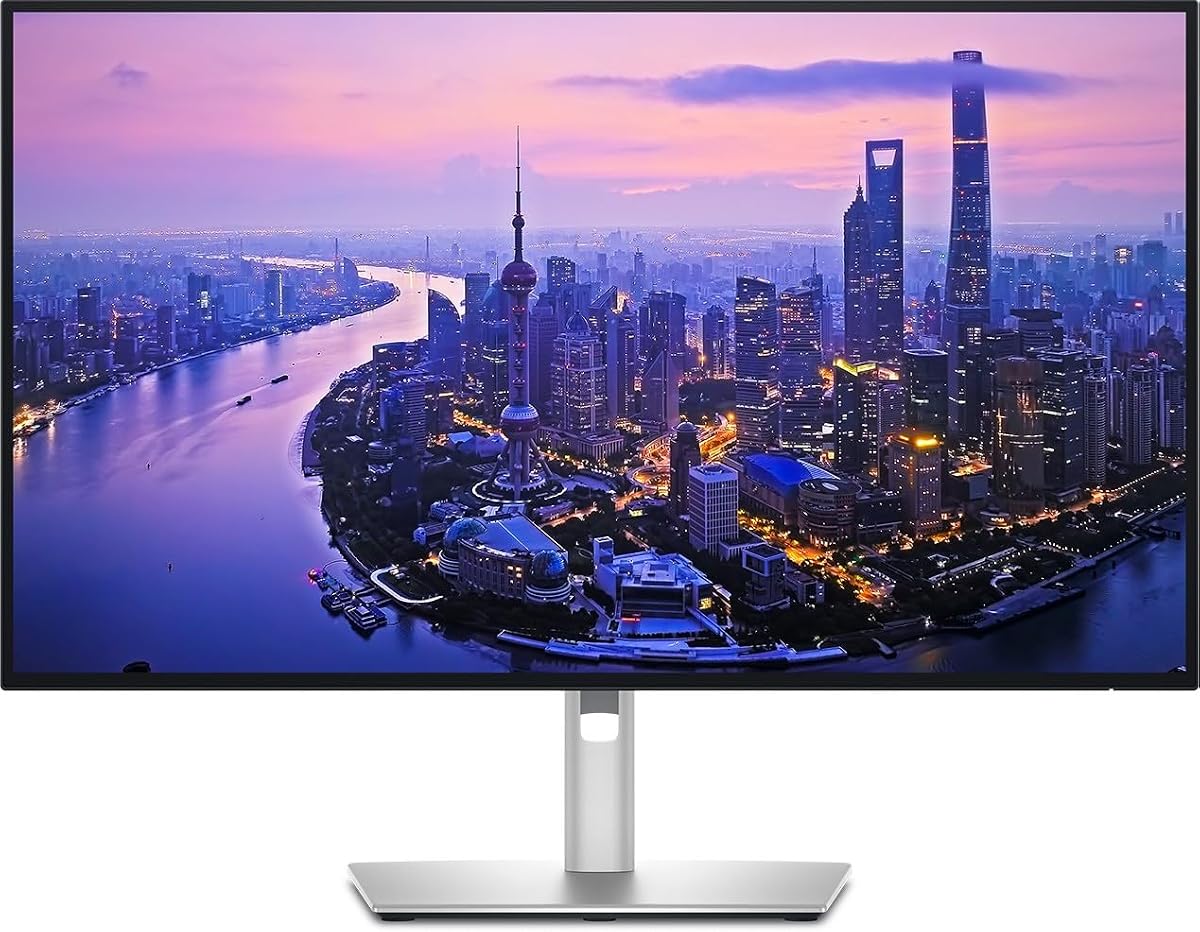
Dell UltraSharp U2725QE 27-Inch 4K UHD IPS Black Monitor
4.4Editor score
Factory calibrated color accuracy
140W power delivery support
Daisy chain for two extra monitors
Finding the right display can transform your workflow and enhance visual clarity significantly. Thunderbolt connectivity offers seamless single-cable solutions for power data and video transmission. These monitors deliver crisp 4K resolution essential for modern professional environments.
This guide compares ten top-rated 4K monitors featuring Thunderbolt ports or compatible USB-C alternatives. We analyzed color accuracy refresh rates connectivity options and ergonomic designs. Each product brings unique strengths for different users from creators to executives.
Every selection includes detailed specs real-world performance notes and clear pros and cons. Prices and availability fluctuate frequently so verify current listings before purchasing. This ensures you get the best value and features for your specific needs today.
4.4Editor score

4.6Editor score

4.5Editor score
As an Amazon Associate we earn from qualifying purchases.
The following table provides a side-by-side overview of key specifications across all ten selected monitors. Compare resolution color coverage connectivity options and special features at a glance to find the perfect fit for your workspace needs today.


The Dell UltraSharp 32 Thunderbolt Hub Monitor stands out as our top choice for professionals who demand precision and versatility. With a 4.6-star rating from verified users, it delivers exceptional 4K clarity and factory-calibrated color accuracy right out of the box. This display is designed to handle creative workflows and multitasking with ease, making it ideal for designers, developers, and executives alike.
We may earn a commission when you buy through this link, at no additional cost to you.
Its standout feature is the IPS Black panel, which offers a remarkable 3000:1 contrast ratio and 47% deeper blacks than conventional IPS screens. This means shadows look richer and colors pop more vividly, creating a more immersive viewing experience. The 99% Display P3 color coverage ensures that your edits look true to life from the very first second, meeting the high standards of professional creative work.
While the price is higher than some competitors, the value proposition is strong. The built-in KVM switch allows you to control two machines with a single keyboard and mouse, streamlining your setup significantly. Additionally, Thunderbolt 4 connectivity supports daisy chaining for up to two additional 4K monitors, expanding your workspace without cluttering your desk with extra cables or hubs.
If you need a premium display that balances color accuracy, connectivity, and workspace efficiency, this is the monitor to buy. It is especially well-suited for Mac users who benefit from the Display P3 color space and tested macOS compatibility. For any professional seeking a high-end Thunderbolt display that elevates daily productivity and visual quality, this model is the clear winner.
Factory calibration with Delta E less than 1.5 ensures your work is viewed exactly as intended without manual tweaks.
The KVM feature lets you switch between a work laptop and personal device instantly, saving time and reducing cable clutter.
We may earn a commission when you buy through this link, at no additional cost to you.
The Dell UltraSharp U2725QE is a powerhouse for professionals who need a single-cable solution for power, data, and video. With a 4.4-star rating, it excels in color accuracy and connectivity, making it a top contender for advanced workflows. The IPS Black panel delivers deeper blacks and richer shadows than standard IPS panels, enhancing overall image quality significantly.
We may earn a commission when you buy through this link, at no additional cost to you.
One of its strongest features is the Thunderbolt 4 connectivity, which transmits video, data, and up to 140W power simultaneously. This means you can charge a high-performance laptop while using the monitor as a central hub. The daisy chain support allows you to connect up to two additional 4K monitors, creating a seamless multi-screen environment without complex cabling.
For long work sessions, the ComfortView Plus feature reduces harmful blue light without sacrificing color accuracy. This is paired with an ambient light sensor that adjusts brightness automatically, ensuring comfort throughout the day. The ergonomic stand supports height, tilt, swivel, and pivot adjustments, giving you full control over your viewing position.
This monitor is perfect for power users who want premium features like high wattage charging and multi-monitor support. While it carries a higher price tag, the combination of color accuracy, connectivity, and ergonomic design justifies the cost. If you need a robust Thunderbolt display that simplifies your desk setup and enhances your workflow, this is an excellent investment.
Ultimately, the U2725QE sets a high standard for professional displays. Its ability to handle demanding creative tasks while keeping your workspace organized makes it a standout choice. Whether you are editing photos, coding, or managing complex projects, this monitor delivers the performance and reliability you need to succeed.
Thunderbolt 4 lets you connect, charge, and transfer data with one cable, reducing desk clutter and improving efficiency.
The 120Hz refresh rate provides fluid motion and reduced blur, beneficial for fast-paced workflows and multitasking.
We may earn a commission when you buy through this link, at no additional cost to you.
The LG 27UP850K-W offers outstanding value for users seeking high-quality 4K visuals and solid connectivity at a lower price point. With a 4.5-star rating, it delivers crisp images and vibrant colors thanks to its 95% DCI-P3 color gamut coverage. This makes it a versatile choice for content consumption and light professional work, bridging the gap between budget and premium segments effectively.
We may earn a commission when you buy through this link, at no additional cost to you.
Its USB-C port supports up to 90W power delivery, allowing you to charge compatible laptops while using a single cable for data and video. While it is not a native Thunderbolt 4 port, it provides similar single-cable convenience for most setups. The built-in stereo speakers with Waves MaxxAudio add convenience by eliminating the need for external speakers in many scenarios.
For users who enjoy HDR content, the DisplayHDR 400 certification ensures better contrast and brightness levels than standard SDR displays. The ergonomic stand allows for easy height, tilt, and pivot adjustments, ensuring comfort during long sessions. Additionally, features like Black Stabilizer and Dynamic Action Sync enhance the viewing experience for gaming and dynamic media.
This monitor is an ideal pick for budget-conscious professionals or students who need reliable performance without breaking the bank. It handles video editing and design work well due to its color accuracy. If you prioritize affordability and essential connectivity features like USB-C charging, this model is a strong candidate for your workspace upgrade.
In summary, the LG 27UP850K-W balances cost and quality effectively. While it may not have the premium features of higher-end Thunderbolt hubs, it delivers essential 4K performance and connectivity that meets the needs of most users. For those looking to maximize value while maintaining visual fidelity, this monitor is a recommended choice.
USB-C charging and built-in speakers simplify your desk setup by reducing the need for extra cables and peripherals.
DisplayHDR 400 and color gamut coverage ensure movies and games look vibrant and detailed on the screen.
We may earn a commission when you buy through this link, at no additional cost to you.
The Dell 27 Monitor S2725QC is an excellent choice for users who want a high refresh rate 4K display at an accessible price. With a 4.4-star rating, it offers smooth visuals thanks to its 120Hz refresh rate, which is rare at this price point. The IPS panel ensures 99% sRGB coverage, making it suitable for everyday creative tasks and media consumption.
We may earn a commission when you buy through this link, at no additional cost to you.
Connectivity is simplified with a single USB-C cable that provides up to 65W power delivery. This means you can keep your laptop charged while using the monitor for work or play. AMD FreeSync Premium support helps prevent screen tearing during gaming or video playback, ensuring a more fluid visual experience across various content types.
ComfortView Plus technology reduces harmful blue light emissions to support all-day comfort without sacrificing color accuracy. The monitor also features re-engineered sound quality with greater output power than previous generations. This adds value by reducing the need for external speakers for casual listening or video calls.
This monitor is ideal for budget-minded users who still want high performance and modern connectivity options. While it lacks the advanced hub features of premium models, it covers the basics exceptionally well. If you need a reliable, affordable 4K display that handles multitasking and light gaming efficiently, this is a smart pick.
In conclusion, the S2725QC delivers strong performance for its price. It balances refresh rate, color accuracy, and connectivity in a package that appeals to a wide range of users. For those looking to upgrade to 4K without overspending, this model offers a compelling balance of features and affordability.
The 120Hz refresh rate ensures smooth scrolling and motion, enhancing both productivity and entertainment experiences.
USB-C connectivity reduces cable clutter while providing both video and power in a single connection.
We may earn a commission when you buy through this link, at no additional cost to you.
The Dell UltraSharp 27 4K Thunderbolt Hub Monitor focuses on connectivity and color accuracy for professional needs. With a 3.8-star rating, it presents a compelling option for those who prioritize Thunderbolt functionality and reliable color performance. The built-in Thunderbolt hub supports daisy-chaining and high-speed data transfer, transforming the monitor into a central connectivity point for your devices.
We may earn a commission when you buy through this link, at no additional cost to you.
It covers 100% of both sRGB and Display P3 color spaces with factory-calibrated accuracy. This makes it highly suitable for photo editing, video production, and graphic design tasks where color fidelity is critical. The variety of USB-A, USB-C, and Thunderbolt ports allows you to connect peripherals and storage devices through a single display, streamlining your workflow.
The ergonomic stand supports tilt, swivel, height, and pivot adjustments to ensure comfortable viewing angles. This is paired with a commitment to sustainable materials and energy-efficient operation, appealing to eco-conscious buyers. The design is sleek and professional, complementing any workspace aesthetic with its minimalistic look.
This monitor is best suited for professionals who need robust connectivity and accurate color without needing the most expensive options. While the rating is lower than some peers, the core features meet high standards. If you value Thunderbolt flexibility and environmental responsibility in your hardware, this model deserves serious consideration.
In short, the U2725QE delivers a strong package for productivity and creative work. Its connectivity and color features make it a capable tool for demanding tasks. For users who need a reliable hub for peripherals and media, this monitor offers a practical and efficient solution.
Multiple ports and Thunderbolt support let you connect many devices through the monitor, reducing desk clutter.
Full sRGB and P3 coverage ensures your edits look accurate across different platforms and devices.
We may earn a commission when you buy through this link, at no additional cost to you.
The Dell UltraSharp 27 4K Thunderbolt Hub U2725QE, identified by the specific SKU, caters to business environments requiring stable and scalable display solutions. With a focus on professional features, it delivers high-quality 4K visuals and robust connectivity. This monitor ensures that business users can rely on consistent performance for daily operations and critical workflows.
We may earn a commission when you buy through this link, at no additional cost to you.
Its Thunderbolt hub connectivity supports daisy-chaining and high-speed data transfer, which is essential for expanding workspaces. The design and functionality mirror other U2725QE models, ensuring you get the same reliable features in a business-ready package. The 27-inch size provides ample screen real estate without taking up too much desk space.
For organizations deploying monitors across teams, this model offers the durability and features needed for professional use. The Thunderbolt support simplifies setup for employees with powerful laptops, reducing IT complexity. It ensures that every user has access to high-resolution displays and modern connectivity options.
This display is ideal for enterprise settings where reliability and standardized features are paramount. While public consumer reviews are limited, its specs align with enterprise standards. If you are configuring a workspace with multiple users or need a dependable Thunderbolt monitor, this model is a strong choice.
In summary, the U2725QE business variant delivers the features expected from Dell's UltraSharp line. It supports scalable connectivity and consistent performance for professional environments. For IT managers and business users seeking reliable hardware, this monitor provides the tools needed for efficient and organized work.
Thunderbolt daisy chaining simplifies multi-monitor setups for teams, reducing cable clutter and improving organization.
Consistent 4K quality ensures that all team members have access to clear visuals for collaborative tasks.
We may earn a commission when you buy through this link, at no additional cost to you.
The ViewSonic VP2488-4K offers a compact yet powerful Thunderbolt solution for Mac users and professionals with limited desk space. With a 4.5-star rating, it delivers stunning 4K detail in a 24-inch package. This makes it perfect for those who need high resolution but prefer a smaller footprint in their workspace.
We may earn a commission when you buy through this link, at no additional cost to you.
Thunderbolt 4 connectivity ensures lightning-fast 40 Gbps data transfer and supports up to 100W power delivery. This means you can charge a MacBook and transfer large files efficiently over a single cable. The Pantone Validated display ensures pinpoint color fidelity, aligning with industry standards for creative outputs like photo and video editing.
The fully adjustable stand supports tilt, swivel, rotate, and height adjustments, allowing you to find the perfect viewing angle. This ergonomic focus helps reduce neck strain during long work sessions. Additionally, the versatile port selection includes HDMI and DisplayPort for flexible connectivity with non-Thunderbolt devices.
This monitor is best suited for users who value space-saving design without compromising on professional color accuracy. Its Mac-ready features make it an excellent companion for creative workflows on macOS. If you need a compact Thunderbolt display that performs well for editing and design tasks, this model is highly recommended.
In conclusion, the VP2488-4K brings premium features to a smaller format. It supports efficient workflows with high-speed connectivity and accurate colors. For professionals with constrained space who still demand high-quality visuals, this monitor is a practical and powerful choice.
The 24-inch 4K panel fits easily on smaller desks while delivering the sharpness needed for detailed work.
Thunderbolt 4 and Pantone validation ensure seamless compatibility and color accuracy for Mac users.
We may earn a commission when you buy through this link, at no additional cost to you.
The Samsung 32 ViewFinity S7 stands out with a 4.8-star rating for its exceptional clarity and color representation. This 32-inch display is ideal for creating intricate designs and dynamic video content that benefit from more screen space. The HDR10 optimization enhances contrast, offering darker blacks and brighter highlights for a more immersive visual experience.
We may earn a commission when you buy through this link, at no additional cost to you.
Its IPS panel delivers over 1 billion accurate colors, ensuring that designs and images look vibrant and true to life. For users with long work hours, the Eye Saver Mode technology is certified by TÜV to minimize blue light and prevent screen flickering. This reduces eye strain and helps maintain comfort throughout the day.
While it does not feature native Thunderbolt ports, it offers HDMI and DP ports for convenient setup and productivity. Game Mode adjusts color and contrast instantly to make scenes clearer, which is beneficial for casual gaming or media consumption. The design is sleek and professional, fitting well into various environments.
This monitor is a strong pick for users who prioritize screen size and color accuracy over advanced connectivity hubs. It is suitable for architects, designers, and writers who need expansive real estate for detailed work. If you want a reliable 32-inch display with excellent visuals and eye protection features, this is a top choice.
In short, the ViewFinity S7 delivers high-resolution clarity at a competitive price. Its large screen and color performance make it versatile for many tasks. For those seeking a spacious and visually impressive monitor without extra connectivity needs, this model is a rewarding selection.
The 32-inch size provides ample space for complex diagrams and multitasking without needing multiple monitors.
Eye Saver Mode reduces blue light and flicker to help prevent eye strain during extended use.
We may earn a commission when you buy through this link, at no additional cost to you.
The Dell U3225QE provides an expansive 32-inch workspace that maximizes productivity with detailed visual performance. With a 4.0-star rating, it is a solid choice for users who need to multitask and view multiple windows simultaneously. The integrated Thunderbolt hub offers versatile connectivity options, streamlining your workspace by connecting peripherals through the monitor.
We may earn a commission when you buy through this link, at no additional cost to you.
The 4K LED display ensures crisp text and sharp images, making it comfortable to view during extended work sessions or entertainment. Its slim bezels and premium finish elevate your workspace aesthetic, fitting seamlessly into modern professional environments. This design helps maintain a clean look that supports focus and efficiency.
For those who need a larger screen to reduce the need for multiple monitors, this model provides ample real estate. The Thunderbolt connectivity supports high-speed data and power delivery, simplifying your setup significantly. It is designed to help you stay organized and efficient while working on complex tasks.
This monitor is ideal for professionals who need a balance of size, connectivity, and professional design. While some users may have mixed experiences, its core features offer strong productivity tools. If you prioritize workspace expansion and clean connectivity, this display offers a capable solution.
In summary, the U3225QE delivers a large, efficient workspace for demanding tasks. It combines visual clarity with practical connectivity to support daily work. For those looking to upgrade to a larger Thunderbolt-enabled display, this model provides the features needed to enhance your workflow.
The 32-inch size allows you to manage more tasks at once, reducing the need for multiple monitors.
Thunderbolt hub integration simplifies your desk by connecting multiple devices through the monitor.
We may earn a commission when you buy through this link, at no additional cost to you.
The Samsung TU87F Series is a unique option for users wanting a dual 4K setup with Thunderbolt daisy chaining at a lower cost. With a 4.1-star rating, it allows you to connect compatible Macs and PCs for a simpler dual UHD setup. This feature is valuable for those who need a large screen without investing in multiple monitors separately.
We may earn a commission when you buy through this link, at no additional cost to you.
It is equipped with two Thunderbolt 3 ports that transmit video and data at speeds up to 40Gbps. Simultaneously, it charges devices up to 90W over a single cable, simplifying power and data management. The VA panel provides wide 178-degree viewing angles and delivers a billion hues with deep blacks for accurate color replication.
The stand is fully adjustable for height, tilt, and swivel, ensuring comfort and ergonomics during long work sessions. Since it is VESA compatible, installing on a wall or separate mounting arm is straightforward. Features like Eye Saver Mode reduce blue light, supporting eye health during extended use.
This monitor is perfect for budget-conscious professionals who need Thunderbolt daisy chain capabilities. While it uses Thunderbolt 3 instead of 4, it still offers high-speed data and power. If you want to create a dual-monitor illusion without extra hardware, this model is an efficient solution.
In conclusion, the TU87F Series offers practical dual-display functionality and reliable connectivity. It balances affordability with necessary professional features for Mac and PC users. For those seeking a cost-effective way to expand their workspace with Thunderbolt support, this monitor is a smart and versatile choice.
Thunderbolt 3 daisy chaining lets you connect two displays with a single cable, simplifying multi-monitor workflows.
Thunderbolt 3 support with high-speed data and power delivery at an affordable price point.
We may earn a commission when you buy through this link, at no additional cost to you.
Selecting the right monitor depends on specific needs like resolution, connectivity, and color accuracy. This guide breaks down key factors to help you choose the best model for your workflow.
Resolution determines image sharpness while panel type affects color and contrast. Most modern 4K displays use IPS panels for accurate colors and wide viewing angles, while VA panels provide deeper blacks. Choosing between them depends on whether you prioritize contrast or color fidelity.
For most users, an IPS panel offers the best balance of color accuracy and viewing angles, making it ideal for creative work and general office use.
Thunderbolt ports allow for single-cable connections that transmit video, data, and power simultaneously. Thunderbolt 4 offers faster data rates and higher power delivery compared to Thunderbolt 3. Ensure your laptop supports Thunderbolt to take full advantage of these features.
Prioritize monitors with Thunderbolt 4 if you need the highest data speeds and power delivery for future-proofing your setup.
Color accuracy is measured by Delta E and color gamut coverage such as sRGB or DCI-P3. A Delta E below 2 indicates professional-grade accuracy suitable for design and editing work. DCI-P3 coverage is especially relevant for media creation and HDR content.
Look for factory-calibrated monitors with Delta E under 2 and wide color gamut coverage to ensure your work looks consistent across devices.
Power delivery determines if the monitor can charge your laptop while in use. Lower-end models may offer 65W, while premium hubs provide 90W to 140W. Higher wattage supports faster charging and compatibility with more demanding laptops.
Choose a monitor with enough power delivery to fully charge your laptop during normal usage to avoid needing separate chargers.
Daisy chaining allows multiple monitors to connect through a single cable. This feature is essential for users needing multi-screen setups without complex wiring. Check if the monitor supports daisy chaining for additional displays.
If you plan to use multiple monitors, select a model that explicitly supports daisy chaining to simplify your desk setup and reduce cable clutter.
A good monitor should allow height, tilt, swivel, and pivot adjustments to ensure comfort. Build quality and materials also impact durability and aesthetics. Adjustable stands help prevent neck strain during long sessions.
Ensure the stand offers full adjustability and VESA compatibility so you can customize the position for your ergonomic needs and desk style.
HDR support improves contrast and brightness for more dynamic visuals. Higher refresh rates like 120Hz reduce motion blur and improve fluidity. While less critical for static work, these features enhance media consumption and casual gaming.
If you watch HDR content or play games, look for DisplayHDR certification and refresh rates above 60Hz for a smoother experience.
Features like built-in KVM switches, USB hubs, and cameras add versatility to your workflow. These can eliminate the need for extra peripherals and simplify device switching. Consider what extras align with your daily tasks.
Prioritize monitors with built-in hubs and KVM switches if you frequently switch between multiple devices or want a streamlined desk setup.
Connect your laptop or desktop using a certified Thunderbolt 4 cable to ensure stable performance and fast data transfer. Check your system settings to ensure the monitor is recognized and set to the correct resolution and refresh rate.
Adjust the stand to eye level to reduce strain on your neck and back during long sessions. Use the monitor's on-screen menu to fine-tune color settings and brightness for optimal viewing comfort in your environment.
Clean the screen with a soft, dry microfiber cloth to avoid scratching the delicate surface. Avoid using chemical cleaners or abrasive materials that could damage the anti-glare or color coatings over time.
Thunderbolt connectivity provides a single-cable solution for video, data, and power delivery. This reduces desk clutter and simplifies setup while enabling high-speed data transfer and daisy chaining capabilities for multiple displays.
Yes, you can use adapters or USB-C hubs to connect non-Thunderbolt laptops. However, you may lose some features like high-speed daisy chaining or full power delivery that Thunderbolt offers specifically.
Factory calibration ensures that the monitor displays accurate colors right out of the box. This saves time and money by reducing the need for manual calibration tools and guarantees consistency across different devices and platforms.
Daisy chaining allows multiple monitors to connect to a single port on your computer. This means you can connect two or more displays using one cable, making your workspace cleaner and easier to manage.
IPS Black technology improves contrast ratios significantly compared to standard IPS panels. This results in deeper blacks and richer shadows, providing a more lifelike viewing experience for content consumption and design work.
HDR support is not necessary for standard office tasks like word processing or spreadsheets. However, it enhances the viewing experience for media consumption and design work involving photos or video content.
The Dell UltraSharp 32 Thunderbolt Hub Monitor takes the top spot for its exceptional color accuracy and versatility. The U2725QE follows closely with powerful connectivity and premium features ideal for demanding workflows.
When choosing your display, prioritize connectivity options and color accuracy based on your primary use case. Ensure your laptop supports the required Thunderbolt version to make full use of your monitor's features and power delivery.
Always check current prices and availability as they fluctuate frequently. Investing in the right Thunderbolt display can streamline your workspace and improve productivity significantly over time.