
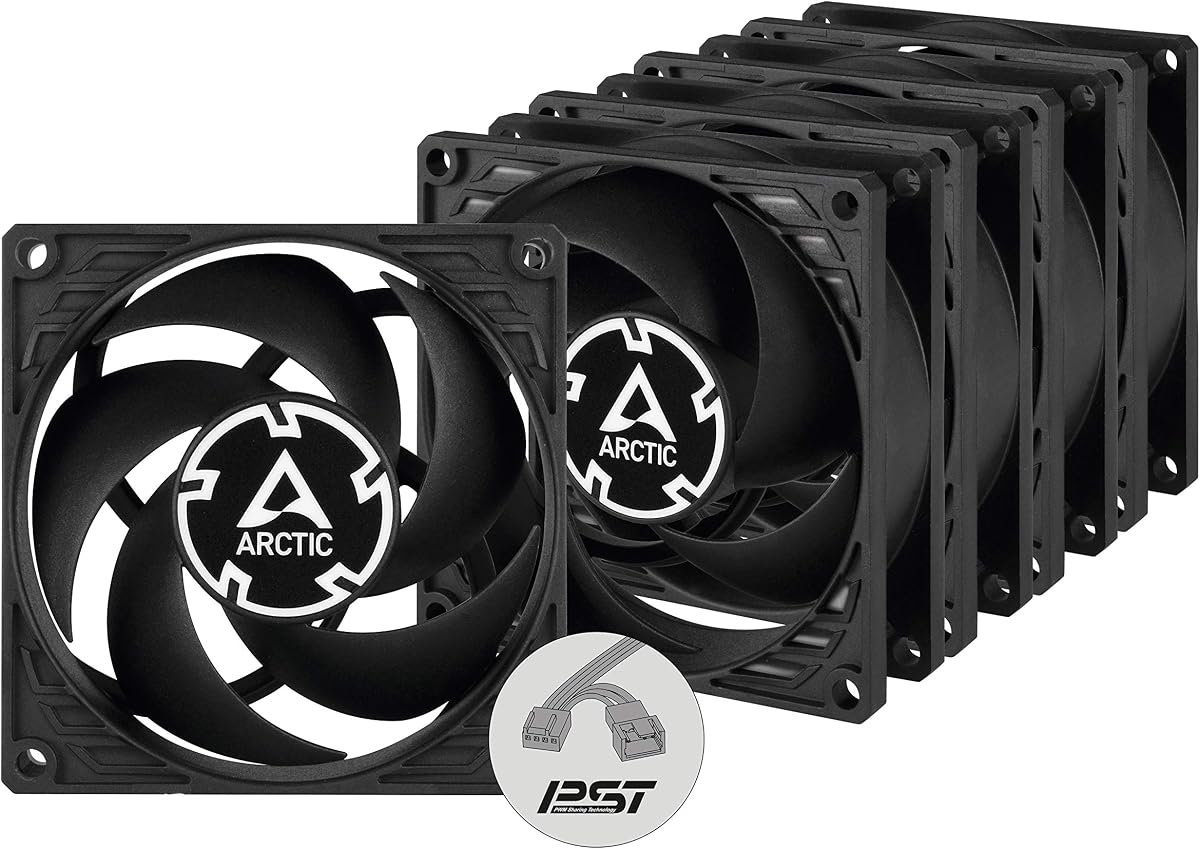
ARCTIC P8 Silent (5 Pack)
4.4Editor score
Five fan value pack
Static pressure optimized
Virtually silent motor
This guide compares the top 80mm case fans for quiet cooling and performance in compact builds, NAS units, and server racks using real product data and expert
Finding the right cooling solution for compact systems requires careful attention to fan size and acoustic performance. Eighty millimeter fans remain essential for small form factor PCs and specialized hardware where space is limited.
We evaluated ten leading models based on airflow, noise levels, bearing technology, and build quality. Each selection balances static pressure needs with operational silence for diverse environments.
Every pick highlights specific strengths and trade-offs to help you match the fan to your chassis. Please note that pricing and availability may fluctuate over time.
4.4Editor score

4.9Editor score

4.8Editor score
The following table offers a direct side-by-side view of key specifications across all ten selected models to streamline your decision process.



The Noctua NF-A8 PWM stands out as the top pick due to its exceptional balance of silence and airflow. It achieves high efficiency while maintaining an incredibly low noise profile even under load.
We may earn a commission when you buy through this link, at no additional cost to you.
Its advanced acoustic optimization frame and Flow Acceleration Channels ensure smooth air movement. The included Low-Noise Adaptor allows users to further reduce RPM for ultra-quiet setups without sacrificing cooling capability.
While the price is higher than budget options, the durability and performance justify the investment. The long MTTF rating means you are purchasing a fan designed to last years without degradation.
This fan is ideal for anyone prioritizing silence in small form factor PCs or NAS units. It delivers premium cooling performance without the noise penalties often associated with high-speed fans.
The frame design minimizes resonance and turbulence that typically causes fan noise during operation.
Anti-vibration mounts and extension cables ensure stable installation and cable management flexibility.
We may earn a commission when you buy through this link, at no additional cost to you.
This five-pack offers exceptional value for projects requiring multiple fans such as server racks or custom enclosures. Each fan delivers impressive static pressure suitable for radiators or dense heatsinks.
We may earn a commission when you buy through this link, at no additional cost to you.
The redesigned blades focus on moving air against resistance effectively. The fluid dynamic bearing ensures longevity while reducing friction to maintain efficiency over thousands of hours of use.
However, running these at full 3000 RPM will produce noticeable noise. This makes them better suited for systems where cooling performance outweighs the need for complete silence.
Buy this pack if you need to cool multiple zones or build a high-airflow system on a budget. The static pressure performance makes it a strong contender for specialized cooling tasks.
Moving over 23 CFM per fan provides ample cooling for heat-generating components.
Designed to prevent oil leakage while providing a long service life for daily operation.
We may earn a commission when you buy through this link, at no additional cost to you.
The PST technology allows all five fans to sync with a single PWM signal for seamless management. This feature simplifies wiring and ensures consistent cooling performance across all connected units simultaneously.
We may earn a commission when you buy through this link, at no additional cost to you.
Powered by a Neodym-Iron-Boron magnet ring, the motor operates with high efficiency. Even at low speeds the sound remains barely noticeable making it suitable for quiet builds needing multiple fans.
The trade-off involves relying on specific motherboard support for the sharing technology. If your system lacks this, you may need additional splitters or controllers to manage speed properly.
This model is perfect for users building silent multi-fan systems with compatible hardware. The combination of control and pressure optimization makes it a top choice for advanced cooling projects.
One cable controls multiple fans reducing clutter inside compact PC cases.
New generation magnets reduce energy waste and improve cooling consistency.
We may earn a commission when you buy through this link, at no additional cost to you.
This redux edition brings Noctua reliability at a more accessible price point. It maintains the core acoustic and performance benefits of the brand without the full premium accessories.
We may earn a commission when you buy through this link, at no additional cost to you.
The design focuses on delivering a powerful airflow while remaining virtually silent at idle speeds. Automatic motherboard control ensures the fan slows down when cooling demand is low.
While it lacks some extra mounts found in higher-end models it remains highly durable and effective for standard chassis use. It fits well in NAS replacements or budget gaming builds.
Choose this if you want trusted quality without spending on extras you do not need. It balances performance and cost better than many competitors in this segment.
Engineered to minimize sound output while maintaining robust cooling performance under load.
4-Pin PWM allows your system to adjust speed dynamically based on temperature.
We may earn a commission when you buy through this link, at no additional cost to you.
Designed specifically for continuous operation in environments like mining rigs this fan offers great durability at a low cost. It ensures consistent airflow to prevent overheating during intense computational tasks.
We may earn a commission when you buy through this link, at no additional cost to you.
The long life bearing supports extended uptime without frequent replacements. Its optimized blade design reduces heat buildup effectively across multiple GPU configurations or server racks.
While it may lack advanced features like PWM control it provides solid passive compatibility for basic setups. The rugged frame protects it from vibration common in multi-card arrays.
This fan is a practical choice for builders needing reliable cheap cooling for high-load tasks. Its simplicity makes it easy to integrate into custom projects or existing rigs.
A rugged black frame ensures lasting protection against wear and tear over time.
Standard 80mm mounts fit most cases and CPU coolers without modification.
We may earn a commission when you buy through this link, at no additional cost to you.
This fan emphasizes silence above all else making it perfect for home theaters or quiet office PCs. The motor development in Germany ensures friction is minimized for near-invisible operation.
We may earn a commission when you buy through this link, at no additional cost to you.
Even with high air resistance it maintains efficient cooling thanks to its pressure-optimized blades. At low speeds the sound is almost undetectable to the human ear.
The trade-off is a lower top speed compared to performance models. This means it works best in systems where moderate airflow is sufficient for thermal management.
Buy this if noise is your primary concern for a small device. It delivers excellent cooling without distracting sound making it ideal for bedroom or living room setups.
Specialized alloy lubricants reduce mechanical noise during operation.
Blades push air through dense obstacles like radiators or dust filters.
We may earn a commission when you buy through this link, at no additional cost to you.
This chromax variant retains the top-tier performance of the standard A-series but adds a sleek all-black aesthetic. It allows users to customize vibration pads to match their chassis colors easily.
We may earn a commission when you buy through this link, at no additional cost to you.
The Flow Acceleration Channels and acoustic optimization frame provide superior quiet cooling. The fan supports stopping at 0 PWM for semi-passive systems allowing silent idle periods.
While it costs more than basic models the aesthetic and performance benefits are significant. It ensures your cooling solution does not clash with the rest of your setup.
Choose this if you want premium looks with proven quiet performance. It is ideal for modern builds where visual consistency matters alongside thermal efficiency.
Swap vibration pads to coordinate with your system theme using included colors.
Fan stops completely at idle to eliminate noise when cooling is not needed.
We may earn a commission when you buy through this link, at no additional cost to you.
This pack offers five silent units at a budget-friendly rate perfect for replacing multiple old fans. The motor design focuses on reducing noise while maintaining cooling efficiency for quiet cases.
We may earn a commission when you buy through this link, at no additional cost to you.
Optimized for static pressure it handles airflow through filters or dense heatsinks effectively. The silent motor ensures that even at 1600 RPM it remains barely audible.
While it lacks advanced PWM control the fixed speed is often sufficient for standard cooling needs. It provides a cost-effective upgrade path for older systems needing noise reduction.
Select this for large projects where you need many quiet fans. It balances price and performance well ensuring consistent cooling across your entire build.
Buying five fans together saves money compared to individual units.
Maintains low noise levels even under increased air resistance.
We may earn a commission when you buy through this link, at no additional cost to you.
This fan delivers extreme performance with a top speed of 5000 RPM for maximum heat dissipation. It is designed specifically for dense server racks where airflow is critical.
We may earn a commission when you buy through this link, at no additional cost to you.
The fluid dynamic bearing supports high speeds reliably over time without degradation. Static pressure ensures air reaches components even when blocked by high-density hardware.
Noise levels at maximum speed are high which limits it to industrial or server environments. For standard desktops this power is usually unnecessary and excessive.
Choose this only if you need extreme cooling for racks or specialized enclosures. It outperforms most standard 80mm fans in raw speed and pressure capacity.
RPM up to 5000 allows dissipation of intense heat loads effectively.
Built for 2U rack cases with high component density and heat output.
We may earn a commission when you buy through this link, at no additional cost to you.
This slim 15mm fan fits in tight spaces where standard 25mm units cannot. It is ideal for CPU coolers or compact cases needing minimal depth without sacrificing cooling.
We may earn a commission when you buy through this link, at no additional cost to you.
The S-FDB V2 bearing ensures durability and low noise during operation. Despite its thin profile it delivers reasonable airflow and works well with motherboard PWM control.
Performance is slightly lower than thicker models due to reduced blade surface area. However the space saving allows for better cable management and clearance in compact builds.
Buy this if space is extremely limited in your chassis or cooler. It provides a practical solution for thermal management without needing extra clearance.
The 15mm thickness clears tight corners and complex motherboard layouts.
S-FDB V2 bearings minimize friction and wear for long life.
We may earn a commission when you buy through this link, at no additional cost to you.
Selecting the right fan requires evaluating several factors to ensure compatibility and performance for your specific use case.
Higher RPM generally means more airflow but also more noise. Look for fans with low decibel ratings and wide speed ranges to balance cooling with comfort.
Check the max RPM and dB(A) values to ensure the fan fits your acoustic needs.
Fluid Dynamic Bearings are preferred for longevity and low friction compared to sleeve bearings. They prevent leakage and maintain efficiency over years of continuous use.
Prioritize models with FDB or similar advanced bearing tech for reliability.
Static pressure fans are better for pushing air through filters or dense heatsinks. High airflow fans are better for open cases with minimal resistance.
Choose static pressure optimized fans if you have restricted intake or exhaust paths.
4-pin PWM connectors allow speed control via motherboard headers while 3-pin do not. PWM offers better thermal management and noise reduction capabilities.
Verify your motherboard supports PWM if you want automatic speed adjustment.
Standard 80mm fans are usually 25mm thick but slim versions exist. Ensure the thickness fits your case clearance especially with CPU coolers.
Measure your available space before buying to avoid compatibility issues.
Mean Time To Failure ratings indicate expected lifespan. Higher MTTF values suggest better quality control and longer service life.
Look for brands with proven reputations for durability in demanding environments.
Anti-vibration mounts reduce resonance noise while screws secure the fan firmly. Some fans include extra accessories like y-cables for multiple fans.
Check what is included to avoid extra costs for installation hardware.
Black or custom color options help your fans blend with your build theme. Chromax variants offer premium looks for high-end systems.
Pick a color that matches your chassis for a cohesive visual presentation.
Install the fans securely using the provided screws and anti-vibration mounts to reduce noise. Ensure the direction of airflow is correct for intake or exhaust positions.
Clean dust regularly from the blades and frame using compressed air. Accumulated dust reduces airflow efficiency and causes unnecessary strain on the motor.
Monitor fan speeds and temperatures via software. Adjust PWM curves to optimize silence and cooling based on your system load.
80mm fans often require higher RPM to move equivalent air which can increase noise. However modern designs with optimized blades and bearings significantly reduce this gap compared to older models.
PWM fans use a 4-pin connector allowing speed control via pulse width modulation. 3-pin fans rely on voltage changes which offer less precise control and limited speed range.
Listen for smooth spinning and check system software for RPM readings. If the fan stops or makes grinding sounds it may be failing or blocked.
No the mounting holes will not align. You must use the exact size specified or an adapter kit to bridge the gap if available.
Static pressure is the ability to push air through resistance like dust filters. High static pressure fans are necessary for radiators or restricted vents.
High-quality fans can last 50000 hours or more. Replace them only if they become noisy or fail to cool effectively.
Yes vibration mounts absorb resonance and reduce rattling on metal frames. This is key for achieving ultra-quiet performance in compact builds.
Thickness affects blade surface area and airflow capacity. Thicker fans move more air at lower speeds which can help reduce noise.
The Noctua NF-A8 PWM remains the top choice for its unmatched balance of performance and silence. The ARCTIC packs offer great value for multi-fan setups needing static pressure.
Prioritize bearing technology and connector types based on your motherboard compatibility and noise tolerance. Slim profiles are available for tight spaces while thicker models move more air.
Always verify dimensions and current pricing before purchase. These ten models cover a wide range of needs from budget server racks to high-end silent builds.