
ARCTIC P12 Pro A-RGB
4.7Editor score
High Static Pressure
PWM Control Up To 3000 RPM
Fluid Dynamic Bearing
Compare the top Addressable RGB Fans for 2026. We review performance, lighting, and noise to help you choose the best cooling solution.
Addressable RGB fans have revolutionized PC building by combining efficient cooling with customizable lighting. Modern users expect systems that look stunning while maintaining optimal thermal performance during intense workloads or gaming sessions. These fans allow precise control over every LED on each blade for true personalization of your setup.
This guide evaluates ten leading addressable RGB fan models based on airflow, noise levels, bearing quality, and lighting synchronization capabilities. We analyzed technical specifications, user feedback, and real-world performance metrics to identify the most reliable options available. Each product offers unique features tailored to different build requirements and aesthetic preferences.
Every recommendation highlights specific strengths such as static pressure, PWM control, or daisy-chain connectivity for simplified cable management. Please note that product availability and pricing fluctuate frequently on retail platforms. Always verify current specifications and stock status before making a purchase decision to ensure compatibility with your system.
4.7Editor score

4.7Editor score
4.8Editor score
The following table provides a side-by-side comparison of all ten addressable RGB fan models featured in this guide. You can quickly assess key specifications like airflow, noise levels, and connectivity options to determine which unit best fits your specific cooling and aesthetic requirements.




The Thermalright TL-C12C-S X5 stands out as the top choice for builders seeking a balance of performance and aesthetics. With a 4.7 rating from verified users, this five-pack delivers consistent airflow while maintaining low noise levels. The S-FDB bearings ensure smooth operation over time, making it a reliable foundation for any PC build.
We may earn a commission when you buy through this link, at no additional cost to you.
Its PWM control allows automatic speed adjustments based on motherboard temperature readings. This feature ensures efficient cooling without manual intervention. The fan blades reflect light effectively for a soft ARGB effect that matches well with other components. There are 17 different light modes available through motherboard synchronization.
One trade-off is the lack of a dedicated controller, requiring a compatible motherboard header. However, the 55cm cable length provides flexibility for most cases. The static pressure is optimized for radiators and CPU coolers, offering versatility beyond standard case intake positions.
If you need a set of fans that deliver strong cooling and vibrant lighting without excessive noise, this model is an excellent choice. It suits both budget builds and high-end systems where reliability matters. We recommend it for anyone prioritizing thermal efficiency and long-term durability.
The fan automatically adjusts speed via PWM to maintain optimal temperatures without manual input.
Blade construction reflects light for softer ARGB effects that integrate seamlessly with cases.
We may earn a commission when you buy through this link, at no additional cost to you.
The CORSAIR RS120 ARGB triple pack is designed for users who demand high RPM and robust airflow. It supports speeds up to 2100 RPM, generating 72.8 CFM. This makes it suitable for cases with restricted airflow or demanding thermal loads. The Magnetic Dome Bearing technology enhances durability while reducing friction.
We may earn a commission when you buy through this link, at no additional cost to you.
Daisy-chain connections simplify cabling by using just one PWM and one ARGB connector per fan. This reduces clutter significantly and keeps the interior tidy. The AirGuide technology directs airflow precisely at hot components, improving cooling efficiency. Eight LEDs per fan provide clear illumination synchronized via motherboard software.
At top speeds, noise levels are higher than quieter alternatives. However, PWM control allows you to lower RPM when full performance isn't needed. The static pressure of 2.8mm-H2O helps push air through radiators effectively. This fan is ideal for liquid cooling setups where airflow resistance is a concern.
For builders focused on raw cooling power and clean cable management, this RS120 model delivers. It pairs well with CORSAIR ecosystems but works with standard PWM and ARGB headers. If high airflow and daisy-chaining are priorities, this product offers strong performance and solid reliability.
Anti-vortex vanes direct airflow to components that need the most cooling power.
Daisy-chain ports reduce the number of cables required for multi-fan setups.
We may earn a commission when you buy through this link, at no additional cost to you.
The ARCTIC P12 Pro A-RGB offers exceptional value for builders seeking high-performance fans at a budget price. With a speed range reaching up to 3000 RPM, it provides significant flexibility for tuning cooling solutions. The Fluid Dynamic Bearing minimizes noise while ensuring longevity during extended use periods.
We may earn a commission when you buy through this link, at no additional cost to you.
Precision manufacturing reduces gaps and vibrations for smooth running. This attention to detail results in quiet operation even when spinning at high speeds. The redesigned rotor blades optimize the balance between performance and noise. It is especially efficient at lower speeds where silence matters most.
The lighting is straightforward but functional. While it lacks advanced controller features, the RGB support integrates with standard motherboard headers. High static pressure makes it effective for pushing air through dense radiators or mesh panels. This makes it a strong candidate for radiator mounting positions.
If you want powerful cooling and customizable speeds without spending much, this fan is a smart choice. It suits DIY enthusiasts who prioritize thermal output over flashy lighting effects. We recommend it for budget builds requiring reliable and high-performance cooling options.
High-precision measurements and automatic balancing reduce vibrations for quieter operation.
Redesigned blades offer an optimal balance of performance and low noise across speeds.
We may earn a commission when you buy through this link, at no additional cost to you.
The Thermaltake CT120 EX ARGB introduces MagForce 2.0 for streamlined fan daisy-chaining. This design connects multiple fans with a single cable, reducing clutter inside your case. The magnetic connection optimizes stability and ease of installation. It is ideal for users who want clean aesthetics without sacrificing cooling capability.
We may earn a commission when you buy through this link, at no additional cost to you.
Nine addressable LEDs per fan provide rich lighting effects controllable via 5V motherboard sync software. The hydraulic bearing ensures silent operation by minimizing mechanical friction. Anti-vibration mounting system embedded in the frame further reduces noise from motor vibrations. This results in a smooth and quiet fan experience.
While the magnetic system is convenient, it requires specific 5V headers which may not be present on older boards. Additionally, the software control is optimized for Thermaltake ecosystems. However, the physical build quality and silent operation make it a competitive option for modern cases.
For builders prioritizing clean cable management and reliable bearings, this fan pack is worth considering. It suits systems where aesthetics and simplicity are key. We suggest it if your motherboard supports 5V ARGB and you value magnetic daisy-chain convenience.
Magnetic connection design allows multiple fans to link with minimal cable usage.
Hydraulic bearing combined with anti-vibration mounts keeps noise to a minimum.
We may earn a commission when you buy through this link, at no additional cost to you.
This six-pack includes four forward and two reverse fans for versatile case airflow management. Reverse blades ensure lighting stays visible when used on bottom or side intakes. The kit offers an optimized intake-exhaust cycle balancing visual consistency and performance. It suits cases requiring mixed airflow directions.
We may earn a commission when you buy through this link, at no additional cost to you.
Each fan contains 28 high-brightness ARGB LEDs totaling superior brilliance. The two-in-one ARGB PWM hub simplifies control by managing speed and lighting from one unit. Prism design enhances light diffusion for a three-sided effect. This setup reduces cable clutter while offering centralized management.
The controller hub adds convenience but may require extra headers. While performance is strong at 1550 RPM, the overall rating reflects minor trade-offs in build consistency. The reverse blade design is a standout feature for aesthetic-focused builds where intake fans must remain visible.
If you want a complete kit with a controller and reverse fans, this is a great option. It works well for cases where bottom intakes need to look good. We recommend it for users seeking a balance between unique design and functional cooling.
Reverse blades maintain lighting visibility on bottom and side intake positions.
Combined ARGB PWM hub centralizes control to reduce wiring complexity.
We may earn a commission when you buy through this link, at no additional cost to you.
The Thermalright TL-C12C-S X3 offers a cost-effective triple pack for smaller builds. It shares the same high-performance features as the five-pack but with fewer units. The S-FDB bearings solve blade shaking issues, ensuring smooth motion. This makes it reliable for long-term use without noise degradation.
We may earn a commission when you buy through this link, at no additional cost to you.
Cooling performance matches the larger pack with 66.17 CFM airflow and 1550 RPM speed. The LED blade design reflects light effectively for a soft ARGB effect. Seventeen modes are available through motherboard synchronization. The 55cm cable ensures enough reach for most installations.
Without a controller, you rely on motherboard headers which may be limited on budget boards. Cable length might restrict complex layouts. However, the build quality and noise levels justify the price. It is ideal for setups needing three reliable fans rather than five.
For those needing fewer fans but same quality, this pack is a solid investment. It fits well in mid-tower cases or CPU cooler replacements. We suggest it if you value consistent performance and quiet operation in a smaller quantity.
Quality S-FDB bearings prevent blade shaking for quieter extended operation.
High-brightness LEDs reflect light softly for better aesthetic integration.
We may earn a commission when you buy through this link, at no additional cost to you.
This Thermalright variant emphasizes intelligent temperature control for variable speed adjustment. You set a fixed speed or let PWM manage it automatically based on temperature feedback. It achieves near-silent operation at idle while boosting performance under load. This balance suits both office and gaming environments.
We may earn a commission when you buy through this link, at no additional cost to you.
The 55cm cable allows series control for multi-fan setups. Airflow reaches 66.17 CFM ensuring efficient heat removal. The fan matches cooler and case designs with soft ARGB effects. Static pressure supports use on radiators or CPU coolers effectively.
Manual adjustments are optional if you prefer specific RPM targets. The design prioritizes cooling effectiveness alongside visual appeal. Since it connects directly to the motherboard, it requires compatible headers. This integration simplifies management without extra hardware.
Ideal for users wanting effortless thermal management and quiet operation, this model is top-tier. It works for both intake and exhaust roles. We recommend it if automated cooling control is a priority for your build.
Temperature feedback loop adjusts fan speed automatically without manual input.
Designed to maintain low noise levels during daily use periods.
We may earn a commission when you buy through this link, at no additional cost to you.
The Thermaltake CT120 ARGB dual pack delivers reliable cooling with an optimized seven-blade design. It provides balanced airflow and static pressure suitable for radiators or case intakes. The daisy-chain design reduces cable clutter significantly. Each fan supports speeds up to 2000 RPM for dynamic performance.
We may earn a commission when you buy through this link, at no additional cost to you.
Nine addressable LEDs ensure vibrant lighting visible from various angles. Hydraulic bearings reduce friction for long service life and quiet operation. Anti-vibration mounting enhances stability under varying RPM conditions. It integrates easily with standard 5V ARGB systems.
While powerful, the dual pack limits scalability without buying multiple units. Still, the build quality and performance are strong for the price. It suits smaller systems or specific radiator placements. This product prioritizes airflow optimization and clean aesthetics.
For builders needing two high-performance fans with solid support, this is a great fit. It fits well into modern cases with ARGB support. We recommend it if you need a balance of airflow and visual consistency.
Seven-blade configuration optimizes airflow and static pressure performance.
Daisy-chain architecture lowers port usage and simplifies installation.
We may earn a commission when you buy through this link, at no additional cost to you.
The Thermaltake LE120 ARGB triple pack includes a splitter hub for quick installation. It supports daisy-chain ARGB cables for simplified wiring. Each fan delivers 66.1 CFM airflow with solid static pressure. This ensures effective cooling for both cases and liquid cooling systems.
We may earn a commission when you buy through this link, at no additional cost to you.
Lighting is managed via 5V sync software offering clean integration. The nine LEDs per fan provide clear visual appeal. The splitter reduces cable clutter by centralizing connections to one port. This setup saves space inside tight cases.
RPM ranges from 500 to 1500 ensuring smooth speed variation. While not the highest RPM, it balances performance with noise. This product is ideal for those seeking easy setup and reliability. The strong rating reflects user satisfaction with overall functionality.
For a plug-and-play experience with solid cooling and lighting, this triple pack excels. It works with most standard systems. We recommend it for users prioritizing ease of installation and reliable thermal performance.
Includes splitter and daisy-chain cables to simplify installation immediately.
Optimized airflow ensures efficient thermal dissipation without excessive noise.
We may earn a commission when you buy through this link, at no additional cost to you.
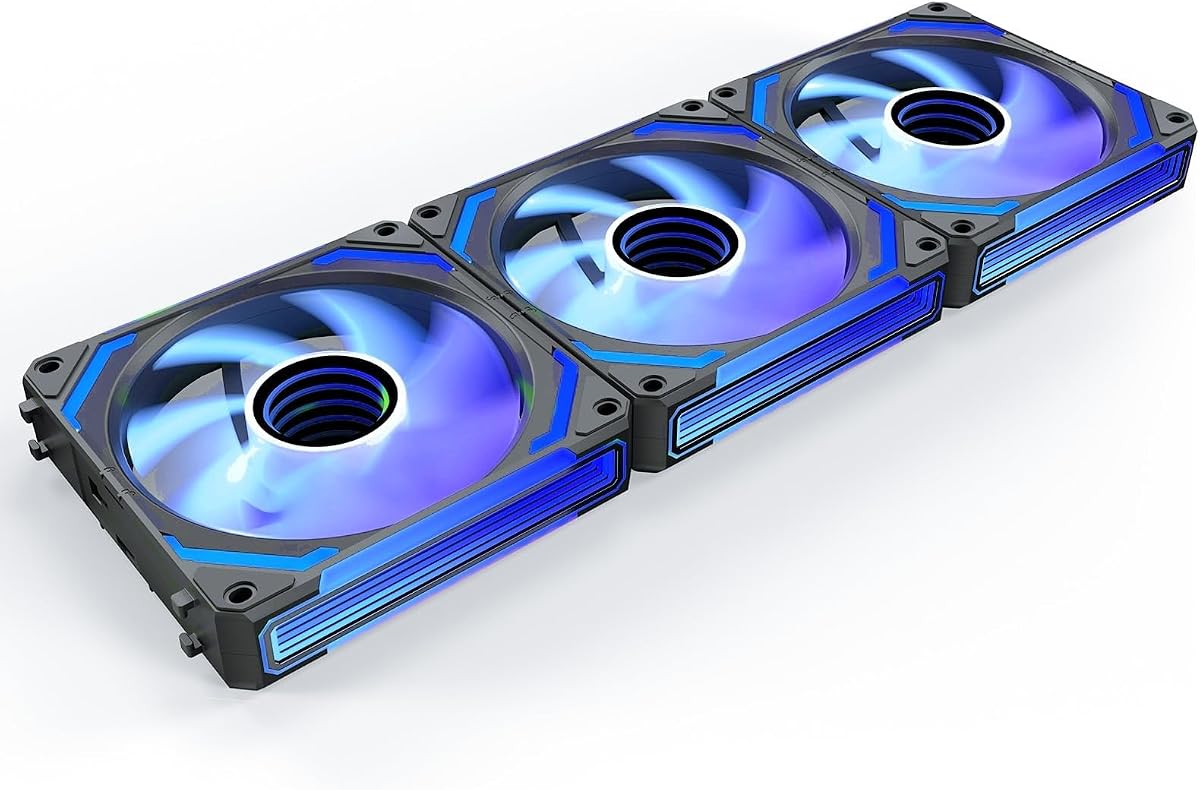
The AsiaHorse COSMIQ 120mm delivers a premium aesthetic with an Infinity Mirror RGB design. This creates a layered high-end visual atmosphere unmatched by standard fans. It supports music sync allowing lights to pulse with game sounds or audio. This feature enhances immersion for gamers and modders alike.
We may earn a commission when you buy through this link, at no additional cost to you.
The daisy-chain wiring ensures a tidy build by reducing redundant cables. Premium FDB bearings ensure ultra-quiet operation even at 2000RPM. Static pressure of 2.05mmH2O supports demanding cooling tasks. The included controller offers independent lighting control without extra cost.
While more expensive, the visual and functional advantages justify the investment. It suits systems where appearance is a priority alongside performance. This fan transforms ordinary cases into stunning desktop landscapes. It is built for modders who want standout aesthetics.
For those wanting the best lighting innovation and high performance, this is the top tier option. It integrates well with 5V motherboard systems. We recommend it if visual impact and advanced features are your primary goals.
Infinity mirror design provides layered lighting unmatched by typical RGB fans.
Music sync module allows lighting to react to sound and ambient noises.
We may earn a commission when you buy through this link, at no additional cost to you.
Selecting the right addressable RGB fans involves evaluating several technical factors to ensure compatibility and performance. This section outlines the key considerations to help you make an informed decision.
Airflow measured in CFM indicates how much air moves through a fan, while static pressure determines its ability to push air through resistance. For cases, prioritize high airflow. For radiators, choose high static pressure fans to ensure effective cooling.
Always match fan specifications to your system's cooling requirements to avoid thermal bottlenecks.
The bearing type affects noise and lifespan. Fluid Dynamic Bearings and S-FDB bearings offer quieter and longer-lasting performance compared to sleeve bearings. Consider these for builds requiring low noise during extended use.
Invest in quality bearing technology to maintain consistent cooling and silence over time.
PWM (Pulse Width Modulation) allows automatic speed adjustments based on temperature. Ensure your motherboard supports 4-pin PWM for precise control. This feature helps balance noise and cooling efficiency dynamically.
Look for fans with wide RPM ranges to maximize flexibility for different workloads.
Addressable RGB requires 5V 3-pin headers on your motherboard. Verify compatibility before purchasing to avoid connection issues. Some fans support specific sync software for enhanced control over effects.
Prioritize fans that match your motherboard ecosystem for seamless lighting integration.
Daisy-chain designs connect multiple fans to a single PWM and ARGB port, reducing cable clutter. This feature simplifies installation and keeps your case interior tidy. Check if cables are included and long enough for your layout.
Choose daisy-chain capable fans to reduce cable management complexity.
Fans are sold individually or in packs of three or five. Determine how many you need for intake exhaust and radiator support. Buying in packs often saves money but verify compatibility with your case dimensions.
Calculate the exact number of slots needed before selecting a pack size.
Noise is measured in decibels. Look for ratings below 30 dBA for silent operation. Advanced bearings and blade designs contribute significantly to noise reduction during idle and load.
Check noise specifications carefully if you prioritize a quiet environment.
Some kits include controllers reverse fans or music sync modules. These add value but may require specific ports. Evaluate if these extras justify the price for your specific use case.
Decide on premium features based on your need for customization.
Start by checking your motherboard manual to identify 4-pin PWM and 5V 3-pin ARGB headers. Correct connections ensure proper speed control and lighting synchronization without errors. Avoid forcing connectors as pin layouts vary between models.
Use daisy-chain connectors where available to reduce cable clutter. Route cables along the case frame to improve airflow efficiency. Secure loose wires with zip ties to prevent them from interfering with fan blades.
Clean fans periodically using compressed air to remove dust buildup. Dust reduces airflow and increases noise over time. Ensure the system is powered off during cleaning to avoid electrical hazards.
RGB fans use fixed color rings while Addressable RGB allows individual LED control for dynamic effects. ARGB uses 5V 3-pin headers enabling more customization. RGB typically uses 12V 4-pin headers. Choose ARGB if you want complex lighting patterns.
No, if your motherboard supports 5V ARGB headers. Many modern boards handle fan speed and lighting directly. Controllers are useful if your board lacks headers or you want standalone lighting control without software.
Reverse fans allow visible lights on the intake side. Install them so the blade side faces inward while lights remain visible on the outside. Ensure cables are routed to avoid interfering with the fan frame or motor.
Yes, with a separate controller hub that supports 5V ARGB signals. Connect the controller to a USB header if required. Verify the controller supports standard addressable protocols for proper operation.
For quiet systems, target 1000 to 1500 RPM with advanced bearings. High static pressure fans can maintain cooling at lower RPMs. Use PWM curves to keep speeds low when thermal load is minimal.
Yes, they reduce cable clutter and simplify installation. One connector controls multiple fans reducing port usage. This benefits cases with limited headers or complex layouts needing clean aesthetics.
The top picks highlight Thermalright for value, ARCTIC for budget power, and AsiaHorse for premium aesthetics. Each offers unique strengths depending on your cooling and visual needs. Choosing the right pack depends on your motherboard capabilities and case layout.
Prioritize static pressure for radiators and airflow for case ventilation. Ensure compatibility with your PWM and ARGB headers to avoid connection issues. Noise levels matter for office environments while lighting customization suits gaming rigs.
Prices and availability change often so check current listings before buying. Always compare specs against your specific build requirements. Following this guide ensures you select fans that deliver both thermal performance and aesthetic appeal.