
Office Desk Accessories Memo Board
4.3Editor score
Transparent acrylic material
Dual monitor mounting
Easy to install
This guide compares the top ten ADHD desk accessories to help you find tools that improve focus, organization, and productivity throughout your daily work
Navigating daily tasks with attention challenges requires a workspace designed for focus. High-quality desk accessories help minimize distractions and support structured workflows effectively for everyone.
We evaluated ten standout products based on user feedback, design utility, and ergonomic features. This list covers timers, planners, and organizers tailored to diverse professional needs.
Each selection highlights specific benefits for productivity and organization. Note that availability and pricing may vary, so verify current details before making your final purchase decision.
4.3Editor score

4.8Editor score

4.5Editor score
This side-by-side comparison highlights key specifications for every product reviewed, helping you quickly identify which tool fits your specific organizational needs.


This notepad stands out as a top choice for daily task management. With a high rating from users, it offers a reliable system for tracking goals and priorities without clutter.
We may earn a commission when you buy through this link, at no additional cost to you.
The undated design allows you to start planning at any time without wasting pages. High quality paper ensures smooth writing and prevents ink bleed-through during heavy use sessions.
While it lacks a pen holder, the transparent cover keeps pages clean and protected. The thick cardboard backing provides stability when writing away from a traditional desk surface.
Anyone needing a structured yet flexible planning tool should consider this notepad. It balances affordability with durability, making it an excellent investment for ongoing productivity.
Start your planning journey at any time without worrying about unused dated pages wasting resources.
High GSM weight paper ensures a smooth writing experience and prevents ink from showing on the other side.
We may earn a commission when you buy through this link, at no additional cost to you.
This budget-friendly option offers an effective way to keep reminders visible near your screen. The transparent design ensures notes remain readable without obstructing your workspace view.
We may earn a commission when you buy through this link, at no additional cost to you.
Installation is straightforward with peel-and-stick adhesive that attaches to monitor edges. The lightweight acrylic material is durable enough for daily use without adding significant weight to your desk.
Ensure your monitor edge is clean to avoid dust interference with adhesion. While strong, the adhesive may require care if removed to prevent residue on sensitive surfaces.
For those seeking an inexpensive way to organize quick notes, this memo board is ideal. It provides immediate utility for tracking tasks and reminders efficiently.
The transparent acrylic material ensures your sticky notes remain clearly visible without obstructing your work.
Suitable for various surfaces including monitor edges, cabinets, and walls to organize tasks effectively.
We may earn a commission when you buy through this link, at no additional cost to you.
This premium analog planner system offers a tactile approach to task management. The wooden display adds a sophisticated aesthetic to your workspace while keeping tasks organized visually.
We may earn a commission when you buy through this link, at no additional cost to you.
The kit includes over one hundred double-sided cards, providing ample room for detailed planning. The metal divider helps you separate active tasks from completed ones efficiently without digital distractions.
While the price is higher than standard notepads, the durability and design justify the investment. It requires dedicated desk space but rewards users with a satisfying physical organization experience.
Professional users who prefer physical systems will appreciate this comprehensive kit. It eliminates digital clutter and provides a tangible way to track progress throughout the day.
Physical cards offer a satisfying way to cross off tasks and manage focus without screen fatigue.
The walnut wood display box adds a premium look to your workspace while keeping cards organized.
We may earn a commission when you buy through this link, at no additional cost to you.
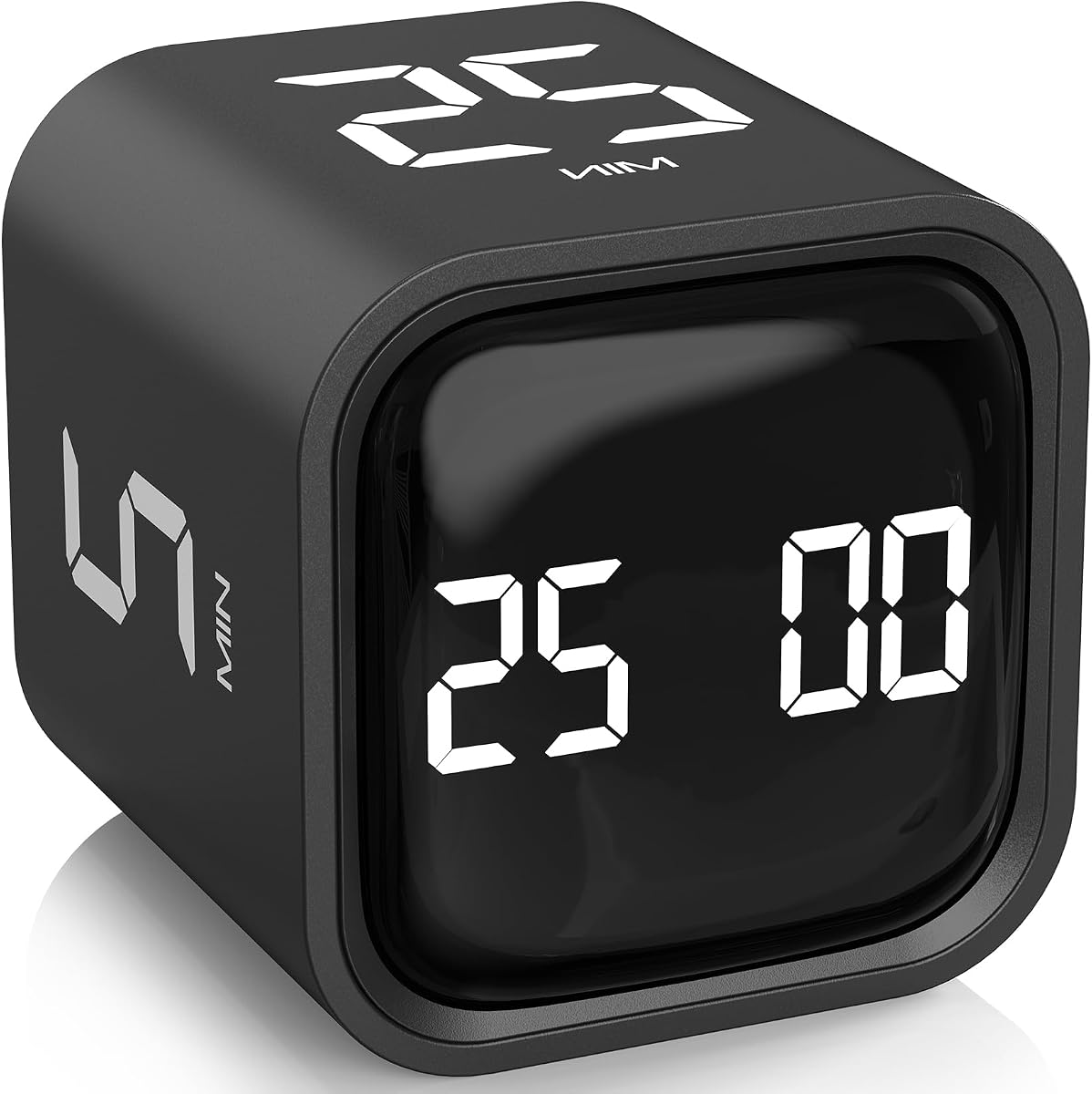
This timer simplifies time management through intuitive gravity-based activation. You simply flip it to the desired time, making it easy to use without complex digital interfaces.
We may earn a commission when you buy through this link, at no additional cost to you.
Preset times like five and twenty-five minutes support common productivity methods instantly. You can also customize durations or switch to silent mode to avoid distracting others nearby.
The lack of physical buttons means no mechanical wear, but learning the specific flip orientation takes a moment. It is reliable for users who prefer analog-like interactions over screens.
For anyone needing a quick way to track focus sessions, this timer is excellent. It reduces the friction of setting alarms and encourages consistent work intervals.
Gravity sensing technology allows you to start timing with a simple flip of the device.
While presets exist, you can adjust the timer to fit unique work or break cycles.
We may earn a commission when you buy through this link, at no additional cost to you.
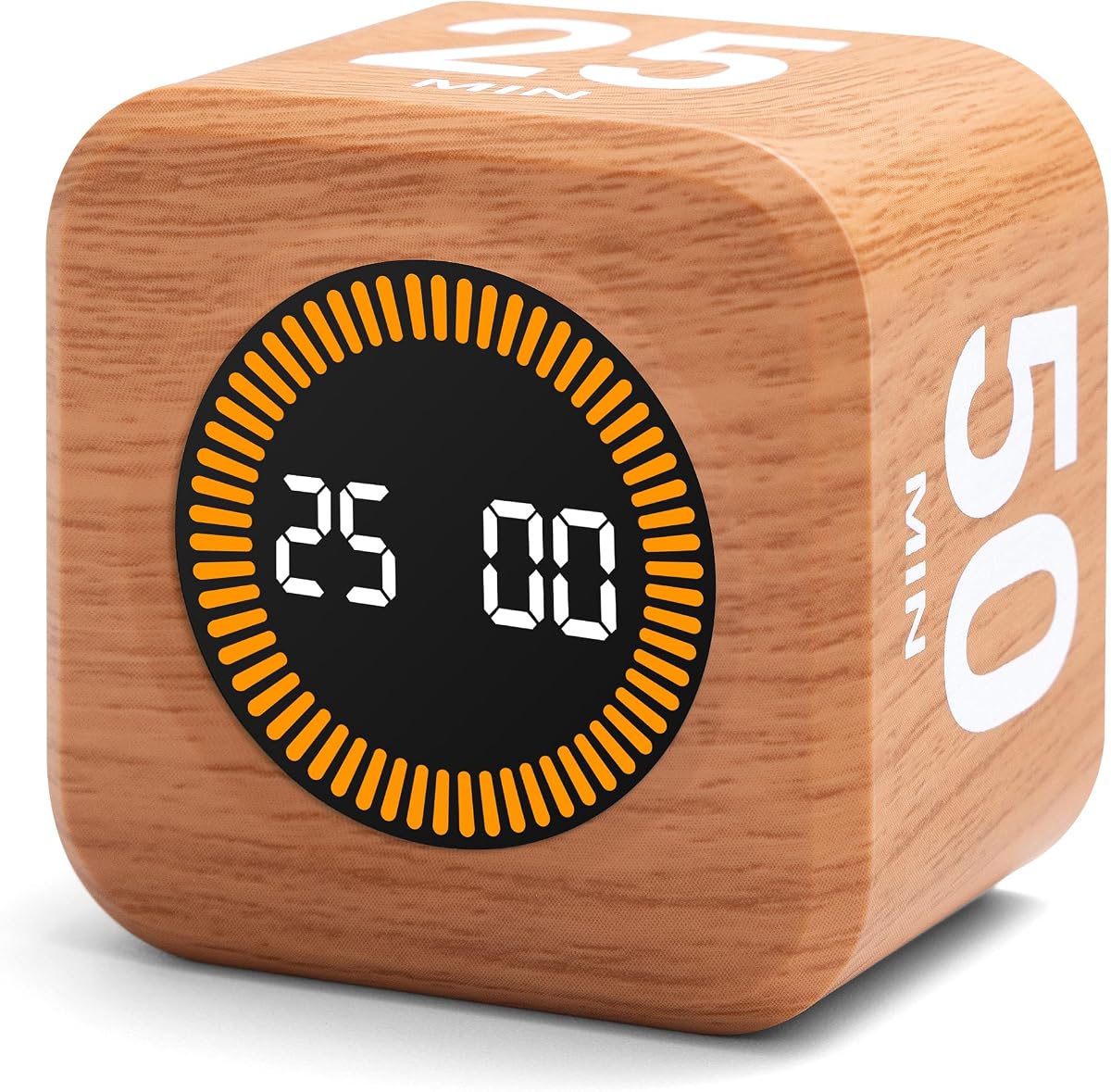
Combining style with function, this timer features an elegant wood grain design. It serves as both a functional tool and a decorative piece that enhances your desk setup.
We may earn a commission when you buy through this link, at no additional cost to you.
The built-in rechargeable battery ensures it stays powered without disposable cells. Its bright display is visible in various lighting conditions, making it easy to check remaining time.
Charging is required periodically which may be inconvenient during travel without a cable. However, the eco-friendly battery and premium look make it a worthwhile choice for most.
If you value aesthetics alongside productivity, this timer is a strong candidate. It integrates seamlessly into modern home offices while providing reliable time management features.
The wood grain finish adds a natural, sophisticated touch to any professional workspace.
USB-C rechargeable technology reduces waste from disposable batteries for a greener solution.
We may earn a commission when you buy through this link, at no additional cost to you.
This visual timer uses a red disk to show time passing, making it intuitive for all users. It is particularly helpful for those who need a visual cue rather than just a number.
We may earn a commission when you buy through this link, at no additional cost to you.
The silent mode ensures you can track time without audible alarms disturbing others. Interchangeable covers allow you to customize the timer to match your workspace or specific tasks.
It relies on AA batteries which need replacement periodically, unlike rechargeable models. However, the visual clarity and silent operation make it highly effective for focused sessions.
For classrooms, home offices, or shared spaces, this timer is a top choice. It supports structured time management without creating noise or digital distractions.
The disappearing disk visualizes time remaining, helping users understand progress without reading.
Optional silent mode prevents noise distractions while still providing clear time management alerts.
We may earn a commission when you buy through this link, at no additional cost to you.
Designed specifically for neurodivergent adults, this notepad helps organize thoughts and tasks efficiently. It includes sections to prioritize work and manage distractions through brain dumping.
We may earn a commission when you buy through this link, at no additional cost to you.
The reward checklist system keeps motivation high throughout the day. Large A4 pages provide ample space for detailed notes and daily scheduling without feeling cramped.
Fifty sheets provide enough volume for a year of planning but are not refillable. The colorful design adds a playful touch that encourages consistent daily planning habits.
Adults seeking a structured daily template will find this highly useful. It combines practical planning with psychological incentives to maintain focus and organization.
Checklists with reward sections help maintain motivation by celebrating small completed tasks daily.
Dedicated areas for unstructured notes prevent distractions from interrupting your primary tasks.
We may earn a commission when you buy through this link, at no additional cost to you.
This planner uses a weekly layout to help track tasks across several days. The spiral binding allows it to lay flat, making writing comfortable from any angle.
We may earn a commission when you buy through this link, at no additional cost to you.
Sections for top and low priorities help organize daily tasks effectively. The transparent cover protects the inner pages from dirt and wear during daily handling.
The large 8.5×11 inch size offers plenty of writing room but takes up desk space. Ensure your workspace can accommodate it comfortably if you prefer minimal clutter.
For those who think in weekly chunks rather than daily, this is ideal. It provides a broader view of your schedule while maintaining structured daily task lists.
Spiral binding allows the planner to lay perfectly flat for comfortable writing experiences.
Dedicated areas for priority levels help you distinguish critical tasks from minor ones easily.
We may earn a commission when you buy through this link, at no additional cost to you.
This memo board offers a standalone solution without damaging your monitor with adhesive. The removable wooden base provides stability on any flat surface while holding notes securely.
We may earn a commission when you buy through this link, at no additional cost to you.
Dual slots allow for flexible positioning at various angles to suit your viewing needs. It comes with one hundred sticky notes, giving you immediate usability upon unboxing.
While stable, the wooden base adds some height to your desk setup. Ensure your desk can accommodate the extra vertical space before mounting the board.
For those wary of adhesive on screens, this is a safe and stylish option. It keeps notes visible while protecting your hardware from potential damage.
No adhesive required means your monitor stays clean and safe from potential glue residue damage.
A solid wooden base provides stability on any desk surface without damaging your monitor.
We may earn a commission when you buy through this link, at no additional cost to you.
Ergonomic tools are essential for maintaining focus and physical comfort during long work sessions. This foot rest elevates your feet to improve posture and reduce leg fatigue effectively.
We may earn a commission when you buy through this link, at no additional cost to you.
The swingable design lets you adjust the angle for maximum comfort throughout the day. Textured surfaces with rollers provide a subtle massage to improve circulation while you sit.
Its lightweight build makes it easy to move or store, but it may shift slightly during vigorous movement. Adding a rug underneath can help stabilize it on smooth floors.
Anyone sitting for hours daily will benefit from this support tool. It complements desk accessories by ensuring your physical comfort supports mental productivity.
Elevating your feet reduces strain on your back and legs during extended sitting periods.
Textured surfaces with rollers help promote blood circulation and reduce leg stress effectively.
We may earn a commission when you buy through this link, at no additional cost to you.
Selecting the right accessories requires balancing functionality with personal workflow preferences. This section outlines key factors to consider before purchasing.
Consider how you prefer to start timing tasks. Gravity-activated timers offer simplicity, while button-based models provide precision.
Choose a method that minimizes friction so you can start working immediately without setup distractions.
Visual timers show time passing physically, which is helpful for those who struggle with abstract numbers. Digital displays offer precise countdowns but may contribute to screen fatigue.
Select a display type that reduces distraction and keeps your focus on the task rather than the device.
Some planners provide daily layouts, while others focus on weekly overviews. Ensure the structure matches how you conceptualize your workload.
A structure that aligns with your natural planning habits increases the likelihood of consistent usage.
Check the build quality of plastic, wood, or acrylic components. Durable materials ensure the accessory lasts through years of daily use.
Invest in robust materials if you plan to use the product daily in a high-traffic environment.
If you move between home and office, lightweight and compact designs are essential. Bulkier items like large boards might limit your flexibility.
Prioritize portable options if your workspace changes frequently to maintain consistent organization habits.
The visual style of the accessory should complement your existing desk setup. Neutral tones often blend better, while colorful options may boost energy.
Choose an aesthetic that creates a calming environment rather than adding visual clutter to your workspace.
Consider how easy it is to clean or refill. Sticky note holders require refills, while mechanical timers need batteries.
Opt for low-maintenance options like rechargeable units to avoid interruptions during busy work periods.
Accessories like footrests directly impact physical comfort. Ensure any ergonomic tool supports proper posture to prevent strain.
Physical comfort is critical for sustained focus; prioritize tools that support your body during long hours.
Place timers in a visible location where you will notice them immediately upon sitting down to work. This ensures you start your sessions promptly without forgetting to track time.
Clean memo boards and timers regularly with a soft cloth to maintain visibility and functionality. Avoid harsh chemicals that might damage plastic or wood finishes over time.
Refill sticky note holders or plan notepads before running out to maintain a seamless workflow. Having backups ensures you never lose your organizational rhythm due to missing supplies.
Timers provide a visual or auditory structure that helps define work periods clearly. By breaking tasks into chunks, they reduce the feeling of overwhelm and encourage focused effort.
Undated daily planners are ideal as they allow flexibility without wasting time on unused dated pages. Look for sections that separate high-priority tasks from general notes.
Yes, acrylic holders designed specifically for monitors are safe when adhered to the bezel rather than the screen itself. Ensure the surface is clean to prevent adhesion issues.
Many users find analog planners reduce digital distractions by removing the temptation to check notifications. Physical engagement with paper can improve retention and focus.
Replace paper based on usage frequency, typically every few weeks or when pages fill up. Having a backup stack prevents interruptions during important planning sessions.
Yes, ergonomic footrests improve circulation and posture, reducing physical discomfort that distracts from work. Physical comfort is key to maintaining mental focus over long periods.
This guide highlighted ten top-rated accessories designed to support focus and organization. From timers to planners, each product offers unique benefits tailored to diverse work styles.
Prioritize tools that minimize friction in your daily routine. A timer that is easy to start or a planner that fits your workflow is more likely to be used consistently.
Remember to check current availability and compatibility before finalizing your purchase. Investing in the right accessories creates a workspace that actively supports your productivity goals.