
SANSUI 34-Inch Curved Gaming Monitor
4.4Editor score
AI blue light reduction tech
200Hz refresh rate speed
AI crosshair for gaming
AI ready monitors are transforming how we interact with screens by integrating intelligent features that adapt to your environment and usage patterns. These displays go beyond traditional visuals to offer smart connectivity, automated adjustments, and enhanced productivity tools that simplify daily workflows.
We evaluated ten leading models based on their AI capabilities, resolution quality, refresh rates, and connectivity options. Our comparison focuses on how each monitor leverages artificial intelligence to improve viewing experiences, whether for gaming, content creation, or office tasks in modern setups.
Each pick highlights unique strengths like AI upscaling, voice amplification, or smart home integration. While prices fluctuate frequently, these models represent the current market leaders in intelligent display technology designed to meet diverse user needs throughout this year.
4.4Editor score

4.2Editor score

4.3Editor score
As an Amazon Associate we earn from qualifying purchases.
Here is a side-by-side look at the key specifications and AI features of all ten monitors to help you decide which one fits your specific needs and budget requirements for this year.



The Dell 27 Monitor S2725QS offers a strong balance of resolution and refresh rate for professionals seeking a reliable display. With a 4K UHD IPS panel and 120Hz refresh rate, it delivers sharp visuals and smooth scrolling for everyday tasks.
We may earn a commission when you buy through this link, at no additional cost to you.
Its ComfortView Plus technology reduces harmful blue light emissions by up to 35%, ensuring all-day comfort without compromising color accuracy. The ultra-thin bezels create a sleek aesthetic suitable for multi-monitor setups.
While it lacks advanced AI integrations found in smart monitors, its consistent performance and high contrast ratio make it ideal for focused work. The re-engineered sound quality adds a nice touch for video calls.
This monitor is best suited for office workers and creatives who prioritize color fidelity and eye comfort. It provides a solid foundation for productivity without unnecessary bloat.
ComfortView Plus ensures prolonged use without strain by filtering blue light while maintaining vibrant visuals for accurate work.
The 120Hz refresh rate ensures smooth transitions in content and applications, reducing motion blur during daily usage.
We may earn a commission when you buy through this link, at no additional cost to you.
The LG 27UP850K-W stands out with its ability to display 95% DCI-P3 color gamut, making it a top choice for designers and video editors. It supports VESA DisplayHDR 400, ensuring rich contrast and brightness for HDR content.
We may earn a commission when you buy through this link, at no additional cost to you.
Connectivity is excellent with USB-C capable of delivering 90W power, allowing you to charge laptops while connecting to the display. The built-in Waves MaxxAudio speakers provide decent sound for meetings and media.
While it lacks the advanced AI features of newer smart monitors, its focus on visual fidelity is unmatched in this price range. The ergonomic stand allows for height, tilt, and pivot adjustments.
Choose this if you need precise color reproduction and strong connectivity for creative workflows. It offers a professional-grade experience without the complexity of a full smart TV interface.
With 95% DCI-P3 coverage, this monitor ensures that colors look exactly as intended, which is critical for professional creative work.
USB-C support for 90W power delivery simplifies desk setups by combining charging and video transmission into a single cable.
We may earn a commission when you buy through this link, at no additional cost to you.
The Samsung 40-inch ViewFinity S8 delivers a massive 5K2K WUHD resolution that provides immense screen real estate for multitasking. Its curved design enhances immersion, making it ideal for deep focus work or entertainment.
We may earn a commission when you buy through this link, at no additional cost to you.
Thunderbolt 5 connectivity allows for rapid data transfer and up to 140W charging, which is powerful for high-end workstations. The built-in KVM switch enables control of two sources simultaneously with one keyboard and mouse.
This monitor is a premium investment for professionals who need high resolution and speed. While the price is steep, the productivity gains from the wide workspace and connectivity options justify the cost for many users.
It is best suited for users with powerful computers who need to manage multiple devices and large files efficiently. The 144Hz rate ensures smooth visuals even during intensive tasks.
The panoramic 5K2K resolution allows multiple windows to be open simultaneously without clutter, streamlining complex professional workflows.
With up to 140W charging via Thunderbolt 5, this monitor can power high-performance laptops while handling massive data transfers.
We may earn a commission when you buy through this link, at no additional cost to you.
The Samsung 32-inch Smart Monitor M7 redefines the workspace by acting as a standalone entertainment and work hub. Its Vision AI adapts visuals to help you work comfortably or enjoy deep blacks in games without constant manual adjustment.
We may earn a commission when you buy through this link, at no additional cost to you.
Active Voice Amplifier uses AI to analyze background noise and adjust volume so dialogue is clear even in loud environments. You can stream content directly without a PC, making it a versatile replacement for a traditional monitor.
While some users may find the OS slightly slower than a dedicated laptop, the convenience of managing smart home devices and accessing streaming apps from the desk is unique. The 4K UHD resolution ensures fine details remain sharp.
This monitor is ideal for users who want a unified screen for work and leisure. It is particularly useful in home offices where minimizing cable clutter and external devices is a priority.
Vision AI automatically adjusts picture settings based on content type, ensuring optimal viewing comfort for documents or immersive gaming experiences.
Active Voice Amplifier filters out background noise to ensure voices remain clear during video calls or media consumption.
We may earn a commission when you buy through this link, at no additional cost to you.
The LG 27U730SA-W combines a classic monitor design with smart webOS features for a flexible home office experience. Its Brightness Control sensor detects light sources in your space and adjusts the screen for clear visuals day or night.
We may earn a commission when you buy through this link, at no additional cost to you.
Dynamic Tone Mapping uses AI tools to adjust brightness and contrast for optimal detail, making movies and games look great. You can access streaming apps like Netflix and YouTube directly from the monitor using the included remote.
USB-C support with 65W power delivery is sufficient for most laptops, simplifying your desk setup. The stand offers tilt, height, swivel, and pivot adjustments to suit your preferred viewing angle.
This monitor is best for users who want a PC-free option for streaming or remote work. The automatic brightness adjustment is a standout feature that saves effort and reduces eye strain.
The built-in sensor automatically adjusts the screen brightness based on ambient light, ensuring comfort without manual input.
Access to major streaming apps via webOS allows you to watch content directly on the monitor without needing an extra device.
We may earn a commission when you buy through this link, at no additional cost to you.
The SAMSUNG 32-Inch M8 excels at making streaming content look better with its AI upscaling processor. This feature turns lower resolution content into nearly 4K, ensuring every detail is clear on the 4K UHD screen.
We may earn a commission when you buy through this link, at no additional cost to you.
HDR10+ support creates brighter brights and darker darks for nuanced settings without losing vivid detail. The SolarCell Remote is powered by a solar charging panel, reducing the need for disposable batteries.
Designed with accessibility in mind, it includes tools like screen magnification and color switching for low vision users. The SlimFit Camera integrates easily for video calls without taking up desk space.
This model is great for viewers who watch a lot of streamed content and want better image quality automatically. The eco-friendly remote adds a thoughtful touch for environmentally conscious buyers.
The NQM AI Processor boosts the clarity of lower resolution streams, ensuring they look sharp on the high resolution display.
The SolarCell Remote charges via light, reducing waste and offering a convenient way to control the monitor without batteries.
We may earn a commission when you buy through this link, at no additional cost to you.
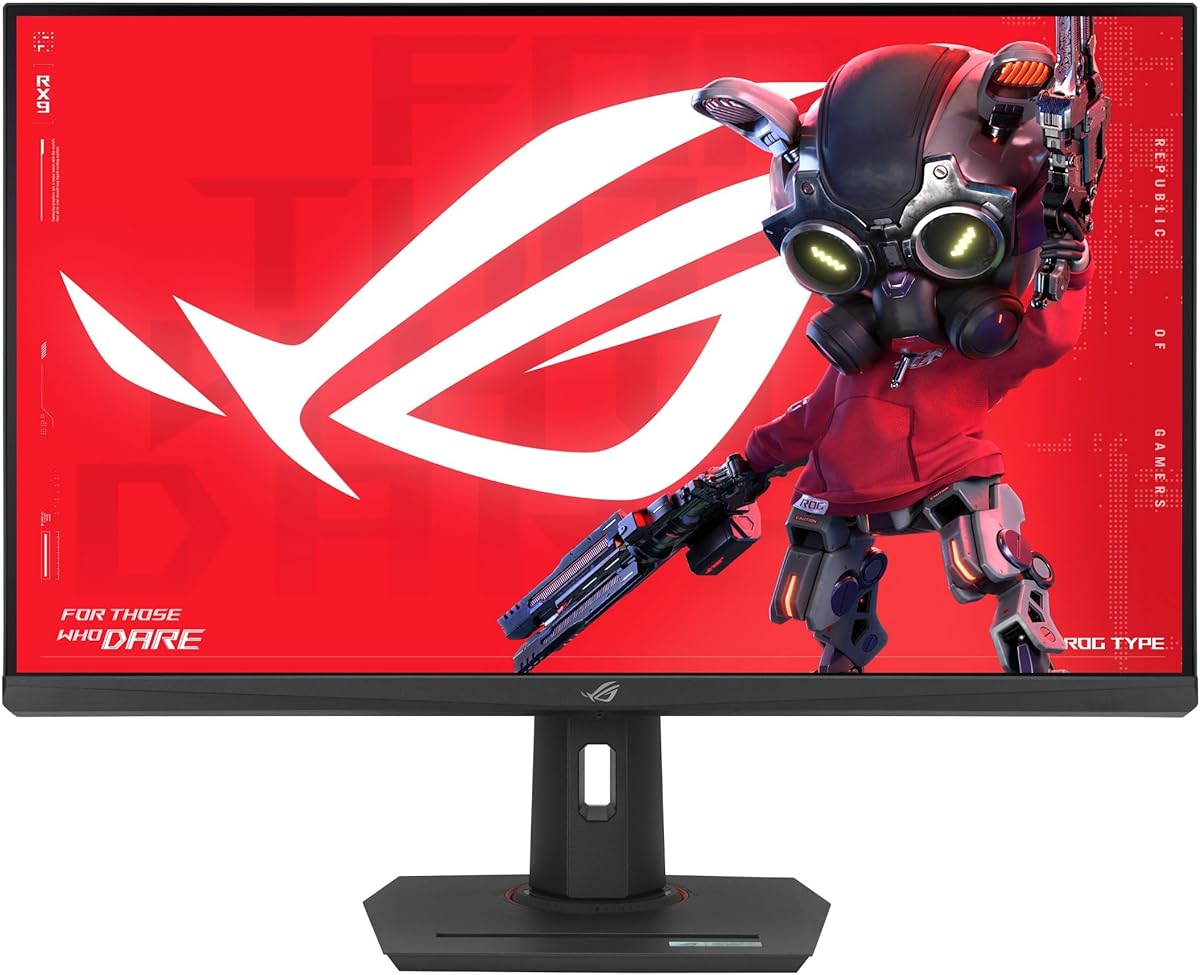
The ASUS ROG XG27ACS is designed for professional gamers who need speed and clarity. With an ultrafast 180Hz refresh rate and 1ms response time, it delivers sharp visuals even during intense gaming sessions.
We may earn a commission when you buy through this link, at no additional cost to you.
ASUS Extreme Low Motion Blur Sync eliminates ghosting and tearing for crisp visuals. The USB Type-C hub supports video transmission and acts as a hub for peripherals, keeping your setup organized.
While it is optimized for gaming, the 1440p resolution is suitable for general productivity too. The included Adobe Creative Cloud subscription adds value for creators who use the monitor for editing.
Choose this if you prioritize frame rates and input lag in your setup. It provides a competitive edge and smooth visuals that are hard to find in non-gaming monitors.
ELMB SYNC technology removes blur and tearing, ensuring that fast moving objects remain clear and sharp on screen.
The USB-C hub allows you to connect peripherals directly to the monitor, reducing cable clutter on your desk.
We may earn a commission when you buy through this link, at no additional cost to you.
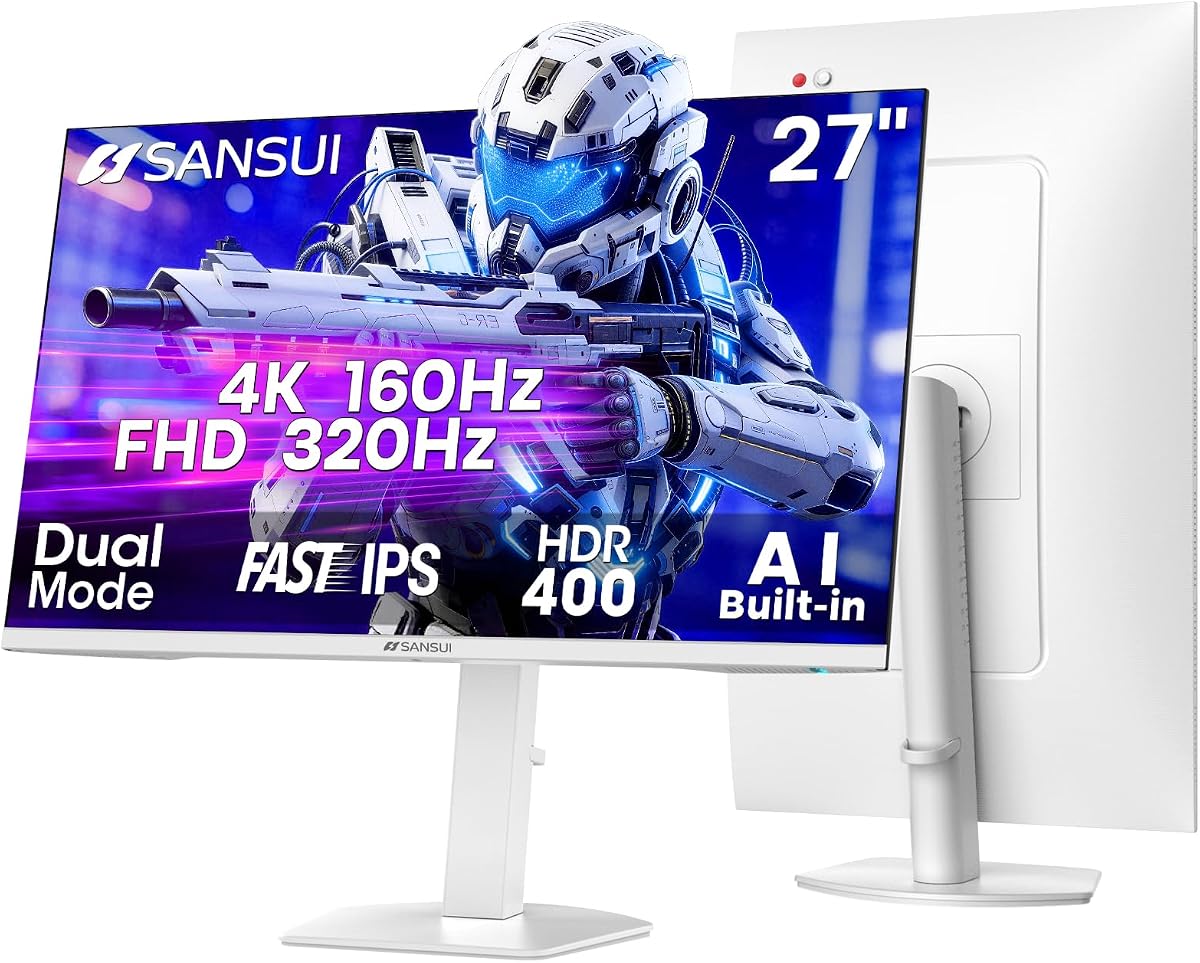
The SANSUI 27-inch 4K Gaming Monitor offers versatile performance with a dual mode that switches between 4K 160Hz and FHD 320Hz. This flexibility allows you to choose the best resolution for different gaming needs.
We may earn a commission when you buy through this link, at no additional cost to you.
AI Crosshair provides visual aids for shooting games, while AI PQ adjusts image quality automatically. The monitor supports HDR400 and features Fast IPS technology for vibrant colors and wide viewing angles.
It includes built-in speakers and extensive connectivity options with HDMI 2.1 and DP 1.4. The ergonomic stand allows for pivot, swivel, and height adjustments for comfortable viewing.
This monitor is best for gamers who want high speed without sacrificing resolution quality. The dual mode capability ensures you can optimize for clarity or speed depending on the game.
Switch between high detail 4K for strategy games and fast FHD for competitive shooters to match your gaming style.
AI Crosshair adds visual markers to help with aiming, providing a subtle edge in competitive gaming scenarios.
We may earn a commission when you buy through this link, at no additional cost to you.
The ASUS ROG XG32UCG combines a massive 32-inch 4K display with high-speed performance for an immersive gaming experience. Its Dual Mode Technology allows you to switch between 4K at 160Hz and FHD at 320Hz.
We may earn a commission when you buy through this link, at no additional cost to you.
With a minimum 0.3ms response time, visuals are incredibly sharp. The monitor features advanced motion blur reduction technology that eliminates ghosting and tearing for high frame rates.
ROG Gaming A.I technology enhances the gaming experience with AI-powered features. It also includes a three-year warranty for advanced replacement and repair service, providing long-term peace of mind.
This monitor is best for enthusiasts who want a large screen without sacrificing speed. The color accuracy ensures that game worlds look vibrant and true to life.
The 0.3ms response time ensures that your inputs translate instantly to screen, giving you a competitive edge in fast games.
ROG Gaming A.I technology adds intelligent features to enhance gameplay, tailoring settings to match your playing style.
We may earn a commission when you buy through this link, at no additional cost to you.
The SANSUI 34-Inch Curved Gaming Monitor offers an affordable entry into ultrawide displays. With a 200Hz refresh rate and UWQHD resolution, it provides smooth and detailed visuals for immersive gaming.
We may earn a commission when you buy through this link, at no additional cost to you.
AI Blue Light reduction helps reduce eye strain during long sessions. The Fast VA panel supports VRR with HDMI 2.1 ensuring compatibility with next-gen consoles.
While it lacks built-in speakers, the VESA mount compatibility allows you to use your preferred audio setup. The ergonomic stand supports tilt and Kensington Lock for security.
This monitor is best for budget-conscious users seeking a large, fast screen. It balances performance and cost well, making it a great choice for home gaming setups.
The 34-inch curved design wraps around your vision, creating a more immersive experience for games and multitasking.
AI blue light technology filters harmful wavelengths to keep your eyes comfortable during extended viewing periods.
We may earn a commission when you buy through this link, at no additional cost to you.
Selecting an AI ready monitor involves understanding how these devices enhance your workflow through intelligent adjustments and connectivity. This guide breaks down the key factors to consider when making your purchase.
Resolution determines the clarity of your display, with 4K UHD being the standard for high detail. IPS panels offer better color accuracy, while VA panels provide deeper contrast for dark scenes.
Choose a resolution that matches your graphics card and use case for sharp visuals without strain.
Refresh rate affects how smooth motion appears on screen, with 144Hz or higher preferred for gaming. Response time measures how quickly pixels change color, reducing blur during fast movement.
Prioritize high refresh rates if you play fast-paced games or watch a lot of high-action content.
AI features can adjust brightness, color, and audio based on your environment. Smart capabilities might include built-in streaming apps or voice amplification for clearer dialogue in noisy spaces.
Look for AI tools that solve specific problems in your workflow like eye comfort or noise reduction.
Ports like USB-C allow for single-cable power and data transfer which simplifies desk setups. HDMI and DisplayPort ensure compatibility with consoles and PCs respectively.
Ensure the monitor has enough ports to connect all your devices without needing a hub.
An ergonomic stand allows height, tilt, swivel, and pivot adjustments to suit your posture. Proper ergonomics reduce neck strain and improve long-term comfort during work or play.
Check that the stand offers flexible adjustments or consider VESA mounting options if it does not.
HDR support enhances contrast and brightness for more vivid images. Color accuracy is vital for creatives who need to trust what they see on screen.
For professional work, look for high color gamut coverage like DCI-P3 and HDR certifications.
Prices vary significantly based on features like resolution, smart capabilities, and refresh rates. Determine which features are essential for your needs to avoid overspending on unused tech.
Balance your budget with the necessary features to get the best value for your specific use case.
Some monitors integrate with smart home ecosystems allowing you to control devices from the screen. This feature turns your monitor into a control hub for your connected home.
If you use smart devices often, a monitor with built-in integration adds significant convenience to your space.
Proper placement is key to maximizing the benefits of AI monitors. Position the screen at arm's length and slightly below eye level to prevent neck strain. This physical setup helps the AI sensors work effectively when detecting ambient light or motion.
Clean the display regularly with a soft, microfiber cloth to remove dust without scratching the surface. Avoid using harsh chemicals or sprays directly on the screen as they can damage the coating and sensors. Keep the vents clear to prevent overheating which can affect performance.
Update the firmware through the monitor's settings menu to ensure you have access to the latest AI improvements and bug fixes. This step keeps your monitor running smoothly and ensures all features like brightness control are optimized. Regular updates are often overlooked but crucial for longevity.
An AI Ready monitor includes hardware and software capable of running intelligent algorithms. These systems automatically adjust brightness, color, or audio based on your environment. They may also offer smart features like streaming apps or voice amplification without needing a PC.
Not always. Many AI monitors like the Samsung M7 or LG U730 operate independently with built-in operating systems. However, for high-end resolution like 5K2K you will need a powerful computer to drive the display effectively.
AI upscaling uses machine learning to enhance lower resolution content to fit the screen. It fills in missing details so images look sharper than standard upscaling methods. This ensures that streaming content looks clear on high resolution monitors.
Yes, many models support high refresh rates and low response times suitable for gaming. Some even feature AI tools like crosshairs or motion blur reduction to enhance the gaming experience. Always check the refresh rate before buying for competitive games.
USB-C allows you to connect video, data, and power through a single cable. This simplifies your desk setup by reducing the number of cords needed. It also enables features like power delivery to charge laptops while using the monitor.
Many smart monitors can function independently to stream apps or access content directly. You can connect your devices via HDMI or Bluetooth for audio and video. This makes them versatile for both workstations and entertainment centers.
AI eye care features detect ambient light and adjust the screen brightness and color temperature automatically. Some systems also reduce harmful blue light emissions to protect your eyes during long sessions. This helps prevent strain without manual adjustments.
A KVM switch lets you control multiple computers with one keyboard and mouse. This allows you to switch between devices seamlessly while keeping your workspace tidy. It is a great feature for multitasking across different systems.
We have explored ten top monitors that integrate AI to enhance your daily computing experience. From the Samsung M7 for smart integration to the Dell S2725QS for balanced work use each model offers unique strengths.
Prioritize the features that matter most to you whether it is screen size, resolution, or intelligent adjustments. If you need a standalone entertainment hub look at smart monitors with built-in apps. For pure productivity consider models with high resolution and ergonomic stands.
Prices and availability change frequently so check current listings before making your final decision. We hope this guide helps you find the perfect monitor to suit your needs and budget.