
Alienware 34 240Hz QD-OLED Curved Gaming Monitor – AW3425DW
4.5Editor score
34-inch QD-OLED display
240Hz refresh rate
TrueBlack 400 HDR
Finding the right display is crucial for immersive gaming. Alienware monitors offer cutting-edge technology like QD-OLED and high refresh rates. These screens ensure smooth visuals and vibrant colors for every player seeking top-tier performance.
We analyzed ten recent models based on resolution, refresh rate, and panel technology. Our review covers everything from budget-friendly options to premium curved displays. Each product is evaluated for its unique strengths and ideal use cases.
Each pick highlights key specs and real-world benefits for gamers. Prices fluctuate often, so check current listings before buying. This guide helps you navigate the complex market of high-end gaming displays with confidence.
4.5Editor score

4.6Editor score

4.6Editor score
As an Amazon Associate we earn from qualifying purchases.
Below is a detailed side-by-side comparison of all ten Alienware monitors. We compare key specifications to help you decide which model fits your gaming needs and budget requirements best.




This monitor stands out as a top choice for gamers seeking high-quality visuals without breaking the bank. With a solid 4.6 rating, it delivers on performance metrics like speed and clarity. The WQHD resolution ensures sharp text and game details alike.
We may earn a commission when you buy through this link, at no additional cost to you.
The 180Hz refresh rate paired with a 1ms response time provides fluid motion during fast-paced sequences. Colors pop thanks to the Fast IPS panel covering 95% of the DCI-P3 gamut. This makes games look vibrant and true to life.
While it lacks the extreme brightness of OLEDs, the VESA DisplayHDR 400 certification still offers decent contrast. Some users might prefer a curved screen for immersion, but the flat panel remains versatile for general use and productivity tasks.
Ideal for competitive and casual gamers alike, this model balances features well. The console mode ensures compatibility with next-gen systems. You get a reliable display that enhances your gaming setup significantly.
The Fast IPS panel supports 95% DCI-P3, ensuring rich and accurate colors for immersive gameplay.
With 180Hz and 1ms response time, motion blur is minimized for a competitive edge in shooters.
We may earn a commission when you buy through this link, at no additional cost to you.
This monitor represents the pinnacle of Alienware engineering with QD-OLED technology. Users report stunning visuals due to infinite contrast ratios and deep blacks. The 240Hz refresh rate ensures that every frame is displayed smoothly without lag.
We may earn a commission when you buy through this link, at no additional cost to you.
The 1800R curve wraps around your vision for deep immersion in racing and flight sims. Color accuracy is top-notch with nearly 100% DCI-P3 coverage. This makes it perfect for both gaming and content creation workloads.
High-performance panels often come with higher costs, and this model is no exception. While burn-in is a theoretical risk, modern safeguards mitigate it effectively for most users. The price reflects the premium materials and advanced tech.
If budget allows, this is the ultimate choice for enthusiasts. It supports G-SYNC and FreeSync for tear-free gaming. Expect a significant upgrade in visual fidelity compared to standard LCD monitors.
Quantum Dot OLED combines vibrant colors with perfect blacks for a truly cinematic experience.
0.03ms response time eliminates ghosting entirely, providing crystal-clear visuals during rapid movement.
We may earn a commission when you buy through this link, at no additional cost to you.
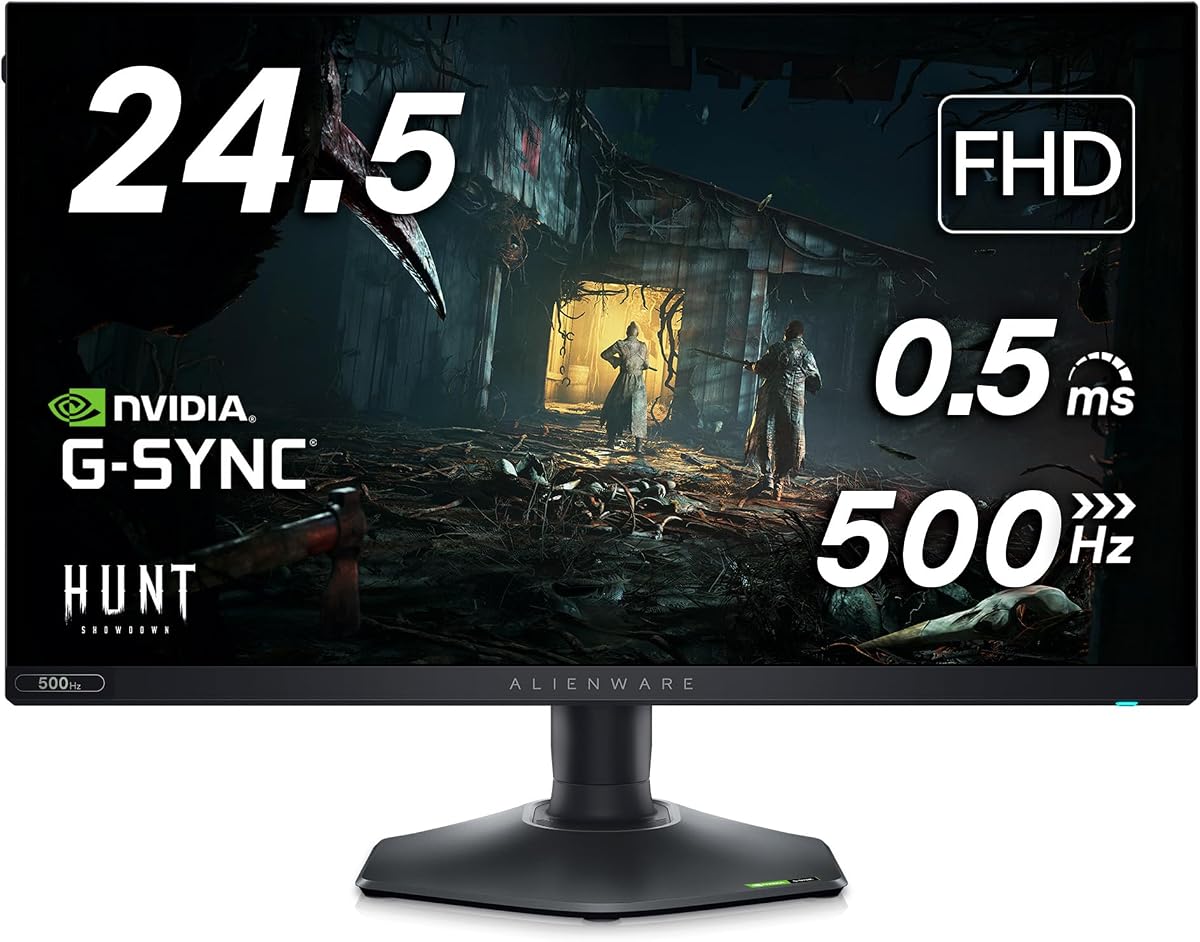
Designed for esports pros, this monitor prioritizes speed over resolution. The 360Hz refresh rate provides smooth motion unmatched by most standard displays. It is a favorite among competitive FPS players who need every millisecond of advantage.
We may earn a commission when you buy through this link, at no additional cost to you.
Response times are incredibly low at 0.5ms, reducing blur during fast camera turns. The hexagonal base design saves desk space, allowing room for large mouse movements. A retractable headset hanger keeps your setup tidy and functional.
While 1080p might seem low compared to QHD, it ensures high frame rates on less powerful rigs. Some users may miss higher detail for detailed games. However, for pure speed, this trade-off is often worth the performance gain.
This model is perfect for those focused on tournaments or ranked play. It offers full adjustability for comfortable long sessions. The build quality reflects Dell's reputation for durable hardware solutions.
High refresh rates and low latency ensure your reactions translate instantly to the screen.
The redesigned base and hanger features improve desk organization and physical comfort.
We may earn a commission when you buy through this link, at no additional cost to you.
An earlier flagship, this model still delivers exceptional visual fidelity. The QD-OLED panel offers rich colors that rival newer models. The 175Hz refresh rate provides a smooth experience without the extreme speed of esports screens.
We may earn a commission when you buy through this link, at no additional cost to you.
G-SYNC ULTIMATE certification ensures the smoothest possible gaming experience with NVIDIA cards. The Legend 2.0 design adds aesthetic appeal with customizable lighting. Cable management is improved to keep your desk clean and organized.
Compared to the latest 240Hz models, this unit feels slightly slower. Peak brightness is lower than HDR standards but still sufficient for most environments. The price often drops now making it a great value for OLED fans.
It suits those who want OLED visuals without paying the latest premium. It works well for single-player adventures and media consumption. The curve helps immersion without being too aggressive for flat surface users.
The curved layout and RGB lighting create a visually engaging setup for any room.
G-SYNC ULTIMATE guarantees tear-free gaming with maximum compatibility on NVIDIA GPUs.
We may earn a commission when you buy through this link, at no additional cost to you.
This monitor bridges the gap between 24-inch and 32-inch displays. It uses OLED technology in a compact form factor. The 240Hz refresh rate is impressive for a QHD OLED panel. Visual quality remains consistent with larger siblings.
We may earn a commission when you buy through this link, at no additional cost to you.
The 166 PPI density ensures sharp text and crisp image edges. This makes it suitable for mixed use with gaming and productivity. The slim design fits well on smaller desks without overwhelming the space.
Some users might find 26.5 inches a bit odd compared to standard sizes. Availability can vary as it is a newer release. The price reflects the premium nature of OLED technology in a small form.
Ideal for tight spaces or dual-monitor setups. It offers high performance without taking up too much desk width. You get the best of modern display tech in a manageable package.
With high PPI, images look sharp and text remains readable even at close viewing distances.
240Hz on OLED combines the smoothest motion with perfect black levels available.
We may earn a commission when you buy through this link, at no additional cost to you.
This model pushes 4K resolution into the OLED space for ultimate detail. The pixel density ensures text looks incredibly sharp on a 27-inch panel. It combines speed with resolution for a truly next-gen experience in gaming.
We may earn a commission when you buy through this link, at no additional cost to you.
Dolby Vision HDR expands dynamic range for more lifelike scenes. The renewed option offers savings for those wary of full retail costs. Expect high visual fidelity suitable for detailed strategy games and shooters alike.
Driving 4K at 240Hz requires a very powerful graphics card. Not all systems will support this combination without compromise. Ensure your rig can handle the load before purchasing this high-performance display.
Best for users wanting maximum clarity and performance. The renewed aspect makes it more accessible financially. It is a top choice for enthusiasts prioritizing sharpness and color depth.
4K resolution on 27 inches delivers unparalleled sharpness for intricate game textures.
Dolby Vision support enhances brightness and contrast for a cinematic visual experience.
We may earn a commission when you buy through this link, at no additional cost to you.
This monitor sets a new standard for speed in the LCD category. The 480Hz overclocked rate is unmatched for reducing motion blur. It is designed for players who prioritize input lag and response above all else.
We may earn a commission when you buy through this link, at no additional cost to you.
NVIDIA Reflex Latency Analyzer helps optimize your system for best performance. The anti-glare coating reduces reflections in bright rooms. Full adjustability ensures you can position the screen comfortably for long gaming sessions.
While fast, it lacks the infinite contrast of OLED panels. The IPS technology provides solid colors but not deep blacks. If raw speed is your goal, this trade-off is generally acceptable for competitive gamers.
It is perfect for high-refresh esports titles. You get cutting-edge motion clarity that few rivals can match. Consider this if you need the absolute fastest refresh rate available.
480Hz refresh rate ensures every frame is clear, eliminating motion blur completely.
Reflex Latency Analyzer integrates with NVIDIA GPUs for optimized low-latency performance.
We may earn a commission when you buy through this link, at no additional cost to you.
This variant includes useful accessories like a USB hub and LED light. It retains the fast 360Hz performance of the standard model. Bundled gear adds value beyond just the screen itself. A great deal for setup enthusiasts.
We may earn a commission when you buy through this link, at no additional cost to you.
The hexagonal base ensures easy movement of peripherals. USB-C connectivity simplifies cable management and charging. The monitor supports HDR playback for improved visual fidelity in compatible games.
The accessories are high quality and fit the aesthetic theme. However, the base model resolution might limit media consumption. For pure gaming utility, the bundle offers practical benefits.
Ideal for those setting up a new station. You get everything needed for a clean look. Check availability as bundles may vary by region or time.
Bundled USB hub and lighting enhance desk organization and ambiance.
USB-C hub provides versatile connectivity for modern devices.
We may earn a commission when you buy through this link, at no additional cost to you.
With a perfect 5.0 rating, this model impresses users with balanced performance. The 280Hz overclocked rate offers a middle ground between standard and pro speed. It supports HDR600 which provides brighter highlights than basic monitors.
We may earn a commission when you buy through this link, at no additional cost to you.
Fast IPS Nano Color technology ensures 95% DCI-P3 coverage. This results in vibrant and accurate colors for content and games. Triple sync support means compatibility with both NVIDIA and AMD graphics cards.
IPS technology often has some glow in dark environments compared to OLED. For most users, the brightness and speed compensate well for this. It is a solid choice for mixed media use cases.
Perfect for gamers needing high brightness and speed. The stand design offers full ergonomic adjustability. It remains a top recommendation for balanced high-performance needs.
VESA HDR600 certification ensures bright highlights and better detail in dark shadows.
Triple sync support allows seamless use with any major GPU brand.
We may earn a commission when you buy through this link, at no additional cost to you.
This model offers classic ultra-wide immersion with a trusted design. The 120Hz rate provides smooth motion suitable for adventures. Color accuracy is high with 98% DCI-P3 coverage for realistic visuals.
We may earn a commission when you buy through this link, at no additional cost to you.
G-Sync ensures no tearing during demanding gaming sessions. The curved screen helps maintain focus on the game world. It is a robust choice for players prioritizing visuals over raw speed.
While 2ms response is slower than newer competitors, it is still decent for non-tournament play. Some might prefer higher refresh rates for competitive shooters. This trade-off suits narrative-driven experiences better.
Best for open-world and simulation genres. It provides a stable and beautiful viewing environment. Check current pricing for a solid entry into ultra-wide gaming.
The 21:9 aspect ratio expands your field of view significantly.
High DCI-P3 coverage ensures that game art looks true to developer intent.
We may earn a commission when you buy through this link, at no additional cost to you.
Selecting the right monitor requires balancing several factors. We break down key elements to help you make an informed decision.
IPS panels offer great color and viewing angles. OLED and QD-OLED provide infinite contrast and deep blacks. IPS is more affordable; OLED is premium.
Refresh rate determines motion smoothness. 144Hz is standard; 240Hz+ is for competitive gaming. Higher rates reduce motion blur effectively.
Response time affects blur. Lower values like 0.1ms are ideal for fast shooters. Most gaming models stay under 1ms for clarity.
1080p is budget-friendly; 1440p offers a sharp balance. 4K provides maximum detail but needs powerful hardware. Pick based on GPU power.
G-SYNC and FreeSync prevent screen tearing. Look for compatibility with your graphics card. Adaptive sync ensures smooth frame delivery.
HDR improves brightness and contrast. Higher certifications like HDR600 provide better visuals. True HDR requires sufficient peak brightness.
Adjustable stands ensure comfort. Height, tilt, and swivel options help posture. A good stand reduces neck strain during play.
Check HDMI and DisplayPort versions. Ensure ports support your desired refresh rate. USB hubs add convenience for peripherals.
Place the monitor on a stable surface to prevent tipping. Ensure adequate ventilation around the sides to avoid overheating. Keep it away from direct sunlight to reduce glare.
Clean the screen with a microfiber cloth. Avoid harsh chemicals like window cleaners. Use distilled water for stubborn spots to protect the coating.
Adjust your brightness to match ambient light. Use the preset modes like Gaming for best performance. Keep firmware updated via the monitor software for improvements.
Yes, they excel with high refresh rates like 360Hz. Fast response times ensure smooth gameplay without lag. Many pros choose them for performance reliability.
Many models feature G-Sync Compatible certification. Some even support full ULTIMATE versions. Check the specs for your specific graphics card.
QD-OLED uses quantum dots for brighter and more vivid colors. It offers better peak brightness than standard WOLED panels. Both provide perfect blacks.
Yes, the high color accuracy supports design tasks. Wide gamuts ensure precise image output. Some models include Creator Mode for calibrations.
Most do not include built-in speakers. You will need external speakers or a headset for audio. The focus remains on visual performance primarily.
Standard warranties cover three years. This includes the panel against defects. Check the manual for specific terms and conditions.
We have reviewed ten excellent monitors catering to different needs. From speed-focused options to premium OLED displays, there is something for every player.
Prioritize your specific game genres to pick the right specs. For esports, choose high refresh rates. For immersion, consider OLED and curves.
Prices change often so verify current listings before buying. These monitors deliver top-tier quality for your setup.