
ASUS Vivobook Go 15.6
4.3Editor score
AMD Ryzen 3 7320U Processor
8GB DDR5 RAM
Military Grade Durability
The ASUS Vivobook series offers a diverse range of laptops designed to meet the needs of students, professionals, and creative users alike. With models spanning various screen sizes and performance tiers, finding the right fit can be challenging without expert guidance on key specifications.
We have carefully analyzed ten distinct Vivobook models based on processor power, memory capacity, storage speed, and overall build quality. Our comparison focuses on real-world usability, ensuring that each recommendation aligns with specific user requirements and budget constraints effectively.
Each product selection includes detailed insights into its unique strengths and potential limitations to help you make an informed decision. Please note that pricing and availability can fluctuate frequently, so checking current listings before purchasing is always advisable for the best deal.
4.3Editor score

4.5Editor score

4.2Editor score
As an Amazon Associate we earn from qualifying purchases.
This side-by-side comparison highlights the key specifications and features of all ten selected ASUS Vivobook models to help you quickly identify which device best suits your performance and portability needs.


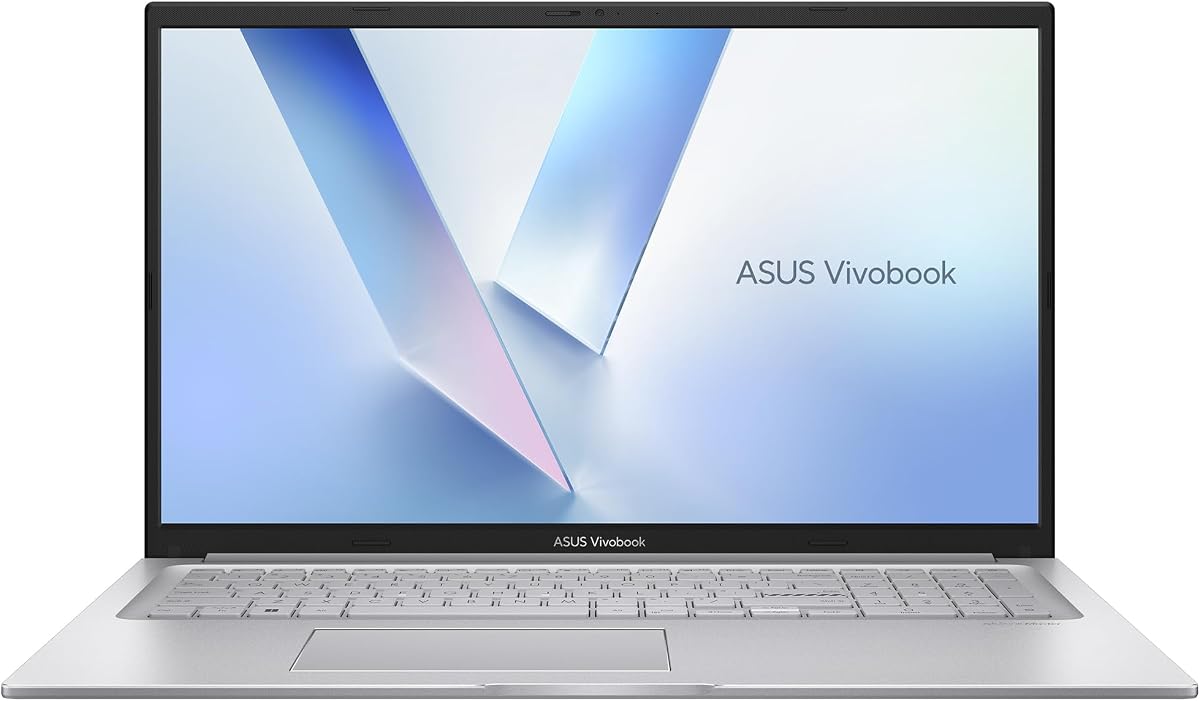




The ASUS Vivobook 15 Laptop stands out as a premier choice for users requiring high-performance computing capabilities in a standard form factor. Boasting an Intel Core i9-13900H processor paired with 32GB of RAM, this machine is engineered to handle demanding workloads with ease. Its robust design ensures that multitasking across complex applications remains smooth and efficient throughout the workday.
We may earn a commission when you buy through this link, at no additional cost to you.
This model features an exclusive PCO bundle that includes a specialized cooler to manage thermal output during intense sessions. The combination of a high-capacity SSD and advanced cooling prevents thermal throttling, maintaining peak performance levels. Users will appreciate the integrated fingerprint reader and privacy shield on the webcam, adding layers of security to daily operations.
While the performance is exceptional, the price reflects the upgraded components and bundle inclusions. Some users might find the specific PCO bundle details require attention regarding warranty coverage for the upgraded parts. However, the balance of speed, storage, and security features makes it a compelling option for professionals.
For those seeking a reliable desktop replacement that excels in productivity and creative tasks, this Vivobook model is highly recommended. The backlit keyboard and precision touchpad further enhance usability in various lighting conditions. Ultimately, this laptop delivers a premium computing experience backed by solid hardware specifications.
The Intel Core i9-13900H processor is optimized for Next Gen AI workloads, enabling seamless multitasking and handling of complex simulations.
Integrated security measures include a fingerprint reader for instant login and a privacy shield on the webcam to protect personal data.
We may earn a commission when you buy through this link, at no additional cost to you.
The ASUS Vivobook 16 Laptop introduces a new era of computing with its Qualcomm Snapdragon X processor and integrated Adreno GPU. This architecture is designed specifically for AI tasks, offering unparalleled power efficiency and multi-day battery life for extended use away from outlets. The 16-inch WUXGA display provides vibrant visuals with a resolution of 1920 x 1200, ideal for creative work and media consumption.
We may earn a commission when you buy through this link, at no additional cost to you.
Users can multitask effortlessly with 16GB of memory and a fast 512GB SSD, ensuring quick access to files and applications. The Snapdragon Hexagon NPU delivers up to 45 TOPS, evolving the way users create and communicate. The integrated GPU offers significant generational improvements in performance, optimizing power consumption while maintaining smooth visuals.
One consideration is the shift to Qualcomm architecture, which may affect compatibility with certain legacy x86 applications depending on emulation support. However, for daily productivity and AI-enhanced tasks, the performance is robust. The 60Hz refresh rate ensures smooth scrolling and viewing experiences across various content types.
This laptop is perfect for users prioritizing battery longevity and modern AI features over raw graphical power. It suits professionals who travel frequently and need a reliable device that keeps up with demanding schedules. The sleek Quiet Blue design adds a professional touch to this efficient and capable machine.
The 16-inch WUXGA display offers breathtaking resolution and sustained brightness with brilliant life-like colors for immersive viewing.
Optimized for AI workloads, this device evolves productivity through the Hexagon NPU delivering efficient processing and seamless connectivity.
We may earn a commission when you buy through this link, at no additional cost to you.
This ASUS Vivobook model delivers a balanced mix of performance and portability in a sleek black chassis. Powered by an Intel Core i7-1355U processor, it handles high-performance computing and multitasking with ease. The 16-inch WUXGA display ensures vibrant colors and sharp visuals, making it suitable for both work and entertainment purposes effectively.
We may earn a commission when you buy through this link, at no additional cost to you.
With 16GB of RAM and a 512GB SSD, users benefit from fast performance and ample storage for essential files. The integrated Intel Iris Xe Graphics support smooth everyday visuals without compromising on battery life significantly. Wi-Fi 6 and Bluetooth 5.1 connectivity ensure fast wireless connections for devices and accessories around the workspace.
The notebook is designed to be lightweight and portable, fitting easily into bags for commuting or travel. However, users expecting discrete graphics performance for heavy gaming may find the integrated solution limiting. The overall build quality remains solid, offering a reliable platform for business and personal use alike.
Ideal for students and professionals needing a portable device for daily tasks, this laptop strikes a good balance. The selection of ports including USB-C and HDMI facilitates easy connections to external displays. It is a practical choice for those valuing mobility alongside robust everyday performance.
The Intel Core i7-1355U processor enables fast performance for complex computing tasks and seamless multitasking during work.
Equipped with USB-C, USB-A, HDMI, and audio jack ports to ensure versatile connectivity for various peripherals and displays.
We may earn a commission when you buy through this link, at no additional cost to you.
The ASUS Vivobook 17 Laptop offers a spacious 17.3-inch FHD display for those who prioritize screen real estate. Its Intel Core 7 150U CPU and 16GB RAM ensure reliable performance for everyday tasks like work, play, and entertainment. The 1TB SSD provides ample storage for extensive media libraries and important documents without needing external drives.
We may earn a commission when you buy through this link, at no additional cost to you.
Built to meet US MIL-STD 810H standards, this laptop offers added confidence for reliable everyday use. The ErgoSense keyboard with numeric keys is ideal for data entry and comfortable typing. Fast charging technology allows reaching 60% battery in about 49 minutes, getting users back up and running quickly after a power top-up.
While the larger screen enhances visibility and multitasking, it inevitably adds weight compared to smaller models. Users should consider portability needs if frequent travel is required. The lay-flat hinge facilitates effortless collaboration during meetings, sharing content easily with clients or colleagues in room.
This model is an excellent choice for users needing a desktop-like experience in a laptop form factor. The cool silver finish looks professional while the SonicMaster tuned audio delivers immersive sound for media. It stands out for those valuing screen size and durability in their computing workflow.
Enjoy bright sharp visuals on a slim-bezel NanoEdge display with wide viewing angles and eye-care certification to reduce strain.
The ASUS ErgoSense keyboard features optimal key bounce and travel with built-in numeric keys for easier daily data entry.
We may earn a commission when you buy through this link, at no additional cost to you.
The ASUS 2023 Vivobook Go 15 is designed for users seeking incredible performance at an accessible price point. Equipped with an AMD Ryzen 5 7520U Processor and a 512GB SSD, it provides an ultrafast and smooth experience for daily computing. The 15.6 inch FHD display with slim bezels offers an immersive visual experience for media consumption.
We may earn a commission when you buy through this link, at no additional cost to you.
Fast-charge technology allows recharging the battery up to 50% in just 30 minutes, minimizing interruptions during busy workflows. The laptop meets US military-grade standards for durability and uses IceCool thermal technology to stay cool in all situations. AI Noise-Canceling Technology ensures smooth video calls by isolating unwanted background noise effectively.
The 8GB RAM is sufficient for most multitasking needs, though power users might eventually need to upgrade or manage open tabs carefully. The extensive connectivity options include USB-A, USB-C, and HDMI for versatile peripheral support. The Mixed Black design adds a sleek look to this sturdy and reliable device.
Ideal for students and budget-conscious professionals, this laptop balances cost with essential features well. It handles web browsing, document editing, and streaming with ease. The fast charging capability ensures productivity remains uninterrupted even when power outlets are scarce during travel.
Recharge the battery up to 50% capacity in just 30 minutes allowing you to quickly top up without interrupting workflows.
The ErgoSense keyboard is precisely measured and fine-tuned to reduce strain on hands and wrists during long typing sessions.
We may earn a commission when you buy through this link, at no additional cost to you.
For budget-conscious buyers, the ASUS Vivobook Go 15.6 offers essential performance in a slim form factor. It features an AMD Ryzen 3 7320U Quad Core Processor designed for thin laptops, providing enough power for browsing and productivity tasks. The 8GB DDR5 RAM ensures smoother multitasking compared to older DDR4 generations available at this price.
We may earn a commission when you buy through this link, at no additional cost to you.
The 15.6 inch NanoEdge display offers a 60Hz refresh rate and vibrant colors for an immersive experience. Built with military-grade durability, it withstands rigorous daily use. A webcam privacy shutter and 720p HD camera are included for secure and clear video calls. The lightweight build makes it easy to carry around campus or office.
Storage is limited to 128GB SSD, which may require cloud solutions for extensive file management. However, this trade-off keeps the cost and weight minimal. Connectivity includes USB 3.2 Gen 1 Type-C for power and display, along with standard USB-A and HDMI ports for essential peripherals.
This model is perfect for basic computing needs, web browsing, and media consumption. It serves as an excellent secondary device or primary machine for students who rely heavily on cloud storage. The fast charging feature adds convenience for those on the go with limited time to recharge.
Super slim bezel design with 60Hz refresh rate and vibrant colors provide a smooth and immersive viewing experience.
Ports include USB-C for power and display, USB-A, HDMI, and audio jack for versatile daily use without adapters.
We may earn a commission when you buy through this link, at no additional cost to you.
This ASUS Vivobook variant allows users to tailor RAM and storage to their specific needs, ranging up to 48GB and 2TB respectively. The Intel Core i9-13900H processor delivers elite-level performance for complex simulations and AI-enhanced creative software. Windows 11 Pro offers enhanced security features and business-ready tools out of the box for enterprise environments.
We may earn a commission when you buy through this link, at no additional cost to you.
The PCO bundle includes a physical webcam shield and fingerprint reader for instant security. A comprehensive I/O suite eliminates the need for extra dongles during connections. The backlit numeric keyboard is ideal for financial or data entry tasks requiring precision and speed. 180-degree hinge facilitates easy collaboration.
The custom upgrade process means warranty terms differ for upgraded components versus original parts, which should be reviewed carefully. PCOnline US provides a 3-year coverage on the upgraded RAM and SSD, offering peace of mind for long-term use. This ensures longevity and reliability for professional workflows.
For professionals requiring maximum performance and storage flexibility, this customized option stands out. It bridges the gap between standard laptops and workstations effectively. The blue chassis and sophisticated finish add a touch of style to this powerful computing machine for office or home use.
A 3-year coverage on the upgraded RAM and SSD is provided by PCOnline US for peace of mind during long-term use.
Equipped with USB-C, USB-A, HDMI ports to eliminate the need for extra dongles during daily connections.
We may earn a commission when you buy through this link, at no additional cost to you.
The ASUS Vivobook Laptop 14 combines a compact 14-inch form factor with surprisingly high memory and storage specs. Featuring 24GB RAM and a 1TB SSD, it handles multiple browser tabs and applications smoothly. The Intel i3-1215U processor supports efficient computing for everyday tasks without overheating or slowing down.
We may earn a commission when you buy through this link, at no additional cost to you.
The 14-inch FHD IPS-level panel offers clear visuals with anti-glare properties for indoor use. Connectivity options include USB-C, USB-A, and HDMI for connecting to external displays and accessories. Wi-Fi 6 ensures stable and fast wireless internet connections. The blue finish gives it a fresh and modern aesthetic suitable for all ages.
While the processor is entry-level, the ample RAM compensates well for multitasking. Users looking for a portable laptop with robust storage should find this appealing. The touchpad and webcam are responsive, making video conferencing and navigation smooth for daily interactions online.
Ideal for students or travelers needing a lightweight device with plenty of digital storage. The Windows 11 Home environment supports Android apps and offers improved performance features. This laptop serves well as a reliable companion for on-the-go productivity and entertainment needs.
24GB high-bandwidth RAM allows running multiple applications and browser tabs all at once efficiently.
1TB PCIe NVMe M.2 SSD allows fast bootup and data transfer for large files.
We may earn a commission when you buy through this link, at no additional cost to you.
This ASUS Vivobook 14 model introduces Copilot+ PC capabilities with its Snapdragon X processor and 16GB RAM. It ensures smooth multitasking and efficient computing designed for the latest AI features in Windows 11. The 14-inch FHD+ screen delivers crisp visuals perfect for work and entertainment on a portable chassis.
We may earn a commission when you buy through this link, at no additional cost to you.
With 512GB SSD storage, users get fast boot times and quick file access. The integrated Adreno GPU supports efficient graphics processing. It comes with a 1-year manufacturer warranty covering parts and labor for peace of mind with any purchase. The Quiet Blue color adds a stylish touch to the sleek design.
The transition to ARM architecture might affect some legacy app compatibility, but modern web apps run efficiently. This makes it suitable for users focused on cloud-based workflows and media consumption. The build quality remains solid and aligns with ASUS standards for reliability.
Best for early adopters of Copilot+ PC features and those needing a highly portable device. It balances performance and battery life well for daily tasks. The warranty included ensures support is available if any issues arise during the first year of ownership.
Experience smooth multitasking and efficient computing designed for the latest AI features in Windows 11.
The 14-inch FHD+ screen delivers crisp visuals perfect for work and entertainment on a portable chassis.
We may earn a commission when you buy through this link, at no additional cost to you.
The ASUS Vivobook 14 Copilot+ PC features an AMD Ryzen AI 7 350 processor designed for ultimate AI efficiency. With up to 50 TOPS via XDNA NPU, it transforms the way users create, find, and communicate. The 14-inch WUXGA display offers 1920 x 1200 resolution with sustained brightness for vivid visuals.
We may earn a commission when you buy through this link, at no additional cost to you.
Users can experience DirectX 12 Ultimate for impressive gaming framerates and realism. Backed by 16GB RAM and 512GB SSD, multitasking is seamless. The battery life supports up to 12 hours, and fast charge gets it to 100% in about 80 minutes. Platinum Gold finish adds premium elegance.
The Recall feature and other Copilot+ experiences are rolling out and may vary by region. Game Pass included for 3 months enhances entertainment value. This laptop bridges productivity and gaming effectively, offering a modern platform for diverse workloads without needing separate devices.
Ideal for users seeking advanced AI capabilities alongside strong gaming performance. It prioritizes battery longevity and screen quality significantly. For those wanting a cutting-edge device that handles both professional and recreational tasks efficiently, this model is a strong contender.
Unleash performance with AMD XDNA NPU for ultimate AI processing efficiency and discrete level graphics.
Indulge in stunning visuals with 1920 x 1200 resolution and 300-nit sustained brightness for life-like colors.
We may earn a commission when you buy through this link, at no additional cost to you.
Choosing the right ASUS Vivobook requires understanding your specific computing needs and budget constraints. This guide breaks down the essential factors to consider for the most suitable purchase decision.
The processor is the heart of any laptop, determining how quickly tasks are completed. Intel Core i7 and i9 models offer superior speed for demanding applications, while AMD Ryzen or Snapdragon options provide efficiency for daily tasks. Evaluate whether you need raw power for creative software or battery life for general use.
For most users, a mid-range processor ensures smooth performance without unnecessary cost or power consumption.
RAM capacity affects multitasking ability, so 16GB is recommended for professional workflows involving multiple apps simultaneously. SSD storage type ensures fast boot times and file access, with capacities ranging from 512GB to 2TB depending on your data needs. Check if the model allows upgrades to extend lifespan.
Prioritize at least 16GB RAM and a 512GB SSD to handle modern operating systems and file storage comfortably.
Screen size impacts portability and productivity, with 13 to 17-inch options available. Resolution and color accuracy matter for media consumption and creative work; WUXGA and FHD panels offer sharp visuals. Anti-glare coatings reduce eye strain during extended work sessions in bright environments.
Choose a display size that fits your usage style, balancing screen real estate with carry weight.
Battery longevity is critical for users who work away from power outlets frequently. Some Vivobook models support fast charging to minimize downtime during busy schedules. Consider the capacity and typical usage scenarios to ensure the laptop lasts through your daily routine without needing a recharge.
Look for models supporting fast charging and at least 8 hours of use for on-the-go productivity.
Ports like USB-C, HDMI, and USB-A determine how easily you can connect peripherals and external displays. Wi-Fi 6 and Bluetooth 5.1 provide stable wireless connections for modern networks and accessories. A lack of ports might require dongles, which adds bulk and expense to your setup.
Ensure the laptop includes all essential ports you need daily to avoid purchasing additional adapters.
Military-grade standards like MIL-STD 810H indicate resistance to shocks and drops, enhancing device lifespan. Materials and hinge construction affect how well the laptop holds up over years of use. Ergonomic features like keyboards and touchpads impact typing comfort during long sessions.
Invest in durable builds if you travel frequently or work in environments prone to wear and tear.
Windows 11 Home and Pro versions offer different features tailored for personal or business needs. Ensure the OS supports the applications you rely on and receives regular updates for security. Pre-installed features like Copilot+ PC integration can enhance productivity with AI tools.
Verify the operating system version meets your security and workflow requirements before finalizing your purchase.
Manufacturer warranties typically cover parts and labor for one year, while upgraded components might have extended coverage. Check if third-party providers offer additional protection plans for peace of mind. Reliable customer support can resolve issues quickly when hardware problems arise unexpectedly.
Consider the warranty terms carefully, especially for models with custom upgrades or specialized bundles.
To maximize your laptop's performance, ensure it is kept in a well-ventilated area during heavy use. Regularly update Windows and drivers to maintain security and system stability. Using the laptop on hard surfaces helps prevent overheating compared to soft surfaces like beds or couches.
Protect your investment by installing reliable antivirus software and keeping backups of critical data on external drives. Avoid exposing the device to extreme temperatures or moisture, as these conditions can damage internal components. Cleaning the screen with a microfiber cloth prevents scratches and maintains visual clarity.
Practice good battery habits by avoiding deep discharges frequently to prolong its lifecycle. Use the original charger to prevent electrical issues and ensure efficient charging speeds. Finally, adjust power settings to balance performance and battery consumption based on your daily workflow needs.
The ASUS Vivobook Go series is typically the best choice for students due to its affordability and portability. Models like the Go 15 offer enough processing power for coursework, video calls, and research without breaking the bank. Their battery life is sufficient for a day of classes, and the build quality withstands travel in backpacks.
Higher-end models with Intel Core i9 or i7 processors and ample RAM are suitable for moderate video editing. The Vivobook Pro lines are optimized for creative tasks, but standard Vivobooks with strong specs can handle 1080p editing. For 4K professional work, consider dedicated GPU options or specialized workstations.
Many Vivobook models allow RAM and storage upgrades, but it depends on the specific chassis design. Some budget-friendly versions have soldered RAM, so it is important to check specs before buying. Always consult the user manual or manufacturer support to confirm upgrade compatibility for your exact model.
Battery life varies by model and usage, generally ranging from 6 to 12 hours. The Vivobook models with Qualcomm or newer AMD processors tend to offer longer endurance due to optimized efficiency. Heavy tasks like gaming or rendering will reduce this time significantly.
Yes, most Vivobook laptops include HDMI or USB-C ports that support external monitor connections. This is useful for expanding your workspace or presenting content to colleagues. Ensure you use a compatible cable to maximize resolution and refresh rate capabilities.
While not dedicated gaming rigs, many Vivobooks can run popular titles at standard settings. Models with discrete graphics or higher-end processors handle light gaming better. For serious gaming, dedicated gaming laptops are generally recommended over standard notebooks.
The ASUS Vivobook series offers a wide range of options catering to every type of user from students to professionals. Our top picks highlight the best balance of performance, portability, and value available today in the market. Choosing the right one depends heavily on your specific workload and budget preferences.
Prioritize processor speed and RAM if you handle complex tasks, but focus on battery life and weight for frequent travel. The diverse selection ensures there is a model suited for your unique needs. Always verify current specifications before purchasing as updates may affect availability.
Prices and promotions change regularly, so checking current listings is recommended before making a final decision. Keep in mind that extended warranties and bundles can add value to your purchase. With careful selection, an ASUS Vivobook will serve as a reliable tool for your daily computing needs.