
ASUS RT-AX1800S
4.3Editor score
WiFi 6 with OFDMA
Five Gigabit ports total
AiProtection security included
This guide compares ten top ASUS WiFi routers for speed coverage and security helping you choose the right model for your home network needs today.
Finding the right wireless router is crucial for a stable home network. ASUS offers a wide range of models tailored to different needs from budgetfriendly to high-performance gaming setups. Their reliable hardware and advanced software features make them a top choice for many users seeking consistent connectivity and robust security across all their devices.
We have evaluated ten distinct ASUS router models to identify the best options available. Each product was analyzed based on its Wi-Fi generation, coverage area, and port configuration. We also considered security features and mesh compatibility to ensure you get a versatile solution that can grow with your household requirements over time.
Each pick below highlights specific strengths and ideal use cases for different scenarios. Whether you need raw speed for gaming or broad coverage for a large home, there is a model here for you. Please note that availability and pricing can change frequently so always verify current details before making a final purchase decision.
4.3Editor score

4.5Editor score

4.3Editor score
This side-by-side comparison highlights the key specifications and unique features of each ASUS router model to help you quickly identify which device aligns best with your specific networking requirements and performance expectations.
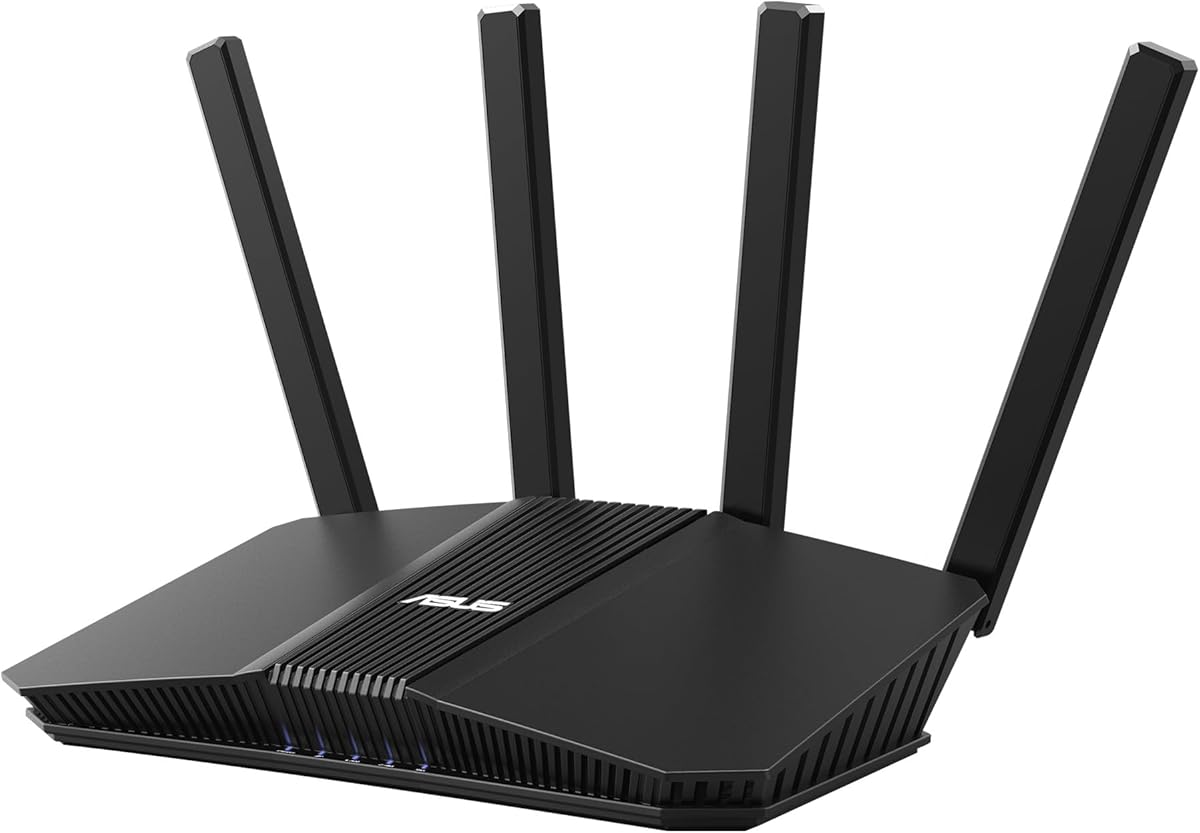

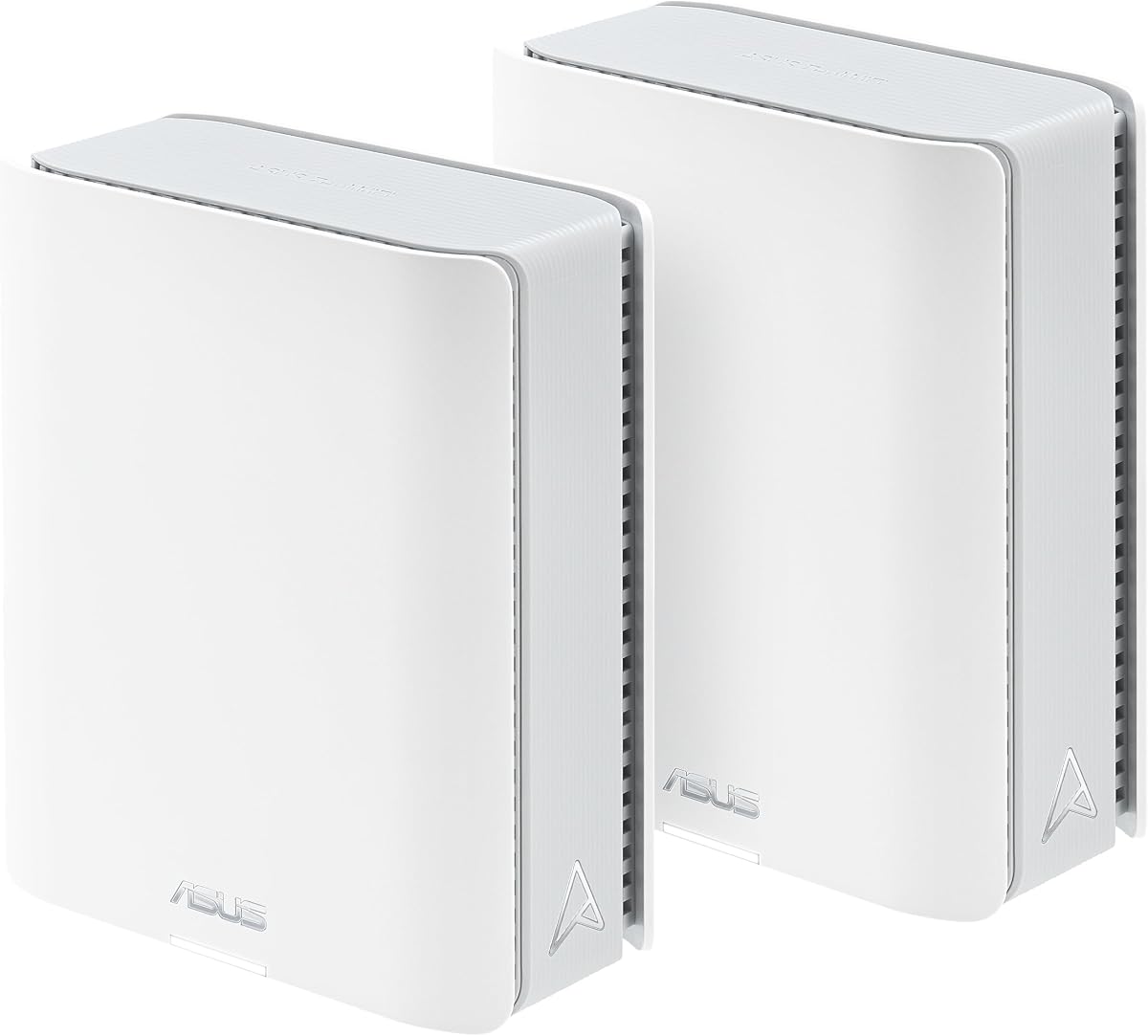



The ASUS RT-AX1800S stands out as an excellent entry point into modern Wi-Fi 6 networking. With a solid rating from users, it delivers reliable performance for everyday tasks like streaming and browsing without breaking the bank.
We may earn a commission when you buy through this link, at no additional cost to you.
This router supports OFDMA and MU-MIMO which significantly improves efficiency when multiple devices are connected simultaneously. The inclusion of four Gigabit LAN ports ensures you have enough wired connections for consoles or desktops needing stable links.
While it lacks the advanced tri-band options of higher models, its dual-band design is sufficient for most standard households. The trade-off in raw speed is acceptable given the competitive positioning and feature set available at this level.
Ideal for renters or small homes needing a reliable upgrade from older hardware, this router offers a balance of cost and capability. It is a smart starting point for anyone looking to modernize their network affordably.
OFDMA technology allows the router to communicate with multiple devices at once reducing latency and congestion during peak usage times.
AiProtection Classic powered by Trend Micro provides continuous network scanning and threat detection without requiring a monthly subscription fee.
We may earn a commission when you buy through this link, at no additional cost to you.
The ASUS RT-BE58U is one of the first consumer routers to embrace the cutting-edge Wi-Fi 7 standard. This model promises ultra-fast data transfers and lower latency for future-proofing your home network infrastructure effectively.
We may earn a commission when you buy through this link, at no additional cost to you.
Its Multi-link operation allows connections across multiple bands simultaneously ensuring stability even when interference is high. The USB port enables convenient mobile tethering for backup internet access using 4G or 5G networks seamlessly.
Adopting this technology now means dealing with a few early ecosystem limitations regarding client device compatibility. However, the advanced features and robust security make it a compelling choice for tech enthusiasts eager to stay ahead.
This router is best suited for power users who want the absolute latest hardware available. If you need maximum throughput and advanced WAN configurations, this model offers significant advantages over previous generations.
Linking to multiple bands at once ensures stable internet connections and efficient data transfers without dropping packets during heavy loads.
Smart Home Master lets you establish up to three SSIDs for easy IoT setup and management without compromising main network performance.
We may earn a commission when you buy through this link, at no additional cost to you.
For hardcore gamers and power users, the ROG Rapture GT-BE98 Pro sets a new bar for home networking performance. Its rating reflects high satisfaction among users seeking top-tier throughput and reliability during intense online sessions.
We may earn a commission when you buy through this link, at no additional cost to you.
The router features Triple-Level Game Acceleration which optimizes traffic specifically for gaming devices and servers. Combined with dual 10G ports and quad 2.5G ports, it offers unmatched flexibility for wired high-speed connections.
While the price is steep, the hardware quality justifies the investment for those who demand the best. The external antennas boost coverage significantly which helps maintain strong signals throughout larger living spaces without signal loss.
Buy this if you need the absolute maximum speed and customization for your network. It is the ideal solution for high-end setups where every millisecond of latency matters for competitive gaming.
The GT-BE98 Pro boosts your PC gaming traffic every step of the way from your PC gaming port all the way to the game server.
Maximized wired connectivity allows dual 10G ports and quad 2.5G ports to connect high-performance NAS or switches directly.
We may earn a commission when you buy through this link, at no additional cost to you.
The RT-BE92U brings the power of Wi-Fi 7 to a slightly more accessible form factor than the ROG flagship. It is designed to handle heavy network traffic while providing robust security features out of the box for all connected devices.
We may earn a commission when you buy through this link, at no additional cost to you.
With speeds up to 9700 Mbps, this router handles 4K streaming and large file transfers with ease. The versatile WAN configuration options allow for an always-on internet connection even when the primary ISP fails unexpectedly.
It requires devices that support the newer Wi-Fi 7 standard to fully utilize the speed benefits. However, it remains backward compatible ensuring older devices can still connect safely to your network without issues.
This model is great for families with many connected devices who want future-proof performance. The inclusion of Smart Home Master simplifies IoT management which is often a pain point in smart home environments.
Establish always-on internet through AI WAN detection and a convenient USB port ready for 4G LTE and 5G Mobile tethering.
Network security with commercial-grade AiProtection Pro powered by Trend Micro plus a one-tap security scan and Safe Browsing.
We may earn a commission when you buy through this link, at no additional cost to you.
The ZenWiFi BT10 offers an expansive mesh solution covering up to 6000 square feet in a two-pack configuration. It leverages AI to optimize backhaul connections ensuring that every corner of your home maintains high-speed internet access reliably.
We may earn a commission when you buy through this link, at no additional cost to you.
Featuring dual 10G Ethernet ports on each node it supports ultra-fast local networking for devices like NAS drives or wired gaming stations. The eight internal antennas help eliminate dead zones effectively in large floor plans.
While the system is powerful, setting up a mesh network with this many features can be more involved than a simple single router. Users should be prepared to spend some time configuring settings for optimal performance.
Ideal for large homes or small offices needing blanket coverage without dead zones. The high-end specs ensure this system will remain relevant for many years as your internet speeds increase.
Ultimate AiMesh powered by AI delivers robust backhaul connections, seamless connectivity for all devices, and a feature-rich whole-home network.
Eight internal antennas and ten high-power front-end modules eliminate WiFi dead zones while robust heat dissipation enhances WiFi reliability.
We may earn a commission when you buy through this link, at no additional cost to you.
The RT-AX82U is a favorite among gamers who appreciate both performance and aesthetics. Its rating highlights the positive experience users have with its fast speeds and gaming-centric features like Mobile Game Mode.
We may earn a commission when you buy through this link, at no additional cost to you.
It supports 160MHz channels which doubles the throughput of standard channels when your ISP and client support it. The Aura RGB lighting allows you to customize the router look to match your gaming setup or room decor style.
Buying a renewed model can save money but requires checking the specific condition before accepting delivery. However, the feature set remains identical to the new version making it a great value for budget-conscious gamers.
This router is a solid choice for a gaming bedroom or office where style matters. Just ensure you have a good ISP plan to fully take advantage of the 5400 Mbps theoretical speed capacity.
Minimize lag and latency for mobile gaming with just a tap on the ASUS Router app to prioritize mobile device traffic effectively.
Feature ASUS Aura RGB lighting effects that you can choose from a variety of lighting effects and customize lighting to align with specific modes.
We may earn a commission when you buy through this link, at no additional cost to you.
The ZenWiFi BT8 provides the next-generation of Wi-Fi 7 in a single node that covers up to 3000 square feet. This makes it an excellent solution for mid-sized homes that want the latest technology without a full mesh deployment.
We may earn a commission when you buy through this link, at no additional cost to you.
Seven internal antennas and high-power front-end modules work together to eliminate dead zones effectively. The AI-powered Smart AiMesh makes it easy to add compatible routers later if your needs grow over time.
While it does not come as a two-pack, the single unit coverage is sufficient for many layouts. You should ensure your layout allows for central placement to maximize its signal range and strength.
This unit is great for tech-savvy homeowners who want a single powerful node. It balances the latest tech with manageable size and fits well in modern living spaces without looking too bulky.
AI-powered Smart AiMesh boosts coverage up to 3000 sq. ft. and easy extendibility with compatible ASUS routers for seamless whole home WiFi.
IoT Network parental controls and VPN easy setup on multiple devices with Smart Home Master SSIDs simplify your daily usage significantly.
We may earn a commission when you buy through this link, at no additional cost to you.
The RT-AX3000 is a highly rated workhorse that balances performance and affordability perfectly. It consistently delivers reliable speeds for streaming and gaming across homes up to 3000 square feet without requiring mesh expansion.
We may earn a commission when you buy through this link, at no additional cost to you.
It offers Adaptive QoS which automatically prioritizes bandwidth for latency-sensitive apps like VoIP or video calls. This ensures your critical tasks never get bogged down by other heavy downloads happening on the network.
While it lacks the newest Wi-Fi 7 features, it remains more than enough for most current internet plans and devices. The USB 3.0 port allows you to share a drive or printer across your local network easily.
Ideal for households wanting a reliable upgrade without overspending on future tech. Its proven track record makes it a safe bet for families needing stable everyday connectivity.
Adaptive QoS automatically prioritizes bandwidth for latency-sensitive apps like VoIP or video calls ensuring your critical tasks never get bogged down.
AiMesh technology allows you to establish an even stronger mesh WiFi system with other ASUS AiMesh compatible routers for whole home coverage.
We may earn a commission when you buy through this link, at no additional cost to you.
The RT-AC68U remains a legend in the router world for its longevity and solid performance. Even with older Wi-Fi 5 specs, it delivers reliable speeds and a robust set of features that still serve many users well today.
We may earn a commission when you buy through this link, at no additional cost to you.
Its 1GHz dual-core CPU enables smart multitasking by dedicating separate lanes for Wi-Fi and USB data transfers. This ensures that plugging in a hard drive does not slow down your wireless speeds during heavy transfers.
Five Gigabit LAN ports are rare in modern routers making this a great choice for wired setups. If you have many devices that connect via Ethernet this model provides the connectivity options you need easily.
Choose this if you prefer a proven design over bleeding-edge specs. It is perfect for users who want a no-nonsense router that just works without needing complex configuration or updates constantly.
1GHz dual-core CPU enables smart multitasking by dedicating separate lanes for Wi-Fi and USB data to ensure performance stability.
Guest network options allow you to isolate visitors from your main network keeping your private devices secure from unauthorized access.
We may earn a commission when you buy through this link, at no additional cost to you.
The ExpertWiFi EBR63 is tailored for small businesses needing secure network segmentation and remote management. Its features allow owners to control guest access and traffic without on-site IT staff constantly.
We may earn a commission when you buy through this link, at no additional cost to you.
Up to five SSIDs help separate and prioritize devices for different business scenarios like staff or guests. The Custom Guest Portal lets you brand the login page to match your business style and requirements.
While powerful, some features like VLANs and SDN might be overkill for a typical home environment. However, it offers peace of mind for anyone running a business from home who needs professional isolation.
Best for home offices or small retail spaces requiring reliable guest networks. It provides enterprise-grade protection without the complexity of managing a full server room setup.
Customize the SSID portal type brand name and templates to fit your business style for a professional visitor experience.
Separate and Secure Usage allows up to five SSIDs to separate and prioritize devices for different business scenarios effectively.
We may earn a commission when you buy through this link, at no additional cost to you.
Selecting the right router involves weighing several key factors to ensure it meets your speed coverage and security needs.
Current models range from Wi-Fi 5 to the newest Wi-Fi 7. While Wi-Fi 6 is sufficient for most households Wi-Fi 7 offers better efficiency and lower latency for future devices.
Large homes may need a mesh system or a router with powerful antennas. Check the rated square footage to ensure the unit can cover your specific floor plan.
Ensure the router has enough Gigabit ports for your wired devices like gaming consoles or PCs. Some models include 10G ports for high-speed NAS connections.
Look for built-in security like AiProtection Pro which scans for malware and blocks threats. Subscription-free options are often preferred by homeowners wanting long-term safety.
A dual-core or multi-core CPU helps handle multiple connections simultaneously without slowing down. Powerful processors are essential for heavy users with many smart devices.
Choosing a router compatible with ASUS AiMesh allows you to add nodes later. This flexibility ensures you can expand your network as your home grows over time.
To get started connect your modem to the WAN port using an Ethernet cable. Power on the router and download the ASUS Router app to run the quick setup wizard.
Position your router in a central location away from thick walls or metal objects. Elevating the device on a shelf can help improve signal range throughout your home.
Keep the firmware updated via the web interface or mobile app to maintain security. Regularly restart your router once a month to clear memory and prevent minor glitches.
Yes to get the full benefits of Wi-Fi 7 your devices like laptops or phones must also support the new standard. Older devices will still connect but at previous speeds.
Yes many ASUS models support AiMesh technology allowing you to connect multiple compatible units for a seamless whole-home network. This helps extend coverage significantly.
Most models include AiProtection Classic which is free and lifetime. Some advanced Pro features may vary but the core protection works without recurring fees.
Multi-link operation allows a device to connect to multiple Wi-Fi bands simultaneously. This boosts speed and reliability by combining channels for a smoother experience.
You can buy another compatible router to add to your mesh system or use the USB tethering feature with a mobile hotspot for backup coverage areas.
Yes a dual-core processor manages multiple tasks and connections more efficiently. This results in stable speeds when many devices are active on the network.
We have reviewed ten diverse models ranging from budget picks to premium gaming rigs. Each offers distinct strengths depending on whether you prioritize speed coverage or smart home features.
Consider your current internet speed and the size of your space before buying. Choosing a router with growth options like mesh support ensures long-term satisfaction without needing a replacement soon.
Always check the latest pricing and availability before finalizing your purchase. Technology evolves quickly so ensuring you get the best deal on the right model is essential.