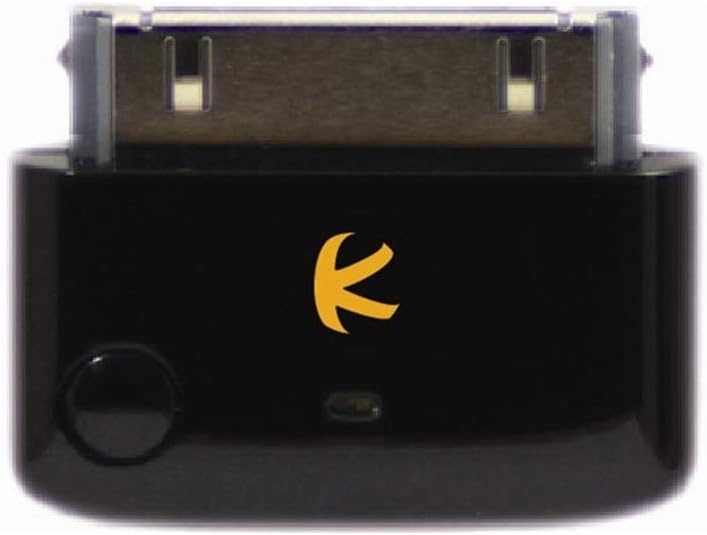
i10_Pro (Black) : Bluetooth Transmitter Splitter
4.0Editor score
Supports aptX and low latency codecs
Streams to two headphones at once
Tiny 25mm size for portability
This guide compares the best Bluetooth transmitters for iPod Classic to help you choose the right wireless adapter for your legacy Apple music player.
Keeping an iPod Classic alive in 2026 means finding wireless accessories that work with its 30-pin connector. A good Bluetooth transmitter adds modern convenience without sacrificing the classic design you love.
We evaluated ten real products based on compatibility, audio quality, and ease of use. Each option was reviewed for its ability to connect reliably to headphones, speakers, and car systems.
Every pick below shows key specs, pros, and cons to help you decide. Note that availability and stock levels change frequently, so check current listings before buying.
4.0Editor score

3.4Editor score

4.1Editor score
This side-by-side table summarizes the key features of every adapter we reviewed. Compare specs like connector type, codec support, and range to find the best match for your iPod Classic setup.


This Bluetooth transmitter is designed specifically for iPods with a 30-pin connector. It has a rating that shows mixed user feedback. It stands out for its simple plug-and-play approach.
We may earn a commission when you buy through this link, at no additional cost to you.
The main strength is its wide compatibility. It works with iPod Touch 3rd and 4th gen, iPod Nano 1st to 6th gen, and iPod Classic. You do not need to install software or charge a separate battery. The adapter draws power directly from the iPod.
A trade-off is the audio latency. Some users may notice a slight delay depending on their headphones. The connection is stable for walking or commuting. It is not ideal for video watching where sync is critical.
If you want to use your classic iPod with modern wireless headphones, this is a solid starting point. It is compact and easy to carry. Check compatibility with your specific model before purchasing.
You just plug it in and pair it once. No extra steps or downloads are needed.
It supports most classic models after 2007 so you can keep using your old library.
We may earn a commission when you buy through this link, at no additional cost to you.
This adapter is another 30-pin option for iPod Classic owners. It has a lower rating which suggests some users faced issues. It is meant for basic wireless streaming.
We may earn a commission when you buy through this link, at no additional cost to you.
It allows you to connect to Bluetooth headphones or car speakers. The pairing is automatic once set up. It uses the iPod to control volume, not the headphones. This can be inconvenient if you use external controls.
The limitation on volume control is a key trade-off. You have to reach for your iPod to adjust levels. Also, some car stereos may not work well. Ensure your receiver supports A2DP before buying.
For simple listening on the go, it works well. It is light and fits easily in a case. Make sure your iPod model is after 2007 to avoid compatibility issues.
Once paired, it remembers the device and connects automatically when turned on.
You must use the iPod buttons to change volume since the headphones cannot control it.
We may earn a commission when you buy through this link, at no additional cost to you.
The AirFly SE is a versatile adapter with a 3.5mm jack instead of a 30-pin connector. It has a high rating and is popular for travel. You need an audio adapter to connect to iPod Classic.
We may earn a commission when you buy through this link, at no additional cost to you.
Its battery lasts over 20 hours on one charge. This is great for long flights or trips. You can use it while it charges via USB-C. The built-in buttons let you change volume directly.
The trade-off is the need for an extra cable. You must connect an adapter to the iPod first. This adds bulk and potential points of failure. However, the convenience of volume controls is a plus.
If you fly often or use gym equipment, this is a great choice. It pairs quickly with AirPods or earbuds. Just ensure you have the right 30-pin to 3.5mm adapter ready.
You get uninterrupted audio for over 20 hours which is perfect for travel days.
Built-in buttons allow you to adjust volume without touching the iPod.
We may earn a commission when you buy through this link, at no additional cost to you.
The i10_Pro is a high-end choice for those who want better audio quality. It supports aptX and low-latency codecs. It has a solid rating and is known for its tiny size. You can share audio with one person.
We may earn a commission when you buy through this link, at no additional cost to you.
Its key strength is the codec support. This means clearer sound and less delay. The tiny package fits easily in a case. It allows dual streaming which is rare in this category.
The main trade-off is the cost. It is more expensive than basic adapters. The button for toggling codecs can be small. But for audiophiles, the quality is worth the investment.
If you care about sound fidelity and want to share tracks, this is the pick. It works with AirPods and Bose. Ensure your headphones support the chosen codec for best results.
It uses aptX to reduce latency and improve sound clarity during playback.
You can connect two sets of headphones at once to share music with a friend.
We may earn a commission when you buy through this link, at no additional cost to you.
This transmitter is built for low latency with a Qualcomm 5.2 chip. It has a high rating for syncing audio well. It works with TVs and gym machines. You need an adapter for your iPod.
We may earn a commission when you buy through this link, at no additional cost to you.
The main strength is the dual link feature. You can pair two headphones at once. The chipset helps avoid lip-sync delay. It also supports aptX for better sound quality.
A trade-off is the need for power. Unlike direct 30-pin options, this charges. It also needs a 3.5mm adapter for your iPod. But the versatility and sound quality make up for it.
For home use and travel, this is a strong choice. It is affordable compared to other high-end options. Check that you have the right cables to connect to your iPod Classic.
Bluetooth 5.2 ensures audio stays synced with video or games better than older chips.
Connect two sets of headphones to share music with a companion on a flight.
We may earn a commission when you buy through this link, at no additional cost to you.
This adapter supports both transmit and receive modes. It has a good rating and lasts up to 18 hours. It has a built-in mic for calls. You need a 3.5mm connection for the iPod.
We may earn a commission when you buy through this link, at no additional cost to you.
Its main strength is the dual mode. You can use it with old car speakers too. The mic lets you take calls without removing headphones. The range is good for moving around a room.
A trade-off is the compatibility warning. It does not support newer AirPods Pro models. Also, it requires charging and an adapter for iPod. But the battery life is excellent.
If you travel often, this is a solid option. It is reliable for long flights. Make sure your headphones are compatible before buying. The built-in mic adds useful functionality.
It can send audio from a TV and also receive audio from a phone to old speakers.
Answer calls directly from the adapter without interrupting music playback on your iPod.
We may earn a commission when you buy through this link, at no additional cost to you.
This adapter is designed for iPods made after 2007. It has a moderate rating and focuses on ease of use. It features a compact design that looks sleek. It supports A2DP profiles.
We may earn a commission when you buy through this link, at no additional cost to you.
Its main strength is the auto-pairing memory. It remembers your headphones forever. You do not need to press buttons. It draws power from the iPod directly. This makes it very portable.
A trade-off is the compatibility list. It does not work with 1st or 2nd gen iPod Touch. Also, models before 2007 may not work. Ensure your device is eligible before buying.
For daily listening on an older iPod, this is a good pick. It is easy to carry and use. Check your iPod generation to avoid issues. The design complements the classic style.
Pair it once and it reconnects automatically without you needing to press buttons.
Just plug it in and it works without any drivers or apps to install on your device.
We may earn a commission when you buy through this link, at no additional cost to you.
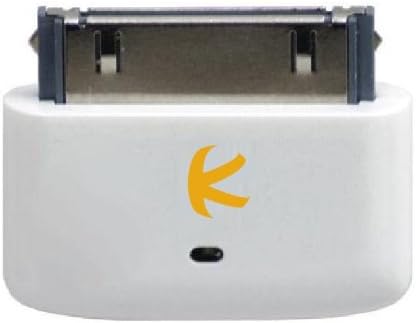
The i10s is a tiny transmitter with a white finish. It has a decent rating and focuses on design. It has no buttons for a clean look. It is made for iPods with 30-pin ports.
We may earn a commission when you buy through this link, at no additional cost to you.
Its main strength is the size and build. It is smaller than most competitors. The lack of buttons means less dirt buildup. It remembers paired devices easily. The finish looks luxurious.
A trade-off is the lack of controls. You cannot press buttons to change settings. It relies on auto-pairing and iPod controls. Also, it is pricier than basic options. But for design fans, it is nice.
If you prefer a small and elegant accessory, this is a good choice. It fits easily in pockets. Ensure your headphones support the codec for best audio. The design is a plus.
It is smaller than other transmitters so it stays discreet when connected to the iPod.
Without buttons there is no dirt or grime to accumulate making it easier to keep clean.
We may earn a commission when you buy through this link, at no additional cost to you.
This version adds aptX support to the i10s design. It has a solid rating for audio quality. It is tiny and looks white and clean. It is made for iPods with 30-pin ports.
We may earn a commission when you buy through this link, at no additional cost to you.
Its main strength is the audio codec. aptX delivers cleaner sound with less delay. The size remains tiny. It remembers paired devices. It has no buttons to keep it sleek.
A trade-off is the headphone requirement. Your headphones must support aptX for the benefits. Also, no manual controls means less flexibility. But for audiophiles, the quality is worth it.
If you want the best audio possible from your iPod, this is a great pick. It pairs easily. Ensure your receiver supports aptX. The design is elegant and portable.
aptX delivers cleaner audio with reduced latency for better listening on aptX capable receivers.
It is the smallest iDevice transmitter making it easy to carry without bulk on your device.
We may earn a commission when you buy through this link, at no additional cost to you.
The i10 allows multiple streams to headphones. It has a moderate rating and focuses on streaming. It works with AirPods. It is small and comes in black. It is made for iPods.
We may earn a commission when you buy through this link, at no additional cost to you.
Its main strength is multi-stream capability. You can play music to two sets of headphones. It is tiny and looks elegant. It connects easily to your device. The finish is luxurious.
A trade-off is the cost. It is more expensive than basic adapters. Also, your headphones need to support the protocol. But for sharing music, it is unique. The build quality is good.
If you want to share tracks with a friend, this is a top pick. It is reliable. Check your headphones compatibility. The design is compact and easy to carry.
It streams music to two sets of headphones simultaneously so you can share your playlist.
It is smaller than other transmitters which keeps it light and portable for daily use.
We may earn a commission when you buy through this link, at no additional cost to you.
Choosing the right adapter requires looking at connector types, audio codecs, and battery needs. This guide explains the key factors to consider before buying.
Most iPod Classic models use a 30-pin port. Some adapters plug directly into this port while others use a 3.5mm jack. Make sure the adapter matches your device or that you have the right cable.
If your iPod does not have a direct 30-pin option you may need a separate adapter cable. This adds to bulk and cost.
Codecs like SBC aptX or AAC determine audio quality. aptX provides clearer sound and less delay. If your headphones support these codecs choose an adapter that includes them.
Basic adapters may use SBC which is fine for music but not for video. Check your receiver specs before choosing.
Some adapters draw power directly from the iPod. Others have their own battery. Battery-powered ones need charging but offer more range and control.
If you do not want to charge extra devices choose a direct plug model. It is simpler but may limit features.
Automatic pairing saves time. Some devices remember past connections and reconnect instantly. Manual pairing can be annoying if done often.
Look for models with memory features so you do not have to reset every time. It makes daily use smoother.
Transmitters vary from tiny blocks to larger boxes. A smaller one is easier to carry in a pocket or case. A larger one may have more buttons.
If you travel often pick a compact design. It keeps your setup light and simple.
Dual streaming allows two headphones at once. This is great for sharing music or travel. Not all models have this feature.
If you plan to share tracks check for dual link or split capabilities. It adds value but may raise the price.
Most adapters offer around 10 meters of range. This is enough for most rooms. Stability depends on the Bluetooth version.
Newer versions like 5.2 offer better range. Check the specs for connection reliability.
Some adapters have buttons for volume or skip. Others rely on the iPod. Direct controls are handy when you cannot reach your iPod.
If you want ease use a device with buttons. If not a simple plug-in works fine.
To start plug the adapter into your iPod or connect via a 3.5mm cable. Power it on and enter pairing mode. Search for it in your headphones list and select it.
Keep the firmware updated if possible. If it stops working reset it by holding buttons for 10 seconds. This clears old connections.
Store in a dry case to avoid dust. Avoid bending the cable if it has one. Clean the contacts with a soft cloth.
No you must check the connector. Most Classic models use a 30-pin port. Some adapters need a 3.5mm cable. Also ensure your iPod is not too old for compatibility.
It depends on the model. Some draw power from the iPod and do not need charging. Others have a battery and require USB charging. Read the specs to know.
Basic adapters often have latency. This causes audio to lag. For video choose an aptX or low-latency model. It improves sync.
Put the adapter in pairing mode usually by holding a button. Then open Bluetooth settings on your headphones and find it. Select it to connect. It should remember you.
Only models with dual-streaming support this. Not all adapters do. Check the product features for split or dual-link options before buying.
Check the connection and pairing. Try resetting the adapter by holding buttons. Also ensure your headphones are charged. If it still fails contact support.
We reviewed ten adapters to find the best options for Classic owners. The top picks offer ease of use and reliable wireless streaming for your library.
Prioritize your needs like battery or codec. If you want sharing choose dual-stream models. If you want simplicity pick a direct plug.
Prices and stock change. Check current listings before buying. This guide helps you pick the right one for your device.