
Brailliant BI 20X Braille Display
4.0Editor score
20-cell compact display
Onboard KeySoft Lite apps
USB-C charging included
This guide compares the top ten braille displays for blind users to help you find the perfect device for reading, writing, and screen reader access.
Braille displays are essential tools that empower blind users to access digital content through touch. A good device offers reliable connectivity, clear tactile feedback, and long battery life for daily use.
We evaluated ten leading products based on portability, display size, and feature sets. Our comparison covers refreshable screens, manual slates, and specialized keyboards for various needs.
Each pick highlights unique strengths to match different budgets and scenarios. Keep in mind that specifications and availability may change over time as technology evolves rapidly.
4.0Editor score

5.0Editor score

4.8Editor score
The following table provides a quick side-by-side comparison of key specifications and features for all ten products evaluated in this comprehensive guide.




The Brailliant BI 40X stands out as the top choice for users needing maximum screen real estate. Its 40-cell display offers expansive reading capabilities for documents and web content.
We may earn a commission when you buy through this link, at no additional cost to you.
This device shines with its reliable Bluetooth 5 connection supporting multiple devices simultaneously. Users benefit from onboard apps like Editor and Online Libraries for comprehensive daily productivity.
While the cost is higher than smaller models the performance and features justify the investment. The extra storage and larger display enhance productivity significantly for professional users.
Ideal for students and professionals needing extensive reading capacity this display is highly recommended. It provides a premium experience unmatched by lower capacity alternatives in the market.
The 40-cell format allows users to read full lines of text without constant scrolling enhancing comprehension and reading speed significantly.
Connect to five Bluetooth devices and one USB device at once for seamless switching between phones tablets and computers during daily tasks.
We may earn a commission when you buy through this link, at no additional cost to you.
The Brailliant BI 20X delivers exceptional value for users seeking a reliable refreshable display at a lower cost. It offers all the core features needed for daily navigation and reading.
We may earn a commission when you buy through this link, at no additional cost to you.
Users appreciate its portable size and the ability to connect to multiple devices via Bluetooth. The onboard apps like Braille Editor and Calculator provide essential tools without extra software.
The trade-off is the smaller 20-cell display which may require more frequent line navigation. However for many users this compact size outweighs the need for larger screen real estate.
Recommended for students or home users who need a capable device without breaking the budget this model is a strong contender. It balances functionality and cost perfectly.
Designed for daily carry the 20X fits easily in bags making it perfect for commuters and students on the move.
Built-in apps such as Online Libraries and Victor Reader streamline access to books and audio content directly on the device.
We may earn a commission when you buy through this link, at no additional cost to you.
The Hable One offers a unique approach to accessibility by enabling users to type on smartphones using just eight tactile buttons. It is ideal for those prioritizing private input and long battery life.
We may earn a commission when you buy through this link, at no additional cost to you.
Its standout feature is the month-long battery life ensuring reliability without frequent charging. The device works with built-in screen readers and supports voice commands for enhanced usability.
While it does not display text visually it excels at input and navigation. Users benefit from easy tutorials and a design that fits discreetly in a pocket or bag.
Perfect for mobile users who need an accessible typing solution the Hable One is a premium choice. It simplifies smartphone interaction while maintaining privacy and portability.
Type and access sensitive information discreetly while keeping your phone securely in your pocket or bag during public use.
No prior Braille knowledge is required making this device accessible to beginners with free onboarding tutorials included.
We may earn a commission when you buy through this link, at no additional cost to you.
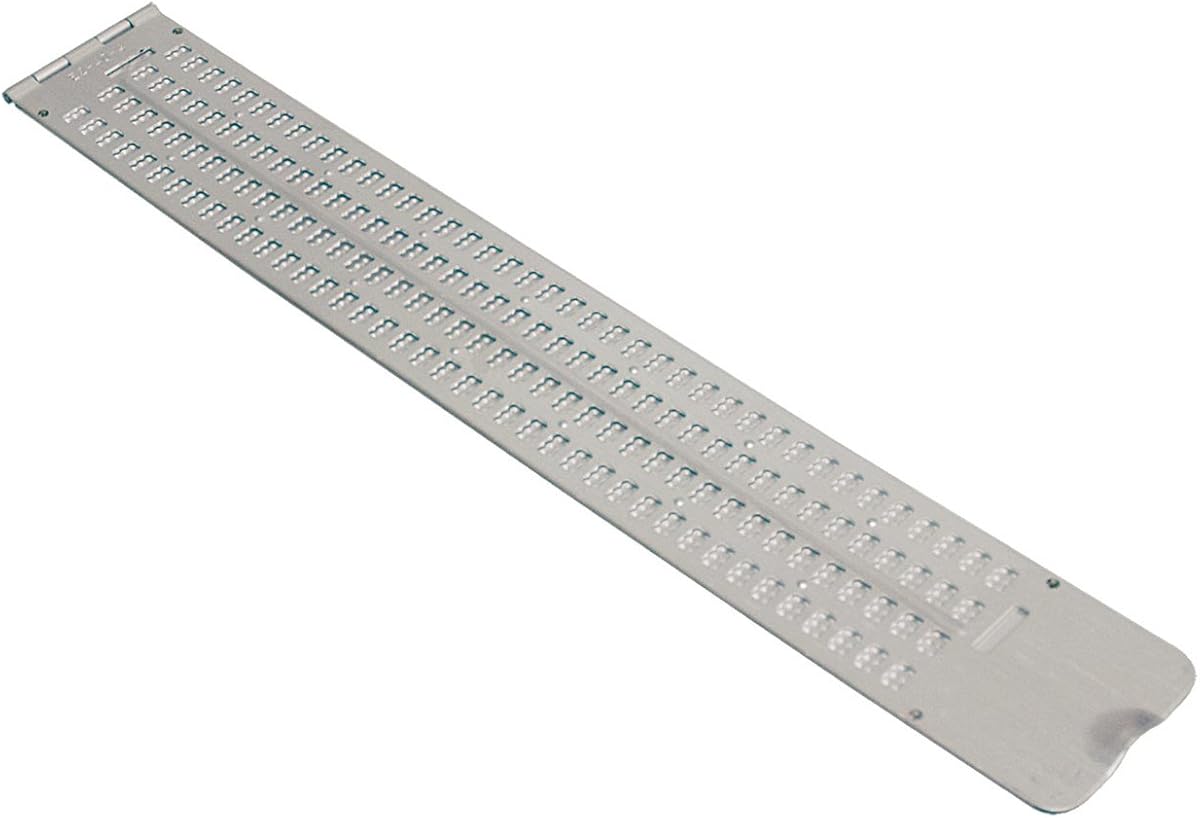
This classic manual slate offers a traditional way to write Braille without relying on electronics. It is a sturdy tool designed for note-taking and quick drafting anywhere.
We may earn a commission when you buy through this link, at no additional cost to you.
Made of durable aluminum it features a hinged design that protects your paper while writing. The thumb notch ensures easy opening and closing for frequent use.
While it lacks digital features its reliability makes it a good backup or educational tool. Users should note that manual typing requires practice and patience compared to refreshable displays.
Best suited for learning or as a simple backup this slate provides a tactile writing experience. It is a low-maintenance option for those who prefer paper-based methods.
Embrace the classic tactile experience of writing Braille by hand which can reinforce learning and memory retention effectively.
The durable aluminum material ensures the slate withstands daily wear and tear in school or office environments.
We may earn a commission when you buy through this link, at no additional cost to you.
This ultra-thin slate is perfect for signing business cards or writing short notes on the go. Its small size makes it incredibly easy to carry in a wallet or pocket.
We may earn a commission when you buy through this link, at no additional cost to you.
The built-in signature guide ensures that your name is written straight and consistent every time. It comes with a durable stylus ready for immediate use.
With a high customer rating it is clear that users appreciate its convenience and utility for small tasks. However it is not designed for long documents or pages of text.
Ideal as a gift or a starter tool for beginners this slate offers great value. It provides a simple way to create Braille labels or signatures quickly.
Use the built-in guide to ensure your Braille signature remains neat and professional on every card or label.
Its ultra-thin profile means it takes up minimal space ensuring it fits easily in any bag or pocket.
We may earn a commission when you buy through this link, at no additional cost to you.
This slate is designed to hold an entire letter-size sheet of paper allowing users to write multiple lines without shifting. It is made from thick durable plastic that protects the paper underneath.
We may earn a commission when you buy through this link, at no additional cost to you.
A unique feature is its quiet operation which prevents noise from disturbing others during study or meetings. Embossed line numbers help you resume writing exactly where you left off.
While it is larger than pocket slates it is excellent for desk work at home or school. The plastic construction also makes it lighter than metal alternatives for long sessions.
Recommended for students needing a large writing area this slate offers convenience and quiet. It is a practical tool for assignments or detailed notes.
The plastic material ensures that typing sounds are minimal making it ideal for shared classrooms or quiet offices.
Snap your paper inside to keep it flat and wrinkle-free while you work on large projects or multiple pages.
We may earn a commission when you buy through this link, at no additional cost to you.
This pocket slate combines portability with a generous line capacity allowing for substantial notes in a compact form. The lightweight aluminum construction makes it easy to carry daily.
We may earn a commission when you buy through this link, at no additional cost to you.
With four lines of forty cells each you can write a good amount of text before needing to flip the slate. It is designed for quick use without the bulk of larger models.
While it is purely manual users appreciate its durability and simplicity for everyday tasks. It is a reliable backup for those who need to write quickly without electronics.
Best for professionals or students who need a quick writing tool this slate is practical. It fits easily into a backpack or briefcase for on-the-go note-taking.
With 40 cells per line you can write more text per page compared to standard pocket slates.
The aluminum build ensures the slate remains functional and intact even after frequent handling.
We may earn a commission when you buy through this link, at no additional cost to you.
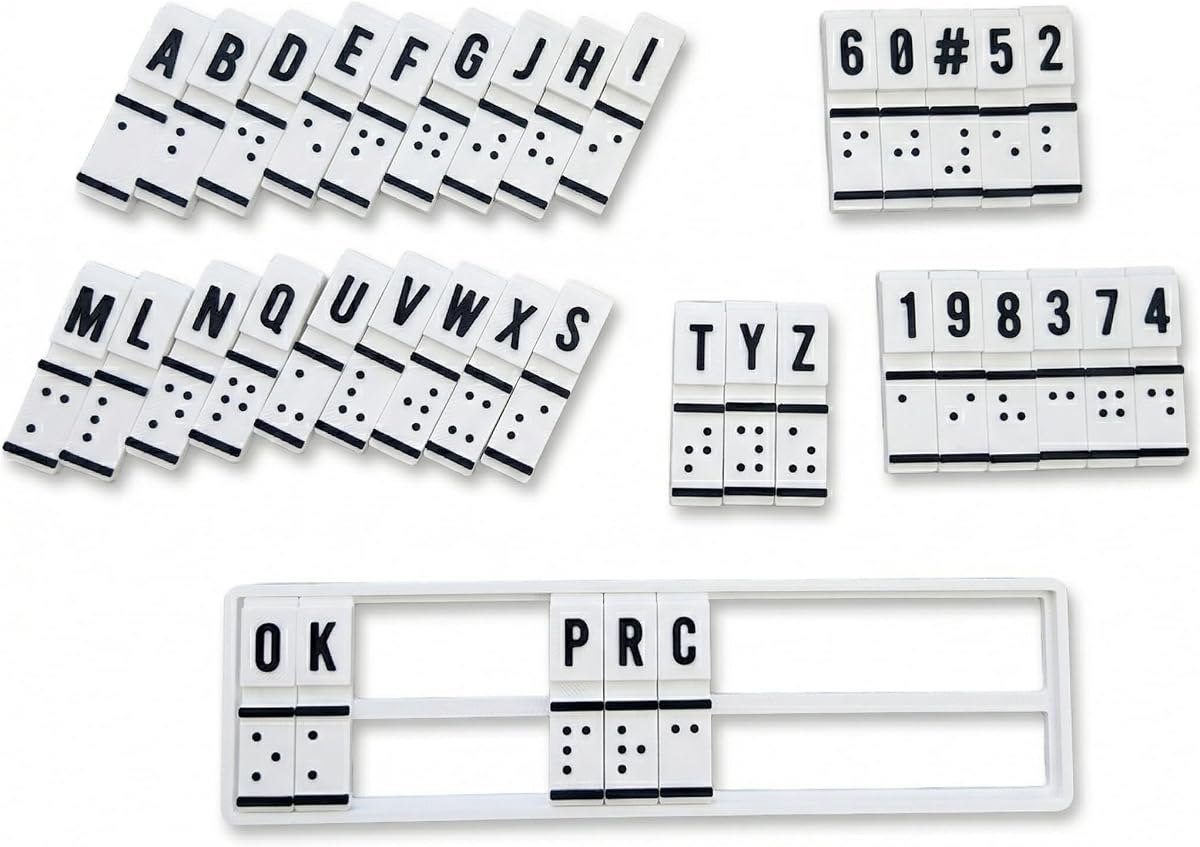
This handheld label maker allows users to create clear Braille labels for organizing files or home items. It uses a spin dial system to select letters and numbers for accurate embossing.
We may earn a commission when you buy through this link, at no additional cost to you.
The device comes with one roll of tape ready to use right out of the box. It is designed for both blind and sighted users making it useful for collaborative tasks.
While manual operation takes practice it offers a reliable way to label items without a printer. Users should keep extra tape on hand for continued use over time.
Ideal for home or office organization this maker provides a simple solution for accessibility. It helps ensure that items can be identified quickly and independently.
Use the spin dial to select letters and press the trigger to emboss clear Braille onto the included vinyl tape.
Sighted users can align the tape using the print marks while blind users create the Braille content.
We may earn a commission when you buy through this link, at no additional cost to you.
These transparent stickers turn any standard keyboard into a bilingual Braille and print layout. They are made from Lexan material that resists slipping or curling during daily use.
We may earn a commission when you buy through this link, at no additional cost to you.
Installation is straightforward with a peel-and-stick method that allows you to add Braille without losing the original key legends. This helps sighted users see what they are typing.
As an economical option they provide accessibility for users who already own a computer. While not a full display they are great for desktop environments where typing is frequent.
Recommended for home office users needing a quick keyboard upgrade these stickers are practical. They bridge the gap between sighted and non-sighted communication on the same device.
The transparent design lets you read standard print keys while feeling the Braille dots for tactile feedback.
Made of high-quality Lexan these stickers stay flat and clear over long periods of typing use.
We may earn a commission when you buy through this link, at no additional cost to you.
This device serves as a compact tool for teaching and practicing Braille literacy. It combines education training and translation in one unit suitable for beginners and educators.
We may earn a commission when you buy through this link, at no additional cost to you.
With an interactive tactile design users can create and read Braille patterns directly to build muscle memory. It is designed to help students understand the structure of Braille.
While reviews are mixed it offers a unique physical approach to learning without relying on electronics. It can be a helpful addition to a classroom or home learning environment.
Best for self-study or classroom instruction this trainer supports foundational literacy skills. It provides a tangible way to engage with Braille concepts during lessons.
Use the manual input to create Braille patterns and reinforce reading skills through direct tactile interaction.
Designed for educators and parents it supports family-assisted or classroom-based Braille instruction effectively.
We may earn a commission when you buy through this link, at no additional cost to you.
Selecting the right braille display requires considering your specific needs such as reading size, connectivity, and budget. This guide breaks down the key factors to help you make an informed decision.
The number of braille cells determines how much text appears at once. A 20-cell display is compact and portable, while a 40-cell display offers better readability for longer documents and websites.
Choose a larger cell count if you read often and need less scrolling, or opt for a smaller size if portability is your main priority.
Modern displays support Bluetooth and USB connections for pairing with phones, tablets, and computers. Ensure the device supports your specific operating system and screen reader software.
Look for models that allow multiple device connections so you can switch between your phone and laptop seamlessly.
Long battery life ensures uninterrupted usage throughout the day without frequent charging. Most refreshable displays offer up to 20 hours of continuous use, which is vital for travel or work.
Check battery performance reviews to ensure the device can last through your typical daily activities.
Internal storage allows you to save books, documents, and apps directly on the device. Models vary from 16GB to 32GB, affecting how many files you can keep offline.
If you download audiobooks or large text files regularly, prioritize a model with higher internal storage.
Manual slates are non-electronic tools for writing notes, while refreshable displays show digital text. Decide if you need a writing tool or a screen reader interface.
For digital access, a refreshable display is essential, whereas slates are great for quick notes or practice.
Weight matters if you carry the device daily. Smaller displays are lighter and fit in backpacks, whereas larger models may be better for desk use.
Consider how you will transport the device and choose a model that feels comfortable for your routine.
Some devices include built-in apps like editors, calculators, or libraries. These features add value by reducing the need for external software.
Check if the device supports the apps you need most, such as online library access or specific productivity tools.
Many displays feature an 8-dot Perkins-style keyboard that allows for efficient typing and input. Ensure the keys are tactile and easy to press.
If you type often, a high-quality keyboard layout improves speed and accuracy significantly.
Start by charging your device fully before first use and installing any necessary companion apps on your computer or phone. Ensure Bluetooth or USB drivers are up to date for smooth connection.
Clean the braille cells gently with a soft brush to remove dust and debris that might affect tactile feedback. Avoid using liquids directly on the screen or keyboard to prevent damage.
Store the device in a protective case when not in use to avoid physical damage and maintain battery health. Regularly update firmware to benefit from performance improvements and security features.
A 20-cell display shows fewer characters at a time, making it smaller and more portable. A 40-cell display shows twice as many characters, which is better for reading full lines of text and navigating documents efficiently.
Yes, most modern displays support both iOS and Android via Bluetooth. Ensure you check compatibility lists for your specific screen reader app to guarantee full functionality.
Refreshable displays allow you to type using the built-in braille keyboard. Manual slates are also available for writing notes without electronics, suitable for practice or quick annotations.
Most refreshable displays offer up to 20 hours of usage on a single charge. This duration is sufficient for daily use, but heavy usage may require more frequent charging.
Common accessories include protective cases, stylus tools for manual slates, and labeling tape for organization. Some brands also sell carrying straps or additional cables for connectivity.
A braille slate is a manual writing tool that allows you to emboss braille onto paper by hand. It is useful for learning braille, writing short notes, or labeling items without electricity.
The Brailliant BI 40X stands out as the top choice for users needing maximum screen real estate, while the 20X offers a budget-friendly alternative for portable use.
For those who prioritize private input on mobile devices, the Hable One provides a unique solution with excellent battery life and ease of use.
Remember that prices and availability may change, so check current details before purchasing to ensure you get the best value for your specific needs.