
ASUS Prime Z390-P
4.4Editor score
Supports 9th and 8th Gen Intel
M.2 and USB 3.1 Gen2 ports
5x Protection III hardware safeguards
Explore top brands for Z370 motherboards compared by features, performance, and reliability to help you choose the right board for your Intel 8th gen build.
Choosing the right motherboard is crucial for any PC build. The Z370 chipset offers strong performance for Intel 8th gen processors. Finding a reliable brand ensures stability and future-proofing for your system.
We compared ten leading Z370 motherboards based on specs, connectivity, and user ratings. This guide highlights models from MSI, ASUS, Gigabyte, and ASRock. Each selection focuses on value, durability, and specific use cases.
Each pick shows key features and standout strengths to help you decide. Prices and availability can change quickly on retailer sites. Always verify current stock and compatibility before making your final purchase decision today.
4.4Editor score

4.5Editor score
4.6Editor score
This side-by-side comparison highlights key specs across all ten models to help you find the perfect fit for your build needs and budget constraints.


The MSI Z370-A PRO stands out as a solid choice for builders seeking reliability. It supports 8th gen Intel processors and offers up to 64GB DDR4 RAM. Its VR Ready certification ensures smooth performance for immersive experiences.
We may earn a commission when you buy through this link, at no additional cost to you.
This board uses the Intel Z370 Express Chipset for stable connectivity. The ATX form factor fits most cases easily. Four DDR4 slots allow significant memory expansion for multitasking or future upgrades without replacing hardware.
While it lacks flashy RGB lighting, the functionality remains robust. The 2-Way AMD CrossFireX support is useful for multi-GPU setups. Some users might find the audio codec basic compared to higher-end models with dedicated sound chips.
Buyers prioritizing stability and core features over aesthetics will appreciate this model. It delivers consistent performance for general computing and gaming. Check current stock before purchasing to ensure availability for your specific build requirements today.
VR Ready status guarantees the board meets requirements for virtual reality headsets without compatibility issues.
Supporting up to 64GB DDR4 RAM ensures future-proofing for demanding workloads and heavy multitasking needs.
We may earn a commission when you buy through this link, at no additional cost to you.
This ASUS Prime Z390-P model supports both 8th and 9th gen Intel processors. It includes Above 4G Decoding for better multi-GPU performance. The six PCIe slots provide ample room for expansion cards.
We may earn a commission when you buy through this link, at no additional cost to you.
It features USB 3.1 Gen2 ports for faster data transfer speeds. The Fanxpert 4 tool helps manage system cooling dynamically. Safe Slot Core technology protects heavy GPUs from damage during installation or use.
While designed with mining in mind, it serves well for general builds. The Realtek ALC887 audio codec offers decent sound quality. Power components are premium to ensure efficiency and longevity under load.
Budget-conscious buyers wanting flexible PCIe expansion will find this useful. It offers strong value for those needing multiple card slots. Verify current pricing and stock levels to confirm suitability for your needs.
This feature enables systems to access memory above the 4GB boundary for better multi-GPU performance.
Fanxpert 4 provides dynamic fan control to keep your system cool during intensive operations.
We may earn a commission when you buy through this link, at no additional cost to you.
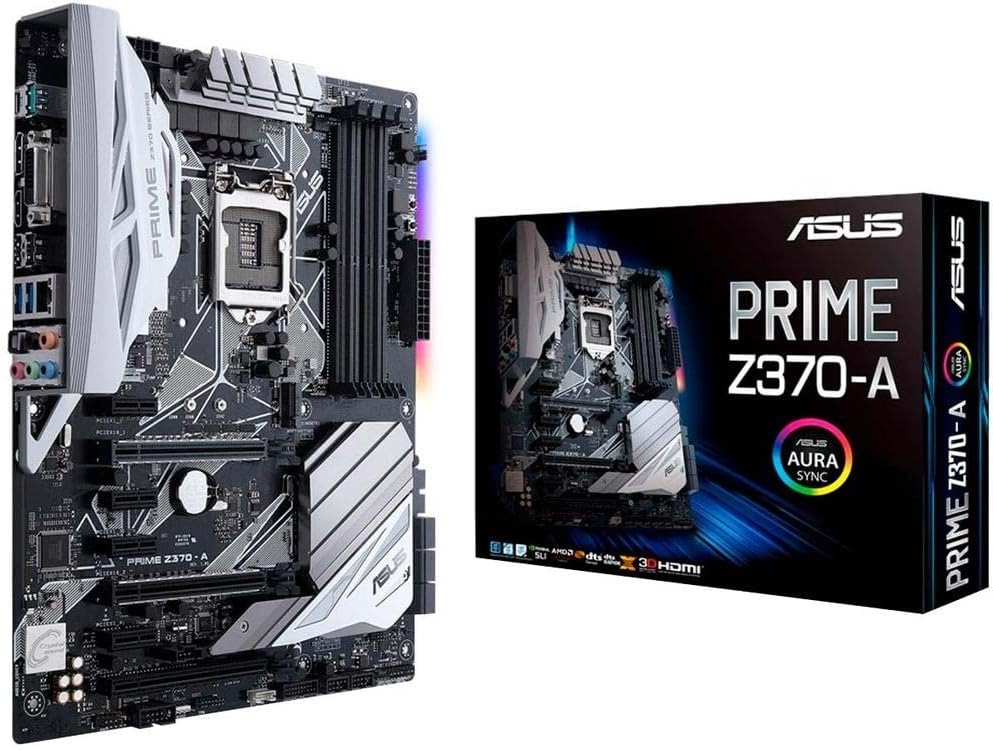
The ASUS Prime Z370-A delivers premium features for high-end builds. It includes Thunderbolt 3 support for ultra-fast data transfers. Dual M.2 slots allow for fast NVMe storage configurations easily.
We may earn a commission when you buy through this link, at no additional cost to you.
Its 5-Way Optimization automatically tunes settings for your unique build. AURA Sync RGB lighting adds customizable aesthetics to your setup. The Realtek S1220A audio codec provides immersive sound quality for media consumption.
Optane Memory compatibility enhances system responsiveness for supported storage. Safe Slots with metal framing protect heavy GPUs from damage. DisplayPort support reaches 4K resolution for high-end visual output options.
Enthusiasts needing the best connectivity will appreciate this model. It balances performance with quality audio and lighting. Always verify component compatibility and current market availability before finalizing your purchase decision.
Thunderbolt 3 allows for extremely fast data transfer speeds and support for external displays.
The Realtek S1220A delivers high-definition audio with warm, immersive sound for media enthusiasts.
We may earn a commission when you buy through this link, at no additional cost to you.
This Gigabyte model offers three M.2 slots for extensive NVMe storage. It includes an ESS Sabre DAC for high-quality audio output. Killer E2500 Gaming Network helps prioritize gaming traffic effectively.
We may earn a commission when you buy through this link, at no additional cost to you.
RGB FUSION allows for multi-zone LED lighting customization across the board. Fan Stop technology reduces noise by stopping fans at low temps. The USB 3.1 Gen2 Type-C header supports modern connectivity standards easily.
While feature-rich, the BIOS may require time to learn for new users. The LED lighting zones offer great aesthetics but require software setup. SLI support provides multi-GPU options for serious gamers.
Gaming-focused buyers wanting extensive storage slots will benefit most. The audio and network features are tailored for competitive play. Always check current compatibility charts before installation to avoid potential conflicts.
Three M.2 slots allow multiple high-speed drives for large game libraries and work files.
Killer LAN technology prioritizes network packets for smoother online gaming experiences.
We may earn a commission when you buy through this link, at no additional cost to you.
The GIGABYTE Z390 UD supports 8th and 9th gen processors well. Its 10+2 Phase Digital PWM design ensures stable power delivery. Six PCIe slots offer significant expansion capabilities for various needs.
We may earn a commission when you buy through this link, at no additional cost to you.
Smart Fan 5 uses multiple sensors to control fans efficiently. Above 4G Decoding helps when running multiple graphics cards together. RGB Light strip support adds customizable lighting effects for aesthetics.
While designed with mining in mind, it serves general builds. It lacks high-end audio codecs but focuses on power delivery. CEC 2019 ready helps save power with simple clicks in BIOS.
Buyers needing stable power delivery and PCIe slots will find it strong. It offers solid value for expansion-heavy builds. Verify current pricing and stock levels before purchasing to ensure it fits your specific needs.
Digital PWM design provides precise voltage regulation for better overclocking and stability.
Smart Fan 5 monitors multiple temperatures to control fans efficiently and reduce noise.
We may earn a commission when you buy through this link, at no additional cost to you.
This ASUS TUF model uses military-grade components for durability. It includes TUF LANGuard and chokes for reliable network and power. The 5-year warranty provides strong peace of mind for builders.
We may earn a commission when you buy through this link, at no additional cost to you.
AURA Sync RGB allows for easy lighting customization across compatible devices. Dual M.2 slots offer fast storage options within the ATX form factor. FanXpert 4 Core helps manage system cooling dynamically.
While it focuses on durability, some high-end audio features are missing. The gamer's guardian includes safe slots and fan control tools. It balances military-grade reliability with solid gaming features well.
Buyers wanting long-term reliability will appreciate this board. It offers solid performance with a strong warranty. Always check component compatibility and current stock before installing to avoid any issues.
TUF components like chokes and MOSFETs are rated for higher stress and longer life.
A 5-year warranty covers the board and adds confidence in its longevity for future upgrades.
We may earn a commission when you buy through this link, at no additional cost to you.
The ASUS PRIME Z370-P offers Dual M.2 slots for fast storage. It includes 5X Protection III hardware safeguards for component longevity. Safe Slot Core prevents damage from heavy GPUs during installation.
We may earn a commission when you buy through this link, at no additional cost to you.
FanXpert 4 Core with AIO Pump Header delivers advanced cooling control. It supports Optane Memory compatibility for better system responsiveness. USB 3.1 Gen2 Type-C ports offer flexible connection options.
While functional, it lacks some premium features found on coster models. The Realtek ALC887 audio codec provides standard high-definition sound. It balances cost and reliability effectively for daily computing tasks.
Users needing a solid daily driver with M.2 support will like it. It protects hardware well against common risks. Always verify current pricing and availability to ensure it fits your budget properly.
5X Protection III includes LANGuard and overvoltage protection to prevent damage from common issues.
Dual M.2 slots support NVMe drives for faster boot and application loading speeds.
We may earn a commission when you buy through this link, at no additional cost to you.
This Gigabyte Z370 HD3 supports 8th gen Core processors reliably. It offers Dual Channel DDR4 memory support across four DIMM slots. A PCIE Gen3 x4 M.2 connector allows high-speed storage integration.
We may earn a commission when you buy through this link, at no additional cost to you.
Crossfire support provides multi-GPU options for gaming setups. The Realtek ALC892 codec delivers standard audio quality. HDMI output ensures display connectivity without a dedicated graphics card initially.
While basic, it covers essential needs for many builders. It lacks advanced RGB features or extensive expansion options. It serves well for straightforward builds needing reliable performance.
Budget buyers needing M.2 support without extra features may choose it. It supports essential tasks well. Always verify component compatibility before purchasing to avoid any potential hardware conflicts.
Dual Channel DDR4 support across 4 DIMMs allows flexible memory upgrades for better performance.
HDMI output ensures easy display connection for integrated graphics during initial setup.
We may earn a commission when you buy through this link, at no additional cost to you.
The ASRock Z370 EXTREME4 supports 8th gen Intel Core processors well. It includes both Type-A and Type-C USB 3.1 Gen2 ports. Four DDR4 DIMM slots allow for significant RAM expansion easily.
We may earn a commission when you buy through this link, at no additional cost to you.
Connectivity options ensure compatibility with modern peripherals. The 1151 socket is ready for 8th gen chips. This model offers a balanced feature set for mid-range builds.
While detailed audio specs are not listed, it provides standard support. It lacks some advanced features seen on premium boards. It serves general users needing solid connectivity options.
Buyers wanting multiple modern USB ports might prefer this model. It supports essential upgrades. Always check current stock before purchase to confirm availability for your build today.
Both Type-A and Type-C Gen2 ports offer fast data transfer speeds for modern devices.
Four DDR4 DIMM slots allow for high capacity memory configurations for better multitasking.
We may earn a commission when you buy through this link, at no additional cost to you.
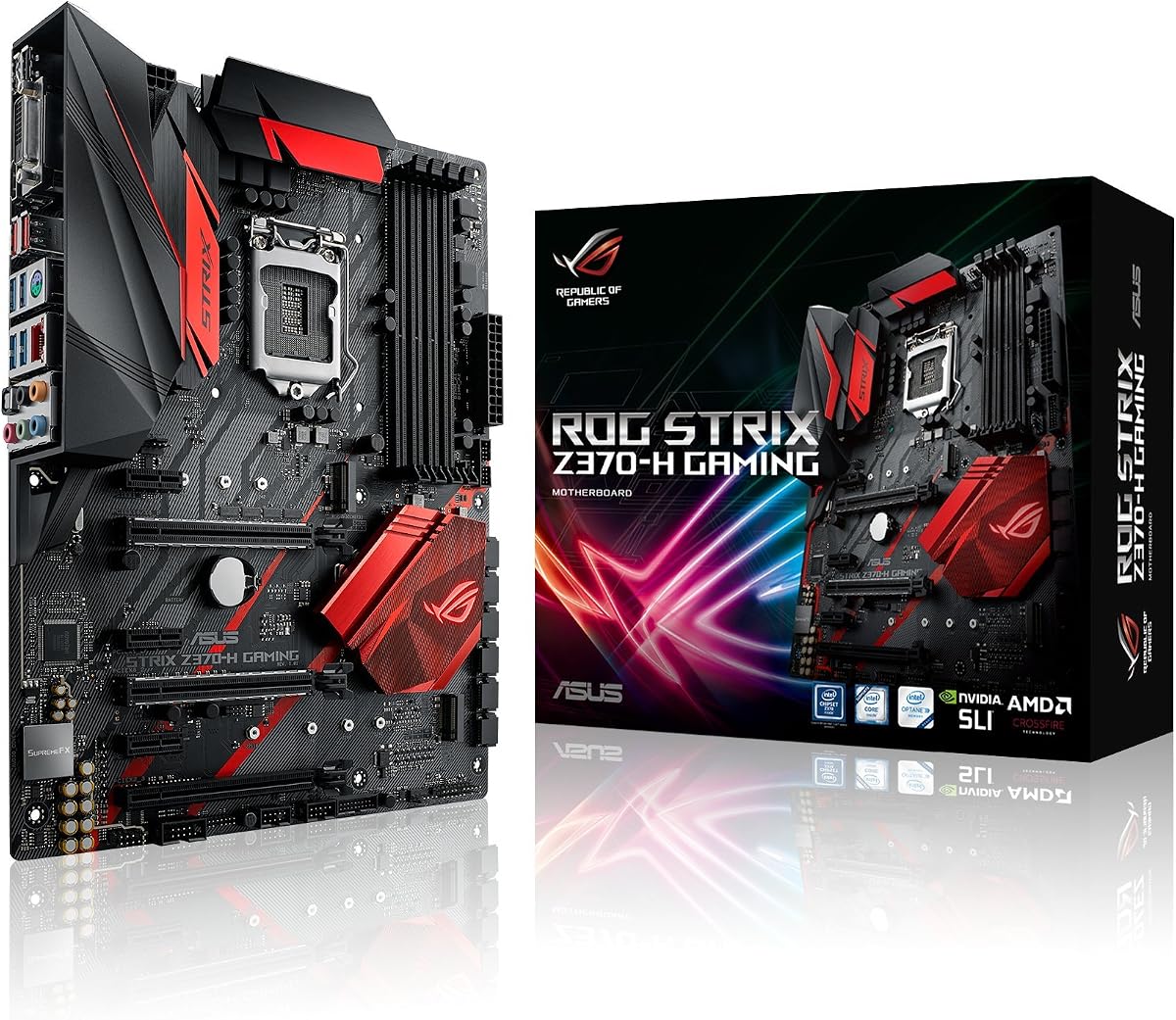
The ASUS ROG Strix Z370-H supports up to 64GB DDR4 memory. It is an ATX form factor board for standard cases. USB 3.1 Gen2 ports ensure fast data transfer for peripherals.
We may earn a commission when you buy through this link, at no additional cost to you.
It includes many USB ports including Type-A and Type-C options. The 1151 socket is designed for 8th gen Intel processors. A 3-year manufacturer warranty provides standard coverage for issues.
While robust, it is more expensive than some budget options. The high USB count aids connectivity but costs more. It fits gaming needs with solid performance and features.
Buyers prioritizing USB connectivity and memory capacity may like this. It offers a comprehensive port list. Always verify current pricing to ensure it fits your budget before purchasing today.
Multiple USB ports including Gen2 variants ensure compatibility with many peripherals.
Support for 64GB DDR4 allows for heavy multitasking and demanding applications.
We may earn a commission when you buy through this link, at no additional cost to you.
Choosing the right Z370 board involves considering CPU compatibility, expansion needs, and specific features like audio or lighting.
Ensure the motherboard supports your exact Intel 8th gen processor. The LGA1151 socket is key for compatibility with Core and Pentium CPUs.
Check that the BIOS supports your specific model for stable operation without issues.
Look for four DDR4 slots if you plan on expanding RAM beyond 32GB later. High capacity support allows better multitasking and future upgrades.
Verify maximum supported memory speed and total capacity before making your final decision.
Dual M.2 slots allow faster storage for OS and applications. Ensure the slots support PCIe Gen3 x4 for optimal NVMe speeds.
Consider thermal guards if you plan to use high-speed drives for prolonged periods.
USB 3.1 Gen2 and Type-C ports are essential for modern peripherals. Look for at least one Type-C rear port for fast data transfer.
Ensure the board has enough USB headers to connect front panel headers easily.
Realtek codecs are standard, but dedicated DACs offer better sound. Gaming LAN prioritizes traffic for smoother online performance during matches.
Check for features like Audio Boost or Killer LAN if these are priorities for your usage.
ATX boards offer the most features and slots but require larger cases. Ensure your case supports the board size and has enough room for GPUs.
Measure your case dimensions to avoid fitment issues before purchasing the motherboard.
Military-grade components like chokes and MOSFETs extend the board's lifespan. Look for features like Safe Slot Core to protect hardware from damage.
Check warranty length and support coverage to ensure long-term reliability and peace of mind.
Multiple PCIe slots allow for multi-GPU setups or expansion cards. Check if you need CrossFireX or SLI support for graphics cards.
Verify slot allocation to ensure your planned components will fit without blocking other ports.
Always power down your PC before installing or removing the motherboard. Use an anti-static wristband to prevent static discharge from damaging sensitive components.
Keep the motherboard in its original packaging when not in use to avoid dust and physical damage. Store it in a cool, dry place to maintain component integrity.
Update the BIOS regularly to ensure compatibility with newer CPUs and stability. Follow manufacturer instructions carefully when flashing the BIOS to avoid issues.
Most Z370 motherboards require a BIOS update to support 9th Gen Intel processors. Check the manufacturer website for specific BIOS update tools before installing a new CPU.
Only select Z370 boards include Thunderbolt 3 headers or support it via specific add-on cards. Verify the product specs carefully before purchasing to ensure it meets your needs.
Most Z370 boards support up to 64GB DDR4 RAM. Some models allow more with specific configurations. Check the manufacturer specifications for exact limits before upgrading.
Many Z370 boards support 2-Way AMD CrossFireX. SLI support varies by model. Check the motherboard specifications for multi-GPU compatibility before purchasing.
Standard boards use Realtek ALC887 or ALC892 codecs for decent audio. High-end models include dedicated DACs for better sound. Choose based on your audio priorities.
Many boards feature AURA Sync or FUSION lighting. Check if the model includes headers for additional RGB strips. Verify control software compatibility for your setup.
Yes, many Z370 boards are VR Ready. This ensures enough bandwidth and features to support virtual reality headsets. Check for VR Ready certification before purchasing.
Most Z370 motherboards are ATX form factor. Some models may be Micro-ATX. Ensure your case supports the specific board size before installation.
This guide highlighted ten top Z370 boards from MSI, ASUS, Gigabyte, and ASRock. Each offers unique strengths for different build needs and budgets.
Prioritize CPU compatibility, RAM capacity, and expansion slots for your specific tasks. Check connectivity features like USB 3.1 Gen2 and M.2 support for future-proofing.
Always verify current pricing and availability before purchasing to ensure you get the best value for your build. Prices may fluctuate frequently across different retailers.