
BUFFALO LinkStation 210
3.9Editor score
6TB storage included out of box
Subscription free personal cloud access
Easy setup with router connection
This guide compares the top Buffalo NAS models for home and business storage featuring RAID options and cloud integration to secure your data.
Network attached storage devices provide reliable centralized data access for homes and offices. A good unit offers security speed and ease of setup to meet your specific storage needs effectively.
We compared ten models based on capacity performance security features and value. Each entry highlights key specifications and real world benefits to help you make an informed decision today.
Every pick includes detailed pros and cons along with usage advice. Prices may change over time so check current listings before you purchase your final device.
3.9Editor score

4.8Editor score
4.3Editor score
The following table provides a side by side view of every model reviewed in this guide comparing key specs to help you find the right fit.




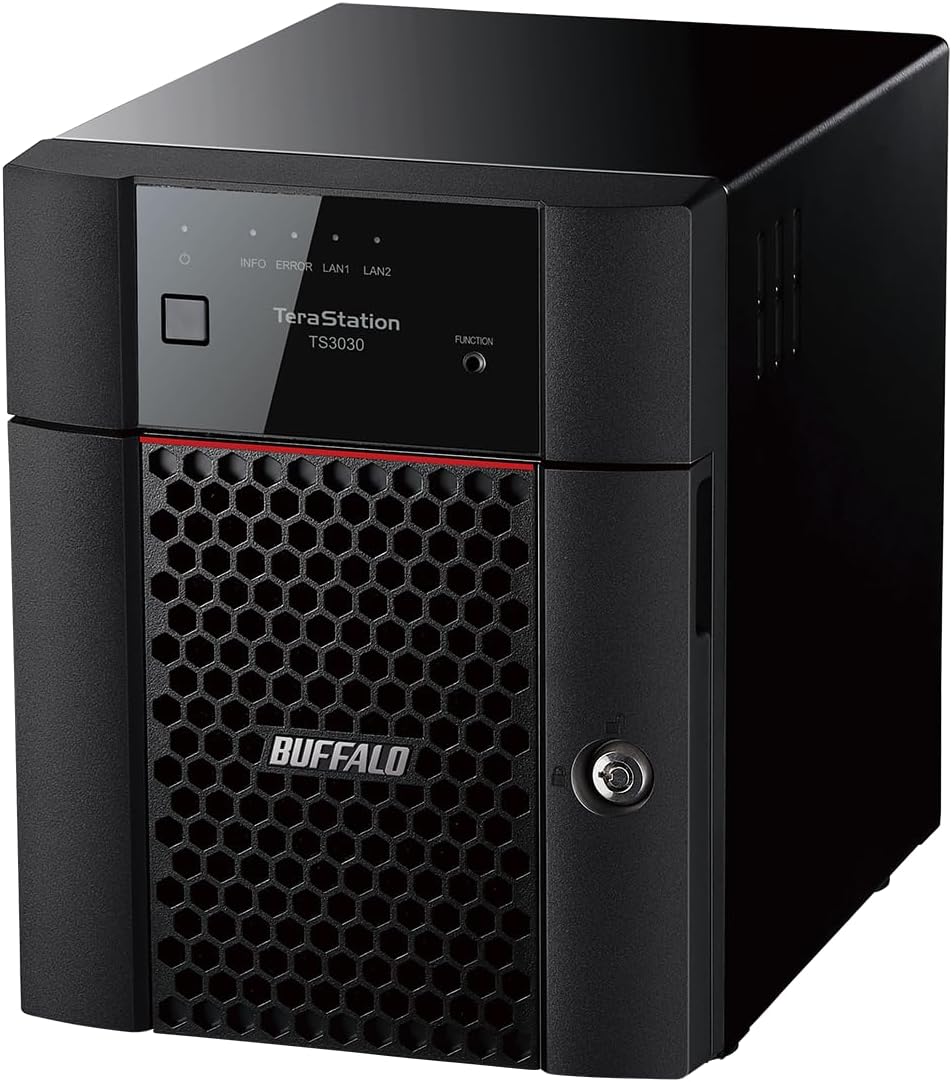
The TeraStation 5420DN stands out as a top choice for businesses needing serious storage. With a 4.8 rating and 32TB capacity it delivers enterprise grade performance.
We may earn a commission when you buy through this link, at no additional cost to you.
Its 10GbE port ensures lightning fast file transfers without needing cable upgrades. Snapshots protect against ransomware while the closed system enhances security.
The main trade-off is the cost which may exceed budgets for small setups. Also you need a compatible switch to leverage the 10GbE speed fully.
This unit is ideal for growing businesses or media professionals needing reliable central storage. It balances speed security and capacity better than most competitors.
The hardware handles heavy loads without dropping speed during peak usage times.
Snapshots and encryption keep your files safe from accidental loss or attacks.
We may earn a commission when you buy through this link, at no additional cost to you.
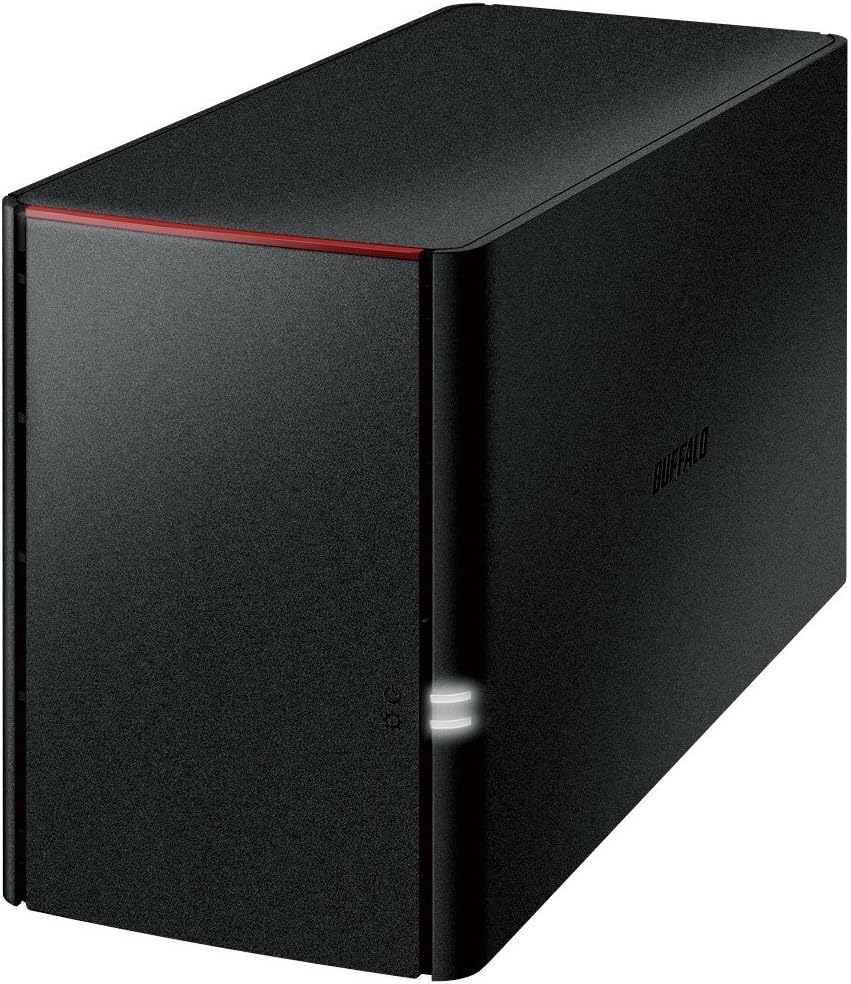
The LinkStation 210 offers a cost effective entry into NAS storage with 6TB space. It ranks well for home users seeking simple centralized access.
We may earn a commission when you buy through this link, at no additional cost to you.
Setup is plug and play connecting directly to your router. You can share files across devices without paying monthly cloud subscription charges.
Performance is basic compared to higher end models so it may not suit heavy workloads. The single bay limits future expandability as your needs grow.
Choose this if you need affordable backup and sharing for personal files. It provides essential NAS features without complex configuration or high costs.
Store photos and videos locally and access them from any device easily.
Automated backups protect your data without ongoing monthly service fees.
We may earn a commission when you buy through this link, at no additional cost to you.
The TeraStation Essentials 2025 delivers professional features at a value focused price. With 24TB and 2.5GbE it suits power users needing speed.
We may earn a commission when you buy through this link, at no additional cost to you.
Preconfigured RAID keeps data safe while hybrid cloud sync adds an extra layer of protection. The 2.5GbE port speeds up transfers without new cabling.
Its size requires dedicated space which might challenge compact setups. The price is higher than budget units but justified by the performance and capacity.
This is the pick for those needing balance between cost and high capacity. It offers room to grow while maintaining strong data security measures.
Native 2.5GbE port ensures fast transfers without network upgrades.
Sync with major cloud providers for flexible and redundant data storage.
We may earn a commission when you buy through this link, at no additional cost to you.
The LinkStation SoHo 220 is optimized for small offices needing shared network storage. It offers solid security and flexible file access options.
We may earn a commission when you buy through this link, at no additional cost to you.
Direct copy via USB allows quick backups without a computer. The closed system reduces vulnerabilities making it safer for shared environments.
Lacking faster network ports it may bottleneck very high traffic scenarios. Four TB is enough for many but may fill up quickly with video data.
This model suits small businesses or home offices prioritizing security. It gives you reliable shared storage without complex IT management overhead.
Copy files directly from USB devices to NAS without a PC.
Set individual folder access to keep sensitive data private.
We may earn a commission when you buy through this link, at no additional cost to you.
This rackmount unit saves space while delivering solid four bay performance. It fits neatly in server racks for centralized storage in offices.
We may earn a commission when you buy through this link, at no additional cost to you.
Preconfigured RAID keeps data protected right out of the box. You can expand storage easily if needed while keeping costs low per TB.
Eight TB may feel limited for very large data sets over time. Ensure your rack has proper airflow and rail support before buying.
Ideal for IT departments needing organized server storage. It combines professional design with accessible pricing for small to medium teams.
Rackmount form factor maximizes server room efficiency.
Sync with cloud services for offsite redundancy easily.
We may earn a commission when you buy through this link, at no additional cost to you.
The TeraStation WS5220DN runs Windows Server IoT making it familiar for Windows admins. It simplifies storage management for Windows based shops.
We may earn a commission when you buy through this link, at no additional cost to you.
NovaBACKUP software provides robust PC backup options out of the box. Direct Azure integration keeps your workflow consistent across Microsoft services.
Running a full OS means you must patch and maintain it regularly. This adds complexity compared to closed systems which run on fixed firmware.
Best for businesses deeply invested in the Windows ecosystem. It offers powerful integration but demands more active administration.
Uses familiar Windows Server for simplified administration.
Includes NovaBACKUP for complete server and PC protection.
We may earn a commission when you buy through this link, at no additional cost to you.
The LinkStation 220 offers straightforward storage for basic home needs. It supports DLNA for media streaming and works well with PCs.
We may earn a commission when you buy through this link, at no additional cost to you.
Setup is simple connecting directly to your router for shared access. The included drives ensure you can start using it immediately.
Its older CPU limits performance for heavy tasks or multiple users. Newer models offer much faster speeds if you need high throughput.
Choose this if you need basic storage without extra features. It remains a dependable choice for light home use cases.
DLNA support lets you stream media to connected devices.
Connect to router to share files across your network.
We may earn a commission when you buy through this link, at no additional cost to you.
The TeraStation 1200D serves as a solid entry level desktop storage unit. It simplifies file sharing across home networks easily.
We may earn a commission when you buy through this link, at no additional cost to you.
Setup is quick since hard drives come pre installed with RAID. You can access data remotely with internet service enabled.
With four TB capacity it might not suit heavy media needs. Newer units provide more speed and features for similar pricing.
This is a dependable choice for basic file sharing tasks. It offers reliability and simplicity without complex configuration steps.
Access files from any device with internet connectivity.
Connect directly to router and start sharing immediately.
We may earn a commission when you buy through this link, at no additional cost to you.
The LinkStation ls220dg focuses on convenience for mobile users accessing files. It allows backups without needing a desktop computer.
We may earn a commission when you buy through this link, at no additional cost to you.
Mirroring protects data across drives ensuring safety even if one fails. USB backup lets you copy photos quickly from cameras.
Network speeds are standard limiting large file transfer times. Mobile apps might lack advanced features compared to newer models.
Good for households needing simple access from tablets or phones. It balances cost and convenience effectively for casual users.
Access stored files easily from smartphones and tablets.
Mirroring keeps data safe if one drive fails.
We may earn a commission when you buy through this link, at no additional cost to you.
The DriveStation Duo offers powerful external storage without network complexity. It works directly with PCs and Macs via USB 3.2.
We may earn a commission when you buy through this link, at no additional cost to you.
Support for Time Machine makes it great for Mac backups. RAID 1 keeps files safe if one drive fails without data loss.
Without network access you cannot share files across devices remotely. It suits personal storage rather than centralized home server needs.
Choose this if you prefer plug and play external storage. It provides speed and reliability for single device backup.
Full support for Time Machine backups and formatting.
USB 3.2 Gen 1 ensures fast data movement speeds.
We may earn a commission when you buy through this link, at no additional cost to you.
Selecting the right Buffalo NAS depends on capacity speed security and your environment. This guide explains key factors to consider before buying.
Evaluate your current data usage and future growth. Higher capacity units like the TeraStation 5420DN offer up to 32TB but cost more.
Choose a model that exceeds your needs by 30 percent to allow room for expansion.
Modern units offer 2.5GbE or 10GbE ports for faster transfers. Check if your router or switch supports these speeds.
For standard home use Gigabit LAN is sufficient but professionals need faster ports.
RAID protects data by mirroring or spreading across drives. Look for models with flexible RAID settings.
RAID 1 gives redundancy while RAID 0 maximizes space without protection.
Data encryption prevents unauthorized access to your files. Features like snapshots protect against ransomware.
Ensure the NAS supports 256-bit encryption for full data safety.
Hybrid cloud sync adds offsite backups with services like Dropbox or Azure. This increases data redundancy significantly.
Check if the NAS supports the cloud providers you use daily.
Most NAS support Windows and macOS but some like the WS5220DN focus on Windows Server.
Verify the device works with your current OS setup.
Buffalo offers 2 to 3 year warranties including hard drive coverage. US based support helps with setup.
Choose units with longer warranty periods for peace of mind.
Desktop models fit under monitors while rackmount units save server space. Consider available physical space.
Rackmount requires proper cooling and rack rails for stability.
Connect the NAS to your router using an Ethernet cable and plug it into power. Open a browser and enter the device IP address to start setup.
Create user accounts and assign folder permissions to control who accesses files. Use NAS Navigator software for automated backups on your computers.
Keep the unit in a cool ventilated spot to prevent overheating. Regularly update firmware to patch security vulnerabilities and improve performance.
Most models reviewed here include pre tested hard drives ready for immediate use. Always check the product title to confirm inclusion before purchasing to avoid extra costs.
Some units allow adding drives or using RAID modes to increase capacity. The TeraStation models typically support flexible RAID settings for future growth needs.
No Buffalo NAS devices offer subscription free personal cloud storage. You pay once for the hardware and own your data without recurring service charges.
Yes most models support both macOS and Windows systems for shared access. Ensure you check compatibility notes for specific OS versions like Sequoia.
TeraStation targets business use with advanced features while LinkStation is simpler for home use. The former supports higher speeds and more complex setups.
Buffalo NAS devices use 256-bit encryption and closed systems to protect data. Features like snapshots also help recover files quickly from attacks.
Yes you can access files remotely using the built in personal cloud or apps. Ensure proper network settings and security protocols are configured.
Some models support hot swap allowing drive replacement without powering down. Others may require shutdown but allow swapping drives easily for maintenance.
The TeraStation 5420DN stands out for businesses needing massive capacity and speed. The LinkStation 210 remains the best entry point for home users on a budget.
Prioritize capacity and security based on how critical your data is to daily operations. Ensure the NAS supports your network speed and OS compatibility requirements.
Check current listings before finalizing your purchase as stock and prices fluctuate regularly. The right choice depends on matching features to your specific needs.