
512MB Flash Drives 100 Pack Bulk and Wholesale USB Flash Drives
4.5Editor score
100 pack with metal clip design
512MB capacity for small files
Plug and start transfer immediately
This guide compares ten bulk USB flash drive packs to help businesses schools and event planners choose reliable storage with varied capacities and designs.
Bulk USB flash drives offer a practical solution for organizations needing multiple portable storage devices at once. Whether for education corporate events or daily operations these packs simplify procurement and distribution.
We evaluated ten top ranked bulk packs based on capacity durability compatibility and design features. Our analysis focuses on real world performance and value across different use cases.
Each pick highlights key strengths ideal users and trade offs to consider. Note that availability and pricing may change so verify details before purchasing.
4.5Editor score

4.6Editor score

4.6Editor score
The table below outlines key specifications for all ten bulk packs allowing quick side by side evaluation of capacity interface type and packaging details.


This 10 pack of 32GB USB 3.0 drives stands out for speed and reliability with a solid 4.6 rating from users. The Turbo Attaché 3 design emphasizes durability and ease of use with a sliding collar protecting the connector.
We may earn a commission when you buy through this link, at no additional cost to you.
The USB 3.0 interface delivers transfer speeds up to ten times faster than standard USB 2.0 drives making it excellent for moving videos music and large documents. Its lightweight profile and capless design reduce risk of losing caps during daily use.
A trade off is the higher price point compared to lower capacity options but the performance and convenience justify the investment for professional or school environments. Backwards compatibility ensures these work with older USB 2.0 ports without issues.
Organizations needing reliable portable storage for staff or students will find these drives a strong choice for everyday data sharing and backup tasks.
USB 3.0 technology enables rapid file transfers significantly reducing wait times when moving large media or datasets between devices.
The sliding collar mechanism protects the USB connector from damage and eliminates the risk of losing separate caps during travel.
We may earn a commission when you buy through this link, at no additional cost to you.
This 100 pack of 512MB USB 2.0 drives offers exceptional value for basic storage needs with a 4.5 rating from buyers. The metal clip design allows easy attachment to keychains or bags preventing loss.
We may earn a commission when you buy through this link, at no additional cost to you.
Ideal for events classrooms or simple data exchange these drives support quick transfers of small documents photos and text files. The plug and start transfer feature means no software setup is required before use.
The main limitation is the modest 512MB capacity which may not suffice for videos or large software but works well for lightweight files. Transfer speeds reflect USB 2.0 standards which are slower than newer interfaces.
For organizations prioritizing quantity over capacity this bulk pack provides a cost effective way to distribute memory sticks to many users efficiently.
At 100 units this pack delivers the lowest cost per drive making it ideal for large scale distributions where capacity needs are minimal.
The integrated metal clip allows users to attach drives to bags or lanyards reducing the risk of misplacing them during daily activities.
We may earn a commission when you buy through this link, at no additional cost to you.
This 20 pack of 64GB USB 3.0 drives delivers premium performance with read speeds up to 70MB/s and a 4.6 user rating. The hard plastic cover protects the connector from scratches and damage during handling.
We may earn a commission when you buy through this link, at no additional cost to you.
High capacity makes these drives suitable for storing multiple videos applications or large datasets which smaller drives cannot hold. The included rear loop allows attaching to keychains reducing risk of misplacing individual units.
While the cost per unit is higher the added durability warranty and performance justify the expense for professional use. A two year warranty provides peace of mind for organizations relying on consistent storage.
Companies or schools needing robust storage for larger files will appreciate the balance of speed capacity and protection offered in this premium bulk pack.
At 64GB each drive can store significant amounts of data including multiple videos or large software installations without frequent swapping.
A two year warranty backs these drives ensuring replacements are available if defects occur within the coverage period for risk free use.
We may earn a commission when you buy through this link, at no additional cost to you.
This 50 pack of 128MB USB 2.0 drives offers convenient organization with ten different colors and matching lanyards rated 4.5 by users. The frosted metal cover helps resist fingerprints and maintains a clean look.
We may earn a commission when you buy through this link, at no additional cost to you.
Color coding simplifies file management across different departments or students reducing confusion when sharing data. Each drive includes a lanyard for easy attachment to keys or bags during transport.
The 128MB capacity is best suited for small documents or text files not larger media. Transfer speeds align with USB 2.0 standards which are adequate for basic tasks but slower than modern options.
Schools or small offices needing color coded drives for simple file exchange will find this pack a practical and visually organized solution.
Ten distinct color options allow teams to assign specific colors to departments or projects simplifying file identification and sorting.
Each drive comes with a lanyard ensuring users can secure the drive to keychains or bags to prevent loss during daily use.
We may earn a commission when you buy through this link, at no additional cost to you.
This 50 pack of 128MB USB 2.0 drives provides a reliable and straightforward storage solution with a 4.6 rating. The black design offers a neutral look suitable for professional or educational settings.
We may earn a commission when you buy through this link, at no additional cost to you.
These drives are lightweight and compact fitting easily in pockets or bags for portable storage. Compatibility spans many systems including Windows Linux and Mac ensuring wide accessibility without extra drivers.
The 128MB capacity and USB 2.0 speeds are adequate for documents and small files but not for large media. Only twenty lanyards are included which may require supplemental accessories for full distribution.
Organizations seeking a no fuss affordable bulk pack for essential data transfer will find these drives a dependable everyday choice.
Support for Windows Linux and Mac OS ensures these drives work across diverse devices without needing additional software installations.
The compact design ensures these drives fit easily in pockets or bags making them convenient for on the go storage needs.
We may earn a commission when you buy through this link, at no additional cost to you.
This 20 pack of 16GB USB 2.0 drives features a 360 degree swivel design rated 4.5 by buyers. The capless design protects the USB end while maintaining a slim profile for daily use.
We may earn a commission when you buy through this link, at no additional cost to you.
The integrated loop allows secure attachment to keychains or bags reducing risk of loss. With 16GB capacity these drives can store multiple documents photos and small media files comfortably.
Clean packaging with dividers keeps drives organized and makes them suitable for client gifts or event giveaways. However swivel mechanisms can sometimes wear over extended heavy use.
Teams needing reliable storage with simple capless protection and easy keychain attachment will find these drives a practical mid capacity option.
The 360 degree swivel design covers the USB connector without a separate cap reducing risk of damage and loss.
An integrated loop allows drives to attach directly to keychains or backpacks ensuring they remain accessible and secure.
We may earn a commission when you buy through this link, at no additional cost to you.
This 50 pack of 16GB USB 2.0 drives comes preformatted to FAT32 rated 4.5 by users. The FAT32 format ensures compatibility with many devices including car audio and media players.
We may earn a commission when you buy through this link, at no additional cost to you.
Each drive includes a lanyard making distribution easy without extra accessories. Double testing ensures quality and reliability across the batch for consistent performance.
While FAT32 is widely compatible it cannot store single files larger than 4GB without reformatting. This may be a limitation for users needing to move large media files directly.
Businesses needing broad device compatibility and ready to use drives with lanyards will find this bulk pack a convenient and reliable choice.
Preformatted to FAT32 these drives work out of the box with most computers car systems and media players.
Double testing by quality machines ensures each drive meets performance standards reducing risk of defects on arrival.
We may earn a commission when you buy through this link, at no additional cost to you.
This 20 pack of 4GB USB 2.0 drives features an LED indicator rated 4.5 by users. The light signals when data transfer is active reducing risk of accidental disconnection.
We may earn a commission when you buy through this link, at no additional cost to you.
The rugged aluminum casing with a 360 degree metal swivel cap protects against daily wear and tear. Universal compatibility ensures these work across Windows Mac and Linux systems.
The 4GB capacity is best for small files or basic data sharing. Users needing to store larger media may find the space restrictive and speeds limited by USB 2.0 standards.
Students or professionals needing visible transfer status and durable storage for small files will appreciate the LED and swivel protection.
An LED light signals read write activity helping users know when to safely eject the drive without data loss.
The aluminum casing withstands daily wear and tear offering a durable option for frequent handling or travel.
We may earn a commission when you buy through this link, at no additional cost to you.
This 50 pack of 16GB USB 2.0 drives features a blue finish rated 4.5 by users. The distinct color helps differentiate these drives from other storage devices during distribution or inventory.
We may earn a commission when you buy through this link, at no additional cost to you.
Each drive includes a lanyard ensuring users can attach them to keychains or bags. FAT32 formatting ensures compatibility with a wide range of devices including media players and cars.
As with all 16GB FAT32 drives files larger than 4GB require reformatting which may not suit all use cases. Quality checks aim to ensure consistent performance across the pack.
Organizations needing color coded drives with broad compatibility and ready to use lanyards will find this pack a practical solution.
The blue finish helps teams quickly identify specific drives among others simplifying inventory and distribution tasks.
Each drive includes a lanyard so users can immediately attach the drive to keys or bags upon unboxing.
We may earn a commission when you buy through this link, at no additional cost to you.
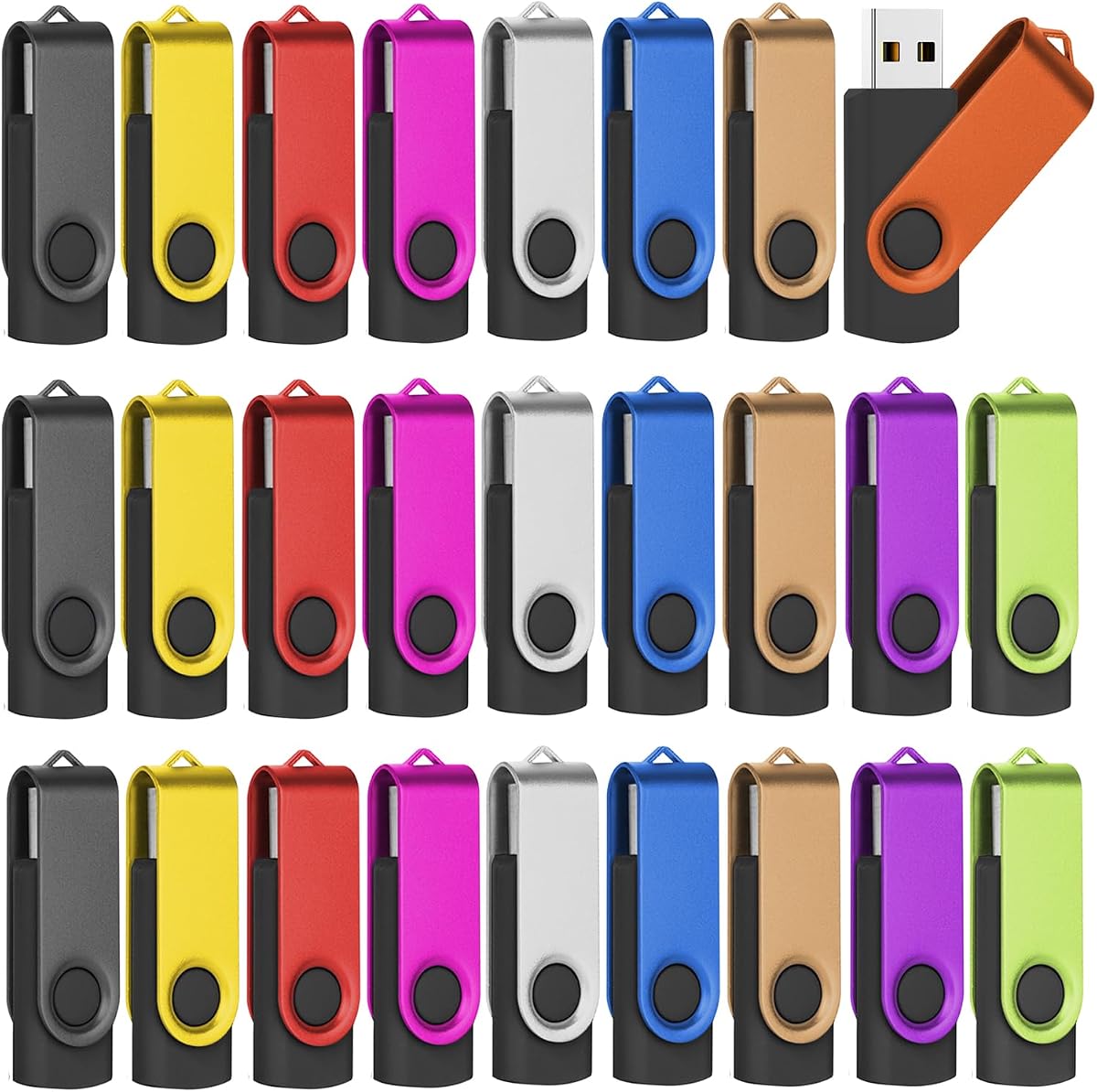
This 10 pack of 64GB USB 2.0 drives offers high capacity with color coding rated 4.5 by users. Ten different colors simplify organization and identification across teams or projects.
We may earn a commission when you buy through this link, at no additional cost to you.
High capacity allows storage of many photos videos and documents on a single drive. Metal swivel caps protect the USB port and free lanyards aid easy keychain attachment.
Although capacity is high transfer speeds are limited by USB 2.0 standards. Users needing fast data transfers should consider USB 3.0 options even if cost is higher.
Teams needing colorful high capacity drives for organizing large files will find this pack a visually engaging and functional solution.
Each drive in the pack has a unique color making it easy to assign and identify files by team or project.
At 64GB per drive these support storage of large media files or software without requiring frequent device swaps.
We may earn a commission when you buy through this link, at no additional cost to you.
Selecting the right bulk USB flash drive pack involves balancing capacity speed durability and cost to fit your organization or event needs.
Capacity determines how much data you can store per drive ranging from small 512MB units to 64GB or higher. Choose capacity based on file types you plan to share with small documents needing less space than videos.
Match capacity to the largest typical file you need to distribute to avoid storage limits or frequent drive swapping.
USB 3.0 drives offer significantly faster transfer speeds than USB 2.0 reducing time when moving large files. While USB 3.0 costs more the efficiency gains matter for busy environments.
Prioritize USB 3.0 if you regularly transfer videos or large datasets otherwise USB 2.0 may suffice for small files.
Look for designs with protective caps swivel covers or hard shells to prevent connector damage during handling. Caps can be lost while swivel designs offer protection without extra parts.
Choose robust builds with metal housings or reinforced plastic if drives will be used daily or in demanding environments.
Most bulk drives come formatted as FAT32 compatible with many devices including car stereos and cameras. However FAT32 cannot handle single files larger than 4GB without reformatting.
Confirm format needs before purchasing; choose drives preformatted to suit your devices or ensure you can reformat as needed.
Some bulk packs include lanyards keychains or custom cases enhancing usability and reducing loss risk. Verify what is included to avoid extra purchase costs.
Packs with lanyards simplify distribution and help users attach drives securely to keychains or bags.
Multi color packs help teams identify specific drives quickly by department or project reducing confusion during data sharing. Color coding improves workflow efficiency especially with larger teams.
Consider colored packs if your team needs to distinguish drives for different groups or tasks without labeling.
Check warranty terms to ensure replacement availability if drives fail within a specified period. Reliable manufacturers offer at least one year coverage for peace of mind.
A warranty indicates confidence in product quality and protects your investment against early failures.
Larger bulk packs lower cost per unit but may limit flexibility if you need varied capacities. Evaluate total needs before buying to avoid over purchasing or under provisioning.
Balance quantity with capacity and speed to find the most cost effective pack for your specific use case.
Plug the drive into an available USB port on your computer or compatible device and wait for it to appear in your file system. No software installation is usually required for standard drives.
Always safely eject the drive using the operating system option before unplugging to prevent data corruption. Avoid removing the drive during active read write operations indicated by blinking lights.
Store drives in a cool dry place away from direct sunlight or moisture to maintain durability. Clean connectors gently with a soft dry cloth if dust accumulates over time.
USB 3.0 drives transfer data significantly faster than USB 2.0 making them better for large files like videos. They are often more expensive but provide efficiency for busy workflows. USB 2.0 works well for small documents or text files where speed is less critical.
Most modern bulk USB flash drives are compatible with Mac computers through standard USB ports. Some may require reformatting to exFAT or APFS for full read write access depending on initial format. Check product details for specific Mac support notes.
FAT32 formatted drives cannot store single files larger than 4GB without reformatting. This limit affects users needing to move large video or software files. Reformatting to exFAT or NTFS removes this limit but may reduce device compatibility.
Choose capacity based on the largest file you expect to share regularly. For documents and photos 16GB is often sufficient while videos may need 64GB or more. Consider future needs to avoid needing upgrades soon.
Most bulk USB flash drives do not need drivers or software to function on modern systems. They work via plug and play functionality allowing immediate access to stored files. Only specialized encrypted drives may require extra software.
Avoid frequent removal while data is transferring and always safely eject drives before unplugging. Store them in protective cases away from moisture and extreme heat to prevent physical or electrical damage.
Color coded drives simplify organization by allowing teams to assign specific colors to departments or projects. This reduces confusion during file sharing and makes inventory management easier across large teams.
Lower priced drives may have inconsistent quality or shorter lifespans compared to premium brands. Check ratings and reviews to ensure reliability especially for business or school use where data loss is risky.
The top picks including the PNY 32GB USB 3.0 pack and the 512MB budget option cover varied needs from speed to affordability. Each pack offers distinct benefits depending on file size and organizational goals.
Prioritize capacity and speed based on typical file types you share while considering durability features like swivel caps or lanyards. Balance these factors with your budget to choose the most suitable bulk pack.
Prices and availability can change so verify current listings before purchasing. Always check compatibility and warranty terms to ensure a reliable long term storage solution.