
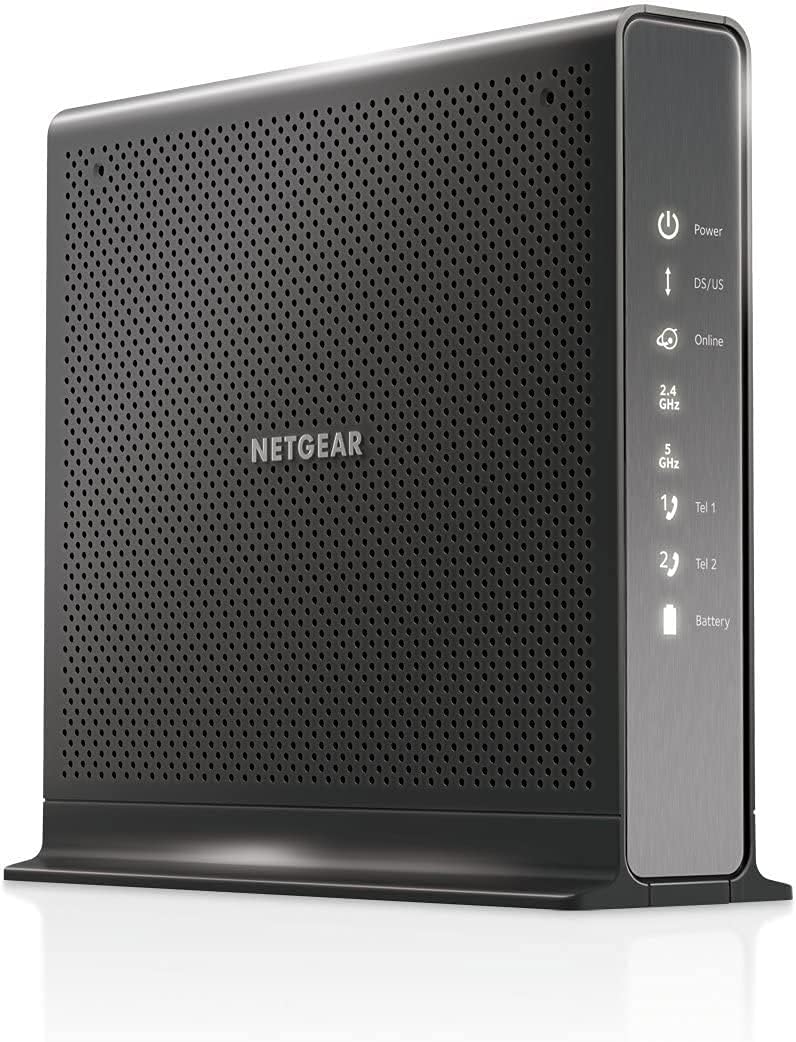
NETGEAR Nighthawk Cable Modem and WiFi 5 Router Combo C7000
4.2Editor score
DOCSIS 3.0
AC1900 Speeds
Covers 1800 Sq Ft
This guide compares the top Cable Modem WiFi Router Combo units for performance, compatibility, and value to help you choose the best home internet solution.
Finding the right internet hardware is essential for modern connectivity. A Cable Modem WiFi Router Combo simplifies your setup by combining two devices into one efficient unit. This guide helps you navigate the options available today.
We analyzed ten top-rated models based on speed, coverage, and provider compatibility. Our focus includes DOCSIS versions, WiFi standards, and real-world performance metrics. This ensures you get reliable service for gaming and streaming.
Each pick highlights unique strengths and potential limitations for your needs. Prices and availability change frequently, so check current listings before purchasing. Use this guide to make an informed decision for your home network.
4.2Editor score

4.1Editor score

3.9Editor score
This comparison table lists all ten models side by side. It highlights key specs like DOCSIS version, WiFi generation, and maximum coverage to help you decide quickly.





The NETGEAR Nighthawk CAX30 stands out as a top performer in the combo category. It combines DOCSIS 3.1 modem power with modern WiFi 6 technology. This ensures you get reliable speeds for streaming and gaming across your home.
We may earn a commission when you buy through this link, at no additional cost to you.
Its AX2700 dual-band router provides coverage for homes up to 2000 square feet. The unit supports major cable providers like Xfinity and Spectrum up to high speed tiers. Four Gigabit Ethernet ports ensure stable wired connections for critical devices.
While it lacks voice capabilities, this trade-off makes it ideal for pure internet users. The Nighthawk app allows easy management of your network and connected devices. Security features like WPA3 help keep your data safe from intruders.
We recommend this model for households needing fast, reliable internet without extra fees. It is particularly suited for families with multiple devices connected simultaneously. The investment pays off through rental savings and improved performance.
This feature ensures your modem can handle the fastest cable internet plans available today. It future-proofs your connection against upcoming network upgrades.
The AX2700 rating indicates strong performance for multiple devices. You will notice less lag even when several people are streaming video simultaneously.
We may earn a commission when you buy through this link, at no additional cost to you.
The NETGEAR Nighthawk C7000 offers excellent value for budget-conscious buyers. It delivers AC1900 speeds which are sufficient for most streaming needs. The DOCSIS 3.0 modem supports plans up to 800Mbps reliably.
We may earn a commission when you buy through this link, at no additional cost to you.
Coverage extends to about 1800 square feet with beamforming technology. This helps maintain signal strength in rooms farther from the router. It works with popular providers like Xfinity and Cox without needing extra activation fees.
While it does not support the latest WiFi 6 standard, it remains competitive for standard home use. The USB 2.0 port is useful for basic file sharing or printer connections. Security is handled with standard WPA encryption protocols.
This model is a great choice if you want to stop paying rental fees quickly. It balances cost and performance well for typical family usage. Just ensure your plan does not exceed 800Mbps for best results.
This feature boosts range and reduces dead spots significantly. It ensures every device in your home stays connected without dropouts.
You can pause internet access for specific devices easily. This is helpful for managing screen time or prioritizing work tasks.
We may earn a commission when you buy through this link, at no additional cost to you.
This renewed version of the CAX30 provides significant savings on a powerful device. You get the same DOCSIS 3.1 and WiFi 6 capabilities as the new model. It is an excellent entry point into high-speed home networking.
We may earn a commission when you buy through this link, at no additional cost to you.
The device handles speeds up to 2Gbps making it suitable for future upgrades. Coverage reaches 2000 square feet ensuring connectivity in larger homes. It connects seamlessly with major cable providers like Cox and Xfinity.
Buying renewed means checking the warranty terms carefully as they may vary. Performance should match a new unit since it undergoes functional testing. It avoids extra fees for monthly rentals while providing top-tier hardware.
We suggest this option for those willing to take a small risk for savings. It delivers premium internet experience at a more accessible cost. Ensure your provider approves refurbished devices before purchasing.
Renewed units often cost significantly less than retail. This allows access to better tech within a tighter budget.
These devices are inspected to ensure they work correctly. You avoid the defects often found in cheap used hardware.
We may earn a commission when you buy through this link, at no additional cost to you.
This refurbished model brings the benefits of WiFi 6 to a lower cost. The USB 3.0 port adds versatility for connecting external storage. It remains a strong contender for those needing reliable gigabit speeds.
We may earn a commission when you buy through this link, at no additional cost to you.
The unit handles up to 25 devices simultaneously without slowing down. Beamforming improves signal range for a consistent connection. It works with Xfinity and Spectrum up to 1Gbps plans comfortably.
Performance remains consistent even under peak network congestion. The Nighthawk app helps manage traffic and security settings easily. While it lacks voice features, it excels at pure data transmission tasks.
This choice is smart for those wanting modern tech features affordably. It replaces rented equipment effectively to save money long term. Verify the return policy before finalizing your purchase decision.
This port allows faster file transfers over your network. It is much quicker than older USB 2.0 options.
This technology helps maintain speed when the network is busy. It prevents slowdowns when everyone is online.
We may earn a commission when you buy through this link, at no additional cost to you.
The ARRIS Surfboard G34 offers robust performance with a modern design. Its DOCSIS 3.1 modem supports internet plans up to 2.5 Gbps. This makes it a future-ready choice for high-speed data users.
We may earn a commission when you buy through this link, at no additional cost to you.
The AX3000 dual-band WiFi delivers strong wireless performance throughout your home. It provides a compact footprint that fits well on shelves. Basic LED indicators make status checks simple without a screen.
Setup is straightforward via standard coaxial connection. You can use the central app to configure networks easily. It avoids monthly rental fees while offering high-speed cable internet access.
We recommend this for users needing top-tier speeds on a budget. The brand has a strong history of reliable connectivity. Check specific compatibility details with your local service provider.
This ensures you can take full advantage of fast plans. It supports upgrades as your provider increases speeds.
It saves space without sacrificing cooling or performance. This helps it blend into small living spaces easily.
We may earn a commission when you buy through this link, at no additional cost to you.
This renewed unit brings essential performance at a very low cost. It remains a solid choice for those needing reliable internet without high fees. The hardware is functional for standard streaming and browsing tasks.
We may earn a commission when you buy through this link, at no additional cost to you.
It covers up to 1800 square feet with dual-band AC1900. The router manages multiple devices effectively for basic home use. Compatible with major providers like Xfinity and Cox for quick activation.
Do not expect the latest WiFi 6 features here but value is high. The Nighthawk app provides easy control over your home network. Security remains standard with WPA encryption for data safety.
We suggest this for basic users who prioritize cost over speed. It stops rental charges immediately to improve your budget. Check the return policy for refurbished items carefully.
Buying renewed cuts the cost significantly compared to new. This is the lowest cost option in the guide.
The range is sufficient for most apartments and homes. It handles everyday tasks without dropping signal.
We may earn a commission when you buy through this link, at no additional cost to you.
The NETGEAR Nighthawk CAX80 is built for power users with high demands. Its AX6000 WiFi 6 capability handles dense device environments easily. The included 2.5 Gig port allows for multi-gigabit wired speeds.
We may earn a commission when you buy through this link, at no additional cost to you.
Coverage extends to 2500 square feet making it ideal for larger homes. It supports speeds up to 2Gbps ensuring your plan gets utilized fully. Security features protect your data from external threats and viruses.
This premium model delivers exceptional stability during peak usage times. The Nighthawk app helps manage complex networks with ease. It works with all major cable providers for broad compatibility.
We recommend this for homes needing maximum speed and coverage. The investment is justified by the performance and savings on rentals. Ensure your ISP offers high speed plans to use its full capacity.
This port supports speeds beyond standard Gigabit connections. It is vital for users with very fast internet plans.
The high throughput handles many devices without lag. This ensures smooth gaming and streaming everywhere.
We may earn a commission when you buy through this link, at no additional cost to you.
This unit is unique because it includes VoIP support for voice lines. It allows you to connect telephone devices directly to the modem. This is essential for households using bundled cable and phone services.
We may earn a commission when you buy through this link, at no additional cost to you.
It supports Xfinity Voice plans up to 600Mbps internet speeds. The AC1900 router ensures solid wireless coverage for data needs. You can even add battery backup for power outage protection.
Voice quality is typically very stable compared to standard internet phones. It works seamlessly with Xfinity bundled services for simplicity. The design keeps all home connectivity in one central device.
We suggest this specifically for Xfinity voice subscribers needing a combo. It saves money on separate phone modems and routers. Ensure your plan requires voice capabilities before purchasing.
This allows direct connection for home phones. It removes the need for extra adapters or boxes.
It supports external batteries for calls during outages. This ensures communication is not lost when power fails.
We may earn a commission when you buy through this link, at no additional cost to you.
The NETGEAR C6250 is designed for budget and standard usage. It supports plans up to 300Mbps which covers most entry level internet needs. It works with Xfinity and Spectrum for broad provider options.
We may earn a commission when you buy through this link, at no additional cost to you.
Its AC1600 speed handles basic streaming and browsing without lag. The compact design fits easily on a desk or shelf. You can connect two devices directly via Ethernet cables.
While it lacks high-end features it remains reliable for simple tasks. Security includes standard protocols to protect your network. It is a practical choice for small households or apartments.
We recommend this for users on a strict budget. It stops rental fees effectively to save money monthly. Just ensure your internet plan does not exceed 300Mbps.
This unit is designed for standard internet usage. It provides reliable connectivity without unnecessary costs.
It takes up very little space on your desk. This is ideal for small living areas.
We may earn a commission when you buy through this link, at no additional cost to you.
The ARRIS SBG7600AC2 offers a trusted name in home networking. Its AC2350 WiFi performance is faster than many standard models. The four Gigabit ports provide flexibility for wired connections.
We may earn a commission when you buy through this link, at no additional cost to you.
It supports internet plans up to 800Mbps reliably. Compatibility with Cox and Xfinity is well documented. Setup is simple using the Central App for configuration.
This model provides a solid balance of performance and cost. It replaces multiple devices to reduce clutter and rental fees. Parental controls help manage your household internet usage safely.
We suggest this for those needing multiple wired ports. It is a strong choice for families with several computers or consoles. Check your provider compatibility before ordering.
This offers more connectivity than standard two-port units. It allows multiple devices to connect directly by cable.
The app helps manage your network remotely. You can track devices and adjust settings easily.
We may earn a commission when you buy through this link, at no additional cost to you.
Choosing the right combo requires understanding your internet plan and home needs. This guide outlines the key factors to consider before making a purchase decision.
DOCSIS determines your modem maximum speed capacity. DOCSIS 3.1 supports gigabit speeds whereas 3.0 supports lower tiers. Choose 3.1 if you want future-proofing.
Always check your plan speed before buying. This ensures you do not pay for unused hardware capabilities.
WiFi 6 is faster and more efficient than WiFi 5. It handles more devices simultaneously with less congestion. If you have many smart devices consider WiFi 6.
Older standards like AC1900 work for basic streaming. They are often cheaper but may lag with many users.
Coverage depends on your home size and layout. A good unit should cover at least 1500 to 2000 sq ft. Walls and floors reduce signal strength significantly.
Pick a model with enough range for your whole house. Mesh systems can add range if this unit is insufficient.
Ensure the device is certified by your ISP. Xfinity and Spectrum have approved lists on their websites. Buying an uncertified model might fail to activate.
Check specifically for bundle compatibility. Voice or DSL providers often need different hardware setups entirely.
Look for enough Gigabit Ethernet ports for your devices. Four is standard but some models offer two or one. Wired devices need stable connections for best performance.
USB ports allow file sharing or printer connections. They are useful but secondary to main internet speeds.
If you have a landline check for voice ports. Many combos lack this feature and require a separate modem. Xfinity voice bundles specifically need this hardware.
Confirm with your provider if you need VoIP lines. Missing this feature can disrupt your phone services.
Modern routers include WPA3 encryption for better security. Firewalls protect against unauthorized access. Some include paid subscriptions for malware protection.
Basic security is often enough for home use. However premium protection helps if you have sensitive data.
Decide if you need the latest tech or just speed. Renewed models offer savings on high end units. Renting costs more over time than buying a basic unit.
Prioritize what matters most to you. Fast WiFi matters more than extra ports if you stream often.
Connect the coaxial cable firmly to the modem port before power. Plug the Ethernet cable from the modem to your computer or router.
Restart your device every few months to maintain speed. Use the app to manage connected devices and settings easily.
Keep the unit in a cool ventilated area. Dust can clog vents and cause overheating and shutdowns.
No they do not work with all providers. They are specific to cable internet like Xfinity or Spectrum. Fiber and DSL require different hardware entirely.
Only voice compatible models support phone lines. You must check if your combo has a phone port. Most modern combos are data only.
Connect the coaxial cable and power source. Then activate the device via your providers website or app. Once online you can connect your devices.
No a combo includes both modem and router in one. This eliminates the need for extra hardware. It simplifies your home network significantly.
It is the latest standard for cable modems. It supports much faster speeds than older versions. It ensures your internet works with gigabit plans.
It is not necessary for basic browsing. It helps with many devices and faster streaming. It is good to have for future needs.
We recommend the NETGEAR Nighthawk CAX30 for top performance and value. It balances speed and coverage perfectly for most families. It is our top choice for modern households.
For budget seekers the NETGEAR Nighthawk C7000 offers great savings. It handles standard streaming well without high costs. Consider it if you do not need WiFi 6.
Remember to check prices and compatibility before you buy. Deals change often and stock varies by location. Verify your ISP approval to ensure a smooth setup.