
K7 Cassette Player, Converts Tapes to MP3, Built-in Microphone, 16GB Card
4.2Editor score
Built-in microphone and speaker
16GB SD card included
Rechargeable battery option
This guide compares the top cassette to MP3 converters for preserving audio tapes. We evaluate portability, conversion quality, battery life, and ease of use
Preserving your favorite cassette tapes is essential for music lovers and collectors. A good cassette to MP3 converter allows you to digitize old recordings without needing complex software or a desktop computer. These devices simplify the process of moving analog audio to modern digital formats like MP3.
We compared ten popular cassette to MP3 converters based on user reviews, technical specifications, and real-world performance. Our analysis focused on build quality, sound clarity, storage options, and whether the device works without a computer. This list covers a range of budgets and feature sets.
Each pick highlights specific strengths like battery life, Bluetooth support, or automatic track splitting. You will find details on what is included in the box and how each device handles different tape types. Please note that prices and availability can change frequently on online retailers.
4.2Editor score

4.5Editor score

4.3Editor score
The following comparison table provides a side-by-side overview of the ten top-rated cassette to MP3 converters available today. Each entry includes key specifications and direct links to product details so you can quickly find the model that matches your specific conversion needs and budget constraints.

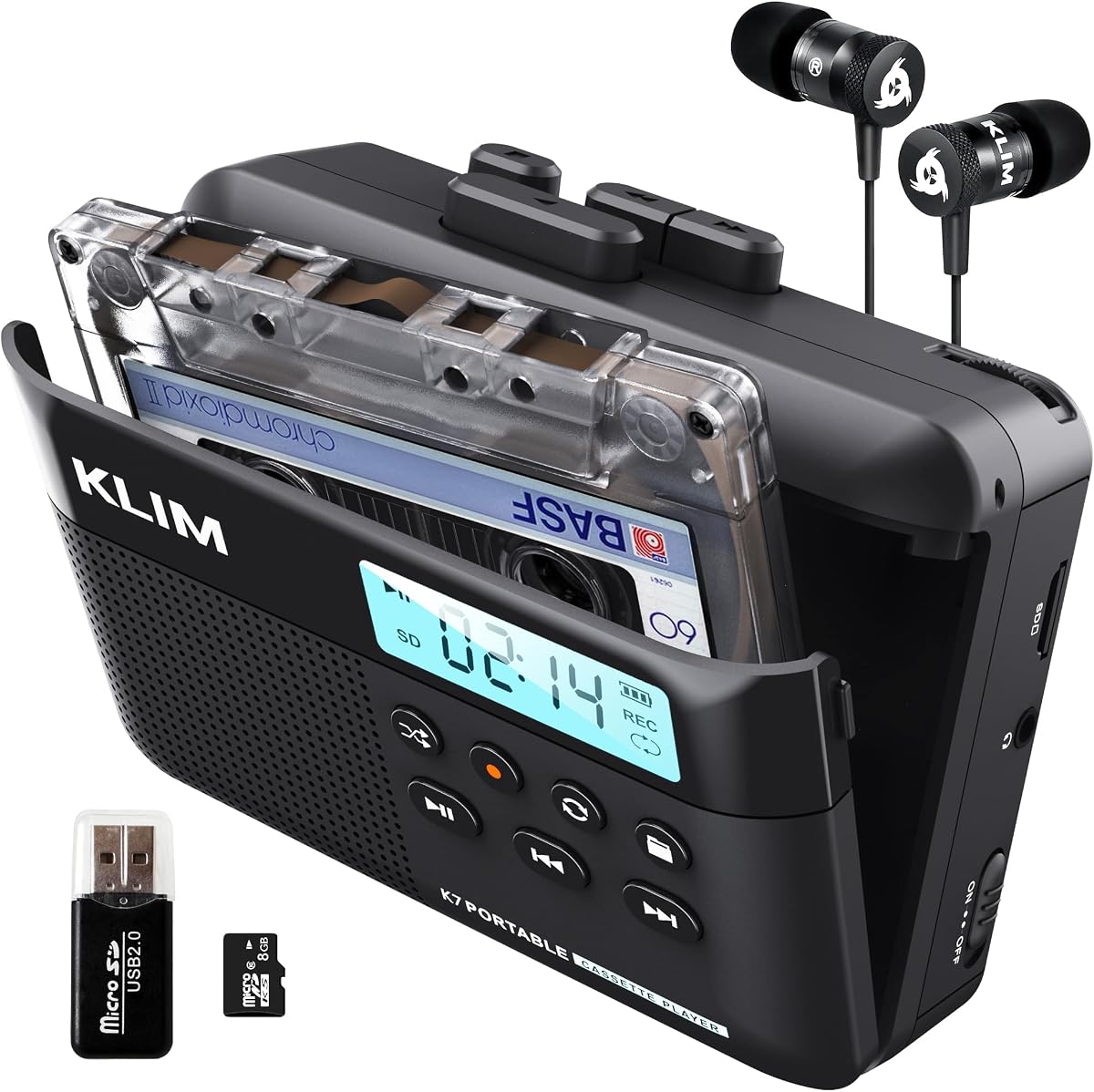


The K7 Cassette Player stands out as a versatile device for digitizing old tapes. With a 4.2 rating from users, it offers a straightforward way to convert audio to MP3 without requiring a computer. The included 16GB SD card ensures you have ample storage for your converted files right out of the box.
We may earn a commission when you buy through this link, at no additional cost to you.
Its built-in microphone and speaker allow for direct recording and playback, making it a self-contained solution. The rechargeable battery provides convenience for on-the-go use, while the 3.5mm earphone jack supports private listening. This model is ideal for those who want simplicity and portability in one package.
While it does not support recording onto cassette tapes, it excels at converting existing media. The user manual guides you through the process, ensuring even tech-shy users can get started quickly. The 5-year assurance adds peace of mind regarding long-term durability and support.
If you need a reliable device to preserve your cassette collection with minimal setup, this K7 player is an excellent choice. It balances ease of use with essential features like storage and power, making it a top contender for most users looking to modernize their audio library.
This device handles conversion internally, meaning you do not need to connect to a laptop or install software. Simply insert the SD card and follow the on-screen instructions to save your MP3 files directly.
A built-in 1000mAh battery charges quickly via USB-C, offering flexibility for use away from power outlets. This feature supports travel and outdoor listening sessions without needing AA batteries.
We may earn a commission when you buy through this link, at no additional cost to you.
The SEMIER Small Cassette Tape Player is designed for those who value portability and flexibility. With a compact design measuring only 6.3 inches in length, it fits easily into a bag or desk drawer. It supports both SD card and computer-based conversion, giving you options for how you manage your digital files.
We may earn a commission when you buy through this link, at no additional cost to you.
Its two-way conversion capability allows you to record from tape to SD card or to a computer using included software. The LCD screen makes navigation simple, and the built-in 2W speaker delivers decent sound for immediate playback. Users appreciate the inclusion of a 16GB SD card and USB reader in the package.
While it does not support Type IV metal tapes, it works well with standard Type I tapes common in most collections. The option to use AA batteries adds convenience for outdoor use or during power outages. Customer support is noted as responsive, which helps if you encounter setup issues.
For budget-conscious buyers who need a reliable converter with multiple connection options, the SEMIER model is a strong contender. It offers essential features without a high price tag, making it accessible for casual users looking to digitize a small collection of tapes.
You can power this device via USB-C for stable recording or use four AA batteries for mobility. This dual-power system ensures you are not tethered to a wall outlet during conversion tasks.
Weighing only 0.52 lbs, this player is light enough to carry anywhere. Its small size makes it ideal for students or travelers who want to digitize tapes on the go without bulk.
We may earn a commission when you buy through this link, at no additional cost to you.
The ClearClick Cassette Tape to USB 2.0 is praised for its ease of use and reliable performance. With a 4.5 rating, it stands out as a premium option that requires no computer or drivers. The automatic track splitting feature ensures that each song or segment is saved as a separate MP3 file, saving you time on manual editing.
We may earn a commission when you buy through this link, at no additional cost to you.
Included is a 16 GB USB drive, which simplifies storage and transfer. You can plug the device directly into a computer to move files or use it as a personal cassette player with included earbuds. The instant setup means you can start converting immediately after unboxing without any technical hurdles.
ClearClick offers a 2-year warranty and USA-based tech support, which adds significant value for long-term reliability. While the price point is higher than some competitors, the convenience and build quality justify the investment for serious collectors. The portable design also allows you to use it as a standalone player.
If you want a hassle-free way to digitize tapes with high-quality results, this ClearClick model is a top choice. It eliminates the need for software and manual track labeling, making it perfect for users who prioritize simplicity and efficiency in their conversion process.
This feature detects silence between tracks and automatically creates individual MP3 files for each song. It removes the need to manually split audio files later, streamlining your workflow significantly.
The company provides tech support from within the USA, ensuring quick resolution for any issues. This local support is a key differentiator for brands aiming to build trust with customers in the region.
We may earn a commission when you buy through this link, at no additional cost to you.
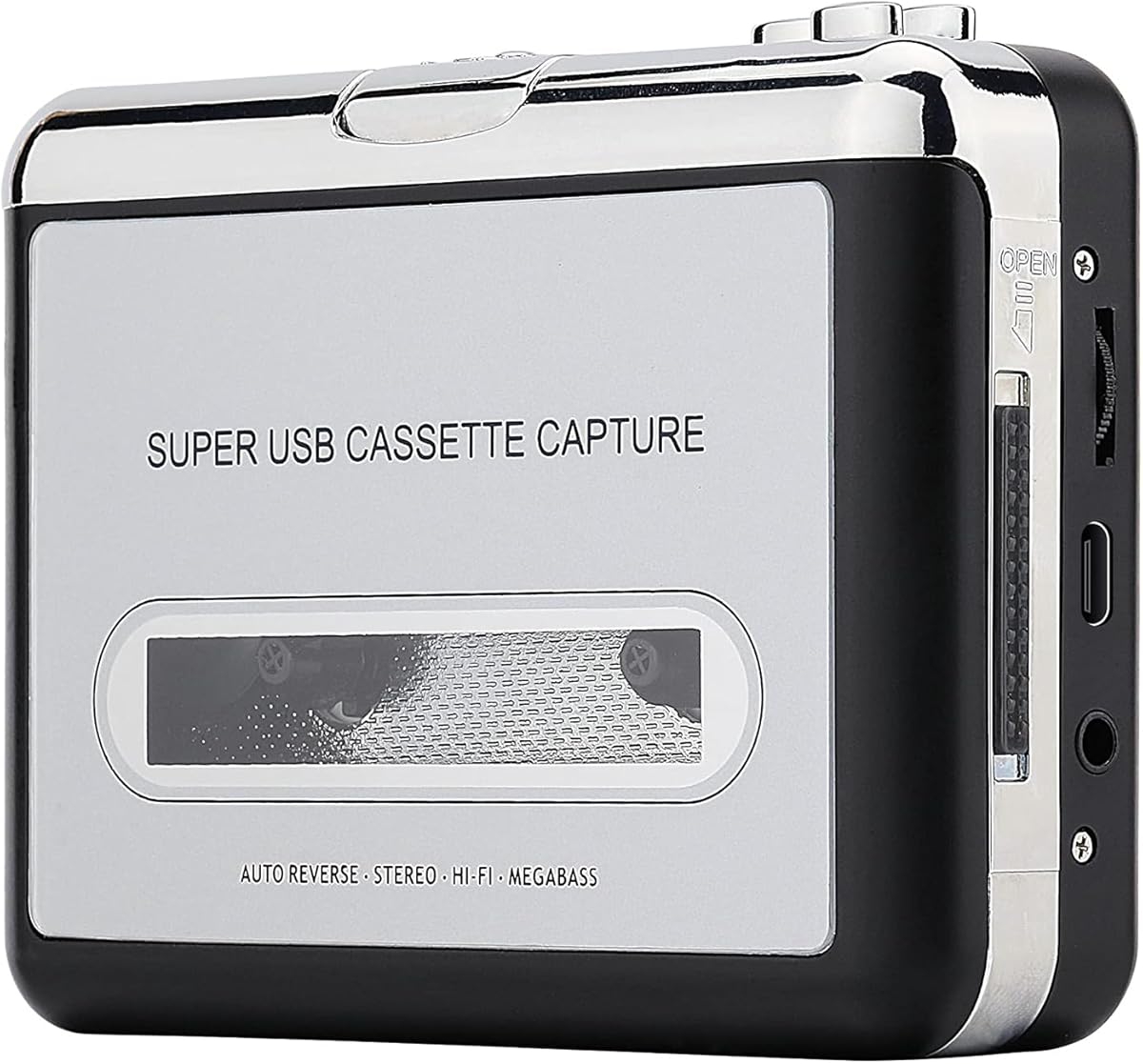
The Reshow Cassette Tape Player in silver offers a vintage aesthetic with modern conversion capabilities. It allows you to convert old tapes to MP3 format via a USB cable to your laptop. While it is lighter on features than some competitors, it serves the basic need of digital transfer effectively for budget-conscious buyers.
We may earn a commission when you buy through this link, at no additional cost to you.
The device includes converter software and a guide to assist with the transfer process. It works with any standard 3.5mm AUX input, allowing you to connect headphones or even a car stereo for playback. The lightweight and compact size make it easy to store when not in use.
However, users should note that it requires a computer and software installation to function as a converter. This might be a drawback for those seeking a standalone solution. The clear sound quality is noted when used in a quiet room, but external noise can affect the recording.
For users who already have a laptop and prefer a simple, affordable device, the Reshow player is a viable option. It bridges the gap between analog and digital formats, allowing you to enjoy old music on modern devices without breaking the bank.
The 3.5mm AUX input ensures you can use any standard headphones or earbuds. This versatility means you do not need proprietary accessories to listen to your tapes during playback.
The package includes converter software and a guide, ensuring you have what you need to start converting. This reduces the need to search for third-party tools online.
We may earn a commission when you buy through this link, at no additional cost to you.
The K7 Cassette Player with an 8GB SD card offers similar features to its 16GB counterpart but at a lower storage capacity. It maintains the same high rating of 4.3, indicating consistent user satisfaction. The device converts tapes to MP3 without needing a computer, making it accessible for non-tech-savvy users.
We may earn a commission when you buy through this link, at no additional cost to you.
Its built-in microphone and speaker allow for recording and playback directly on the device. The rechargeable battery supports portable use, and the included earphones ensure you can listen privately. This model is perfect for smaller collections where 8GB of storage is sufficient.
While the storage is less than the 16GB version, it still holds a significant number of MP3 files. The user manual provides clear instructions for conversion, and the 5-year assurance adds value. It is a practical choice for those who do not need large storage capacity.
If you are looking for a reliable converter that balances features and cost, this 8GB model is worth considering. It provides the essential tools to digitize your tapes while maintaining portability and ease of use in a compact package.
An 8GB SD card can store hundreds of MP3 files depending on their bitrate. For most users converting a standard tape collection, this capacity is adequate without needing frequent transfers.
The microphone allows you to record your own thoughts or meetings onto the SD card. This adds a secondary use case beyond just cassette conversion, enhancing the device's utility.
We may earn a commission when you buy through this link, at no additional cost to you.
The K7 Cassette Player with a 32GB SD card provides maximum storage for large music collections. It shares the same features as the other K7 models but offers more space for your converted MP3 files. Users appreciate the convenience of not needing a computer for the conversion process.
We may earn a commission when you buy through this link, at no additional cost to you.
The built-in microphone and speaker enhance functionality by allowing direct recording and playback. The rechargeable battery ensures you can use the device away from power outlets, while the earphones offer private listening. This makes it a strong option for travelers with extensive tape libraries.
With a 4.2 rating, this model performs reliably for its intended purpose. The 5-year assurance provides peace of mind regarding long-term use. It is ideal for those who plan to convert many tapes and want to avoid the hassle of transferring files to a computer immediately.
For users who need extra storage and value portability, this 32GB version is a logical choice. It combines high capacity with a user-friendly interface, making it easy to manage a large digital library of converted cassette tapes.
A 32GB SD card can hold thousands of MP3 files, suitable for large collections. This means you can convert many tapes without worrying about running out of space quickly.
The lightweight design and rechargeable battery make this device easy to carry. You can convert tapes while traveling or use it as a portable player for outdoor activities.
We may earn a commission when you buy through this link, at no additional cost to you.
The Reshow Cassette Tape Player in black offers a sleek alternative to the silver version. It provides the same core functionality of converting tapes to MP3 via a USB connection to a computer. The compact size and lightweight build make it easy to handle and store.
We may earn a commission when you buy through this link, at no additional cost to you.
It comes with converter software and a guide to help you manage the transfer process. The 3.5mm AUX input allows for connection to standard headphones or speakers, offering flexibility in how you listen to your tapes. It is a straightforward solution for basic digitization needs.
While it may not offer advanced features like automatic track splitting, it fulfills the role of a budget converter. Users should be prepared to install software on their computer to use it as a converter. The clear sound quality is noted for older bands and music in quiet environments.
If you prefer a simple, affordable device and have access to a computer, this black Reshow model is a good fit. It helps bridge the gap between your old tapes and modern digital formats without requiring expensive equipment.
The 3.5mm AUX input means you can use any standard headphones or earbuds. This versatility ensures you do not need proprietary accessories to listen to your tapes during playback.
The package includes converter software and a guide, ensuring you have what you need to start converting. This reduces the need to search for third-party tools online.
We may earn a commission when you buy through this link, at no additional cost to you.
This USB Cassette to MP3 Converter allows you to record tapes directly onto a USB flash drive without needing a computer. It features an auto reverse function that switches sides of the tape automatically, saving you manual effort. The device works with USB 2.0 and 3.0 drives up to 128GB in FAT formats.
We may earn a commission when you buy through this link, at no additional cost to you.
You can adjust the volume during recording and playback using the included control button. The auto mode saves songs or sentences into separate MP3 files, which is convenient for audiobooks and music. It is powered by a USB port or AA batteries, offering flexible power options.
Users note that a fast USB drive helps prevent skipping during playback and recording. The 3.5mm AUX jack allows you to use headphones while converting, and the included carry bag protects the device. However, some users find the build quality basic compared to premium options.
For those who want to save tapes directly to a USB drive without software, this converter is a practical tool. It simplifies the process by handling the conversion internally, making it accessible for users who prefer a straightforward workflow.
The device automatically switches sides of the tape during conversion, ensuring continuous recording. This feature saves time and reduces the need for manual intervention during long tape sessions.
In auto mode, the converter detects gaps and saves each song or sentence as a separate file. This simplifies file management later as you do not need to edit large audio files.
We may earn a commission when you buy through this link, at no additional cost to you.
The Gracioso Bluetooth Cassette to MP3 Converter stands out for its dual Bluetooth capabilities and modern features. It can transmit tape audio to Bluetooth headphones or receive music from your phone via Bluetooth. This dual functionality makes it a versatile bridge between vintage tapes and modern wireless devices.
We may earn a commission when you buy through this link, at no additional cost to you.
With a 2000mAh battery, it offers up to 10 hours of Bluetooth mode and 6 hours of tape playback. The 6W speaker provides clear and powerful sound, ideal for listening at home or outdoors. The USB direct recording feature allows you to save audio to a USB drive without software.
Users appreciate the ability to record digital music onto blank cassette tapes via Bluetooth receiver mode. This creative feature lets you make mixtapes from your digital library. The device is robust and offers excellent sound quality for both playback and recording tasks.
If you want a device that goes beyond basic conversion and adds Bluetooth streaming capabilities, this Gracioso model is a top choice. It combines nostalgia with modern convenience, making it perfect for tech-savvy users who value wireless connectivity.
The device can act as a transmitter to send tape audio to Bluetooth speakers or a receiver to play phone audio through the cassette player. This versatility allows for multiple use cases beyond just digitization.
The 2000mAh battery supports up to 10 hours of Bluetooth use or 6 hours of tape playback. This extended runtime ensures you can use the device for extended sessions without frequent recharging.
We may earn a commission when you buy through this link, at no additional cost to you.
The K7 Cassette Tape Player with a 16GB SD card offers reliable performance for digitizing old tapes. It features a built-in microphone and speaker, allowing for direct recording and playback. The device is lightweight and portable, making it suitable for travel or everyday use.
We may earn a commission when you buy through this link, at no additional cost to you.
Users can convert tapes to MP3 without needing a computer by following the simple user manual instructions. The rechargeable battery ensures flexibility for use away from power outlets. The included earphones provide private listening, and the 5-year assurance adds value to the purchase.
This model is ideal for those who want a straightforward solution to preserve their audio collections. It balances ease of use with essential features like storage and power. While it lacks advanced features, it fulfills the core need of conversion effectively for most users.
If you need a dependable device that simplifies the process of converting cassette tapes, this K7 player is a solid option. It provides the necessary tools to turn your analog audio into digital files with minimal effort and setup.
This device handles conversion internally, meaning you do not need to connect to a laptop or install software. Simply insert the SD card and follow the on-screen instructions to save your MP3 files directly.
A built-in 1000mAh battery charges quickly via USB-C, offering flexibility for use away from power outlets. This feature supports travel and outdoor listening sessions without needing AA batteries.
We may earn a commission when you buy through this link, at no additional cost to you.
Choosing the right cassette to MP3 converter depends on your specific needs and technical comfort. This guide outlines key factors to consider before making a purchase.
Some converters require a computer and software to digitize tapes, while others work independently with a USB drive or SD card. Standalone devices offer more portability and simplicity, whereas computer-based models might provide more control over file quality and splitting.
Consider whether you want a plug-and-play solution or are comfortable installing software on your laptop for better control over your files.
Check what storage is included with the device, such as SD cards or USB drives. Some models come with 8GB, 16GB, or 32GB options. Ensure the storage capacity matches the size of your tape collection to avoid frequent transfers.
Higher capacity options are better for large libraries, but they may come at a higher price point.
Devices may be powered by rechargeable batteries, AA batteries, or a USB cable. Rechargeable options reduce long-term costs and waste, while AA batteries are useful for travel where charging is not possible. Some models offer dual power options for flexibility.
Select a power source that fits your usage environment, whether you are at home or on the go.
Look for converters that support high-quality audio rates like 44.1kHz or 48kHz. Good converters should minimize noise and hiss during the digitization process. User reviews often highlight clarity differences between models.
Prioritize models with positive feedback on sound clarity to ensure your digital copies preserve the best possible audio.
User-friendly devices include clear instructions and simple interfaces. Features like automatic track splitting save time and manual editing effort. Some models have LCD screens for easier navigation of settings.
Choose a device that matches your technical comfort level to avoid frustration during the conversion process.
Ensure the converter supports the types of tapes you have, such as Type I or Type IV metal tapes. Some devices only work with standard tapes, so check the specifications. Also verify that the device works with your available cables and computer systems.
Verify tape type compatibility to avoid purchasing a device that cannot handle your specific media collection.
Compact and lightweight devices are easier to carry for travel or different rooms. Look for models that include earphones and carry bags for added convenience. Portability allows you to convert tapes in various settings.
If you plan to use the converter away from your desk, prioritize models designed for mobility.
Some converters include Bluetooth connectivity, built-in microphones, or speakers. These features enhance functionality by allowing recording of meetings or wireless listening. Consider if these extras align with your specific needs beyond basic conversion.
Extra features add versatility but may increase the price, so weigh their value against your requirements.
To begin, insert the appropriate storage device like an SD card or USB drive into the converter. Ensure the storage is formatted correctly as specified in the user manual to avoid recording errors.
Insert your cassette tape and press the record or convert button. If using a computer model, open the software and select the conversion settings before starting the process. Adjust the volume to prevent distortion during recording.
After conversion, safely remove the storage device to prevent file corruption. Keep the device clean and dry, storing it in a protective case when not in use to maintain its longevity and performance.
Not all converters require a computer. Many modern devices allow direct conversion to USB drives or SD cards without software. However, some models rely on PC software for more control over file settings. Always check the product description for standalone capabilities.
Conversion time typically matches the length of the tape. A 60-minute tape will take about 60 minutes to convert at real-time speed. Some high-speed models offer faster conversion but may sacrifice audio quality.
Most cassette to MP3 converters are designed for playback to digital only. They do not support recording audio from digital sources onto blank tapes. If you need recording capabilities, look for a specific cassette recorder model instead.
The majority of cassette to MP3 converters produce MP3 files. This format is widely compatible with most modern devices and media players. Some advanced models may also support WAV or other formats.
Storage depends on the number of tapes and quality. A single high-quality MP3 file might be 5 to 10MB. For 100 tapes, a 16GB or 32GB card is usually sufficient. Consider your collection size before purchasing.
Some converters have automatic track splitting features that detect pauses between songs. If your device lacks this, you may need audio editing software to split files manually on your computer. Check for auto-split features when buying.
We have reviewed ten top cassette to MP3 converters ranging from standalone devices to computer-based solutions. Models like the ClearClick USB converter and the Gracioso Bluetooth player offer distinct features for different user needs.
Prioritize factors like storage capacity, power options, and ease of use based on your specific goals. If you value simplicity, choose a standalone device. If you need wireless features, opt for a Bluetooth-enabled model.
Remember to check current prices and availability before making a purchase. The technology landscape changes frequently, so ensuring you get the best value for your budget is key to a successful conversion experience.