
Arsvita Laser Lens Cleaner Disc ARCD-02
4.1Editor score
Includes cleaning fluid
Simple voice guidance
Affordable price point
This guide compares the top CD and DVD player cleaners to help you restore playback quality and extend device life with reliable lens cleaning solutions.
Over time dust and dirt accumulate on laser lenses causing playback issues like skipping or freezing. A quality cleaner disc helps restore optimal performance without opening the device.
We evaluated ten top rated cleaning kits based on brush technology compatibility and user feedback. Each option addresses common optical drive problems with proven cleaning methods.
Every review highlights specific strengths and limitations to help you choose the right tool. Note that pricing and availability may change so check current listings before buying.
4.1Editor score

4.2Editor score

4.3Editor score
The following table provides a side by side overview of all ten products evaluated in this guide. Each entry includes key specifications to help you compare features at a glance.





This cleaner kit is designed to fix slow loading or skipping issues in CD and DVD players. It holds a solid rating from users who report restored playback quality after use.
We may earn a commission when you buy through this link, at no additional cost to you.
The two brush clean process effectively targets dirt deposits that cause audio and video dropouts. This mechanical approach ensures the lens surface is clear without harsh chemicals.
While it works well for standard players it is not compatible with many modern gaming consoles. This limitation means it suits home audio video systems rather than mixed entertainment setups.
Anyone owning a standalone disc player should consider this kit for routine maintenance. It offers a practical solution to extend device life without costly repairs.
Cleaning the lens prevents wear on the laser mechanism over time.
Clear lenses ensure better sound and image output during playback.
We may earn a commission when you buy through this link, at no additional cost to you.
This variant of the Arsvita cleaner includes fluid for enhanced cleaning power. Users rate it highly for fixing freezing and skipping issues consistently.
We may earn a commission when you buy through this link, at no additional cost to you.
The inclusion of cleaning fluid alongside the brush disc adds versatility to the kit. This combination helps tackle stubborn grime that brushes alone might miss.
It maintains the same compatibility constraints as other models in the line. Players looking for game console solutions may need to look elsewhere for broader support.
Home theater owners will appreciate the extra fluid for thorough lens maintenance. It is a practical choice for those prioritizing long term player health.
The fluid helps dissolve stubborn debris on the lens surface.
Customers consistently report satisfaction with the cleaning results.
We may earn a commission when you buy through this link, at no additional cost to you.
This model offers the same core cleaning technology at a lower price point. It is ideal for budget conscious consumers who need effective lens maintenance.
We may earn a commission when you buy through this link, at no additional cost to you.
Despite the lower cost it still includes the essential fluid for better results. The brush process remains the same ensuring reliable dust removal from the lens.
It lacks some premium features found in more expensive kits but delivers on function. This makes it suitable for occasional cleaning needs rather than professional use.
Users seeking a no fuss solution for their DVD players will find it adequate. It balances cost and performance well for standard home entertainment systems.
Affordable pricing makes it easy to replace when needed.
Consistent performance matches higher priced alternatives.
We may earn a commission when you buy through this link, at no additional cost to you.
Endust is a well known brand in electronics cleaning products. This cleaner targets lens dust and dirt safely for office or home environments.
We may earn a commission when you buy through this link, at no additional cost to you.
Its broad compatibility includes Blu Ray devices which some other kits exclude. This versatility makes it a strong choice for mixed media setups.
The requirement to turn audio on for instructions adds a minor step. However it ensures users follow proper handling to avoid damage.
Business or home office users with multiple devices will value its safety profile. It is a premium option for those prioritizing brand trust and device safety.
Works safely across CD DVD and Blu Ray devices.
Endust has a history of reliable electronics cleaning products.
We may earn a commission when you buy through this link, at no additional cost to you.
Maxell recommends cleaning after every ten hours of use to maintain quality. The brush system uses copper impregnated fibers for demagnetization and cleaning.
We may earn a commission when you buy through this link, at no additional cost to you.
It supports a wide range of gaming consoles including Xbox and older PlayStation models. This makes it versatile for mixed entertainment environments beyond just DVD players.
The recommendation to replace after twenty usages suggests it is designed for short term use. While effective it may not be the most cost efficient long term solution.
Users with heavy usage habits will benefit from the robust cleaning and demagnetization. It is suitable for those prioritizing mechanical reliability over long term reusability.
Copper fibers help reduce static interference on the lens.
Compatible with Xbox and earlier PlayStation game systems.
We may earn a commission when you buy through this link, at no additional cost to you.
This kit promises a quick three minute cleaning cycle for convenience. Voice guidance ensures users follow steps correctly without reading manual text.
We may earn a commission when you buy through this link, at no additional cost to you.
The inclusion of fluid and cloth adds value beyond just the disc. It allows for comprehensive maintenance of both lens and discs in one go.
Compatibility remains limited to standard players excluding major gaming consoles. This suits users focused on audio video players rather than gaming setups.
Those seeking a fast reliable solution for home entertainment will find it effective. The voice guidance is a unique feature that reduces user error during cleaning.
Completion in three minutes minimizes downtime.
Audio instructions simplify the cleaning process for all users.
We may earn a commission when you buy through this link, at no additional cost to you.
The NS-1 model reduces cleaning time to just one and a half minutes. This speed is ideal for quick maintenance without interrupting media sessions.
We may earn a commission when you buy through this link, at no additional cost to you.
Voice guidance remains a helpful feature for ensuring correct usage. The cloth included adds value for wiping external disc surfaces.
It trades some duration for speed which may affect thoroughness on heavily soiled lenses. Users with mild issues will find the time savings worthwhile.
Frequent users who need quick touchups will appreciate the rapid cycle. It is best suited for light maintenance rather than deep cleaning needs.
Ideal for maintenance without leaving the room for long.
Voice guidance ensures steps are followed correctly.
We may earn a commission when you buy through this link, at no additional cost to you.
These wipes are designed for cleaning the discs rather than the player lens. They are non-abrasive to prevent damage to the disc surface.
We may earn a commission when you buy through this link, at no additional cost to you.
Using wipes helps prevent skipping caused by dirt and fingerprints on media. This complements lens cleaning for a complete maintenance routine.
It is important to note this does not clean the device lens itself. It is a supplement to lens cleaners for overall media quality.
Users with large disc collections will benefit from the pack size. It is an essential tool for keeping physical media in playable condition.
Non-abrasive wipes avoid scratching disc surfaces.
Clean discs reduce skipping and freezing during playback.
We may earn a commission when you buy through this link, at no additional cost to you.
This cleaner features an eight brush carbon system specifically for static reduction. Static buildup can cause reading errors on optical drives.
We may earn a commission when you buy through this link, at no additional cost to you.
It is designed for DVD and CD drives as well as game players. The carbon system is its unique selling point for reducing interference.
Older technology may not match newer standards for safety on modern devices. It is best suited for legacy hardware or specific drive types.
Users with static issues in their optical drives may find this helpful. It targets electrical interference that standard brushes might not address.
Carbon system helps reduce static buildup on lens.
Eight brushes ensure thorough coverage of lens surface.
We may earn a commission when you buy through this link, at no additional cost to you.
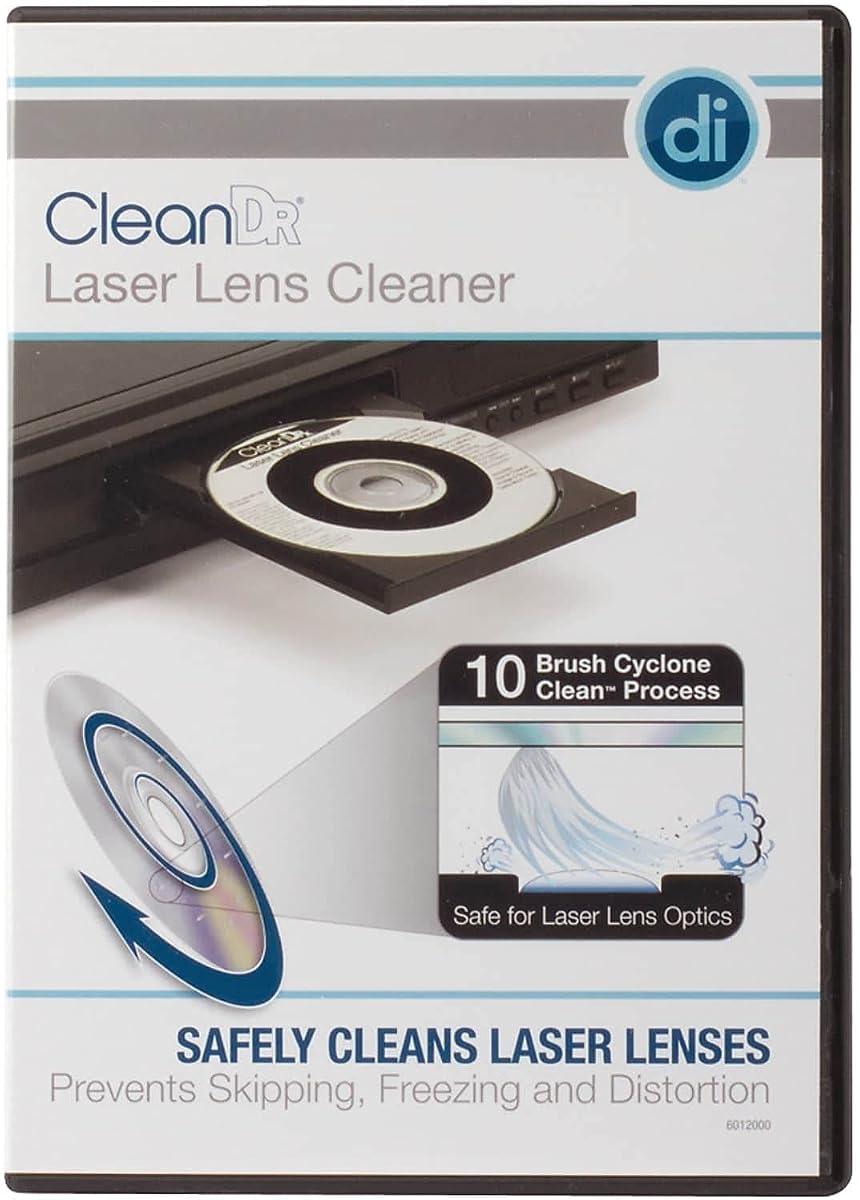
This model offers a ten brush cyclone process for thorough dust removal. The three stage process includes demagnetization for comprehensive care.
We may earn a commission when you buy through this link, at no additional cost to you.
It targets dirt debris and static to ensure optimal performance. The cyclone process suggests a more mechanical approach to cleaning.
It excludes Blu-Ray and multi-disc players from its recommended use. This limits its application to standard single-disc devices.
Users needing deep cleaning for stubborn debris will appreciate the ten brush system. It is a robust choice for devices experiencing severe reading issues.
Cyclone action helps dislodge particles from lens.
Reduces static charge that can interfere with reading.
We may earn a commission when you buy through this link, at no additional cost to you.
Selecting the right cleaner involves checking compatibility brush quality and included accessories. Understanding these factors ensures you get a product that matches your needs.
Not all cleaners work with gaming consoles like Xbox or PlayStation. Many standard lens cleaners are designed only for CD or DVD players. Check the product description to see which devices it supports before buying.
Always verify compatibility with your specific device model to avoid returns or damage.
Cleaners use various brush systems to remove dust from the lens. Some use microfiber or copper impregnated fibers for better static removal. Others use multiple brushes like ten or eight to cover the surface area.
Look for brushes that are soft enough to avoid scratching but stiff enough to remove dust.
Some kits include cleaning fluid alongside the disc for enhanced cleaning. Fluid can help dissolve stubborn grime that dry brushing misses. This is useful if your lens is heavily soiled.
Kits with fluid offer better value but may have more handling steps.
Voice guidance or clear instructions simplify the cleaning process. Some models finish in under two minutes while others take longer. Quick cycles are better for regular maintenance.
Choose a model with simple steps to ensure you clean correctly every time.
Most disc cleaners are disposable and should be replaced after limited use. Some recommend replacing after twenty usages or when brushes show wear. This impacts long term cost.
Consider if you prefer a disposable kit or a reusable option if available.
Brands like Maxell and Endust are known for electronics safety. Established brands often have better quality control and user support. This can reduce risk of device damage.
Prioritize well known brands if device safety is your main concern.
Prices vary from affordable to premium depending on features. Budget options may lack fluid or extra accessories but still work well. Premium options often include more accessories or better durability.
Determine how often you need to clean to justify spending more.
Some manufacturers offer after-sales service periods or customer support. Having support available can help if you encounter issues during use. Check product listings for warranty details.
After-sales support adds value for buyers who want peace of mind.
Insert the cleaner disc with the label side up and press play. The disc will spin and brushes will contact the lens for several minutes.
After the cycle stops remove the disc carefully and return it to its case. Do not use the disc again if brushes show signs of wear.
Store the cleaner in a cool dry place away from direct sunlight. This keeps the brushes and fluid effective for future use.
Most manufacturers recommend cleaning after every ten to twenty hours of use. If you notice skipping or slow loading it may be time to clean. Regular maintenance helps prevent long term damage to the laser.
Check the product compatibility list before buying. Many standard cleaners are not for newer consoles like PS3 or PS4. Only use cleaners that explicitly state support for your specific console model.
Some cleaners work for Blu-Ray players but many do not. Always check the product specifications to ensure compatibility with Blu-Ray devices. Using an incompatible disc could damage the player.
Dust buildup can cause skipping slow loading or freezing during playback. Over time it may reduce the lifespan of the laser mechanism. Cleaning helps maintain performance and extends device life.
Yes using a certified cleaning disc is safer than opening the device. DIY cleaning with swabs can damage internal components. Stick to manufacturer approved cleaning discs for best results.
Yes the device must be powered on for the disc to spin. Some units require audio or video output to be active for instructions. Follow the specific manual for your player model.
We reviewed ten top kits offering various features from voice guidance to fluid cleaning. The Arsvita sets and Endust options cover most home entertainment needs well.
Prioritize compatibility with your specific players and consider how often you need to clean. Budget models work well but premium kits may offer extra convenience or safety.
Prices and availability can change so always check current listings before purchasing. This guide helps you make an informed choice to keep your media playing smoothly.