
HP DeskJet 2955 Wireless All-in-One
3.7Editor score
Wireless printing included
Compact home design
AI print formatting
Discover the 10 best cheap fax machine options for home and office in October 2026 with detailed comparisons on features reliability and value.
Finding a cheap fax machine can be challenging when you need reliable communication without breaking the bank. This guide reviews top models that balance cost with essential features for small businesses and home offices.
We compared ten popular fax machines based on speed, paper capacity, connectivity options, and user ratings. Our analysis highlights devices that offer genuine value while maintaining consistent performance for everyday document transmission needs.
Each pick shows key specs and real user feedback to help you choose the right device for your workflow. Please note that prices and availability change frequently, so verify current details before making your final purchase decision today.
3.7Editor score

3.8Editor score

4.0Editor score
This table presents a side-by-side comparison of all ten selected fax machines. Review key specifications like transmission speed, memory capacity, and paper handling to find the model that fits your specific budget and operational requirements.




The Brother FAX-575 stands out as a robust solution for those needing a dedicated fax machine without excessive complexity. With a 4.0 rating from users, it delivers consistent performance for sending and receiving documents efficiently.
We may earn a commission when you buy through this link, at no additional cost to you.
Its 9,600 BPS modem ensures quick transmission times around 15 seconds per page, which is crucial for busy offices. The 512 KB memory allows you to store up to 25 pages, preventing data loss during busy periods.
While it lacks modern wireless features, the 50-sheet paper capacity and built-in phone reduce the need for additional devices. This makes it a self-contained unit that simplifies your desk setup significantly.
Choose this model if you prioritize reliability and straightforward operation over smart connectivity. It remains a strong candidate for small businesses or home offices requiring dependable analog faxing capabilities.
The 9,600 BPS modem delivers fast sends reducing wait times for critical documents.
A built-in handset allows you to take calls directly from the fax machine.
We may earn a commission when you buy through this link, at no additional cost to you.
This renewed version of the Brother FAX-575 offers the same core functionality at a reduced cost. Users appreciate the opportunity to access quality faxing without paying full retail prices for older models.
We may earn a commission when you buy through this link, at no additional cost to you.
It retains the 9,600 BPS modem speed and 512 KB memory ensuring you get the same transmission reliability as the new unit. The 50-sheet paper tray handles high volume tasks without frequent refills.
However, being renewed means you should inspect the unit upon arrival for any cosmetic issues. While functionally sound, the appearance might not match a brand-new device depending on prior usage.
This pick is ideal for budget-conscious buyers who need reliable fax capabilities immediately. It balances cost savings with the proven durability of the original Brother FAX-575 design.
Save money while accessing the same faxing features as the brand new model.
Benefit from a device that has already been tested and proven reliable.
We may earn a commission when you buy through this link, at no additional cost to you.
The Sharp UXB20 is designed for efficiency with its 30 speed dial presets allowing quick access to frequent contacts. It handles transmission in roughly 15 seconds per page ensuring you stay productive.
We may earn a commission when you buy through this link, at no additional cost to you.
Its 449 KB memory offers an out-of-paper capacity of 24 pages, which is useful for maintaining workflow during paper jams. The caller ID feature helps you identify incoming faxes before answering.
Users report mixed experiences with this model, reflected in its lower rating. Inkjet technology can sometimes be slower or costlier per page compared to laser options over long periods.
Consider this unit if speed dial accessibility is your top priority for daily communications. It provides a solid set of features for environments that rely heavily on faxing a specific contacts.
Program up to 30 numbers for one-touch sending to frequent recipients.
Store up to 24 pages if paper runs out during an incoming fax.
We may earn a commission when you buy through this link, at no additional cost to you.
The HP DeskJet 2955 is an incredibly affordable option that combines printing, scanning, and copying in a small package. While not a traditional fax, it supports faxing via apps and is perfect for basic home needs.
We may earn a commission when you buy through this link, at no additional cost to you.
Its dual-band Wi-Fi ensures reliable connections, and the HP AI feature optimizes print layouts to reduce wasted paper. The Instant Ink trial helps manage supply costs effectively for small volumes.
Note that this device relies on smart app faxing rather than a physical phone line connection. This might limit its utility for strict compliance environments requiring traditional analog fax transmission.
This is the top choice for casual users who need occasional document sending capabilities without a large upfront investment. It fits seamlessly into modern smart home offices.
Send faxes directly from your smartphone using the easy-to-use print app.
HP AI removes unwanted content so prints match what you actually need.
We may earn a commission when you buy through this link, at no additional cost to you.
The Canon PIXMA TR4720 delivers a true 4-in-1 experience including built-in fax capabilities that work seamlessly with modern wireless setups. It is compact yet versatile enough for a wide range of document tasks.
We may earn a commission when you buy through this link, at no additional cost to you.
Featuring an auto document feeder and a 100-sheet front paper tray, it handles bulk scanning and faxing with ease. The Canon PRINT app simplifies setup so you can start working quickly.
Users appreciate the balance of performance and convenience, though standard ink usage can add up over time. This is a great mid-range solution for home businesses needing reliable document management.
Choose this model if you need a dedicated fax line combined with efficient wireless printing. It offers a professional feature set without the bulk of larger office machines.
True fax functionality integrated into a modern wireless all-in-one design.
Load multiple pages to scan or fax without manual sheet feeding.
We may earn a commission when you buy through this link, at no additional cost to you.
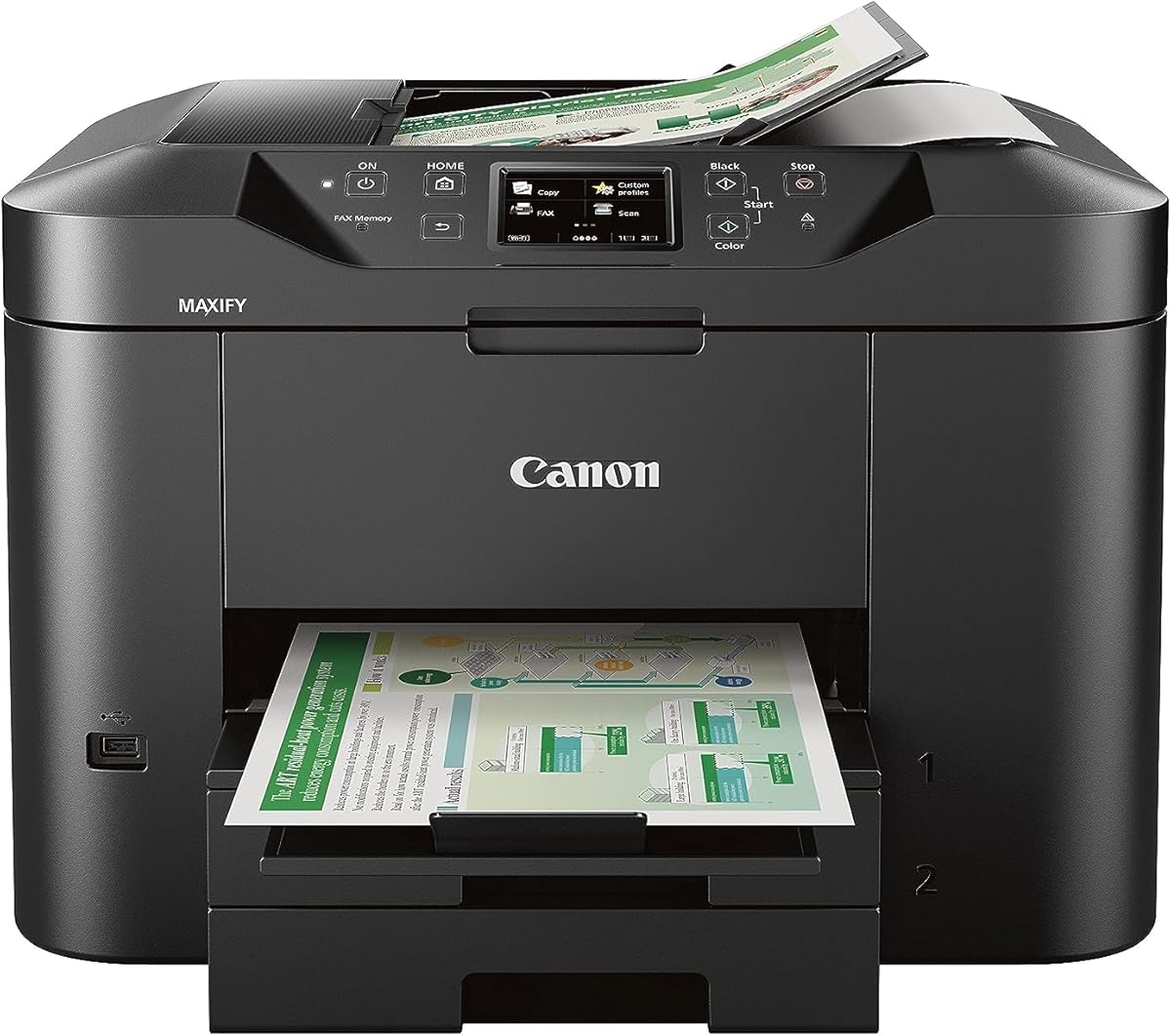
Designed specifically for business use, the Canon MAXIFY MB2720 offers a 20,000 page duty cycle and two cassettes holding 500 sheets. It ensures you stay operational even during high-volume printing periods.
We may earn a commission when you buy through this link, at no additional cost to you.
The DRHD inks produce highlighter and smudge-resistant text which is ideal for important contracts and legal documents. US-based service and support provide peace of mind for enterprise customers.
While the initial investment is higher, the long-term reliability and speed justify the cost for active offices. Its wireless capabilities keep it connected to multiple users efficiently.
Invest in this model if your small business demands robust performance and high page throughput. It delivers the durability needed for demanding professional environments.
Built to handle 20,000 pages monthly without performance degradation.
DRHD inks resist highlighting and smudging for professional documents.
We may earn a commission when you buy through this link, at no additional cost to you.
The Canon PIXMA TR8620a elevates the home office experience with voice-activated features and smart ink monitoring via Alexa. Its 15 pages per minute speed makes it one of the fastest in this category.
We may earn a commission when you buy through this link, at no additional cost to you.
Alexa can notify you when ink is low or even place orders automatically if you enroll in smart reorders. This proactive maintenance ensures you never face downtime during critical faxing moments.
It supports AirPrint and Android for seamless mobile connectivity alongside its built-in fax capabilities. The auto 2-sided printing helps save paper while maintaining professional document quality.
Select this premium model if you want cutting-edge smart home integration and high-speed output. It is perfect for tech-savvy users who value convenience and automation.
Alexa monitors levels and can reorder supplies before you run out.
Use simple voice commands to discover and control your printer easily.
We may earn a commission when you buy through this link, at no additional cost to you.
For those seeking the speed and clarity of laser technology, the Brother intelliFAX-2840 delivers up to 21 pages per minute. This makes it significantly faster than most inkjet alternatives for large document batches.
We may earn a commission when you buy through this link, at no additional cost to you.
Its laser engine produces sharp text that is easy to read and professional in appearance. The dedicated fax engine ensures reliable transmission without relying on PC software connections.
While the initial cost is higher, the speed and output quality often justify the investment for frequent users. It is designed for continuous operation with minimal downtime.
Opt for this model if you prioritize speed and document quality over initial savings. It is an excellent choice for busy offices with high fax volume requirements.
Up to 21 pages per minute ensures fast document processing and faxing.
Laser technology produces crisp text suitable for professional correspondence.
We may earn a commission when you buy through this link, at no additional cost to you.
This thermal transfer fax machine focuses on energy efficiency, boasting an Energy Star rating to reduce power consumption. It is ideal for environments where minimizing environmental impact is a priority.
We may earn a commission when you buy through this link, at no additional cost to you.
With a 10-sheet automatic document feeder and 512 KB memory, it handles multi-page tasks efficiently. The thermal technology eliminates the need for ink cartridges reducing ongoing maintenance needs.
Users should be aware that thermal paper can be more expensive over time and may fade. However, the device remains a reliable choice for eco-conscious small offices with moderate fax needs.
Choose this device if energy efficiency is your primary concern. It offers a balance of performance and sustainability that aligns with green office initiatives.
Energy Star certification ensures low power usage during operation.
Eliminates ink cartridges reducing maintenance and waste for users.
We may earn a commission when you buy through this link, at no additional cost to you.
The Panasonic KX-FHD331 is designed for simplicity, using standard plain paper instead of thermal rolls. This makes it a practical choice for users who prefer conventional paper handling and storage.
We may earn a commission when you buy through this link, at no additional cost to you.
It includes caller ID compatibility and an answering machine interface which adds flexibility to your communication setup. The 6-month warranty with exchange program provides initial protection for your purchase.
While the user rating is lower than others, its straightforward design appeals to those wanting minimal complexity. It serves well for basic faxing needs without advanced digital features.
Pick this model if you want a no-nonsense device that uses standard paper. It is suitable for light users who do not require high-speed transmission.
Uses regular plain paper making archiving and storage simpler.
Identify incoming calls and faxes easily with compatible ID features.
We may earn a commission when you buy through this link, at no additional cost to you.
Selecting the right fax machine requires understanding your specific needs and budget constraints. This guide outlines the critical factors that influence performance and value in modern fax devices.
Transmission speed is measured in bits per second (BPS) or pages per minute (PPM). Faster modems like 9600 BPS reduce wait times for sending documents which is crucial for busy environments. Look for machines that advertise around 15 seconds per page to ensure efficiency.
Prioritize models with higher transmission speeds if you send large volumes of documents daily to save valuable time.
Internal memory allows the machine to store documents when the paper tray is empty or the line is busy. Machines with 512 KB or more can store dozens of pages ensuring no data is lost during interruptions. This feature is vital for maintaining workflow continuity.
Choose a machine with at least 20-page out-of-paper memory to prevent losing critical faxes during busy periods.
Consider the paper tray capacity and whether the device supports plain paper or thermal rolls. Plain paper is generally more practical for archiving while thermal paper is cheaper but fades over time. A 50-sheet or larger tray reduces the frequency of refills.
Opt for a unit with a substantial paper capacity if you handle high-volume faxing to minimize interruptions.
Modern fax machines often include wireless or network capabilities to integrate with office PCs. Look for devices that support Wi-Fi or USB connections if you need to scan or fax from computers. Traditional machines may only work with a physical phone line.
Ensure the device supports your existing network setup to avoid compatibility issues during installation.
Many fax machines double as copiers so resolution is important for document clarity. Look for specifications around 400 x 400 dpi or higher for sharp text and images. Higher resolution ensures that scanned copies are readable and professional.
Prioritize higher resolution specs if you frequently make physical copies of documents for records.
Some devices include a built-in handset or answering machine interface allowing you to manage calls directly. This reduces the need for a separate telephone and keeps your workspace tidy. Check for features like caller ID if you need to screen calls.
Select a model with integrated phone features if you want a single device for both fax and voice communication.
Reliable support can save you money in the long run if the device malfunctions. Look for manufacturers offering at least a 6-month to 1-year warranty with exchange programs. Brands with strong reputations often provide better customer service for troubleshooting.
Verify the warranty terms before purchasing to ensure you are protected against hardware defects.
Devices with Energy Star ratings consume less power which lowers electricity costs over time. This is particularly important for machines left on standby in offices. Check for sleep modes that reduce power usage when the device is inactive.
Choose an Energy Star certified model to reduce your carbon footprint and utility bills.
Start by connecting the fax machine to a phone line and power source. Configure the date, time, and your own fax number in the settings menu. Once initialized, place your document face up or down depending on the feeder type.
To send a fax, dial the recipient number and press the send button. If the machine has memory, you can load multiple pages to send sequentially. Always confirm the transmission report prints to ensure delivery.
Clean the glass platen and rollers periodically to prevent paper jams and smudges. Use a soft cloth to wipe away dust and debris. Proper maintenance ensures consistent print quality and extends the lifespan of the device.
Traditional fax machines require a standard analog phone line to transmit documents. However, some modern all-in-one printers support faxing over VoIP or via smartphone apps which may eliminate the need for a physical line. Check your model requirements carefully.
Many modern fax machines allow scanning to a computer or email which you can send digitally. Dedicated fax modems in some models connect via USB to send faxes directly from your PC. This reduces the need to print documents physically.
Thermal fax machines use special heat-sensitive paper which is cheaper but fades over time. Plain paper machines use standard office paper which is better for archiving and costs slightly more per sheet. Consider your storage needs before choosing.
Using high-yield cartridges or compatible generic toners can significantly lower ongoing costs. Some models offer subscription services like Instant Ink that deliver supplies automatically when they run low. Compare prices before buying bulk supplies.
Renewed machines often undergo testing and refurbishment to ensure they function like new. They usually come with a warranty similar to new units and can offer significant savings. Inspect the device upon arrival to confirm its condition.
Check that your phone line is connected securely and that there is no noise on the line. Ensure you have paper and toner available. Restarting the machine often resolves temporary glitches. Contact support if issues persist.
We have reviewed ten top options ranging from dedicated fax machines to versatile all-in-one printers. The Brother FAX-575 remains a solid choice for reliability while the Canon PIXMA TR8620a leads in smart features.
Prioritize features like speed, memory capacity, and connectivity that match your daily workflow. Investing in the right device can streamline your communication and save time in the long run.
Remember to verify current prices and availability on Amazon before finalizing your order. Prices fluctuate regularly so checking the latest deals ensures you get the best value for your investment.