
Gleeso Tablet Android 16
4.4Editor score
24GB RAM with expansion
Widevine L1 streaming support
10 inch FHD display
Finding a cheap gaming tablet can be challenging when you need performance without breaking the bank. These devices offer immersive screens and fast processors ideal for casual gaming and media consumption on a budget.
We evaluated ten real products based on specifications, user ratings, and feature sets to create this comprehensive list. Each entry includes detailed insights on what makes it stand out among other affordable options available today.
Every pick shows key specifications and links to verify current availability and deals. Please note that prices and stock levels change frequently so check the product page before making your final purchase decision.
4.4Editor score

4.4Editor score

4.4Editor score
As an Amazon Associate we earn from qualifying purchases.
This side-by-side comparison highlights the key specifications and features of each tablet to help you understand the differences at a glance before diving into detailed reviews.




The T60 12 Inch Android 16 Gaming Tablet stands out as the top choice for those seeking premium features without enterprise costs. It offers a 2.4K resolution and a 90Hz refresh rate that ensures smooth visuals for gaming and media.
We may earn a commission when you buy through this link, at no additional cost to you.
Its 48GB RAM configuration allows you to run dozens of apps simultaneously without lag. The 256GB storage is ample and can be expanded further. The large 10000mAh battery supports extended play sessions up to ten hours.
While it is more expensive than the budget options, the included accessories like the stylus and keyboard add significant value. The TUV certified low blue light technology protects your eyes during long gaming marathons.
You should buy this if you want a versatile device that can double as a workstation. It is perfect for students or creators who need both power and portability in a single package.
The 2.4K resolution provides sharp details in games and movies making every pixel count for an immersive experience.
The Gemini AI 3.0 integration optimizes system resources ensuring apps load quickly and battery drains slowly.
We may earn a commission when you buy through this link, at no additional cost to you.
This tablet delivers a premium viewing experience with its TUV certified 2K screen that is sharper than standard HD options. It is ideal for users who prioritize visual quality and need to stay connected on the go.
We may earn a commission when you buy through this link, at no additional cost to you.
The 24GB RAM ensures smooth performance even with multiple apps open. The built-in Gemini AI assistant helps manage tasks efficiently. Cellular support means you can browse without relying on Wi-Fi hotspots.
It balances performance and connectivity well though it lacks the massive storage of the T60. The 8000mAh battery is sufficient for a full day of mixed use. The slim profile makes it easy to carry everywhere.
Buy this if you need a reliable tablet for both work and play with cellular access. It fits well for professionals who travel frequently and need a high quality screen for presentations.
Dual 4G SIM slots allow you to stay online anywhere without depending on public Wi-Fi networks for secure browsing.
Built-in Gemini AI organizes schedules and answers queries making daily tasks easier to manage on the fly.
We may earn a commission when you buy through this link, at no additional cost to you.
The Gleeso Tablet offers exceptional value with features typically found in much pricier devices. Its Android 16 OS and GMS certification ensure you get full access to the Google Play Store and secure updates.
We may earn a commission when you buy through this link, at no additional cost to you.
You get 24GB of RAM which is impressive for this price range. Widevine L1 support means you can stream 4K content on Netflix without quality loss. Face unlock provides quick and secure access to your apps.
While the battery is smaller than others it still lasts for a good amount of time. The 10 inch screen is comfortable for handheld gaming. It is a great entry point for families or students.
This is the best pick if you need a budget device that does not compromise on streaming or multitasking. It handles everyday apps and light gaming with ease without costing a fortune.
Widevine L1 certification ensures you can watch high definition movies in full quality on supported streaming platforms.
WiFi 6 provides faster data transfer and more stable connections compared to older Wi-Fi standards for smoother browsing.
We may earn a commission when you buy through this link, at no additional cost to you.
The WXUNJA C5 tablet focuses on storage and battery to offer a reliable multimedia experience. It runs Android 16 and supports multitasking with split screen features for better productivity on a budget.
We may earn a commission when you buy through this link, at no additional cost to you.
Its 28GB RAM allows you to keep many apps open simultaneously. The Widevine L1 certification ensures high quality video streaming. The 8000mAh battery delivers up to ten hours of playback per charge.
Performance is smooth for standard games though not top tier. The screen resolution is standard HD which is fine for general use. It supports fast charging to minimize downtime.
Buy this if you prioritize battery life and video streaming over high-end graphics. It serves well as a media consumption device for family travel or classroom use.
The tablet is tuned for video and music consumption with optimized audio features and screen clarity.
Split screen allows you to view two apps at once making note taking or research easier.
We may earn a commission when you buy through this link, at no additional cost to you.
The TECLAST 13 inch tablet is designed for those who need a larger workspace. Its 13.4 inch display is excellent for reading documents and browsing the web comfortably.
We may earn a commission when you buy through this link, at no additional cost to you.
The 120Hz refresh rate makes scrolling feel incredibly smooth. It includes 4G LTE so you can use it anywhere. The build quality feels robust and it supports multiple user profiles.
It is heavier than standard tablets but the screen real estate makes up for it. The performance is adequate for most daily tasks. Battery life is decent for its size.
This is ideal for students or professionals who need to read PDFs and view spreadsheets. It replaces a small laptop for lightweight tasks without the keyboard.
The 13.4 inch screen provides ample room for side-by-side windows which is great for multitasking.
Built-in GPS and LTE let you use the tablet on the go without needing a phone connection.
We may earn a commission when you buy through this link, at no additional cost to you.
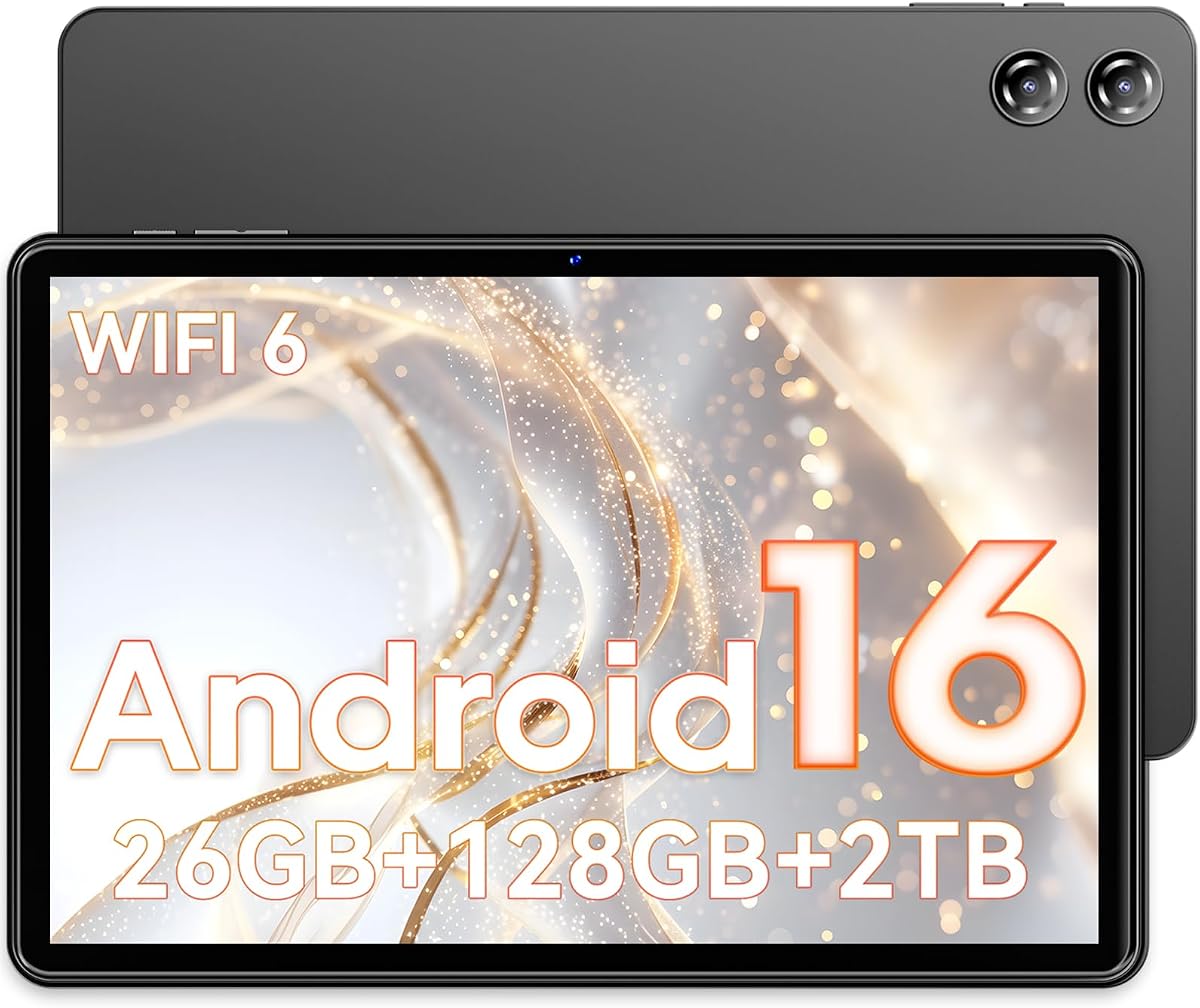
This tablet brings newer connectivity features to the budget market with Wi-Fi 6 and Bluetooth 5.4. It ensures faster data transfer and better connection stability compared to older models.
We may earn a commission when you buy through this link, at no additional cost to you.
The 26GB RAM helps run apps smoothly. Eye protection features reduce strain during long sessions. Storage can be expanded to 2TB which is huge for a device at this price.
It is a solid all-around option for basic gaming and media. The GPS allows you to use offline maps. Battery life supports about eight hours of use.
Buy this if you need the latest wireless tech for a low price. It fits well for general home use where connectivity speed matters.
Blue light reduction technology helps prevent eye fatigue during long viewing or work sessions.
Wi-Fi 6 supports faster uploads and downloads ensuring smooth streaming even in busy households.
We may earn a commission when you buy through this link, at no additional cost to you.
The COTGOD 10 inch tablet is designed for reliability and everyday use. It comes with a comprehensive warranty and essential accessories. This makes it a safe and practical gift for friends and family.
We may earn a commission when you buy through this link, at no additional cost to you.
Performance is stable with its octa-core processor. The screen offers vibrant colors for movies. The battery supports about eight hours of activity. Bluetooth and Wi-Fi are both up to date.
It does not have the premium features of the larger models but it gets the job done. The gray finish looks sleek. The speakers provide good sound without needing headphones.
This is a great choice if you need a simple device for basic tasks. It works well for seniors or kids who need something straightforward and durable.
The package includes everything needed to start using the tablet right out of the box.
Dual speakers deliver immersive audio making this a good choice for watching movies.
We may earn a commission when you buy through this link, at no additional cost to you.
The Lenovo Tab One is a compact device that is easy to hold with one hand. It focuses on portability and battery life making it ideal for travel and reading on the go.
We may earn a commission when you buy through this link, at no additional cost to you.
It weighs less than a pound and comes with a folio case for protection. The 12.5 hour battery life is impressive. Dolby Atmos speakers provide rich sound for movies.
However it has limited storage and uses an older Android version. This might limit some gaming performance. It is better suited for media consumption than heavy tasks.
This is perfect for casual users who want something light and simple. It fits in small bags and keeps you entertained during long commutes without needing to charge.
The light weight and slim design make it easy to slip into a purse or small backpack.
The included case shields the device from bumps and provides a stand for hands-free viewing.
We may earn a commission when you buy through this link, at no additional cost to you.
The Rebecco 10 Inch Tablet offers a simple experience suitable for children or basic users. It features Android 15 which includes parental controls and educational apps. The interface is easy to navigate for beginners.
We may earn a commission when you buy through this link, at no additional cost to you.
Battery life is sufficient for school use and the charging is fast. The face unlock adds convenience. It supports split screen which helps with multitasking. The screen offers decent brightness.
It is not built for high-end gaming but it handles simple games well. The build is basic but functional. The price makes it accessible for schools or families on a tight budget.
Buy this for a student needing a reliable device for homework and videos. It handles common tasks efficiently without overwhelming features.
Parental controls allow parents to manage content and time effectively on the device.
The tablet can charge quickly allowing for short top-ups during breaks.
We may earn a commission when you buy through this link, at no additional cost to you.
The CUPEISI Android 16 Tablet stands out for including a keyboard case and stylus. This bundle converts the tablet into a laptop style device for better productivity. It runs Android 16 for modern security and features.
We may earn a commission when you buy through this link, at no additional cost to you.
With 20GB RAM and 128GB storage it handles daily tasks smoothly. The Widevine L1 support ensures high quality streaming. The reading mode protects eyes at night. Wi-Fi 6 ensures fast connectivity.
It is ideal for notes or casual typing. The screen is standard HD which is fine for text. The accessories add value to the low price. Battery life lasts for standard use.
This is best for students who need a cheap setup for notes and assignments. It provides the tools needed for a portable workstation without buying extras separately.
The included keyboard and mouse turn the tablet into a full typing station for documents.
Reading mode adjusts screen tone to reduce eye strain during long study sessions at night.
We may earn a commission when you buy through this link, at no additional cost to you.
Choosing the right tablet involves balancing price with features that matter to your daily needs. This guide breaks down the critical factors to consider before making a decision.
The display is the most important part for gaming and media. Look for screens with at least 1280×800 resolution for clear text and images. Higher resolutions like 2K or 4K provide sharper visuals but cost more.
Always choose a screen with wide viewing angles so colors stay accurate from different positions. Features like low blue light are helpful for long sessions.
RAM determines how many apps you can run at once. For smooth gaming, aim for at least 6GB of physical RAM. Virtual RAM expansion helps but does not replace real memory.
Processors like the Unisoc T606 or MediaTek Helio G85 offer good balance. Avoid very old chips that may lag with modern apps.
Long battery life is essential for portability. Look for capacities of 7000mAh or higher to get eight hours of use. Fast charging is a bonus to reduce downtime.
Check for energy efficient software features like battery saving modes. This helps stretch battery life further during travel.
Modern Wi-Fi 6 and Bluetooth 5.4 ensure stable connections. These standards reduce lag during online gaming and streaming. Cellular options add value if you lack Wi-Fi.
USB-C ports should support fast data transfer and charging. This future proofs the device for accessories and power banks.
Apps and games take up space so 128GB is a good starting point. Ensure the device supports microSD cards for expansion to 2TB if you have large libraries.
Faster internal storage types like UFS load apps quicker. This reduces wait times when launching heavy games or media.
Newer Android versions bring better features and security patches. GMS certification ensures access to official Google Play apps. Avoid devices with outdated OS that may stop receiving updates.
Features like face unlock add convenience. Check for parental controls if buying for children to manage screen time safely.
Some bundles include keyboards or cases which save money. Check warranty length and support options before buying. Longer warranties offer peace of mind for long-term use.
Ensure the device fits your ergonomic needs. Consider weight and size if you will use it for hours daily.
Set a clear budget before browsing to narrow choices quickly. Balance price with necessary features like battery life or screen size. The best value is not always the cheapest option.
Consider future needs rather than just current ones. Investing slightly more may last longer and provide a better experience overall.
Always keep your tablet charged to avoid shutting down unexpectedly. Use the original charger to protect the battery and maintain fast charging speeds safely.
Protect your device from dust and heat by using a case. This helps avoid scratches and reduces the risk of internal damage from drops.
Regularly update your software to get the latest features and security patches. This ensures your tablet runs smoothly and stays safe from threats.
Many of the tablets reviewed here handle modern mobile games well thanks to decent processors and sufficient RAM. Performance depends on the specific game requirements and settings chosen.
Most budget tablets use virtual RAM expansion where part of the storage is used as RAM. This helps multitasking but is not as fast as physical RAM.
Yes all tablets have readable displays and often include reading modes. The larger 13 inch option is especially good for reading PDFs and documents comfortably.
Some models like the TECLAST and 2K tablet have SIM slots allowing cellular data. Others rely solely on Wi-Fi for internet connectivity.
Battery life varies by size and usage but most offer 8 to 12 hours of playback. Larger batteries and efficient processors help extend this time.
Most support Widevine L1 certification which enables 4K streaming on services like Netflix. This ensures high quality video without pixelation.
Yes most tablets support Bluetooth keyboards and mice. Some bundles even include these accessories to help you work like a laptop.
Warranty terms vary but some offer one to two years standard support. Premium bundles often include extended warranties for added protection.
We highlighted the T60 12 Inch Android 16 Gaming Tablet as the top choice for overall performance and features. The 2K 11 Inch model offers excellent display quality while the Gleeso Tablet provides incredible value for budget users.
Prioritize screen quality and battery life when making your selection as these impact daily use the most. Consider connectivity options like Wi-Fi 6 if you stream often or need fast data.
Prices and availability change frequently so verify current deals on the product pages before buying. Check reviews and stock levels to ensure you get the best option available right now.