
acer Chromebook Plus Spin 714
4.8Editor score
Intel Core Ultra 5
120Hz Display
Thunderbolt 4
Chromebooks for AI offer seamless integration with Google Gemini and other machine learning tools. These devices provide powerful processors, ample storage, and long battery life to handle creative and productivity tasks efficiently.
We compared ten top models based on processor speed, memory, storage, display quality, and AI feature availability. Each selection emphasizes real-world performance for users seeking intelligent assistance in their daily workflows.
Each pick highlights key specifications, pros, cons, and ideal use cases. Prices and availability change frequently, so verify current offers before purchasing to ensure you get the best deal for your specific needs.
4.8Editor score

4.9Editor score
5.0Editor score
As an Amazon Associate we earn from qualifying purchases.
Compare all ten selected Chromebooks side-by-side to find the perfect fit for your AI-driven workflows, creativity needs, or academic projects.


The Acer Chromebook Plus 514 tops our list with exceptional AI integration and performance. Rated highly by users, it features a powerful Intel Core i3-1315U processor and generous 8GB of LPDDR5 memory for seamless multitasking.
We may earn a commission when you buy through this link, at no additional cost to you.
Its standout quality is the inclusion of Google AI Pro for 12 months, offering tools like Gemini Advanced and 5TB storage. The WUXGA touch display provides crisp visuals for content creation and AI-driven design tasks.
While 256GB storage might feel tight for heavy users, cloud integration compensates well. The Wi-Fi 7 support ensures future-proofed connectivity speeds essential for AI processing workloads and large file transfers.
Ideal for creatives and professionals leveraging AI tools daily. Its robust security features and long battery life make it a reliable choice for all-day productivity and creative workflows.
Experience Gemini Advanced and creative tools directly within Chrome OS for enhanced productivity and design capabilities.
Secure Titan C2 chip and fast processor ensure safe, efficient operation for demanding AI-driven tasks.
We may earn a commission when you buy through this link, at no additional cost to you.
The ASUS Chromebook Plus CX34 delivers reliable AI assistance with its Core i3 processor and 8GB RAM. Users appreciate its ability to handle generative AI tasks efficiently while maintaining a lightweight design for portability.
We may earn a commission when you buy through this link, at no additional cost to you.
Its exclusive AI features like Magic Eraser and noise cancellation enhance video calls and photo editing. The 12-month Google One AI Premium plan provides substantial cloud storage and advanced Gemini capabilities.
Battery life is decent but not class-leading, lasting around 10 hours. However, the fast UFS storage ensures quick app launches and responsive performance for everyday AI workloads and productivity apps.
Best for students and casual users seeking affordable AI integration. Its balance of performance and cloud features makes it a practical choice for learning and light creative tasks.
Built-in AI tools optimize lighting and reduce noise for professional-quality video calls and recordings.
Generous 2TB storage and AI tools streamline document creation and photo management seamlessly.
We may earn a commission when you buy through this link, at no additional cost to you.
For those needing more screen real estate, the Acer Chromebook Plus 515 offers a 15.6-inch HD touch display. It combines solid processing power with AI features like Gemini integration for enhanced workflow efficiency.
We may earn a commission when you buy through this link, at no additional cost to you.
The Intel Core i3-1305U processor and 8GB LPDDR5X memory deliver smooth performance for multitasking and media editing. Access to Google AI Pro for 12 months adds significant value for creative professionals.
Wi-Fi 6E ensures stable connectivity for large file transfers and cloud processing. While slightly heavier than 14-inch counterparts, its larger screen enhances productivity for complex AI applications and design tools.
Ideal for users prioritizing display size and AI tools. Its robust specs make it suitable for collaborative work and extended content creation sessions requiring more visual space.
A larger touch screen improves navigation and content editing for detailed AI-assisted design projects.
Wi-Fi 6E delivers faster, more reliable internet for seamless cloud-based AI processing.
We may earn a commission when you buy through this link, at no additional cost to you.
The Spin 714 stands out with the Intel Core Ultra 5 processor, offering dedicated AI acceleration for faster processing. Its premium build includes a 120Hz display and Thunderbolt 4 for versatile connectivity.
We may earn a commission when you buy through this link, at no additional cost to you.
The NPU significantly enhances AI task performance, from video editing to generative art. The WUXGA touch screen provides crisp visuals for creative work, while the backlit keyboard ensures comfortable typing.
Despite the higher cost, its advanced AI capabilities justify the investment for power users. Thunderbolt 4 enables rapid data transfer and supports external GPUs or displays for expanded workflows.
Perfect for professionals needing top-tier AI performance. Its versatility and robust specs make it ideal for demanding tasks like video production and complex data analysis.
Dedicated Neural Processing Unit speeds up AI workflows for enhanced productivity and creativity.
Thunderbolt 4 port supports high-speed data transfer and multiple external displays.
We may earn a commission when you buy through this link, at no additional cost to you.
This model offers excellent value with 512GB SSD storage, accommodating more files and apps. The MIL-STD 810H rating ensures durability for rough handling, making it ideal for travel and daily commuting.
We may earn a commission when you buy through this link, at no additional cost to you.
While its Intel i3-N355 processor is efficient for everyday tasks, it may lag behind higher-end models in heavy AI workloads. However, the Quick Insert key simplifies creative workflows with instant AI image generation.
The durable build and ample storage make it great for students and field workers. Wi-Fi 6E ensures reliable connectivity, while the touch screen enhances interaction with AI-enhanced apps.
Best for those prioritizing storage and durability. Its practical design and AI tools support productivity on the go without compromising on essential features.
512GB SSD and military-grade build provide ample space and resilience for active users.
Quick Insert key simplifies AI image creation and writing tasks for efficient content production.
We may earn a commission when you buy through this link, at no additional cost to you.
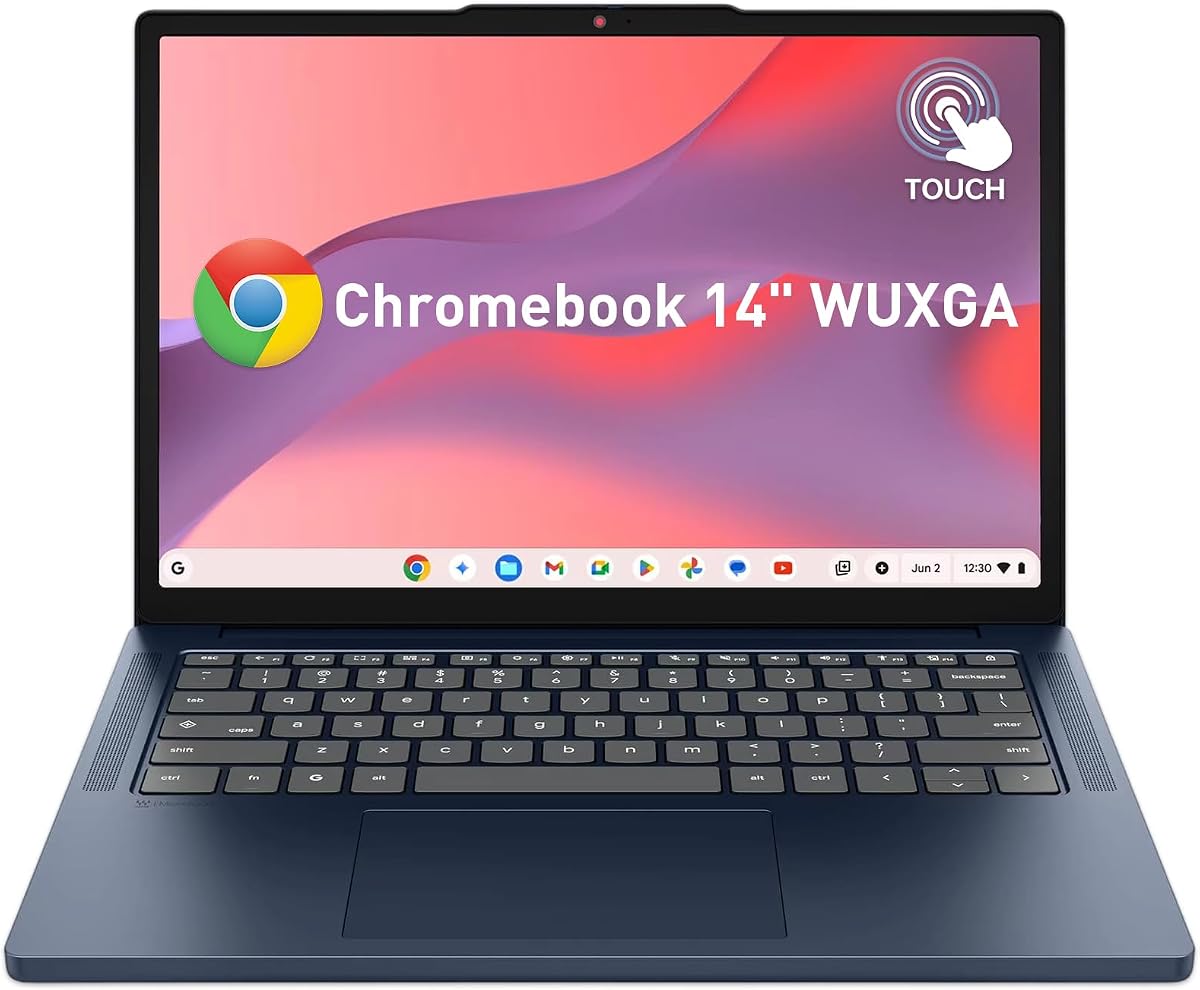
The Lenovo 2026 Chromebook delivers impressive value with an 8-core MediaTek processor. Despite its budget price, it supports Chrome OS smoothly and offers a vivid WUXGA touchscreen for interactive tasks.
We may earn a commission when you buy through this link, at no additional cost to you.
While storage is limited to 64GB, cloud integration compensates well. The processor handles basic AI tools and web applications effectively, making it suitable for students and casual users.
Its 10-point multi-touch screen enhances usability for digital textbooks and research. The lightweight design and all-day battery life ensure portability for campus use and remote learning.
Best for budget-conscious buyers needing basic AI features. Its performance-to-price ratio makes it an accessible entry point into AI-enhanced computing.
Affordable price and solid specs offer great value for students and home users.
High-resolution touchscreen improves engagement with educational and creative apps.
We may earn a commission when you buy through this link, at no additional cost to you.
Similar to other 514 models, this variant emphasizes storage and creativity with 512GB SSD. The backlit keyboard and AI tools support comfortable, efficient work in various lighting conditions.
We may earn a commission when you buy through this link, at no additional cost to you.
Its Intel i3-N355 processor balances power and efficiency, handling daily tasks well. The WUXGA display provides sharp visuals, while the durable build ensures longevity for demanding users.
Though not the fastest AI performer, it offers reliable support for creative drafts and optimization. Google AI Pro access enhances productivity with advanced writing and design capabilities.
Ideal for users needing more storage and creative aids. Its practical features and sturdy design make it suitable for professionals and students alike.
Backlit keyboard and ample storage facilitate comfortable, productive creative sessions.
Gemini tools simplify drafting and optimization for seamless content creation.
We may earn a commission when you buy through this link, at no additional cost to you.
This model focuses on essential AI features and storage. The 512GB SSD and 8GB RAM ensure smooth operation for everyday tasks and creative applications.
We may earn a commission when you buy through this link, at no additional cost to you.
Its Intel Core 3 processor handles basic AI workflows adequately. The touch display and Wi-Fi 6E enhance usability, making it a reliable choice for students and casual creators.
While not designed for heavy processing, it offers solid value for light AI usage. Its compact design and long battery life support all-day productivity.
Best for users prioritizing storage and usability. Its balanced specs make it suitable for school and home environments requiring basic AI tools.
Efficient processor and ample storage support everyday AI and productivity tasks.
Lightweight build and long battery life enhance mobility for on-the-go work.
We may earn a commission when you buy through this link, at no additional cost to you.
This AMD-powered model offers robust performance and long battery life. The Ryzen 3 7320C delivers efficient multitasking, while its spill-resistant keyboard adds durability for everyday use.
We may earn a commission when you buy through this link, at no additional cost to you.
Despite limited storage, it includes Google AI Pro for 12 months, enhancing creativity with advanced tools. The WUXGA display ensures clear visuals for design and AI-driven workflows.
Its Wi-Fi 6E and long battery life make it ideal for extended sessions. The built-in AI video call tools improve meeting quality and privacy.
Perfect for users valuing battery life and durability. Its performance and AI integration make it a strong choice for students and professionals.
Up to 12 hours of battery life supports all-day work and creativity.
AI tools improve clarity, lighting, and privacy during virtual meetings.
We may earn a commission when you buy through this link, at no additional cost to you.
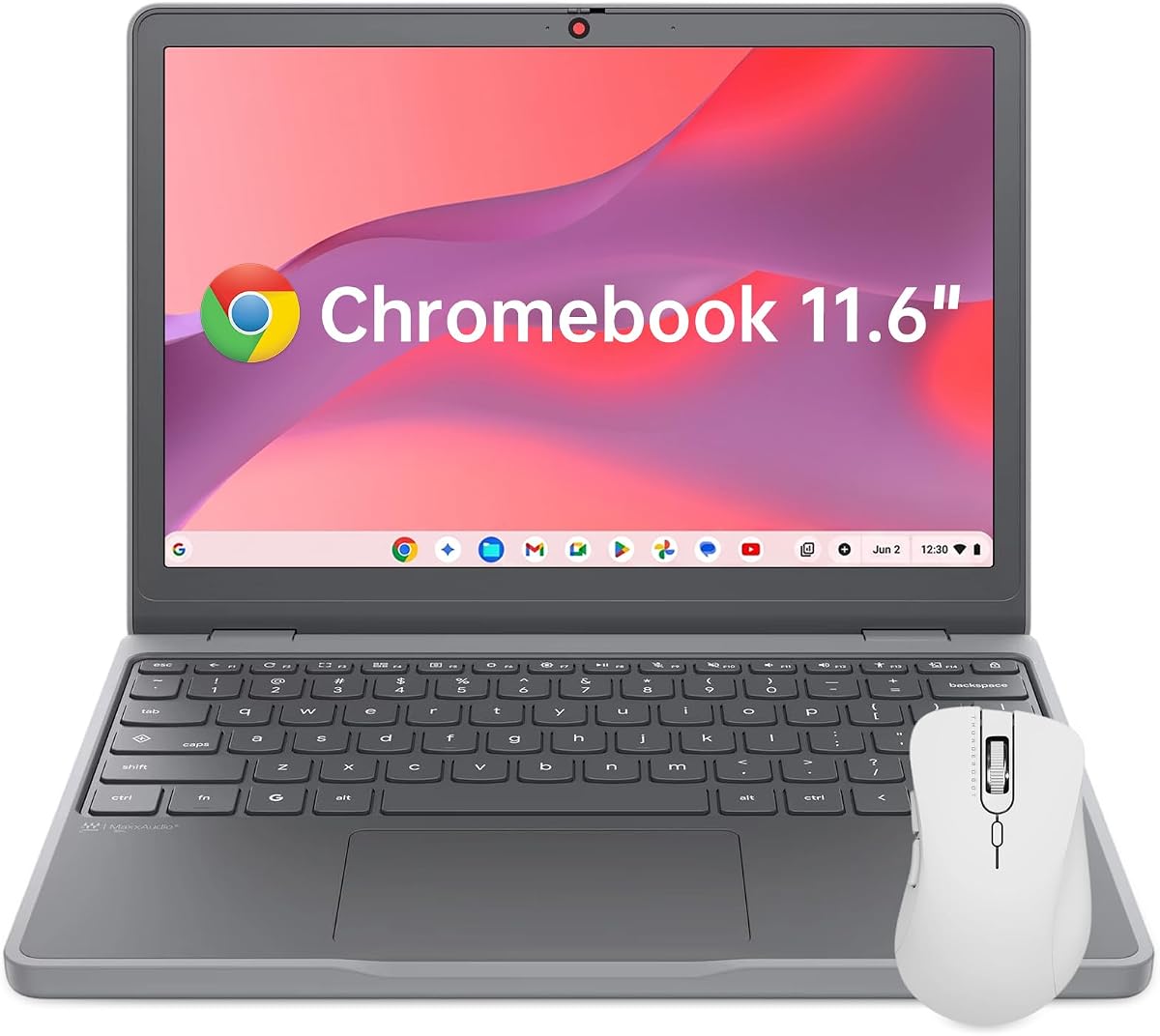
The Lenovo Chromebook 11.6 is designed for maximum portability. Its lightweight build and rugged design make it ideal for travel and daily commuting while maintaining reliable AI integration.
We may earn a commission when you buy through this link, at no additional cost to you.
Though limited to 11.6 inches, the HD display and security chip ensure safe, efficient use. The Intel N150 processor supports basic AI and productivity tasks comfortably.
Its low battery life and fast charging support extended mobility. Physical privacy shutter and security features protect sensitive data during transit.
Best for frequent travelers needing compact AI access. Its durability and portability make it a practical tool for remote work and learning.
Compact design and lightweight build enhance mobility for on-the-go productivity.
Google H1 chip and privacy shutter ensure safe data handling during travel.
We may earn a commission when you buy through this link, at no additional cost to you.
Selecting the right Chromebook for AI requires balancing processing power, storage, display quality, and specific AI feature availability.
Look for modern Intel Core Ultra or Ryzen processors with Neural Processing Units (NPU) for faster AI tasks. CPUs like Core i3-N355 or Ryzen 3 7320C handle basic AI well, while Core Ultra 5 excels in intensive workloads.
Prioritize models with NPUs for efficient video editing and generative AI without overheating.
AI apps and Chrome OS require at least 8GB RAM for smooth multitasking. Less RAM may cause slowdowns when running multiple AI tools simultaneously or heavy browser tabs.
Choose 8GB LPDDR5 or LPDDR5X for efficient memory management and faster app switching.
Generative AI models and local media files need ample storage. While cloud storage helps, 256GB SSD or more prevents space constraints for offline work and large projects.
Prefer SSDs over UFS for faster file access and system responsiveness.
AI-driven design and video editing benefit from high-resolution, color-accurate displays. Aim for WUXGA or higher with anti-glare coatings to reduce eye strain during long sessions.
Touch screens enhance interaction with AI tools and creative apps.
Many Chromebooks offer 12 months of Google AI Pro with Gemini Advanced and cloud storage. Verify inclusion before purchasing to ensure access to premium tools for writing and design.
Check eligibility requirements for free trials tied to Chromebook Plus devices.
AI workflows often require external displays and fast internet. Wi-Fi 6E or Wi-Fi 7 ensures stable connections for cloud processing. Thunderbolt 4 ports support high-speed data transfer.
Verify USB-C, HDMI, and headphone jack availability for your peripheral needs.
AI tasks can drain battery quickly. Look for models promising 10+ hours to sustain work during travel or meetings without frequent recharging.
Fast charging capabilities add convenience for on-the-go usage.
MIL-STD 810H rated models withstand rough handling for students and travelers. Titan C2 or Google H1 security chips protect sensitive data processed by AI tools.
Physical camera shutters and spill-resistant keyboards enhance long-term reliability.
Install and enable Google AI Pro features via the Chrome settings to unlock tools like Gemini Advanced, notebookLM, and cloud storage. Regularly update Chrome OS to maintain security and performance.
Use AI tools like Magic Eraser in Photos or voice-to-text in Docs to streamline workflows. For design work, pair with compatible Android apps from Play Store leveraging Gemini integration.
Maintain battery health by avoiding extreme temperatures and using certified chargers. Clean displays with microfiber cloth and keep ports clear of debris to ensure longevity and stable connectivity.
Chromebooks for AI are laptops running Chrome OS with integrated Google Gemini tools and AI-powered features like Magic Eraser, voice assistance, and smart writing suggestions for enhanced productivity.
Not all Chromebooks support AI Pro. Chromebook Plus models typically include 12 months of free Google AI Pro with premium tools and cloud storage.
Intel Core Ultra processors with NPUs offer dedicated AI acceleration. Core i3-N355 or Ryzen 3 7320C also handle basic AI workloads efficiently.
Chromebooks primarily rely on cloud-based AI tools. Local model performance is limited, but Android apps provide some offline AI capabilities.
Yes, Chromebooks feature built-in security chips like Titan C2 and Google H1 that protect data processed by AI tools.
At least 8GB RAM is recommended to run AI apps and multiple browser tabs smoothly without performance degradation.
The Acer Chromebook Plus 514 leads our list with superior AI integration and performance. Its combination of fast processors, ample RAM, and exclusive Google AI Pro tools makes it ideal for creatives and professionals.
For budget-conscious users, the Lenovo 2026 Chromebook offers solid basic AI support and portability. Premium seekers might prefer the acer Chromebook Plus Spin 714 with Core Ultra performance.
Prices and offers change rapidly, so verify current deals before purchasing. Choose based on your specific AI needs, display preferences, and portability requirements.