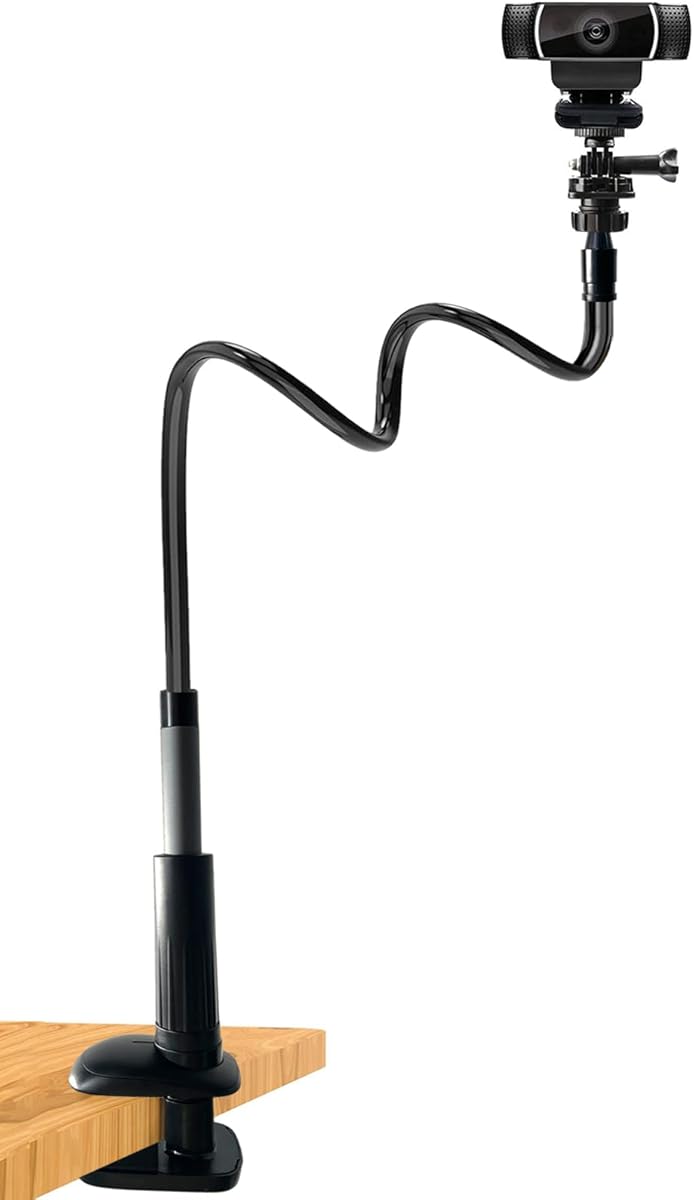
30 Inch Webcam Stand Camera Mount
4.1Editor score
Upgraded thick clamping base
Maximum height up to 30 inches
360 degree rotating ball joint
Finding the right clamp on webcam arm can transform your video conferencing and content creation experience. A sturdy mount ensures your camera stays steady and positioned perfectly without cluttering your desk space.
We evaluated ten highly rated products based on build quality, flexibility, and compatibility with popular devices. Each option offers unique features to suit different needs from basic home offices to professional streaming setups.
Each pick highlights key strengths and ideal use cases to help you decide quickly. Note that prices and availability change frequently, so check current listings before purchasing to ensure you get the best deal available today.
4.1Editor score

5.0Editor score

4.5Editor score
As an Amazon Associate we earn from qualifying purchases.
This side by side comparison highlights the unique strengths and specifications of each selected clamp on webcam arm to help you find the perfect match for your specific camera and workspace requirements.


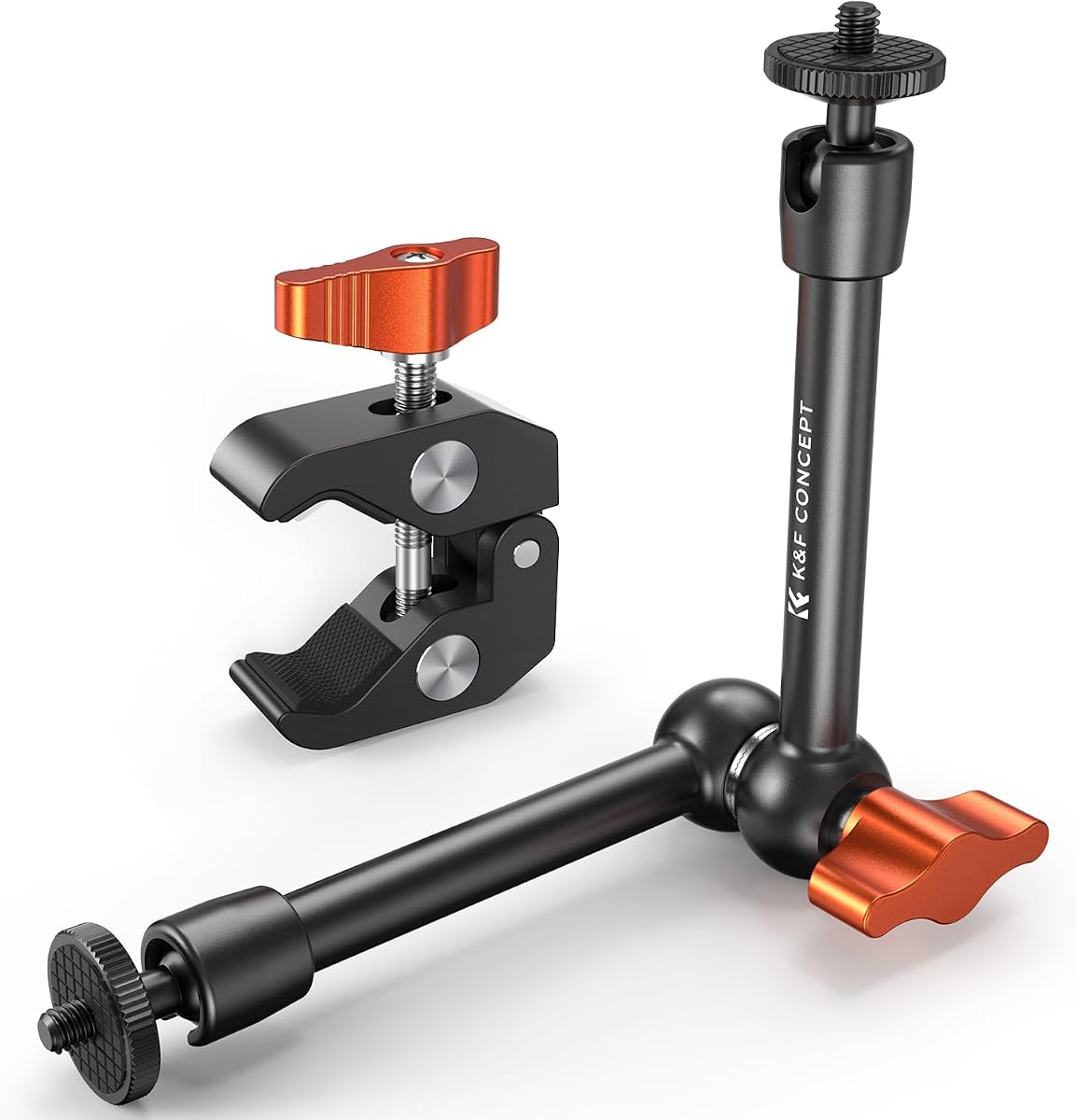


This versatile mount earns our top spot with a perfect rating and exceptional flexibility. Its 36.6 inch gooseneck arm allows precise positioning for any viewing angle while maintaining steady support for most standard webcams and phones.
We may earn a commission when you buy through this link, at no additional cost to you.
The solid aluminum-magnesium alloy core ensures the arm stays rigid once positioned, reducing unwanted wobble during important meetings or streaming sessions. The heavy-duty thickened ABS clamp base offers durable stability without damaging your furniture thanks to thoughtful silicone padding.
While the arm is highly flexible, you must ensure the clamp is tightened securely to avoid any shifting under weight. The foldable design is excellent for storage but may require a moment to set up correctly each time.
Content creators and remote workers who need reliable camera positioning will find this an essential tool. Its universal thread and phone holder make it an all-in-one solution for modern hybrid work and content production needs.
The 360 degree swivel ball joint lets you capture overhead or side views easily for crafting and tutorials.
Premium materials ensure long-lasting performance even with frequent adjustments and daily use in various environments.
We may earn a commission when you buy through this link, at no additional cost to you.
This affordable option delivers solid value with a 30 inch reach and upgraded thick clamp base for better stability. It supports most standard webcams like Logitech models and action cameras without breaking the bank.
We may earn a commission when you buy through this link, at no additional cost to you.
The flexible gooseneck allows easy height and angle adjustments to suit different desk setups. A 360 degree rotating ball joint provides further flexibility for finding the perfect shot or meeting view without constant repositioning.
Keep in mind the load capacity is limited to about 0.7 kg so heavier devices may cause sagging. You should bend the tube in an S shape for maximum stability and avoid using it with heavy professional cameras.
Budget conscious buyers looking for a basic yet effective mount will appreciate this choice. It covers essential needs for home offices and casual streaming where extreme weight capacity is not a priority.
The thick clamp secures easily on desks up to 2.7 inches thick with non-slip cushions to protect surfaces.
Standard 1/4 inch screw hole compatibility makes it work with most popular cameras and accessories out of the box.
We may earn a commission when you buy through this link, at no additional cost to you.
This premium mount features an aluminum alloy low profile design ideal for professional setups requiring multiple angles. The 22 inch arm offers three sets of 360 degree dual ball heads for exceptional positioning flexibility.
We may earn a commission when you buy through this link, at no additional cost to you.
Anti twist pins at each interface ensure firm connections even during overhead photography or streaming. The super clamp protects your devices with non-slip pads while gripping both flat surfaces and round objects securely.
While it comes at a higher cost, the build quality and versatility justify the investment for serious creators. The setup is straightforward but benefits from careful tightening to maintain the rigid structure during use.
Professionals needing robust support for cameras, mics, and lights will find this an excellent choice. It stands out for its ability to handle complex rigging needs without compromising on stability or safety.
Multiple ball heads allow simultaneous adjustments for different devices or complex shooting setups with ease.
Clamp fits flat surfaces up to 2 inches thick or cylindrical objects like poles and tripod legs effectively.
We may earn a commission when you buy through this link, at no additional cost to you.
This magic arm offers a longer 22 inch reach with independent angle adjustments at each joint for precise positioning. The anti-deflection design ensures a secure connection that stays stable even if bumped accidentally.
We may earn a commission when you buy through this link, at no additional cost to you.
With double ball clamps and silicone anti-slip pads, the arm grips equipment tightly while protecting it from scratches. It includes a phone clamp and adapters to support a wide range of devices and accessories for various setups.
The load capacity is around 600 grams so heavier phones or cameras may require shorter arm lengths to prevent slippage. Proper setup is key to maintaining stability especially when the arm is fully extended for overhead shots.
Content creators needing overhead views for cooking or tutorials will appreciate the flexibility. It is a strong choice for those who want more control over camera angles without the bulk of traditional stands.
The specialized interface reduces flex under load for a steadier image during important recording or meeting sessions.
Included screws and phone clamp make it ready for use right out of the box for various devices.
We may earn a commission when you buy through this link, at no additional cost to you.
This kit features an all-metal construction ensuring durability and stability for static shooting needs. Three 360 degree ball heads provide extensive angle flexibility while anti-twist pins secure connections firmly during use.
We may earn a commission when you buy through this link, at no additional cost to you.
The super clamp grips flat and cylindrical surfaces with rotatable blocks and non-slip silicone pads for enhanced safety. Both long arms are covered with non-slip foam padding to protect your equipment from scratches and wear over time.
While the design is robust, it is intended for static scenes so avoid using it during vigorous movement. The price reflects the quality materials and comprehensive accessory design but may be higher than basic plastic options.
Photographers and streamers needing a reliable long-term mount will find this a worthwhile investment. The combination of metal build and multi-angle adjustability makes it suitable for a wide range of professional applications.
Anti-twist pins and silicone pads work together to prevent equipment from slipping or scratching during adjustments.
Includes phone holders and adapters to connect phones, action cameras, LED lights, and microphones easily.
We may earn a commission when you buy through this link, at no additional cost to you.
This mount uses high-quality aluminum alloy for a sturdy yet smooth finish on the 27.5 inch gooseneck arm. The upgraded desk clamp specifically grips flat surfaces between 5 and 45 mm thick with soft rubber pads for protection.
We may earn a commission when you buy through this link, at no additional cost to you.
Silicone wrapping on the arm prevents debris accumulation and ensures smooth adjustments without snagging. The 1/4 inch screw compatibility allows it to work with many popular webcams and action cameras for versatile home office use.
While the arm is designed not to sag, using it in an S-shape improves stability further during active sessions. It may not suit very thick or irregular desks due to the specific thickness range of the clamp.
Users looking for a clean and reliable desk mount will find this a solid option. Its balance of durability and ease of use makes it great for regular video conferencing and online teaching environments.
Soft rubber pads on the clamp ensure your desk remains free from scratches while holding securely during use.
1/4 and 3/8 inch screw holes on the base allow easy attachment of additional camera accessories or lights.
We may earn a commission when you buy through this link, at no additional cost to you.
This compact 11 inch magic arm offers a high rating for reliability in smaller setups. The dual ball head design provides flexible positioning while anti-scratch cushions protect your equipment and clamping area from wear.
We may earn a commission when you buy through this link, at no additional cost to you.
The sturdy super clamp mounts on desks and posts with a range from 15 mm to 55 mm opening. It supports attachments via 1/4 and 3/8 inch threads making it compatible with cameras, lights, and microphones for versatile use.
While the shorter length reduces portability, it excels in static scenes where minimal reach is needed. The knob screw allows simultaneous tightening and loosening for quick adjustments without needing additional tools.
Creators needing a smaller footprint on their desk will find this ideal. It combines quality construction with practical features that make it a strong contender for portable or space limited workspaces.
The knob screw lets you adjust tension quickly so you can change angles without hassle during shoots.
Both 1/4 and 3/8 inch threads ensure it works with most standard camera accessories and mounts out of the box.
We may earn a commission when you buy through this link, at no additional cost to you.
This flexible gooseneck extends to 11.6 inches with a mini tripod head for 360 degree rotation. It is lightweight and supports devices under 500 grams making it great for action cameras and webcams.
We may earn a commission when you buy through this link, at no additional cost to you.
The jaws clamp opens to 1.8 inches wide for easy installation on stable non-moving objects. It connects to most light stands and tripods so you can integrate it into larger setups easily.
Avoid clamping directly on screens as the clip may damage them. Also ensure the mounting object does not vibrate since high quality picture effects require stability.
Those needing a simple and flexible extension for small cameras will appreciate this design. It offers precise angle adjustments without taking up much space on your desk or stand.
The mini tripod head allows you to adjust the camera to get different best angles for any shoot.
Simple clamp opening lets you install the mount quickly on various surfaces or pipes without extra tools.
We may earn a commission when you buy through this link, at no additional cost to you.
This multifunctional combo features a 9.8 inch magic arm with 360 degree dual ball head for flexible positioning. The all metal design ensures durability while anti-slip cushions protect your equipment from scratches and wear during use.
We may earn a commission when you buy through this link, at no additional cost to you.
The clamp opens from 15 mm to 55 mm for easy mounting on poles or surfaces of different thicknesses. With 1/4 and 3/8 inch screws on both ends it connects to various accessories for creative multi-angle setups.
Keep in mind the shorter length may limit reach for overhead shots compared to 22 inch models. Also avoid using it in dynamic situations like cycling as it is designed for static scenes only.
Budget aware buyers seeking quality metal construction will find this a practical choice. It balances cost and performance well for home use and small content creation needs.
This design meets diverse creative needs across multiple angles for exploration of varied shooting perspectives.
Cushion pads increase friction and protect the device and clamping area from wear during adjustments.
We may earn a commission when you buy through this link, at no additional cost to you.
This kit includes a C clamp, overhead arm, phone holder and ballhead for versatile setup options. The desktop stand height is adjustable and the holding arm provides extra reach for various shooting needs.
We may earn a commission when you buy through this link, at no additional cost to you.
High-quality steel and ABS materials ensure durability for daily use in home office or streaming environments. The 1/4 inch hole on the holding arm bottom connects to the desktop stand for increased height and stability.
While the load capacity is limited to 0.5 kg the multiple accessories make it suitable for many small devices. You will need to connect several parts to assemble it fully which may take extra time initially.
Beginners looking for an all-in-one solution with various accessories will find this helpful. It supports many applications from cooking videos to online classes with its broad compatibility and flexibility.
You can put a camera on the desktop mount and use the overhead arm for ring light or webcam angles.
Suitable for live web conferences, makeup, streaming, online class, drawing, baking, cooking, crafting, and videos.
We may earn a commission when you buy through this link, at no additional cost to you.
Selecting the right clamp on webcam arm depends on your specific camera weight, desk thickness, and desired flexibility. This guide breaks down the key factors to help you make an informed choice.
Arm length determines how far your camera can extend from the desk. Options range from 9 inches to 36 inches allowing you to choose based on whether you need tight desk positioning or wider overhead reach.
Choose longer arms for overhead shots and shorter ones for compact desktop setups.
Every arm has a weight limit to ensure stability. Standard webcams usually weigh less than 500 grams but heavier devices like DSLRs require higher capacity arms to prevent sagging.
Check the rated load capacity and ensure it exceeds your camera weight by a margin for safety.
The clamp opening size must match your desk thickness. Some clamps open to 2.5 inches while others max out at 1.7 inches so measure your desk edge before purchasing.
Ensure the clamp fits your desk thickness to avoid installation issues or damage to the surface.
Metal arms like aluminum alloy offer better rigidity than plastic ones. Look for anti-slip pads and cushioning that protect both your furniture and your equipment during use.
Prioritize metal construction if you plan to move the arm frequently during daily use.
Gooseneck arms bend easily but may sag under heavy loads. Magic arms use ball joints for precise angle control and are better for complex setups.
Decide based on whether you need smooth bending or precise locking positions for your shots.
Most arms use standard 1/4 inch screws to mount cameras. Check if your device needs an adapter like 3/8 inch for heavier gear or specific mounts.
Verify thread compatibility to ensure your camera or phone holder attaches securely.
Anti-twist pins and S-shaped bending techniques enhance stability. Look for rubber padding and dual ball heads to reduce wobble and keep your shot steady.
Additional stability features help maintain image quality during active recording sessions.
Some arms fold compactly for travel while others are fixed in shape. Consider if you need to pack the arm for remote work or if it will stay on one desk.
Choose foldable designs if you move your equipment often between locations.
Attach your camera securely to the 1/4 inch screw on the arm and tighten the knob until it feels firm. Position the arm so the weight is distributed evenly to prevent sagging.
Clamp the base on a stable surface like a desk edge ensuring the opening matches your desk thickness. Use the soft padding to protect your furniture from scratches during installation.
Adjust the angle using the ball joints or flexible sections and lock them in place. Regularly check all screws and knobs to keep the arm tight and ensure long term performance.
Most standard webcam arms support up to 1 kg so heavy DSLRs may exceed their load capacity. For DSLRs use a sturdier tripod or a specialized heavy duty arm with higher weight ratings to ensure stability.
Compatibility depends on the clamp design with most opening between 1 and 2.5 inches. Always measure your desk edge to ensure the clamp fits securely without damaging the surface.
Ensure all joints are tightened securely and consider shaping gooseneck arms in an S pattern. Using anti-twist pins or stable super clamps also helps reduce unwanted movement during use.
Yes many longer arms support overhead views for cooking or crafts. Just verify the arm length and load capacity match your device weight and desired shooting position.
Most models require no tools as they use thumbscrews and knobs for adjustment. Some may include adapters for different thread sizes but installation is generally tool free and straightforward.
Some arms work on poles or cylindrical objects but wall mounting needs specific brackets. Check if the clamp supports vertical surfaces or if you need additional hardware for wall use.
Wipe the arm with a soft dry cloth to remove dust and debris. Avoid harsh chemicals that may damage the silicone pads or metal finishes on the arm.
Tighten the clamp knob securely and ensure the surface is clean and flat. Adding non-slip padding between the clamp and desk can improve grip and stability.
These ten options offer a range of lengths materials and features to suit different needs from basic setups to professional rigs.
Prioritize stability and load capacity first then consider arm length and clamp fit to match your workspace layout.
Prices and availability change so check current listings to ensure you get the best deal before finalizing your purchase.