
Brother BU330CL Belt Unit
4.3Editor score
Fifty thousand page yield
Compatible with HL8260CDW
Retail packaging included
This guide compares the top computer printer transfer belts for reliability and performance, helping you choose the right part to restore your printer
Computer printer transfer belts are critical components that ensure high quality output in laser and thermal printers. They move toner or ink across the page, and wear over time. Choosing the right replacement belt keeps your device running smoothly without interruptions.
We reviewed ten top rated transfer belts from leading brands like Brother, HP, and Zebra. Our analysis focuses on compatibility, durability, yield, and user feedback. This list helps you find the exact part your machine needs for consistent performance.
Each pick below shows key features, ratings, and links to verified retailers. Prices change frequently so check current offers before buying. We aim to simplify your search for the best transfer belt to extend your printer life and reduce downtime.
4.3Editor score

4.6Editor score
5.0Editor score
This side-by-side comparison highlights the key specifications and use cases for each transfer belt reviewed in this guide to help you make an informed decision quickly.



This 79866M Main Drive Belt is designed for Zebra ZT410 and ZT420 thermal printers with 203dpi resolution. It holds a 4.6 rating and is built for long-run continuous printing with reinforced composite material.
We may earn a commission when you buy through this link, at no additional cost to you.
Its industrial grade wear resistant material offers great tensile strength and heat resistance. Users find it prevents cracking and powder shedding under heavy duty conditions. The fit is precise for specific ZT models.
A note is that it does not fit ZT410 or ZT420 300dpi printers. Ensure you verify your dpi before purchase. The single piece package may require extra care during shipping.
If you own a Zebra ZT series 203dpi printer, this belt is a reliable choice to keep production moving. Its durability and after-sales support make it a top pick for industrial settings.
The reinforced composite material ensures the belt resists deformation and lasts longer than standard parts in demanding environments.
Always check your printer model and dpi to avoid fit issues since this belt is specific to 203dpi thermal printers.
We may earn a commission when you buy through this link, at no additional cost to you.
The Brother Genuine BU-223CL Belt Unit delivers consistent professional color laser output for up to 50,000 pages. It is intelligently engineered to work seamlessly with your Brother printer.
We may earn a commission when you buy through this link, at no additional cost to you.
Users appreciate the sharp prints that last and the superior laser quality results. The belt is part of a complete printing system ensuring reliability. It is environmentally responsible to dispose of.
Its 4.2 rating reflects solid performance but some users note the higher price compared to alternatives. It fits specific HL and MFC models so check compatibility.
Choose this unit if you want authentic Brother quality for your color laser setup. The yield and print sharpness make it a strong choice for office use.
The intelligent design ensures that print quality remains sharp and consistent even after tens of thousands of pages.
Brother offers responsible disposal options for branded products which helps reduce environmental impact when the unit reaches end of life.
We may earn a commission when you buy through this link, at no additional cost to you.
The Brother Printer BU330CL Belt Unit is a cost effective solution with a 50,000 page yield. It comes in retail packaging and is black. It is designed for HL and MFC models.
We may earn a commission when you buy through this link, at no additional cost to you.
Users report good performance for the price point. The packaging protects the unit during shipping. It fits hll8260cdw and mfcl8610cdw among others.
While it is not always marked as OEM the quality is decent for routine use. Ensure you match the model exactly to avoid issues with print quality.
If you need a reliable replacement without breaking the bank this belt unit is a smart buy. The retail packaging adds value for home or small office use.
This unit provides a balanced mix of price and performance for users looking to maintain their Brother printer affordably.
The unit ships in retail packaging which helps prevent damage and makes it easy to store before installation.
We may earn a commission when you buy through this link, at no additional cost to you.
The CE249A Transfer Kit for HP Color LaserJet printers is a complete kit with an intermediate transfer belt and secondary transfer roller. It holds a perfect 5.0 rating.
We may earn a commission when you buy through this link, at no additional cost to you.
It includes high quality raw materials and is factory tested for functionality. The package is secure with anti-drop box. It fits CP4025 CP4525 and M651 models.
Users love the complete kit approach which saves time. The quality service and 24 hour response are positives. However it is not an OEM part.
If you need a full transfer kit for your HP printer this option offers value. The tested quality and included rollers make it a top pick for repairs.
Getting all transfer components in one package reduces the hassle of sourcing parts separately for a repair.
The multi-layer protective packaging ensures the delicate rollers and belt arrive undamaged for a successful install.
We may earn a commission when you buy through this link, at no additional cost to you.
The Brother Genuine Transfer Unit Belt BU220CL is a genuine unit for HL-3140CW and MFC-9330CW. It comes without retail packaging to reduce waste and cost.
We may earn a commission when you buy through this link, at no additional cost to you.
It holds a 4.6 rating and is designed for consistent performance. The package dimensions are large at 43x11x41 cm and weight is 1.52 kg.
Buyers appreciate the genuine quality without the retail markup. But the size means it takes up space. Ensure your printer model matches exactly.
This unit is ideal for users who want a direct replacement without extra packaging. The genuine build quality ensures it performs as expected in daily printing.
As a genuine unit it matches the original printer specs to maintain color accuracy and print consistency over time.
Shipping without retail packaging helps lower costs and environmental impact while still protecting the unit safely.
We may earn a commission when you buy through this link, at no additional cost to you.
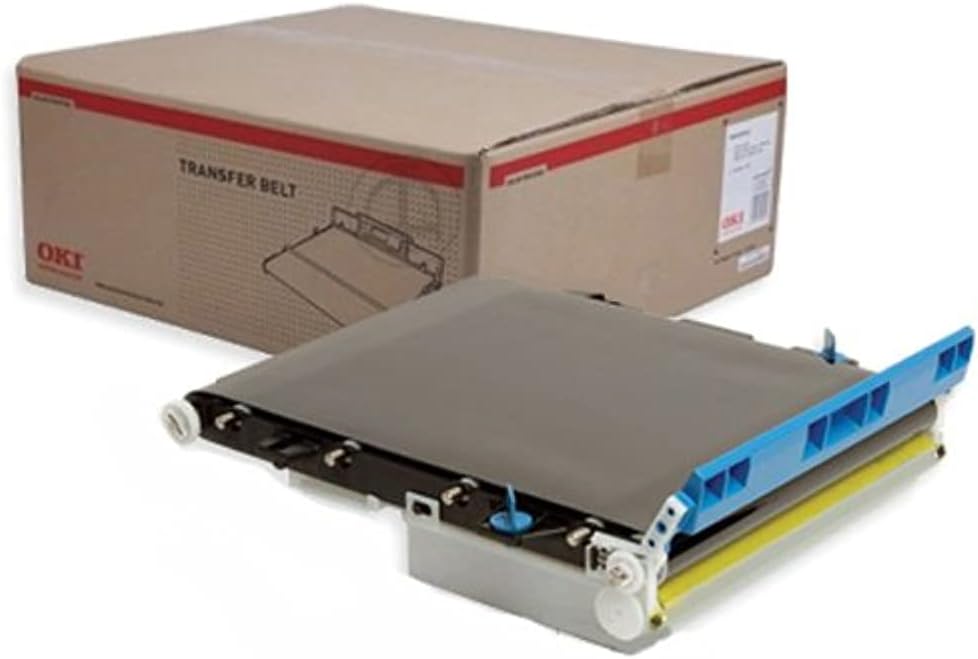
The Oki Transfer Belt with 60,000 yield is a premium choice for Oki printers. It holds a perfect 5.0 rating and aims to reduce downtime effectively.
We may earn a commission when you buy through this link, at no additional cost to you.
Manufactured in China this belt is a direct replacement for critical parts. Users note it increases productivity by extending machine life between replacements.
The higher price point reflects its yield and reliability. It is not universal but fits Oki models. Ensure you check the part number before buying.
For businesses relying on high volume printing this belt offers peace of mind. The yield and performance make it a top premium pick for serious users.
Replacing critical parts like this belt regularly helps your printer run longer with fewer unexpected breakdowns or quality issues.
The high yield means you spend less time replacing belts and more time on your core tasks.
We may earn a commission when you buy through this link, at no additional cost to you.
The Hewlett Packard CC468-67927 OEM Color Laser Maintenance Service Kit is designed for HP Color LJ CM3530 and MFPCP3525 series. It has a 150,000 yield.
We may earn a commission when you buy through this link, at no additional cost to you.
It is authentic and guaranteed but installation should be done by an experienced technician. The kit includes the intermediate transfer belt for service.
The 3.3 rating suggests challenges with installation or price. Ensure you match the exact part number for compatibility. OEM parts often cost more.
Choose this if you want a genuine HP part and have technical support. The high yield makes it a strong choice for enterprise environments.
Using an authentic OEM kit ensures the part meets the manufacturer standards for fit and function in your printer.
Professional installation helps avoid damage and ensures the service kit is installed correctly for best results.
We may earn a commission when you buy through this link, at no additional cost to you.
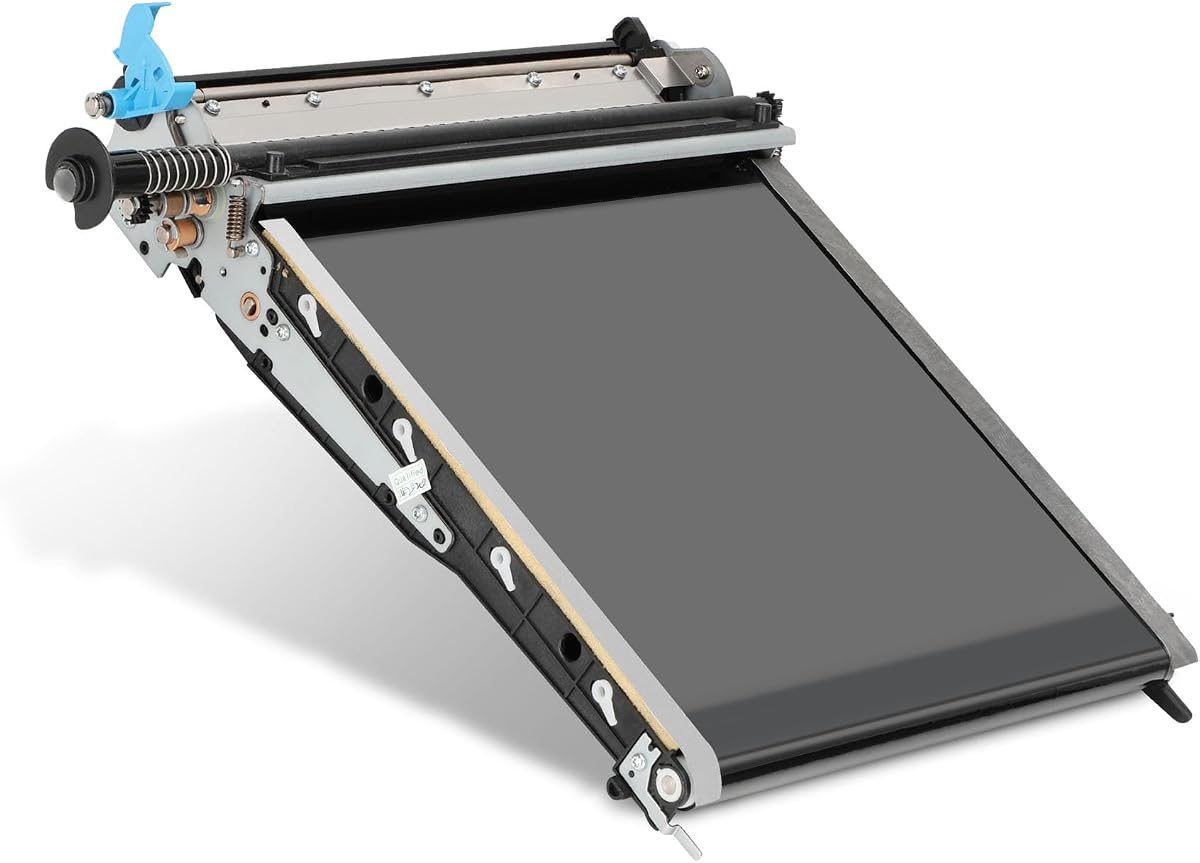
The P1B93A Transfer Belt Kit is compatible with Color LaserJet Enterprise M652 and M653 printers. It is made of high quality plastic and undergoes strict production processes.
We may earn a commission when you buy through this link, at no additional cost to you.
It includes an intermediate transfer belt and secondary transfer roller along with other rollers. Each part is tested for superior performance.
There is no rating data yet so feedback is limited. The kit fits M681 and M682 as well. Service is promised within 24 hours.
For enterprise users needing a reliable replacement this kit offers good material quality. Verify your model before purchase to ensure a fit.
Multiple quality and performance tests ensure the kit delivers superior performance for your enterprise printer setup.
Smooth belt and precision parts help your printer run without hindrance for longer periods.
We may earn a commission when you buy through this link, at no additional cost to you.
The 40X9929 Transfer Belt Assembly fits Lexmark CS720 and XC4140 series printers. It offers a 150,000 yield and is crafted from high-quality materials.
We may earn a commission when you buy through this link, at no additional cost to you.
It is rigorously factory tested for optimal performance. Packaging is secure with anti-drop design to protect during shipping.
There are no ratings yet so rely on specs and service. Support responds within 24 hours. Ensure your model matches before buying.
For Lexmark users this assembly provides a robust replacement. The yield and quality make it a solid option for office environments.
Rigorous testing ensures the belt performs optimally once installed in your Lexmark printer.
Professional anti-drop packaging enhances resilience to keep the product intact during transit.
We may earn a commission when you buy through this link, at no additional cost to you.
The 40X9929 Transfer Belt Assembly 2 is compatible with Lexmark CS720de and XC4140 series. It offers a 150,000 yield and uses premium quality materials.
We may earn a commission when you buy through this link, at no additional cost to you.
It is rigorously factory tested and shipped in secure anti-drop packaging. This ensures the product arrives intact and ready for install.
As a new listing there are no ratings yet. Support is available within 24 hours. Check your model number before purchase.
This assembly is a strong replacement for Lexmark owners. The yield and quality ensure reliable operation in business printing.
Crafted from premium materials this assembly is built to last and maintain your printer performance.
Dedicated team support within 24 hours helps address any questions or issues quickly after purchase.
We may earn a commission when you buy through this link, at no additional cost to you.
Choosing the right transfer belt requires careful attention to compatibility yield and quality. This guide explains key factors to ensure you select the best part for your printer.
Always verify your printer model and resolution before purchasing a transfer belt. A mismatch can lead to poor print quality or damage to your device. Use your model number to check the product description and fit list.
Double check part numbers to ensure exact match.
Yield refers to how many pages the belt can produce before replacement. Higher yields are better for high volume printers. Look for yields like 50k or 150k to reduce maintenance frequency.
Higher yield means fewer replacements over time.
Original equipment manufacturer belts are made to exact specs but cost more. Aftermarket options can be affordable and reliable if tested. Check ratings and user feedback to gauge quality.
Choose based on your budget and quality needs.
The material should resist wear and cracking under duty. Look for industrial grade or high tensile strength materials. This ensures longer life and consistent print output.
Durability reduces downtime and replacement costs.
Some kits come with rollers and other parts. These can simplify repair by reducing separate purchases. Check what is included before buying to ensure you have all needed items.
Complete kits save time and hassle.
Secure packaging protects the belt during transit. Look for anti-drop boxes or multi-layer protection. Damaged parts can fail early so shipping care matters.
Secure packaging ensures product integrity.
Good sellers offer support within 24 hours. Warranty or return options help if the part fails. Check seller ratings and policies before purchase.
Support reduces risk when buying parts.
Some belts require technician installation. Others are user friendly. Check instructions and complexity. Professional install helps avoid damage and ensures proper fit.
Consider your technical skills for install.
Before installing a new transfer belt power off and unplug your printer. Open the access panel as per your manual and locate the old belt. Remove it carefully to avoid scratching internal parts.
Align the new belt with the guide rails. Gently rotate the gears to seat the belt in place. Close the panels and power on. Check settings and run a test page.
Regularly clean the printer to prevent dust on the belt. Avoid harsh chemicals. Monitor print quality for signs of wear. Replace belts as needed to maintain performance.
Check your printer model number on the product description or fit list. Also match part numbers. If unsure contact the seller with your model to confirm compatibility.
OEM belts are made by the printer manufacturer and match specs exactly. Aftermarket belts are made by third parties and can be cheaper. Check reviews for quality.
Replacement depends on page yield. Check your printer manual for recommended intervals. Signs like streaks or fading indicate it may need replacing.
Many belts are user installable but some require a technician. Check product notes. If unsure hire a professional to avoid damage.
Ensure the belt is seated correctly and all parts are clean. Also check toner levels. If issues persist run calibration.
Choose high yield belts like 100k or 150k for high volume. This reduces replacement frequency and keeps machines running smoothly.
Some kits include secondary rollers and pickup rollers. Check product specs. Complete kits save time during repair.
We reviewed ten top transfer belts for reliability and performance. The Zebra belt and Brother BU223CL stood out for quality and yield.
Prioritize compatibility and material durability to extend your printer life. OEM or aftermarket depends on budget and needs.
Remember prices change so verify current offers before buying. Choose wisely to maintain your printer efficiency.