
Controller Charging Dock for Switch Pro & Switch 2 Pro Controller
4.0Editor score
Dual controller charging port
LED indicator status
Smart protection chip
Discover the top 10 Controller Charging Dock for Switch 2 options compared for compatibility, speed, and design to keep your gaming setup powered and organized
Keeping your controllers powered is essential for uninterrupted gaming sessions. A reliable charging dock ensures your devices are ready when you are. We compare the best options available for the Switch 2 ecosystem.
This guide evaluates ten top-rated charging stations based on features, compatibility, and user feedback. Each product offers unique benefits tailored to different gaming setups and preferences. Our goal is to help you find the perfect match.
Every pick highlights key specs, pros, and cons to simplify your decision. Prices and availability may change over time. Check current listings for the most up-to-date information before making your final selection.
4.0Editor score

4.7Editor score
4.6Editor score
This comparison table outlines the core specifications of each top-rated charging dock. It helps you quickly identify which model fits your specific controller types and storage needs without digging through long descriptions.


This controller charging dock is a budget-friendly choice for managing multiple power setups. It holds two controllers at once and features a clear LED indicator. The design includes removable Type-C adapters to protect ports from wear.
We may earn a commission when you buy through this link, at no additional cost to you.
The dock supports Switch Pro and Switch 2 Pro controllers along with PS5 and Xbox models. Using a 5V/2A adapter ensures stable charging speeds. Smart protection prevents overcurrent issues during long charging cycles.
The main trade-off is the lack of included power bricks. Users need a compatible USB wall adapter for best performance. Third-party controllers like PowerA are not supported so check compatibility first.
Buy this if you want a simple, low-cost station for official controllers. It keeps your desk tidy and ensures your gear is ready. The LED lights make it easy to see charge status at a glance.
Save money while charging two controllers simultaneously without sacrificing quality or safety features.
Removable adapters reduce stress on controller ports extending their lifespan over time.
We may earn a commission when you buy through this link, at no additional cost to you.
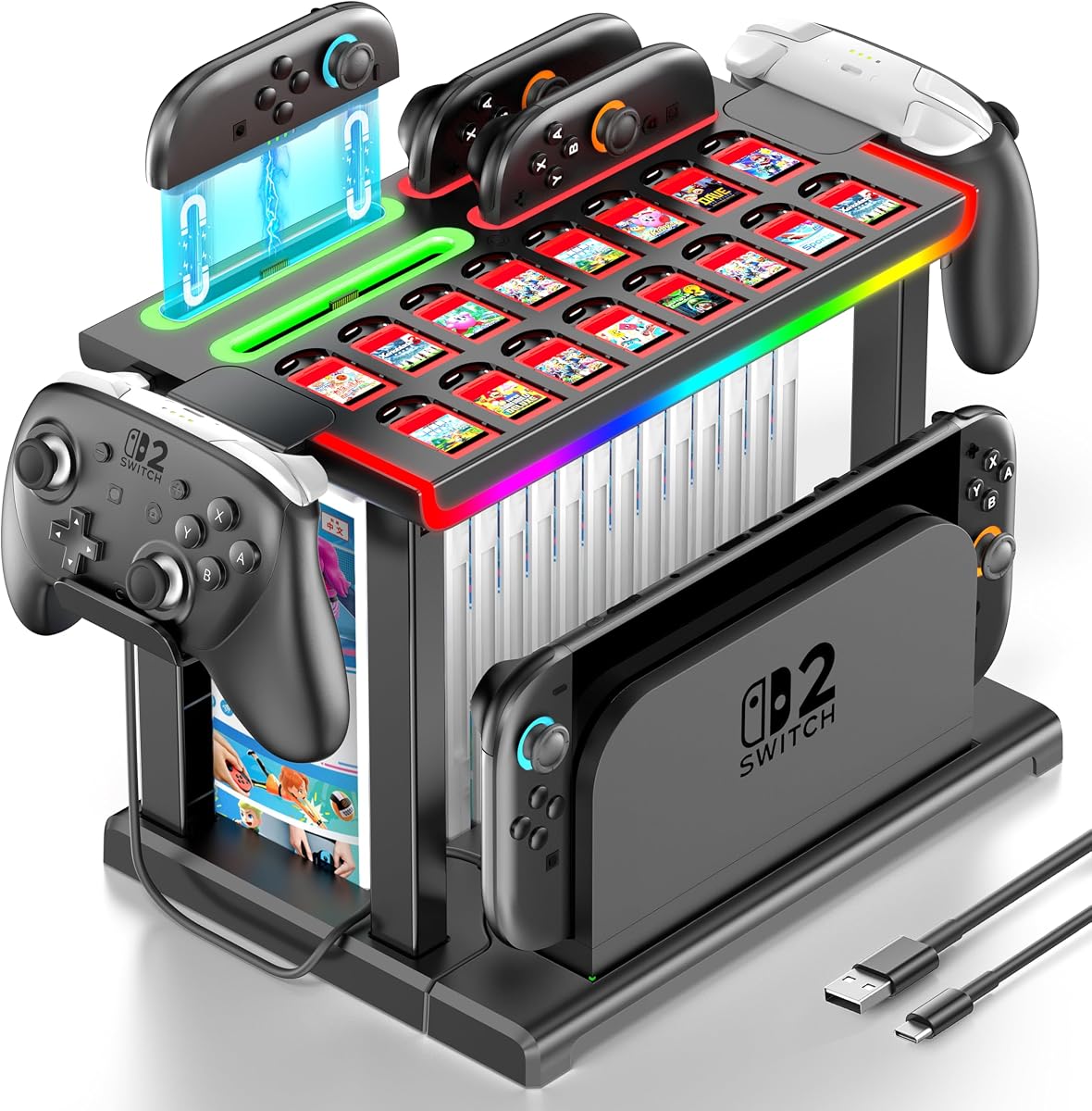
This organizer station combines charging and storage in one sleek unit. It holds up to 16 game cases and charges four joycons at once. RGB lights add a vibrant touch to your gaming space.
We may earn a commission when you buy through this link, at no additional cost to you.
The unit features 7 single-color and 2 multi-color lighting modes. You can cycle through them with a simple press. Installation is tool-free and the base has non-slip pads for stability on any surface.
A note to buyers is that the Switch 2 TV dock is not included. Also the unit is fairly large so ensure you have enough shelf space. The charging is fast and indicators are easy to read.
Choose this if you need major storage alongside your charging needs. It makes an excellent gift for enthusiasts who value organization and style. The RGB sync enhances your setup without requiring extra hardware.
Keep your library organized with slots for 16 physical game cases and 16 memory cards.
Adjustable RGB modes let you match your ambiance to your current gaming mood.
We may earn a commission when you buy through this link, at no additional cost to you.
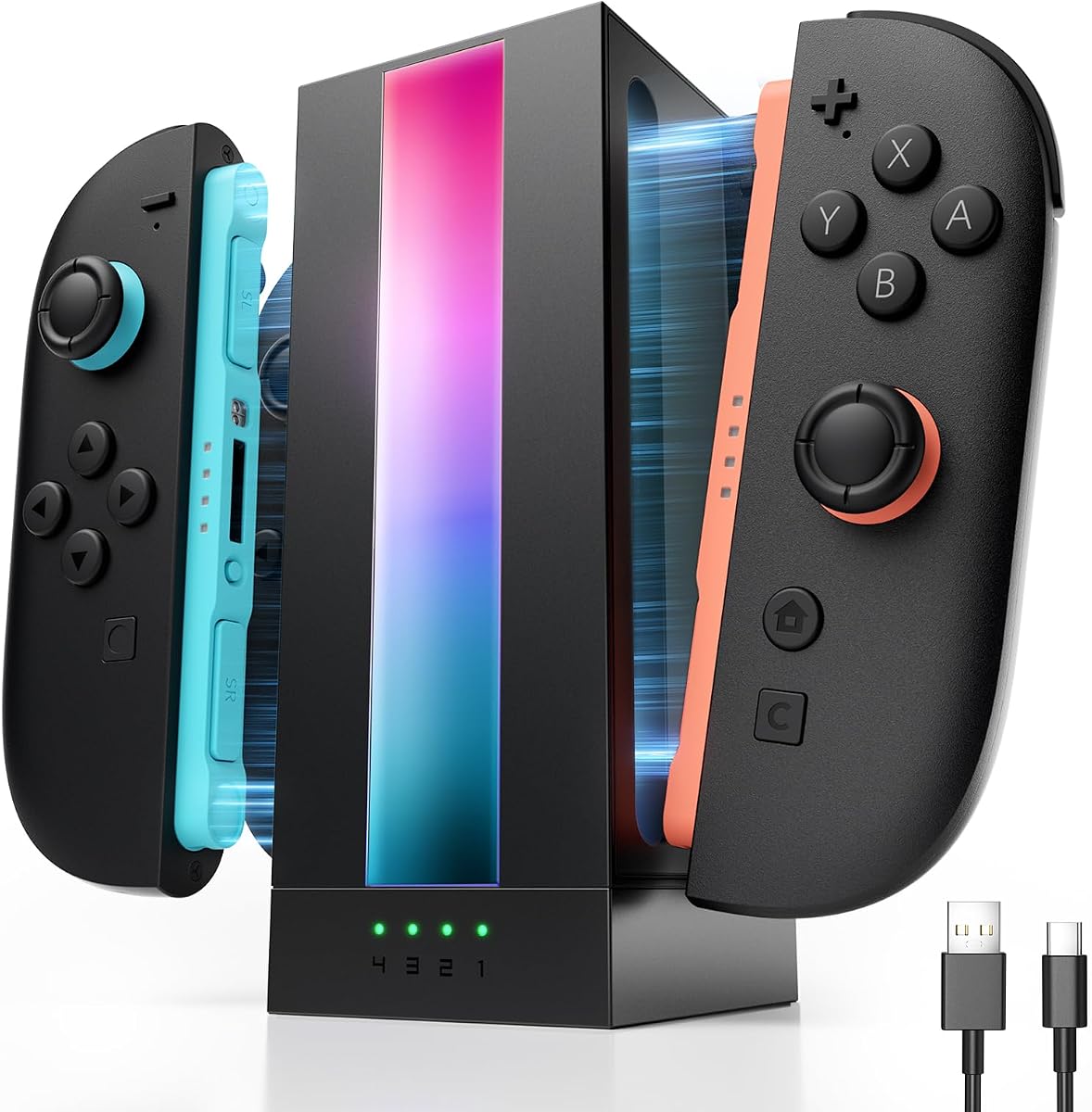
This magnetic charging dock simplifies connecting your Joycons to the power source. It features dual-direction alignment so you do not need to check + or – signs. Up to four controllers charge at once reliably.
We may earn a commission when you buy through this link, at no additional cost to you.
RGB lighting offers 9 vivid modes with memory function. Touch the button to switch colors and hold to turn off. Indicators show orange for charging and blue when full ensuring you always know the status.
Safety features include overvoltage and short-circuit protection for peace of mind. The dock works with AC adapters or computer USB. The main limit is that the console and controllers must be sourced separately.
This is a top pick for users wanting speed and ease of use. The magnetic snap protects ports from wear. Perfect for long gaming sessions where quick swaps are key.
No orientation needed for docking ensures fast and secure connection every time.
Remembers your last color choice automatically when powered on for convenience.
We may earn a commission when you buy through this link, at no additional cost to you.
This station is built specifically for Switch 2 Pro Controllers. It charges two units at once with stable 5V/2A input. LED lights show charging status clearly so you never guess the power level.
We may earn a commission when you buy through this link, at no additional cost to you.
Smart protection prevents overheating and overcharging to keep controllers safe. The design is compact enough to fit on small desks or TV stands. It saves space while keeping your gear ready for play.
Users have noted mixed experiences with build quality or stability. While it serves its main purpose well some may prefer more features for the price. It is a straightforward option for basic needs.
Buy this if you only need a simple stand for your Pro controllers. It handles daily charging needs without complexity. Ensure your power source matches the input specs for best results.
Tailored fit for Pro controllers ensures stable placement and efficient power delivery.
Essential safeguards help prevent common electrical issues during routine charging.
We may earn a commission when you buy through this link, at no additional cost to you.
The PowerA Base offers wireless charging for your Nintendo controllers. It fits Joycons and Pro controllers simultaneously on the pad. LED lights indicate when charging is complete for easy monitoring.
We may earn a commission when you buy through this link, at no additional cost to you.
The design is bold and fits well with most gaming setups. Being from PowerA ensures reliability and compatibility with official accessories. It simplifies your routine by removing cables from the equation.
Wireless tech can be slower than direct USB but the convenience wins for many. Check that your controllers support wireless charging for this model. Some users might need an external adapter.
Select this if you value a cable-free experience. It is great for casual players who want a clean look. The brand reputation adds confidence to the purchase for long-term use.
Wireless power transfer keeps cables hidden reducing clutter on your play area.
Official licensing ensures the base matches Nintendo standards for safety and fit.
We may earn a commission when you buy through this link, at no additional cost to you.
This 6-in-1 charger handles Joycons, Pro, and PS5 controllers. You can charge up to four Joycons and two others at once. It uses USB Type-C for flexible power sources like hubs or consoles.
We may earn a commission when you buy through this link, at no additional cost to you.
A smart IC chip protects against overcurrent and short circuits. The design imitates official track layouts for easy plug and play. An 80cm cable is included to set up quickly on any desk.
The mixed console support is great for households with multiple systems. However layouts might be crowded if you use all slots. Ensure you have enough power for all slots at once.
Choose this if you have diverse controllers to manage. It centralizes charging for different systems efficiently. The protection features add trust for daily use in shared gaming spaces.
One dock handles Nintendo and PlayStation gear reducing the need for multiple units.
A 80cm cable ensures you can start using the dock right out of the box.
We may earn a commission when you buy through this link, at no additional cost to you.
This dock features two USB-C ports for direct charging of Switch Pro and PS5 controllers. It includes removable adapters to reduce wear on ports. Indicators show charging status with bright LED lights.
We may earn a commission when you buy through this link, at no additional cost to you.
The design is compact and sits low on tables. It works with Xbox Series X and Elite controllers too. A 5V/2A adapter ensures stable performance for faster charging times.
Third-party controllers like Luna are not supported. Users need to bring their own power brick. The adapters are helpful but require proper insertion to work well.
Buy this for a clean dual-charge solution for pro gear. It keeps your desk simple and your controllers powered. Check adapter fit before buying if you use thick cases.
Dual ports allow simultaneous charging without extra cables or hubs.
Adapters protect controller ports and enable drop-in ease during use.
We may earn a commission when you buy through this link, at no additional cost to you.
This SUPCASE dock charges four Joycon 2 controllers at once. Magnetic design secures them easily without worry of falling. Dual-side charging allows placement regardless of orientation for fast power.
We may earn a commission when you buy through this link, at no additional cost to you.
RGB modes personalize your space with 9 color options. A smart chip stops charging when full to protect battery health. The design is compact and keeps your gaming area organized neatly.
The dock is for Switch 2 Joycon models specifically. Older models may not fit perfectly. Ensure you have the latest controllers before ordering to avoid returns.
Choose this if you often use four Joycons simultaneously. It is perfect for multiplayer setups. The magnetic system adds convenience while keeping your setup clean.
Four slots allow full team charging for local multiplayer gaming.
Secure magnetic fit prevents accidental dislodging during gaming sessions.
We may earn a commission when you buy through this link, at no additional cost to you.
This dock supports Switch 1, OLED, and 2 models with 10 slots. You can charge up to four Joycons and two Pro controllers. The Y-Type cable connects to official docks for power.
We may earn a commission when you buy through this link, at no additional cost to you.
11 RGB modes offer dynamic lighting for ambiance. Two extra USB ports help charge other devices. Touch controls manage lights and charging modes easily without manual switches.
The Y-Type cable requirement may limit portability slightly. Auto-start charging helps keep your queue moving. Not compatible with third-party Joycons so verify before purchase.
Buy this if you own multiple Switch generations. It centralizes all charging needs in one unit. The extra USB ports make it versatile for other gadgets too.
Supports older and newer Switch Joycons ensuring broad compatibility.
Two additional USB ports allow charging of phones or other devices.
We may earn a commission when you buy through this link, at no additional cost to you.
The JSAUX EnergyFlow dock charges four Switch 2 Joycons in 2.5 hours. It offers 30% more efficiency than older models. Independent LEDs show status for each port clearly.
We may earn a commission when you buy through this link, at no additional cost to you.
A built-in RGB light bar adds immersion to your desk. It includes a 1.5m cable for flexible placement. Smart safety protection prevents overheating and extends battery life.
This is for Switch 2 Joycons only not OLED. The high speed reduces wait between sessions. Ensure your power source is strong enough for four slots at once.
Choose this for quick charging when time matters. The design is sleek and the LED status helps monitor progress. Great for households that play a lot.
Full charge in 2.5 hours cuts downtime during long play sessions.
Individual LEDs make it easy to track each controller charge level.
We may earn a commission when you buy through this link, at no additional cost to you.
Selecting the right dock requires considering compatibility, capacity, and power needs. This guide breaks down key factors to help you make an informed choice.
Ensure the dock explicitly supports Switch 2 Joycon or Pro controllers. Some older models differ in pin layout so verify compatibility with your specific device before purchasing.
Check official specs to avoid returns due to mismatched ports or connectors.
Decide how many controllers you need to charge at once. Options range from dual slots to multi-unit stations holding up to four Joycons or mixed types.
Higher capacity is useful for multiplayer setups while dual slots suit single users.
Look for 5V/2A input recommendations to ensure fast and stable power delivery. Some docks offer quicker full charges which reduces downtime between games.
Efficient speed is key if you play frequently throughout the day.
Visual status lights help you know when charging is complete. Look for clear color codes like red for charging and green for full status.
Indicators prevent overcharging and save you from guessing battery levels.
Consider the physical footprint of the dock to ensure it fits your desk or shelf. Compact designs save space while larger organizers offer extra storage for game cases.
Choose a shape that matches your gaming setup aesthetics.
Some units include a cable but require you to supply a wall adapter. Others connect via USB to consoles or hubs for flexible placement options.
Check what is included in the box to avoid extra costs.
Many docks feature customizable RGB lights to enhance your setup ambiance. Modes may include static colors or dynamic breathing effects controlled by a touch button.
Optional lighting adds style but consider if you want it for sleep friendly zones.
Built-in smart chips protect against overvoltage, overcurrent, and short circuits. These features are vital to prevent damage to your valuable controllers over time.
Prioritize docks with explicit safety mentions in their product description.
Start by connecting the dock to a stable USB power source. Ensure the adapter meets the recommended voltage and amp ratings for best performance.
Slide your controllers into the designated slots until the LEDs light up. For magnetic models, let the magnets secure the connection automatically.
Regularly wipe the dock with a dry cloth to remove dust. Check ports for debris and avoid plugging in wet controllers to ensure safety.
Not all docks support Switch 2 Joycons specifically. Check product descriptions for explicit mentions of Joycon 2 compatibility. Some models are designed only for Pro controllers and may not fit smaller Joycons.
Charging times vary by model but typically range from 2.5 to 4 hours. Faster docks use 5V/2A input while others may take longer. Refer to the specs for exact durations.
Yes if the hub supplies enough power for all slots. Some docks recommend direct wall adapters for stable charging. Hubs with weak outputs may cause slow charging or disconnections.
Many docks support only official Nintendo controllers. Third party models like PowerA or Luna often have different connectors. Always verify compatibility before buying to avoid issues.
Most docks do not include a wall adapter. They provide cables that require an external power brick. Check the package contents to see what is included before ordering.
Check that the power source is connected properly. Ensure the controller is seated correctly in the slot. Resetting the dock by unplugging it may also resolve connection issues.
We reviewed ten top chargers offering options for speed, storage, and style. Each model provides unique features to suit different play habits and budgets.
Focus on compatibility and capacity first to ensure it meets your specific needs. Additional features like RGB lights or storage slots add value but are secondary to function.
Remember to check current listings for any changes in pricing or availability. Stay updated to get the best value for your gaming setup.